

The Apple iPad Air 11-inch (M4) is my best overall pick for its blend of performance, portability, and room to handle demanding apps. For a larger workspace, the iPad Air 13-inch (M4) offers more screen area, while the iPad 11-inch (A16) is a simpler fit for everyday tasks. The main choice is how much power, screen space, and storage you need—and whether a renewed older model’s lower entry point is worth its age and condition tradeoffs. I compare current Air and Pro models, compact options, and renewed iPads across those needs. Read on for the full breakdown and help matching an iPad to how you plan to use it.

Get the latest gadgets delivered free — and shop member deals
- Fast, free delivery on millions of items
- Access to Prime Big Deal Days deals on October 6–7
- Prime Video, Amazon Music and more included
Complete the kit



Key Takeaways
- The 11-inch iPad Air (M4) is my most balanced choice: it pairs current-generation performance with a size that is easier to carry than the 13-inch models.
- Screen size can matter more than extra power: the 13-inch Air gives documents, split-screen work, and drawing more room, while the 13-inch Pro adds a premium display and higher-end capability.
- The standard iPad line is the practical everyday path: the A16 11-inch model has 128GB, while several older or renewed options in this roundup have only 32GB or 64GB.
- Renewed iPads vary widely by generation: a recent renewed 11-inch model and a renewed 7th-generation iPad are not equivalent choices for software lifespan, storage, or performance.
- Compactness has a distinct winner: the iPad mini is easier to carry and hold for reading, but its smaller display is less comfortable for extended split-screen or laptop-like work.
| Apple iPad Air 11-inch (M4), 128GB, Wi-Fi 7, Space Gray |  | Best Overall | Display: 11-inch Liquid Retina with P3 wide color, True Tone, and ultralow reflectivity | Chip: Apple M4 | Storage: 128GB | VIEW LATEST PRICE | See Our Full Breakdown |
| Apple iPad Pro 11-inch (M5), 256GB, Wi-Fi 7, Space Black |  | Best Premium | Display: 11-inch Ultra Retina XDR with ProMotion, P3 wide color, and True Tone | Chip: Apple M5 with Neural Accelerators | Storage: 256GB | VIEW LATEST PRICE | See Our Full Breakdown |
| 2022 Apple iPad 10.9-inch Wi-Fi 64GB – Silver (Renewed) |  | Best for Budget-Conscious Beginners | Model: iPad 10.9-inch (10th Generation), 2022 | Display: 10.9-inch Liquid Retina with True Tone | Chip: A14 Bionic with 6-core CPU and 4-core GPU | VIEW LATEST PRICE | See Our Full Breakdown |
| Apple iPad Air 13-inch (M4), 128GB, Wi-Fi 7, Starlight |  | Best for a Large Workspace | Display: 13-inch Liquid Retina with P3 wide color and True Tone | Chip: Apple M4 | Storage: 128GB | VIEW LATEST PRICE | See Our Full Breakdown |
| Apple iPad 11-inch (A16 chip, 128GB, Wi-Fi, Silver) |  | Best Everyday Value | Display: 11-inch Liquid Retina with True Tone | Chip: Apple A16 | Storage: 128GB | VIEW LATEST PRICE | See Our Full Breakdown |
| Apple iPad (10th Generation) 64GB Wi-Fi – Silver |  | Best for Everyday Use | Display: 10.9-inch Liquid Retina | Chip: A14 Bionic | Storage: 64GB | VIEW LATEST PRICE | See Our Full Breakdown |
| Apple iPad mini (A17 Pro), 256GB, Wi-Fi 6E, Space Gray |  | Best Compact iPad | Display: 8.3-inch Liquid Retina | Chip: Apple A17 Pro | Storage: 256GB | VIEW LATEST PRICE | See Our Full Breakdown |
| Apple iPad Pro 13-inch (M5) — 256GB, Wi-Fi 7, Space Black |  | Best for Professional Creative Work | Display: 13-inch Ultra Retina XDR with ProMotion, P3 wide color, and True Tone | Chip: Apple M5 | Storage: 256GB | VIEW LATEST PRICE | See Our Full Breakdown |
| Apple iPad (2021), 10.2-inch, Wi-Fi, 64GB, Space Gray (Renewed) |  | Best Renewed Full-Size Pick | Display: 10.2-inch Retina | Storage: 64GB | Connectivity: Wi-Fi | VIEW LATEST PRICE | See Our Full Breakdown |
| Apple iPad 10.2-Inch Wi-Fi 32GB Space Gray (7th Generation, Renewed) |  | Best for Basic Tablet Needs | Display: 10.2-inch Retina | Generation: 7th Generation | Chip: A10 Fusion | VIEW LATEST PRICE | See Our Full Breakdown |
| Apple iPad Pro 13-inch (M4), 512GB, Wi-Fi, Space Black | 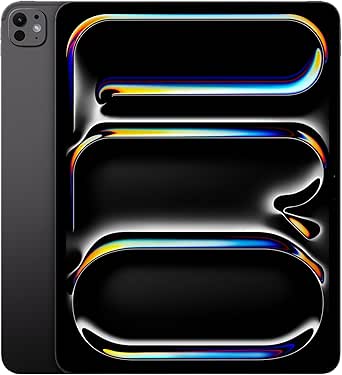 | Best for Large-Screen Creative Work | Display: 13-inch Ultra Retina XDR | Chip: Apple M4 | Storage: 512GB | VIEW LATEST PRICE | See Our Full Breakdown |
| Apple iPad Pro 12.9-inch Wi-Fi 256GB – Space Gray (Renewed) |  | Best Renewed Large-Screen Pro | Screen size: 12.9 inches | Storage: 256GB | Connectivity: Wi-Fi | VIEW LATEST PRICE | See Our Full Breakdown |
| Apple iPad (11-inch, Wi-Fi, 128GB, Silver, Renewed Premium) |  | Best Renewed Premium Everyday iPad | Model year: 2025 | Display: 11 inches | Connectivity: Wi-Fi | VIEW LATEST PRICE | See Our Full Breakdown |
| Apple 2025 iPad 11-inch (Wi-Fi, 128GB) – Silver (Renewed) |  | Best Renewed Pick for Everyday Performance | Screen size: 11 inches | Chip: A16 | Storage: 128GB | VIEW LATEST PRICE | See Our Full Breakdown |
| Apple iPad Pro 11-inch (4th Generation) with M2 chip, 256GB, Wi-Fi 6E, Space Gray |  | Best Compact Pro for Multitasking | Display: 11-inch Liquid Retina with ProMotion, True Tone, and P3 wide color | Chip: Apple M2, 8-core CPU and 10-core GPU | Storage: 256GB | VIEW LATEST PRICE | See Our Full Breakdown |
| iPad tablet | Storage | Connectivity | Display | Chip |
|---|---|---|---|---|
| Apple iPad Air 11-inch | 128GB | Wi-Fi 7 with Apple N1 | 11-inch Liquid Retina with P3 wide color, True Tone, and ultralow reflectivity | Apple M4 |
| Apple iPad Pro 11-inch | 256GB | Wi-Fi 7 with Apple N1 | 11-inch Ultra Retina XDR with ProMotion, P3 wide color, and True Tone | Apple M5 with Neural Accelerators |
| 2022 Apple iPad 10.9-inch Wi-F | 64GB | Wi-Fi 6 | 10.9-inch Liquid Retina with True Tone | A14 Bionic with 6-core CPU and 4-core GPU |
| Apple iPad Air 13-inch | 128GB | Wi-Fi 7 with Apple N1 | 13-inch Liquid Retina with P3 wide color and True Tone | Apple M4 |
| Apple iPad 11-inch | 128GB | Wi-Fi 6; USB-C | 11-inch Liquid Retina with True Tone | Apple A16 |
| Apple iPad | 64GB | Wi-Fi 6 | 10.9-inch Liquid Retina | A14 Bionic |
| Apple iPad mini | 256GB | Wi-Fi 6E and USB-C | 8.3-inch Liquid Retina | Apple A17 Pro |
| Apple iPad Pro 13-inch | 256GB | Wi-Fi 7 with Apple N1 | 13-inch Ultra Retina XDR with ProMotion, P3 wide color, and True Tone | Apple M5 |
| Apple iPad | 64GB | Wi-Fi | 10.2-inch Retina | — |
| Apple iPad 10.2-Inch Wi-Fi 32G | 32GB | Wi-Fi | 10.2-inch Retina | A10 Fusion |
| Apple iPad Pro 13-inch | 512GB | Wi-Fi 6E | 13-inch Ultra Retina XDR | Apple M4 |
| Apple iPad Pro 12.9-inch Wi-Fi | 256GB | Wi-Fi | — | — |
| Apple iPad | 128GB | Wi-Fi | 11 inches | — |
| Apple 2025 iPad 11-inch | 128GB | Wi-Fi 6 | Liquid Retina with True Tone | A16 |
| Apple iPad Pro 11-inch | 256GB | Wi-Fi 6E | 11-inch Liquid Retina with ProMotion, True Tone, and P3 wide color | Apple M2, 8-core CPU and 10-core GPU |
More Details on Our Top Picks
Apple iPad Air 11-inch (M4), 128GB, Wi-Fi 7, Space Gray
I’d make the 11-inch iPad Air with M4 my all-around pick because it combines strong performance with a screen size that stays manageable for reading, travel, and everyday work. Its M4 chip gives demanding apps and multitasking more room to run smoothly than the A16 iPad, while the Liquid Retina display adds P3 color and True Tone for creative work and comfortable viewing. Compared with the 13-inch iPad Air (M4), this model is easier to carry, though the larger version gives split-screen work and drawing more space. The main compromises are 128GB of storage and accessories such as Apple Pencil and Magic Keyboard being sold separately. I’d choose it for broad capability in a portable size, but not for buyers who need a larger canvas or substantial built-in storage.
Pros:- M4 chip supports demanding apps and smooth multitasking
- 11-inch Liquid Retina display includes P3 wide color and True Tone
- Wi-Fi 7 and all-day battery life suit mobile use
- 12MP Center Stage front camera and 12MP rear camera with 4K video
Cons:- 128GB may feel restrictive for large creative projects and offline media
- Apple Pencil and Magic Keyboard are separate purchases
Best for: Students and mobile professionals who want a capable tablet for notes, multitasking, creative apps, and streaming in a portable 11-inch size.
Not ideal for: Digital artists and frequent split-screen users who need a larger workspace, or buyers who want more than 128GB without managing storage.
- Display:11-inch Liquid Retina with P3 wide color, True Tone, and ultralow reflectivity
- Chip:Apple M4
- Storage:128GB
- Connectivity:Wi-Fi 7 with Apple N1
- Front camera:12MP Center Stage
- Rear camera:12MP Wide; records 4K video
- Authentication:Touch ID
- Battery life:All-day
Our verdict“Choose this iPad Air for a strong balance of performance and portability; pick the 13-inch Air if screen space matters more.”
Apple iPad Pro 11-inch (M5), 256GB, Wi-Fi 7, Space Black
The 11-inch iPad Pro with M5 is the premium choice for buyers who will use its display and processing headroom every day. Its Ultra Retina XDR screen with ProMotion is a more advanced viewing experience than the Liquid Retina panel on the iPad Air, while the M5 chip is suited to demanding creative and productivity workloads. The 256GB configuration also starts with twice the storage of the 128GB Air models here, which gives projects and downloaded media more breathing room. The tradeoff is that the iPad Air M4 already covers demanding everyday work for many people, so Pro capabilities may go unused. Pencil and Magic Keyboard cost extra, and this configuration lacks the nano-texture glass option listed for higher-storage models. I’d reserve this pick for buyers who can make practical use of its display and performance advantages.
Pros:- M5 chip with Neural Accelerators targets demanding creative and productivity tasks
- Ultra Retina XDR display includes ProMotion, P3 wide color, and True Tone
- 256GB storage provides more room than the 128GB Air configurations
- Four-speaker system, four microphones, and landscape Center Stage camera
Cons:- Its advanced display and processing may be unnecessary for everyday tablet use
- Apple Pencil and Magic Keyboard are sold separately
- Nano-texture display glass is only available on 1TB and 2TB configurations
Best for: Creative professionals and power users who want an 11-inch tablet with a high-end display, fast processing, and 256GB for active projects.
Not ideal for: Students and general-use buyers who mainly browse, stream, and take notes; the iPad Air M4 offers ample capability for those tasks.
- Display:11-inch Ultra Retina XDR with ProMotion, P3 wide color, and True Tone
- Chip:Apple M5 with Neural Accelerators
- Storage:256GB
- Connectivity:Wi-Fi 7 with Apple N1
- Front camera:12MP Center Stage
- Rear camera:12MP Wide with adaptive True Tone flash
- Biometrics:Face ID
- Audio:Four-speaker system and four microphones
Our verdict“Pick the iPad Pro if its advanced screen and processing will support your work; otherwise, the iPad Air M4 is a more practical fit.”
2022 Apple iPad 10.9-inch Wi-Fi 64GB – Silver (Renewed)
This renewed 10th-generation iPad suits a first-time tablet buyer who wants a modern-feeling screen and USB-C charging for everyday tasks. Its 10.9-inch Liquid Retina display and A14 Bionic chip can handle browsing, video, schoolwork, and video calls, while the front camera’s Center Stage framing helps keep callers in view. Compared with the newer 11-inch iPad with A16, this model has an older chip and half the listed storage, so it offers less headroom for heavier apps and downloaded files. The bigger distinction is condition: this is a renewed unit with a 90-day limited warranty, not a new tablet. Its 64GB capacity can also fill quickly. I’d consider it for basic use when the buyer is comfortable with refurbished electronics, but choose a newer configuration for longer-term performance or more storage.
Pros:- 10.9-inch Liquid Retina display with True Tone
- A14 Bionic chip handles common browsing, video, and school tasks
- USB-C charging and compatibility with Apple Pencil (1st gen) and Magic Keyboard Folio
- 12MP Ultra Wide front camera supports Center Stage
Cons:- Renewed condition comes with a 90-day limited warranty
- 64GB storage can constrain apps, downloads, and school files
- Older A14 chip has less headroom than the A16 iPad and M4 Air models
Best for: First-time iPad buyers and families seeking a straightforward tablet for browsing, video calls, and school basics who are comfortable with a renewed device.
Not ideal for: Buyers who want a new device, a longer warranty, substantial local storage, or more performance headroom for creative apps.
- Model:iPad 10.9-inch (10th Generation), 2022
- Display:10.9-inch Liquid Retina with True Tone
- Chip:A14 Bionic with 6-core CPU and 4-core GPU
- Storage:64GB
- Connectivity:Wi-Fi 6
- Cameras:12MP Ultra Wide front with Center Stage; 12MP Ultra Wide rear
- Charging:USB-C
- Condition and warranty:Renewed; 90-day limited warranty
Our verdict“Choose this renewed iPad for basic everyday use if its 64GB capacity and shorter warranty fit your needs.”
Apple iPad Air 13-inch (M4), 128GB, Wi-Fi 7, Starlight
The 13-inch iPad Air with M4 brings a roomy canvas to the Air lineup without stepping up to the iPad Pro. The larger Liquid Retina display makes split-screen reading, document work, and drawing feel less cramped than on the 11-inch iPad Air, while the same M4 chip keeps demanding apps in reach. P3 wide color and True Tone make the screen useful for creative work and long viewing sessions. Its size is also the main compromise: the 11-inch Air is easier to carry, and this model’s 128GB storage may be a limiting pairing for large art, video, or school projects. Apple Pencil and Magic Keyboard are supported but sold separately. I’d choose this Air when workspace matters more than compactness, and skip it if travel convenience is the priority.
Pros:- 13-inch Liquid Retina display offers more room for drawing and multitasking
- M4 chip supports demanding apps and smooth multitasking
- P3 wide color and True Tone support vivid, comfortable viewing
- 12MP Center Stage front camera and 12MP rear camera with 4K video
Cons:- Larger size is less convenient to carry than the 11-inch iPad Air
- 128GB storage may constrain large creative or video projects
- Apple Pencil and Magic Keyboard are separate accessories
Best for: Illustrators, students, and multitaskers who want a larger screen for drawing, split-screen reading, or working with documents.
Not ideal for: Frequent travelers and commuters who value a compact tablet, or creators who need extensive local storage for large projects.
- Display:13-inch Liquid Retina with P3 wide color and True Tone
- Chip:Apple M4
- Storage:128GB
- Connectivity:Wi-Fi 7 with Apple N1
- Front camera:12MP Center Stage
- Rear camera:12MP Wide; records 4K video
- Authentication:Touch ID
- Battery life:All-day
Our verdict“Choose the 13-inch Air when a generous work surface matters more than the portability of the 11-inch Air.”
Apple iPad 11-inch (A16 chip, 128GB, Wi-Fi, Silver)
The 11-inch iPad with A16 is a sensible everyday pick for browsing, streaming, schoolwork, and notes, with 128GB of storage in the listed configuration. Its Liquid Retina display includes True Tone, and the A16 chip offers a step up from the A14 in the renewed 10th-generation iPad. It also supports Apple Pencil and Magic Keyboard Folio, so buyers can add handwriting or a keyboard setup later. Compared with the 11-inch iPad Air M4, it gives up the M-series chip and Wi-Fi 7, making it less suited to demanding creative workloads and heavier multitasking. In return, its everyday feature set is a better match for buyers who do not need Air-level performance. The accessories are separate, and this Wi-Fi model has no cellular connectivity listed. I’d pick it for general use, not as a compact workstation.
Pros:- A16 chip supports everyday apps and general creative tasks
- 11-inch Liquid Retina display with True Tone
- 128GB configuration offers more storage than the renewed 64GB iPad
- Supports Apple Pencil and Magic Keyboard Folio
Cons:- A16 chip has less performance headroom than the M4 iPad Air and M5 iPad Pro
- Wi-Fi 6 model has no cellular option listed
- Apple Pencil and Magic Keyboard Folio are sold separately
Best for: Students and households who need a new 11-inch iPad for schoolwork, video, browsing, and occasional handwritten notes.
Not ideal for: Creative professionals running demanding workflows, or people who need cellular connectivity while away from Wi-Fi.
- Display:11-inch Liquid Retina with True Tone
- Chip:Apple A16
- Storage:128GB
- Connectivity:Wi-Fi 6; USB-C
- Front camera:12MP Center Stage
- Rear camera:12MP Wide with True Tone flash; records 4K video
- Security:Touch ID
- Accessory support:Apple Pencil (USB-C), Apple Pencil (1st generation), Magic Keyboard Folio
Our verdict“Choose the A16 iPad for everyday school and home use; step up to the Air M4 for demanding apps and heavier multitasking.”
Apple iPad (10th Generation) 64GB Wi-Fi – Silver
The 10th-generation iPad is a sensible pick for browsing, video calls, streaming, and schoolwork, with a 10.9-inch Liquid Retina display that gives apps and split-screen tasks more room than the iPad mini’s 8.3-inch screen. Its A14 Bionic chip and Wi-Fi 6 suit everyday use, while Center Stage helps keep people in frame during video calls. Compared with the newer iPad (A16, 128GB), this model has half the listed storage, which can become a constraint if you keep many large apps, downloads, or videos on the device. The 64GB configuration makes most sense for lighter use or cloud storage. Touch ID is built into the top button, and the front camera sits on the long edge for landscape calls. Apple Pencil and Magic Keyboard Folio are sold separately, adding extra purchases for buyers who want a writing or laptop-style setup.
Pros:- 10.9-inch Liquid Retina display gives video, reading, and multitasking more room than the iPad mini.
- A14 Bionic chip is suited to common apps and everyday school tasks.
- 12MP landscape front camera with Center Stage helps keep callers in view.
- Wi-Fi 6 and Touch ID provide modern wireless connectivity and convenient unlocking.
Cons:- 64GB storage offers less room than the 128GB iPad (A16).
- Apple Pencil and Magic Keyboard Folio are sold separately.
- The A14 chip is older than the A16 and M-series chips in other current lineup options.
Best for: Students and households who want a full-size iPad for browsing, streaming, video calls, and cloud-based schoolwork.
Not ideal for: People who store large video libraries, install many demanding apps, or want a tablet and keyboard setup without buying accessories separately.
- Display:10.9-inch Liquid Retina
- Chip:A14 Bionic
- Storage:64GB
- Connectivity:Wi-Fi 6
- Front camera:12MP Ultra Wide with Center Stage
- Back camera:12MP Wide with 4K video
- Biometrics:Touch ID
- Weight:1.05 pounds
Our verdict“Choose this iPad for familiar full-size everyday use if 64GB is enough and you do not need bundled accessories.”
Apple iPad mini (A17 Pro), 256GB, Wi-Fi 6E, Space Gray
The iPad mini earns its place for buyers who value portability over screen area. At 8.3 inches, it is easier to carry and hold for reading, field notes, or drawing on the move than the 10.9-inch iPad (10th Generation). The A17 Pro chip and 256GB storage also give it more performance headroom and local space than that base iPad’s 64GB configuration. Its small display is the tradeoff: documents, video editing timelines, and side-by-side apps feel more constrained than on the iPad Air 11-inch (M4) or the standard iPad. Wi-Fi 6E and USB-C provide current connectivity, and it supports Apple Pencil Pro as well as Apple Pencil (USB-C). Pencil and Smart Folio accessories are separate purchases, so this is best for someone who will use its compact size often enough to justify a dedicated smaller tablet.
Pros:- Compact 8.3-inch design is easier to carry than the standard iPad and iPad Air.
- A17 Pro chip offers strong performance in a small tablet.
- 256GB storage exceeds the 64GB configuration of the iPad (10th Generation).
- Supports Apple Pencil Pro and Apple Pencil (USB-C), with USB-C and Wi-Fi 6E connectivity.
Cons:- Smaller display leaves less room for multitasking and detailed creative work than the iPad Air 11-inch.
- Apple Pencil and Smart Folio are sold separately.
- Touch ID is used instead of Face ID.
Best for: Commuters, frequent travelers, and readers who want a powerful iPad that is easy to carry and use one-handed.
Not ideal for: Buyers who mainly work with large documents, edit video, or want a spacious screen for multitasking.
- Display:8.3-inch Liquid Retina
- Chip:Apple A17 Pro
- Storage:256GB
- Connectivity:Wi-Fi 6E and USB-C
- Front camera:12MP Ultra Wide with Center Stage
- Rear camera:12MP Wide with True Tone flash and 4K video
- Security:Touch ID
- Apple Pencil compatibility:Apple Pencil Pro and Apple Pencil (USB-C)
Our verdict“Pick the mini if portability and pencil use matter more to you than having a large workspace.”
Apple iPad Pro 13-inch (M5) — 256GB, Wi-Fi 7, Space Black
The 13-inch iPad Pro with M5 is the lineup’s clearest choice for demanding creative and productivity work. Its large Ultra Retina XDR display with ProMotion offers more room and smoother motion than the iPad Air 11-inch (M4), while the M5 chip, Neural Accelerators, and up to 16GB of memory are aimed at intensive apps and on-device AI tasks. LiDAR adds depth sensing for compatible workflows. Those capabilities are more than most note-taking, reading, or streaming users need; the iPad mini is easier to carry, and the standard iPad is a simpler fit for everyday tasks. This model’s 256GB storage may also be limiting for large media projects, and the listed memory figure is “up to” 16GB. Apple Pencil and Magic Keyboard are sold separately, so the full creative workstation setup requires additional accessories.
Pros:- 13-inch Ultra Retina XDR display with ProMotion, P3 wide color, and True Tone suits detailed visual work.
- M5 chip and Neural Accelerators support demanding apps and on-device AI tasks.
- Wi-Fi 7 with Apple N1 supports fast wireless connectivity.
- LiDAR scanner and Face ID add capabilities suited to compatible workflows and convenient unlocking.
Cons:- Large screen makes it less compact than the iPad mini and 11-inch models.
- Apple Pencil and Magic Keyboard are sold separately.
- 256GB may not be enough for large video or design project libraries.
Best for: Video editors, illustrators, and professionals who need a large, high-refresh display and substantial processing capability in an iPad.
Not ideal for: Casual users, frequent travelers prioritizing compactness, or creative professionals whose projects require more than 256GB of internal storage.
- Display:13-inch Ultra Retina XDR with ProMotion, P3 wide color, and True Tone
- Chip:Apple M5
- Storage:256GB
- Memory:Up to 16GB
- Connectivity:Wi-Fi 7 with Apple N1
- Front camera:12MP landscape Center Stage camera
- Back camera:12MP Wide with adaptive True Tone flash
- Other sensors:LiDAR Scanner
- Biometrics:Face ID
Our verdict“Choose the 13-inch Pro if your work can use its large high-refresh display and M5 performance, and you can accommodate its accessory and storage needs.”
Apple iPad (2021), 10.2-inch, Wi-Fi, 64GB, Space Gray (Renewed)
This renewed 2021 iPad is a basic full-size option for buyers who want a 10.2-inch Retina screen and 64GB storage without stepping up to the newer 10.9-inch iPad (10th Generation). The larger model offers a newer A14 Bionic chip, Wi-Fi 6, and a landscape Center Stage front camera; this listing provides only Wi-Fi connectivity and does not specify its processor or camera details, so I would not choose it for buyers who need those capabilities. Compared with the 7th-generation renewed iPad in this group, it has twice the listed storage, which gives apps and offline media more breathing room. Its renewed condition means it is not a new unit, and the available product data does not state a warranty or exact included accessories. The limited listing detail makes it best suited to straightforward browsing, reading, and streaming rather than feature-sensitive work.
Pros:- 10.2-inch Retina display provides a full-size screen for reading and video.
- 64GB storage is double the capacity listed for the renewed 7th-generation iPad.
- Wi-Fi connectivity supports common online tablet use.
Cons:- Renewed condition means the device is not new.
- The product data does not identify its processor, camera specifications, or warranty.
- It lacks the listed Wi-Fi 6 and Center Stage front camera details of the iPad (10th Generation).
Best for: Budget-conscious readers and casual users who want a renewed, full-size iPad for browsing, streaming, and light app use.
Not ideal for: Buyers who need confirmed processor, camera, accessory, or warranty details, or who want a new tablet with current features.
- Display:10.2-inch Retina
- Storage:64GB
- Connectivity:Wi-Fi
- Color:Space Gray
- Condition:Renewed
- Model year:2021
Our verdict“Consider this renewed iPad for basic full-size use if its unspecified hardware and warranty details meet your needs.”
Apple iPad 10.2-Inch Wi-Fi 32GB Space Gray (7th Generation, Renewed)
The renewed 7th-generation iPad offers a 10.2-inch Retina display, Touch ID, and support for the first-generation Apple Pencil and Smart Keyboard. That makes it more adaptable for occasional handwriting or typing than the listing for the renewed 2021 iPad, which does not specify accessory compatibility. Its A10 Fusion chip and 32GB storage are the limiting factors: compared with the iPad (10th Generation), it has an older processor and half the capacity of that model’s 64GB base configuration. The product data also lists iPadOS 18 as its maximum supported version, which sets a clear ceiling for future software support. As a renewed 2019 device, it is best for light browsing, reading, and simple tasks, rather than demanding apps or keeping many files locally. Accessories are sold separately, and the 90-day limited warranty is specified.
Pros:- 10.2-inch Retina display offers more viewing space than the iPad mini.
- Supports first-generation Apple Pencil and Smart Keyboard for optional note-taking and typing.
- Touch ID and stereo speakers support everyday tablet use.
- The listing specifies a 90-day limited warranty.
Cons:- 32GB storage is limited for apps and downloaded media.
- A10 Fusion is older than the A14 chip in the iPad (10th Generation) and may struggle with demanding apps.
- Renewed condition and iPadOS 18 maximum support make it a less future-ready choice.
Best for: A buyer seeking a renewed iPad for reading, web browsing, and occasional notes with Apple Pencil support.
Not ideal for: People who need demanding apps, long-term software flexibility, plentiful local storage, or a new device.
- Display:10.2-inch Retina
- Generation:7th Generation
- Chip:A10 Fusion
- Storage:32GB
- Connectivity:Wi-Fi
- Rear camera:8MP
- Front camera:1.2MP FaceTime HD
- Maximum iPadOS:iPadOS 18
- Warranty:90-day limited
Our verdict“Choose this renewed 7th-generation iPad only for light tasks and Pencil compatibility when its limited storage and software ceiling are acceptable.”
Apple iPad Pro 13-inch (M4), 512GB, Wi-Fi, Space Black
The 13-inch Ultra Retina XDR display and M4 chip make this the strongest fit here for demanding creative apps, expansive multitasking, and detailed visual work. Compared with the iPad Pro 11-inch (4th Generation), its larger screen gives drawings, timelines, and side-by-side windows more room, while the 512GB storage offers more space for projects. That scale comes with a portability tradeoff: at 1.27 pounds, it is less convenient to hold for long reading sessions than an 11-inch iPad. Thunderbolt / USB 4, Face ID, and LiDAR add useful connections and tools for workflows that need them, but many buyers will not need every Pro feature. Apple Pencil Pro and Magic Keyboard are separate purchases, so factor those into a setup built around drawing or laptop-style work.
Pros:- Large 13-inch Ultra Retina XDR display suits detailed creative work and split-screen tasks
- M4 chip is built for demanding apps and intensive multitasking
- 512GB storage provides room for large projects and media libraries
- Thunderbolt / USB 4, Face ID, and LiDAR support advanced workflows
Cons:- Larger size and 1.27-pound weight make it less comfortable for extended handheld use
- Apple Pencil Pro and Magic Keyboard are sold separately
- Pro features may be unnecessary for browsing, reading, and routine app use
Best for: Digital artists, video editors, and multitaskers who want a large, high-end iPad display and ample project storage
Not ideal for: Readers and commuters who prioritize a light, easy-to-hold tablet or do not need Pro-level creative features
- Display:13-inch Ultra Retina XDR
- Chip:Apple M4
- Storage:512GB
- Connectivity:Wi-Fi 6E
- Port:USB-C with Thunderbolt / USB 4 support
- Front camera:12MP Ultra Wide with Center Stage
- Rear camera:12MP Wide with adaptive True Tone flash; supports 4K ProRes video
- Security and scanning:Face ID and LiDAR Scanner
Our verdict“Choose this iPad Pro if a spacious premium display and M4 performance matter more than compactness and accessory cost.”
Apple iPad Pro 12.9-inch Wi-Fi 256GB – Space Gray (Renewed)
This renewed 12.9-inch iPad Pro gives buyers a large ProMotion display and four-speaker audio in a model built around the A12X Bionic chip. Its broad screen is better suited to watching, reading documents, and older creative workflows than the more compact Apple iPad Pro 11-inch (4th Generation), while the renewed condition makes its prior ownership part of the decision. The tradeoff is age: compared with the current 13-inch M4 Pro, this model has an older processor and less current hardware, so it is a less compelling choice for demanding new apps or buyers seeking the latest platform. Face ID and the 256GB capacity remain useful, but there is no cellular option. I would choose it for large-screen basics when a newer Pro’s performance is not necessary.
Pros:- 12.9-inch edge-to-edge display offers generous room for media and documents
- ProMotion, True Tone, and wide color support enhance screen responsiveness and color
- Four-speaker audio provides wider stereo sound
- Face ID enables secure authentication
Cons:- A12X Bionic is an older chip than the M4 and M2 processors in newer Pro models
- Renewed condition may include signs of prior use
- Wi-Fi-only configuration has no cellular connectivity option
Best for: Buyers seeking a spacious refurbished iPad for streaming, reading, and everyday apps who are comfortable with an older generation
Not ideal for: Creative professionals who need current high-end performance, cellular access, or the newest Pro hardware
- Screen size:12.9 inches
- Storage:256GB
- Connectivity:Wi-Fi
- Processor:A12X Bionic chip with Neural Engine
- Authentication:Face ID
- Rear camera:12MP
- Front camera:7MP TrueDepth
- Audio and condition:Four speakers with wider stereo sound; Renewed
Our verdict“Pick this renewed Pro for a spacious screen and stereo sound if you can accept older hardware and Wi-Fi-only use.”
Apple iPad (11-inch, Wi-Fi, 128GB, Silver, Renewed Premium)
This Renewed Premium 2025 iPad is aimed at buyers who want a recent 11-inch model in a pre-owned package, with a stated battery capacity above 80% of its original level and no visible cosmetic imperfections at arm’s length. Compared with the Apple 2025 iPad 11-inch (Renewed), the central distinction in the supplied details is the Premium condition description and its stated replacement or refund coverage, rather than a documented difference in performance. Its 128GB storage suits everyday apps, browsing, and streaming, though buyers with large offline libraries or extensive video files may want more room. It is still pre-owned and not Apple-certified, and compatible accessories may be non-original. The 365-day coverage offers a defined remedy window, but it does not make this equivalent to a new iPad.
Pros:- Professionally inspected, tested, and cleaned by qualified suppliers
- No visible cosmetic imperfections at arm’s length
- Battery capacity is stated as more than 80% of original
- Eligible for replacement or refund within 365 days of receipt
Cons:- Pre-owned and not Apple-certified
- Compatible accessories may be non-original
- 128GB may constrain large offline libraries and video projects
Best for: Students and home users who want a recent 11-inch iPad and value a documented battery threshold and return coverage
Not ideal for: Buyers who require a new or Apple-certified device, original accessories, or substantial storage for large media projects
- Model year:2025
- Display:11 inches
- Connectivity:Wi-Fi
- Storage:128GB
- Condition:Renewed Premium
- Battery:More than 80% of original capacity
- Accessories:Compatible, non-original accessories may be included
- Return coverage:Replacement or refund within 365 days of receipt
Our verdict“Choose this renewed Premium iPad if a recent everyday tablet and stated condition protections matter more than new-device status.”
Apple 2025 iPad 11-inch (Wi-Fi, 128GB) – Silver (Renewed)
The A16 chip gives this renewed 2025 iPad a practical performance advantage over older entry-level options, making it a sensible choice for common tasks such as browsing, messaging, and streaming. Its 11-inch Liquid Retina display with True Tone offers a comfortable viewing area, and Wi-Fi 6 plus USB-C covers familiar home and school setups. Compared with the Renewed Premium 2025 iPad 11-inch, this listing provides fewer details about battery condition and return coverage, so buyers who value explicit condition assurances may prefer that alternative. The 128GB capacity is adequate for everyday use but can fill up if you keep many large games or videos downloaded. As a renewed device, cosmetic wear or reduced battery life is possible, and it does not carry the certainty of a new unit.
Pros:- A16 chip supports responsive everyday app use
- 11-inch Liquid Retina display includes True Tone
- Wi-Fi 6 and USB-C provide current everyday connectivity
- All-day battery life is listed
Cons:- Renewed condition may include cosmetic wear or reduced battery life
- 128GB storage may be limiting for large apps and offline media
- The listing provides fewer condition and coverage details than the Renewed Premium alternative
Best for: Everyday users who want an A16-powered 11-inch iPad for school, browsing, and streaming and are comfortable buying renewed
Not ideal for: Buyers who need a new device, detailed battery-condition assurances, or more than 128GB for large local files
- Screen size:11 inches
- Chip:A16
- Storage:128GB
- Connectivity:Wi-Fi 6
- Display:Liquid Retina with True Tone
- Port:USB-C
- Battery:All-day battery life
- Condition:Renewed
Our verdict“Choose this renewed iPad for everyday A16 performance if you are comfortable with refurbishment uncertainty and 128GB storage.”
Apple iPad Pro 11-inch (4th Generation) with M2 chip, 256GB, Wi-Fi 6E, Space Gray
The 11-inch M2 iPad Pro keeps much of the Pro experience in a more portable size: ProMotion makes scrolling and Pencil work feel responsive, while the M2 chip is suited to demanding apps and multitasking. Compared with the 13-inch iPad Pro (M4), this model is easier to carry and hold, but gives up screen area, newer-generation processing, and the larger model’s 512GB capacity. The 256GB storage should suit many app and document workflows; people keeping substantial 4K video libraries may find it restrictive. Its cameras, LiDAR, Face ID, and Wi-Fi 6E add flexibility for video calls, scanning, and fast wireless transfers. Apple Pencil (2nd generation) and Magic Keyboard support expands how it can be used, though both accessories are sold separately.
Pros:- M2 chip supports demanding apps and multitasking
- 11-inch Liquid Retina display combines ProMotion, True Tone, and P3 wide color
- Wi-Fi 6E and 256GB storage suit many mobile work and media needs
- Face ID, LiDAR, and advanced cameras add tools for calls and scanning
Cons:- 256GB may be limiting for users working with large 4K video files
- Apple Pencil (2nd generation) and Magic Keyboard are sold separately
- Smaller display and older chip offer less headroom than the 13-inch M4 iPad Pro
Best for: Mobile professionals and students who want a compact Pro tablet for multitasking, note-taking, and demanding apps
Not ideal for: Video editors who need extensive local project storage or buyers who want the larger display and newer M4 chip
- Display:11-inch Liquid Retina with ProMotion, True Tone, and P3 wide color
- Chip:Apple M2, 8-core CPU and 10-core GPU
- Storage:256GB
- Connectivity:Wi-Fi 6E
- Front camera:12MP Ultra Wide with Center Stage
- Rear cameras:12MP Wide and 10MP Ultra Wide with True Tone flash
- Video:4K with ProRes support
- Biometrics and accessories:Face ID; supports Apple Pencil (2nd generation) and Magic Keyboard, sold separately
Our verdict“Choose this 11-inch Pro if portability and M2-level multitasking matter more than the larger screen and extra storage of the 13-inch M4 model.”

How We Picked
I ranked these 15 iPads by how well each fits a clear buyer need, weighing generation and chip capability, display size, storage, connectivity, portability, and listed condition. I gave more weight to current models that can cover a wider range of tasks, then distinguished them by who benefits from the extra screen area, Pro features, or compact design. Storage mattered because 32GB and 64GB models leave less room for downloaded media, large apps, and offline files than 128GB or 256GB configurations.
Renewed models were judged with their age and configuration in view, not treated as interchangeable with current releases. A renewed iPad can suit a tighter budget or light use, but an older generation may bring less headroom and a shorter useful runway. The ranking favors a strong balance for most buyers first, then gives specialist roles to larger Pro tablets, the mini, and lower-cost standard iPads. Since the supplied product list does not specify battery health, warranty terms, or renewed-condition details, I treat those as purchase checks rather than assumed advantages.
| iPad tablet | Connectivity |
|---|---|
| Apple iPad Air 11-inch | Wi-Fi 7 with Apple N1 |
| Apple iPad Pro 11-inch | Wi-Fi 7 with Apple N1 |
| 2022 Apple iPad 10.9-inch Wi-F | Wi-Fi 6 |
| Apple iPad Air 13-inch | Wi-Fi 7 with Apple N1 |
| Apple iPad 11-inch | Wi-Fi 6; USB-C |
| Apple iPad | Wi-Fi 6 |
| Apple iPad mini | Wi-Fi 6E and USB-C |
| Apple iPad Pro 13-inch | Wi-Fi 7 with Apple N1 |
| Apple iPad | Wi-Fi |
| Apple iPad 10.2-Inch Wi-Fi 32G | Wi-Fi |
| Apple iPad Pro 13-inch | Wi-Fi 6E |
| Apple iPad Pro 12.9-inch Wi-Fi | Wi-Fi |
| Apple iPad | Wi-Fi |
| Apple 2025 iPad 11-inch | Wi-Fi 6 |
| Apple iPad Pro 11-inch | Wi-Fi 6E |
Factors to Consider When Choosing Best IPad Tablets
Choosing an iPad gets easier when I start with the job it needs to do, then check the details that affect daily use. These factors can prevent paying for capability you will not use or choosing a configuration that feels cramped later.
Choose screen size around how you work
An 11-inch iPad is easier to carry and use in tight spaces, making it a good default for notes, browsing, and streaming. A 13-inch screen gives documents and two apps side by side more breathing room, which can help with editing, drawing, and desk-based work. The bigger display also takes up more space in a bag and can feel less convenient to hold for long reading sessions. Buyers often focus on diagonal size without considering where they will use the tablet most. If it will replace a laptop for stretches of the day, the added workspace may be useful. If it mostly travels between rooms or goes on commutes, the smaller size may get used more often.
Match chip capability to your actual workload
Web browsing, video, email, and school notes do not call for the same headroom as intensive creative apps or demanding multitasking. A current Air can be a sensible middle ground for people who want performance beyond basic tasks without stepping up to a Pro model. Pro capability makes more sense when specialized apps, display features, or sustained workloads are part of the plan. Buying the most powerful model for occasional streaming rarely improves the experience as much as choosing the right size or storage. At the same time, an older renewed model may feel limiting sooner if your app needs grow. Think about the heaviest task you expect to do regularly, not the most demanding task you might try once.
Treat storage as a long-term comfort choice
Storage fills with apps, videos, games, photos, and files saved for offline use, so a tablet used away from reliable internet needs more room. The 32GB and 64GB configurations in this roundup call for more frequent cleanup than 128GB and 256GB options. Cloud storage can help with documents and photos, but it does not replace local space for every app or downloaded show. A common mistake is to compare only chip and screen while overlooking capacity. Consider whether you keep large creative projects, games, or travel media on the device. When in doubt, favor enough storage for your normal habits rather than assuming you will regularly manage it.
Check renewed condition and support before choosing
Renewed describes a sales condition, not a single quality level across every listing. Before buying, check the seller’s stated condition, return window, warranty, included accessories, and battery policy. Generation matters too: older iPads can still handle straightforward tasks, but they have less performance headroom and may have a shorter remaining software-support runway. A renewed recent model may offer a more current foundation than a particularly old model, even when both are described as renewed. Do not assume a renewed device includes the same protections or accessories as a new one. Match the savings to the checks you can verify and the amount of time you expect to keep the tablet.
Decide whether you need Wi-Fi or cellular access
Wi-Fi models suit buyers who usually use the iPad at home, school, work, or places with dependable wireless access. People who need maps, work files, or entertainment while away from Wi-Fi should think through how they will connect before choosing. A phone hotspot can cover occasional use, but it depends on the phone being nearby and may affect its battery or data plan. Connectivity details also change by generation, so compare the exact model rather than relying on the family name alone. The list here specifies Wi-Fi configurations, making them best suited to buyers comfortable arranging internet access separately. Decide based on your routine, not on a rare trip that could be handled another way.
Budget for the accessories your setup depends on
A tablet used for handwriting or drawing may need a compatible stylus, while extended typing can be more comfortable with a keyboard case. These accessories change the total setup cost and can make a compact iPad less portable once attached. Compatibility is tied to the exact iPad generation, so confirm support before buying an older or renewed model. A keyboard does not automatically make every iPad a laptop replacement; file handling, app features, and your workflow still matter. If you only need reading, browsing, and video, starting without accessories may be the simplest choice. Add accessories when they solve a recurring task rather than buying them just because they are available.
Frequently Asked Questions
Is the iPad Air a better choice than the standard iPad for school?
For notes, browsing, video calls, and common school apps, a standard iPad such as the A16 11-inch model may be enough. The Air makes more sense if your coursework involves demanding creative apps, heavier multitasking, or a longer period of intensive use. I would also compare storage and accessory compatibility, since those can affect schoolwork more directly than unused processing headroom. Students who keep textbooks, media, and files downloaded should pay close attention to capacity. Choose the Air for the added performance flexibility; choose the standard model when your school tasks are straightforward.
Should I buy a renewed iPad or a current model?
A renewed iPad can suit light use when the generation and condition checks out, but the label alone does not tell you battery health or support terms. Compare the exact generation, storage, return policy, warranty, and included accessories before deciding. The newer renewed models in this list are a different proposition from the 7th-generation model with 32GB, especially for people planning to keep a tablet for years. A current model is the clearer choice when you want newer hardware and a longer runway. For a renewed purchase, favor a configuration that meets your needs now and verify the seller’s protections.
Is the 13-inch iPad worth choosing over the 11-inch version?
The 13-inch size is most useful when extra workspace changes what you can comfortably do, such as reviewing documents beside notes or drawing on a larger canvas. It can also be more comfortable as a mostly stationary work tablet. The 11-inch version is easier to carry and hold, and its display is sufficient for many everyday tasks. A bigger screen does not automatically make an iPad a better laptop substitute; your apps and keyboard setup still matter. Pick 13 inches for the workspace, not simply because it is the larger configuration.
How much iPad storage should I choose?
For browsing, messaging, and streamed media, 128GB can be a comfortable starting point for many buyers. People who download games, shows, textbooks, or creative projects should consider more storage or plan to manage files regularly. The 32GB and 64GB options in this roundup can work for light use, but leave less room for a growing app library and offline content. Cloud services help with some files, though they cannot free the space needed by every app or download. Base the choice on what you keep on the device between internet connections.
Is the iPad mini practical as a main tablet?
The mini can serve as a main tablet if reading, travel, quick notes, and one-app tasks define your routine. Its smaller size is easier to hold and pack than the 11-inch and 13-inch options. That same compact display gives less room for split-screen work, long documents, and detailed creative tasks. Buyers who expect to type for long periods or use the iPad as a desk workspace may prefer a larger model. Choose the mini when portability is a daily advantage, not as a substitute for a larger screen you already know you need.
Conclusion
For most buyers, I recommend the 11-inch iPad Air (M4) as the best overall balance of portability and capability. The iPad 11-inch (A16) is my best value-style choice for everyday tasks, while the 13-inch iPad Pro (M5) is the best premium pick for buyers who will use its larger display and Pro-level features. New iPad owners with basic needs should start with the standard iPad rather than paying for power they may not use. For travel and reading, choose the iPad mini; for a roomy workspace without going straight to Pro, consider the 13-inch Air. A renewed iPad can be a fit for light use when its generation, storage, condition, and seller protections all check out.
Fall Picks
fall essentials
As an affiliate, we earn on qualifying purchases.