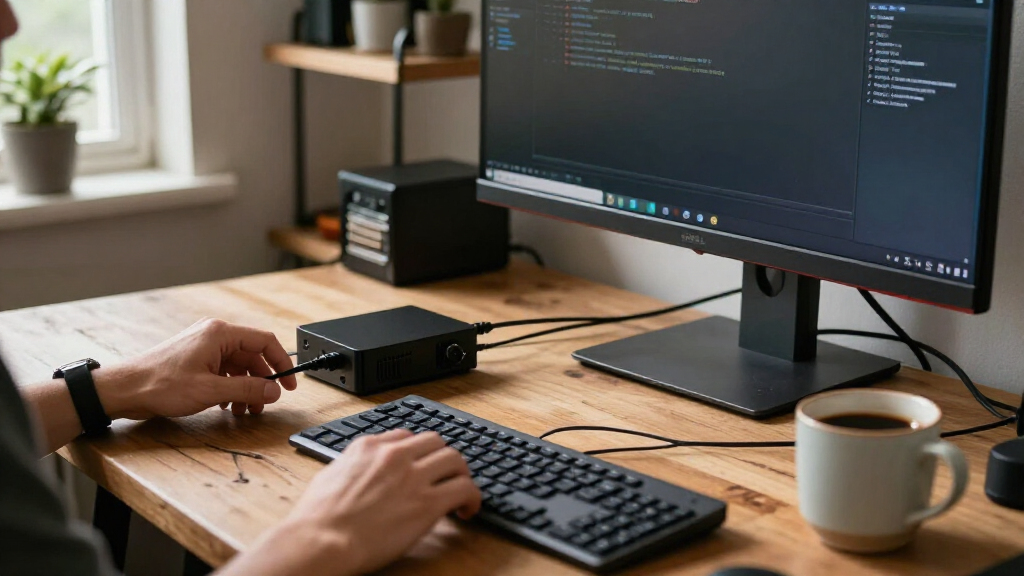
The best Linux mini computers balance dependable Linux compatibility, performance, and upgrade flexibility in a compact case. My best overall pick is the ACEMAGIC K1, whose Ryzen 5 7530U and 16GB of RAM make it a strong all-around option, while the GEEKOM A7 stands out for demanding workloads and the GEEKOM Air12 Lite for efficient everyday computing. The main tradeoffs are processor capability, memory and storage headroom, power use, and how much Linux setup you may need to handle. Some models list Linux directly, while others ship with Windows or leave Linux support less clear, so hardware compatibility deserves attention. Read on for how the 15 options differ and which one best fits your workload.

Get the latest gadgets delivered free with Prime
- Fast, free delivery on millions of items
- Prime Video, Amazon Music and more included
- Member-only deals all year
Complete the kit



Key Takeaways
- The ACEMAGIC K1 is the strongest all-around fit on paper: its Ryzen 5 7530U, 16GB RAM, and 512GB SSD offer a balanced starting point, though buyers should confirm Linux support before purchase.
- The GEEKOM A7 and A5 lead the higher-performance tier: their Ryzen 5 7535HS and Ryzen 7 7730U processors suit heavier multitasking better than the older Ryzen 5 3500U systems.
- Several Ryzen 5 3500U models share a basic performance profile: storage, memory configuration, and seller support may matter more than small differences between the GMKtec, ORIGIMAGIC, and Getorli versions.
- Intel N95 and N100 models favor modest workloads: options such as the GEEKOM Air12 Lite and BOSGAME E3 Neo make more sense for browsing, office tasks, and light server use than demanding development.
- The NIMO is an unusual high-capacity option: its Ryzen AI Max+ 395, 128GB LPDDR5X, and 2TB SSD create substantial headroom, but buyers should verify Linux compatibility and whether that capacity matches their workload.
| NIMO Mini PC with AMD Ryzen AI Max+ 395, 128GB LPDDR5X RAM, 2TB SSD, Linux |  | Best for High-End Linux Workloads | Operating system: Linux | Processor: AMD Ryzen AI Max+ 395, 16 cores and 32 threads, up to 5.1 GHz | Memory: 128GB LPDDR5X | VIEW LATEST PRICE | See Our Full Breakdown |
| Bmax B1 Plus Mini PC, Intel Celeron J3355, 6GB RAM, 128GB Storage, Dual 4K HDMI |  | Best for Basic Linux Desktop Use | Processor: Intel Celeron J3355, up to 2.5 GHz | Memory: 6GB LPDDR3 | Storage: 128GB onboard storage | VIEW LATEST PRICE | See Our Full Breakdown |
| GMKtec Nucbox G10 Mini PC with Ryzen 5 3500U, 16GB DDR4 RAM, and 1TB SSD |  | Best for Linux Storage Expansion | Processor: AMD Ryzen 5 3500U, quad-core, up to 3.7 GHz | Graphics: Integrated AMD Radeon Vega 8, up to 1.2 GHz | Memory: 16GB DDR4 SO-DIMM; expandable up to 64GB | VIEW LATEST PRICE | See Our Full Breakdown |
| GMKtec G3 S Mini PC with Intel N95, 8GB RAM, 256GB SSD |  | Best for a Simple Linux Office Setup | Processor: Intel N95, four cores and four threads, up to 3.4 GHz | Memory: 8GB DDR4, 3200 MT/s; not expandable beyond 8GB | Storage: 256GB M.2 SSD | VIEW LATEST PRICE | See Our Full Breakdown |
| GMKtec NucBox G10 Mini PC, Ryzen 5 3500U, 16GB RAM, 512GB SSD |  | Best for Flexible Everyday Linux Use | Processor: AMD Ryzen 5 3500U, quad-core, 2.1–3.7 GHz | Graphics: AMD Radeon Vega 8, up to 1.2 GHz | Memory: 16GB dual-channel DDR4-2400 (2 × 8GB); expandable to 64GB | VIEW LATEST PRICE | See Our Full Breakdown |
| GEEKOM Air12 Lite Mini PC, Intel N100, 8GB RAM, 256GB SSD |  | Best for Linux Basics and Peripheral-Rich Setups | Processor: Intel N100, 4 cores / 4 threads, up to 3.4GHz | Memory: 8GB DDR4 | Storage: 256GB PCIe Gen3 NVMe SSD | VIEW LATEST PRICE | See Our Full Breakdown |
| ORIGIMAGIC C4 SE Mini PC, Ryzen 5 3500U, 8GB DDR4, 256GB NVMe SSD |  | Best for Linux Network Projects | Processor: AMD Ryzen 5 3500U, 4 cores / 8 threads, up to 3.7GHz | Graphics: Integrated Radeon Vega 8 | Memory: 8GB DDR4 2400MT/s; dual SO-DIMM slots, up to 32GB | VIEW LATEST PRICE | See Our Full Breakdown |
| ACEMAGIC K1 Mini PC with AMD Ryzen 5 7530U, 16GB RAM, 512GB SSD, Windows 11 Pro |  | Best Performance-and-Expansion Balance | Processor: AMD Ryzen 5 7530U, 6 cores / 12 threads, up to 4.5GHz | Memory: 16GB LPDDR4X, 3733MT/s | Storage: 512GB SSD | VIEW LATEST PRICE | See Our Full Breakdown |
| Beelink SER3 Mini PC, AMD Ryzen 3 3200U, 16GB DDR4 RAM, 500GB NVMe SSD |  | Best for a Simple Dual-Display Desktop | Processor: AMD Ryzen 3 3200U, 2 cores / 4 threads, up to 3.5GHz | Graphics: Radeon Vega 3, 3 cores, 1200MHz | Memory: 16GB DDR4, 3200MHz; maximum 32GB | VIEW LATEST PRICE | See Our Full Breakdown |
| Getorli Mini PC with AMD Ryzen 5 3501U, 16GB RAM, 512GB SSD, and Triple Display Support |  | Best for a VESA-Mounted Triple-Screen Setup | Processor: AMD Ryzen 5 3501U, 4 cores / 8 threads, 2.1GHz | Memory: 16GB DDR4, 2400MHz; maximum 32GB | Storage: 512GB PCIe 3.0 NVMe SSD | VIEW LATEST PRICE | See Our Full Breakdown |
| BOSGAME E5 Mini PC with AMD Ryzen 3 5300U, 16GB DDR4 RAM, 512GB NVMe SSD |  | Best for Homelabs and Multi-Monitor Setups | Processor: AMD Ryzen 3 5300U, 4 cores / 8 threads, up to 3.8GHz | Graphics: Integrated AMD Radeon Graphics, 6 cores at 1500MHz | Memory: 16GB dual-channel DDR4 3200MHz; expandable to 64GB | VIEW LATEST PRICE | See Our Full Breakdown |
| GEEKOM A7 Mini PC with AMD Ryzen 5 7535HS, 16GB DDR5, and 1TB SSD |  | Best for Modern Linux Desktop Performance | Processor: AMD Ryzen 5 7535HS, 6 cores / 12 threads, up to 4.55GHz | Memory: 16GB DDR5; expandable to 64GB | Storage: 1TB PCIe Gen4 x4 SSD; expandable to 4TB | VIEW LATEST PRICE | See Our Full Breakdown |
| KAMRUI Pinova P2 Mini PC, AMD Ryzen 5 5425U, 16GB RAM, 256GB SSD, Triple 4K Display |  | Best Compact Linux Desktop | Processor: AMD Ryzen 5 5425U, 4 cores / 8 threads, 2.7GHz base and up to 4.1GHz boost | Memory: 16GB LPDDR4 | Storage: 256GB M.2 SSD | VIEW LATEST PRICE | See Our Full Breakdown |
| BOSGAME E3 Neo Mini PC with Intel N95, 16GB DDR4 RAM, and 512GB SSD |  | Best for Basic Linux and Digital Signage | Processor: Intel N95, 4 cores / 4 threads, up to 3.4GHz | Graphics: Integrated Intel UHD Graphics | Memory: 16GB DDR4; maximum listed capacity is 16GB | VIEW LATEST PRICE | See Our Full Breakdown |
| GEEKOM A5 Mini PC, AMD Ryzen 7 7730U, 16GB RAM, 500GB NVMe SSD |  | Best for Low-Power Expandable Workstations | Processor: AMD Ryzen 7 7730U | Graphics: AMD Radeon Vega 8 | Memory: 16GB DDR4; expandable to 64GB | VIEW LATEST PRICE | See Our Full Breakdown |
| Linux mini computer | Processor | Memory | Storage | Graphics |
|---|---|---|---|---|
| NIMO Mini PC with AMD Ryzen AI | AMD Ryzen AI Max+ 395, 16 cores and 32 threads, up to 5.1 GHz | 128GB LPDDR5X | 2TB SSD | Integrated AMD Radeon 8060S, 40 compute units |
| Bmax B1 Plus Mini PC | Intel Celeron J3355, up to 2.5 GHz | 6GB LPDDR3 | 128GB onboard storage | Integrated Intel HD Graphics 500 |
| GMKtec Nucbox G10 Mini PC with | AMD Ryzen 5 3500U, quad-core, up to 3.7 GHz | 16GB DDR4 SO-DIMM; expandable up to 64GB | 1TB SSD | Integrated AMD Radeon Vega 8, up to 1.2 GHz |
| GMKtec G3 S Mini PC with Intel | Intel N95, four cores and four threads, up to 3.4 GHz | 8GB DDR4, 3200 MT/s; not expandable beyond 8GB | 256GB M.2 SSD | Intel UHD Graphics, up to 1000 MHz |
| GMKtec NucBox G10 Mini PC | AMD Ryzen 5 3500U, quad-core, 2.1–3.7 GHz | 16GB dual-channel DDR4-2400 (2 × 8GB); expandable to 64GB | 512GB SSD | AMD Radeon Vega 8, up to 1.2 GHz |
| GEEKOM Air12 Lite Mini PC | Intel N100, 4 cores / 4 threads, up to 3.4GHz | 8GB DDR4 | 256GB PCIe Gen3 NVMe SSD | — |
| ORIGIMAGIC C4 SE Mini PC | AMD Ryzen 5 3500U, 4 cores / 8 threads, up to 3.7GHz | 8GB DDR4 2400MT/s; dual SO-DIMM slots, up to 32GB | 256GB M.2 2280 PCIe 3.0 NVMe SSD | Integrated Radeon Vega 8 |
| ACEMAGIC K1 Mini PC with AMD R | AMD Ryzen 5 7530U, 6 cores / 12 threads, up to 4.5GHz | 16GB LPDDR4X, 3733MT/s | 512GB SSD | Integrated AMD Radeon Graphics |
| Beelink SER3 Mini PC | AMD Ryzen 3 3200U, 2 cores / 4 threads, up to 3.5GHz | 16GB DDR4, 3200MHz; maximum 32GB | 500GB M.2 2280 PCIe 3.0 NVMe SSD | Radeon Vega 3, 3 cores, 1200MHz |
| Getorli Mini PC with AMD Ryzen | AMD Ryzen 5 3501U, 4 cores / 8 threads, 2.1GHz | 16GB DDR4, 2400MHz; maximum 32GB | 512GB PCIe 3.0 NVMe SSD | — |
| BOSGAME E5 Mini PC with AMD Ry | AMD Ryzen 3 5300U, 4 cores / 8 threads, up to 3.8GHz | 16GB dual-channel DDR4 3200MHz; expandable to 64GB | 512GB M.2 2280 NVMe PCIe 3.0 x4 SSD | Integrated AMD Radeon Graphics, 6 cores at 1500MHz |
| GEEKOM A7 Mini PC with AMD Ryz | AMD Ryzen 5 7535HS, 6 cores / 12 threads, up to 4.55GHz | 16GB DDR5; expandable to 64GB | 1TB PCIe Gen4 x4 SSD; expandable to 4TB | — |
| KAMRUI Pinova P2 Mini PC | AMD Ryzen 5 5425U, 4 cores / 8 threads, 2.7GHz base and up to 4.1GHz boost | 16GB LPDDR4 | 256GB M.2 SSD | Integrated AMD Radeon Graphics, 1600MHz |
| BOSGAME E3 Neo Mini PC with In | Intel N95, 4 cores / 4 threads, up to 3.4GHz | 16GB DDR4; maximum listed capacity is 16GB | 512GB M.2 SSD; supports SSD expansion up to 2TB | Integrated Intel UHD Graphics |
| GEEKOM A5 Mini PC | AMD Ryzen 7 7730U | 16GB DDR4; expandable to 64GB | 500GB PCIe NVMe SSD | AMD Radeon Vega 8 |
More Details on Our Top Picks
NIMO Mini PC with AMD Ryzen AI Max+ 395, 128GB LPDDR5X RAM, 2TB SSD, Linux
For demanding Linux workloads in a compact system, this NIMO stands apart from the more modest Ryzen 5 3500U options in the lineup. Its 16-core Ryzen AI Max+ 395, 128GB of memory, and integrated Radeon 8060S graphics are suited to heavy development, multiple virtual machines, and local AI tasks without a separate graphics card. Linux comes pre-installed, while dual USB4 and dual 2.5GbE ports give developers fast paths to peripherals and wired networks. It also drives up to four displays and provides two M.2 slots for added storage. The tradeoff is that its high-capacity memory and graphics remain integrated, so it cannot be upgraded like a separate GPU setup. Active cooling may also be audible under sustained loads, and the G10 models are more sensible for everyday desktop use.
Pros:- Linux is pre-installed, reducing setup work for a Linux-first desktop
- 16-core processor, 128GB LPDDR5X memory, and Radeon 8060S suit demanding workloads
- Dual 2.5GbE and dual USB4 offer flexible high-speed connectivity
- Supports four displays and has two M.2 PCIe 4.0 slots
Cons:- Integrated graphics cannot be replaced with a dedicated GPU
- Active cooling may become noticeable during sustained workloads
- The compact chassis offers less room for internal expansion than a larger desktop
Best for: Linux developers, AI enthusiasts, and power users who need substantial memory, fast networking, and multi-display support in a small system
Not ideal for: Budget-minded users or anyone who needs a dedicated, upgradeable graphics card for sustained GPU-heavy work
- Operating system:Linux
- Processor:AMD Ryzen AI Max+ 395, 16 cores and 32 threads, up to 5.1 GHz
- Memory:128GB LPDDR5X
- Storage:2TB SSD
- Graphics:Integrated AMD Radeon 8060S, 40 compute units
- NPU:AMD XDNA 2, up to 50 TOPS
- Networking:Dual 2.5G RJ45 Ethernet
- Display support:Up to four displays, up to 8K
- Storage expansion:Dual M.2 NVMe PCIe 4.0 slots
Our verdict“Choose the NIMO for a Linux mini PC built around heavy compute, local AI, and multi-display work rather than low-demand everyday tasks.”
Bmax B1 Plus Mini PC, Intel Celeron J3355, 6GB RAM, 128GB Storage, Dual 4K HDMI
The Bmax B1 Plus is a low-demand Linux candidate for browsing, document work, and media playback, not a general-purpose power machine. It ships with Windows 11 Home rather than Linux, but the listing says it supports Linux and Ubuntu, so buyers should expect to install their preferred system. Its small VESA-mountable case can sit behind a monitor, and two HDMI outputs support a dual-display workspace. Compared with the GMKtec G3 S, it has less memory and storage, which limits how comfortably it can handle several applications at once. Its two M.2 slots offer a path to more storage, but expansion does not fix the 6GB RAM ceiling for heavier multitasking. I’d choose it for a simple, compact Linux station; skip it for development workloads or demanding desktop use.
Pros:- Compact body and included VESA bracket keep the computer off the desk
- Dual HDMI outputs support two 4K displays at up to 60Hz
- Two M.2 slots provide storage expansion options
- Includes Wi-Fi 5, Bluetooth 5.0, and Gigabit Ethernet
Cons:- Windows 11 Home is installed, so Linux requires a separate installation
- 6GB memory and the Celeron J3355 limit heavier multitasking
- 128GB onboard storage is modest for larger Linux setups and files
Best for: Linux beginners setting up a monitor-mounted computer for web browsing, email, documents, and light media playback
Not ideal for: Developers, multitaskers, or users who want a Linux system ready to use without installing an operating system
- Processor:Intel Celeron J3355, up to 2.5 GHz
- Memory:6GB LPDDR3
- Storage:128GB onboard storage
- Storage expansion:Dual M.2 slots (SATA and NVMe), up to 2TB
- Graphics:Integrated Intel HD Graphics 500
- Video output:Two HDMI ports; dual 4K displays at up to 60Hz
- Wireless:Dual-band Wi-Fi 5 and Bluetooth 5.0
- Operating system:Windows 11 Home; Linux/Ubuntu support listed
- Dimensions:4.25 × 4.13 × 1.42 inches
Our verdict“Pick the Bmax for basic Linux tasks in a monitor-mounted setup, but choose the GMKtec G3 S or a Ryzen model for more demanding work.”
GMKtec Nucbox G10 Mini PC with Ryzen 5 3500U, 16GB DDR4 RAM, and 1TB SSD
This G10 earns its place for buyers who want a capable everyday Linux desktop with room to grow. The Ryzen 5 3500U and 16GB of RAM offer a stronger multitasking foundation than the Bmax B1 Plus or GMKtec G3 S, while the included 1TB SSD gives a useful starting point for applications and files. Two M.2 slots support substantial additional storage, and 2.5GbE is a welcome advantage for a home server or fast wired network. Three display outputs can serve a multi-monitor desk, though the Radeon Vega 8 is aimed at light graphics work rather than demanding games. Unlike the NIMO, the operating system is not specified, so Linux installation and hardware compatibility need checking before purchase. This configuration is the better fit than the 512GB G10 when onboard capacity matters most.
Pros:- 1TB SSD provides more included storage than the 512GB G10 configuration
- Two M.2 slots allow substantial storage expansion
- 2.5GbE Ethernet suits fast wired networking and home-lab use
- Three display outputs support a multi-monitor setup
Cons:- Operating system is not specified, so Linux installation is the buyer’s responsibility
- Radeon Vega 8 graphics are not aimed at demanding games or graphics workloads
- Wi-Fi is limited to Wi-Fi 5
Best for: Linux desktop users and home-lab owners who want a 1TB starting drive, 2.5GbE, and room for additional M.2 storage
Not ideal for: Buyers who require Linux pre-installed or need graphics performance for demanding games and GPU-heavy applications
- Processor:AMD Ryzen 5 3500U, quad-core, up to 3.7 GHz
- Graphics:Integrated AMD Radeon Vega 8, up to 1.2 GHz
- Memory:16GB DDR4 SO-DIMM; expandable up to 64GB
- Storage:1TB SSD
- Storage expansion:Dual M.2 2280 PCIe 3.0 slots; up to 16TB total
- Display support:Up to three displays via HDMI 2.1, DisplayPort 1.4, and USB-C
- Networking:2.5GbE Ethernet, Wi-Fi 5, and Bluetooth 5.0
- Ports:Four USB ports, HDMI, DisplayPort, USB-C, and 3.5mm audio
- Operating system:Not specified
Our verdict“Choose this G10 over the 512GB version if you want more storage included and plan to build an expandable Linux desktop or home lab.”
GMKtec G3 S Mini PC with Intel N95, 8GB RAM, 256GB SSD
For a compact Linux office machine, the GMKtec G3 S pairs a modest Intel N95 with 8GB of RAM and a 256GB SSD. That makes it a more comfortable light-use choice than the Bmax B1 Plus, whose 6GB memory and 128GB onboard storage leave less room for multitasking and files. The G3 S also supports two 4K displays, making it useful for documents, browser windows, and video calls across a dual-screen desk. It ships with Windows 11 Pro, not Linux, so a Linux installation is required; the supplied data does not specify Linux support. Its fixed 8GB memory is a hard ceiling, and the compact low-power platform is not intended for heavy development or graphics work. I’d place it below the Ryzen G10 models for workloads that benefit from more memory and CPU capacity.
Pros:- Two HDMI 2.0 ports support dual 4K displays at up to 60Hz
- 256GB SSD offers more onboard storage than the Bmax B1 Plus
- Listed power consumption is 6 watts
- Includes Wi-Fi 5, Bluetooth 5.0, and Gigabit Ethernet
Cons:- Ships with Windows 11 Pro rather than Linux
- 8GB memory cannot be expanded beyond that capacity
- Intel N95 and integrated graphics are suited to routine work, not demanding workloads
Best for: Office users who want a small dual-display computer for Linux-based documents, browsing, and routine productivity
Not ideal for: Linux users who need pre-installed Linux, upgradeable memory, or headroom for virtual machines and demanding applications
- Processor:Intel N95, four cores and four threads, up to 3.4 GHz
- Memory:8GB DDR4, 3200 MT/s; not expandable beyond 8GB
- Storage:256GB M.2 SSD
- Graphics:Intel UHD Graphics, up to 1000 MHz
- Operating system:Windows 11 Pro
- Video output:Two HDMI 2.0 ports; dual 4K at up to 60Hz
- Connectivity:Wi-Fi 5, Bluetooth 5.0, and Gigabit Ethernet
- USB:Four USB ports
- Power consumption:6 watts
Our verdict“Choose the G3 S for a basic Linux office installation with two 4K screens, but favor a Ryzen G10 if you need more workload headroom.”
GMKtec NucBox G10 Mini PC, Ryzen 5 3500U, 16GB RAM, 512GB SSD
This 512GB G10 shares the Ryzen 5 3500U platform and expandable design of the 1TB G10, but starts with half the included SSD capacity. Its 16GB dual-channel memory, Radeon Vega 8 graphics, and three-display support make it a versatile base for a Linux workstation used for everyday productivity, coding, and light media tasks. The 2.5GbE port gives it a networking advantage over the Bmax B1 Plus and GMKtec G3 S, while its dual M.2 slots leave room to add storage later. Windows 11 Pro is installed rather than Linux, and the listing says USB-C power requires a compatible 65–70W charger. Compared with the 1TB G10, this version makes more sense if 512GB is enough at the outset; for a storage-heavy setup, the larger-drive configuration is the cleaner pick.
Pros:- 16GB dual-channel DDR4 memory is expandable up to 64GB
- Three display outputs support a multi-monitor workstation
- Dual M.2 slots allow substantial storage expansion
- 2.5GbE Ethernet and multifunction USB-C add useful connectivity
Cons:- Ships with Windows 11 Pro rather than Linux
- 512GB SSD provides less included capacity than the 1TB G10 configuration
- USB-C power requires a compatible 65–70W PD charger
Best for: Linux users who want a compact everyday workstation with 16GB RAM, triple-display capability, and room to expand storage
Not ideal for: Buyers who want Linux pre-installed, need more than 512GB immediately, or lack a compatible USB-C PD charger for that power setup
- Processor:AMD Ryzen 5 3500U, quad-core, 2.1–3.7 GHz
- Graphics:AMD Radeon Vega 8, up to 1.2 GHz
- Memory:16GB dual-channel DDR4-2400 (2 × 8GB); expandable to 64GB
- Storage:512GB SSD
- Storage expansion:Dual M.2 2280 PCIe 3.0 slots; up to 16TB total
- Display support:Up to three displays via HDMI 2.1, DisplayPort 1.4, and USB-C
- Networking:2.5GbE Ethernet, Wi-Fi 5, and Bluetooth 5.0
- USB-C power:Supports a compatible 65–70W USB-C PD charger
- Operating system:Windows 11 Pro
Our verdict“Pick this G10 for expandable everyday Linux work with triple displays, or choose the 1TB version if you want more storage before upgrading.”
GEEKOM Air12 Lite Mini PC, Intel N100, 8GB RAM, 256GB SSD
I’d choose the GEEKOM Air12 Lite for a straightforward Linux desktop where multiple peripherals matter more than processing headroom. Its six USB ports, HDMI and DisplayPort, and monitor-mounting bracket make it easy to build a tidy office or classroom station. The Intel N100 suits browsing, documents, and media playback, while stated Linux and Ubuntu support makes it a sensible low-complexity option. Compared with the Beelink SER3, it offers a newer four-core processor and more USB connectivity, but the Beelink starts with twice the memory and nearly twice the storage. The Air12 Lite’s 8GB RAM and 256GB SSD can constrain heavier multitasking, and integrated graphics are not meant for demanding 3D work. I’d pick it for basic use, not for workloads that need room to grow in memory.
Pros:- Six USB ports simplify connections for peripherals and storage.
- Linux and Ubuntu support are listed.
- M.2 2280 slot accepts NVMe or SATA storage upgrades up to 2TB.
- HDMI and DisplayPort support 4K output, and the bracket supports monitor mounting.
Cons:- 8GB of RAM can limit multitasking and demanding Linux applications.
- The 256GB SSD leaves less room for large local files than the Beelink SER3’s 500GB drive.
- Integrated graphics are a poor fit for graphics-intensive workloads.
Best for: Linux beginners, classrooms, and office users who want a compact machine with plenty of USB connections and basic desktop performance.
Not ideal for: Developers running memory-heavy builds, frequent multitaskers, or users who need strong graphics performance; the 8GB of RAM and integrated graphics set clear limits.
- Processor:Intel N100, 4 cores / 4 threads, up to 3.4GHz
- Memory:8GB DDR4
- Storage:256GB PCIe Gen3 NVMe SSD
- Storage expansion:M.2 2280 slot supports NVMe or SATA SSDs up to 2TB
- Video outputs:HDMI and DisplayPort; up to 3840 × 2160
- USB ports:6 total: 2 USB Gen1, 2 USB Gen2, and 2 USB 2.0
- Connectivity:Bluetooth and 9-pin serial port
- Dimensions:135.5 × 115.5 × 34.5 mm
Our verdict“Choose the Air12 Lite for a basic Linux desktop with generous USB connectivity, but skip it if you need more memory or graphics capacity.”
ORIGIMAGIC C4 SE Mini PC, Ryzen 5 3500U, 8GB DDR4, 256GB NVMe SSD
The ORIGIMAGIC C4 SE has a more specialized strength than most small Linux desktops: dual Gigabit Ethernet. That makes it a candidate for a home lab, network-monitoring station, or lightweight router project, while its Ryzen 5 3500U and Radeon Vega 8 offer more graphics capability than the N100-based GEEKOM Air12 Lite. It can drive up to three displays, though the listed USB-C output is limited to 1080p at 60Hz, so I would rely on HDMI and DisplayPort for higher-resolution screens. Its two SO-DIMM slots and additional M.2 slot offer a useful upgrade path, but the supplied 8GB RAM and 256GB SSD are modest for Linux workloads that run several services. The one-year warranty is also shorter than the GEEKOM’s three-year coverage.
Pros:- Dual Gigabit Ethernet suits network testing and small server projects.
- Two SO-DIMM slots support memory expansion up to 32GB.
- An additional M.2 slot provides room for another PCIe 3.0 SSD.
- HDMI, DisplayPort, and USB-C allow connection of up to three displays.
Cons:- The included 8GB of RAM and 256GB SSD may need upgrades for multi-service or storage-heavy use.
- USB-C video output is listed at 1080p at 60Hz, below HDMI and DisplayPort capability.
- The one-year limited warranty is shorter than the GEEKOM Air12 Lite’s three-year warranty.
Best for: Linux home-lab users and network hobbyists who need two Ethernet connections, expandable memory, and multiple display outputs.
Not ideal for: Buyers seeking a ready-to-go system for memory-heavy work or three high-resolution displays; it ships with 8GB of RAM, and USB-C video is listed at 1080p.
- Processor:AMD Ryzen 5 3500U, 4 cores / 8 threads, up to 3.7GHz
- Graphics:Integrated Radeon Vega 8
- Memory:8GB DDR4 2400MT/s; dual SO-DIMM slots, up to 32GB
- Storage:256GB M.2 2280 PCIe 3.0 NVMe SSD
- Storage expansion:One additional M.2 2280 PCIe 3.0 slot
- Video outputs:HDMI 2.0, DisplayPort, and USB-C; supports up to three displays
- Networking:Dual Gigabit Ethernet, dual-band Wi-Fi 5, and Bluetooth 5.0
- Operating system support:Ubuntu and Windows 11 Pro
Our verdict“Pick the C4 SE for a Linux network project that benefits from dual Ethernet, but budget for memory or storage upgrades if your workload grows.”
ACEMAGIC K1 Mini PC with AMD Ryzen 5 7530U, 16GB RAM, 512GB SSD, Windows 11 Pro
Among these five, I’d put the ACEMAGIC K1 near the top for buyers who want a capable Linux desktop without starting with entry-level memory and storage. Its Ryzen 5 7530U, 16GB RAM, and 512GB SSD give it a stronger starting point than the 8GB ORIGIMAGIC C4 SE, while two M.2 slots leave substantial room for storage expansion. It also supports up to three 4K displays at 60Hz and includes Wi-Fi 6, making it a better fit for a multi-screen workstation. The tradeoff is that its memory is LPDDR4X, rather than the SO-DIMM configuration offered by the C4 SE, so the supplied specs do not describe a memory-upgrade path. Integrated Radeon graphics also place it below a machine with dedicated graphics for demanding 3D tasks.
Pros:- Six-core, 12-thread Ryzen 5 7530U offers more processing capacity than the older Ryzen 5 3500U in the ORIGIMAGIC C4 SE.
- 16GB RAM and a 512GB SSD provide a more capable starting configuration than the 8GB/256GB alternatives.
- Two M.2 slots support storage expansion up to 4TB.
- Supports three 4K displays at 60Hz and includes Wi-Fi 6 and Bluetooth 5.2.
Cons:- LPDDR4X memory is specified without a user-upgrade path.
- Integrated Radeon graphics are not a substitute for dedicated graphics in demanding 3D workloads.
- The one-year warranty is shorter than the three-year coverage listed for the GEEKOM Air12 Lite.
Best for: Linux desktop users who want six-core processing, 16GB of memory, multiple 4K displays, and room to expand storage.
Not ideal for: Buyers who want upgradeable memory or dedicated graphics; the listed LPDDR4X memory is not presented as user-expandable, and graphics are integrated.
- Processor:AMD Ryzen 5 7530U, 6 cores / 12 threads, up to 4.5GHz
- Memory:16GB LPDDR4X, 3733MT/s
- Storage:512GB SSD
- Storage expansion:Two M.2 2280 slots; up to 4TB
- Graphics:Integrated AMD Radeon Graphics
- Display support:Up to three 4K displays at 60Hz
- Connectivity:Wi-Fi 6, Bluetooth 5.2, and Ethernet
- Dimensions:5 × 5 × 1.6 inches
Our verdict“Choose the K1 for a stronger Linux workstation starting configuration and ample storage expansion, provided fixed memory and integrated graphics suit your needs.”
Beelink SER3 Mini PC, AMD Ryzen 3 3200U, 16GB DDR4 RAM, 500GB NVMe SSD
The Beelink SER3 is a practical fit for a Linux office or study setup that needs two screens and a comfortable amount of included storage. Its 16GB RAM and 500GB NVMe SSD are a more generous starting point than the GEEKOM Air12 Lite’s 8GB and 256GB, so everyday multitasking and local files have more breathing room. Two HDMI outputs support dual 4K-at-60Hz displays, without requiring adapters for the common two-monitor arrangement. The older Ryzen 3 3200U is the compromise: its two cores and four threads fall short of the four-core ORIGIMAGIC C4 SE, making sustained compilation or heavier multitasking a less comfortable fit. Memory and storage can be expanded, but the listed memory configuration has one available slot. I’d choose this for basic desktop work, not as a performance-focused Linux box.
Pros:- 16GB of RAM and a 500GB NVMe SSD provide more out-of-box capacity than the GEEKOM Air12 Lite.
- Two HDMI outputs support a dual-monitor setup at up to 4K and 60Hz.
- Memory can be expanded up to 32GB.
- Storage supports an M.2 NVMe drive and a 2.5-inch SATA HDD or SSD.
Cons:- The two-core Ryzen 3 3200U is less suited to demanding multitasking than the four-core ORIGIMAGIC C4 SE.
- The listed memory configuration has one available slot, which may complicate memory upgrades.
- The provided product data does not specify Linux or Ubuntu support.
Best for: Home-office users and students who want a compact Linux computer with 16GB of RAM, a larger SSD, and two HDMI monitors.
Not ideal for: Linux developers running frequent builds, virtual machines, or other CPU-heavy workloads; the two-core processor is a notable limit.
- Processor:AMD Ryzen 3 3200U, 2 cores / 4 threads, up to 3.5GHz
- Graphics:Radeon Vega 3, 3 cores, 1200MHz
- Memory:16GB DDR4, 3200MHz; maximum 32GB
- Storage:500GB M.2 2280 PCIe 3.0 NVMe SSD
- Storage expansion:Supports up to 2TB M.2 NVMe and a 2.5-inch SATA drive
- Video output:Two HDMI outputs; dual monitors and 4K at 60Hz
- Networking:Gigabit Ethernet
- Dimensions:4.96 × 4.45 × 1.65 inches
Our verdict“Pick the SER3 for a modest Linux desktop with two 4K HDMI screens and generous included storage, but not for CPU-intensive work.”
Getorli Mini PC with AMD Ryzen 5 3501U, 16GB RAM, 512GB SSD, and Triple Display Support
The Getorli Mini PC earns its place for Linux users who want to mount a compact computer behind a monitor and run as many as three displays. Its VESA mounting support, two HDMI ports, and full-function USB-C make it more oriented toward a multi-screen desk than the Beelink SER3, which lists two HDMI outputs. Wi-Fi 6 and Bluetooth 5.3 are also newer listed wireless standards than the Wi-Fi 5 and Bluetooth 5.0 on the ORIGIMAGIC C4 SE. The Ryzen 5 3501U and 16GB RAM should suit everyday office work, streaming, and online learning, but the older processor is less appealing for demanding compute tasks than the ACEMAGIC K1’s six-core Ryzen 5 7530U. Its 32GB memory ceiling also limits long-term expansion.
Pros:- VESA mounting supports a tidy setup behind a compatible display.
- Two HDMI ports and full-function USB-C support up to three displays.
- 16GB RAM and a 512GB NVMe SSD provide a useful starting configuration.
- Wi-Fi 6, Bluetooth 5.3, and Gigabit Ethernet cover common connection needs.
Cons:- The older Ryzen 5 3501U has less processing headroom than the ACEMAGIC K1’s Ryzen 5 7530U.
- Memory expansion is capped at 32GB.
- The product data lists OS 11 and does not specify Linux or Ubuntu support.
Best for: Linux office users building a VESA-mounted, multi-display workstation for documents, browsing, streaming, and online learning.
Not ideal for: Users planning CPU-intensive development or a high-memory home lab; the Ryzen 5 3501U is older, and memory tops out at 32GB.
- Processor:AMD Ryzen 5 3501U, 4 cores / 8 threads, 2.1GHz
- Memory:16GB DDR4, 2400MHz; maximum 32GB
- Storage:512GB PCIe 3.0 NVMe SSD
- Storage expansion:Supports up to 2TB SSD and a 2.5-inch HDD
- Video outputs:Two HDMI ports and full-function USB-C; supports up to three displays
- Connectivity:Wi-Fi 6, Bluetooth 5.3, and Gigabit Ethernet
- USB ports:5
- Dimensions and mounting:5.0 × 4.4 × 1.6 inches; VESA mount support
Our verdict“Choose the Getorli for a compact, VESA-mounted Linux desk with three-display potential, but look elsewhere for newer processing hardware or higher memory capacity.”
BOSGAME E5 Mini PC with AMD Ryzen 3 5300U, 16GB DDR4 RAM, 512GB NVMe SSD
The BOSGAME E5 is a practical Linux pick for buyers who value network flexibility and display connections over a high-end processor. Its two 2.5GbE ports are the standout: they can support router, server, or network-testing projects that a single-Gigabit setup cannot serve as neatly. It also drives three 4K displays, while the four-core Ryzen 3 5300U and 16GB of dual-channel memory suit desktop work, media playback, and light development. Compared with the BOSGAME E3 Neo, the E5 offers a more capable processor and expandable memory, but the E3 Neo is a simpler fit for basic workloads. The tradeoffs are its older DDR4 platform and rear USB 2.0 ports; budget for extra memory or storage if your Linux workloads grow.
Pros:- Dual 2.5GbE ports suit network labs and fast local connections.
- Supports up to three 4K displays at 60Hz.
- Memory and storage can be expanded, including a second M.2 slot.
- VESA mount and quiet cooling suit a tidy, unobtrusive installation.
Cons:- The rear USB ports are USB 2.0, limiting their usefulness for fast peripherals.
- The 16GB memory and 512GB SSD may need upgrades for heavier Linux workloads.
- The Ryzen 3 5300U offers less processing headroom than the Ryzen 5 and Ryzen 7 systems in this group.
Best for: Linux homelab builders and office users who need dual 2.5GbE networking, several displays, and room to expand memory or storage.
Not ideal for: Buyers running demanding compile jobs, virtual machines, or graphics-heavy applications who need more processing headroom than a four-core Ryzen 3 provides.
- Processor:AMD Ryzen 3 5300U, 4 cores / 8 threads, up to 3.8GHz
- Graphics:Integrated AMD Radeon Graphics, 6 cores at 1500MHz
- Memory:16GB dual-channel DDR4 3200MHz; expandable to 64GB
- Storage:512GB M.2 2280 NVMe PCIe 3.0 x4 SSD
- Storage expansion:One additional M.2 2280 NVMe PCIe 3.0 slot; supports up to 2TB additional storage
- Display output:HDMI 2.0, DisplayPort, and full-function USB-C; up to three 4K displays at 60Hz
- Networking:2x 2.5GbE LAN
- Linux support:Supports Linux Ubuntu; supplied with Windows 11 Pro
Our verdict“Choose the E5 for a Linux homelab or multi-display desk where dual 2.5GbE matters more than newer, faster processing.”
GEEKOM A7 Mini PC with AMD Ryzen 5 7535HS, 16GB DDR5, and 1TB SSD
The GEEKOM A7 is the strongest fit here for buyers who want a current-feeling Linux desktop with modern memory and fast connectivity, without moving to the much more specialized NIMO Ryzen AI system. Its six-core Ryzen 5 7535HS, 16GB of DDR5, and 1TB Gen4 SSD give developers and multitaskers more room than the BOSGAME E5, whose Ryzen 3 and 512GB drive are better suited to lighter work. USB4, Wi-Fi 6E, 2.5G LAN, and an SD card slot also make it a versatile workstation for peripherals and media transfers. The aluminum chassis and dual-heat-pipe cooling are useful assets, but this is still a fan-cooled 54W system, not a silent, low-power appliance. Its Type B plug may also require an adapter outside North America.
Pros:- Six-core Ryzen 5 and DDR5 memory suit heavier multitasking than the lower-tier systems here.
- 1TB PCIe Gen4 SSD provides substantial fast storage out of the box.
- USB4, Wi-Fi 6E, 2.5G LAN, and an SD card slot offer versatile connectivity.
- Memory can expand to 64GB and storage to 4TB.
Cons:- The 54W rating is higher than the 15W GEEKOM A5, making it a less appealing choice for power-conscious always-on use.
- Air cooling uses a fan, so it is not a silent or fanless computer.
- The supplied Type B three-pin plug may not suit buyers outside North America.
Best for: Linux developers and power users who want six-core processing, DDR5 memory, fast external connections, and a larger included SSD.
Not ideal for: Buyers prioritizing very low power draw, fanless operation, or a plug ready for use outside North America without an adapter.
- Processor:AMD Ryzen 5 7535HS, 6 cores / 12 threads, up to 4.55GHz
- Memory:16GB DDR5; expandable to 64GB
- Storage:1TB PCIe Gen4 x4 SSD; expandable to 4TB
- Connectivity:USB4 up to 40Gbps, USB 3.2, dual HDMI 2.0, 2.5G LAN, and Wi-Fi 6E
- Card slot:UHS-II SD card slot
- Cooling:IceBlast 2.0 air cooling with dual copper heat pipes and fan
- Power consumption:54 watts
- Linux support:Supports Linux and Ubuntu
- Warranty:3-year limited warranty
Our verdict“Pick the A7 if your Linux workload benefits from a six-core processor, DDR5, and USB4 more than it benefits from minimal power use.”
KAMRUI Pinova P2 Mini PC, AMD Ryzen 5 5425U, 16GB RAM, 256GB SSD, Triple 4K Display
The KAMRUI Pinova P2 earns its place for buyers who want a small, mountable Linux desktop with broad display and peripheral support. At 5.05 inches square, it is easy to tuck behind a monitor, and its HDMI, DisplayPort, and USB-C connections can drive up to three 4K screens. Six USB-A ports also give it a practical edge over systems with fewer ports, including the GEEKOM A7. Its Ryzen 5 5425U is suited to general desktop use and light development, but the supplied 256GB SSD is the clearest compromise; that can fill quickly with Linux environments, containers, or media. Two M.2 slots offer an upgrade path, although the LPDDR4 memory is not listed as expandable. The operating system is unspecified, so Linux buyers should check setup details before relying on it as a ready-to-run installation.
Pros:- Compact 5.05-inch-square case includes a VESA mount.
- Supports up to three 4K displays at 60Hz.
- Six USB-A ports accommodate several peripherals without a hub.
- Two M.2 slots allow storage expansion up to 4TB total.
Cons:- The included 256GB SSD leaves limited space for large project files or media.
- The LPDDR4 memory is not specified as expandable.
- The preinstalled operating system is not identified, so Linux setup may require extra work.
Best for: Space-limited Linux desktop users who need three displays, plentiful USB-A ports, and the option to add storage later.
Not ideal for: Users who need a large included drive, upgradeable memory, or a clearly specified Linux installation out of the box.
- Processor:AMD Ryzen 5 5425U, 4 cores / 8 threads, 2.7GHz base and up to 4.1GHz boost
- Memory:16GB LPDDR4
- Storage:256GB M.2 SSD
- Storage expansion:Two M.2 2280 slots; supports up to 4TB total storage
- Graphics:Integrated AMD Radeon Graphics, 1600MHz
- Display support:Up to three 4K displays at 60Hz
- Ports:1 USB-C, 6 USB-A, HDMI 2.0, DisplayPort 1.4, Gigabit Ethernet, and 3.5mm audio
- Dimensions:5.05 x 5.05 x 1.73 inches
- Operating system:Preinstalled; specific OS not stated
Our verdict“Choose the Pinova P2 for a space-saving Linux workstation with multiple displays, provided you are comfortable expanding its small SSD.”
BOSGAME E3 Neo Mini PC with Intel N95, 16GB DDR4 RAM, and 512GB SSD
The BOSGAME E3 Neo makes the most sense as a straightforward Linux box for web tasks, office work, media playback, or signage—not as a small workstation for sustained heavy computing. Its Intel N95 and 16GB of DDR4 are a simpler, lower-headroom combination than the Ryzen 5 systems in this roundup, but the 512GB SSD gives it a useful starting capacity for a basic desktop. Three 4K display support is unusually broad for this class, and USB-C with PD 3.0 adds connection flexibility. Compared with the BOSGAME E5, the E3 Neo has less-capable processing and memory that cannot exceed 16GB, while the E5 adds dual 2.5GbE networking and greater upgrade room. Choose the E3 Neo for uncomplicated tasks; skip it if your Linux plans include many virtual machines or growing workloads.
Pros:- Supports up to three 4K displays at 60Hz.
- 512GB SSD offers more starting capacity than the KAMRUI Pinova P2.
- USB-C includes PD 3.0 support.
- Compact design supports Linux and storage expansion.
Cons:- Memory is limited to 16GB, with no listed upgrade path.
- Intel N95 has less processing headroom than the Ryzen 5 options in this roundup.
- Integrated Intel UHD graphics are not suited to demanding graphics workloads.
Best for: Linux beginners, office users, and digital-signage operators who want a compact system with a 512GB SSD and multiple display outputs.
Not ideal for: Developers running several virtual machines or users who expect to add RAM as their workloads grow.
- Processor:Intel N95, 4 cores / 4 threads, up to 3.4GHz
- Graphics:Integrated Intel UHD Graphics
- Memory:16GB DDR4; maximum listed capacity is 16GB
- Storage:512GB M.2 SSD; supports SSD expansion up to 2TB
- Display support:Up to three 4K displays at 60Hz
- Ports:4 USB 3.2, 2 HDMI, RJ45 Ethernet, USB-C with PD 3.0, DC jack, and audio jack
- Power consumption:36 watts
- Operating system support:Windows and Linux
- Warranty:1 year for the machine; 3 years for parts
Our verdict“Pick the E3 Neo for basic Linux desktop or signage use, but choose the BOSGAME E5 if you need stronger processing and upgradeable memory.”
GEEKOM A5 Mini PC, AMD Ryzen 7 7730U, 16GB RAM, 500GB NVMe SSD
The GEEKOM A5 combines a capable Ryzen 7 with a 15W power rating, making it a compelling Linux workstation for office work, development, and multi-display setups where modest power use matters. Its 16GB DDR4 can grow to 64GB, and the M.2 slot plus 2.5-inch drive bay create a more flexible storage plan than the GEEKOM A7, which starts with a larger SSD but has a higher listed power draw. The A5 also supports four 4K displays and 8K output over USB-C, though Radeon Vega 8 remains integrated graphics; display capacity should not be mistaken for strong 3D performance. Linux and Ubuntu compatibility is listed, but the supplied operating system is unspecified. The rose-gold finish is distinctive, while the compact case and air cooling suit desk use better than graphics-heavy workloads.
Pros:- Ryzen 7 7730U provides more CPU headroom than the Ryzen 3 BOSGAME E5.
- 15W power rating suits users mindful of electricity use or continuous operation.
- Memory expands to 64GB, with an M.2 slot and 2.5-inch bay for added storage.
- Supports four 4K displays and 8K output over USB-C.
Cons:- Integrated Radeon Vega 8 graphics are not a substitute for a discrete GPU.
- The included operating system is unspecified, so Linux installation details may need checking.
- The 500GB SSD provides less included capacity than the 1TB GEEKOM A7.
Best for: Linux developers and office users who want Ryzen 7 processing, low listed power consumption, expandable memory, and multiple display outputs.
Not ideal for: Gamers, GPU-focused creators, or buyers who need a confirmed Linux installation included rather than compatibility information.
- Processor:AMD Ryzen 7 7730U
- Graphics:AMD Radeon Vega 8
- Memory:16GB DDR4; expandable to 64GB
- Storage:500GB PCIe NVMe SSD
- Additional storage:M.2 2242 slot and 2.5-inch HDD bay; supports up to 10TB total storage
- Display support:Up to four 4K displays; 8K output via USB-C
- Video output:2x HDMI and 2x USB-C
- Power consumption:15W
- Linux support:Compatible with Linux and Ubuntu; supplied operating system unspecified
Our verdict“Choose the A5 for an expandable, low-power Linux workstation with strong CPU capability, not for graphics-intensive computing.”
How We Picked
I ranked these mini PCs by how well their listed hardware fits common Linux workloads: desktop use, programming, multitasking, light self-hosting, and more demanding compute tasks. Processor class, memory capacity, storage size, and the balance between them shaped the performance assessment. I also gave weight to practical usability, including stated Linux support, display connectivity where listed, and the likely amount of setup or compatibility checking a buyer may need.
The ranking reflects fit, not a claim that every device has been independently tested with every Linux distribution. Models explicitly listed with Linux receive a clearer starting point, while Windows systems and listings with no stated OS call for extra verification of Wi-Fi, graphics, suspend, and firmware support. I placed balanced, broadly useful systems above either low-powered machines for narrow tasks or expensive-capacity configurations aimed at specialized workloads; close variants were judged by their supplied memory and storage rather than their shared processor alone.
Factors to Consider When Choosing Best Linux Mini Computers
Choosing a Linux mini PC takes more than comparing processor names. I would match the system to the workload first, then check how much installation effort, memory growth, and peripheral compatibility the machine is likely to demand.
Match processor class to the work you actually do
For web browsing, document work, and a small always-on service, a lower-power Intel N95 or N100 system can be a sensible fit. Compiling large projects, running several containers, or keeping many applications open calls for stronger processors and more memory. A higher model number does not tell the whole story: compare the processor family and power class, not just the number of cores or the brand name. Avoid buying a workstation-class chip for simple office tasks if low heat and power draw matter more to you. Conversely, a budget processor can become a bottleneck even when the SSD is fast. I would leave room for workload growth if this is meant to be your main Linux desktop.
Treat Linux compatibility as a hardware checklist
A listing that says Linux is a useful signal, but it does not tell you which distribution or kernel version was checked. For systems sold with Windows or with no OS stated, look for reports about the exact wireless card, graphics, audio, and sleep behavior rather than assuming all components work equally well. Wi-Fi and suspend issues can be more frustrating than a minor performance gap, especially on a compact machine that is meant to run unattended. Check whether wired Ethernet is available as a fallback during installation and troubleshooting. If you rely on a particular distribution, confirm its kernel support for the processor generation. A little compatibility research can matter more than moving up one CPU tier.
Choose memory and storage for your workload, not the largest number
Memory affects how comfortably Linux can keep browsers, development tools, virtual machines, and background services running at once. Sixteen gigabytes is a more flexible starting point for general desktop use than 8GB, while large datasets or multiple virtual machines can justify much more. Storage capacity matters when you keep container images, local media, or project files on the machine, but a large SSD does not compensate for a weak processor. Check whether RAM is upgradeable before treating the supplied capacity as permanent. Some compact systems use memory that cannot be replaced, which makes the initial configuration especially significant. I would prioritize upgrade options if your needs are likely to change.
Check display connections against your actual desk setup
Multi-display labels can be useful, but they do not answer every setup question. Verify the number and type of ports you need, the resolution and refresh rate supported on each output, and whether the ports can operate at the same time. A dual- or triple-display claim does not guarantee that every monitor combination will behave as expected under your Linux graphics stack. If you use a single monitor, extra outputs should not outweigh stronger Linux compatibility or better memory. For a home lab, the more relevant connections may be Ethernet and USB rather than display count. Match ports to existing screens and peripherals before choosing a system around a headline feature.
Balance size, cooling, and always-on use
Small cases save desk space, but compactness does not automatically mean quiet operation or low heat. A more powerful processor can be useful for short bursts and demanding work, yet its cooling system may matter more during sustained loads. For an always-on home server, idle behavior, Ethernet reliability, and access to the machine for maintenance deserve attention alongside peak speed. Check the manufacturer’s service information before assuming the SSD or memory can be replaced easily. Leave room around the case for airflow rather than hiding it in a crowded cabinet. The right mini PC is the one that fits both your workload and the place where it will run.
Pay more only when the extra capacity has a job
Premium hardware is justified when you can name the workload that benefits from it, such as frequent compilation, large local models, or multiple virtual machines. Extra memory and storage may make a system last longer, but they can be wasted on a machine used mainly for browsing and streaming. Compare the complete configuration, including whether the memory is upgradeable and whether the operating system is included, rather than focusing on the processor alone. For a first Linux desktop, a balanced midrange device can be easier to live with than an unusually powerful system that needs extra compatibility checks. For specialized work, prioritize the bottleneck you actually face instead of buying the biggest specification sheet.
Frequently Asked Questions
Which of these mini PCs is the safest starting point for a Linux installation?
The NIMO is the only listing here that explicitly names Linux, so it offers the clearest stated starting point. That still does not confirm support for every distribution or peripheral, and its unusually powerful configuration may be more than a typical desktop needs. For any other model, check Linux reports for the exact wireless and graphics hardware before buying. If you are new to Linux, choose a distribution with broad hardware support and keep a wired network connection available for setup. A clear return policy also reduces risk when compatibility details are limited.
Can an Intel N95 or N100 mini PC serve as my main Linux computer?
Yes, an N95 or N100 system can suit a main computer used for browsing, office applications, media playback, and light coding. The constraint is heavier multitasking: large builds, virtual machines, and several demanding applications can expose the limits sooner than ordinary desktop use. Memory capacity matters, so the 16GB BOSGAME E3 Neo configuration has more room for multitasking than the 8GB N95 and N100 options listed here. Think about whether the computer will remain a light-use machine over its lifetime. If you expect more demanding work, a Ryzen-based option gives you a more flexible starting point.
Is 8GB of RAM enough for a Linux mini PC?
Eight gigabytes can handle a basic Linux desktop, a few browser tabs, and routine office work. It leaves less breathing room when you run a modern browser alongside development tools, containers, or several applications at once. In this lineup, many 8GB configurations pair with modest processors, so memory may be one of several limits rather than the only one. Before choosing an 8GB model, check whether its RAM can be upgraded and whether the configuration uses replaceable modules. If you want one machine for varied tasks over several years, 16GB is the more adaptable target.
Should I choose a Ryzen 5 3500U mini PC or a newer Ryzen model?
The Ryzen 5 3500U options can make sense for general desktop tasks when their memory and storage configuration meets your needs. A newer processor such as the Ryzen 5 7530U or 7535HS is a better fit if you expect heavier multitasking or sustained compute work. The generation gap should be weighed alongside the complete system: included RAM, SSD size, connectivity, cooling, and Linux support all affect day-to-day use. Do not assume that a familiar processor name guarantees the best value for your workload. Check Linux compatibility for the exact machine, since implementation details can differ between models.
How much should I prioritize Linux support over CPU performance?
Prioritize compatibility if this is your first Linux installation, if the PC will run unattended, or if wireless networking and sleep behavior must work without troubleshooting. A faster processor brings little benefit if a key device has poor driver support for your preferred distribution. Experienced Linux users may be more comfortable researching components and resolving minor issues, making performance a larger part of the decision. Look for information about the exact model rather than relying on a processor family or brand alone. For an uncertain listing, weigh a known-compatible alternative against the time you are prepared to spend on setup.
Conclusion
For the broadest mix of everyday performance and usable capacity, I would start with the ACEMAGIC K1 as my best overall pick, after checking Linux support for the exact configuration. The GEEKOM Air12 Lite is my best value direction for lighter workloads, while the GEEKOM A7 is the best premium choice for buyers who can use its stronger processor. Beginners should favor the NIMO for its explicit Linux listing, while remembering that its high-capacity hardware may be unnecessary for routine desktop work. For compact, modest-duty use, consider an Intel N95 or N100 model; for demanding compute, compare the NIMO, A7, and A5 against your software needs. If compatibility research matters more to you than raw performance, choose the system with the clearest support information rather than the most ambitious specification.