
The best network attached storage devices balance easy setup, dependable file access, and room to grow. I’d choose the UGREEN NASync DXP4800 GT as the best overall pick for buyers who want a capable multi-bay system, while the Synology DS225+ is a more approachable choice for a familiar home and small-office setup. For larger libraries or heavier workloads, the UGREEN DXP8800 Ultra stands out with eight bays. The main tradeoffs are storage capacity and redundancy versus upfront complexity, noise, and maintenance. Read on for how all 15 options compare and which type of buyer each one suits.

Get the latest gadgets delivered free with Prime
- Fast, free delivery on millions of items
- Prime Video, Amazon Music and more included
- Member-only deals all year
Complete the kit



Key Takeaways
- The DXP4800 GT is the strongest all-around fit in this lineup for buyers who want multiple bays and a more capable NAS without moving to an eight-bay or rackmount system.
- Synology’s two-bay options favor a guided software experience, while UGREEN’s higher-spec models offer more hardware flexibility for users willing to manage a more involved setup.
- More bays change the upgrade path, not just the maximum capacity: the DXP8800 Ultra and RackStation RS826+ suit growing storage pools, while single-drive models have fewer options for expansion and drive failure protection.
- The BeeStation and preconfigured models trade flexibility for convenience; they can simplify starting out, but offer less control than a diskless NAS with drives selected separately.
- Several compact models are purpose-built for different priorities: the LincStation N1 emphasizes NVMe options and local media features, while the Ubiquiti UNAS-2-B is a narrower two-bay choice for buyers already invested in UniFi.
| WD My Cloud 2TB Personal Network Attached Storage, White |  | Best for Simple Personal Cloud Storage | Storage capacity: 2TB | Connectivity: Ethernet, USB | Expansion: USB 3.0 port | VIEW LATEST PRICE | See Our Full Breakdown |
| UGREEN NASync DXP4800 GT 4-Bay Network Attached Storage |  | Best for High-Speed Creator Workflows | Processor: AMD Ryzen Embedded R2514, 4 cores and 8 threads, up to 3.70GHz | Memory: 8GB DDR4, expandable to 64GB | Network: 2 x 10GbE RJ45 | VIEW LATEST PRICE | See Our Full Breakdown |
| Synology DS225+ 2-Bay Diskless NAS | 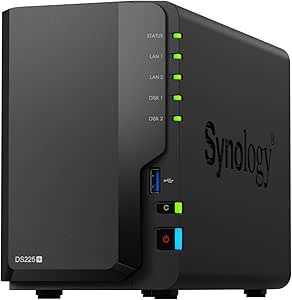 | Best for Backup and Data Protection | Drive bays: 2 | Drive configuration: Diskless | Maximum storage capacity: 40TB | VIEW LATEST PRICE | See Our Full Breakdown |
| LincStation N1 6-Bay Diskless NAS with Intel N5105, 16GB RAM, 128GB eMMC, 4K HDMI and 2.5GbE |  | Best for NVMe-Heavy Compact Builds | Processor: Intel Celeron N5105 quad-core, up to 2.9GHz | Memory: 16GB | Internal storage: 128GB eMMC | VIEW LATEST PRICE | See Our Full Breakdown |
| Asustor Drivestor 2 Gen 2 AS1202T 2-Bay NAS Storage |  | Best Beginner Pick with 2.5GbE | Drive bays: 2 | Processor: Realtek RTD1619B quad-core, 1.7GHz | Memory: 1GB DDR4, fixed | VIEW LATEST PRICE | See Our Full Breakdown |
| Synology RackStation RS826+ 4-Bay 1U Rackmount NAS Server (Diskless) |  | Best for Rackmount Business Storage | Form factor: 1U rackmount | Drive bays: 4, expandable to 8 with an expansion unit | Processor: AMD Ryzen quad-core | VIEW LATEST PRICE | See Our Full Breakdown |
| Synology 2-Bay DiskStation DS223j (Diskless) |  | Best for Beginner-Friendly Home Backups | Model: DS223j | Drive bays: 2 | Form factor: Tabletop | VIEW LATEST PRICE | See Our Full Breakdown |
| Synology DiskStation DS124 NAS Server (4TB) |  | Best Single-Drive Starter NAS | Processor: RTD1619B quad-core, 1.7GHz | Memory: 1GB DDR4 non-ECC | Storage: 4TB, one 3.5-inch 6Gb/s HDD | VIEW LATEST PRICE | See Our Full Breakdown |
| Synology BeeStation 4TB Personal Cloud Storage Device |  | Best for Simple Personal Cloud Access | Model: BST151-4T | Storage capacity: 4TB | Mac Time Machine storage: Up to 2TB | VIEW LATEST PRICE | See Our Full Breakdown |
| UGREEN NAS DXP8800 Ultra 8-Bay Network Storage Server |  | Best for High-Speed Studio and Team Storage | Drive bays: 8 SATA bays | Maximum stated capacity: Up to 272TB | Processor: Intel 150U, up to 5.4GHz | VIEW LATEST PRICE | See Our Full Breakdown |
| BUFFALO LinkStation 210 6TB 1-Bay NAS |  | Best for Simple, Ready-to-Use Home Backups | Model: LS210D0601 | Storage capacity: 6TB | Drive bays: 1 | VIEW LATEST PRICE | See Our Full Breakdown |
| Synology DiskStation DS220+ NAS Server with Celeron J4025, 6GB Memory, and 4TB HDD Storage |  | Best for Feature-Rich Backups and File Management | Processor: Intel Celeron J4025 dual-core, 2.0GHz (up to 2.9GHz burst) | Memory: 6GB DDR4 non-ECC | Storage: 4TB (2 x 2TB) SATA 3.5-inch HDDs | VIEW LATEST PRICE | See Our Full Breakdown |
| UGREEN NAS DH2300 2-Bay Network Attached Storage |  | Best for Beginner-Friendly Private Cloud Storage | Model: DH2300 | Drive bays: 2 | Maximum capacity: 64TB | VIEW LATEST PRICE | See Our Full Breakdown |
| Ubiquiti UniFi UNAS-2-B NAS Server, 2-Bay |  | Best Compact Pick for UniFi Network Setups | Model: UNAS-2-B | Drive bays: 2 x 3.5-inch | Processor: Quad-core ARM Cortex-A55, 1.7 GHz | VIEW LATEST PRICE | See Our Full Breakdown |
| UGREEN DXP2800 2-Bay NAS with Intel N100, 8GB DDR5 RAM and Dual M.2 NVMe Slots |  | Best for Advanced Home NAS Applications | Processor: Intel N100 quad-core | Memory: 8GB DDR5 RAM | Drive bays: 2 HDD bays | VIEW LATEST PRICE | See Our Full Breakdown |
| network attached storage device | Memory | Drive bays | Processor | Warranty |
|---|---|---|---|---|
| WD My Cloud 2TB Personal Netwo | — | — | — | — |
| UGREEN NASync DXP4800 GT 4-Bay | 8GB DDR4, expandable to 64GB | — | AMD Ryzen Embedded R2514, 4 cores and 8 threads, up to 3.70GHz | — |
| Synology DS225+ 2-Bay Diskless | — | 2 | — | 3 years |
| LincStation N1 6-Bay Diskless | 16GB | — | Intel Celeron N5105 quad-core, up to 2.9GHz | 2 years |
| Asustor Drivestor 2 Gen 2 AS12 | 1GB DDR4, fixed | 2 | Realtek RTD1619B quad-core, 1.7GHz | 3 years |
| Synology RackStation RS826+ 4- | 4GB DDR4 ECC | 4, expandable to 8 with an expansion unit | AMD Ryzen quad-core | 3 years |
| Synology 2-Bay DiskStation DS2 | — | 2 | — | 2 years |
| Synology DiskStation DS124 NAS | 1GB DDR4 non-ECC | 1 | RTD1619B quad-core, 1.7GHz | — |
| Synology BeeStation 4TB Person | — | — | — | 3 years |
| UGREEN NAS DXP8800 Ultra 8-Bay | 8GB DDR5, expandable to 96GB | 8 SATA bays | Intel 150U, up to 5.4GHz | — |
| BUFFALO LinkStation 210 6TB 1- | — | 1 | — | 2 years |
| Synology DiskStation DS220+ NA | 6GB DDR4 non-ECC | — | Intel Celeron J4025 dual-core, 2.0GHz (up to 2.9GHz burst) | — |
| UGREEN NAS DH2300 2-Bay Networ | 4GB | 2 | — | — |
| Ubiquiti UniFi UNAS-2-B NAS Se | 4GB | 2 x 3.5-inch | Quad-core ARM Cortex-A55, 1.7 GHz | — |
| UGREEN DXP2800 2-Bay NAS with | 8GB DDR5 RAM | 2 HDD bays | Intel N100 quad-core | 2 years |
More Details on Our Top Picks
WD My Cloud 2TB Personal Network Attached Storage, White
The WD My Cloud is the simplest fit here for someone who wants shared home storage without assembling a diskless system. Its 2TB drive is included, and automatic PC and Mac backups make it a more ready-to-use choice than the Synology DS225+ or Asustor Drivestor 2 Gen 2, both of which require drives bought separately. WD apps also provide remote access and mobile uploads, while the USB 3.0 port lets you add storage as your library grows. The tradeoff is a fixed, modest starting capacity and a more limited setup than newer multi-bay options: it lacks the listed 2.5GbE or 10GbE networking found on several alternatives. Remote access depends on a router with an internet connection, and listed OS compatibility is limited to specific Windows and Mac versions.
Pros:- Includes 2TB of storage, so buyers do not need to source a drive before getting started.
- Centralizes files and media for access across computers and mobile devices.
- Supports automatic backups for Windows PCs and Macs.
- USB 3.0 port provides a route to expand storage with external devices.
Cons:- A single 2TB drive offers less capacity and flexibility than multi-bay NAS systems.
- Remote access requires an internet-connected router.
- Listed operating-system compatibility is limited to specific Windows and Mac versions.
Best for: Home users who want an included 2TB drive for shared files, phone uploads, and automatic Windows or Mac backups without choosing NAS drives.
Not ideal for: Creators with large video libraries, buyers planning multi-drive redundancy, or anyone who needs the faster networking and expansion options of newer NAS models.
- Storage capacity:2TB
- Connectivity:Ethernet, USB
- Expansion:USB 3.0 port
- Drive speed:5400 rpm
- Compatible platforms:Windows, Mac
- Compatible devices:Desktop, smartphone, tablet
- Form factor:2.5 inches
- Enclosure material:Plastic
Our verdict“Choose the WD My Cloud for straightforward home sharing and backups with storage included, but skip it if you need a faster, expandable multi-drive system.”
UGREEN NASync DXP4800 GT 4-Bay Network Attached Storage
For large projects moving between a NAS and workstations, the DXP4800 GT separates itself from home-focused two-bay options with dual 10GbE ports, a Ryzen Embedded processor, and room for both SATA and NVMe storage. Its listed capacity reaches 144TB, far beyond the Synology DS225+ and its 40TB maximum, while the SD slot and fast USB ports can speed up camera-card imports without routing files through a computer. The built-in surveillance tools add another use for the system beyond creative storage. This headroom comes with more setup and purchasing decisions: drives are not included, ECC memory requires a compatible upgrade, and Plex needs manual Docker setup rather than coming pre-installed. Buyers seeking a simple shared folder will likely find the WD My Cloud less demanding.
Pros:- Dual 10GbE ports support high-speed large-file transfers on a suitable network.
- Four SATA bays plus M.2 NVMe slots allow a mix of capacity and fast storage.
- SD and high-speed USB connections support direct media imports and backups.
- Built-in surveillance support works with ONVIF and RTSP cameras.
Cons:- Diskless design means drives must be purchased and configured separately.
- Included 8GB RAM is non-ECC; ECC requires a compatible memory upgrade.
- Plex requires manual setup through Docker rather than being pre-installed.
Best for: Video editors, photographers, and technically confident home labs that need high-throughput transfers, substantial drive capacity, and room for NVMe storage.
Not ideal for: Beginners who want an included drive and uncomplicated media-server setup, or households without 10GbE-capable network equipment.
- Processor:AMD Ryzen Embedded R2514, 4 cores and 8 threads, up to 3.70GHz
- Memory:8GB DDR4, expandable to 64GB
- Network:2 x 10GbE RJ45
- Storage bays:4 x SATA, up to 32TB each
- M.2 storage:2 x M.2 NVMe, up to 16TB total
- Maximum capacity:144TB
- USB ports:1 x USB-A 10Gbps, 1 x USB-C 10Gbps, 2 x USB 2.0
- Operating system:UGOS Pro
Our verdict“Pick the DXP4800 GT for a high-capacity, fast-transfer NAS with room to grow, provided you are comfortable supplying drives and handling extra setup.”
Synology DS225+ 2-Bay Diskless NAS
The DS225+ is a balanced pick for people who put backups and organized data protection ahead of maximum drive count. Snapshots and automated backup destinations give it a broader protection story than the more basic WD My Cloud, while its 4K media support and surveillance features make it useful beyond file archiving. Synology lists support for up to 30 IP cameras and a maximum capacity of 40TB, placing it below the four-bay UGREEN DXP4800 GT for expansion but in a smaller tabletop format. That two-bay limit is the key compromise: it leaves less room to grow and fewer drive-layout choices than a four-bay NAS. The unit is also diskless, so the initial setup requires selecting and buying compatible drives.
Pros:- Snapshot technology adds a recovery option alongside RAID redundancy.
- Automates backups to cloud services, external drives, and remote NAS devices.
- Supports 4K media streaming and hardware transcoding.
- Can manage smart surveillance for up to 30 IP cameras.
Cons:- Diskless configuration requires a separate drive purchase.
- Two bays limit expansion compared with the four-bay UGREEN DXP4800 GT.
- Maximum listed storage capacity is 40TB.
Best for: Home-office users and families who want automated backups, snapshot protection, and media or camera management in a compact two-bay system.
Not ideal for: Buyers expecting high capacity growth, multiple drive-layout options, or storage ready to use without buying drives separately.
- Drive bays:2
- Drive configuration:Diskless
- Maximum storage capacity:40TB
- Transfer speed:Up to 282MB/s
- IP camera support:Up to 30 cameras
- Dimensions:9.14 x 4.25 x 6.5 inches
- Weight:1300g
- Warranty:3 years
Our verdict“Choose the DS225+ if structured backups and data protection matter more than adding many drives or maximizing capacity.”
LincStation N1 6-Bay Diskless NAS with Intel N5105, 16GB RAM, 128GB eMMC, 4K HDMI and 2.5GbE
The LincStation N1 takes a different approach from the conventional SATA-focused Synology DS225+: it pairs two 2.5-inch SATA bays with four M.2 NVMe slots, letting buyers separate bulk storage from fast app, cache, or virtual-machine storage. Its 16GB of RAM, 128GB eMMC, 2.5GbE, and included Unraid Starter License give technically inclined owners a flexible foundation without requiring a separate boot drive. HDMI 2.0 also allows a direct display connection, while adjustable fan profiles offer control over cooling behavior. The unusual mix is not for everyone. SATA support is restricted to 2.5-inch drives up to 9.5mm thick, and the system arrives diskless. Compared with the four-bay UGREEN DXP4800 GT, it trades conventional drive capacity and dual 10GbE for a compact, NVMe-rich layout.
Pros:- Four M.2 NVMe slots support fast storage for apps, cache, or virtual machines.
- Combines NVMe slots with two SATA bays for separate storage roles.
- Includes 16GB RAM, 128GB eMMC, and an Unraid Starter License.
- 2.5GbE and HDMI 2.0 offer network and direct-display connectivity.
Cons:- SATA bays accept only 2.5-inch drives up to 9.5mm thick.
- Diskless setup requires separate drive purchases.
- Its 2.5GbE connection is less suited to very large transfers than the DXP4800 GT’s dual 10GbE.
Best for: Home-lab builders and app-focused users who want several NVMe drives, Docker or virtual-machine flexibility, and a compact NAS they can configure with Unraid.
Not ideal for: Buyers seeking straightforward high-capacity storage from standard 3.5-inch hard drives or a NAS that is ready to use with drives included.
- Processor:Intel Celeron N5105 quad-core, up to 2.9GHz
- Memory:16GB
- Internal storage:128GB eMMC
- SATA bays:2 x 2.5-inch, up to 9.5mm thick
- M.2 slots:4 x M.2 2280 NVMe SSD
- Ethernet:2.5GbE
- Ports:USB-C 5Gbps, 2 x USB 3.2 Gen 2 Type-A, HDMI 2.0, 3.5mm audio
- Operating system:Unraid Starter License included
- Warranty:2 years
Our verdict“Choose the LincStation N1 for a compact, customizable NAS built around NVMe and Unraid, not for a large conventional hard-drive array.”
Asustor Drivestor 2 Gen 2 AS1202T 2-Bay NAS Storage
The Drivestor 2 Gen 2 suits buyers who want a conventional two-bay NAS with 2.5GbE networking and a less involved drive installation. Its tool-free bays and ADM operating system make it a more approachable starting point than the configurable LincStation N1, which centers on Unraid and a mix of SATA and NVMe storage. The quad-core processor supports everyday backup and media tasks, and Asustor lists 4K media-server capability. The main limit is its fixed 1GB of RAM: that is a meaningful constraint for heavy multitasking or virtualization, with no listed upgrade path. It is also diskless, unlike the WD My Cloud, so buyers must provide their own drives. This is a straightforward home NAS, not a flexible platform for demanding applications.
Pros:- 2.5GbE offers more network bandwidth than standard Gigabit Ethernet when the rest of the network supports it.
- Tool-free drive installation simplifies hardware setup.
- Quad-core processor supports routine file management and backup tasks.
- Supports 4K media-server use and cross-platform multi-user access.
Cons:- Fixed 1GB RAM can limit multitasking and does not offer an upgrade path.
- Diskless design requires a separate compatible drive purchase.
- Two bays offer less capacity flexibility than four-bay NAS systems.
Best for: First-time NAS buyers who can choose their own drives and want simple installation, shared home storage, and faster-than-Gigabit networking.
Not ideal for: Power users planning virtualization or heavy multitasking, and buyers who want included storage or expandable memory.
- Drive bays:2
- Processor:Realtek RTD1619B quad-core, 1.7GHz
- Memory:1GB DDR4, fixed
- Network:2.5GbE Ethernet
- USB ports:3
- Operating system:ASUSTOR Data Master (ADM)
- Dimensions:3.94 x 3.94 x 3.94 inches
- Weight:1160g
- Warranty:3 years
Our verdict“Pick the Drivestor 2 Gen 2 for an approachable two-bay home NAS with 2.5GbE, but look elsewhere for memory-heavy apps or extensive expansion.”
Synology RackStation RS826+ 4-Bay 1U Rackmount NAS Server (Diskless)
The RS826+ is the rack-focused choice here: its 1U chassis suits a network closet or server rack, while the DS223j and BeeStation are aimed at desks and home use. Synology lists sequential throughput above 2,000 MB/s read and 1,300 MB/s write, but taking advantage of that headroom requires faster networking than its four built-in 1GbE ports; the PCIe slot allows a 10GbE or 25GbE upgrade. ECC memory and expansion from four to eight bays also make it a better fit for a growing office than the simpler two-bay DS223j. The tradeoffs are real: it ships diskless, needs separately purchased drives, and its higher-speed network capability requires added hardware. It makes sense when rack deployment and future scaling matter more than a ready-to-use home setup.
Pros:- Rackmount 1U design fits standard server environments.
- Four-bay storage can expand to eight bays with an expansion unit.
- PCIe 3.0 slot supports 10GbE or 25GbE networking upgrades.
- ECC memory and automated storage tiering suit business file and backup workloads.
Cons:- Diskless configuration requires buying and installing drives separately.
- Built-in networking is limited to four 1GbE ports; faster links require an added card.
- Rackmount form and expansion options are excessive for most home storage needs.
Best for: Small and midsize businesses with a rack, several users sharing files, and plans to add drives or faster networking.
Not ideal for: Home users or small offices without a rack or IT support, especially anyone seeking an all-in-one NAS with included storage and fast networking out of the box.
- Form factor:1U rackmount
- Drive bays:4, expandable to 8 with an expansion unit
- Processor:AMD Ryzen quad-core
- Memory:4GB DDR4 ECC
- Network ports:4 x 1GbE RJ-45
- Expansion:PCIe 3.0 slot
- Sequential throughput:Over 2,000 MB/s read; 1,300 MB/s write
- Warranty:3 years
Our verdict“Choose the RS826+ for a rack-based office that needs scalable shared storage and can budget for drives and faster networking.”
Synology 2-Bay DiskStation DS223j (Diskless)
The DS223j is the straightforward two-drive starting point in this group: it pairs Synology DSM’s backup, file-sharing, and camera-management tools with a compact, low-energy tabletop design. Compared with the single-bay DS124, its two bays offer a path to a mirrored setup, though the product data does not specify a drive arrangement or promise that mirroring will replace a separate backup. It also avoids the more complex, higher-capacity direction of the RS826+ and UGREEN DXP8800 Ultra. That simplicity comes with a performance ceiling: this entry-level model is not intended for heavy simultaneous workloads or intensive virtualization. It ships without drives, so setup includes choosing and installing storage. For households or a small office that want a personal cloud and automated backups without a rack server, its restrained feature set is an advantage rather than a flaw.
Pros:- Compact tabletop form suits a home office or living space.
- DSM provides tools for backups, file synchronization, and sharing.
- Supports 24/7 home security monitoring with multiple IP cameras.
- Two drive bays provide more storage flexibility than a single-bay NAS.
Cons:- Diskless, so drives must be selected and installed separately.
- Entry-level performance is not suited to intensive virtualization or heavy multi-user work.
- Two-bay capacity and expansion options are limited compared with the RS826+ and DXP8800 Ultra.
Best for: Households or small offices setting up shared folders, automatic computer backups, and basic IP-camera monitoring.
Not ideal for: Teams running demanding multi-user workloads, virtualization, or large media projects that need high-throughput networking.
- Model:DS223j
- Drive bays:2
- Form factor:Tabletop
- Storage configuration:Diskless
- Dimensions:6.5 x 3.94 x 8.9 inches
- Weight:0.87 kg
- Warranty:2 years
- Compatible devices:Android, desktop, laptop, iPhone
Our verdict“Pick the DS223j for basic home or small-office backups and sharing when easy DSM-based setup matters more than advanced performance.”
Synology DiskStation DS124 NAS Server (4TB)
The DS124 is the simplest way in this lineup to get a Synology NAS with storage included: its 4TB drive contrasts with the diskless DS223j, which gives buyers two bays but requires a separate drive purchase. Its Btrfs and snapshot support can help recover earlier file versions, and the compact tower uses a stated 10.7W during operation. The central compromise is the one-bay design: it offers no second internal drive for a mirrored arrangement, and adding capacity means relying on external storage rather than an additional bay. Its 1GB non-ECC memory also makes it a poor fit for demanding multitasking or virtualization, unlike the much more expandable DXP8800 Ultra. The included drive and memory modules require manual installation, so it is not fully ready to run straight from the box.
Pros:- Includes a 4TB 3.5-inch hard drive, unlike the diskless DS223j.
- Btrfs and snapshot support provide file-version recovery options.
- Specified operating power consumption is 10.7W.
- Compact tower design suits a desktop or tabletop setup.
Cons:- Single drive bay limits internal expansion and does not provide a second drive for mirroring.
- 1GB non-ECC memory is a constraint for heavy multitasking and virtualization.
- Included drive and memory modules require manual installation.
Best for: A solo user or household that wants a compact Synology file-sharing and backup device with a 4TB drive supplied.
Not ideal for: Buyers who need drive redundancy, multiple-drive expansion, heavy multitasking, or a NAS they can use without installing components.
- Processor:RTD1619B quad-core, 1.7GHz
- Memory:1GB DDR4 non-ECC
- Storage:4TB, one 3.5-inch 6Gb/s HDD
- Drive bays:1
- Network:1 x 1GbE RJ-45
- USB ports:2 x USB 3.2
- File systems:EXT4, Btrfs
- Operating power consumption:10.7W
Our verdict“Choose the DS124 if you want a compact, low-power Synology NAS with 4TB included and can accept single-drive limits.”
Synology BeeStation 4TB Personal Cloud Storage Device
The BeeStation is the least traditional NAS here: it focuses on gathering files and photos from computers, phones, external drives, and supported cloud accounts rather than offering the bay expansion of the DS223j or the business features of the RS826+. Its 4TB storage, remote access, automatic photo and video backup, and local AI photo search make it appealing to people who want a personal cloud without configuring a larger multi-bay system. Automated snapshots add a way to recover earlier file versions, and the included three-year Acronis True Image Essentials license adds a separate backup tool. The tradeoff is reduced flexibility: storage is fixed in the described configuration, and Mac Time Machine space is capped at up to 2TB. Some features also depend on a compatible device or supported cloud account.
Pros:- Brings files together from computers, mobile devices, external drives, and supported cloud accounts.
- Automates photo and video backups with remote access.
- Local AI tools support photo recognition and search on the device.
- Snapshots help recover earlier file versions; a three-year Acronis license is included.
Cons:- The 4TB model allocates up to 2TB for Mac Time Machine backup storage.
- Some functions depend on compatible devices and supported cloud accounts.
- It lacks the multi-bay expansion and broader storage configuration of the DS223j.
Best for: Individuals or families who want one easy-to-access place for phone photos, computer files, and selected cloud-account content.
Not ideal for: NAS buyers who need multiple internal drives, expandable capacity, extensive server applications, or more than 2TB reserved for Mac Time Machine backups.
- Model:BST151-4T
- Storage capacity:4TB
- Mac Time Machine storage:Up to 2TB
- Form factor:Tabletop
- Dimensions:7.73 x 2.46 x 5.83 inches
- Weight:1.8 pounds
- Included backup software:3-year Acronis True Image Essentials license
- Warranty:3 years
Our verdict“Choose BeeStation for convenient personal-cloud backups and photo access, not for a customizable or expandable multi-drive NAS.”
UGREEN NAS DXP8800 Ultra 8-Bay Network Storage Server
The DXP8800 Ultra is the most connection-rich, high-capacity option in this batch: eight SATA bays, two NVMe slots, dual 10GbE, and two Thunderbolt 4 ports target studios and teams moving large files. Compared with Synology’s rackmount RS826+, it offers more bays and Thunderbolt connections in the listed configuration, while the RS826+ takes a more office-focused route with ECC memory and automated storage tiering. The UGREEN model also supports virtual machines and containers, and its memory can grow from 8GB to 96GB for heavier application workloads. That capability brings more setup and hardware decisions than a home-focused DS223j or BeeStation. It is diskless, and memory expansion beyond the included 8GB calls for a separate upgrade. Its maximum stated capacity of 272TB is a supported ceiling, not included storage.
Pros:- Eight SATA bays support large, expandable storage pools.
- Dual 10GbE and two Thunderbolt 4 ports suit fast team and studio transfers.
- Two NVMe slots provide additional storage options.
- Supports virtual machines, containers, and memory expansion up to 96GB.
Cons:- Diskless configuration requires a separate drive purchase and setup.
- The included 8GB memory may need upgrading for more demanding applications.
- Its advanced ports and application features are unnecessary for basic home backup needs.
Best for: Video and design studios or technical teams that need many drive bays, fast local transfers, and room to run containers or virtual machines.
Not ideal for: Home users seeking simple photo backups, or buyers who want included drives and a low-maintenance setup.
- Drive bays:8 SATA bays
- Maximum stated capacity:Up to 272TB
- Processor:Intel 150U, up to 5.4GHz
- Memory:8GB DDR5, expandable to 96GB
- M.2 slots:2 NVMe
- Networking:2 x 10GbE
- High-speed ports:2 x Thunderbolt 4
- Supported RAID modes:JBOD, Basic, RAID 0, RAID 1, RAID 5, RAID 6, RAID 10
- Drive configuration:Diskless
Our verdict“Pick the DXP8800 Ultra for a studio or technical team that can use its fast connections and eight bays and is prepared to configure its own drives.”
BUFFALO LinkStation 210 6TB 1-Bay NAS
The LinkStation 210 is the straightforward pick for households that want network backups without choosing or installing drives: its 6TB hard drive is included, and automated backup software can cover multiple computers and devices. Folder access controls and SSL-encrypted file transfers add useful protections for shared home storage, while personal cloud access has no subscription requirement. Compared with the Synology DiskStation DS220+, this Buffalo is less involved to get started with, but it gives up the second drive bay and the flexibility of a more expandable two-drive setup. That single-bay limit also means buyers should not treat it as a two-drive redundancy solution. Its stated Mac compatibility ends at macOS 15, so users on later versions should check support before choosing it.
Pros:- Includes a 6TB hard drive, so no separate drive purchase or installation is needed.
- Automated backups support multiple computers and devices.
- Folder access controls help limit who can view or share files.
- Offers subscription-free personal cloud access and SSL-encrypted file transfers.
Cons:- One drive bay limits expansion and provides no two-drive redundancy.
- Mac compatibility is specified only through macOS 15.
Best for: Households wanting a simple 6TB network backup target with a drive included and subscription-free remote file access.
Not ideal for: Buyers who want two-drive redundancy, future capacity expansion, or confirmed compatibility with macOS versions later than 15.
- Model:LS210D0601
- Storage capacity:6TB
- Drive bays:1
- Drive:Included
- Compatibility:Windows and macOS 15 and earlier
- Security:Closed system and SSL-encrypted file transfers
- Warranty:2 years
Our verdict“Choose the LinkStation 210 if you want an uncomplicated 6TB home backup device with a drive included and do not need a second bay.”
Synology DiskStation DS220+ NAS Server with Celeron J4025, 6GB Memory, and 4TB HDD Storage
The DS220+ suits buyers who want more than a network folder: Synology DSM brings backup, file sharing, encryption, and multimedia server tools together, while the included two 2TB drives provide 4TB of listed storage. Two 1GbE ports support link aggregation and failover, which gives network-minded users options the single-port UGREEN NAS DH2300 does not list. That said, the supplied drives and memory require installation, so this is not as ready to use as the BUFFALO LinkStation 210. Its 6GB of non-ECC memory is also a modest foundation for buyers prioritizing workstation-style reliability or demanding server workloads. I’d choose it for flexible household file management, not for a hands-off setup or a high-end virtualization build.
Pros:- Includes two 2TB SATA hard drives for 4TB of listed storage.
- Synology DSM provides backup, file sharing, encryption, and multimedia server functions.
- Two 1GbE ports support link aggregation and failover.
- Offers EXT4 and Btrfs file-system support.
Cons:- Drive and memory installation is required before use.
- The included 6GB memory is non-ECC.
- Its two 1GbE ports do not match the 2.5GbE networking listed for the UGREEN DXP2800.
Best for: Home users who want Synology DSM tools for backups, shared files, and multimedia storage, and are comfortable installing the included drives and memory.
Not ideal for: Buyers seeking a plug-in-and-go NAS, ECC memory, or a system intended for demanding server workloads.
- Processor:Intel Celeron J4025 dual-core, 2.0GHz (up to 2.9GHz burst)
- Memory:6GB DDR4 non-ECC
- Storage:4TB (2 x 2TB) SATA 3.5-inch HDDs
- Network ports:2 x RJ-45 1GbE with link aggregation and failover support
- USB ports:2 x USB 3.2
- File systems:EXT4, Btrfs
- Operating system:Synology DSM
Our verdict“Pick the DS220+ if you value Synology’s broad software features and dual-port networking more than a simple setup or ECC memory.”
UGREEN NAS DH2300 2-Bay Network Attached Storage
The DH2300 is aimed at people moving photos and backups away from subscription cloud storage, with an interface and automatic tools designed for personal use. Its AI photo organization can tag and sort images, while two bays and RAID support give it more storage flexibility than the single-bay BUFFALO LinkStation 210. The trade is that the DH2300 is diskless: buyers must supply drives, and its stated 64TB maximum is a supported capacity rather than included storage. Its 1GbE connection and transfer speed of up to 125 MB/s suit routine home backups, but the lack of Docker, virtual machines, and Plex via Docker limits its appeal to users wanting a broader app platform. It also needs wired Ethernet; Wi-Fi is not built in.
Pros:- Two bays and RAID modes offer more storage flexibility than a single-bay NAS.
- AI tools support photo tagging, duplicate removal, and organization.
- Automatic cross-device backups target common personal and household needs.
- Includes two-factor authentication and encrypted transfers.
Cons:- Drives are not included and must be selected and installed separately.
- Wired Ethernet is required; Wi-Fi is not built in.
- No Docker, virtual machines, or Plex via Docker limits advanced applications.
Best for: Personal cloud users and families who want guided photo organization, automatic backups, and two-bay storage without server-app ambitions.
Not ideal for: NAS enthusiasts seeking Docker, virtual machines, Plex via Docker, Wi-Fi, or a ready-to-use system with drives installed.
- Model:DH2300
- Drive bays:2
- Maximum capacity:64TB
- Memory:4GB
- Network port:1GbE Ethernet
- Transfer speed:Up to 125 MB/s
- Connectivity:Wired Ethernet only; no Wi-Fi
- Software limitations:No Docker, virtual machines, or Plex via Docker
Our verdict“Choose the DH2300 for an approachable, two-bay private cloud focused on backups and photos, not for advanced server apps.”
Ubiquiti UniFi UNAS-2-B NAS Server, 2-Bay
The UniFi UNAS 2 stands out for buyers who want a compact, tabletop two-bay NAS with 2.5GbE support. That faster network option can help it move large files more quickly than the 1GbE UGREEN NAS DH2300, provided the rest of the home network also supports 2.5GbE. Its two 3.5-inch bays leave room for a paired-drive setup, but the product data does not list included drives, so storage must be planned separately. The quad-core ARM Cortex-A55 processor and 4GB of RAM make for a modest hardware profile compared with the Intel N100 and 8GB RAM in the UGREEN DXP2800. I’d favor the Ubiquiti for a tidy footprint and compatible network environment, rather than for buyers who need detailed app or storage-management features confirmed before purchase.
Pros:- Two 3.5-inch drive bays support a paired-drive storage setup.
- 2.5GbE support can outpace the 1GbE connection on the UGREEN NAS DH2300.
- Compact tabletop form suits desks and small home network areas.
- Includes 4GB of RAM and a quad-core processor.
Cons:- Drive inclusion and software capabilities are not specified in the supplied product data.
- Its 4GB RAM and ARM processor are a more modest hardware package than the UGREEN DXP2800.
- Polycarbonate enclosure may be less appealing to buyers seeking a metal chassis.
Best for: UniFi network owners who want a compact two-bay tabletop NAS and have compatible 2.5GbE networking.
Not ideal for: Buyers who need included drives, clearly specified advanced NAS software, or stronger listed hardware for demanding applications.
- Model:UNAS-2-B
- Drive bays:2 x 3.5-inch
- Processor:Quad-core ARM Cortex-A55, 1.7 GHz
- Memory:4GB
- Network:10/100 Mbps LAN, 1GbE, 2.5GbE, Bluetooth 4.1
- Dimensions:12.9 x 13.5 x 22.37 cm
- Weight:1.3 kg without HDD
- Enclosure material:Polycarbonate
Our verdict“Choose the UNAS 2 if you want a compact two-bay NAS with 2.5GbE for a UniFi-centered setup and can confirm the software fit.”
UGREEN DXP2800 2-Bay NAS with Intel N100, 8GB DDR5 RAM and Dual M.2 NVMe Slots
The UGREEN DXP2800 is the most capable fit here for users who want to run more than backups: its Intel N100 processor, 8GB DDR5 RAM, and Docker and virtual-machine support create room for media and other home-server applications. Two HDD bays support up to 80TB, while two M.2 NVMe slots add a faster storage option that the Synology DS220+ does not list. Its 2.5GbE port can also benefit large transfers when paired with compatible network gear. The main catch is that this is a diskless system; buyers need to choose and install hard drives or SSDs before setup. Compared with the beginner-focused UGREEN NAS DH2300, the DXP2800 offers much broader application flexibility, but it asks more of the buyer in drive selection and configuration.
Pros:- Intel N100 and 8GB DDR5 RAM support Docker, virtual machines, and media-server applications.
- Two HDD bays support up to 80TB of storage.
- Two M.2 NVMe slots add fast-storage options.
- 2.5GbE and cross-device access support larger transfers and multi-device backups.
Cons:- Hard drives and SSDs are sold separately, so setup requires drive selection and installation.
- Its advanced feature set may be more than basic backup users need.
- 2.5GbE benefits depend on compatible network equipment.
Best for: Technically confident home users who want a two-bay NAS for backups plus Docker, virtual machines, media-server tasks, or NVMe storage.
Not ideal for: Buyers seeking an inexpensive-feeling plug-and-play setup, included storage, or a NAS used only for basic file sharing.
- Processor:Intel N100 quad-core
- Memory:8GB DDR5 RAM
- Drive bays:2 HDD bays
- M.2 slots:2 NVMe slots
- Maximum storage capacity:Up to 80TB
- Networking:2.5GbE
- Drive inclusion:Diskless; HDDs and SSDs sold separately
- Warranty:2 years
Our verdict“Pick the DXP2800 if you want an expandable home server with NVMe options and advanced apps, and are prepared to supply its drives.”
How We Picked
I compared the 15 devices by the job they can realistically handle: personal cloud storage, family backups, media libraries, small-office file sharing, or larger storage deployments. The ranking gives weight to bay count and expansion options, network and processing capability, setup and software experience, and how much flexibility the buyer gets when choosing drives. I also considered maintenance demands, such as whether a model is diskless or arrives with storage installed, and whether its hardware looks suited to long-term growth.
The order reflects usefulness across a broad range of buyers, not raw specifications alone. A capable multi-bay desktop NAS ranks ahead of a specialist rackmount server for most households, while beginner-friendly and preconfigured products remain relevant when ease of setup matters more than customization. Single-bay devices rank lower for buyers who need redundancy or future expansion, and premium, high-capacity models are reserved for users who can make use of their additional bays and management overhead.
Factors to Consider When Choosing Best Network Attached Storage Devices
Choosing a NAS is less about buying the biggest number of bays and more about matching the device to how your files will be used and protected. These factors help separate a simple personal cloud from a system built to grow with a household or business.
Choose bay count around your growth plan
Bay count affects both how much storage you can add and how many ways you can arrange drives. A two-bay model can suit a small photo library or home backup plan, but a larger archive may quickly leave little room to expand. More bays can support a broader range of storage and redundancy layouts, though extra bays add hardware cost, drive planning, and maintenance. A common mistake is to buy for the files you have today rather than the library you expect to keep. If you already store large video projects or several computers’ backups, look at four bays or more; if you mainly need a shared folder, a compact model may be easier to live with.
Treat redundancy and backup as separate jobs
Drive redundancy can keep a NAS available after a drive fails, but it does not protect against accidental deletion, theft, malware, or damage to the whole device. Buyers sometimes assume a mirrored pair is a complete backup plan; it is only one layer of protection. Keep another copy on a separate device or in a remote location for files that would be difficult to replace. Consider how quickly you would need to restore data, since a large drive can take substantial time to copy. The right layout depends on whether you value maximum usable capacity, continued access after a drive failure, or quick recovery most.
Match network speed to the rest of your setup
A faster NAS network port can help with large file transfers, but only when the router, switch, computer, and cabling can support it too. For everyday document access and scheduled backups, a standard home network may be sufficient. Video editors and households moving large media files can benefit from faster networking, especially when several users access the storage at once. Check the network ports on your existing equipment before paying for a faster NAS connection. Also distinguish headline network capability from real-world workflow: many small-file tasks are limited by drive performance, client devices, or software rather than the NAS port.
Decide how much setup and software control you want
A diskless NAS gives you control over drive capacity and selection, but you must buy compatible drives, install them, and configure storage and user access. A model supplied with drives can shorten the path to a working system, though it may constrain later upgrade choices. Software support matters just as much as the hardware: backup scheduling, remote access, account management, and app availability shape daily use. Buyers who want a simple personal cloud should favor a straightforward setup over a long list of advanced features. More experienced users may value customization, but should be ready to handle updates, permissions, and troubleshooting themselves.
Plan for noise, heat, and where the NAS will live
A NAS is usually left on for long periods, so the room and enclosure matter. Several hard drives can create audible vibration and fan noise, making a rackmount or high-capacity system a poor fit for a quiet desk or bedroom. Heat and airflow also affect placement; squeezing a NAS into a closed cabinet can work against its cooling needs. Before choosing a larger system, identify a spot with ventilation and a reliable network connection. Compact or low-bay models can be easier to place, while business-oriented units make more sense in a dedicated equipment area.
Compare total ownership effort, not just the device
The NAS itself is only part of the plan: drives, replacement drives, backup storage, and ongoing power use all affect ownership. Diskless products leave drive choice open, but that flexibility means you need to budget for storage separately and verify compatibility. Think about how often you will check drive health, install software updates, and test file recovery. A system with more bays can postpone replacement of the whole NAS, yet it also gives you more drives to monitor. Pay for capacity and features that solve a real need rather than buying headroom you are unlikely to use.
Frequently Asked Questions
Is a one-bay NAS enough if I only need to back up family photos?
A one-bay NAS can work as a central place for photo backups and shared files, especially when simplicity matters more than drive redundancy. Its main limitation is that a single drive failure can take the stored copy offline, so it should not be the only copy of important photos. Keep a separate backup on another drive or in a remote service and check that backups are completing. If you want drive-failure protection inside the NAS or expect your library to grow, a two-bay model gives you more options. Choose based on how much downtime and recovery work you can accept.
Should I buy a diskless NAS or one that includes drives?
A diskless NAS suits buyers who want to choose drive capacity and plan their own storage layout. It also requires extra work: selecting compatible drives, installing them, and setting up the system. A preconfigured device can make first setup more direct, but may offer less flexibility when you want to change capacity later. Compare the included storage with your expected use, rather than assuming any preinstalled drive arrangement will suit your needs. Either way, plan a separate backup for files that matter.
Do I need a four-bay NAS, or will a two-bay model be enough?
A two-bay NAS is often enough for personal files, household backups, and a modest media collection. A four-bay system becomes more appealing when you need more usable capacity, more storage-layout choices, or room to add drives without replacing the whole unit. More bays also mean a larger footprint, more drive upkeep, and a more involved setup. Estimate your storage growth over several years and include space for backups and future projects. If your files are unlikely to outgrow a pair of drives, extra bays may add complexity without much benefit.
Will a faster NAS network port speed up every file transfer?
No. Faster networking helps only when the NAS and the rest of the connection path support it, including the switch or router, cabling, and client device. Large sequential transfers are more likely to benefit than opening many small documents. The drives and NAS processor can also limit transfer speed, especially when several users or background tasks are active. Check your current network equipment before choosing a NAS for its port speed alone. A faster connection is most useful when it matches a real workload, such as moving large media files regularly.
Can I use a NAS as my only backup destination?
A NAS can automate backups and keep files accessible across devices, but it should not be the only copy of irreplaceable data. A drive failure, accidental deletion, malware, or damage to the NAS can affect the stored files. Keep another copy on a separate device or at a remote location, and test that you can restore files from it. For a home setup, an external drive stored separately can add a useful layer of protection. Businesses may need a more formal backup and recovery plan based on how long they can tolerate downtime.
Conclusion
For most buyers, I’d start with the UGREEN NASync DXP4800 GT as the best overall: it offers a useful middle ground between compact two-bay systems and larger storage servers. The best value for straightforward home use is the Synology DS223j, while the best for beginners is the Synology BeeStation if a simpler personal-cloud experience matters more than customization. For a best premium, high-capacity choice, consider the UGREEN DXP8800 Ultra; it makes sense when the extra bays serve a real storage plan. Choose the LincStation N1 for a specific mix of NVMe storage and local media features, or the RackStation RS826+ when rackmount deployment is part of your setup. If none of those needs apply, a two-bay Synology or UGREEN model is a more manageable starting point than buying capacity you may not use.