The best overall pick in this roundup is the 14-inch MacBook Pro with M5 Pro, which balances high-end performance, generous storage, and a portable size. For demanding creative work, the 16-inch MacBook Pro with M5 Max offers more graphics power and memory, while the 13-inch MacBook Air with M5 is a lighter choice for everyday tasks. The main tradeoffs are portability versus screen space, performance headroom versus simplicity, and newer standard models versus renewed older-generation Pro laptops. This list includes MacBooks only, not iPhones, so it can help you choose a laptop but cannot compare Apple phones. Read on for the full breakdown and guidance on matching a MacBook to your workload.

Get the latest gadgets delivered free with Prime
- Fast, free delivery on millions of items
- Prime Video, Amazon Music and more included
- Member-only deals all year
Complete the kit



Key Takeaways
- The M5 Pro 14-inch MacBook Pro is the strongest all-around fit here: it pairs an 18-core CPU and 20-core GPU with 24GB memory and 2TB storage without the larger footprint of the 16-inch models.
- The M5 Max 16-inch MacBook Pro is the specialist choice for graphics-heavy work, with a 40-core GPU and 48GB memory; its extra capability is unnecessary for many everyday users.
- The M5 MacBook Air models target portability and everyday workloads, while the Pro line makes more sense when sustained performance, advanced graphics, or a Pro display matters.
- Screen size and configuration can matter as much as chip generation: the 15-inch Air offers a roomier workspace, while the 13-inch Air is easier to carry.
- Renewed M1 and M2 Max MacBook Pros trade newer-generation features for substantial hardware configurations; buyers should weigh condition, seller terms, and remaining software support against the advantages of newer M5 models.





| iPhones and MacBook | Display | Chip | Storage | Weight |
|---|---|---|---|---|
| Apple 2024 MacBook Pro 14-inch | 14.2-inch Liquid Retina XDR | Apple M4 Pro | 512GB SSD | 3.52 pounds |
| Apple MacBook Pro 14-inch | 14-inch, 3024 × 1964 pixels (listed; specifications conflict) | Apple M2 Max | 1TB SSD (listed in title) | — |
| Apple MacBook Air | 13.3-inch Retina, 2560 × 1600 pixels, P3 wide color | Apple M1 | 256GB SSD | — |
| Apple MacBook Pro 14.2-inch wi | 14.2-inch Liquid Retina XDR | Apple M5 Pro | 2TB SSD | 3.52 pounds |
| Apple 14.2-inch MacBook Pro wi | 14.2-inch Liquid Retina XDR | Apple M5 | 1TB SSD | 3.41 pounds |
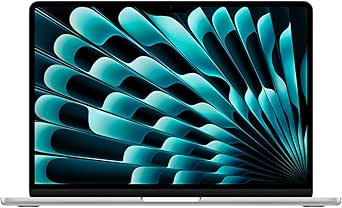
| Apple MacBook Air 15-inch with | 15.3-inch Liquid Retina | Apple M5 | 512GB SSD | 5.4 pounds |
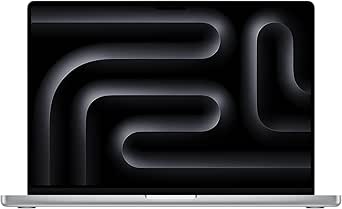
| Apple 16.2-inch MacBook Pro wi | 16.2-inch Liquid Retina XDR | Apple M5 Pro | 1TB SSD | 4.71 pounds |
| Apple MacBook Air 15-inch Lapt | 15.3-inch Liquid Retina, supports 1 billion colors | Apple M5 | 512GB SSD | 3.32 pounds |
| Apple MacBook Pro 16.2-inch wi | 16.2-inch Liquid Retina XDR | Apple M5 Max | 2TB SSD | 4.73 pounds |
| Apple 2021 MacBook Pro 14-inch | 14-inch Retina LED, 2560 x 1600 pixels | — | 2TB SSD | — |
| Apple 2026 MacBook Pro 14.2-in | 14.2-inch tandem OLED PROLED XDR touchscreen | — | — | 3.04 pounds |
| 2023 Apple MacBook Pro 16.2-in | 16.2 inches; 3456 × 2234 pixels | Apple M2 Max | — | 2.16 kg |
| Apple MacBook Air 13.6-inch La | 13.6-inch Liquid Retina | Apple M5 | — | 2.71 pounds |
More Details on Our Top Picks
Apple 2024 MacBook Pro 14-inch with M4 Pro, 12-core CPU, 16-core GPU, 24GB Memory, 512GB SSD, Space Black
The 14-inch MacBook Pro with M4 Pro is a strong fit for people who need substantial computing power without moving to a larger laptop. Its 12-core CPU and 16-core GPU are aimed at demanding tasks such as code compilation and creative work, while 24GB of unified memory gives multitasking more room than the 16GB M5 MacBook Pro in this roundup. The Liquid Retina XDR display also makes detailed visual work easier to assess, with peak brightness up to 1600 nits.
The tradeoff is a 512GB SSD, which may fill quickly for large projects; the M5 model here provides 1TB. I’d choose this M4 Pro configuration for its higher-tier chip and memory, but buyers who prioritize storage or newer-generation features should compare it carefully with the M5 options.
Pros:- M4 Pro with a 12-core CPU and 16-core GPU is suited to demanding professional workloads.
- 24GB unified memory supports heavier multitasking than the 16GB M5 MacBook Pro in this roundup.
- Liquid Retina XDR display reaches up to 1600 nits peak brightness.
- Designed to maintain performance on battery as well as when plugged in.
Cons:- 512GB SSD may be restrictive for large creative projects and local media libraries.
- The listed product details do not specify ports or wireless connectivity.
Best for: Developers and creative professionals who want a portable 14-inch MacBook Pro with 24GB memory for demanding work.
Not ideal for: People with large local media or project libraries who want at least 1TB of built-in storage, or buyers seeking the newest chip generation.
- Chip:Apple M4 Pro
- CPU:12-core
- GPU:16-core
- Display:14.2-inch Liquid Retina XDR
- Unified memory:24GB
- Storage:512GB SSD
- Weight:3.52 pounds
- Color:Space Black
Our verdict“Choose this M4 Pro model for demanding work in a compact Pro laptop if 512GB of storage is enough.”
Apple MacBook Pro 14-inch (2023), M2 Max, 32GB RAM, 1TB SSD, Space Gray (Renewed)
This renewed 14-inch MacBook Pro stands out for its listed M2 Max chip with a 30-core GPU, 32GB of memory, and 1TB SSD. That combination makes it an appealing alternative for GPU-heavy creative workflows and larger project libraries, especially compared with the M4 Pro MacBook Pro’s 16-core GPU and 512GB SSD. The HDMI and SDXC ports, alongside Thunderbolt, can also simplify connecting displays and camera storage without relying entirely on adapters.
There is a meaningful catch: it is renewed, not new, and the listing has conflicting specifications for memory, storage, processor, model year, and display. I would treat the configuration details as something to verify before buying. Buyers who want a clearly specified current machine should favor the M5 models; this one makes more sense for shoppers prioritizing listed GPU capacity and storage.
Pros:- Listed M2 Max configuration includes a 30-core GPU for graphics-heavy work.
- 32GB memory and 1TB SSD provide more listed capacity than the M4 Pro model in this batch.
- Thunderbolt, HDMI, and SDXC provide useful connections for displays and camera media.
- 14-inch high-resolution display in a recycled-aluminum unibody.
Cons:- Renewed condition may not suit buyers who want a new laptop.
- The listing contains conflicting processor, memory, storage, model-year, and display details.
- The supplied warranty is a 90-day Amazon Renewed warranty.
Best for: Experienced creative professionals who want a renewed MacBook Pro with a high-core-count GPU, 32GB memory, and built-in HDMI and SDXC.
Not ideal for: Buyers who require a new device, dependable listing details, or the latest chip generation.
- Chip:Apple M2 Max
- CPU:12-core
- GPU:30-core
- Memory:32GB
- Storage:1TB SSD (listed in title)
- Display:14-inch, 3024 × 1964 pixels (listed; specifications conflict)
- Ports:Thunderbolt, HDMI, SDXC
- Condition:Renewed
Our verdict“Consider this renewed model for its listed GPU and storage configuration only if you are comfortable verifying the conflicting details.”
Apple MacBook Air (Late 2020), 13.3-inch, M1, 16GB RAM, 256GB SSD, Space Gray (Renewed Premium)
The renewed M1 MacBook Air is the most straightforward pick here for everyday tasks such as writing, browsing, video calls, and light productivity. Its 16GB of unified memory gives it more multitasking headroom than the 16GB M5 MacBook Pro does not improve on by capacity, while the Air’s older M1 platform keeps this option focused on essential work rather than sustained professional workloads. The 13.3-inch Retina display with P3 wide color and stereo speakers make it a capable compact machine for general use.
Compared with the newer MacBook Pro models, it gives up current-generation performance, an XDR display, and larger built-in storage. The 256GB SSD is the clearest constraint, and the listing’s battery-life claims conflict. Its renewed status also makes condition and battery expectations worth checking before purchase.
Pros:- 16GB unified memory supports everyday multitasking.
- 13.3-inch Retina display offers 2560 × 1600 resolution and P3 wide color.
- FaceTime HD camera and stereo speakers suit video calls and media playback.
- Compact MacBook Air design is a practical fit for routine mobile use.
Cons:- 256GB SSD leaves limited room for large apps, projects, and offline media.
- Renewed Premium condition is not the same as a new device.
- Battery-life information is inconsistent in the listing.
Best for: Students and home users who mainly handle documents, web tasks, and video calls and are comfortable buying a renewed laptop.
Not ideal for: Video editors, developers with large local projects, or buyers who need a new device, extensive storage, or clearly stated battery-life information.
- Chip:Apple M1
- CPU:8-core
- GPU:7-core
- Memory:16GB unified memory
- Storage:256GB SSD
- Display:13.3-inch Retina, 2560 × 1600 pixels, P3 wide color
- Camera:FaceTime HD
- Condition:Renewed Premium
Our verdict“Pick this renewed M1 Air for routine school or home tasks if its 256GB storage and uncertain battery-life details fit your needs.”
Apple MacBook Pro 14.2-inch with M5 Pro, 18-core CPU, 20-core GPU, 24GB Memory, 2TB SSD, Wi-Fi 7, Silver
This M5 Pro configuration is the premium 14-inch choice for buyers who want current-generation performance and generous built-in storage without stepping up to a 16-inch laptop. Its 18-core CPU, 20-core GPU, and 24GB of memory are aimed at demanding creative, professional, and on-device AI work. The 2TB SSD is a major practical advantage over the M4 Pro model’s 512GB, reducing the need to juggle active projects or external drives.
It also brings a Liquid Retina XDR display, a 12MP Center Stage camera, and a broad set of connections, including Thunderbolt 5, HDMI, and SDXC. Compared with the 10-core M5 MacBook Pro, this model is better suited to heavier workloads and supports up to three external displays, but it remains a 3.52-pound laptop. Buyers with lighter needs may get more than they can use from the Pro configuration.
Pros:- M5 Pro with an 18-core CPU and 20-core GPU targets demanding professional workloads.
- 2TB SSD offers four times the listed capacity of the M4 Pro model in this batch.
- Thunderbolt 5, MagSafe 3, HDMI, and SDXC cover a broad range of connections.
- Supports up to three external displays and includes a 12MP Center Stage camera.
Cons:- At 3.52 pounds, it is not a lightweight option for frequent carrying.
- Its Pro-level configuration may be unnecessary for everyday productivity.
- Supports up to three external displays, which may be limiting for some multi-monitor setups.
Best for: Video professionals, software developers, and creative users who need a powerful 14-inch laptop, 2TB of local storage, and support for up to three external displays.
Not ideal for: People who mainly browse, write, and stream, or anyone prioritizing the lightest laptop over Pro-level performance and ports.
- Chip:Apple M5 Pro
- CPU:18-core
- GPU:20-core
- Display:14.2-inch Liquid Retina XDR
- Memory:24GB unified memory
- Storage:2TB SSD
- Wireless:Wi-Fi 7, Bluetooth 6
- Ports:Three Thunderbolt 5, MagSafe 3, SDXC, HDMI, headphone jack
- Weight:3.52 pounds
Our verdict“Choose this M5 Pro model if your work benefits from strong 14-inch performance, 2TB storage, and a wide selection of ports.”
Apple 14.2-inch MacBook Pro with M5, 10-core CPU, 10-core GPU, 16GB Memory, 1TB SSD, Space Black
The 14-inch M5 MacBook Pro is the balanced choice for people who want a capable Pro laptop but do not need the M5 Pro model’s higher-tier chip. Its 10-core CPU and 10-core GPU, paired with 16GB of memory, suit demanding everyday productivity and a range of creative work. Unlike the M4 Pro configuration in this roundup, it includes a 1TB SSD, while its Liquid Retina XDR display, 12MP Center Stage camera, and six-speaker audio system make it well equipped for desk work and calls.
It also has three Thunderbolt 4 ports, HDMI, and SDXC, though external-display support is limited to up to two screens. Compared with the M5 Pro model, it trades CPU and GPU capacity, memory, Thunderbolt 5, and a third external display for a less specialized configuration. The 3.41-pound weight is still substantial for frequent commuters.
Pros:- M5 chip with a 10-core CPU and GPU supports demanding everyday and creative workloads.
- 1TB SSD provides more space than the M4 Pro model’s 512GB configuration.
- Liquid Retina XDR display reaches up to 1600 nits peak brightness.
- Three Thunderbolt 4 ports, HDMI, SDXC, and support for up to two external displays.
Cons:- 16GB memory and the standard M5 chip are less suited to heavier workloads than the M5 Pro configuration.
- External-display support is limited to two screens, compared with three on the M5 Pro model.
- At 3.41 pounds, it is heavier than many portability-focused laptops.
Best for: Professionals who want a 14-inch MacBook Pro for mixed productivity and creative tasks, with 1TB storage and useful built-in ports.
Not ideal for: Users with sustained GPU-heavy workloads, a need for more than two external displays, or a preference for a lighter everyday laptop.
- Chip:Apple M5
- CPU:10-core
- GPU:10-core
- Display:14.2-inch Liquid Retina XDR
- Memory:16GB unified memory
- Storage:1TB SSD
- Camera:12MP Center Stage
- Ports:Three Thunderbolt 4, MagSafe 3, SDXC, HDMI, headphone jack
- Weight:3.41 pounds
Our verdict“Choose this M5 MacBook Pro for a well-equipped 14-inch work laptop when 1TB storage matters more than M5 Pro performance.”
Apple MacBook Air 15-inch with M5 Chip, 24GB Memory, 512GB SSD, Midnight
The 15-inch MacBook Air with 24GB memory is the more capable Air choice for people who keep many apps, browser tabs, or creative projects open at once. Its M5 chip and larger memory allocation give it more headroom than the 16GB MacBook Air 15-inch, while the shared 15.3-inch display and up-to-18-hour battery life preserve the roomy, portable-workstation feel. Compared with the 16-inch MacBook Pro with M5 Pro, it is the lighter-duty option: it has fewer ports, a less advanced display, and less capacity for demanding sustained workloads. The tradeoff is that this configuration still weighs 5.4 pounds according to the supplied specs, and its two Thunderbolt 4 ports may call for a hub. I’d choose it for multitasking flexibility, not as a substitute for a Pro workstation.
Pros:- 24GB of memory offers more room for simultaneous apps and larger creative projects than the 16GB Air configuration.
- 15.3-inch Liquid Retina display provides generous workspace and supports one billion colors.
- Up to 18 hours of battery life suits long workdays away from an outlet.
- 12MP Center Stage camera and support for up to two external displays suit video calls and desk setups.
Cons:- Only two Thunderbolt 4 ports limit direct connections to accessories and displays.
- At 5.4 pounds in the supplied specs, it is not the light carry many buyers expect from an Air.
- Lacks the Liquid Retina XDR display and broader port selection of the 16-inch MacBook Pro.
Best for: Remote workers and students who want a large screen and extra memory for juggling demanding everyday apps without stepping up to a MacBook Pro.
Not ideal for: Frequent travelers prioritizing a light carry, or video professionals who need the Pro’s XDR display, broader ports, and stronger sustained-workload capabilities.
- Chip:Apple M5
- Memory:24GB
- Storage:512GB SSD
- Display:15.3-inch Liquid Retina
- Battery life:Up to 18 hours
- Camera:12MP Center Stage
- Ports:Two Thunderbolt 4 ports, MagSafe charging port, headphone jack
- Wireless:Wi-Fi 7, Bluetooth 6
- Weight:5.4 pounds
Our verdict“Choose this Air over the 16GB model if you value extra multitasking headroom more than the Pro’s display and connections.”
Apple 16.2-inch MacBook Pro with M5 Pro, 18-core CPU, 20-core GPU, 24GB Memory, 1TB SSD, Wi-Fi 7, Silver
The 16-inch MacBook Pro with M5 Pro is the balanced workstation pick here: it pairs an 18-core CPU and 20-core GPU with a large Liquid Retina XDR display, 24GB of memory, and a 1TB SSD. That combination is better suited to sustained editing, development, and other demanding projects than either 15-inch MacBook Air, whose slimmer everyday-work focus comes with fewer ports and a less advanced screen. It also gives creators three Thunderbolt 5 ports, HDMI, and SDXC without requiring an immediate adapter setup. The M5 Max MacBook Pro goes further in graphics power, memory, and external-display support, but most buyers don’t need that extra capacity. The tradeoff is portability: this 16.2-inch machine is large, and its 4.71-pound weight makes it less appealing for daily commuting.
Pros:- M5 Pro with an 18-core CPU and 20-core GPU is suited to demanding creative and development workloads.
- 16.2-inch Liquid Retina XDR display offers a more advanced viewing experience than the MacBook Air screens.
- Three Thunderbolt 5 ports, HDMI, and SDXC reduce reliance on adapters.
- 1TB SSD and support for up to three external displays suit sizable project and desk workflows.
Cons:- Large 16.2-inch chassis is less convenient to carry than a 14-inch Pro or MacBook Air.
- At 4.71 pounds, it adds noticeable weight to a commuting setup.
- The M5 Pro configuration is less suited to graphics-heavy work that can use the M5 Max’s stronger GPU.
Best for: Video editors, developers, and photographers who need a high-quality large display, fast local storage, and workstation-class connections for demanding projects.
Not ideal for: Commuters seeking a compact laptop, or specialists whose graphics-heavy work needs the M5 Max’s 40-core GPU and support for more external displays.
- Chip:Apple M5 Pro
- CPU / GPU:18-core CPU, 20-core GPU
- Memory:24GB unified memory
- Storage:1TB SSD
- Display:16.2-inch Liquid Retina XDR
- Ports:Three Thunderbolt 5, MagSafe 3, SDXC, HDMI, headphone jack
- External display support:Up to three displays
- Wireless:Wi-Fi 7, Bluetooth 6
- Weight:4.71 pounds
Our verdict“Pick this Pro for demanding creative work and a large XDR screen, unless your workload needs the M5 Max or your routine calls for a smaller laptop.”
Apple MacBook Air 15-inch Laptop with M5 Chip, 16GB Memory, 512GB SSD, 15.3-inch Liquid Retina Display, Silver
For everyday work on a generous screen, the 15-inch MacBook Air with 16GB memory makes a more straightforward choice than the 24GB version: it keeps the same M5 chip, 512GB SSD, 15.3-inch display, and stated battery life, while giving up memory headroom for heavier multitasking. That makes it a sensible fit for documents, browsing, video calls, and moderate creative tasks rather than large, complex projects. Against the 13-inch MacBook Air with M5, the larger screen provides more room for split windows; the cost is a bigger body to carry. Compared with the 16-inch MacBook Pro with M5 Pro, it is more focused on everyday portability and quiet simplicity than advanced display quality or a wide port selection. Its two Thunderbolt 4 ports remain a constraint for desk setups, and 16GB may limit future flexibility for memory-intensive work.
Pros:- M5 chip and 16GB unified memory support responsive everyday multitasking.
- 15.3-inch Liquid Retina display gives documents and split-screen apps more room than the 13-inch Air.
- Up to 18 hours of battery life supports extended use away from a charger.
- 12MP Center Stage camera and support for up to two external displays suit calls and a home-office setup.
Cons:- 16GB memory provides less headroom for large creative projects than the 24GB 15-inch Air.
- Two Thunderbolt 4 ports make a hub useful for setups with several wired accessories.
- The larger 15-inch form is less compact to carry than the 13-inch MacBook Air.
Best for: Students, home-office workers, and general users who want a spacious screen for everyday tasks and occasional creative work.
Not ideal for: People running memory-hungry professional projects, or travelers who prefer the smaller footprint of the 13-inch MacBook Air.
- Chip:Apple M5
- Memory:16GB unified memory
- Storage:512GB SSD
- Display:15.3-inch Liquid Retina, supports 1 billion colors
- Battery life:Up to 18 hours
- Camera:12MP Center Stage
- Ports:Two Thunderbolt 4 ports, MagSafe charging port, headphone jack
- Wireless:Wi-Fi 7, Bluetooth 6
- Weight:3.32 pounds
Our verdict“Choose this model for everyday work on a roomy screen, but move to the 24GB Air for heavier multitasking or the Pro for sustained professional workloads.”
Apple MacBook Pro 16.2-inch with M5 Max, 18-core CPU, 40-core GPU, 48GB Memory, 2TB SSD, Wi-Fi 7, Silver
The 16-inch MacBook Pro with M5 Max is the specialist choice for work that can use its 40-core GPU, 48GB of memory, and 2TB SSD. Those resources give demanding graphics, video, and AI workflows more capacity than the M5 Pro 16-inch MacBook Pro, while support for up to four external displays can anchor a complex studio setup. It also keeps the practical Pro advantages: a Liquid Retina XDR screen, Thunderbolt 5, HDMI, SDXC, and a six-speaker system. That power is excessive for routine office work, browsing, or light editing; the M5 Pro model is a more balanced fit for those needs. The tradeoff is a large 16.2-inch body weighing 4.73 pounds, plus a configuration whose extra graphics and memory capacity only pays off when demanding workloads can use it.
Pros:- M5 Max and its 40-core GPU target demanding graphics and AI workloads.
- 48GB unified memory and 2TB SSD provide capacity for large projects and local files.
- Liquid Retina XDR display and support for up to four external displays suit studio workflows.
- Thunderbolt 5, HDMI, SDXC, and MagSafe 3 provide a broad selection of connections.
Cons:- At 4.73 pounds and 16.2 inches, it is less convenient to carry than smaller MacBooks.
- Its high graphics and memory capacity may go unused by everyday users.
- The M5 Pro MacBook Pro is a more proportionate fit for demanding work that does not need the M5 Max GPU.
Best for: Professionals working with graphics-heavy editing, complex AI workloads, or multi-display studio setups that can make use of high GPU capacity and 48GB memory.
Not ideal for: General users and mobile workers who would carry unused performance in a large laptop; the M5 Pro MacBook Pro or MacBook Air is a better match for lighter workloads.
- Chip:Apple M5 Max
- CPU / GPU:18-core CPU, 40-core GPU
- Memory:48GB unified memory
- Storage:2TB SSD
- Display:16.2-inch Liquid Retina XDR
- External display support:Up to four displays
- Ports:Three Thunderbolt 5, MagSafe 3, SDXC, HDMI, headphone jack
- Audio:Six speakers with Spatial Audio and Dolby Atmos support
- Weight:4.73 pounds
Our verdict“Choose the M5 Max model for GPU-intensive professional work and multi-display setups, not for everyday computing.”
Apple 2021 MacBook Pro 14-inch with M1 Max, 64GB RAM, 2TB SSD, Silver (Renewed)
This renewed 14-inch MacBook Pro stands apart from the newer M5 laptops by offering an M1 Max chip, 64GB of RAM, and a 2TB SSD in a previously owned configuration. That memory and storage may appeal to professionals whose existing workflows already depend on a large local workspace, while its 10-core CPU and 24-core GPU remain a step behind the newer M5 Pro and M5 Max MacBook Pros in generation. Its 14-inch Retina LED screen is smaller and lower-resolution on the supplied data than the 16.2-inch XDR displays, and the listing specifies basic USB and Wi-Fi connectivity rather than the newer models’ detailed port arrays. Renewed condition also brings uncertainty: the battery is guaranteed to exceed 80% of new capacity, and accessories may not be original. I’d choose it only when the memory and storage configuration matter more than a new-generation platform.
Pros:- 64GB of RAM provides substantial capacity for memory-intensive workflows.
- 2TB SSD offers ample built-in storage for local projects and files.
- M1 Max includes a 10-core CPU and 24-core GPU.
- Professionally inspected, tested, and cleaned, with a stated 90-day limited warranty.
Cons:- The 2021 M1 Max platform is older than the M5 Pro and M5 Max models in this roundup.
- Renewed battery capacity is only guaranteed to exceed 80% of a new battery.
- Compatible accessories may be non-original, and the laptop may arrive in a generic box.
Best for: Buyers with established memory-intensive workflows who want a renewed MacBook Pro with 64GB RAM and 2TB storage and accept older hardware and condition variability.
Not ideal for: People who want a current-generation chip, a clearly specified modern port selection, a new-device battery, or a larger XDR display.
- Model year:2021
- Processor:Apple M1 Max
- CPU / GPU:10-core CPU, 24-core GPU
- Memory:64GB
- Storage:2TB SSD
- Display:14-inch Retina LED, 2560 x 1600 pixels
- Condition:Renewed; battery capacity exceeds 80% of new
- Connectivity:USB, Wi-Fi
- Warranty:90-day limited warranty
Our verdict“Consider this renewed model only if its 64GB memory and 2TB storage suit your work and you accept an older chip and renewed-device tradeoffs.”
Apple 2026 MacBook Pro 14.2-inch with PROLED XDR Display, Space Black
The 14.2-inch MacBook Pro is the strongest fit here for creators who want a vivid built-in screen alongside workstation-class chip options. Its tandem OLED PROLED XDR touchscreen, up to 2,000 nits of peak brightness, and broad color support make bright environments and detailed visual work easier to handle than on the MacBook Air’s Liquid Retina display. Choosing M5 Pro or M5 Max also lets buyers match graphics and AI demands to their workload, while the ports reduce reliance on adapters.
That capability comes with tradeoffs: at 3.04 pounds, it is less appealing for frequent travel than the 2.71-pound M5 MacBook Air, and the chip choice changes how many external displays it supports. I’d pick it over the renewed 16-inch M2 Max model for its newer connectivity and touchscreen, but not if a larger built-in workspace matters more.
Pros:- Tandem OLED touchscreen combines high peak brightness with a 10,000,000:1 contrast ratio.
- M5 Pro and M5 Max options suit demanding graphics and AI workloads.
- Up to 22 hours of stated battery life supports long work sessions away from a charger.
- Thunderbolt 5, HDMI, and SDXC provide useful connections without relying solely on adapters.
Cons:- The 3.04-pound listed weight is substantial for a 14-inch laptop carried every day.
- External display support depends on chip choice, reaching three displays with M5 Pro or four with M5 Max.
Best for: Video editors, photographers, and AI-focused professionals who want a high-brightness touchscreen and flexible performance in a more compact Pro notebook.
Not ideal for: Frequent travelers who prioritize minimum carry weight, or buyers who need the larger workspace of a 16-inch screen.
- Display:14.2-inch tandem OLED PROLED XDR touchscreen
- Peak brightness:Up to 2,000 nits
- Processor options:M5 Pro or M5 Max
- Battery life:Up to 22 hours
- Ports:Three Thunderbolt 5, MagSafe 3, SDXC, HDMI, headphone jack
- Wireless:Wi-Fi 7, Bluetooth 6
- Weight:3.04 pounds
- Camera and audio:12MP Center Stage camera; six-speaker sound system
Our verdict“Choose this MacBook Pro for demanding visual or AI work that benefits from its bright touchscreen and port selection, and choose the M5 MacBook Air if portability matters more.”
2023 Apple MacBook Pro 16.2-inch with M2 Max, 32GB Memory, 1TB SSD, Space Gray (Renewed)
This renewed 16.2-inch MacBook Pro is a fit for buyers who want a broad workspace and substantial creative-work capacity in one machine. The M2 Max, 32GB of memory, and 1TB SSD give it a stronger workload profile than the M5 MacBook Air, while the high-resolution display makes timelines, large documents, and side-by-side windows more comfortable to manage. Its HDMI and SDXC slots also offer straightforward connections for displays and media cards.
Its age and condition distinguish it from newer Pro options. Compared with the 2026 14.2-inch MacBook Pro, this model has an older chip, Wi-Fi 6E rather than Wi-Fi 7, and no listed touchscreen; in return, it offers the larger built-in display. At 2.16 kg, it is heavy to carry, and renewed condition may show prior use. I’d favor it for desk-based work, not for buyers seeking the newest hardware or a light daily bag.
Pros:- M2 Max and 32GB of memory are suited to demanding creative workloads.
- The 16.2-inch, 3456 × 2234 display gives plenty of space for detailed work and multitasking.
- MagSafe, Thunderbolt 4, HDMI, and SDXC cover common charging and peripheral needs.
- Stated battery life is up to 22 hours.
Cons:- At 2.16 kg, it is heavy for frequent travel.
- Renewed condition may include signs of prior use.
- Its M2 Max and Wi-Fi 6E are older-generation hardware than the 2026 MacBook Pro.
Best for: Creative professionals and power users who want a large built-in display, substantial memory, and a dedicated graphics-capable chip in a renewed laptop.
Not ideal for: People who commute with their laptop daily, require the latest-generation connectivity, or prefer to buy a new-condition device.
- Model year and condition:2023; renewed
- Display:16.2 inches; 3456 × 2234 pixels
- Chip:Apple M2 Max
- Memory and storage:32GB memory; 1TB SSD
- Battery life:Up to 22 hours
- Ports:MagSafe, three Thunderbolt 4, SDXC, HDMI, headphone jack
- Wireless:Wi-Fi 6E, Bluetooth 5.3
- Weight:2.16 kg
Our verdict“Choose this renewed MacBook Pro if a large screen and M2 Max capacity matter more than lighter weight, newer connectivity, or new-condition hardware.”
Apple MacBook Air 13.6-inch Laptop with M5 Chip, 16GB Memory, 512GB SSD, 12MP Center Stage Camera, Wi-Fi 7, Touch ID, Silver
The 13.6-inch M5 MacBook Air is the most sensible pick here for everyday work when low carry weight matters more than Pro-level display and port options. At 2.71 pounds, it is lighter than the 2026 14.2-inch MacBook Pro, and its 16GB of memory and 512GB SSD provide a practical starting point for office work, study, browsing, and moderate creative tasks. The 12MP Center Stage camera can keep video-call framing centered, while Wi-Fi 7 and support for two external displays add flexibility at a desk.
The Air trades the Pro model’s touchscreen, higher stated peak brightness, and wider built-in port selection for a slimmer, lighter setup. Its two Thunderbolt 4 ports may mean carrying an adapter when charging and connecting peripherals at once. Battery life is stated at up to 18 hours, below the Pro’s up-to-22-hour claim. I’d choose this over the renewed 16-inch M2 Max for everyday mobility, but not for sustained high-end graphics work or a large built-in screen.
Pros:- At 2.71 pounds, it is easier to carry than either MacBook Pro in this group.
- M5 chip, 16GB unified memory, and 512GB SSD suit everyday work and moderate creative tasks.
- 12MP Center Stage camera supports automatic framing and Desk View.
- Wi-Fi 7 and support for up to two external displays provide useful desk flexibility.
Cons:- Two Thunderbolt 4 ports limit direct peripheral connections and may call for a hub.
- The 13.6-inch Liquid Retina display lacks the Pro model’s stated OLED touchscreen and peak brightness.
- Its stated battery life of up to 18 hours is shorter than the MacBook Pro models’ up-to-22-hour claim.
Best for: Students, commuters, and office workers who want a light laptop for everyday tasks, video calls, and occasional external-display use.
Not ideal for: Video professionals or other users who need a large built-in display, a touchscreen, extensive onboard ports, or sustained high-end graphics performance.
- Chip:Apple M5
- Memory and storage:16GB unified memory; 512GB SSD
- Display:13.6-inch Liquid Retina
- Camera:12MP Center Stage
- Battery life:Up to 18 hours
- Ports:Two Thunderbolt 4, MagSafe charging port, headphone jack
- Wireless:Wi-Fi 7, Bluetooth 6
- Weight:2.71 pounds
Our verdict“Choose this MacBook Air for portable everyday work and video calls, but opt for a MacBook Pro if your workload needs a more capable display, more ports, or greater sustained graphics performance.”

How We Picked
I ranked these 13 listings by how well their stated configuration fits a clear buyer need, weighing chip tier, memory, storage, screen size, portability, and the distinction between Air and Pro models. I gave the highest placement to a broadly useful configuration rather than the machine with the largest specifications: the 14-inch M5 Pro combines strong performance with 24GB memory and 2TB storage, a practical balance for demanding work without moving to a 16-inch system.
I placed M5 Air models higher for buyers who value a lighter everyday laptop, while reserving higher spots for Max configurations aimed at workloads that can use their added graphics capability and memory. Renewed M1 and M2 Max models remain relevant options because their listed configurations are substantial, but age, renewal status, and uncertainty around condition make them less straightforward recommendations than current-generation models. The supplied list contains MacBooks rather than iPhones, so the rankings and guidance address laptop choices only.
| iPhones and MacBook | Chip | Ports | Wireless |
|---|---|---|---|
| Apple 2024 MacBook Pro 14-inch | Apple M4 Pro | — | — |
| Apple MacBook Pro 14-inch | Apple M2 Max | Thunderbolt, HDMI, SDXC | — |
| Apple MacBook Air | Apple M1 | — | — |
| Apple MacBook Pro 14.2-inch wi | Apple M5 Pro | Three Thunderbolt 5, MagSafe 3, SDXC, HDMI, headphone jack | Wi-Fi 7, Bluetooth 6 |
| Apple 14.2-inch MacBook Pro wi | Apple M5 | Three Thunderbolt 4, MagSafe 3, SDXC, HDMI, headphone jack | — |
| Apple MacBook Air 15-inch with | Apple M5 | Two Thunderbolt 4 ports, MagSafe charging port, headphone jack | Wi-Fi 7, Bluetooth 6 |
| Apple 16.2-inch MacBook Pro wi | Apple M5 Pro | Three Thunderbolt 5, MagSafe 3, SDXC, HDMI, headphone jack | Wi-Fi 7, Bluetooth 6 |
| Apple MacBook Air 15-inch Lapt | Apple M5 | Two Thunderbolt 4 ports, MagSafe charging port, headphone jack | Wi-Fi 7, Bluetooth 6 |
| Apple MacBook Pro 16.2-inch wi | Apple M5 Max | Three Thunderbolt 5, MagSafe 3, SDXC, HDMI, headphone jack | — |
| Apple 2021 MacBook Pro 14-inch | — | — | — |
| Apple 2026 MacBook Pro 14.2-in | — | Three Thunderbolt 5, MagSafe 3, SDXC, HDMI, headphone jack | Wi-Fi 7, Bluetooth 6 |
| 2023 Apple MacBook Pro 16.2-in | Apple M2 Max | MagSafe, three Thunderbolt 4, SDXC, HDMI, headphone jack | Wi-Fi 6E, Bluetooth 5.3 |
| Apple MacBook Air 13.6-inch La | Apple M5 | Two Thunderbolt 4, MagSafe charging port, headphone jack | Wi-Fi 7, Bluetooth 6 |
Factors to Consider When Choosing Best IPhones And MacBooks
Before choosing a MacBook, start with the work you need it to do and the way you carry it. A bigger chip is only useful when your apps and workload can take advantage of it; screen size, memory, and storage can affect daily comfort just as much. These broader checks can help prevent paying for unused capability or choosing a compact setup that feels limiting.
Match chip capability to the work, not the label
Air, Pro, and Max names indicate different roles, but the right choice depends on your apps and workload. Web browsing, documents, video calls, and ordinary study rarely call for the most powerful graphics configuration in this lineup. Video production, 3D work, large code builds, and other sustained tasks can make the Pro or Max tier more useful. Look up the requirements of the software you rely on, including memory recommendations and hardware acceleration. A common mistake is buying the biggest chip for occasional demanding tasks while overlooking storage or screen comfort used every day. Choose more performance headroom when delays would disrupt paid or time-sensitive work.
Choose screen size around where you work
A larger display can reduce the need to connect an external monitor and gives more room for timelines, spreadsheets, and side-by-side windows. It also makes the laptop less convenient to carry, so think about your commute, desk space, and how often you work away from home. The 13-inch Air favors mobility, the 15-inch Air gives everyday users a more open workspace, and the 16-inch Pro suits buyers who want a large screen alongside higher-end hardware. If you use an external display most of the time, paying for a larger built-in screen may bring less benefit. If the laptop is your only screen, a compact model may feel restrictive even if it is easier to pack. Try to prioritize the display you will use for hours, not just the one that looks most impressive in a specification list.
Treat memory as a long-term workload decision
Memory affects how comfortably a MacBook handles many open apps, large creative projects, and demanding browser sessions. Buyers who keep laptops for years should think about how their workload may grow rather than choosing only for what runs smoothly today. The listed configurations range from 16GB in several M5 models to 24GB, 48GB, and 64GB in higher-end or renewed Pro options. More memory is useful when you can name a real workload that needs it; otherwise, it can mean paying for capacity that sits unused. Do not confuse memory with storage: one supports active work, while the other holds files and applications. Check each exact configuration, since a model family can include versions with different amounts.
Estimate storage from your actual file habits
Storage needs depend on whether you keep large media libraries and project files on the laptop or rely on external drives and cloud services. A 512GB configuration may suit a mostly online workflow, but local video, photo, and software libraries can fill space quickly. The 1TB and 2TB options in this lineup give more room for active projects, though extra internal capacity may not be the best use of a limited budget for every buyer. Check how much space your current computer uses and leave room for future files, apps, and system needs. A fast external drive can expand capacity, but it adds another item to carry and manage. Choosing too little storage can become a persistent nuisance, while choosing far more than you use can be wasteful.
Weigh renewed hardware against age and condition
A renewed older MacBook Pro can offer a powerful chip and generous memory or storage, but renewal does not make its generation new. Before buying, read the seller’s condition description, warranty coverage, return terms, and details about battery health or replacement. Compare the complete configuration with a newer model rather than judging by the original product family name alone. Older hardware may have fewer years of software support ahead and may lack newer connectivity or features listed on current models. Renewed systems can suit buyers who specifically need their stated Pro configuration and are comfortable checking those terms. If predictable condition and longer runway matter most, a current-generation model is the simpler choice.
Pay for Pro features only when they change your day
MacBook Pro models are aimed at buyers who benefit from higher performance, more advanced graphics options, or a display suited to demanding visual work. The added capability may matter greatly to a professional workload and little to basic browsing or office tasks. Before stepping up, identify which limit you are trying to remove: slow exports, constrained graphics performance, insufficient memory, or a display that does not suit your work. If none applies, an Air may be a more sensible fit and easier to carry. Conversely, a professional using the laptop for sustained creative tasks may lose more time to an underpowered choice than they gain from carrying a lighter machine. Compare the exact configuration and use case, not just the Pro badge.
Frequently Asked Questions
Are iPhones included in this roundup?
No. Although the requested topic names iPhones and MacBooks, all 13 products supplied for this article are MacBooks. This means the rankings cannot answer which iPhone to buy or compare phone features such as camera systems, battery life, and screen size. I would need a separate set of iPhone models to make a fair phone comparison. Use this guide for choosing among the listed Apple laptops, not as a combined phone-and-laptop buying list.
Should I choose an M5 MacBook Air or an M5 Pro MacBook Pro?
Choose an M5 Air if your routine centers on everyday apps and you value a lighter, simpler laptop. The M5 Pro MacBook Pro is a better fit when your work needs greater performance headroom, more memory or storage in the listed configuration, or a Pro-class system for demanding tasks. Do not assume that every user benefits from the Pro tier simply because it is more powerful. Consider the software you run and whether long or intensive workloads are part of your regular week. If portability and ordinary tasks define your use, the Air is the more focused choice.
Is a 15-inch MacBook Air a better choice than a 13-inch model?
The 15-inch Air is appealing if the laptop is your main screen and you often keep several windows open. The 13-inch model is easier to fit into a bag and more convenient for frequent travel or commuting. Both can suit everyday tasks, so the decision is mostly about screen space versus carrying comfort rather than a universal performance advantage. Think about where you work most often and whether you regularly connect an external monitor. If you rarely travel with your laptop, the larger screen may be worth its added size; frequent travelers may prefer the 13-inch format.
Does a renewed M1 or M2 Max MacBook Pro make sense in 2027?
It can make sense for a buyer who needs a substantial listed configuration and is comfortable purchasing renewed hardware. The older M1 and M2 Max listings include configurations with considerable memory and storage, but their generation and condition need careful scrutiny. Check the seller’s return policy, warranty, battery details, and cosmetic grade before making a decision. Also compare connectivity and software-support expectations with those of a current M5 model. If you want a predictable new-device purchase and a longer support runway, a current-generation MacBook is the safer direction.
How much memory and storage should I choose for a MacBook I plan to keep?
Base the choice on your current workload and how likely it is to grow, rather than buying the largest configuration by default. Memory is most relevant when you run many demanding apps at once or work with large creative projects, while storage depends on how many files you keep locally. The listed 16GB M5 models can suit many everyday users, while the 24GB and higher configurations offer more room for demanding work. Review your current computer’s storage use and the requirements of your key apps before choosing. If you are unsure, prioritize the constraint you cannot easily work around: limited memory for active projects or limited local space for files.
Conclusion
Best overall: I recommend the 14-inch MacBook Pro with M5 Pro for buyers who want a capable, well-balanced machine with 24GB memory and 2TB storage. Best value for everyday use: the 13-inch MacBook Air with M5 suits people who prioritize portability and routine tasks over Pro-level performance. Best premium: the 16-inch M5 Max MacBook Pro is the pick for demanding graphics work and users who can use its 48GB memory and powerful GPU. Best for beginners: an M5 MacBook Air offers a straightforward fit for school, home, and general productivity without the extra capability of a Pro. Best for a larger everyday screen: choose the 15-inch M5 Air; for a renewed high-spec alternative, compare the M2 Max listings only after checking their seller and condition terms. None of these recommendations covers iPhones, because no iPhone models were included in the products provided.
Evergreen bestsellers Picks

DREAME D20 Air Plus Robot Vacuum and Mop with Auto-Empty Dock

Dyson Cyclone V10 Origin Cordless Vacuum

KitchenAid Artisan 5-Quart Tilt-Head Stand Mixer, KSM150PS, Almond Cream
As an affiliate, we earn on qualifying purchases.