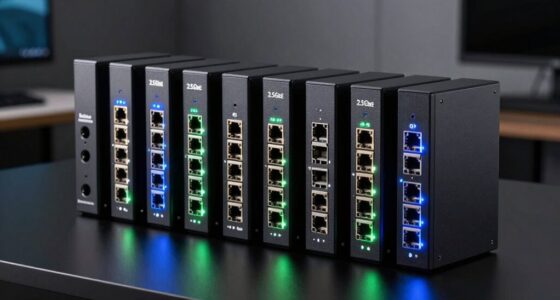
Choosing a Thunderbolt dock for multiple displays can significantly boost your productivity and expand your workspace. The best models support dual or even triple 4K monitors, fast data transfer, and reliable charging, but they vary widely in features, build quality, and price. The Anker Prime TB5 stands out as the overall best for its versatility and future-proof Thunderbolt 5 support, while the CalDigit TS5 offers premium ports and power. However, tradeoffs include cost, size, and compatibility, so understanding your specific needs is key. Keep reading for a detailed comparison to help you choose the perfect dock for your setup.
Open a free Amazon Business account
Business pricing, bulk buying and tax-exempt orders.
Create a free accountAs an affiliate, we earn on qualifying purchases.
Complete the kit



Key Takeaways
- The top picks balance port variety, display support, and power delivery, with premium options offering dual 8K or triple 4K support.
- Compatibility with your laptop and OS influences the best choice, especially for Mac vs. Windows users.
- Power delivery capacity varies; high wattage docks support charging large laptops, but can be more expensive and larger.
- Build quality and future-proofing are important, as Thunderbolt 5 docks tend to be more versatile but at a higher price point.
- Size and design matter if desk space is limited or portability is a concern; some docks are compact, others are more feature-rich but bulkier.
| Anker Prime TB5 Docking Station, 14-in-1 Thunderbolt 5 Dock for Laptops |  | Best Overall Thunderbolt Dock for High-End Multi-Display Setups | Ports: Thunderbolt 5 upstream/downstream, USB-C, USB-A, SD/TF, Ethernet, audio, HDMI 2.1 / DisplayPort 2.1 | Max Display Resolution: 8K@60Hz | Power Delivery: 140W | VIEW ON AMAZON | See Our Full Breakdown |
| Kensington SD4760P 11-in-1 USB-C Docking Station with Triple Monitor Support |  | Best for Versatile Multi-Monitor Support with Broad Compatibility | Display Support: Up to 3 monitors (1x 4K at 30Hz, 2x 1080p at 60Hz) | Power Delivery: Up to 100W | USB Ports: 6x USB-A 3.2 Gen1 | VIEW ON AMAZON | See Our Full Breakdown |
| Plugable 16-in-1 Thunderbolt 4 Dock – Dual 4K Monitors, 100W Charging |  | Best for Dual 4K Displays with Extensive Connectivity | Number of USB ports: 7 | Ethernet: 2.5Gbps | SD/microSD slots: Yes | VIEW ON AMAZON | See Our Full Breakdown |
| UGREEN 8-in-1 Thunderbolt 4 Docking Station, Dual 4K@60Hz, 3xTBT4, 40Gbps |  | Best Compact High-Speed Thunderbolt 4 Dock for Dual 4K Displays | Number of Thunderbolt 4 ports: 3 | USB A ports: 3 | Display support: Dual 4K@60Hz or 8K | VIEW ON AMAZON | See Our Full Breakdown |
| TobenONE DisplayLink Docking Station with 4 Monitors and 20 Ports |  | Best for Extensive Multi-Display and Peripheral Connectivity | Display Outputs: 4 HDMI, 4 DisplayPort | Ports: 3 USB 3.2, 2 USB C 3.2, 1 USB 2.0, SD/micro SD, Ethernet, audio | Power Delivery: 150W | VIEW ON AMAZON | See Our Full Breakdown |
| Lenovo ThinkPad Universal Thunderbolt 4 Dock | 4 Displays | 100W Charge |  | Best Overall Thunderbolt Dock for Multiple Displays | Video Ports: 2 x DisplayPort 1.4, 1 x HDMI 2.1, 1 x Thunderbolt 4 Downstream | USB Ports: 4 x USB 3.1 Gen 2 (1 always-on), 1 x USB-C | Audio: 3.5 mm Combo Audio Jack | VIEW ON AMAZON | See Our Full Breakdown |
| Anker 8-in-1 USB-C Hub with Dual 4K HDMI and Power Delivery for Laptops |  | Best Value for Versatile Dual 4K Display Support | Number of HDMI ports: 2 | Max resolution: 4K@60Hz on one monitor, 4K@30Hz on two | Power Delivery: Up to 85W | VIEW ON AMAZON | See Our Full Breakdown |
| TobenONE DisplayLink Docking Station for 3 Monitors with 120W Power Adapter |  | Best for Multi-Monitor Professional Setups | Number of Monitors Supported: 3 or 4 | Display Outputs: 3 HDMI, 3 DisplayPort | Maximum Resolution: 4K@60Hz | VIEW ON AMAZON | See Our Full Breakdown |
| CalDigit TS5 Thunderbolt 5 Dock – 15 Ports, 140W Charging, Dual 8K@60Hz, Space Gray |  | Best for Future-Proof 8K and Thunderbolt 5 Performance | Ports: 15 | Thunderbolt 5 Ports: 4 | USB-C Ports: 3 | VIEW ON AMAZON | See Our Full Breakdown |
| Plugable Thunderbolt 4 Dock with 100W Charging and Dual 4K Support |  | Best for Reliable Dual 4K Workstations | Power Delivery: 100W | Display Support: Dual 4K@60Hz or single 8K | Ports: 2× HDMI, 1× Thunderbolt 4 downstream, 4× USB, 1× USB-C | VIEW ON AMAZON | See Our Full Breakdown |
| Plugable Thunderbolt 4 Dock for M4/M5 MacBook Air & Pro, 100W Charging |  | Best Overall for Mac Users Needing Versatile Connectivity | Ports: 13 | HDMI: 2x 4K 60Hz | Charging Power: 100W | VIEW ON AMAZON | See Our Full Breakdown |
| WAVLINK Thunderbolt 4 Dock with 4K HDMI Dual Monitor Support |  | Best for High-Resolution Versatility and Fast Data Transfer | Thunderbolt 4 certification: Yes | Video outputs: 2 x HDMI (4K@60Hz), 1 x downstream Thunderbolt 4 port | Display support: Dual 4K@60Hz or single 8K@60Hz (Windows); Mirroring on macOS | VIEW ON AMAZON | See Our Full Breakdown |
| Dell Pro Thunderbolt 4 Smart Dock SD25TB4 – USB-C Station 130W, 4 Displays 4K, 2X DP 1.4, HDMI 2.1, 2X Thunderbolt 4, 2.5GbE, Wi-Fi, Sustainable Design |  | Best for Multi-Display Power and Eco-Friendly Design | Power Output: 130W USB-C, 96W for others | Display Support: Up to 4x 4K monitors | Video Outputs: 2x DisplayPort 1.4, HDMI 2.1, 2x Thunderbolt 4 | VIEW ON AMAZON | See Our Full Breakdown |
| thunderbolt dock for multiple display | Power Delivery | Compatibility |
|---|---|---|
| Anker Prime TB5 Docking Statio | 140W | — |
| Kensington SD4760P 11-in-1 USB | Up to 100W | — |
| Plugable 16-in-1 Thunderbolt 4 | 100W | Thunderbolt 4/5, USB4, macOS 11+, Windows 10+ |
| UGREEN 8-in-1 Thunderbolt 4 Do | 85W | Thunderbolt 4, USB-C, USB4 |
| TobenONE DisplayLink Docking S | 150W | Windows 10+, macOS 11+, Chrome OS |
| Lenovo ThinkPad Universal Thun | — | — |
| Anker 8-in-1 USB-C Hub with Du | Up to 85W | USB-C, USB4, Thunderbolt, Windows 10/11, ChromeOS |
| TobenONE DisplayLink Docking S | — | Thunderbolt 3/4, USB4, macOS 11+, Windows 10+, Chrome OS, Android |
| CalDigit TS5 Thunderbolt 5 Doc | 140W | — |
| Plugable Thunderbolt 4 Dock wi | 100W | Thunderbolt 4, Thunderbolt 5, USB4 |
| Plugable Thunderbolt 4 Dock fo | — | M4/M5/M1/M2/M3 MacBooks, Windows systems |
| WAVLINK Thunderbolt 4 Dock wit | Up to 96W | Thunderbolt 4, Thunderbolt 5, USB4, Windows 10+ |
| Dell Pro Thunderbolt 4 Smart D | — | — |
More Details on Our Top Picks
Anker Prime TB5 Docking Station, 14-in-1 Thunderbolt 5 Dock for Laptops
The Anker Prime TB5 Docking Station stands out for its comprehensive 14-in-1 Thunderbolt 5 connectivity, supporting dual 8K displays—something few docks, including the Plugable 16-in-1 Thunderbolt 4 Dock, can match. Its high-speed data transfer and 140W Power Delivery ensure smooth multitasking, making it ideal for power users who need maximum performance. Compared to the Ugreen Thunderbolt 4 Dock, it offers more advanced cooling and higher resolution support, but at a significantly higher price, which could deter casual users. Its bulkier size may not suit tight workspaces, and relying on Thunderbolt 5 laptops limits compatibility. This dock is best suited for professionals with Thunderbolt 5 laptops seeking the ultimate display and data performance, willing to invest in top-tier hardware.
Pros:- Supports dual 8K@60Hz display output for ultra-high-resolution visuals
- Exceptional data transfer speeds with Thunderbolt 5 technology
- Multiple ports including SD/TF card readers, Ethernet, and audio jacks
- Active cooling system prevents overheating during intensive tasks
Cons:- High price point may be prohibitive for casual or budget-conscious users
- Requires compatible Thunderbolt 5 laptops for full feature access
- Bulkier design may not fit small or cluttered workspaces
Best for: Power users and creative professionals needing dual 8K displays and maximum throughput
Not ideal for: Casual users or those with Thunderbolt 4 or USB-C only laptops who won’t utilize the full Thunderbolt 5 capabilities
- Ports:Thunderbolt 5 upstream/downstream, USB-C, USB-A, SD/TF, Ethernet, audio, HDMI 2.1 / DisplayPort 2.1
- Max Display Resolution:8K@60Hz
- Power Delivery:140W
- Cooling System:Active cooling
- Included Cables:Thunderbolt 5 cable, AC power
- Warranty:24 months
Our verdict“This dock is best suited for advanced users with Thunderbolt 5 laptops seeking top-tier display and data performance, despite its premium price and size.”
Kensington SD4760P 11-in-1 USB-C Docking Station with Triple Monitor Support
The Kensington SD4760P is designed for users who need to connect up to three monitors—including one 4K and two 1080p screens—making it an excellent choice for those who prioritize multi-display flexibility. Unlike the Plugable Thunderbolt 4 Dock, which requires Thunderbolt or USB4 compatibility, this station works with a wide range of USB-C and Thunderbolt 4/5 laptops, including MacBooks and Windows systems. However, it relies on DisplayLink drivers for multi-monitor support, which can introduce some latency or driver issues, especially on macOS. Its support for mounting options and a three-year warranty add to its appeal for business environments. This dock is ideal for professionals needing a reliable, multi-monitor setup with broad device compatibility, but users should be prepared for driver setup and potential software limitations.
Pros:- Supports up to three monitors, including 4K at 30Hz and two 1080p displays
- Provides up to 100W charging for laptops
- Broad compatibility with USB-C, Thunderbolt 4/5, MacBook M1-M4, and Windows
- Supports mounting for workspace flexibility
Cons:- Requires installation of DisplayLink drivers, which can cause compatibility issues
- Some features are limited to Windows without additional software
- Mounting bracket sold separately adds extra cost
Best for: Business users and multitaskers who need a flexible, multi-monitor setup compatible with many laptop models
Not ideal for: Creative professionals or gamers who require high refresh rates or minimal latency, as DisplayLink can introduce lag
- Display Support:Up to 3 monitors (1x 4K at 30Hz, 2x 1080p at 60Hz)
- Power Delivery:Up to 100W
- USB Ports:6x USB-A 3.2 Gen1
- Video Ports:3x HDMI
- Ethernet:Gigabit Ethernet
- Warranty:3 years
Our verdict“This dock offers versatile multi-monitor support with broad device compatibility, making it a solid choice for office environments despite driver reliance.”
Plugable 16-in-1 Thunderbolt 4 Dock – Dual 4K Monitors, 100W Charging
The Plugable Thunderbolt 4 Dock offers a robust 16-in-1 port array, supporting dual 4K displays at 60Hz—making it an excellent choice for users needing high-res visuals and multiple peripherals. Compared with the Anker Prime TB5, it may lack the same maximum resolution support but compensates with broader device compatibility and multiple USB ports. Its 100W Power Delivery is suitable for most laptops, though not the highest-end models, and the inclusion of Ethernet, SD slots, and audio makes it a versatile hub for creative workflows. However, it requires a compatible Thunderbolt 4 or USB4-equipped laptop, which could limit its use on older systems. This dock is best for professionals who prioritize dual 4K displays and extensive peripheral support on compatible high-performance systems.
Pros:- Supports dual 4K@60Hz displays for crisp visuals
- Provides 100W charging for most laptops
- Multiple ports including Ethernet, SD, and audio for comprehensive connectivity
- Universal compatibility with Thunderbolt 4/5 and USB4
Cons:- Requires compatible Thunderbolt 4 or USB4 laptops for full features
- Price may be high for casual users or those with basic needs
- Limited support for older systems lacking Thunderbolt 4
Best for: Creative professionals and power users with Thunderbolt 4 or USB4 laptops needing dual 4K displays
Not ideal for: Users with older or less capable systems that lack Thunderbolt 4 or USB4 support, or those seeking ultra-high resolution beyond 4K
- Number of USB ports:7
- Ethernet:2.5Gbps
- SD/microSD slots:Yes
- Maximum monitor resolution:Dual 4K@60Hz
- Power delivery:100W
- Compatibility:Thunderbolt 4/5, USB4, macOS 11+, Windows 10+
Our verdict“Ideal for high-performance users requiring dual 4K displays and extensive port selection on compatible systems, though it demands modern hardware.”
UGREEN 8-in-1 Thunderbolt 4 Docking Station, Dual 4K@60Hz, 3xTBT4, 40Gbps
The Ugreen Thunderbolt 4 Dock is tailored for users who desire a compact yet powerful connection hub, supporting dual 4K@60Hz displays—matching the Plugable TB4 Dock—but with a smaller footprint. Its 40Gbps speed and 85W charging make it suitable for professionals needing quick data transfer and reliable charging in a portable form. Unlike larger docks such as the Anker Prime TB5, it sacrifices some ports for size but maintains high performance. Its compatibility with Thunderbolt 4 and USB-C devices ensures broad use, though full display support depends on the host device’s capabilities. This dock is perfect for on-the-go professionals or those with limited desk space who still require high-resolution display support.
Pros:- Supports dual 4K@60Hz displays for crisp visuals
- High data transfer speeds at 40Gbps
- Compact design ideal for portability
- Power delivery up to 85W for laptops
Cons:- Limited to two displays, unlike larger docks supporting more monitors
- Requires connection to the included charger for full functionality
- Full display performance depends on host device capabilities
Best for: Mobile professionals and creatives needing a portable, dual 4K display solution
Not ideal for: Users requiring more than two displays or extensive port options, as this dock focuses on compactness and speed
- Number of Thunderbolt 4 ports:3
- USB A ports:3
- Display support:Dual 4K@60Hz or 8K
- Power delivery:85W
- Maximum data transfer speed:40Gbps
- Compatibility:Thunderbolt 4, USB-C, USB4
Our verdict“This compact Thunderbolt 4 dock excels for mobile users needing high-speed dual 4K display support in a small package.”
TobenONE DisplayLink Docking Station with 4 Monitors and 20 Ports
The TobenONE DisplayLink Dock impresses with its capacity to support up to four monitors at 4K@60Hz—more than the Plugable Thunderbolt 4 Dock—making it ideal for complex multitasking environments. Its 20 ports, including HDMI, DisplayPort, Ethernet, SD cards, and multiple USB connections, surpass many other docks in versatility. The 150W power supply ensures fast charging for both laptops and phones, but reliance on DisplayLink technology can introduce latency and driver issues, particularly on macOS systems. Unlike the Anker Prime TB5, it does not require Thunderbolt 5 but is more hardware-flexible. This dock is best suited for professionals who need extensive peripherals and multiple high-resolution displays but are prepared for potential software setup challenges.
Pros:- Supports up to four monitors at 4K@60Hz for expansive workspace
- Massive port array for peripherals, SD cards, and Ethernet
- Powerful 150W adapter for fast charging
- Compatible across Windows, Mac, Android, and Chrome OS
Cons:- Requires driver installation, which can cause compatibility issues
- DisplayLink technology may introduce latency, affecting real-time tasks
- M1 MacBooks can extend only to three monitors due to hardware limits
Best for: Professionals managing large, multi-monitor workspaces with diverse peripheral needs
Not ideal for: Gamers or users demanding ultra-low latency, or those with older systems lacking DisplayLink support
- Display Outputs:4 HDMI, 4 DisplayPort
- Ports:3 USB 3.2, 2 USB C 3.2, 1 USB 2.0, SD/micro SD, Ethernet, audio
- Power Delivery:150W
- Monitor Support:Up to 4 monitors, 4K@60Hz
- Compatibility:Windows 10+, macOS 11+, Chrome OS
- Max Monitors (M1 MacBook):3
Our verdict“This station is best for users who need maximum peripheral connectivity and multiple high-res displays, accepting some driver complexity.”
Lenovo ThinkPad Universal Thunderbolt 4 Dock | 4 Displays | 100W Charge
This dock stands out for its ability to support up to four 4K displays, making it ideal for power users who need extensive multitasking. Compared with the Plugable Thunderbolt 4 Dock, it offers more display outputs and remote management features, but at a higher price point and with compatibility limited to Windows-based systems. The inclusion of a 135W power adapter ensures fast charging for compatible laptops, while the variety of video ports (including DisplayPort 1.4, HDMI 2.1, and Thunderbolt 4) guarantees flexible connectivity. However, it requires systems with Thunderbolt 3 or 4, which could limit options for some users. This makes it perfect for enterprise setups or professionals with Windows laptops needing multiple high-res screens and reliable power delivery.
Pros:- Supports up to four 4K displays for complex multitasking
- Provides up to 100W power delivery for fast charging
- Universal compatibility with Thunderbolt 3, 4, USB 4, and USB-C systems
- Remote firmware management simplifies updates
Cons:- Requires Thunderbolt 4 or USB-C compatible systems, limiting flexibility
- Higher cost compared to simpler docks
- Limited to Windows, reducing cross-platform versatility
Best for: Professionals and enterprise users with Thunderbolt 4 or Thunderbolt 3 Windows laptops who need reliable multi-monitor support and remote management features.
Not ideal for: Mac users or Linux-based systems, as compatibility is limited and some features may not work properly.
- Video Ports:2 x DisplayPort 1.4, 1 x HDMI 2.1, 1 x Thunderbolt 4 Downstream
- USB Ports:4 x USB 3.1 Gen 2 (1 always-on), 1 x USB-C
- Audio:3.5 mm Combo Audio Jack
- Networking:RJ45 Gigabit Ethernet
- Power:Up to 100W Dynamic Power Charging, 135W Power Adapter
Our verdict“This dock is best suited for Windows professionals who need maximum display support and enterprise-grade connectivity features.”
Anker 8-in-1 USB-C Hub with Dual 4K HDMI and Power Delivery for Laptops
This hub offers a compelling balance of features for users who want dual 4K displays without the high cost of dedicated Thunderbolt docks. Unlike the Lenovo ThinkPad Dock, it’s more affordable and compatible with a wide range of USB-C, USB4, and Thunderbolt systems, including Chromebooks and Windows laptops. The dual HDMI ports support 4K@60Hz on one monitor and 4K@30Hz on both, which is suitable for most productivity tasks but may fall short for high-frame-rate content or professional video editing. Power delivery of 85W supports fast charging, though slightly less than the Lenovo’s 100W, which could matter for power-hungry laptops. This makes it ideal for home offices or casual users who value compatibility and cost-effectiveness.
Pros:- Supports dual 4K displays at 60Hz and 30Hz, respectively
- Extensive connectivity including Ethernet and SD card reader
- Supports fast charging up to 85W for most laptops
- Compatible across many operating systems and device types
Cons:- Display quality on macOS may be limited to identical content on both screens
- Requires a 100W PD charger and USB-C to C cable for full functionality
- Limited to 85W power delivery, less than premium docks
Best for: Budget-conscious users or those with a mix of USB-C and Thunderbolt laptops seeking reliable dual 4K display support.
Not ideal for: Mac users or professionals needing more than 85W charging, as some laptops may require higher power delivery for optimal performance.
- Number of HDMI ports:2
- Max resolution:4K@60Hz on one monitor, 4K@30Hz on two
- Power Delivery:Up to 85W
- USB-A ports:2
- Ethernet port:Yes
- Compatibility:USB-C, USB4, Thunderbolt, Windows 10/11, ChromeOS
Our verdict“This hub is ideal for budget-focused users needing dual 4K displays with broad device compatibility and decent power delivery.”
TobenONE DisplayLink Docking Station for 3 Monitors with 120W Power Adapter
The TobenONE dock excels at powering three or four 4K monitors with high resolution and refresh rates, making it well-suited for professionals who need detailed multitasking. Compared to the CalDigit TS5, it offers support for a similar number of high-res displays but with a more affordable price and a focus on DisplayLink technology, which can introduce driver complexities. The included 120W power adapter supports fast charging for most laptops, and multiple USB ports facilitate data transfer with speeds up to 10Gbps. However, it’s not compatible with Linux or Chrome OS and requires driver installation, which might be inconvenient for some users. This dock is a strong choice for Windows and macOS users who prioritize multiple high-res screens over raw Thunderbolt bandwidth.
Pros:- Supports triple or quad 4K monitors at 60Hz for detailed multitasking
- Includes a 120W power adapter for fast charging
- Multiple USB ports with high-speed data transfer up to 10Gbps
- Supports both Mac and Windows platforms
Cons:- Requires driver installation, adding setup complexity
- No Linux or Chrome OS support
- DisplayLink technology may introduce latency or compatibility issues
Best for: Creative professionals or remote workers needing reliable multi-4K monitor support with extensive USB connectivity.
Not ideal for: Linux users or those seeking plug-and-play simplicity, due to driver requirements and compatibility issues.
- Number of Monitors Supported:3 or 4
- Display Outputs:3 HDMI, 3 DisplayPort
- Maximum Resolution:4K@60Hz
- Power Adapter:120W
- Laptop Charging Power:up to 100W
- Compatibility:Thunderbolt 3/4, USB4, macOS 11+, Windows 10+, Chrome OS, Android
Our verdict“This dock is best for professionals needing multiple high-resolution monitors with flexible USB connectivity, willing to handle driver setup.”
CalDigit TS5 Thunderbolt 5 Dock – 15 Ports, 140W Charging, Dual 8K@60Hz, Space Gray
The CalDigit TS5 sets a new standard with support for dual 8K displays at 60Hz, making it ideal for high-end creative work and future-proof setups. Its extensive port array, including four Thunderbolt 5 ports, offers unmatched bandwidth and peripheral connectivity, surpassing the capabilities of most docks like the Plugable TB4. The 140W power delivery ensures full charging for even power-hungry laptops, while its dual 8K support on macOS requires specific hardware. The premium price reflects its advanced features, but it demands a Thunderbolt 5 or USB4 v2 host to reach full potential. This dock is perfect for professionals who require ultra-high resolution, high refresh rates, and maximum future compatibility.
Pros:- Supports dual 8K@60Hz displays for ultimate detail
- 14 ports including Thunderbolt 5, USB-C, and Ethernet
- Provides 140W charging for demanding laptops
- Premium aluminum chassis with efficient heat dissipation
Cons:- Requires Thunderbolt 5 or USB4 v2 host for full functionality
- High cost may be prohibitive for casual users
- Limited compatibility with older Thunderbolt or USB-C devices
Best for: High-end creators or researchers who need dual 8K displays, maximum bandwidth, and Thunderbolt 5 compatibility.
Not ideal for: Average users or those with older Thunderbolt or USB-C systems, as it requires Thunderbolt 5 or USB4 v2 to operate at full capacity.
- Ports:15
- Thunderbolt 5 Ports:4
- USB-C Ports:3
- Ethernet:2.5Gb
- SD Card Readers:SD 4.0 & microSD 4.0 UHS-II
- Display Support:Dual 8K@60Hz or triple 4K@144Hz on Windows
- Power Delivery:140W
Our verdict“This dock is tailored for professionals demanding cutting-edge resolution, bandwidth, and future-proof features, accepting the premium price tag.”
Plugable Thunderbolt 4 Dock with 100W Charging and Dual 4K Support
The Plugable Thunderbolt 4 Dock offers a streamlined setup with solid performance, supporting dual 4K displays at 60Hz and delivering 100W power, making it suitable for most professional environments. Compared to the Anker 8-in-1, it emphasizes a balanced mix of dual display support and high-speed data transfer, though it lacks the extensive port count of larger docks. Its performance at 40Gbps ensures fast data throughput, but dual display support can vary depending on the host device and mode, requiring some users to verify compatibility. It’s a practical choice for those who want reliable dual 4K output with broad system compatibility without the higher cost of ultra-high-end docks.
Pros:- Supports dual 4K@60Hz displays reliably on compatible systems
- Provides 100W charging power for most laptops
- High-speed 40Gbps Thunderbolt 4 performance
- 13 ports including Ethernet, SD, and audio
Cons:- Dual display support may depend on device and mode, requiring verification
- Less versatile for multi-monitor setups beyond two screens
- Requires Thunderbolt 4, Thunderbolt 5, or USB4 for full features
Best for: Office professionals or remote workers needing dependable dual 4K display support with full system compatibility.
Not ideal for: Users who need more than two 4K monitors or require dual 8K support, as its capabilities are limited to 4K.
- Power Delivery:100W
- Display Support:Dual 4K@60Hz or single 8K
- Ports:2× HDMI, 1× Thunderbolt 4 downstream, 4× USB, 1× USB-C
- Performance:40Gbps Thunderbolt 4
- Compatibility:Thunderbolt 4, Thunderbolt 5, USB4
Our verdict“This dock is well-suited for users seeking dependable dual 4K displays with high data throughput and simple setup.”
Plugable Thunderbolt 4 Dock for M4/M5 MacBook Air & Pro, 100W Charging
This Plugable Thunderbolt 4 Dock stands out for its comprehensive support for MacBooks, especially M4 and M5 models, offering dual 4K displays without requiring drivers—an advantage over some competitors like the WAVLINK, which struggles with dual monitor support on certain Macs. Its 13-in-1 port array delivers high-speed data, Ethernet, audio, and SD card slots, making it ideal for creative professionals and multitaskers. While it supports multiple displays, note that older M1 and M2 MacBooks can only handle a single external monitor, which could limit those users. The dock’s full compatibility and robust power delivery make it a reliable choice for MacBook owners who want a one-stop hub, though it comes at a higher price than basic docks. Overall, this model suits those prioritizing seamless Mac integration and multiple high-resolution displays.
Pros:- Supports dual 4K displays at 60Hz without additional drivers
- High-speed 13-in-1 connectivity including Ethernet and SD card reader
- Powerful 100W charging for MacBooks and compatible laptops
Cons:- Limited to Thunderbolt 4 systems; incompatible with older Thunderbolt versions
- Higher price point compared to simpler docks
Best for: MacBook users who need multiple 4K displays and full connectivity for professional workflows
Not ideal for: Owners of older MacBooks (M1/M2) who require extended dual display support, as they are limited to a single external monitor
- Ports:13
- HDMI:2x 4K 60Hz
- Charging Power:100W
- Thunderbolt 4:1x downstream
- USB-C:1x
- USB-A:4x
- SD/microSD:UHS-II
- Ethernet:Yes
- Compatibility:M4/M5/M1/M2/M3 MacBooks, Windows systems
Our verdict“This dock is ideal for Mac professionals who need reliable, multi-display support with extensive ports and full device compatibility.”
WAVLINK Thunderbolt 4 Dock with 4K HDMI Dual Monitor Support
The WAVLINK Thunderbolt 4 Dock excels in supporting dual 4K monitors at 60Hz and even 8K display support, making it a strong choice for content creators and professionals requiring maximum resolution. Its support for SD/MicroSD V4.0 cards and 2.5G Ethernet delivers fast data transfer, comparable to the Plugable’s high-speed capabilities, but with added flexibility in display options. Compared to the Dell SD25TB4, it offers slightly more versatile display support, particularly for Windows users seeking 8K output. However, on macOS, dual monitor extension can be limited to certain models, and setup complexity rises on Mac systems. Its power delivery of 96W is slightly less than the Plugable’s 100W but still ample for most laptops. This dock makes the most sense for users prioritizing high-resolution displays and fast data transfer, especially on Windows.
Pros:- Supports dual 4K@60Hz and single 8K@60Hz display support
- Fast data transfer with SD/MicroSD V4.0 and 2.5G Ethernet
- Up to 96W power delivery for charging compatible laptops
Cons:- Dual monitor extension on macOS can be limited or complicated
- Requires specific Mac models for full extended dual display support
Best for: Creative professionals and power users needing high-res dual monitor setups and fast data transfer on Windows
Not ideal for: Mac users with older M1 or M2 systems seeking simple dual display extension, due to macOS limitations and setup complexity
- Thunderbolt 4 certification:Yes
- Video outputs:2 x HDMI (4K@60Hz), 1 x downstream Thunderbolt 4 port
- Display support:Dual 4K@60Hz or single 8K@60Hz (Windows); Mirroring on macOS
- Power delivery:Up to 96W
- Data transfer speed:312MB/s (SD/MicroSD V4.0)
- Ethernet:2.5G
- Compatibility:Thunderbolt 4, Thunderbolt 5, USB4, Windows 10+
Our verdict“This dock is a strong pick for Windows users who need high-resolution dual displays and fast data throughput, with some setup considerations for Mac users.”
Dell Pro Thunderbolt 4 Smart Dock SD25TB4 – USB-C Station 130W, 4 Displays 4K, 2X DP 1.4, HDMI 2.1, 2X Thunderbolt 4, 2.5GbE, Wi-Fi, Sustainable Design
The Dell Pro Thunderbolt 4 Smart Dock offers the most robust multi-monitor support in this lineup, capable of handling up to four 4K displays simultaneously, making it an excellent choice for multi-taskers and professionals running complex setups. Its 130W charging surpasses the others, ensuring ample power for even demanding laptops, and its multiple video outputs—including DisplayPort 1.4 and HDMI 2.1—provide flexible configurations. The inclusion of Wi-Fi and remote management features adds to its enterprise appeal. Compared with the Plugable and WAVLINK options, this dock’s support for four displays is its standout feature, though its setup complexity and reliance on compatible devices mean it’s less suited for casual users. Its eco-conscious design with recycled materials appeals to sustainability-minded buyers. Overall, it’s the best choice for those who need maximum display capacity and high power output in a professional environment.
Pros:- Supports up to four 4K monitors simultaneously
- Powerful 130W charging capacity for demanding laptops
- Multiple high-speed video outputs including HDMI 2.1 and DisplayPort 1.4
Cons:- Requires compatible devices for full multi-display functionality
- Setup may be complex for non-technical users
Best for: Power users and professionals needing four 4K displays and 130W charging in a secure, enterprise-ready package
Not ideal for: Casual users or those with non-compatible laptops, as setup complexity and device requirements could be barriers
- Power Output:130W USB-C, 96W for others
- Display Support:Up to 4x 4K monitors
- Video Outputs:2x DisplayPort 1.4, HDMI 2.1, 2x Thunderbolt 4
- Ethernet:2.5GbE
- Connectivity:Wi-Fi, Thunderbolt 4, USB-C
- Design:Recycled plastics and eco-friendly materials
Our verdict“This dock is ideal for professionals who require extensive multi-monitor setups and maximum power delivery in a sustainable design.”
How We Picked
These products were evaluated based on their display support capabilities, port variety, power delivery, build quality, and overall value. Docks that support multiple 4K or 8K displays at high refresh rates ranked higher, as did those with reliable data transfer speeds and charging power. Compatibility across different systems and user-friendly design also influenced rankings. Cost was a factor, but the focus remained on features that truly enhance multi-display setups. The products are ordered to reflect the best overall performance balanced with affordability and future readiness.Factors to Consider When Choosing Thunderbolt Dock For Multiple Displays
When selecting a Thunderbolt dock for multiple displays, it’s essential to consider several key factors. The right dock enhances your workflow without adding unnecessary complexity or cost. Balancing display support, power delivery, port options, and build quality will ensure you get a setup that’s both powerful and reliable. Understanding these factors helps avoid common pitfalls like inadequate charging or incompatible display resolutions.Display Support and Resolution
Determining the number of supported displays and their resolutions is fundamental. Some docks support dual 4K monitors at 60Hz, while others can handle triple 4K or even 8K setups. Always verify the maximum resolution and refresh rate supported for each display to match your needs, especially if you work with high-resolution content or video editing. Incompatibility here can lead to choppy visuals or limited workspace, so prioritize docks with proven multi-display support at your desired resolutions.
Power Delivery and Charging
Power delivery (PD) ensures your laptop and peripherals stay charged while connected. Docks with higher wattage—often 85W or more—are better suited for larger laptops or those with high power demands. If charging speed and stability are priorities, opt for docks with robust PD capacity; however, these tend to come at a higher cost and may be physically larger. Matching dock wattage to your device’s requirements prevents performance issues and reduces the need for separate chargers.
Port Variety and Compatibility
Beyond video outputs, consider the types and numbers of ports you need—such as USB-A, USB-C, Ethernet, SD card slots, and audio jacks. A versatile dock should cover your current peripherals and future needs. Compatibility with your laptop’s Thunderbolt version and operating system is also essential; some docks are optimized for Mac, others for Windows. Buying a dock with more ports than currently needed offers flexibility but may add unnecessary bulk and cost.
Build Quality and Future-Proofing
Durability and support for upcoming standards impact long-term value. Higher-end docks often feature metal construction, reliable cooling, and firmware updates. Thunderbolt 5 docks, in particular, promise better bandwidth and display support, making them more future-proof. Cheaper models might suffice now but could limit performance as display demands grow or if Thunderbolt standards evolve. Investing in quality means fewer compatibility headaches down the line.
Size, Design, and Portability
If desk space or portability matters, size and design become key. Compact docks are easier to carry and fit into tight setups, but they might sacrifice ports or power capacity. Larger docks typically pack more features but can clutter your workspace. Consider your mobility needs versus your desire for a comprehensive port array. A well-designed dock balances ease of use with sufficient expansion capabilities.
Frequently Asked Questions
Will a Thunderbolt dock support my existing monitors?
Most Thunderbolt docks are designed to support high-resolution displays, but compatibility depends on the specific ports and resolutions supported. Check the dock’s maximum resolution and ensure it matches your monitor specifications, especially if you use 4K or 8K displays. Additionally, verify the type of video outputs—HDMI, DisplayPort, or Thunderbolt—and confirm your monitors can connect accordingly. Incompatible ports or insufficient bandwidth can limit display performance, so matching your monitor’s specs with the dock’s capabilities is key.
Can I connect more than two monitors with a Thunderbolt dock?
Yes, many Thunderbolt docks support multiple displays—often up to three or four—depending on their design and Thunderbolt version. Thunderbolt 4 and 5 docks are particularly capable of driving several high-res monitors simultaneously, but limitations may exist based on bandwidth or the specific video outputs. It’s vital to verify the maximum number of supported displays and resolutions before purchasing, especially if you require a multi-monitor setup for professional workflows or gaming.
Is it better to choose a Thunderbolt 4 or Thunderbolt 5 dock?
Thunderbolt 5 docks offer increased bandwidth, support for higher resolutions, and more future-proofing, making them an excellent choice for demanding setups. However, they tend to be more expensive and less common. Thunderbolt 4 docks are still highly capable, supporting dual 4K displays and fast data transfer, often at a lower cost. Your choice depends on your current needs and budget—if you plan to upgrade or require maximum performance, a Thunderbolt 5 dock provides longer-term value.
Do I need a specific dock for MacBook or Windows laptops?
While most Thunderbolt docks are compatible with both Mac and Windows, some are optimized for one platform, especially regarding driver support and firmware updates. Mac users should ensure the dock supports macOS features and is certified for Mac compatibility, whereas Windows users should verify Windows driver support and Thunderbolt performance. Compatibility issues are rare but can occur with unique hardware configurations, so checking the manufacturer’s specifications and user reviews can prevent surprises.
Are more ports always better for a Thunderbolt dock?
Not necessarily. While having more ports adds flexibility, it can also increase size, cost, and complexity. Consider your actual peripheral needs—adding ports you won’t use wastes space and money. Prioritize docks that offer the essential connections first, then evaluate if additional ports support your workflow. A well-balanced dock provides enough connectivity without overwhelming your workspace or complicating setup.
Conclusion
For most users seeking an all-around reliable setup, the Anker Prime TB5 stands out as the best overall choice thanks to its future-proof Thunderbolt 5 support and versatile ports. Those on a tighter budget or needing fewer features might prefer the Kensington SD4760P for its solid performance at a lower price. Creatives or professionals working with demanding multi-monitor workflows should consider the CalDigit TS5 for its premium build and extensive port options. Beginners or casual users will find the Plugable Thunderbolt 4 Dock straightforward and easy to set up, while power users needing maximum display support and high resolution should look at the WAVLINK Thunderbolt 4 or Lenovo ThinkPad Universal Thunderbolt 4 Dock. Your choice depends on your specific display needs, budget, and system compatibility.
As an affiliate, we earn on qualifying purchases.Flea & tick season Picks
flea and tick prevention