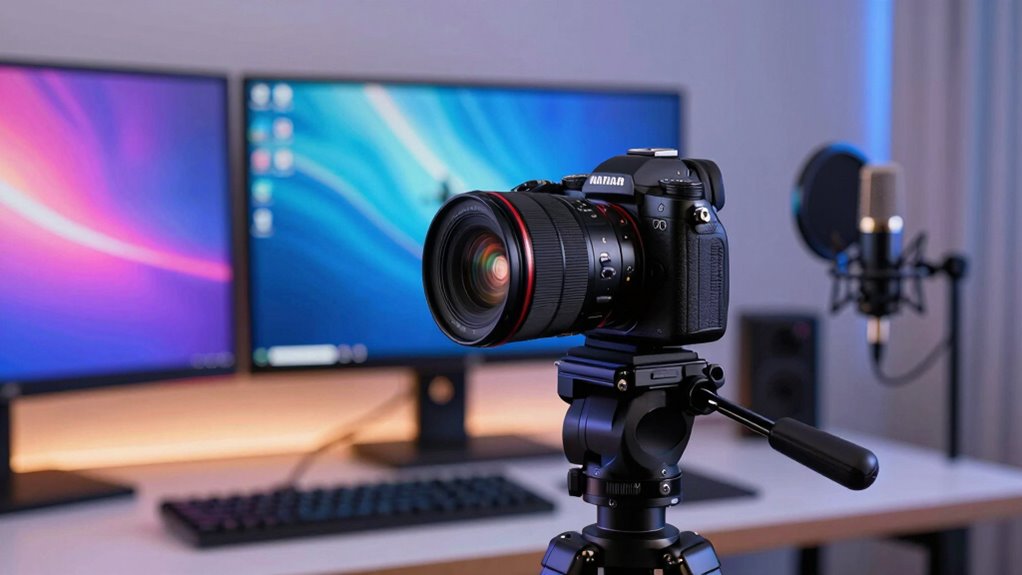
Choosing the right camera for streaming can significantly impact your video quality and viewer engagement. The best options balance high resolution, smooth autofocus, and user-friendly features, but tradeoffs often involve price, complexity, and flexibility. The Insta360 Link 2C stands out for its 4K clarity and AI tracking, making it ideal for polished streams. Meanwhile, the Logitech Mevo Start offers excellent wireless versatility for on-the-go setups. Keep reading to see how these and other models compare, and find the one that best fits your streaming style.

Get the latest gadgets delivered free with Prime
- Fast, free delivery on millions of items
- Prime Video, Amazon Music and more included
- Member-only deals all year
Complete the kit



Key Takeaways
- High-resolution webcams like the Insta360 Link 2C deliver crisp image quality but come at a higher cost and complexity.
- Wireless streaming cameras like the Mevo Start enable mobility but may sacrifice some stability or resolution.
- Dual-camera setups and AI features enhance versatility but add to the price and setup complexity.
- Plug-and-play USB webcams are more affordable and easier for beginners, yet may lack advanced features.
- Tradeoffs between image quality, ease of use, and price are central when selecting a streaming camera.
| Insta360 Link 2C 4K Webcam for PC/Mac |  | Best Overall for Versatile Streaming and Video Calls | Sensor: 1/2″ | Resolution: 4K | HDR: Yes | VIEW ON AMAZON | See Our Full Breakdown |
| Logitech for Creators Mevo Start Wireless Live Streaming Camera – Black |  | Best for Wireless Multi-Platform Live Streaming | Video Resolution: 1080p HD | Connectivity: Wi-Fi, Ethernet, LTE | Control: Smartphone app | VIEW ON AMAZON | See Our Full Breakdown |
| EMEET C60E Dual-Camera 4K Webcam for Streaming, Wide-Angle & Telephoto |  | Best for Versatile Dual-Camera Shots with Broad Compatibility | Sensor Type: CMOS | Resolution: UHD 4K | Focus Type: PDAF Auto Focus | VIEW ON AMAZON | See Our Full Breakdown |
| EMEET PIXY Dual-Camera AI-Powered 4K PTZ Webcam with Tripod |  | Best for Professional-Grade PTZ with AI Tracking | Resolution: 4K | Focus: PDAF and AI Autofocus | Pan/Tilt: 310°/180° | VIEW ON AMAZON | See Our Full Breakdown |
| Logitech Brio 101 Full HD 1080p Webcam for Streaming and Meetings – Black |  | Best Budget-Friendly 1080p Webcam for Basic Streaming | Resolution: Full HD 1080p | Connection: USB A | Built-in Microphone: Yes | VIEW ON AMAZON | See Our Full Breakdown |
| EMEET NOVA 4K Webcam for PC, Ultra HD, PDAF Autofocus, Dual Omni Mics |  | Best Overall for Versatile 4K Streaming | Resolution: 4K UHD (video defaults to 1080P) | Frame Rate: 30FPS | Sensor: CMOS | VIEW ON AMAZON | See Our Full Breakdown |
| 1080P HD Webcam with Microphone, Privacy Cover, Wide-Angle Lens, Auto Light Correction, Plug & Play USB for Laptop, Desktop, PC, Mac, Streaming |  | Best Value for Reliable 1080p Streaming | Resolution: 1080p Full HD | Microphone: Noise-canceling built-in | Lens: Wide-angle | VIEW ON AMAZON | See Our Full Breakdown |
| Insta360 Link 2 – 4K Webcam with AI Tracking, HDR, and Gesture Control for Streaming and Video Calls |  | Best for Advanced Features and Content Creation | Sensor Type: CMOS | Sensor Size: 1/2-inch | Resolution: 4K UHD | VIEW ON AMAZON | See Our Full Breakdown |
| EMEET S600 4K Webcam for Streaming, Sony 1/2.55” Sensor, PDAF Autofocus |  | Best for High-Quality 4K Content with Professional Autofocus | Sensor: Sony 1/2.55” | Resolution: 4K at 30FPS, 1080P at 60FPS | Autofocus: PDAF | VIEW ON AMAZON | See Our Full Breakdown |
| Webcam 1080P with Microphone & Privacy Cover for PC/Laptop, USB Plug & Play, Auto Light Correction |  | Best for Basic HD Streaming and Video Calls | Resolution: 1080P HD | Frame Rate: 30 fps | Microphone: Noise-canceling stereo | VIEW ON AMAZON | See Our Full Breakdown |
| NexiGo N680E Pro 4K Webcam with Ring Light, Autofocus, 1080p 60FPS, Dual Mics, Privacy Shutter |  | Best for Premium Video Quality and Lighting Control | Sensor: Sony 1/2.5″ 4K sensor | Resolution: 4K | Frame Rate: 1080p 60FPS | VIEW ON AMAZON | See Our Full Breakdown |
| camera for streaming | Resolution |
|---|---|
| Insta360 Link 2C 4K Webcam for | 4K |
| Logitech for Creators Mevo Sta | — |
| EMEET C60E Dual-Camera 4K Webc | UHD 4K |
| EMEET PIXY Dual-Camera AI-Powe | 4K |
| Logitech Brio 101 Full HD 1080 | Full HD 1080p |
| EMEET NOVA 4K Webcam for PC | 4K UHD (video defaults to 1080P) |
| 1080P HD Webcam with Microphon | 1080p Full HD |
| Insta360 Link 2 | 4K UHD |
| EMEET S600 4K Webcam for Strea | 4K at 30FPS, 1080P at 60FPS |
| Webcam 1080P with Microphone & | 1080P HD |
| NexiGo N680E Pro 4K Webcam wit | 4K |
More Details on Our Top Picks
Insta360 Link 2C 4K Webcam for PC/Mac
The Insta360 Link 2C stands out for delivering crisp 4K HDR video combined with intelligent auto framing and gesture control, making it ideal for those who want a professional look without complex setup. Compared to the Logitech Brio 101, it offers higher resolution and more advanced AI features, but it sacrifices simple compatibility with Windows Hello Face Recognition. Its AI noise-canceling mic and special modes like DeskView elevate its functionality for streaming and presentations, though it’s not compatible with ARM-based Windows systems, which could limit some users. This webcam is perfect for streamers and remote workers who prioritize image quality and smart controls but are okay with platform limitations.
Pros:- High-resolution 4K video with HDR for vibrant, detailed streams
- Auto framing and gesture control simplify operation during live sessions
- Professional AI noise-canceling microphone ensures clear audio
Cons:- Incompatible with ARM-based Windows systems limits some users
- Lacks support for Windows Hello Face Recognition, reducing biometric login options
Best for: Content creators and professionals needing high-quality, feature-rich video for streaming and conferencing
Not ideal for: Users on ARM-based Windows devices or those relying solely on Windows Hello Face Recognition
- Sensor:1/2″
- Resolution:4K
- HDR:Yes
- Auto Framing:Yes
- AI Noise-Canceling Mic:Yes
- Compatibility:PC and Mac, Zoom, Teams, Twitch
Our verdict“This pick suits streamers and remote workers seeking top-tier video quality with smart features, provided they don’t rely on ARM Windows devices.”
Logitech for Creators Mevo Start Wireless Live Streaming Camera – Black
The Mevo Start offers a flexible wireless solution capable of streaming in 1080p HD, making it ideal for creators needing mobility and multi-platform support. Unlike the Insta360 Link 2C, which excels in high-res video and AI controls, the Mevo Start focuses on wireless convenience and multi-camera support, though it’s limited to 1080p resolution. Its smartphone app control provides easy access to advanced features, but users must have a stable Wi-Fi or Ethernet connection for reliable streaming. It’s best suited for those who prioritize mobility and multi-camera setups over ultra-high resolution, such as event streamers or on-the-go content creators.
Pros:- Wireless control via smartphone app simplifies operation from anywhere
- Supports multi-camera setups for dynamic broadcasts
- Compatible with major platforms like YouTube, Twitch, Facebook
Cons:- Limited to 1080p HD resolution, less sharp than 4K options
- Performance depends heavily on a stable Wi-Fi or Ethernet connection
Best for: Mobile streamers and multi-camera event broadcasters who need flexible, wireless control
Not ideal for: Streamers seeking 4K resolution or those with unreliable Wi-Fi connections
- Video Resolution:1080p HD
- Connectivity:Wi-Fi, Ethernet, LTE
- Control:Smartphone app
- Multi-camera support:Yes (up to 3 cameras)
- Streaming Protocols:Webcam Mode, RTMP, NDI|HX
Our verdict“This camera is ideal for mobile and multi-camera live streams, as long as a solid internet connection is available.”
EMEET C60E Dual-Camera 4K Webcam for Streaming, Wide-Angle & Telephoto
The EMEET C60E combines wide-angle and telephoto lenses in a single 4K webcam, making it perfect for those who want versatile shot options without multiple devices. Compared to the Insta360 Link 2C, which offers AI tracking and gesture control, the C60E emphasizes broad compatibility and simple USB connectivity, though it falls short on features like AI auto-tracking. Its zoom isn’t supported in all modes, and it doesn’t support Windows Hello features, which could be a limitation for some users. This webcam is well-suited for professionals and casual streamers who want a flexible camera with aesthetic RGB lighting and broad platform support.
Pros:- Dual-camera setup offers wide-angle and telephoto perspectives
- Smooth 11X hybrid zoom with autofocus enhances close-ups
- RGB lighting adds style and status indication
Cons:- Zoom not supported in 4K, 60FPS modes limits flexibility
- No built-in storage, relying on connected device
Best for: Streamers and professionals needing multiple shot options with broad device compatibility
Not ideal for: Those requiring AI auto-tracking or 4K in all modes, or Windows Hello support
- Sensor Type:CMOS
- Resolution:UHD 4K
- Focus Type:PDAF Auto Focus
- Viewing Angle:73 degrees
- RGB Lighting:Yes
- Compatibility:Windows 10/11, macOS
Our verdict“This webcam is best for users who want flexible shot angles and broad device compatibility, accepting some limitations in zoom functionality.”
EMEET PIXY Dual-Camera AI-Powered 4K PTZ Webcam with Tripod
The EMEET PIXY offers a professional-grade PTZ experience with dual 4K cameras, AI tracking, and multiple recording modes. Unlike fixed webcams like the Logitech Brio 101, the PIXY’s pan, tilt, and zoom capabilities allow for dynamic framing, ideal for presentations and high-end streaming. Its adjustable tripod and studio-grade audio with a 3-mic array support complex setups, but its higher price and more complex setup might be overkill for casual users. This camera is perfect for broadcasters, educators, or corporate streamers who need precise control and professional quality, despite requiring additional accessories like the remote control.
Pros:- Dual-camera system with AI tracking for smooth, professional video
- Extensive pan/tilt coverage (310°/180°) for flexible framing
- Studio-grade audio with 3-mic array enhances sound quality
Cons:- Requires separate purchase of remote control for full functionality
- Setup can be complex for users unfamiliar with PTZ systems
Best for: Professional streamers, educators, and businesses needing precise PTZ controls and high-quality audio
Not ideal for: Beginners or casual streamers seeking a simple plug-and-play webcam
- Resolution:4K
- Focus:PDAF and AI Autofocus
- Pan/Tilt:310°/180°
- Microphone Array:3 microphones
- Tripod Height Range:6.7–18.5 inches
- Connectivity:Universal 1/4″ screw mount
Our verdict“This webcam is best for professional environments demanding flexible, high-quality video and audio control, with a higher investment.”
Logitech Brio 101 Full HD 1080p Webcam for Streaming and Meetings – Black
The Logitech Brio 101 provides reliable 1080p video quality with auto-light adjustment and a privacy slide, making it a solid choice for those who need dependable streaming without extra bells and whistles. Compared to the Insta360 Link 2C, which offers 4K HDR and AI features, the Brio 101 is simpler but more straightforward for quick setup and compatibility across major platforms. Its plug-and-play design is appealing for beginners, but the lack of 4K or advanced customization options means it may fall short for more demanding streamers. This webcam is suitable for casual streamers and remote workers who prioritize ease of use and basic security features.
Pros:- Reliable 1080p video with auto-light correction
- Easy to set up and compatible with major platforms
- Built-in privacy cover for security
Cons:- Limited to USB A connection, no USB-C option
- Basic feature set without 4K or advanced customization
Best for: Beginners or casual users seeking a straightforward, reliable webcam for streaming and meetings
Not ideal for: Professional streamers or content creators wanting 4K resolution or advanced features
- Resolution:Full HD 1080p
- Connection:USB A
- Built-in Microphone:Yes
- Privacy Cover:Yes
- Made with Recycled Plastic:77% post-consumer
Our verdict“This webcam offers a dependable, user-friendly option for those starting out or needing simple streaming quality.”
EMEET NOVA 4K Webcam for PC, Ultra HD, PDAF Autofocus, Dual Omni Mics
This webcam stands out for delivering high-quality 4K video, with a robust autofocus system and automatic light adjustment that make it suitable for professional streaming, business meetings, or online classes. Compared to the Insta360 Link 2, it offers more straightforward plug-and-play operation but doesn’t include AI tracking or HDR. Its main tradeoff involves the default video resolution, which defaults to 1080P and requires software tweaks for 4K, and manual focus limits precision. The flexible mounting and adjustable stand add to its versatility, making it a strong all-rounder for those who want reliable, high-res visuals with decent audio quality.
Pros:- High-quality 4K video with fast autofocus
- Clear stereo audio from dual microphones
- Flexible, adjustable mounting options
Cons:- Video defaults to 1080P, requiring software to access 4K
- Manual focus without auto-focus adjustments
Best for: Content creators and professionals needing reliable 4K video with simple setup
Not ideal for: Streamers seeking advanced AI tracking or HDR features, as this model lacks those capabilities
- Resolution:4K UHD (video defaults to 1080P)
- Frame Rate:30FPS
- Sensor:CMOS
- Autofocus:PDAF
- Field of View:73°
- Microphones:Dual omni-directional
- Connectivity:USB 2.0 Type A
- Compatibility:Windows 10/11, macOS 10.14+, Android TV 7.0+
Our verdict“This pick makes the most sense for users who want dependable 4K quality with straightforward setup and flexible mounting options.”
1080P HD Webcam with Microphone, Privacy Cover, Wide-Angle Lens, Auto Light Correction, Plug & Play USB for Laptop, Desktop, PC, Mac, Streaming
This webcam provides a solid 1080p full HD experience, enhanced by a wide-angle lens and automatic light correction, making it excellent for everyday streaming, video calls, or online meetings. Unlike the Insta360 Link 2, which boasts HDR and AI tracking, this model focuses on straightforward, consistent video quality with minimal setup. Its main limitation is the fixed focus, which may not suit all users, and it lacks advanced features like gesture control or AI-based auto framing. Its privacy shutter and plug-and-play design make it highly accessible for users who want reliable, high-quality video without complex configuration.
Pros:- Sharp 1080p full HD video with HDR
- Wide-angle lens for broader framing
- Built-in privacy cover for security
Cons:- Fixed focus may limit versatility
- No wireless or app-based control options
Best for: Home users and professionals prioritizing dependable HD video with easy setup
Not ideal for: Streamers wanting advanced AI features or 4K resolution, since this model is limited to 1080P
- Resolution:1080p Full HD
- Microphone:Noise-canceling built-in
- Lens:Wide-angle
- Light Correction:Automatic
- Privacy Cover:Included
- Connectivity:USB 2.0, 3.0, 3.1, OTG
Our verdict“This webcam is ideal for users seeking simple, reliable 1080p streaming with broad coverage and privacy features.”
Insta360 Link 2 – 4K Webcam with AI Tracking, HDR, and Gesture Control for Streaming and Video Calls
The Insta360 Link 2 excels with 4K resolution, HDR, and low-light performance, making it perfect for streamers who want professional visuals. Its AI tracking and gesture control set it apart from the others like the EMEET NOVA, providing dynamic framing and hands-free operation. However, some features depend on software setup and it’s incompatible with ARM-based Windows systems, which limits flexibility. The inclusion of professional audio and versatility across major platforms makes it a top choice for creators who want premium quality and automation, despite the need for a 9V battery and some learning curve.
Pros:- High-quality 4K video with HDR
- AI tracking and gesture control for easy operation
- Professional noise-canceling audio
Cons:- Requires a 9V battery for operation
- Some features need software setup and may not be compatible with ARM Windows
Best for: Content creators and streamers who prioritize AI tracking and high-quality visuals
Not ideal for: Users with ARM-based Windows devices or those seeking a simple plug-and-play webcam without AI features
- Sensor Type:CMOS
- Sensor Size:1/2-inch
- Resolution:4K UHD
- Special Features:AI Tracking, HDR, Gesture Control
- Audio:Noise-cancellation
- Compatibility:Major platforms, but not ARM Windows
Our verdict“This webcam fits creators seeking advanced automation and top-tier video quality but requires some setup and compatible hardware.”
EMEET S600 4K Webcam for Streaming, Sony 1/2.55” Sensor, PDAF Autofocus
The EMEET S600 offers crisp 4K images thanks to its Sony sensor and PDAF autofocus, making it ideal for streamers who need sharp, detailed visuals. Compared with the NOVA 4K, it provides better autofocus performance and a slightly wider FOV at 1080P, though at 4K, the FOV is more limited. Its auto light adjustment helps maintain picture quality in varying lighting, but resolution depends on software settings, and the fixed 73° FOV can restrict wide shots. Its ease of setup and built-in privacy cover make it suitable for those seeking professional quality without complex configurations.
Pros:- Crisp 4K streaming with Sony sensor
- Advanced PDAF autofocus for sharp focus
- Auto light adjustment for varied lighting
Cons:- Resolution depends on software settings
- Limited wide-angle coverage at 4K
Best for: Content creators and streamers prioritizing sharp 4K video and autofocus accuracy
Not ideal for: Streamers needing ultra-wide shots or advanced customization features
- Sensor:Sony 1/2.55”
- Resolution:4K at 30FPS, 1080P at 60FPS
- Autofocus:PDAF
- Field of View:73° at 4K
- Light Adjustment:Auto
- Privacy Cover:Built-in
Our verdict“This webcam is well-suited for those who require detailed 4K visuals with reliable autofocus and simple setup.”
Webcam 1080P with Microphone & Privacy Cover for PC/Laptop, USB Plug & Play, Auto Light Correction
This webcam provides dependable 1080p HD video with HDR and automatic light correction, making it suitable for casual streamers or professionals who need quick, reliable setup. Unlike the NexiGo N680E with 60FPS, this model sticks to 30FPS but offers broad compatibility and a privacy shutter for security. It’s a straightforward choice for users who don’t need advanced features like AI tracking or 4K resolution, but its fixed focus might limit flexibility for those wanting sharper control over image focus. Its plug-and-play nature makes it accessible for most users without extra fuss.
Pros:- Reliable 1080p HD with HDR
- Built-in noise-canceling microphone
- Privacy shutter for security
Cons:- Fixed focus limits control
- No adjustable resolution or frame rate options
Best for: Online professionals and casual streamers seeking consistent 1080p video with minimal effort
Not ideal for: Power users or streamers wanting higher frame rates or 4K quality for demanding content
- Resolution:1080P HD
- Frame Rate:30 fps
- Microphone:Noise-canceling stereo
- Privacy Cover:Yes
- Light Correction:Auto
- Mount:Adjustable clip with 360° rotation
Our verdict“This webcam is perfect for users who want a straightforward, dependable HD camera with privacy features and easy setup.”
NexiGo N680E Pro 4K Webcam with Ring Light, Autofocus, 1080p 60FPS, Dual Mics, Privacy Shutter
The NexiGo N680E Pro stands out for its stunning 4K sensor and smooth 1080p 60FPS streaming, making it ideal for content creators who prioritize image clarity. Compared with the Logitech Brio 101, it offers a more advanced ring light with stepless brightness adjustments, ensuring perfect lighting in any environment. Its PDAF autofocus keeps subjects sharp without distracting focus shifts, a feature that outperforms basic autofocus in most webcams. The dual noise-canceling microphones contribute clear audio, but the device’s reliance on USB-A may pose compatibility issues with newer USB-C-only setups, requiring adapters. Also, its output resolution depends heavily on the software used, which can limit flexibility. If high-resolution, consistent autofocus, and integrated lighting are your priorities, this webcam makes a compelling choice.
Pros:- Exceptional 4K resolution with smooth 1080p 60FPS streaming
- Built-in tri-tone adjustable ring light for customizable lighting
- Advanced PDAF autofocus for consistently sharp images
- Dual noise-canceling microphones for clear audio
Cons:- Output resolution can be limited by camera software settings
- Requires USB-A port, which may need adapters for newer laptops
- Lacks built-in WiFi or Bluetooth connectivity
Best for: Professional streamers and content creators who need high-quality video with integrated lighting and reliable autofocus.
Not ideal for: Streamers with USB-C-only devices or those seeking built-in WiFi or wireless connectivity, as this model lacks wireless features and requires a wired connection.
- Sensor:Sony 1/2.5″ 4K sensor
- Resolution:4K
- Frame Rate:1080p 60FPS
- Autofocus:PDAF
- Microphones:Dual noise-canceling
- Ring Light:Tri-tone adjustable with stepless brightness
- Privacy Shutter:Yes
- Compatibility:Windows 7-11, Mac OS 10.6+, Chrome OS 29+
- Field of View:80°
Our verdict“This webcam is best suited for streamers and professionals who demand high-resolution video, advanced lighting, and autofocus but are okay with wired connectivity limitations.”
How We Picked
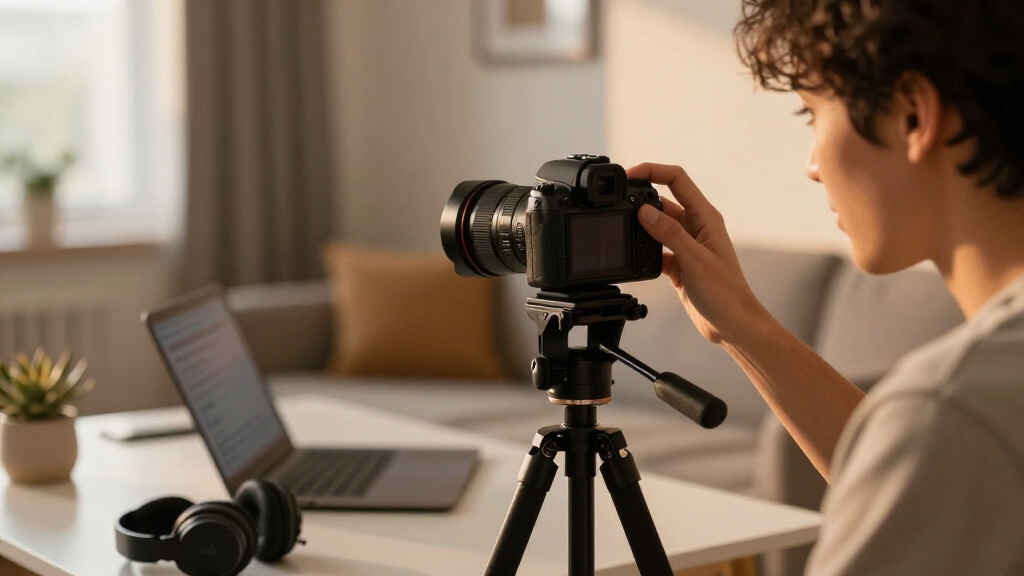
Our evaluation focused on performance, image quality, ease of setup, build quality, and value. We prioritized cameras that deliver sharp, smooth video with minimal latency, as well as those with user-friendly interfaces suitable for streamers of all levels. Features like autofocus, low-light performance, and connectivity options were key considerations. Cameras that offer a good balance of features for the price ranked higher, while specialized models with advanced capabilities were evaluated for their added benefits versus complexity and cost. This approach ensures we recommend options that meet a broad range of streaming needs, from casual to professional setups.Factors to Consider When Choosing Camera For Streaming
When choosing a camera for streaming, it’s vital to consider how the device fits your specific setup, budget, and goals. The right camera can elevate your stream’s quality, but understanding the key factors helps you avoid common pitfalls like overpaying for features you don’t need or selecting a model incompatible with your hardware. Here are some essential factors to weigh before making a decision.Resolution and Video Quality
Higher resolution cameras, such as 4K models, provide sharper, more detailed images that look professional and engaging. However, they require more powerful hardware and faster internet connections. If your streaming setup is modest or you primarily stream on platforms that favor fluid motion over detail, a 1080p camera may suffice. Consider your target audience’s device capabilities and your hardware limits when choosing resolution—buying a 4K camera without the hardware to support it can lead to frustration.
Autofocus and Low-Light Performance
Reliable autofocus is key for maintaining sharpness during movement or scene changes. Many streaming cameras now include AI-powered tracking, which can follow your movements automatically—great for dynamic hosts or presenters. Low-light performance is equally important if you stream in varying lighting conditions; cameras with larger sensors or HDR features handle dim environments better. Investing in a model with these features ensures your image remains clear and professional, regardless of your environment.
Connectivity and Ease of Use
USB plug-and-play cameras simplify setup and reduce compatibility issues, making them ideal for beginners. Wireless options offer more flexibility but may introduce latency or connection stability issues, especially with Wi-Fi interference. Consider your streaming location and whether mobility or stability takes priority. Additionally, check compatibility with your streaming software and whether your system can handle higher data rates if opting for 4K or AI features.
Build Quality and Mounting Options
A sturdy build and versatile mounting options prevent wobbling or accidental damage during long streams. Some webcams include adjustable mounts, tripods, or even integrated ring lights, which add convenience. While premium models often feature better materials, they also tend to be bulkier or more complex to set up. Balance your need for durability with your available space and setup preferences.
Price and Value
Streaming cameras range from affordable entry-level options to high-end professional devices. Consider what features are most important for your streaming goals and whether you’re willing to pay extra for advanced capabilities. Sometimes, a mid-range model offers the best balance of quality and affordability, especially for hobbyist streamers. Avoid overspending on unnecessary features, but don’t skimp on critical aspects like resolution and autofocus if you want a polished stream.
Frequently Asked Questions
Is a 4K camera necessary for streaming?
While 4K cameras provide sharper images that can enhance the professional look of your stream, they are not strictly necessary for most casual streamers. If your internet bandwidth and hardware support 4K, and your platform benefits from higher detail, then it can be a worthwhile investment. However, for most content creators, 1080p resolution offers excellent quality with less strain on your system and smoother streaming, especially if your target audience mainly views on mobile devices.
Can I use a regular webcam for professional streaming?
Yes, many standard webcams are capable of delivering good-quality streams suitable for professional use, particularly those with 1080p resolution and autofocus. The key is to choose a model with reliable image quality, good low-light performance, and a sturdy mount. Upgrading to a dedicated streaming camera with features like AI tracking or better sensors can elevate your stream’s appearance but isn’t a necessity for all types of professional content.
How important is autofocus for streaming cameras?
Autofocus greatly improves the viewing experience by keeping you sharply in frame without manual adjustments. For streamers who move around or have dynamic backgrounds, autofocus ensures your image remains clear and professional. AI-powered tracking further enhances this by following your movements automatically. Without good autofocus, your streams may have blurry moments, which can distract viewers and diminish quality.
Should I prioritize wireless or wired cameras?
Wired cameras generally offer more stable connections with less latency and higher data integrity, making them preferable for professional or high-quality streams. Wireless cameras add convenience and flexibility, especially in multi-camera setups, but may suffer from interference or lag. The choice depends on your environment, mobility needs, and streaming quality expectations. For critical or high-resolution streams, a wired connection tends to be more reliable.
What features should I avoid paying extra for?
Features like built-in ring lights, elaborate AI functions, or premium mounts can increase costs but may not be necessary for all streamers. If you already have decent lighting and a simple setup, investing in a high-quality sensor and autofocus will have a more noticeable impact on your stream quality. Be cautious of overpaying for bells and whistles that don’t directly improve your core streaming experience, especially if you’re just starting out.
Conclusion
For casual or beginner streamers, a straightforward 1080p webcam with good autofocus and easy setup, like the Logitech Brio 101, provides great value. Those seeking a professional, high-quality stream with maximum flexibility will appreciate the Insta360 Link 2C or the EMEET C60E, which excel in resolution and advanced features. Content creators on a budget should consider models like the NexiGo N680E Pro for a balance of quality and affordability. If mobility and wireless operation are priorities, the Mevo Start stands out. Ultimately, your choice depends on your streaming goals, environment, and budget, but understanding these factors helps make an informed decision.