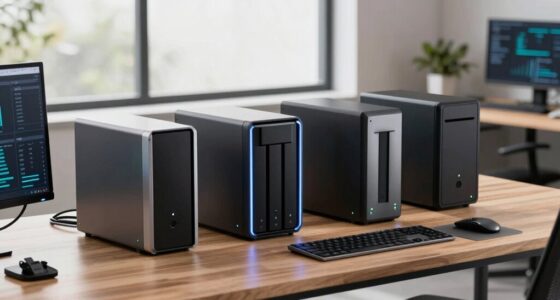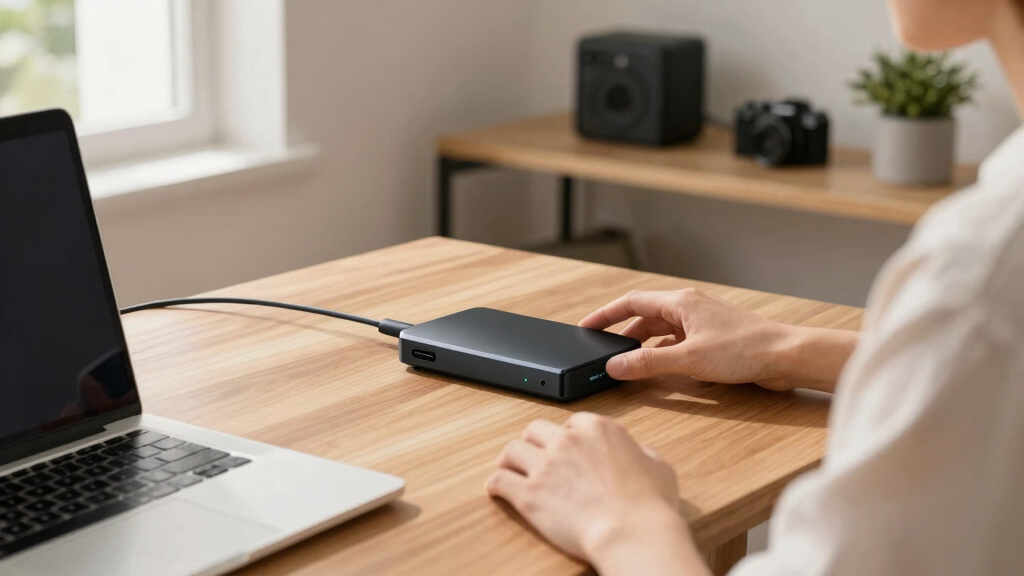
When searching for the best Seagate external hard drives, it’s essential to balance capacity, speed, and price. The Seagate Expansion 22TB stands out as the overall top pick for massive storage needs, while the Seagate Portable 2TB offers a compact, budget-friendly option for casual users. Larger drives tend to be slower and more expensive, but they deliver unmatched capacity, making them ideal for professional use. Smaller drives are more portable and easier to handle but might lack the space for heavy-duty backups. Continue reading for a detailed breakdown of each model and what makes them suitable for different users.

Get the latest gadgets delivered free — and shop member deals
- Fast, free delivery on millions of items
- Access to Prime Big Deal Days deals on October 6–7
- Prime Video, Amazon Music and more included
Complete the kit



Key Takeaways
- The highest capacity drives, like the 22TB and 24TB models, are best for professional or extensive data storage but come at a higher cost.
- Portable drives, such as the 2TB and 5TB options, excel in portability and ease of use but may have slower transfer speeds compared to desktop models.
- Desktop drives generally offer more storage for less per terabyte but are less portable and often require external power sources.
- Including data recovery services, like on the 24TB model, can add value but increases the initial price.
- Price-to-capacity ratio varies widely; larger drives tend to be more cost-effective per TB but may include features unnecessary for casual users.
| Seagate Expansion 22TB External Hard Drive HDD |  | Best Overall for Massive Desktop Storage | Capacity: 22TB | Connection: USB 3.0 | Compatibility: Windows and Mac (reformatting required for Time Machine) | VIEW LATEST PRICE | See Our Full Breakdown |
| Seagate Expansion 24TB External Hard Drive HDD – USB 3.0 with Rescue Data Recovery Services | | Best Value for Large Capacity with Data Recovery | Capacity: 24TB | Connection: USB 3.0 | Compatibility: Windows and Mac (reformatting required for Time Machine) | VIEW LATEST PRICE | See Our Full Breakdown |
| Seagate Portable 5TB External Hard Drive HDD – USB 3.0 for PC, Mac, PS4, & Xbox |  | Best for Cross-Device Compatibility and Gaming | Capacity: 5TB | Connection: USB 3.0 | Compatibility: PC, Mac, PS4, Xbox | VIEW LATEST PRICE | See Our Full Breakdown |
| Seagate Portable 2TB External Hard Drive HDD |  | Best Compact and Reliable Portable Storage | Storage Capacity: 2TB | Connectivity: USB 3.0 | Compatibility: PC, Mac, PlayStation, Xbox | VIEW LATEST PRICE | See Our Full Breakdown |
| Seagate One Touch 2TB Portable External Hard Drive |  | Best Stylish and Secure Portable Drive | Capacity: 2TB | Encryption: Hardware encryption | Connectivity: USB 3.0 | VIEW LATEST PRICE | See Our Full Breakdown |
| Seagate Expansion 12TB External Hard Drive HDD – USB 3.0 | | Best Budget Large-Capacity Drive | Capacity: 12TB | Interface: USB 3.0 | Compatibility: Windows and Mac (reformatting required for Time Machine) | VIEW LATEST PRICE | See Our Full Breakdown |
| Seagate Expansion Desktop 16TB External Hard Drive |  | Best High-Capacity Desktop Drive | Capacity: 16TB | Connection: USB 3.0 | Form Factor: 3.5″ HDD | VIEW LATEST PRICE | See Our Full Breakdown |
| Seagate One Touch 5TB Portable External Hard Drive | | Best Portable Security with Encryption | Storage Capacity: 5TB | Encryption: Hardware encryption | Connectivity: USB 3.0 | VIEW LATEST PRICE | See Our Full Breakdown |
| Seagate Backup Plus Hub 8TB External Desktop Hard Drive |  | Best for Extensive Backup and Device Charging | Capacity: 8TB | Connectivity: USB 3.0 | Compatibility: Mac and Windows | VIEW LATEST PRICE | See Our Full Breakdown |
| Seagate Expansion Desktop 10TB External Hard Drive | | Best Mid-Size Desktop Storage | Capacity: 10TB | Interface: USB 3.0 | Compatibility: Windows & Mac (reformatting required) | VIEW LATEST PRICE | See Our Full Breakdown |
| Seagate Expansion Desktop 4TB External Hard Drive USB 3.0 |  | Best for Budget-Conscious Desktop Users Needing High Capacity | Digital Storage Capacity: 4 TB | Hard Disk Interface: USB 2.0/3.0 | Connectivity Technology: USB | VIEW LATEST PRICE | See Our Full Breakdown |
| Seagate external hard drife | Compatibility | Capacity |
|---|---|---|
| Seagate Expansion 22TB Externa | Windows and Mac (reformatting required for Time Machine) | 22TB |
| Seagate Expansion 24TB Externa | Windows and Mac (reformatting required for Time Machine) | 24TB |
| Seagate Portable 5TB External | PC, Mac, PS4, Xbox | 5TB |
| Seagate Portable 2TB External | PC, Mac, PlayStation, Xbox | — |
| Seagate One Touch 2TB Portable | Windows and Mac (reformatting may be required) | 2TB |
| Seagate Expansion 12TB Externa | Windows and Mac (reformatting required for Time Machine) | 12TB |
| Seagate Expansion Desktop 16TB | Windows & Mac (reformatting required) | 16TB |
| Seagate One Touch 5TB Portable | — | — |
| Seagate Backup Plus Hub 8TB Ex | Mac and Windows | 8TB |
| Seagate Expansion Desktop 10TB | Windows & Mac (reformatting required) | 10TB |
| Seagate Expansion Desktop 4TB | — | — |
More Details on Our Top Picks
Seagate Expansion 22TB External Hard Drive HDD
This model stands out primarily for its enormous 22TB capacity, making it ideal for users with substantial data needs like video editors or large media libraries. Compared to the 24TB Seagate Expansion, it offers slightly less storage but is similarly fast with USB 3.0 and easy to recognize on both Windows and Mac (though reformatting is needed for Mac Time Machine). Its desktop design prioritizes capacity over portability, which is a key consideration. The inclusion of Rescue Data Recovery Services provides extra peace of mind. The main tradeoff is its size and power needs—it’s not meant for mobile use, unlike smaller portable drives such as the 2TB Seagate Portable. This pick makes the most sense for those who prioritize storage volume over mobility.
Pros:- Massive 22TB storage capacity for extensive data archives
- Fast transfer speeds with USB 3.0 technology
- Automatically recognizes Windows and Mac systems
Cons:- Reformatting required for Mac Time Machine use
- Designed as a desktop drive, not portable
Best for: Professionals or enthusiasts needing large, reliable desktop storage for media or backups.
Not ideal for: Users seeking a portable drive for frequent travel or on-the-go backups, as this model is intended as a desktop solution.
- Capacity:22TB
- Connection:USB 3.0
- Compatibility:Windows and Mac (reformatting required for Time Machine)
Our verdict“This is the best choice for users who need large, reliable desktop storage without portability concerns.”
Seagate Expansion 24TB External Hard Drive HDD – USB 3.0 with Rescue Data Recovery Services
This 24TB option is ideal for those seeking maximum storage at a competitive price point, comparable to the 22TB model but with slightly more capacity. It offers easy, plug-and-play setup for both Windows and Mac, though like the 22TB, reformatting is needed for Mac’s Time Machine. Its inclusion of Rescue Data Recovery Services adds a layer of security that many competitors lack, making it attractive for users concerned about data loss. The main consideration is that warranty details are less explicit, which might matter for critical business use. Compared with smaller drives like the 2TB Seagate Portable, this model emphasizes bulk storage, sacrificing portability.
Pros:- Impressive 24TB storage capacity
- Easy plug-and-play setup for Windows and Mac
- Includes Rescue Data Recovery Services
Cons:- Reformatting needed for Mac Time Machine
- Warranty details are less specified
Best for: Home users or small business owners needing large-scale backups with added data recovery options.
Not ideal for: Individuals expecting a portable solution or those with limited space, as this is a desktop drive with a bulkier form factor.
- Capacity:24TB
- Connection:USB 3.0
- Compatibility:Windows and Mac (reformatting required for Time Machine)
Our verdict“This drive offers superb capacity and security features, making it ideal for extensive desktop backups, but not suited for portable use.”
Seagate Portable 5TB External Hard Drive HDD – USB 3.0 for PC, Mac, PS4, & Xbox
This 5TB portable drive excels for users who want a flexible storage solution compatible across PCs, Macs, and gaming consoles like PS4 and Xbox. It’s notably more portable than the desktop options, with plug-and-play USB 3.0 that simplifies setup. Compared to larger drives like the 24TB Seagate Expansion, it offers less capacity but significantly increases mobility. Its 7200 RPM rotational speed provides decent performance, suitable for gaming and everyday backups. However, it requires software installation for setup, which may be a hassle for some, and it lacks hardware encryption, relying solely on optional software for security. This drive is best suited for users who need a reliable, portable option for a variety of devices.
Pros:- Large 5TB capacity suitable for gaming and media
- Compatible with multiple devices including consoles
- Plug-and-play USB 3.0 setup for quick use
Cons:- Requires software installation for initial setup
- Limited rotational speed may be slower than internal drives
Best for: Gamers and mobile users needing versatile storage across multiple platforms.
Not ideal for: Power users with large media libraries or professional backups who require extensive capacity or dedicated desktop solutions.
- Capacity:5TB
- Connection:USB 3.0
- Compatibility:PC, Mac, PS4, Xbox
- Rotational Speed:7200 RPM
Our verdict“This drive provides a portable, versatile storage option for users who need compatibility across a range of devices, though with some setup steps.”
Seagate Portable 2TB External Hard Drive HDD
This 2TB drive offers a straightforward solution for users who need quick, reliable backups on the go. It’s smaller than the 5TB model, making it easier to carry, and its plug-and-play USB 3.0 ensures simple setup across Windows, Mac, and gaming consoles. Compared with the 5TB portable, it has less capacity, but its smaller size and cost make it appealing for casual users. The drive’s portability makes it ideal for travelers or students, although its storage limit may be restrictive for media-heavy users. The absence of included backup software and a limited warranty are minor downsides in exchange for ease of use and affordability.
Pros:- Compact, lightweight design for portability
- Easy plug-and-play setup
- Compatible with multiple devices including gaming consoles
Cons:- Limited to 2TB capacity, which may be restrictive
- No included backup software
Best for: Students and casual users seeking portable, reliable storage with minimal fuss.
Not ideal for: Power users or those with large media collections who need more capacity or dedicated backup features.
- Storage Capacity:2TB
- Connectivity:USB 3.0
- Compatibility:PC, Mac, PlayStation, Xbox
Our verdict“A dependable, portable choice for users who prioritize simplicity and mobility over high capacity.”
Seagate One Touch 2TB Portable External Hard Drive
The One Touch 2TB strikes a balance between style and security, with a brushed metal enclosure that appeals to users seeking a sleek look. It offers hardware encryption, giving a layer of security for sensitive files, unlike the 2TB Seagate Portable which lacks hardware encryption. Its USB 3.0 interface ensures quick backups and file transfers, making it suitable for professionals or creative users. However, it has a shorter warranty period of two years and may require reformatting for Mac users, similar to other drives in this capacity range. The inclusion of subscription offers adds value for users interested in photo editing software, though software encryption details are sparse. It’s a good choice for those wanting a stylish, secure portable drive.
Pros:- Sleek brushed metal design
- Hardware encryption for data security
- Easy to use for backups and file management
Cons:- Limited to two-year warranty
- May require reformatting for Mac
Best for: Creative professionals or security-conscious users needing a portable, stylish backup solution.
Not ideal for: Budget-conscious users or those requiring longer warranty coverage, as the two-year warranty is somewhat limited.
- Capacity:2TB
- Encryption:Hardware encryption
- Connectivity:USB 3.0
- Compatibility:Windows and Mac (reformatting may be required)
Our verdict“This drive offers a stylish and secure portable solution, ideal for users who value design and data protection in a compact form.”
Seagate Expansion 12TB External Hard Drive HDD – USB 3.0
This 12TB model stands out for its massive storage capacity at an accessible price point, making it ideal for users who need extensive space without premium features. Compared with the 16TB Expansion Desktop, it offers similar USB 3.0 speeds but with slightly less capacity, which can be a tradeoff for affordability. Its plug-and-play design simplifies setup for Windows and Mac, but reformatting is necessary to use Time Machine, which can be inconvenient. The limited warranty details are less clear, so long-term peace of mind might be compromised. This pick is best suited for users who prioritize large storage over advanced features or extended warranty coverage.
Pros:- Large 12TB capacity for extensive storage needs
- Fast data transfer with USB 3.0 interface
- Simple plug-and-play setup for Windows and Mac
Cons:- Reformatting needed for Mac Time Machine use
- Limited warranty information provided
Best for: Users needing high capacity storage on a budget for backups or media libraries
Not ideal for: Mac users relying on Time Machine, since reformatting is required for compatibility
- Capacity:12TB
- Interface:USB 3.0
- Compatibility:Windows and Mac (reformatting required for Time Machine)
Our verdict“This drive suits those requiring large, affordable storage with straightforward setup, but compatibility for Mac backups needs reformatting.”
Seagate Expansion Desktop 16TB External Hard Drive
The 16TB Expansion Desktop delivers the largest storage in this lineup, perfect for users who need to back up vast collections of files or media. Unlike the 12TB model, it requires an external power adapter, which adds to its desktop footprint but ensures consistent performance. Its USB 3.0 connection provides quick data transfers, and it works seamlessly with both Windows and Mac—though reformatting is needed for Time Machine. While its high capacity is appealing, the need for external power and the less detailed warranty may influence long-term reliability considerations. This model makes the most sense for professionals or power users who prioritize maximum storage capacity over portability.
Pros:- Massive 16TB storage capacity
- Reliable USB 3.0 transfer speeds
- Compatible with both Windows and Mac (reformatting needed)
Cons:- Requires external power adapter
- Limited warranty details available
Best for: Professionals managing large media libraries or backups on a dedicated desktop setup
Not ideal for: Users seeking portable drives or those with limited desk space, due to its size and power requirements
- Capacity:16TB
- Connection:USB 3.0
- Form Factor:3.5″ HDD
- Compatibility:Windows & Mac (reformatting required)
Our verdict“Ideal for users who need maximum storage capacity on a stationary setup, accepting the bulk and power needs involved.”
Seagate One Touch 5TB Portable External Hard Drive
The One Touch 5TB combines sizable portable storage with built-in hardware encryption, making it a strong choice for users concerned with data security on the go. Compared to the 2TB portable options, this model offers significantly more space, suitable for backing up large photo and video collections. Its compact design pairs with USB 3.0 for quick transfers, and it includes features like backup services and subscription offers. However, reformatting may be necessary for Mac users, and the price point isn’t specified, which could influence budget-conscious buyers. This drive is best for mobile professionals or travelers who prioritize security and capacity in a portable form factor.
Pros:- Large 5TB portable capacity
- Hardware encryption for data security
- Compatible with both Windows and Mac
Cons:- Reformatting may be needed for Mac users
- Limited to USB 3.0 connectivity
Best for: Mobile professionals needing secure, large-capacity storage for travel
Not ideal for: Users seeking the lowest-cost portable drive or those not needing encryption features
- Storage Capacity:5TB
- Encryption:Hardware encryption
- Connectivity:USB 3.0
- Warranty:2 years
Our verdict“Best suited for security-conscious users who need dependable portable storage with ample space and encryption features.”
Seagate Backup Plus Hub 8TB External Desktop Hard Drive
The Backup Plus Hub offers 8TB of storage designed for users who need reliable, large-scale backups with added convenience. Unlike the portable One Touch, this desktop model includes USB ports for device charging and data transfer, making it ideal for busy workspaces. Its compatibility with both Mac and Windows adds flexibility, though the need for NTFS driver installation for Mac could be a hurdle for some. While the 8TB capacity strikes a balance between size and usability, the description hints at a 14TB maximum storage, which might restrict future expansion. This drive makes sense for users who want a dedicated backup station combined with device connectivity.
Pros:- Reliable 8TB storage capacity
- Includes USB ports for charging and data transfer
- Compatible with Mac and Windows
Cons:- Requires NTFS driver for Mac compatibility
- Potentially limited maximum storage in some descriptions
Best for: Home or small business users seeking a reliable backup hub with extra USB ports
Not ideal for: Travelers or those with limited desk space, given its desktop form factor
- Capacity:8TB
- Connectivity:USB 3.0
- Compatibility:Mac and Windows
- Warranty:2 years
Our verdict“This drive is ideal for users looking for a dependable backup solution with added device connectivity at their desk.”
Seagate Expansion Desktop 10TB External Hard Drive
The 10TB Expansion Desktop balances capacity and simplicity, making it suitable for users who want a straightforward, reliable desktop drive. Its USB 3.0 connection delivers fast transfers, comparable to the larger 16TB model, but with a slightly smaller footprint. Like its sibling, it requires external power and needs reformatting for Mac’s Time Machine, which might be a minor inconvenience for some. Its limited warranty details are less prominent, which could influence long-term trust. This model makes sense for users who need substantial storage without the premium price of larger drives or portability constraints.
Pros:- Reliable 10TB storage capacity
- Fast USB 3.0 data transfer
- Easy plug-and-play for Windows and Mac
Cons:- Requires external power supply
- Reformatting needed for Mac Time Machine use
Best for: Small offices or home users needing dependable, high-capacity desktop storage
Not ideal for: Travelers or users seeking portable solutions, due to its size and power needs
- Capacity:10TB
- Interface:USB 3.0
- Compatibility:Windows & Mac (reformatting required)
Our verdict“A practical choice for users who want a straightforward, high-capacity storage solution at their desk.”
Seagate Expansion Desktop 4TB External Hard Drive USB 3.0
The Seagate Expansion Desktop 4TB stands out for delivering a large storage capacity at an accessible price point, making it ideal for users who need to store extensive media libraries or backups without breaking the bank. Compared to the Seagate Expansion 12TB, this model offers less overall capacity but benefits from a smaller footprint and lower cost, though it sacrifices some speed and advanced features. Its USB 3.0 interface ensures quick setup and reliable data transfer, but the drive’s 5400 RPM rotation speed can limit transfer rates compared to higher RPM drives, making it less suitable for high-speed workflows. Its compatibility with both Windows and Mac (with reformatting) adds flexibility, though the absence of built-in backup or encryption software means users need to handle data safety externally. This pick is perfect for those prioritizing large storage with straightforward use and affordability, but less so for professionals needing faster performance or integrated backup solutions.
Pros:- Large 4TB storage capacity suitable for media libraries and backups
- Plug-and-play setup with USB 3.0 for easy use
- Compatible with both Windows and Mac (reformatting required)
Cons:- Limited to 5400 RPM, which may result in slower data transfer compared to higher RPM drives
- No included backup or encryption software, requiring additional setup for data security
Best for: Budget-conscious desktop users who need reliable, high-capacity storage for media and backups
Not ideal for: Power users requiring high-speed data transfer or integrated backup features, or Mac users unwilling to reformat
- Digital Storage Capacity:4 TB
- Hard Disk Interface:USB 2.0/3.0
- Connectivity Technology:USB
- Hard Disk Rotational Speed:5400 RPM
- Read Speed:120 MB/s
- Form Factor:3.5-inch
- Compatible Devices:Desktop, Gaming Console, Laptop
- Warranty & Support:Limited warranty and rescue data recovery services
Our verdict“This drive is best suited for users who need a large, affordable storage solution for desktop use and are comfortable reformatting for Mac compatibility.”
How We Picked
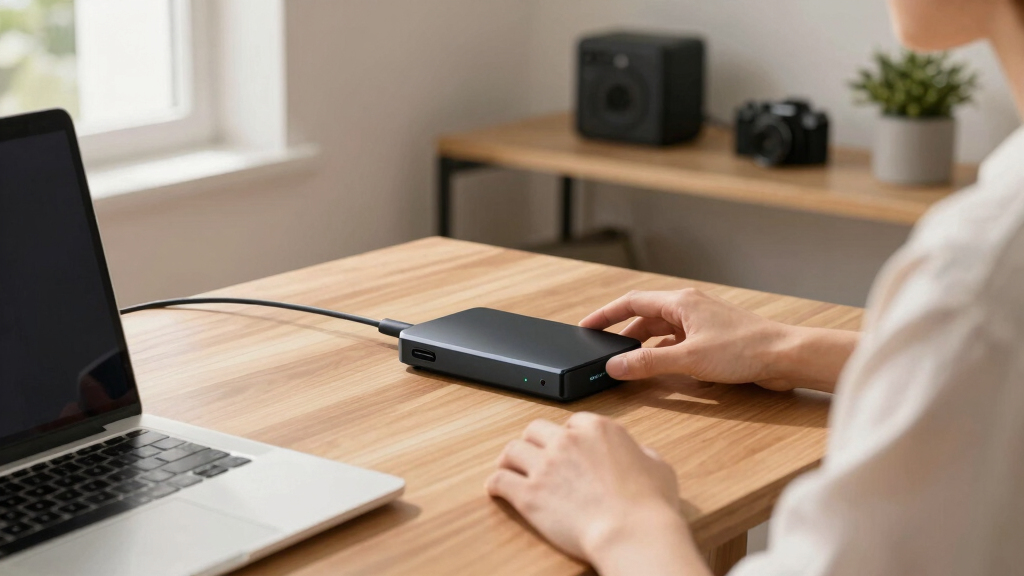
The ranking of these Seagate external hard drives is based on a combination of performance, build quality, value, and versatility. We evaluated each model’s transfer speeds, durability, and compatibility with various devices. Ease of setup and ongoing maintenance, such as included data recovery services, also played a significant role. Price and capacity were key considerations, ensuring options suit different budgets and storage needs. Our goal was to highlight models that provide the best balance of these factors for different types of users, from casual to professional.| Seagate external hard drife | Compatibility |
|---|---|
| Seagate Expansion 22TB Externa | Windows and Mac (reformatting required for Time Machine) |
| Seagate Expansion 24TB Externa | Windows and Mac (reformatting required for Time Machine) |
| Seagate Portable 5TB External | PC, Mac, PS4, Xbox |
| Seagate Portable 2TB External | PC, Mac, PlayStation, Xbox |
| Seagate One Touch 2TB Portable | Windows and Mac (reformatting may be required) |
| Seagate Expansion 12TB Externa | Windows and Mac (reformatting required for Time Machine) |
| Seagate Expansion Desktop 16TB | Windows & Mac (reformatting required) |
| Seagate One Touch 5TB Portable | — |
| Seagate Backup Plus Hub 8TB Ex | Mac and Windows |
| Seagate Expansion Desktop 10TB | Windows & Mac (reformatting required) |
| Seagate Expansion Desktop 4TB | — |
Factors to Consider When Choosing Best Seagate External Hard Drives
Choosing the right Seagate external hard drive involves more than just capacity. Buyers should consider several factors to ensure they select a model that fits their specific needs, offering the right mix of speed, portability, and durability. Understanding these broader considerations can help prevent common pitfalls, such as overspending on features you won’t use or selecting a drive that doesn’t match your device compatibility.Capacity and Usage Needs
Assess your storage requirements carefully. Larger drives like 16TB or 22TB are ideal for professional backups and large media libraries, but they come at a higher cost. Smaller drives, such as 2TB or 5TB, suit casual users or those needing portable storage for documents and photos. Overestimating capacity can lead to unnecessary expense, while underestimating may require frequent upgrades or additional drives.
Portability vs. Desktop Use
Decide whether your priority is portability or maximum capacity. Portable drives, often powered via USB, are perfect for on-the-go use and quick transfers, but they usually have smaller capacity options. Desktop models tend to offer larger storage and more robust build quality but are less convenient to carry around, making them better suited for stationary setups or professional environments.
Speed and Interface
Transfer speed can significantly impact your workflow, especially when moving large files. USB 3.0 and newer standards like USB-C provide faster data transfer, reducing wait times. Keep in mind that larger, desktop drives might not always deliver faster speeds than portable ones; instead, their internal drive technology and connection type matter more. Consider your device compatibility to avoid bottlenecks.
Durability and Build Quality
External drives face constant handling, so durability is key. Ruggedized models or those with sturdy enclosures can withstand drops and shocks, which is essential for frequent travelers or outdoor use. Conversely, cheaper drives might be more fragile, risking data loss if mishandled. Always check reviews for build quality to prevent costly mishaps.
Additional Features and Value
Features like data recovery services, hardware encryption, and bundled backup software add value but often increase cost. Consider whether these extras are necessary for your use case. For instance, data recovery services are valuable for critical data but may not justify a higher price for casual storage needs. Balance feature sets with your budget to find the best overall value.
Frequently Asked Questions
Is a larger capacity drive always better?
Not necessarily. While larger drives provide more space, they often come with higher costs and potentially slower speeds, especially if they are HDDs. If your storage needs are modest, opting for a smaller, faster, and more portable drive can be more practical and cost-effective. Overestimating capacity may lead to unnecessary expense, so evaluate your current and near-future storage needs carefully.
Are desktop drives worth the extra cost over portable models?
Desktop drives generally offer higher capacities at a lower cost per terabyte, making them a cost-effective choice for large-scale storage. They are also typically more durable and better suited for continuous, heavy use. However, they lack portability and often require external power, so they are best for stationary setups. For mobile use, portable drives are more convenient despite their smaller capacity options.
How important is data recovery service inclusion?
Data recovery services can be a lifesaver if your drive fails or data is accidentally deleted. Including these services in the purchase adds peace of mind, especially for critical or irreplaceable data. However, they usually increase the initial price. Consider how valuable your data is and whether the added cost is justified based on your backup habits and risk tolerance.
Should I prioritize speed over capacity?
It depends on your workflow. If you transfer large files frequently or work with high-resolution media, faster drives with USB 3.1 or USB-C interfaces will save time. For basic storage or occasional use, capacity might matter more than speed. Balancing the two based on your typical data transfer needs ensures you don’t overspend on unnecessary performance features.
What should I look for in terms of device compatibility?
Ensure the drive supports your devices, whether Windows, Mac, or gaming consoles like PS4 or Xbox. Many drives are cross-compatible but may require formatting adjustments. Check the connection type—USB 3.0, USB-C, or Thunderbolt—and verify your device ports. Compatibility issues can lead to frustration and additional setup time, so confirm specifications before purchasing.
Conclusion
For general consumers seeking simplicity and affordability, the Seagate Portable 2TB offers reliable storage in a compact package. Professionals or users with large data needs should consider the Seagate Expansion 22TB or 24TB models for their massive capacity. Budget-conscious buyers will find the Seagate Expansion Desktop 4TB or 10TB drives to provide excellent value. For those prioritizing durability and professional features, the Seagate Backup Plus Hub 8TB or ruggedized options are worth the investment. Ultimately, selecting the right drive depends on your specific storage needs, portability preferences, and budget constraints.
As an affiliate, we earn on qualifying purchases.Fall Picks
fall essentials