

To protect your photos from accidental deletion, organize them with descriptive folders and separate originals from edits. Enable device security features like biometric locks and encrypt your images. Regularly back up your photos to cloud services and external drives, verifying the backups often. Use app locks on your photo apps to prevent unauthorized access. Creating routines for safe deletion and archiving helps safeguard your memories. Keep discovering more tips to guarantee your photos stay safe and secure.

Get the latest gadgets delivered free with Prime
- Fast, free delivery on millions of items
- Prime Video, Amazon Music and more included
- Member-only deals all year
Key Takeaways
- Regularly back up photos to cloud storage, external drives, or NAS for safe preservation.
- Use device security features like password, biometric locks, or encrypted albums to restrict access.
- Organize photos into labeled albums and folders to prevent accidental deletion.
- Enable automatic sync and verify backups periodically to ensure data integrity.
- Implement photo management routines, including reviewing, tagging, and double-checking before deletions.
cloud photo backup external drive
As an affiliate, we earn on qualifying purchases.
As an affiliate, we earn on qualifying purchases.
Why Losing Photos Can Be Heartbreaking and How to Prevent It

Have you ever lost precious photos and felt a wave of regret? It’s heartbreaking when memories vanish unexpectedly, whether due to accidental sharing or photo theft. Accidental sharing can expose your personal moments to strangers or unintended recipients, making you feel vulnerable. Photo theft, on the other hand, risks your images being stolen or misused without your permission. These incidents can leave you devastated, especially if those photos hold sentimental value. To prevent this, be cautious about where and how you share images, using privacy settings and secure platforms. Regularly backing up your photos to multiple locations can also save you from heartbreak if something goes wrong. Additionally, understanding color accuracy and setting proper privacy controls can help protect your images from unintended exposure. Being aware of digital rights management can further help you control how your images are used and shared online. For example, understanding photo metadata can help you track the origin and ownership of your images. Protecting your images isn’t just about storage; it’s about safeguarding your memories from unnecessary loss. Incorporating Indonesian decor masks as part of your decor can also serve as a reminder of cultural heritage, making your space more meaningful and personalized.
As an affiliate, we earn on qualifying purchases.
Organize Your Photos to Avoid Mistakes

Keeping your photos organized is a straightforward way to prevent accidental deletion and make it easier to find what you want. Well-structured album organization helps you quickly locate images and reduces the risk of deleting important photos by mistake. Consider creating folders for different events, dates, or themes. Use descriptive labels for easy identification. When doing photo editing, keep edited images in separate folders to avoid overwriting originals. Regularly review your albums and delete duplicates or blurry shots. Visualize your collection as a neat filing cabinet: natural pools can inspire creative ways to organize your visual collection, emphasizing harmony and flow. Implementing file naming conventions can further improve your ability to manage and identify photos efficiently. Additionally, adopting consistent organizational strategies rooted in natural light and wellness-inspired aesthetics can create a calming environment that makes managing your collection more enjoyable. Incorporating visual cues based on natural elements can enhance your overall organization approach. For example, integrating natural light in your workspace can boost your mood and improve your focus while managing your photos.
As an affiliate, we earn on qualifying purchases.
Back Up Your Photos Regularly to Keep Memories Safe

Regularly backing up your photos guarantees your memories stay safe even if something happens to your device. Using cloud storage solutions makes it easy to access your photos from anywhere, while maintaining multiple backup copies adds extra protection. By staying consistent, you minimize the risk of losing precious images forever. Incorporating step-by-step guidance into your backup routine can simplify the process and ensure nothing gets overlooked. Developing a backup habit can make safeguarding your photos a seamless part of your routine. Additionally, understanding cloud storage benefits can help you choose the best method for your needs, such as the advantages of automatic updates and secure data transfer. Recognizing the importance of data redundancy can further enhance your photo protection strategy.
Use Cloud Storage Solutions
Using cloud storage solutions is one of the most effective ways to safeguard your photos from accidental deletion. When you upload images, your photo metadata—like date, location, and camera settings—is preserved, making organization easier. Many cloud services use cloud encryption, ensuring your photos stay private and secure during transit and storage. Visualize your photos safely stored across multiple servers, accessible anytime, anywhere. Keep this in mind:
- Your images are protected with encryption, preventing unauthorized access
- Metadata stays intact, helping you find photos quickly
- Automatic backups happen regularly, reducing manual effort
- Files are stored redundantly across multiple data centers
- You can access photos from any device with internet
Maintain Multiple Backup Copies
To guarantee your photos are truly safe from loss, making multiple backup copies is vital. Regularly saving copies ensures you preserve photo metadata, such as timestamps, geolocation, and edits, which can be essential for organizing or restoring images. Use different storage methods—external drives, cloud services, or network-attached storage—to diversify your backups. Always implement backup encryption to protect your photos from unauthorized access, especially if stored online or on portable devices. Keeping multiple copies reduces the risk of losing memories due to hardware failure, accidental deletion, or corruption. Additionally, understanding your privacy policy and how your data is protected can further ensure your backups remain secure. Regularly updating your backup strategy and storage security measures can provide added peace of mind. Incorporating automatic backup options can further streamline this process and ensure you never miss an update. Setting a schedule to update your backups consistently, making sure the latest versions and metadata are preserved, is crucial.
As an affiliate, we earn on qualifying purchases.
Use Cloud Storage for Automatic Photo Backup

Using cloud storage for automatic photo backup guarantees your images stay safe even if your device fails. Make certain to choose reliable services, enable automatic syncing, and regularly check that backups are up to date. This simple setup helps protect your memories with minimal effort.
Choose Reliable Cloud Services
Choosing a reliable cloud service is essential for ensuring your photos are safely backed up without extra effort on your part. A good service offers seamless storage, quick access, and robust security. Look for providers that support easy photo editing and help with digital organization. Consider services that automatically categorize images, making retrieval effortless.
Imagine your photos safely stored in a space where they stay protected from accidental deletion, yet are easy to find when needed. You’ll see thumbnails of high-resolution images, folders neatly labeled by date or event, and fast upload speeds. A trustworthy cloud service turns chaos into order, giving you peace of mind knowing your memories are secure and accessible whenever you want.
Enable Automatic Syncing
Have you ever thought about how much easier your photo backup could be if it happened automatically? By enabling automatic sync settings, you guarantee your photos are regularly backed up without manual effort. Most cloud services offer automatic backups, which keep your media current and safe from accidental deletion. Once you turn on sync, your device automatically uploads new photos to the cloud, reducing the risk of losing important images. Check your app’s sync settings to customize how and when your photos get backed up. This way, even if you delete a photo by mistake, a recent version remains safely stored online. Automatic backups give you peace of mind, knowing your memories are protected without constantly monitoring your storage. Incorporating media literacy into your digital habits helps you understand how your data is managed and safeguarded.
Regular Backup Checks
While automatic sync keeps your photos current, it’s equally important to regularly verify that backups are happening correctly. Checking your cloud storage guarantees your images, including edited photos and metadata, are safe. Regular backup checks help you catch issues before data loss occurs. You might imagine:
- Verifying that recent edits, like photo editing adjustments, are preserved
- Confirming metadata, such as timestamps and tags, remains intact
- Ensuring new photos are uploaded without delays
- Spotting potential sync errors early
- Restoring a test photo to confirm backup integrity
- Being aware of high-tech innovations in backup methods that can further enhance your photo protection. Staying informed about data security practices can also help prevent unauthorized access or loss. Additionally, understanding Gold IRA Rollovers can provide insight into safeguarding assets against economic uncertainties. Performing these checks keeps your cloud backup reliable and up to date, protecting your memories from accidental deletion and ensuring your photo organization stays intact.
Enable Device Features to Protect Your Photos From Deletion

Did you know that your device offers built-in features to help safeguard your photos from accidental deletion? Enabling device security features can prevent unauthorized access and accidental removal. Many smartphones allow you to lock specific albums or photos with passwords or biometric authentication. Some devices also support photo encryption, making your images unreadable without a key. Here’s a quick overview:
| Feature | Benefit |
|---|---|
| Lockable Albums | Protects selected photos from accidental deletion |
| Biometric Lock | Adds an extra layer of security via fingerprint or face recognition |
| Photo Encryption | Ensures only authorized users access the images |
| App Lock | Secures your photo apps from unauthorized access |
| Device Security Settings | Overall protection to prevent accidental deletions |
In addition, understanding cabling solutions can help you organize your device security setup more effectively and prevent physical access that might lead to accidental deletions or data loss. Implementing photo backup options can further safeguard your images against unforeseen issues, providing extra peace of mind. Using these features enhances device security and keeps your photos safe.
Create a Routine for Safe Photo Deletion and Archiving

Once you’ve enabled device features to safeguard your photos, establishing a routine for safe deletion and archiving becomes the next step to keep your collection organized and protected. Regularly review your photos, using photo tagging to categorize images, making it easier to find specific moments. Manage metadata effectively by adding descriptions, dates, and locations to keep everything clear. When deleting, double-check before removing files, ensuring you don’t lose cherished memories. Archiving important photos involves storing them in dedicated folders or cloud services, keeping them safe from accidental deletion. Visualize organizing your collection like:
- Tagging photos by event or subject
- Updating metadata for clarity
- Creating separate folders for favorites
- Deleting duplicates systematically
- Backing up archived images consistently
Recover Deleted Photos With Reliable Software
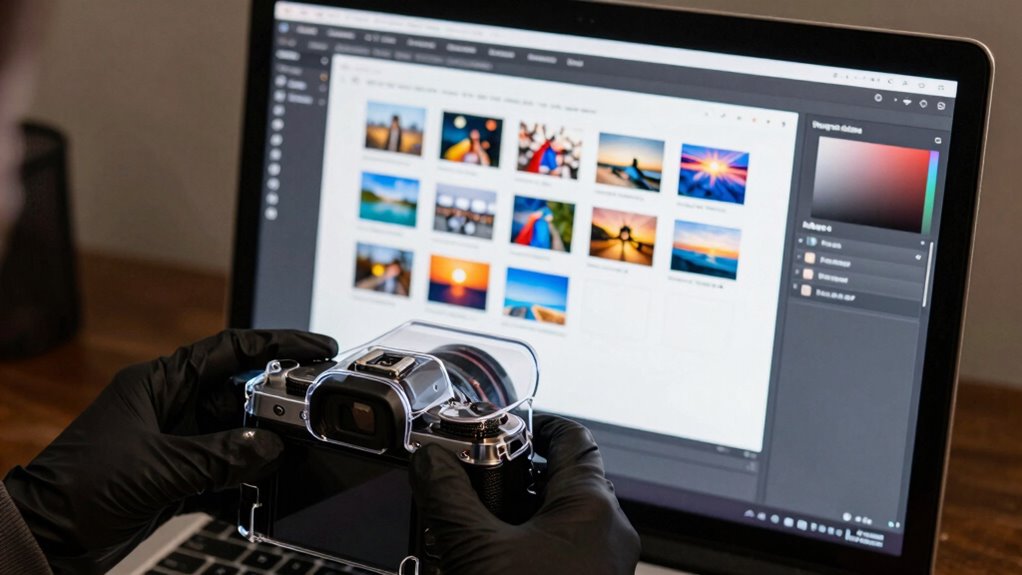
When photos are accidentally deleted, acting quickly with reliable recovery software can save your memories. These tools scan your device or storage media to locate and restore lost images, even if you’ve been editing or converting them between different storage formats. Confirm the software supports various storage formats like JPEG, PNG, or RAW, so you don’t miss out on recovering high-quality images. Many recovery programs also allow you to preview files before restoring, helping you identify the right photos. If you’ve recently edited your photos, recovery software can often retrieve the original versions, safeguarding your work. Use reputable software designed for photo recovery to increase your chances of success and avoid further data loss. Quick action is key to recovering your precious images.
Choose the Right Cloud Storage Service for Your Needs

After successfully recovering your photos, storing them securely becomes the next priority. Choosing the right cloud storage service depends on your needs for photo sharing and storage compatibility. Imagine a service that:
- Syncs seamlessly across all your devices, so your photos are always accessible
- Offers generous storage plans suitable for high-resolution images
- Supports easy photo sharing with friends and family
- Supports compatibility with your preferred apps and operating systems
- Provides reliable backup to prevent accidental deletions
Look for platforms that prioritize user-friendly interfaces and robust security features. Whether you’re sharing albums or keeping backups, the right service keeps your memories safe and easy to access, giving you peace of mind knowing your photos are protected from accidental loss.
Tips for Long-Term Security of Your Digital Memories

Ever wondered how to guarantee your digital memories remain safe for years to come? Start by implementing digital framing—organize your photos into albums or folders, so they’re easy to locate and categorize. Use photo tagging to add descriptive keywords, making searching straightforward even after years pass. Regularly back up your images to multiple locations, such as cloud storage and external drives, to prevent loss from hardware failures. Keep your files updated and check their integrity periodically. Consider storing copies in different formats to assure compatibility over time. Additionally, preserve context by adding captions or notes, which helps keep your memories meaningful. By combining digital framing with strategic photo tagging, you create a robust system that safeguards your cherished moments long-term.
Frequently Asked Questions
Can I Recover Photos Deleted From a Shared Album?
Yes, you can recover photos deleted from a shared album if you’ve enabled shared album backups or used photo recovery tools. Check the “Recently Deleted” folder within your app, as your photos might still be there. If not, try photo recovery tools that scan your device for deleted images. Keep in mind, timely action improves your chances of successful recovery, especially before the photos are permanently removed.
How Secure Are Cloud Storage Services Against Hacking?
Cloud storage services are generally secure, but their security depends on the provider’s encryption protocols and how they handle data breach risks. Most reputable services use strong encryption both during transfer and at rest, making it difficult for hackers to access your photos. However, no system is completely invulnerable. You should enable two-factor authentication and regularly update passwords to further protect your account from potential hacking attempts.
What Settings Prevent Accidental Deletion on Smartphones?
Think of your smartphone as a vault, where setting up photo backup is your shield. Enable deletion confirmation—this prompts you before deleting photos, acting like a guardian angel. Use lock or password protection for added security. Regularly check your backup settings, ensuring your images are safely stored elsewhere. These steps help prevent accidental deletion, allowing you to enjoy your memories without worry, much like safeguarding treasures in a well-guarded castle.
Are There Apps That Automatically Detect and Protect Important Photos?
Yes, there are apps that automatically detect and protect important photos. These apps often use photo backup features and analyze image metadata to identify significant images. They require app permissions to access your gallery and save backups securely. Once set up, they continuously safeguard your important photos, preventing accidental deletion. Be sure to review permissions carefully to maintain your privacy and guarantee the app functions correctly.
How Do I Differentiate Between Accidental and Intentional Photo Deletion?
To differentiate between accidental and intentional photo deletion, pay close attention to your actions and the context. Always enable photo backup to safeguard your images, so you have a safety net if a deletion feels unintended. When deleting, use deletion confirmation prompts—these acts as gentle reminders—helping you pause and evaluate whether the removal is deliberate or accidental. This way, you maintain control over your cherished memories.
Conclusion
Protecting your photos is like guarding a precious treasure chest—stay organized, back up regularly, and use reliable cloud services. Enable device features to prevent accidental deletions and develop a routine for safe archiving. With these steps, your memories won’t just fade away like footprints in the sand. Instead, they’ll remain safe and accessible, ready to bring joy whenever you want to revisit them. Keep your digital memories secure, and cherish them forever.
Halloween Picks
halloween
As an affiliate, we earn on qualifying purchases.