
TL;DR

Get the latest gadgets delivered free with Prime
- Fast, free delivery on millions of items
- Prime Video, Amazon Music and more included
- Member-only deals all year
Meshdiff has released a browser-based tool that allows users to visually compare two STL files without server-side processing. This development simplifies 3D model version review and editing workflows.
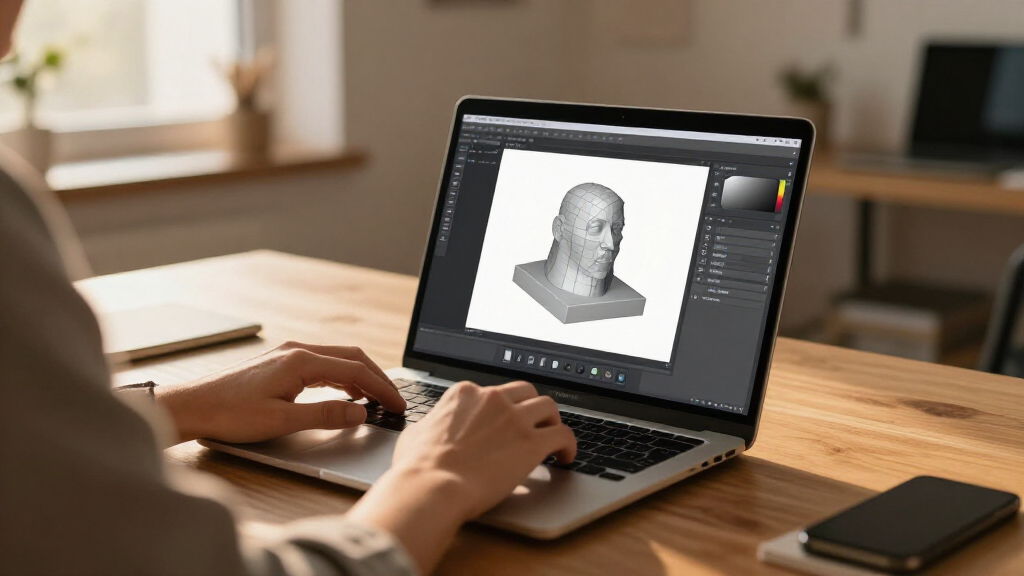
Meshdiff has introduced a new web-based tool that allows users to compare two STL files visually within their browser, entirely on the client side. This innovation aims to streamline workflows in 3D modeling, prototyping, and additive manufacturing by removing the need for dedicated software or server-based processing.
The Meshdiff platform leverages modern web technologies to enable direct comparison of STL files without uploading data to external servers. Users can load two STL models into the browser, view differences visually, and analyze changes in geometry and structure. The tool is designed for ease of use, targeting engineers, designers, and hobbyists working with 3D models.
According to Meshdiff, the application operates entirely on the client side, utilizing WebAssembly and WebGL to handle complex 3D rendering and processing. The company claims this approach enhances privacy, reduces latency, and improves accessibility, as no installation or server infrastructure is required. The platform is accessible through standard web browsers on desktop and mobile devices.
Meshdiff’s developers state that the tool supports version comparison for STL files, which are widely used in 3D printing and CAD workflows. The feature set includes highlighting differences, toggling visibility of model features, and exporting comparison results for further analysis. The launch aims to address common challenges in managing multiple STL versions during iterative design processes.
Implications for 3D Model Workflow Optimization
This development matters because it simplifies the process of comparing 3D models, reducing reliance on specialized software or complex workflows. By enabling visual comparison directly in the browser, Meshdiff enhances accessibility for users who may lack advanced CAD tools or prefer lightweight solutions. It also improves privacy and data security since models are processed locally, not uploaded to external servers. Overall, this could accelerate design iteration cycles and improve quality control in additive manufacturing and prototyping.
As an affiliate, we earn on qualifying purchases.
Growing Need for Accessible 3D Model Comparison Tools
Traditionally, comparing STL files required dedicated software, often desktop-based, which could be complex or costly. Recent trends in web technology have enabled more powerful browser-based applications, but few solutions have offered comprehensive visual comparison of 3D models entirely client-side. Meshdiff’s release aligns with ongoing efforts to democratize 3D model editing and review, especially in remote or resource-constrained environments. The approach also reflects a broader move toward privacy-preserving, browser-based tools in the CAD and 3D printing sectors.
Prior to this, most comparison tools either relied on server processing or were limited in functionality. Meshdiff’s emphasis on client-side operation marks a shift toward more lightweight, accessible solutions that do not compromise on features like detailed visual analysis.
As an affiliate, we earn on qualifying purchases.
Limitations and Unconfirmed Capabilities of Meshdiff
Details about the full range of supported STL features, such as handling large files or complex geometries, are not yet confirmed. It is also unclear how the platform performs under heavy or complex models, or whether advanced comparison features like automated difference detection are planned for future updates. Additionally, user feedback and real-world testing are still pending.
As an affiliate, we earn on qualifying purchases.
Next Steps and Future Development Plans for Meshdiff
Meshdiff plans to expand its feature set, potentially including automated difference detection, support for additional file formats, and integration with existing CAD workflows. User feedback from early adopters will likely influence future updates. The company may also explore partnerships to embed the tool into broader 3D printing and design platforms. Monitoring user adoption and technical performance will be key in assessing its long-term impact.
As an affiliate, we earn on qualifying purchases.
Key Questions
Can I use Meshdiff on any device?
Yes, since the platform operates entirely in the browser using standard web technologies, it is compatible with most desktop and mobile devices with internet access.
Is my STL data secure with Meshdiff?
Yes, because all processing occurs locally within your browser, your STL files are not uploaded to external servers, enhancing data privacy and security.
Does Meshdiff support large or complex STL files?
Details on performance with large models are not yet confirmed. Early indications suggest it handles typical models well, but extensive testing is ongoing.
Will Meshdiff add more comparison features in the future?
Yes, the developers have indicated plans to include features like automated difference detection and support for additional file formats based on user feedback.
Is Meshdiff free to use?
The current version is available as a free web tool, with potential premium features under consideration for future releases.
Source: hn
Halloween Picks
halloween
As an affiliate, we earn on qualifying purchases.