To guarantee a proper office chair fit, start by measuring your seat depth: sit comfortably and slide to the back, then measure from the front edge to where your back contacts the backrest. Adjust lumbar support to align with your lower back’s natural curve and keep hips and knees at 90 degrees. Choose adjustable armrests that support relaxed shoulders and fit your arm width. For more tips on customizing your chair for all-day comfort, keep exploring.

Get the latest gadgets delivered free — and shop member deals
- Fast, free delivery on millions of items
- Access to Prime Big Deal Days deals on October 6–7
- Prime Video, Amazon Music and more included
Key Takeaways
- Measure seat depth by sitting comfortably and noting the distance from the back of the knees to the backrest contact point, leaving 1-2 inches space.
- Ensure lumbar support aligns with the natural curve of your lower back and is adjustable for customized comfort.
- Select adjustable armrests that support relaxed shoulders, with width fitting your body size and materials that provide soft, pressure-relieving support.
- Regularly fine-tune chair settings—height, lumbar support, and armrests—and incorporate ergonomic accessories for sustained comfort.
- Test the chair in various positions before purchase and make adjustments to maintain proper posture and reduce discomfort during long use.
ergonomic office chair with adjustable lumbar support
As an affiliate, we earn on qualifying purchases.
As an affiliate, we earn on qualifying purchases.
Why Your Office Chair Fit Matters for Comfort and Productivity
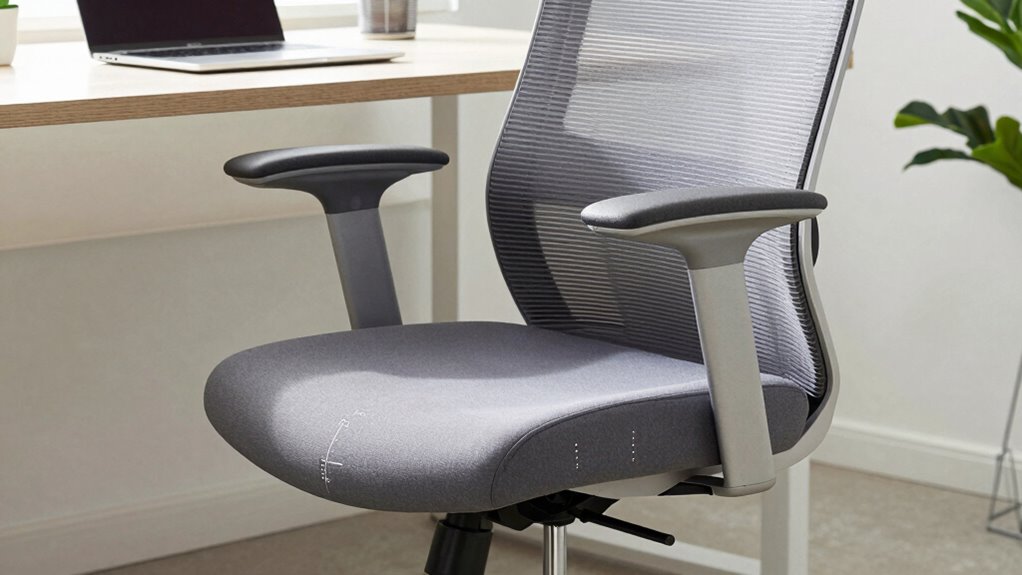
Your office chair fit greatly impacts both your comfort and your ability to work efficiently. An ergonomic design guarantees proper support, reducing strain on your back and neck during long hours. When your chair fits well, you can maintain good posture, which minimizes discomfort and fatigue. Proper alignment is essential for preventing musculoskeletal issues and ensuring long-term health. Additionally, an aesthetically appealing chair can enhance your workspace’s overall look, making it a more inviting environment. Comfort isn’t just about feeling good; it’s about optimizing your performance. A properly fitted chair balances ergonomic support with style, creating a workspace where you feel motivated and comfortable. Investing in the right fit improves both your well-being and your ability to work effectively, just as selecting the right ergonomic design can promote better posture and reduce discomfort. Ensuring your chair’s seat depth and armrest positioning are correct can significantly contribute to your overall comfort throughout the workday. Proper adjustments can further enhance your ergonomic setup and support long-term health.
office chair with adjustable armrests
As an affiliate, we earn on qualifying purchases.
As an affiliate, we earn on qualifying purchases.
How to Measure Seat Depth for the Perfect Fit
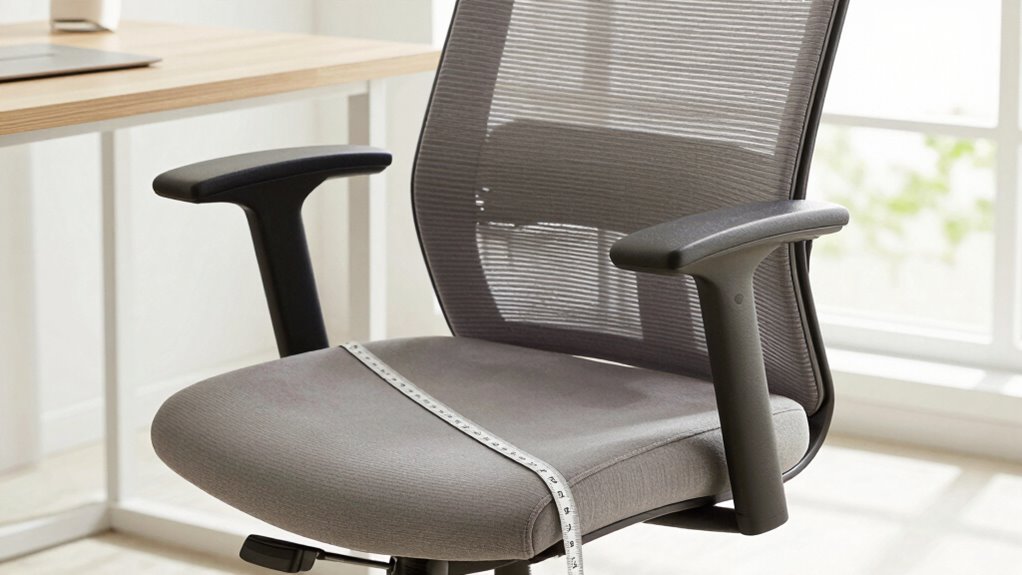
To guarantee your office chair provides peak comfort, accurately measuring seat depth is essential. To do this, sit back comfortably and slide your hips to the back of the seat. Using a tape measure, measure from the front edge of the seat to the point where your back naturally contacts the backrest. This is your seat measurement. An ideal ergonomic fit means leaving about 1 to 2 inches of space between the back of your knees and the front edge of the seat, preventing pressure points and improving circulation. Proper seat depth ensures support without restricting movement. Take your measurement carefully, as it directly influences your comfort and posture. Adjusting your chair based on this measurement helps optimize ergonomic fit and reduces discomfort during long sitting periods. Incorporating ergonomic principles into your chair setup can further enhance comfort and reduce strain. Additionally, understanding passive voice detection can help you improve your writing clarity and effectiveness. Being aware of proper alignment techniques can also contribute to long-term comfort and injury prevention. Recognizing the importance of seat adjustments can help you customize your chair for maximum support and comfort, and being familiar with HNW strategies may even influence how you plan your workspace for optimal productivity.
seat depth measurement tool for office chair
As an affiliate, we earn on qualifying purchases.
As an affiliate, we earn on qualifying purchases.
Choosing the Best Lumbar Support to Prevent Back Pain
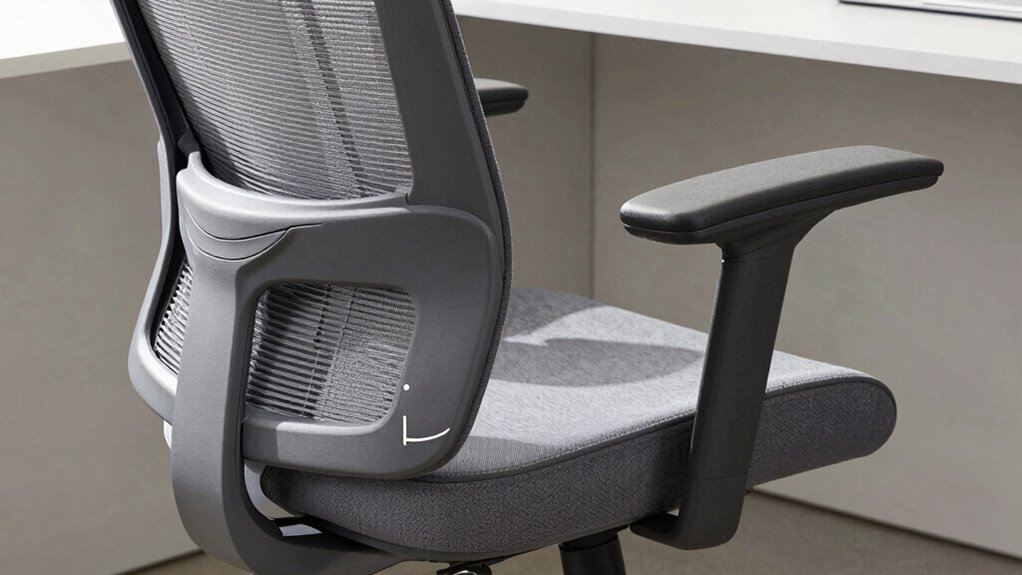
Choosing the right lumbar support helps keep your lower back properly aligned and reduces discomfort. Look for adjustable options so you can customize the fit to your body’s needs. Proper positioning and support are key to preventing back pain during long work hours. When selecting a chair, consider the ergonomic features that promote healthy posture and can help prevent strain. Additionally, embracing artistic expression through ergonomic design can enhance overall comfort and well-being. Incorporating ergonomic principles into your workspace encourages better posture and can boost overall productivity. Ensuring the chair’s design aligns with modern ergonomic trends can further improve comfort and support. Paying attention to ergonomic considerations can also help in choosing the most suitable lumbar support for your body.
Proper Lumbar Positioning
Proper lumbar positioning is essential for maintaining a healthy back while working at your desk. When you support your lower back correctly, you promote an ergonomic posture that keeps your spine aligned naturally. To do this, make sure your lumbar support fits the curve of your lower back, providing gentle but firm contact. This not only helps prevent slouching but also encourages a correct sitting posture, which is vital for long-term back health. Keep your hips and knees at roughly a 90-degree angle, with your back fully supported by the chair’s lumbar region. Proper positioning encourages good posture habits and minimizes back pain over time. Remember, the goal is to keep your spine in a neutral position so you can work comfortably and prevent long-term issues. For added peace of mind, choosing a chair with trusted ergonomic features can further enhance your back health. Additionally, selecting a chair with lumbar support designed to follow the natural curve of your spine can provide even better comfort and support. Incorporating adjustable lumbar supports can also help customize the fit for optimal spinal alignment, which can be influenced by factors like microplastics in dust that affect indoor air quality and overall comfort.
Adjustable Support Options
Finding the right lumbar support involves selecting adjustable features that cater to your unique spine curve and sitting habits. Adjustable support options allow you to customize your seating experience, reducing back pain and enhancing comfort. Look for ergonomic accessories that offer height, depth, and firmness adjustments, guaranteeing your lumbar curve is supported throughout the day. An aesthetic design can also complement your workspace, making comfort seamless and stylish. Consider this table to help choose your ideal support: Supporting proper posture can also help prevent long-term back issues. Additionally, understanding how whole-home water systems operate can improve overall comfort and efficiency in your environment. Incorporating ergonomic principles from office furniture design can further optimize your seating setup for better health and productivity, emphasizing the importance of ergonomic features in supporting spinal health. Proper ergonomic design is essential in creating a workspace that promotes long-term health and reduces discomfort.
ergonomic seat cushion for office chair
As an affiliate, we earn on qualifying purchases.
As an affiliate, we earn on qualifying purchases.
Selecting Armrests That Promote Good Posture
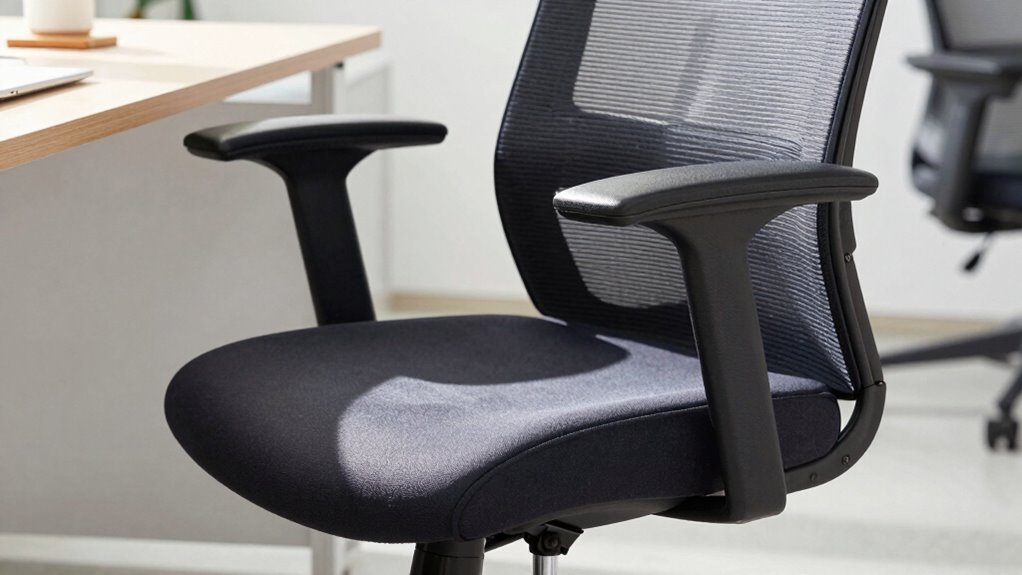
Choosing the right armrests can make a big difference in your posture, so look for adjustable height to keep your shoulders relaxed. Make sure the width fits comfortably without squeezing or leaving gaps, and select materials that feel soft and supportive. When these elements work together, you’ll reduce strain and stay comfortable throughout your workday.
Adjustable Armrest Height
Adjustable armrest height plays a crucial role in maintaining good posture at your desk. When you set the armrests to the right height, your shoulders stay relaxed, reducing strain and discomfort. Properly adjusted armrests also support your arms, preventing slouching or leaning forward. This promotes ergonomic benefits by aligning your shoulders, neck, and back correctly. Plus, many chairs feature sleek, aesthetic designs that blend seamlessly with your workspace, so adjusting the height doesn’t compromise style. By customizing armrest height, you guarantee your arms are supported at a comfortable angle, reducing muscle tension. This simple adjustment can enhance overall comfort, boost productivity, and help prevent long-term musculoskeletal issues. Make sure your armrests are at the right height to maximize both ergonomic function and visual appeal.
Proper Armrest Width
When selecting armrests, ensuring they are the right width is essential for maintaining good posture. Proper armrest width keeps your shoulders relaxed and prevents strain. An ergonomic armrest should align with your body’s natural position, supporting your arms comfortably without pushing your shoulders up or down. Look for armrest padding that offers cushioning without adding unnecessary bulk, which can restrict movement. To help you choose, consider this guide:
| Armrest Width | Ideal for | Benefits |
|---|---|---|
| Narrow | Small to medium frame | Reduces shoulder tension |
| Medium | Average build | Balances support and mobility |
| Wide | Larger frame | Provides extra support |
Select the width that matches your body to promote good posture and comfort throughout your workday.
Armrest Material Comfort
After selecting the appropriate armrest width, paying attention to the armrest material can greatly enhance your ergonomic comfort. Comfortable materials, like padded fabric or soft polyurethane, reduce pressure on your arms and shoulders, encouraging better posture. Avoid hard plastics or rough surfaces that can cause discomfort over time. The right armrest material should feel gentle against your skin and support your arms without forcing you to hunch or strain. Ergonomic comfort isn’t just about support; it’s about creating a natural, relaxed arm position that minimizes tension. Choosing armrests with cushioned or breathable covers helps maintain comfort during long hours at your desk. Prioritizing armrest material ensures your chair promotes proper posture and reduces fatigue, keeping you comfortable and productive throughout the day.
Adjustable Features to Customize Your Office Chair
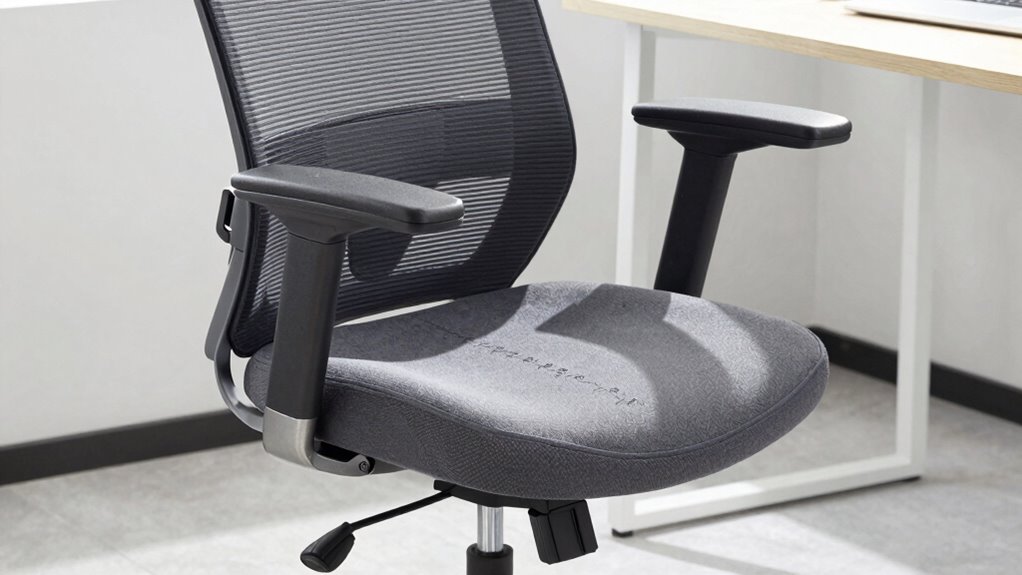
To truly customize your office chair for maximum comfort and support, you’ll want to explore its various adjustable features. These include height, tilt, lumbar support, and armrests, allowing you to tailor the chair to your body and workspace. Adjustable features enhance ergonomic accessories, reducing strain and promoting better posture. They also help maintain an aesthetic design by creating a sleek, personalized look.
| Feature | Adjustment Benefits |
|---|---|
| Height Adjustment | Fits your desk height, improves alignment |
| Tilt Tension | Controls reclining resistance |
| Lumbar Support | Supports lower back curvature |
| Armrest Positioning | Prevents shoulder and neck tension |
Common Mistakes to Avoid When Buying an Office Chair
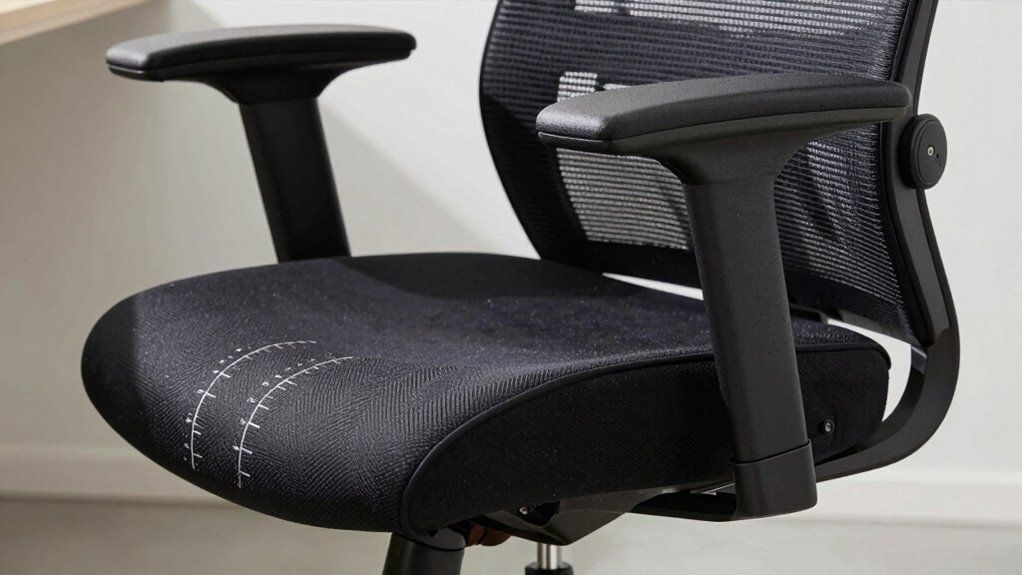
Choosing the right office chair involves more than just picking a stylish design; it requires careful consideration to avoid common pitfalls. One mistake is neglecting ergonomic accessories that support your posture, such as lumbar support or adjustable armrests. Ignoring these features can lead to discomfort and long-term health issues. Additionally, focusing solely on office chair aesthetics might cause you to overlook critical ergonomic elements, resulting in a chair that looks good but isn’t functional. Avoid selecting a chair based only on appearance; prioritize comfort and support. Don’t overlook the importance of proper seat depth, lumbar support, and armrest adjustability. Rushing your purchase or choosing a chair without trying it out can also lead to regret. Be intentional and thorough to find a chair that truly promotes comfort and health.
Testing and Fine-Tuning Your Office Chair for Long-Term Comfort
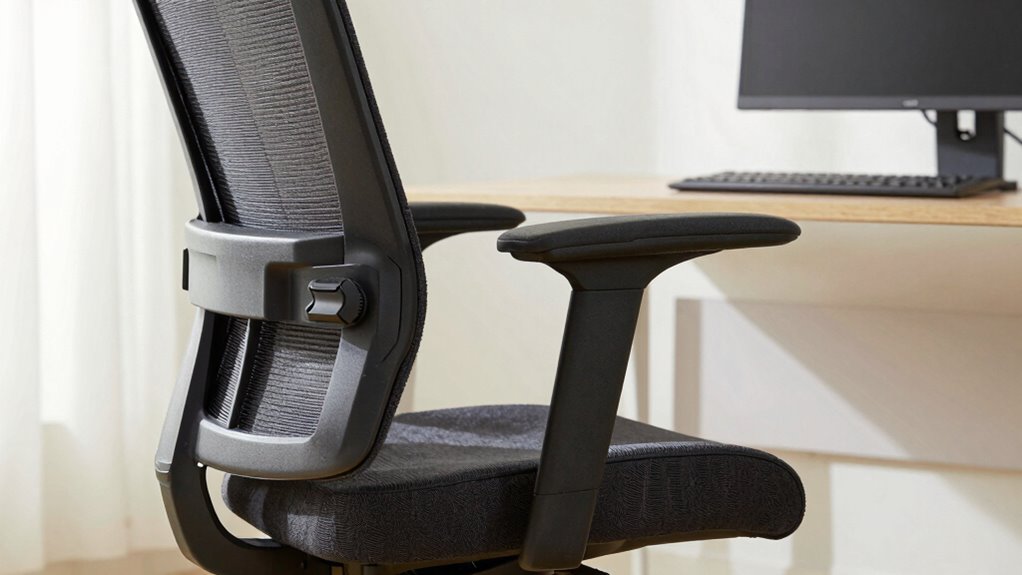
Once you’ve selected an office chair that fits well and offers proper support, the next step is to test and fine-tune it to guarantee long-term comfort. Adjust the height, lumbar support, and armrests to ensure your back remains supported and your feet are flat on the floor. Incorporate ergonomic accessories like seat cushions or lumbar pillows if needed to enhance comfort. Don’t overlook aesthetic considerations; choose adjustments that blend seamlessly with your workspace to keep it visually appealing. Spend time sitting in different positions to identify any pressure points or discomfort. Fine-tuning these settings helps prevent strain and promotes better posture throughout the day. Regularly reassess your setup, making small tweaks to maintain ideal comfort during long hours at your desk.
Frequently Asked Questions
How Often Should I Replace My Office Chair for Optimal Comfort?
You should replace your office chair every 5 to 8 years for maximum comfort. Over time, chair material can wear out, and the aesthetic design may become outdated or less supportive. If you notice decreased support, persistent discomfort, or visible damage, it’s time for a new chair. Upgrading guarantees you stay comfortable and maintain good posture, especially as your needs or work environment change.
Are Ergonomic Office Chairs Suitable for All Body Types?
Ergonomic office chairs are incredibly versatile, accommodating a wide range of body types and promoting perfect posture alignment. You’ll find them suitable because their adjustable features adapt to different heights and shapes, ensuring comfort. With high-quality material durability, these chairs withstand daily use without sagging or breaking down. So, yes, ergonomic chairs can be a superb choice for everyone, offering support and comfort that’s as reliable as a trusted friend.
Can an Office Chair Be Customized Beyond Adjustable Features?
Yes, an office chair can be customized beyond adjustable features through chair customization options like custom upholstery, color, or added accessories. While fixed features like frame design or armrest placement are usually standard, some manufacturers offer bespoke options to match your preferences. You might also consider aftermarket modifications or accessories to enhance comfort and style, but keep in mind that significant changes may require professional assistance.
What Signs Indicate My Office Chair No Longer Supports Good Posture?
You’ll notice posture deterioration when you start slouching or experiencing discomfort, especially in your lower back or neck. Comfort decline is another sign, as your chair no longer supports your body properly. If you often shift positions or feel persistent pain after sitting, it’s time to reevaluate your chair’s support. These signs indicate your office chair no longer maintains good posture, so adjusting or replacing it is essential for your health.
How Do Different Seat Depths Affect Circulation and Comfort?
Imagine your seat as a gentle river, flowing smoothly. A seat that’s too deep acts like a dam, increasing seat pressure and restricting circulation, making your legs feel numb or heavy. Conversely, a too-shallow seat allows your hips to tilt forward, causing discomfort and less support. The right seat depth creates a balance, ensuring free flow, reducing circulation restriction, and enhancing overall comfort, like a river flowing effortlessly.
Conclusion
Getting your office chair right isn’t just about comfort; it’s about boosting your productivity, preventing pain, and ensuring long-term health. Measure accurately, choose supportive features, adjust confidently, and test thoroughly. Prioritize your posture, ignore shortcuts, and fine-tune regularly. When you invest effort into fitting your chair properly, you create a workspace that works for you—supporting your back, aligning your body, and empowering your day. Make your chair fit, and let comfort and efficiency follow.
Fall Picks
fall essentials
As an affiliate, we earn on qualifying purchases.