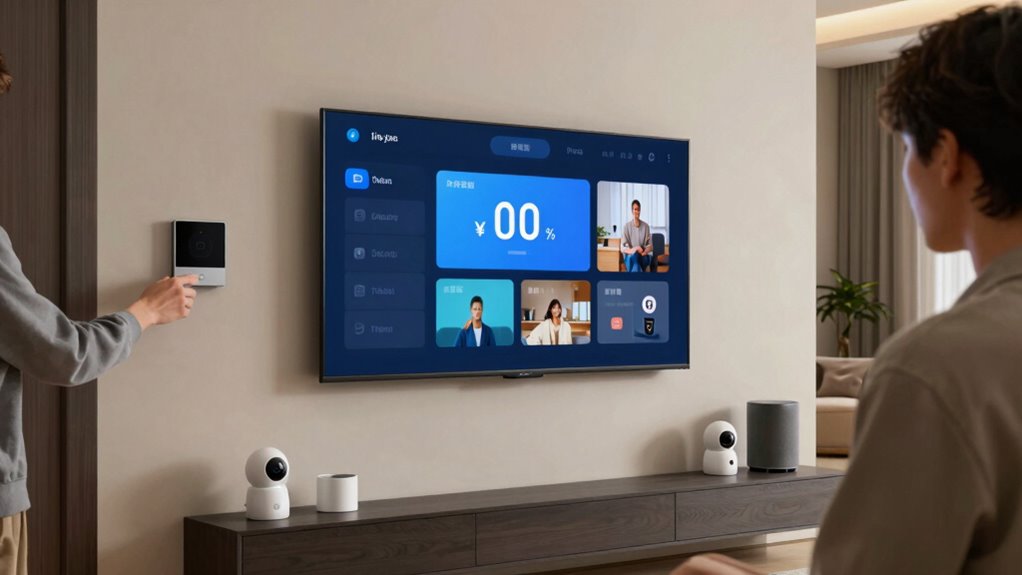

To stop smart home lag, start by updating all device firmware and calibrating voice recognition. Check your internet speed with regular tests and address any congestion or interference by optimizing your Wi-Fi setup. Manage your network traffic by prioritizing critical devices and scheduling automations during off-peak times. Consider network segmentation and upgrading hardware for better stability. Implement these strategies to boost responsiveness and performance. Keep exploring to discover more proven ways to reduce latency effectively.
Key Takeaways
- Regularly update device firmware and software to fix bugs and improve responsiveness.
- Optimize Wi-Fi by minimizing interference, selecting channels, and upgrading hardware for faster data transfer.
- Manage and prioritize network traffic using QoS settings to ensure critical devices get sufficient bandwidth.
- Segment your network to isolate smart devices, reducing congestion and latency.
- Schedule automations during off-peak hours and disconnect unused devices to lower network load.

TP-Link Deco S4 Mesh AC1900 WiFi System – Up to 5,500 Sq.ft. Coverage, Replaces WiFi Router and Extender, Gigabit Ports, Works with Alexa, Deco S4(3-Pack)
A New Way to WiFi: Deco Mesh technology gives you a better WiFi experience in all directions with…
As an affiliate, we earn on qualifying purchases.
As an affiliate, we earn on qualifying purchases.
Why Is My Smart Home So Slow?

When your smart home devices start lagging, it can be frustrating, especially when you’re expecting seamless automation. One common reason is voice command troubleshooting issues; if your voice assistant struggles to recognize commands, it slows down your entire setup. Sometimes, device compatibility is the culprit—if your gadgets aren’t designed to work together, responses take longer or fail altogether. Check if your devices are on the latest firmware updates, as outdated software can cause delays. Also, make certain your voice command systems are properly configured and calibrated. When devices aren’t compatible or properly integrated, it creates bottlenecks, making your smart home feel sluggish. By addressing these compatibility issues and troubleshooting voice commands, you can greatly improve responsiveness. Additionally, ensuring your network has proper security practices can prevent interference and lag caused by malicious activity or bandwidth issues. Regularly updating your device firmware and maintaining a secure network helps prevent performance issues from arising unexpectedly. Implementing network segmentation can further isolate devices and improve overall stability. Incorporating a robust Wi-Fi network can also significantly reduce latency and improve device responsiveness.

TP-Link Dual-Band AX3000 Wi-Fi 6 Router Archer AX55 | Wireless Gigabit Internet Router for Home | EasyMesh Compatible | VPN Clients & Server | HomeShield, OFDMA, MU-MIMO | USB 3.0 | Secure by Design
Next-Gen Gigabit Wi-Fi 6 Speeds: 2402 Mbps on 5 GHz and 574 Mbps on 2.4 GHz bands ensure…
As an affiliate, we earn on qualifying purchases.
As an affiliate, we earn on qualifying purchases.
Test Your Network to Find Bottlenecks

To improve your smart home’s responsiveness, it’s essential to identify and eliminate network bottlenecks. Start with network troubleshooting tools like speed tests to check your internet connection’s speed and stability. Use these tests to pinpoint slowdowns or inconsistent performance. Additionally, examine your network for signal interference from other devices, such as cordless phones or microwaves, which can disrupt Wi-Fi signals. Check your router’s placement—placing it centrally and away from interference sources can boost performance. Run multiple tests at different times to see if congestion varies. By systematically testing your network and identifying interference issues, you’ll uncover the root causes of lag, enabling you to take targeted steps to optimize your smart home’s connectivity. Understanding network congestion and how it impacts device performance can help you implement effective solutions. For example, upgrading to a mesh network system can distribute your Wi-Fi more evenly throughout your home. Incorporating proper network configuration practices, such as setting up quality of service (QoS) rules, can further improve overall responsiveness. Additionally, being aware of market manipulation patterns, like pump and dump schemes, can help you avoid unreliable crypto investments while troubleshooting your network for smart home devices. Moreover, understanding how network security affects performance is crucial, as unsecured networks can lead to interference and lag.
smart home device firmware updater
As an affiliate, we earn on qualifying purchases.
As an affiliate, we earn on qualifying purchases.
Optimize Wi-Fi Settings for Faster Response

Optimizing your Wi-Fi settings can considerably improve your smart home’s response times. Start by implementing a mesh network to guarantee seamless coverage and reduce dead zones. Prioritize your devices with Quality of Service (QoS) to allocate bandwidth efficiently, giving smart devices higher priority. Adjust channel settings to avoid interference from neighboring networks. Use the table below to compare options:
| Setting | Benefit | Action |
|---|---|---|
| Mesh Network | Eliminates dead zones, improves coverage | Upgrade or enable mesh system |
| Quality of Service | Prioritizes smart device traffic, reduces lag | Enable QoS settings |
| Channel Selection | Minimizes interference, boosts response speed | Manually select best channel |
Additionally, paying attention to interference mitigation techniques can further enhance your Wi-Fi’s performance. Understanding how to manage wireless interference can make a significant difference in your smart home’s responsiveness. Regularly updating your router’s firmware can also help address performance issues and optimize overall network stability. Optimizing these Wi-Fi settings ensures your smart home responds faster and more reliably.

WiFi Router Cover, WiFi RF Blocking Wireless, Blocks 5G Protective Cover 13.7 x 15.7
RF radiation caused by router. Modem/Wifi Cover provides over 60dB shielding! Shielding frequency range of 10MHz to 3GHz…
As an affiliate, we earn on qualifying purchases.
As an affiliate, we earn on qualifying purchases.
Manage Devices and Automations to Reduce Congestion

Managing your devices and automations effectively can substantially reduce network congestion, ensuring your smart home runs smoothly. Start by implementing device prioritization, giving critical devices like security cameras or smart locks higher bandwidth access. This prioritization prevents less important devices from hogging the network during peak times. Additionally, use automation scheduling to control when automations run, avoiding multiple processes executing simultaneously. Schedule updates, lighting, or other non-essential automations during off-peak hours to free up bandwidth. Regularly review your device list to disconnect unused gadgets that may contribute to congestion. By thoughtfully prioritizing devices and scheduling automations, you reduce unnecessary traffic, minimize lag, and keep your smart home responsive and reliable. Incorporating Victorian steampunk-inspired design elements into your smart home setup can also enhance its aesthetic appeal while maintaining functionality. Implementing network management strategies tailored to smart homes can further optimize performance and reduce lag. To maximize efficiency, consider employing smart network monitoring tools that help identify and address congestion issues proactively.
Advanced Tips to Minimize Smart Home Lag

Implementing advanced network segmentation can substantially reduce smart home lag by isolating critical devices on separate subnetworks. This setup minimizes network congestion and improves voice command accuracy. This approach also helps create a child-friendly environment by preventing unintended device interactions. To further optimize performance:
- Regularly perform device firmware updates to patch bugs and enhance responsiveness, decreasing lag.
- Prioritize bandwidth for essential devices, ensuring smooth communication and quick response times.
- Use quality of service (QoS) settings to assign higher priority to voice assistants and automation hubs, minimizing latency.
- Consider integrating smart home accessories designed to improve network stability and reduce interference, further enhancing responsiveness.
- Upgrading your router or network hardware can significantly improve overall network speed and stability, directly impacting smart home lag reduction. Additionally, employing network monitoring tools can help identify and resolve bottlenecks more efficiently. Proper network configuration and bandwidth management are crucial for maintaining optimal smart home performance.
These steps help your smart home operate seamlessly, with quicker voice recognition and more reliable automation. Keeping firmware current, managing traffic effectively, and prioritizing critical devices ensure your smart home responds instantly and accurately, reducing frustrating delays.
Frequently Asked Questions
How Can I Tell if a Device Is Causing Lag?
You can tell if a device is causing lag by checking its signal strength and looking for device interference. If a device has weak signal strength or drops connection often, it’s likely slowing down your network. Try disconnecting devices one at a time to see if lag improves. Interference from other electronics or thick walls can also cause issues, so consider relocating devices or reducing interference sources to enhance performance.
Does Upgrading My Router Improve Smart Home Responsiveness?
Yes, upgrading your router can improve your smart home responsiveness. A newer router often handles Wi-Fi interference better, reducing lag caused by signal disruptions. It also supports advanced features and firmware updates that enhance performance and security. By upgrading, you guarantee your devices stay connected smoothly and respond faster, helping you enjoy a more seamless smart home experience. Just make sure to keep your firmware updated regularly for peak results.
Can Using a Mesh Network Reduce Smart Home Latency?
Yes, using a mesh network can reduce your smart home latency. It improves signal strength by creating a unified network, which minimizes issues caused by wireless interference. With multiple nodes, your devices maintain a stronger, more reliable connection, reducing lag. This setup guarantees your smart devices respond faster and more consistently, especially in larger homes with dead zones or thick walls that often weaken signals.
Are Certain Smart Devices More Prone to Causing Lag?
Some smart devices are like noisy neighbors, more prone to causing lag. Devices with poor compatibility or those that rely heavily on Wi-Fi are especially vulnerable to network interference, which can slow down your entire smart home. Cameras and smart hubs often demand more bandwidth, making them more lag-prone. To keep everything running smoothly, guarantee device compatibility and reduce network interference for a seamless smart home experience.
How Often Should I Reboot My Smart Home Hub for Optimal Performance?
You should reboot your smart home hub weekly to keep it running smoothly. Power cycling helps clear temporary glitches and improves responsiveness. Remember to check for firmware updates before rebooting, as these often include performance improvements. Regular reboots combined with keeping your firmware up to date guarantees your devices communicate efficiently, reducing lag and latency. Staying proactive with these steps keeps your smart home system fast and reliable.
Conclusion
By tackling network bottlenecks, fine-tuning your Wi-Fi, and managing devices wisely, you can turn your sluggish smart home into a swift, responsive haven. Think of it as clearing the clutter from a busy highway—once the traffic flows smoothly, everything runs seamlessly. Don’t let lag be the thorn in your side; with a few simple steps, you’ll have your smart home humming like a well-oiled machine, ready to serve you at the speed of thought.