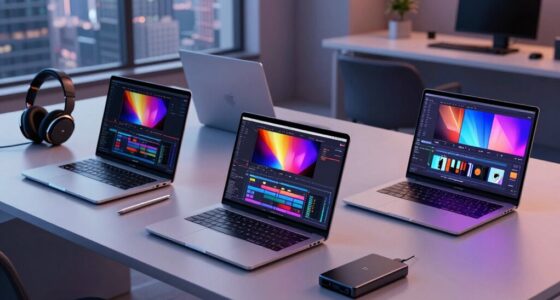
The best MacBook Pro laptop overall in this lineup is the 16-inch M5 Pro with 48GB of memory and a 2TB SSD, a strong fit for demanding work and large projects. For a more portable pro setup, the 14-inch M5 Pro with 48GB of memory keeps substantial headroom in a smaller chassis, while the 14-inch M5 model with 24GB suits everyday work without stepping up to a Pro chip. The main tradeoffs are screen size and portability, chip and graphics capability, and how much memory and storage your work can use. Older M4 Pro models may still suit buyers who need Pro-class performance and can accept an earlier generation or a 512GB drive. Read on for the full breakdown of all 12 configurations and guidance on choosing between them.

Get the latest gadgets delivered free with Prime
- Fast, free delivery on millions of items
- Prime Video, Amazon Music and more included
- Member-only deals all year
Complete the kit



Key Takeaways
- The 16-inch M5 Pro with 48GB memory and 2TB storage is the most balanced high-capacity choice here, pairing a large display with more room for demanding applications and project files.
- The 14-inch M5 Pro with 48GB memory offers a useful middle ground for buyers who need more memory headroom than the base M5 configurations but prefer a smaller laptop.
- M5 Pro configurations differ substantially by memory and storage. The 24GB/1TB models fit many professional workflows, while the 64GB option targets unusually memory-heavy work.
- The 16-inch M5 Max with a 40-core GPU is the graphics-focused pick, but its capabilities may be unnecessary for office work, writing, and lighter creative tasks.
- The M5 configurations with 16GB or 24GB memory are the more restrained choices for general use; buyers should choose 24GB when they routinely keep demanding apps or many large projects open.







| MacBook Pro laptop | Display | Storage | Memory | Processor |
|---|---|---|---|---|
| Apple MacBook Pro 16.2-inch wi | 16.2-inch Liquid Retina XDR | 1TB SSD | 24GB unified memory | Apple M5 Pro, 18-core CPU |
| Apple 2026 MacBook Pro 14.2-in | 14.2-inch tandem OLED PROLED XDR, up to 2,000 nits | — | — | — |
| Apple 14-inch MacBook Pro with | 14.2-inch Liquid Retina XDR | 1TB SSD | 24GB unified memory | Apple M5 Pro, 15-core CPU |
| Apple 2024 MacBook Pro 16-inch | 16.2-inch Liquid Retina XDR, 3456 × 2234 pixels | Conflicting listing details: 512GB in title and description; 256GB in product information | 24GB | Apple M4 Pro |
| Apple 14-inch MacBook Pro with | 14-inch, 3024 × 1964 pixels, 120Hz | 1TB SSD | — | Apple M5 Pro, 15-core CPU |
| Apple 14-inch MacBook Pro with | 14.2-inch Liquid Retina XDR, 3024 × 1964 pixels, up to 120Hz | 1TB SSD | 64GB | Apple M5 Pro, 18-core CPU |
| Apple 14.2-inch MacBook Pro | 14.2-inch Liquid Retina XDR | 1TB SSD | 16GB unified memory | Apple M5 chip with 10-core CPU |
| Apple MacBook Pro 16.2-inch wi | 16.2-inch Liquid Retina XDR | 2TB SSD | — | Apple M5 Max, 18-core CPU |
| Apple 2025 MacBook Pro 14.2-in | 14.2-inch Liquid Retina XDR | 1TB SSD | 16GB unified memory | — |
| Apple MacBook Pro 16.2-inch La | 16.2-inch Liquid Retina XDR | 2TB SSD | 48GB unified memory | Apple M5 Pro, 18-core CPU |
| Apple 14.2-inch MacBook Pro wi | 14.2-inch Liquid Retina XDR, up to 1600 nits peak brightness | 1TB SSD | 24GB unified memory | — |
| Apple 2024 MacBook Pro 14-inch | 14.2-inch Liquid Retina XDR, up to 1600 nits peak brightness | 512GB SSD | 24GB unified memory | — |
More Details on Our Top Picks
Apple MacBook Pro 16.2-inch with M5 Pro, 18-core CPU, 20-core GPU, 24GB Memory, 1TB SSD, Wi-Fi 7, Space Black
I’d choose this 16.2-inch MacBook Pro as the most balanced pick for buyers who need room for demanding creative work without stepping up to an M5 Max configuration. Its 18-core M5 Pro, 24GB of unified memory, and 1TB SSD give editors and developers a capable base for heavy projects, while the Liquid Retina XDR display offers a large, bright workspace. Compared with the 14-inch M5 Pro model with a 15-core CPU, this one adds screen area and CPU cores, which can make long editing sessions and multitasking more comfortable. The tradeoff is portability: at 4.71 pounds, it is substantially heavier than that 14-inch option. Its three-display limit may also fall short for users building a larger workstation, and 24GB of memory is less suited to unusually large workloads than higher-memory configurations.
Pros:- 18-core CPU and 20-core GPU suit demanding creative and development workloads.
- 16.2-inch Liquid Retina XDR display provides more working room than the 14-inch M5 Pro options.
- Thunderbolt 5, HDMI, SDXC, and MagSafe 3 cover common studio and office connections.
- 12MP Center Stage camera and six-speaker Spatial Audio system support calls and media.
Cons:- At 4.71 pounds, it is considerably less portable than the 14-inch models.
- M5 Pro configuration supports up to three external displays.
- 24GB of unified memory may constrain unusually large projects compared with higher-memory configurations.
Best for: Video editors, designers, and developers who want a large built-in display, substantial M5 Pro performance, and broad connectivity.
Not ideal for: Frequent travelers prioritizing a light laptop, or workstation users who need more than three external displays or unusually high memory capacity.
- Processor:Apple M5 Pro, 18-core CPU
- Graphics:20-core GPU
- Display:16.2-inch Liquid Retina XDR
- Memory:24GB unified memory
- Storage:1TB SSD
- Wireless:Wi-Fi 7 and Bluetooth 6
- Ports:Three Thunderbolt 5, MagSafe 3, SDXC, HDMI, and headphone jack
- Weight:4.71 pounds
Our verdict“Choose this model if you want a large-screen M5 Pro MacBook Pro for demanding work and can accept its added weight.”
Apple 2026 MacBook Pro 14.2-inch with PROLED XDR Display, Silver
The standout here is the 14.2-inch tandem OLED PROLED XDR display, specified for up to 2,000 nits, a 10,000,000:1 contrast ratio, P3 and Adobe RGB color, and Multi-Touch controls. That combination makes this the most display-focused choice in this group, particularly for color work, touch-based edits, and viewing HDR content. Compared with the 14-inch M5 Pro model with a conventional Liquid Retina XDR screen, this listing promises higher peak brightness and touch input, while weighing just 3.04 pounds. There is a meaningful buying caveat: the product lists M5 Pro or M5 Max options but does not identify the included chip configuration, memory, or storage. That makes it harder to match the machine to a specific workload than the clearly specified M5 Pro alternatives. I’d pick it for its screen only after confirming the configuration.
Pros:- Tandem OLED display lists up to 2,000 nits peak brightness and a 10,000,000:1 contrast ratio.
- P3 and Adobe RGB color gamut support color-focused creative workflows.
- Multi-Touch controls add direct gesture, drawing, and zoom interaction.
- At 3.04 pounds, it is lighter than the listed 14-inch M5 Pro model with 24GB memory.
Cons:- The listing does not specify memory or storage capacity.
- The included processor configuration is unclear between M5 Pro and M5 Max.
- External display support depends on the selected chip: up to three with M5 Pro or four with M5 Max.
Best for: Color-conscious photographers, video editors, and illustrators who value a bright touch display and can verify the selected chip, memory, and storage.
Not ideal for: Buyers who need confirmed configuration details before choosing, or those who want a clearly specified memory and storage capacity.
- Display:14.2-inch tandem OLED PROLED XDR, up to 2,000 nits
- Contrast ratio:10,000,000:1
- Color gamut:P3 and Adobe RGB
- Processor options:M5 Pro or M5 Max
- Battery life:Up to 22 hours
- Camera:12MP Center Stage
- Ports:Three Thunderbolt 5, MagSafe 3, SDXC, HDMI, and headphone jack
- Weight:3.04 pounds
Our verdict“Choose this listing for its specified touch-enabled OLED display, but confirm the chip, memory, and storage configuration before buying.”
Apple 14-inch MacBook Pro with M5 Pro, 15-core CPU, 16-core GPU, 24GB Memory, 1TB SSD, Wi-Fi 7, Space Black
This 14-inch model is the more manageable way into the M5 Pro tier: it pairs a 15-core CPU and 16-core GPU with 24GB of memory and a 1TB SSD in a 3.52-pound chassis. I’d favor it over the 16.2-inch M5 Pro when carrying the laptop matters more than having the largest built-in canvas. The Liquid Retina XDR display, Thunderbolt 5, HDMI, and SDXC slot keep it ready for creative work and desk setups, while the Center Stage camera and six-speaker audio make it a capable everyday machine. Its main compromise is relative performance and screen space: the 16-inch M5 Pro has more CPU and GPU cores and a larger display. This model also supports up to three external displays, so buyers building a multi-screen setup should check whether that limit fits their workflow.
Pros:- M5 Pro, 24GB unified memory, and 1TB SSD provide a well-rounded configuration for demanding work.
- 14.2-inch Liquid Retina XDR display offers high brightness and contrast in a more compact chassis.
- Thunderbolt 5, HDMI, SDXC, and MagSafe 3 support varied desk and field connections.
- 12MP Center Stage camera and six-speaker audio suit calls and media.
Cons:- Its 15-core CPU and 16-core GPU have fewer cores than the 16-inch M5 Pro option.
- The 14.2-inch screen provides less workspace than the 16.2-inch models.
- M5 Pro configuration supports up to three external displays.
Best for: Mobile creative professionals and developers who need M5 Pro-class performance, 1TB of storage, and a smaller laptop footprint.
Not ideal for: People who spend most of their time working on a large built-in canvas, or those who need more GPU capacity than this 16-core configuration provides.
- Processor:Apple M5 Pro, 15-core CPU
- Graphics:16-core GPU
- Display:14.2-inch Liquid Retina XDR
- Memory:24GB unified memory
- Storage:1TB SSD
- Wireless:Wi-Fi 7 and Bluetooth 6
- Camera:12MP Center Stage
- Weight:3.52 pounds
Our verdict“Choose this 14-inch M5 Pro if you want a capable, well-specified creative laptop that is easier to carry than the 16-inch alternative.”
Apple 2024 MacBook Pro 16-inch with M4 Pro, 24GB RAM, 512GB SSD, QWERTY Keyboard, Space Black (Renewed)
For buyers set on a large MacBook Pro display, this renewed 16-inch M4 Pro offers a lower-generation alternative to the newer 16.2-inch M5 Pro model. Its 20-core GPU, 24GB of memory, Liquid Retina XDR screen, and broad port selection make it a plausible fit for coding, photo work, and other demanding tasks. The older chip generation and renewed condition are the tradeoffs: shoppers who want the latest M5 Pro platform should choose the newer model, while this listing is more appropriate for someone comfortable with a renewed device. I’d also verify the storage before committing, because the supplied information conflicts: the title and description say 512GB, but another specification says 256GB. The M4 Pro configuration supports up to two external displays, fewer than the M5 Pro models listed here.
Pros:- 16.2-inch Liquid Retina XDR display provides a large workspace for editing and coding.
- M4 Pro with a 20-core GPU and 24GB of memory is suited to demanding tasks.
- Includes Thunderbolt 5, MagSafe 3, SDXC, HDMI, and a headphone jack.
- 12MP Center Stage camera supports video calls.
Cons:- Renewed condition may not suit buyers who want a new device.
- Storage information conflicts between 512GB and 256GB in the supplied listing details.
- M4 Pro configuration supports up to two external displays, fewer than the M5 Pro options.
Best for: Buyers who want a large-screen MacBook Pro with an M4 Pro chip and are comfortable checking a renewed unit’s condition and storage details.
Not ideal for: People who want a new laptop, confirmed storage capacity, the newest M5 Pro generation, or support for more than two external displays.
- Model year:2024
- Processor:Apple M4 Pro
- Graphics:20-core Apple GPU
- Memory:24GB
- Storage:Conflicting listing details: 512GB in title and description; 256GB in product information
- Display:16.2-inch Liquid Retina XDR, 3456 × 2234 pixels
- Condition:Renewed
- Ports:Three Thunderbolt 5, MagSafe 3, SDXC, HDMI, and headphone jack
Our verdict“Consider this renewed M4 Pro for its large screen, but verify the storage capacity and condition before choosing it over the newer M5 Pro model.”
Apple 14-inch MacBook Pro with M5 Pro Chip, 48GB Memory, 1TB SSD, Space Black
With 48GB of unified memory and a 1TB SSD, this 14-inch M5 Pro is the pick for workloads that keep many large files, virtual machines, or creative applications in memory. It offers twice the listed memory of the 24GB 14-inch M5 Pro model, making it better suited to heavier multitasking even though both use a 15-core CPU and 16-core GPU. The compact form is useful for working away from a desk, and the 120Hz, 3024 × 1964 display supplies a sharp, smooth workspace. The provided specifications do not list the Liquid Retina XDR branding or the wider port and camera details found on the other M5 Pro listing, so I would not assume feature parity. Its 14-inch panel also gives less room than the 16.2-inch M5 Pro, and integrated graphics share system memory.
Pros:- 48GB of unified memory better accommodates large files and demanding multitasking than the 24GB M5 Pro option.
- 1TB SSD provides fast local storage for active projects.
- 120Hz display supports smoother scrolling and motion than a lower-refresh panel.
- Backlit keyboard and fingerprint reader add practical everyday convenience.
Cons:- The 14-inch display provides less workspace than the 16.2-inch M5 Pro model.
- Integrated graphics share system memory with applications.
- The supplied specifications omit detailed port, camera, and display-technology information.
Best for: Developers, researchers, and creative professionals who run memory-heavy applications or keep large projects open while working on the move.
Not ideal for: Buyers who prioritize a large built-in screen or need confirmed details about ports, camera, and display technology before choosing.
- Processor:Apple M5 Pro, 15-core CPU
- Graphics:16-core integrated GPU
- Unified memory:48GB
- Storage:1TB SSD
- Display:14-inch, 3024 × 1964 pixels, 120Hz
- Operating system:macOS
- Special features:Backlit keyboard and fingerprint reader
- Included adapter:70W USB-C power adapter
Our verdict“Choose this 14-inch M5 Pro when 48GB of memory matters more than a larger screen or fully specified connectivity details.”
Apple 14-inch MacBook Pro with M5 Pro, 18-core CPU, 20-core GPU, 64GB RAM, 1TB SSD, Space Black
This 14-inch configuration is the lineup’s strongest choice for professionals who need a lot of memory without moving to a larger laptop. Its 64GB of RAM gives demanding creative apps, large projects, and multitasking more room than the 16GB M5 models, while the M5 Pro provides a substantial CPU and GPU step up. Compared with the 16-inch M5 Pro model, it is the more manageable screen size, though the listed 8.5-pound weight makes it less of an easy carry than the other 14-inch option’s 3.41 pounds. The Liquid Retina XDR display and stated battery life of up to 24 hours also suit work away from a desk. The tradeoff is that buyers pay the portability cost in screen area, and battery runtime varies by workload.
Pros:- 64GB of memory gives demanding applications and large projects more headroom than the 16GB M5 models.
- M5 Pro 18-core CPU and 20-core GPU suit professional CPU- and graphics-heavy work.
- 14.2-inch Liquid Retina XDR display offers up to 1600 nits peak brightness and up to 120Hz refresh.
- Listed battery life reaches up to 24 hours.
Cons:- At 8.5 pounds as listed, it is a substantial carry for a 14-inch laptop.
- The 14.2-inch screen gives less workspace than the 16.2-inch M5 Pro and M5 Max models.
- Battery life varies by workload and configuration.
Best for: Creative professionals and developers who need 64GB of memory for large projects but prefer a 14-inch display over a 16-inch workstation.
Not ideal for: Frequent commuters who prioritize a light bag, or buyers whose everyday work fits comfortably within 16GB of memory.
- Processor:Apple M5 Pro, 18-core CPU
- Graphics:20-core integrated GPU
- Memory:64GB
- Storage:1TB SSD
- Display:14.2-inch Liquid Retina XDR, 3024 × 1964 pixels, up to 120Hz
- Peak brightness:1600 nits
- Battery life:Up to 24 hours
- Weight:8.5 pounds
Our verdict“Choose this 14-inch M5 Pro when 64GB of memory matters more than low carry weight or a larger built-in screen.”
Apple 14.2-inch MacBook Pro (2025) with M5 Chip, 10-Core CPU, 10-Core GPU, 16GB Unified Memory, 1TB SSD, Space Black
This base-chip 14-inch MacBook Pro makes the most sense for buyers who want the Pro experience without stepping up to an M5 Pro configuration. The M5 chip, 16GB of unified memory, and 1TB SSD cover everyday professional work, while the Liquid Retina XDR display, HDMI, SDXC, MagSafe, and three Thunderbolt 4 ports reduce the need for adapters. Its 12MP Center Stage camera and six-speaker audio are useful upgrades for video calls and media, not just spec-sheet decoration. Compared with the silver M5 model in this roundup, the core hardware and port selection are similar; this one is distinguished mainly by its Space Black finish. The limit is headroom: the M5 Pro models offer more CPU and GPU capacity, and this laptop supports only two external displays.
Pros:- 1TB SSD provides useful local space for work files and media.
- Liquid Retina XDR screen reaches up to 1600 nits peak brightness.
- Includes Thunderbolt 4, MagSafe 3, HDMI, SDXC, and a headphone jack.
- 12MP Center Stage camera and six-speaker system serve calls and entertainment well.
Cons:- 16GB of unified memory offers less room for large projects than the 48GB and 64GB configurations.
- Supports up to two external displays, fewer than the larger M5 Pro and M5 Max models.
- At 3.41 pounds, it is heavier than many ultraportable laptops.
Best for: Students, consultants, and general creative users who want a premium 14-inch MacBook Pro with 1TB storage and built-in ports.
Not ideal for: Video editors, 3D creators, or multi-display workstation users who need M5 Pro-class performance or support for more than two external displays.
- Processor:Apple M5 chip with 10-core CPU
- GPU:10-core GPU
- Memory:16GB unified memory
- Storage:1TB SSD
- Display:14.2-inch Liquid Retina XDR
- Peak brightness:Up to 1600 nits
- Camera:12MP Center Stage
- External displays:Up to two
- Weight:3.41 pounds
Our verdict“Pick this Space Black M5 model for a well-equipped 14-inch Pro suited to everyday professional work, not GPU-heavy production.”
Apple MacBook Pro 16.2-inch with M5 Max, 18-core CPU, 40-core GPU, 48GB Memory, 2TB SSD, Wi-Fi 7, Silver
For work that leans heavily on graphics, this is the most capable option in the group: the M5 Max pairs an 18-core CPU with a 40-core GPU, backed by 48GB of memory and a 2TB SSD. That combination is better suited to complex visual projects than the 20-core GPU in the 16-inch M5 Pro, and support for up to four external displays makes it a stronger multi-screen workstation. The 16.2-inch Liquid Retina XDR panel also gives editors and designers more room to view timelines and detailed work. Those gains come with a larger, 4.73-pound body, so it is less convenient to carry than either 14-inch M5 model. The supplied specifications do not state a battery runtime, which makes it harder to judge for long stretches away from power.
Pros:- 40-core GPU is the strongest graphics configuration among these five products.
- 48GB unified memory and 2TB SSD suit large creative projects and extensive local files.
- Supports up to four external displays.
- Three Thunderbolt 5 ports, HDMI, SDXC, and MagSafe 3 provide broad connectivity.
Cons:- At 4.73 pounds, it is less convenient to carry than the 14-inch M5 models.
- The listed specifications do not provide a battery runtime.
- Its GPU capacity may be unnecessary for CPU-focused or everyday workloads.
Best for: Video editors, 3D artists, and other GPU-intensive professionals who need extensive graphics capacity, multiple displays, and 2TB of local storage.
Not ideal for: Travel-focused buyers or professionals whose workloads do not use the M5 Max graphics capacity and who would rather carry a smaller laptop.
- Processor:Apple M5 Max, 18-core CPU
- Graphics:40-core GPU
- Unified memory:48GB
- Storage:2TB SSD
- Display:16.2-inch Liquid Retina XDR
- Wireless:Wi-Fi 7, Bluetooth 6
- Ports:Three Thunderbolt 5, MagSafe 3, SDXC card slot, HDMI, headphone jack
- External displays:Up to four
- Weight:4.73 pounds
Our verdict“Choose the 16-inch M5 Max if graphics throughput and four-display support matter more than portability.”
Apple 2025 MacBook Pro 14.2-inch with M5 Chip, 10-Core CPU, 10-Core GPU, 16GB Memory, 1TB SSD, Silver
This silver 14-inch MacBook Pro delivers the same core configuration as the Space Black M5 model: a 10-core CPU, 10-core GPU, 16GB of memory, and 1TB SSD. That makes it a sensible fit for office work, study, coding, and lighter creative tasks, with a bright XDR screen and a useful spread of ports built in. Its 12MP Center Stage camera and six-speaker audio also give it a more capable call-and-media setup than a typical thin laptop. Compared with the Space Black M5 option, the meaningful distinction in the supplied details is the finish rather than performance. Buyers who need more memory or graphics capacity should look instead at the 64GB 14-inch M5 Pro or the 16-inch M5 Max; this model’s two-display ceiling also narrows its workstation role.
Pros:- 1TB SSD offers more storage than a basic capacity configuration.
- Liquid Retina XDR display supports up to 1600 nits peak brightness and a 1,000,000:1 contrast ratio.
- 12MP Center Stage camera, three microphones, and six speakers support calls and media.
- Includes Thunderbolt 4, MagSafe 3, SDXC, HDMI, and a headphone jack.
Cons:- 16GB of unified memory is less suited to large creative projects than the M5 Pro options.
- Supports up to two external displays.
- Performance specifications match the Space Black M5 model, so the silver finish is the main listed distinction.
Best for: Professionals and students who want the base M5 MacBook Pro configuration in silver for everyday work, calls, and moderate creative tasks.
Not ideal for: Buyers who need substantial GPU performance, more than 16GB of memory, or a setup with more than two external displays.
- Chip:Apple M5
- CPU:10-core
- GPU:10-core
- Memory:16GB unified memory
- Storage:1TB SSD
- Display:14.2-inch Liquid Retina XDR
- Camera:12MP Center Stage
- External displays:Up to two
- Weight:3.41 pounds
Our verdict“Choose this version if you want the everyday M5 MacBook Pro hardware in silver and do not need workstation-level graphics.”
Apple MacBook Pro 16.2-inch Laptop with M5 Pro, 18-Core CPU, 20-Core GPU, 48GB Memory, 2TB SSD, Space Black
This 16-inch M5 Pro configuration is the balanced big-screen workstation in this group. Its 48GB of memory and 2TB SSD provide more project headroom and local storage than the 14-inch 64GB M5 Pro, while its larger display gives timelines, code, and documents more breathing room. The 18-core CPU and 20-core GPU are aimed at demanding professional workloads, and Thunderbolt 5 plus support for three external displays make it easier to build a desk-based setup. Compared with the 16-inch M5 Max, it gives up GPU cores and one external display, so graphics-heavy creators may prefer that model. The main tradeoff is portability: the listed weight is 9 pounds, a notable burden for a laptop, and the 48GB memory is less than the 64GB 14-inch configuration.
Pros:- M5 Pro 18-core CPU and 20-core GPU support demanding professional workloads.
- 48GB unified memory and 2TB SSD offer substantial project capacity.
- 16.2-inch Liquid Retina XDR display provides more working space than the 14-inch models.
- Thunderbolt 5 connectivity and support for up to three external displays suit workstation setups.
Cons:- Listed weight of 9 pounds makes it a heavy option to carry.
- Its 20-core GPU is less capable on paper than the M5 Max model’s 40-core GPU.
- 48GB of memory is less than the 64GB offered by the 14-inch M5 Pro configuration.
Best for: Developers and creative professionals who want a large built-in display, 2TB storage, and strong M5 Pro performance for desk-based work.
Not ideal for: Frequent travelers, buyers who want a lighter 14-inch machine, or GPU-intensive creators who would benefit from the M5 Max.
- Processor:Apple M5 Pro, 18-core CPU
- Graphics:20-core GPU
- Display:16.2-inch Liquid Retina XDR
- Memory:48GB unified memory
- Storage:2TB SSD
- Wireless:Wi-Fi 7, Bluetooth 6, Thread
- Ports:Three Thunderbolt 5, MagSafe 3, SDXC, HDMI, headphone jack
- External displays:Up to three
- Weight:9 pounds
Our verdict“Pick this 16-inch M5 Pro for a large-screen, high-capacity work machine if you can accept its listed weight.”
Apple 14.2-inch MacBook Pro with M5, 10-core CPU and GPU, 24GB Memory, 1TB SSD, Space Black
The 14.2-inch MacBook Pro with M5 pairs a capable 10-core CPU and GPU with 24GB of unified memory and a roomy 1TB SSD, making it a practical fit for creative work, coding, and heavy multitasking without stepping up to a Pro chip. Its Liquid Retina XDR display reaches 1600 nits peak brightness, while HDMI, SDXC, MagSafe 3, and three Thunderbolt 4 ports reduce the need for adapters. Compared with the 14-inch MacBook Pro with M4 Pro, this model offers more listed storage and a newer M5 chip, while the M4 Pro has a higher-core CPU and GPU aimed at demanding sustained workloads. The tradeoff is a two-display limit and a 3.41-pound carry weight; buyers who need substantially more graphics headroom should look at an M5 Pro or M5 Max configuration.
Pros:- M5 10-core CPU and GPU with Neural Accelerators for varied work and AI workloads
- 24GB unified memory supports multitasking across demanding apps
- 1TB SSD provides more local workspace than the listed 512GB M4 Pro configuration
- Liquid Retina XDR display and a broad selection of built-in ports
Cons:- External display support is limited to two displays
- At 3.41 pounds, it is not the lightest choice for frequent travel
- The M5 Pro models in the roundup offer more CPU and GPU headroom for intensive creative workloads
Best for: Mobile professionals and creative generalists who want 1TB of storage, a bright built-in display, and useful ports in a 14-inch MacBook Pro.
Not ideal for: 3D artists, video professionals, and multi-monitor desk users who need higher-tier graphics performance or support for more than two external displays.
- Chip:Apple M5
- CPU and GPU:10-core CPU, 10-core GPU
- Memory:24GB unified memory
- Storage:1TB SSD
- Display:14.2-inch Liquid Retina XDR, up to 1600 nits peak brightness
- Ports:Three Thunderbolt 4, MagSafe 3, SDXC card slot, HDMI, headphone jack
- External displays:Up to two
- Dimensions and weight:12.31 x 8.71 x 0.61 inches; 3.41 pounds
- Camera:12MP Center Stage
Our verdict“Choose this M5 model if you want a well-equipped 14-inch MacBook Pro with 1TB storage and broad connectivity, but not the extra graphics capacity of an M5 Pro.”
Apple 2024 MacBook Pro 14-inch with M4 Pro, 12-core CPU, 16-core GPU, 24GB Memory, 512GB SSD, Space Black
The 14-inch MacBook Pro with M4 Pro is the stronger fit here for buyers whose work leans on processing power: its 12-core CPU and 16-core GPU outnumber the cores in the M5 MacBook Pro listed alongside it. That can matter for compiling code, editing complex projects, and other demanding app workloads. Both options have 24GB of unified memory and a 14.2-inch Liquid Retina XDR display rated for up to 1600 nits, but this M4 Pro configuration pairs its higher-tier chip with only a 512GB SSD. The M5 model doubles that listed storage and includes detailed port information, while this product data does not specify its ports or battery runtime. I’d choose the M4 Pro for compute-heavy tasks and the M5 for a larger built-in project library or a newer chip generation.
Pros:- 12-core CPU and 16-core GPU are configured for demanding workloads
- 24GB unified memory supports substantial app multitasking
- 14.2-inch Liquid Retina XDR display with up to 1600 nits peak brightness
- Supports Apple Intelligence with privacy protections
Cons:- 512GB SSD gives less built-in workspace than the M5 option’s 1TB
- Product details do not specify battery runtime or port selection
- At 3.52 pounds, it is slightly heavier than the listed M5 14.2-inch model
Best for: Developers compiling substantial projects and creative professionals who prioritize CPU and GPU resources over having 1TB of internal storage.
Not ideal for: Photographers, video editors, and other users who keep large active libraries on their laptop and would rather have 1TB than the M5 model’s 512GB gap.
- Chip:Apple M4 Pro
- CPU and GPU:12-core CPU, 16-core GPU
- Memory:24GB unified memory
- Storage:512GB SSD
- Display:14.2-inch Liquid Retina XDR, up to 1600 nits peak brightness
- Color:Space Black
- Dimensions and weight:12.31 x 8.71 x 0.61 inches; 3.52 pounds
- Model number:MX2H3LL/A
- Date first available:October 30, 2024
Our verdict“Pick the M4 Pro if your priority is a higher-core CPU and GPU for demanding work, and accept 512GB storage or plan to use external storage.”

How We Picked
I ranked these 12 configurations by how well their specific combination of chip, memory, storage, and display size suits a recognizable MacBook Pro buyer. I gave greater weight to balanced configurations that can handle demanding work without pushing buyers toward capacity they may never use. Screen size matters here as much as raw capability: a 16-inch model offers more workspace, while a 14-inch model is easier to carry.
I also considered the tradeoffs that are clear from the listed specifications: M5 versus M5 Pro or M5 Max, 16GB through 64GB of memory, 512GB through 2TB of storage, and new versus renewed M4 Pro models. That puts versatile M5 Pro configurations near the top, reserves the M5 Max for specialized graphics needs, and places base M5 models higher for buyers who do not need Pro-class resources. The renewed M4 Pro and the listing with limited configuration detail rank lower because their generation, condition, or specifications call for more careful verification.
| MacBook Pro laptop | Processor | Ports |
|---|---|---|
| Apple MacBook Pro 16.2-inch wi | Apple M5 Pro, 18-core CPU | Three Thunderbolt 5, MagSafe 3, SDXC, HDMI, and headphone jack |
| Apple 2026 MacBook Pro 14.2-in | — | Three Thunderbolt 5, MagSafe 3, SDXC, HDMI, and headphone jack |
| Apple 14-inch MacBook Pro with | Apple M5 Pro, 15-core CPU | — |
| Apple 2024 MacBook Pro 16-inch | Apple M4 Pro | Three Thunderbolt 5, MagSafe 3, SDXC, HDMI, and headphone jack |
| Apple 14-inch MacBook Pro with | Apple M5 Pro, 15-core CPU | — |
| Apple 14-inch MacBook Pro with | Apple M5 Pro, 18-core CPU | — |
| Apple 14.2-inch MacBook Pro | Apple M5 chip with 10-core CPU | — |
| Apple MacBook Pro 16.2-inch wi | Apple M5 Max, 18-core CPU | Three Thunderbolt 5, MagSafe 3, SDXC card slot, HDMI, headphone jack |
| Apple 2025 MacBook Pro 14.2-in | — | — |
| Apple MacBook Pro 16.2-inch La | Apple M5 Pro, 18-core CPU | Three Thunderbolt 5, MagSafe 3, SDXC, HDMI, headphone jack |
| Apple 14.2-inch MacBook Pro wi | — | Three Thunderbolt 4, MagSafe 3, SDXC card slot, HDMI, headphone jack |
| Apple 2024 MacBook Pro 14-inch | — | — |
Factors to Consider When Choosing Best MacBook Pro Laptops
Before choosing a MacBook Pro, match the configuration to work you actually do rather than selecting the largest chip or highest memory figure by default. These models span portable and large-screen sizes, base and Pro-class chips, and a wide range of memory and storage. The following decisions can help narrow the options without paying for capacity that will sit unused.
Match the Chip to Your Most Demanding Regular Work
Think about the heaviest task you perform regularly, not an occasional project that might appear once a year. A base M5 configuration can suit everyday computing and lighter creative work, while M5 Pro models are aimed at workloads that benefit from stronger CPU and GPU resources. The M5 Max is most relevant when graphics-heavy work is central to your routine; its larger GPU configuration is not automatically useful for browsing, documents, or video calls. A common mistake is choosing a higher-tier chip without checking whether your software can use the extra resources. Another is treating a chip name as a complete measure of speed while ignoring memory, storage, and workload size. Match the chip to your apps and project demands before deciding which configuration is the best fit.
Choose Memory for the Work You Keep Open
Memory affects how comfortably a laptop handles multiple demanding applications, large files, and complex projects at once. In this lineup, the 16GB M5 models are the most restrained configurations, while 24GB is a more flexible starting point for many professional and multitasking needs. The 48GB and 64GB M5 Pro options make more sense for buyers who already know their work can use substantial memory, such as large creative projects or intensive development workflows. More memory does not make every everyday task feel different, so avoid paying for a large capacity based on vague future-proofing alone. At the same time, memory is a poor place to undershoot if your current work already pushes your computer hard. Use your present workload and software requirements as evidence.
Decide Whether You Need 14 or 16 Inches
The 14-inch models are the more portable choices in this group, and they suit buyers who work in multiple locations or connect to an external display when they need extra room. A 16-inch screen provides more space directly on the laptop, which can make timelines, code, spreadsheets, and side-by-side windows easier to manage. The larger display pairs naturally with the 16-inch M5 Pro and M5 Max configurations, but the laptop takes up more space in a bag and on a desk. Do not assume that a bigger screen is always better: frequent travel may make portability more valuable than extra built-in workspace. Conversely, if you rarely use an external monitor, the added screen area may improve day-to-day comfort. Choose based on where and how you work most often.
Estimate Storage From Projects, Not Just Apps
The lineup ranges from 512GB to 2TB, and that difference affects how much active work you can keep on the laptop. A 512GB configuration may be workable for lighter use or a workflow that relies on external storage, but large media libraries and project files can consume capacity quickly. The 1TB options offer more breathing room for local files, while 2TB configurations are better suited to people who regularly work with sizeable projects. External drives can add space, but they also mean carrying another device and managing files across locations. A common buying error is counting only installed applications and forgetting source footage, exports, backups, and offline files. Estimate your current storage use and how it grows between cleanup sessions.
Treat Renewed and Unusually Sparse Listings Differently
A renewed model can offer a route to an earlier-generation Pro configuration, but it is not the same buying proposition as a new laptop. Check the seller’s description, included accessories, return terms, and any stated condition details before treating a renewed listing as equivalent to a new one. The 2024 M4 Pro options here also have 512GB SSDs, so buyers should weigh that capacity against their storage needs rather than focusing only on the Pro chip. One 2026 listing names a PROLED XDR display but supplies little detail about its chip, memory, or storage in the product name; verify the exact configuration before comparing it with fully specified models. Do not infer missing specifications from a product title. Clear configuration details make it easier to judge whether a model fits your work.
Pay for Capacity You Can Put to Work
Moving to a higher chip tier, more memory, or a larger SSD makes sense when it solves a real constraint in your workflow. If demanding apps slow down when projects grow, additional memory or a Pro-class chip may be more useful than choosing a larger screen. If graphics processing is the bottleneck, the M5 Max is the specialized choice in this roundup; if your work is mainly writing and communication, that added GPU capacity may go unused. Storage is different: buyers who keep large files local may value a bigger SSD even when their computing needs are moderate. Avoid treating every upgrade as equally valuable, since the right configuration depends on what limits your work now. Prioritize the component tied to an actual task or capacity problem.
Frequently Asked Questions
Is an M5 Pro MacBook Pro a better choice than an M5 model for everyday work?
Not automatically. For email, documents, web use, and lighter creative tasks, an M5 configuration may already fit the workload, and the M5 Pro’s additional resources could go unused. The M5 Pro makes more sense when your regular applications or projects benefit from higher CPU or GPU capability, or when you need configurations with more memory. Compare memory and storage as well as the chip name, since this roundup includes base M5 models with both 16GB and 24GB of memory. If your daily work is modest, prioritize a suitable memory and storage configuration over a chip upgrade you cannot put to use.
Should I choose a 14-inch MacBook Pro with more memory or a 16-inch model?
Choose the 14-inch model if portability is a regular need and you can work comfortably on a smaller built-in display or use an external monitor. Choose 16 inches if you often manage several windows, timelines, or large documents on the laptop itself. More memory helps with demanding multitasking and large projects, but it does not add screen space; the larger display helps workspace but does not replace memory capacity. If your workload is memory-intensive, a 14-inch M5 Pro configuration with more memory may serve you better than choosing a 16-inch model solely for its size. Let your work environment and application demands decide which advantage matters more.
Is 16GB of memory enough for a MacBook Pro, or should I choose 24GB?
Sixteen gigabytes can suit general computing and lighter workloads, especially when you do not routinely run several demanding applications at once. Twenty-four gigabytes provides more room for multitasking and larger projects, making it the more flexible choice for many buyers who plan to use professional software. The right answer depends on the applications you run and the size of the files you handle, not just the laptop’s product name. If your current computer already struggles with memory-heavy work, avoid assuming a base configuration will remove that limit. If your use is mostly everyday tasks, the added capacity may not change your routine enough to justify choosing it over another useful feature.
Does the M5 Max make sense if I edit video or work with graphics?
It can, but the label alone does not settle the choice. The M5 Max configuration in this lineup has a 40-core GPU, which makes it the graphics-focused option among these products. Whether that extra GPU capacity helps depends on your software, project complexity, and how often graphics processing limits your work. Buyers with lighter editing needs may find an M5 or M5 Pro configuration more appropriate, while those with demanding, graphics-heavy workflows have a clearer reason to look at the Max. Check the needs of your specific apps before choosing the most specialized chip.
What should I check before buying the renewed M4 Pro or the listing with limited specifications?
For the renewed M4 Pro, confirm the seller’s condition description, return policy, included items, and any coverage details before comparing it with a new model. Also account for its 512GB SSD and earlier M4 Pro generation, since those may matter more to your work than the chip name. For the 2026 listing that highlights a PROLED XDR display but omits key configuration details in its product name, verify the exact chip, memory, and storage. Do not assume it matches another M5 Pro configuration just because the display terminology sounds similar. If those details remain unclear, a fully specified model is easier to evaluate and compare.
Conclusion
For the strongest all-around fit, I recommend the 16-inch M5 Pro with 48GB of memory and 2TB of storage; it combines a large workspace with substantial capacity for demanding projects. The best value for many professional buyers is the 14-inch M5 Pro with 24GB of memory and 1TB storage, while the 14-inch M5 with 16GB is the more straightforward choice for beginners and everyday users who do not need a Pro chip. For a premium, graphics-focused configuration, choose the 16-inch M5 Max, but only if your work can use its GPU resources. Buyers with unusually memory-heavy tasks should look at the 14-inch M5 Pro with 64GB, while travelers may prefer a 14-inch model over either 16-inch option. I would consider the renewed M4 Pro or the sparsely specified 2026 listing only after checking their condition or exact configuration.