The best MacBook Air laptops balance speed, portability, memory, and storage without asking you to pay for capacity you will not use. My best overall pick is the 13-inch M5 MacBook Air with 16GB memory and 512GB SSD, a practical combination for everyday work and travel. For a larger screen, the 15-inch M5 with 16GB memory offers more room for documents, while the 13-inch M5 with 32GB memory suits heavier multitasking. The main tradeoffs are screen size versus portability, newer chips versus refurbished older models, and extra memory or storage versus a leaner configuration. Read on for the full breakdown and guidance on which compromises make sense for your needs.

Get the latest gadgets delivered free with Prime
- Fast, free delivery on millions of items
- Prime Video, Amazon Music and more included
- Member-only deals all year
Complete the kit



Key Takeaways
- The 13-inch M5 with 16GB memory and 512GB SSD is the most balanced configuration in this group: it pairs a current-generation chip with useful everyday capacity without going to the largest memory or storage options.
- Choose a 15-inch model for workspace, not extra speed alone. The M5 versions offer the same chip generation in a larger display, while the 15-inch M4 is a potential step down in generation for buyers who value screen area.
- 32GB memory is the standout upgrade for demanding multitasking. The 13-inch M5 models with 32GB suit heavier workloads better than the 16GB configurations, but most everyday users may get more practical benefit from adequate SSD capacity.
- The M4 and M2 options can make sense when configuration and condition fit the buyer. They offer alternatives to the newest M5 models, but renewed status, battery condition, warranty coverage, and the age of the hardware deserve careful checking.
- The 2017 Intel model is the clearest compromise pick. Its 8GB memory and 128GB SSD leave less headroom than the Apple silicon options, so it is best reserved for basic tasks and buyers comfortable with an older refurbished machine.
| Apple MacBook Air 13.6-inch with M5 Chip, 24GB Memory, 2TB SSD, Midnight |  | Best Compact Premium Configuration | Chip: Apple M5, 10-core CPU and 8-core GPU | Display: 13.6-inch Liquid Retina, 2560 × 1664, 224 ppi | Memory: 24GB unified memory | VIEW LATEST PRICE | See Our Full Breakdown |
| Apple MacBook Air 15-inch with M5 chip, 24GB Memory, 2TB SSD, Midnight |  | Best Large-Screen M5 Air | Chip: Apple M5, 10-core CPU and 10-core GPU | Display: 15.3-inch Liquid Retina, 2880 × 1864, 224 ppi | Memory: 24GB unified memory | VIEW LATEST PRICE | See Our Full Breakdown |
| Apple MacBook Air 13-inch with M5 Chip, 32GB Memory, 1TB SSD, Silver |  | Best for Memory-Heavy Workloads | Chip: Apple M5, 10-core CPU and 8-core GPU | Display: 13.6-inch Liquid Retina, 2560 × 1664, 224 ppi | Memory: 32GB unified memory | VIEW LATEST PRICE | See Our Full Breakdown |
| Apple MacBook Air 15-inch (2025) with M4 Chip, 24GB Memory, 512GB SSD, Liquid Retina Display, and Touch ID |  | Best Previous-Generation Large-Screen Pick | Model year: 2025 | Processor: Apple M4, 10-core | Display: 15.3-inch Liquid Retina, 2880 × 1864 | VIEW LATEST PRICE | See Our Full Breakdown |
| Apple MacBook Air 15-inch with M5 Chip, 24GB Memory, 2TB SSD, Sky Blue |  | Best Long-Term Storage Pick | Processor: Apple M5 | Display: 15.2-inch LED | Memory: 24GB | VIEW LATEST PRICE | See Our Full Breakdown |
| Apple MacBook Air 15-inch with M5 Chip, 32GB Memory, 512GB SSD, Midnight |  | Best for Multitasking on a Large Screen | Chip: Apple M5, 10-core CPU and 10-core GPU | Memory: 32GB | Storage: 512GB SSD | VIEW LATEST PRICE | See Our Full Breakdown |
| Apple MacBook Air 13-inch Laptop with M5 Chip, 32GB Memory, 1TB SSD, Sky Blue |  | Best Compact Power User Pick | Chip: Apple M5, 10-core CPU and 8-core GPU | Memory: 32GB unified memory | Storage: 1TB SSD | VIEW LATEST PRICE | See Our Full Breakdown |
| Apple MacBook Air 13.3-inch, 1.8 GHz Core i5, 8 GB RAM, 128 GB SSD (2017, MQD32LL/A, Certified Refurbished) |  | Best for Legacy Mac Basics | Model year: 2017 | Processor: Intel Core i5-7360U, 1.8 GHz, Turbo Boost up to 2.9 GHz | Memory: 8GB 1600 MHz LPDDR3 | VIEW LATEST PRICE | See Our Full Breakdown |
| Apple 2022 MacBook Air 13.6-inch with M2 Chip, 8GB RAM, 256GB SSD (Renewed, Starlight) |  | Best Renewed Modern Design | Model year: 2022 | Processor: Apple M2, 8-core CPU | Graphics: Integrated 8-core GPU | VIEW LATEST PRICE | See Our Full Breakdown |
| Apple MacBook Air 15-inch with M5 Chip, 16GB Memory, 512GB SSD, Midnight |  | Best Large-Screen Everyday Air | Chip: Apple M5 | Memory: 16GB unified memory | Storage: 512GB SSD | VIEW LATEST PRICE | See Our Full Breakdown |
| Apple MacBook Air 13.3-inch (2020, M1, 8GB RAM, 256GB SSD), Space Gray (Renewed) | 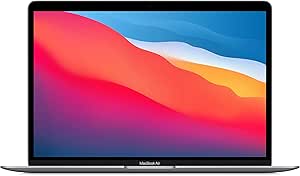 | Best Entry-Level Renewed MacBook Air | Processor: Apple M1, 8-core, up to 3.1 GHz | Memory: 8GB | Storage: 256GB SSD | VIEW LATEST PRICE | See Our Full Breakdown |
| Apple MacBook Air 15-inch (2023, M2, 8GB RAM, 256GB SSD, Midnight, Renewed) |  | Best for a Large Screen on a Renewed Air | Processor: Apple M2, 8-core CPU | Graphics: Integrated Apple M2 10-core GPU | Memory: 8GB unified memory | VIEW LATEST PRICE | See Our Full Breakdown |
| Apple 2025 MacBook Air 13.6-inch with M4 Chip, 16GB Memory, 256GB SSD (Renewed, Sky Blue) |  | Best Renewed Air for Multitasking | Processor: Apple M4, 10-core | Memory: 16GB unified memory | Storage: 256GB SSD | VIEW LATEST PRICE | See Our Full Breakdown |
| Apple MacBook Air 13-inch with M5 chip, 16GB memory, 512GB SSD, and Liquid Retina display (Midnight) |  | Best Overall for a Newer, Better-Equipped Compact Air | Chip: Apple M5 | Memory: 16GB unified memory | Storage: 512GB SSD | VIEW LATEST PRICE | See Our Full Breakdown |
| MacBook Air laptop | Display | Memory | Storage | Battery life |
|---|---|---|---|---|
| Apple MacBook Air 13.6-inch wi | 13.6-inch Liquid Retina, 2560 × 1664, 224 ppi | 24GB unified memory | 2TB SSD | Up to 18 hours |
| Apple MacBook Air 15-inch with | 15.3-inch Liquid Retina, 2880 × 1864, 224 ppi | 24GB unified memory | 2TB SSD | Up to 18 hours |
| Apple MacBook Air 13-inch with | 13.6-inch Liquid Retina, 2560 × 1664, 224 ppi | 32GB unified memory | 1TB SSD | Up to 18 hours |
| Apple MacBook Air 15-inch | 15.3-inch Liquid Retina, 2880 × 1864 | 24GB unified memory | 512GB SSD | Up to 18 hours |
| Apple MacBook Air 15-inch with | 15.2-inch LED | 24GB | 2TB SSD | Up to 18 hours |
| Apple MacBook Air 15-inch with | 15.3-inch Liquid Retina, 2880 × 1864 at 224 ppi | 32GB | 512GB SSD | Up to 18 hours |
| Apple MacBook Air 13-inch Lapt | 13.6-inch Liquid Retina, 2560 × 1664 at 224 ppi | 32GB unified memory | 1TB SSD | Up to 18 hours |
| Apple MacBook Air 13.3-inch | 13.3-inch glossy display, up to 1440 × 900 | 8GB 1600 MHz LPDDR3 | 128GB SSD | Up to 12 hours |
| Apple 2022 MacBook Air 13.6-in | 13.6-inch Retina LED, 2560 × 1664 | 8GB unified memory | 256GB SSD | — |
| Apple MacBook Air 15-inch with | 15.3-inch Liquid Retina | 16GB unified memory | 512GB SSD | Up to 18 hours |
| Apple MacBook Air 13.3-inch | 13.3-inch LED/LCD, 2560 × 1600 pixels | 8GB | 256GB SSD | Up to 18 hours in description; 15 hours in specification |
| Apple MacBook Air 15-inch | 15.3-inch Liquid Retina, 2880 × 1864 pixels | 8GB unified memory | 256GB SSD | Up to 18 hours |
| Apple 2025 MacBook Air 13.6-in | 13.6-inch Liquid Retina, 2560 × 1664 pixels | 16GB unified memory | 256GB SSD | Up to 18 hours |
| Apple MacBook Air 13-inch with | 13.6-inch Liquid Retina, supports 1 billion colors | 16GB unified memory | 512GB SSD | Up to 18 hours |
More Details on Our Top Picks
Apple MacBook Air 13.6-inch with M5 Chip, 24GB Memory, 2TB SSD, Midnight
I’d choose this 13-inch Air when a roomy local drive matters but a small carry weight matters more. Its 2TB SSD gives photographers, frequent travelers, and large-project users space to keep files close at hand, while 24GB of unified memory suits demanding multitasking better than entry-level configurations. The 13.6-inch display and 1.23 kg body are easier to fit into a crowded commute than the 15-inch M5 model, though that larger model offers more screen area and a 10-core GPU instead of this model’s 8-core GPU. Battery life is rated up to 18 hours, but the two Thunderbolt 4 ports leave little room for wired accessories without a hub. Integrated graphics also make this a poor fit for sustained, graphics-heavy work.
Pros:- 2TB SSD provides ample room for projects and offline files
- 24GB unified memory supports heavier multitasking
- 1.23 kg design is lighter to carry than the 15-inch M5 models
- Up to 18 hours of stated battery life
Cons:- Only two Thunderbolt 4 ports are listed, so multiple wired accessories may require a hub
- Integrated graphics are less suited to sustained graphics-heavy workloads
- The smaller display gives less workspace than the 15-inch alternatives
Best for: Mobile professionals and creative users who need substantial onboard storage and memory in a compact laptop.
Not ideal for: People who want a large built-in workspace, lots of direct port connections, or discrete graphics for demanding 3D work.
- Chip:Apple M5, 10-core CPU and 8-core GPU
- Display:13.6-inch Liquid Retina, 2560 × 1664, 224 ppi
- Memory:24GB unified memory
- Storage:2TB SSD
- Battery life:Up to 18 hours
- Weight:1.23 kg
- Camera:12MP Center Stage
- Ports:Two Thunderbolt 4 ports, MagSafe charging port, headphone jack
- Wireless:Wi-Fi 7 and Bluetooth 6
Our verdict“Pick this compact M5 Air if you want 2TB of storage and 24GB of memory without carrying the larger 15-inch model.”
Apple MacBook Air 15-inch with M5 chip, 24GB Memory, 2TB SSD, Midnight
This is the clearest choice here for buyers who want a generous display without giving up the Air’s portable format. The 15.3-inch Liquid Retina screen offers more room for split-screen work, spreadsheets, and timelines than the 13.6-inch M5 model, and its 10-core GPU is a step up from that smaller Air’s 8-core GPU. Pairing 24GB of memory with a 2TB SSD also gives demanding everyday workloads plenty of headroom and local storage. The tradeoff is physical: at 1.51 kg, it is heavier and takes up more bag space than the compact option. Its two Thunderbolt 4 ports may also call for a hub, and integrated graphics still put it behind a machine designed for sustained graphics-intensive work.
Pros:- 15.3-inch display provides more workspace than the 13.6-inch M5 Air
- 10-core GPU is stronger on paper than the smaller M5 configuration’s 8-core GPU
- 24GB unified memory and 2TB SSD support demanding multitasking and large file libraries
- Up to 18 hours of stated battery life
Cons:- At 1.51 kg, it is heavier than the 13-inch M5 Air
- Two Thunderbolt 4 ports limit direct wired connections
- Integrated graphics are not a substitute for a discrete GPU in graphics-heavy workflows
Best for: Students and professionals who regularly work with several windows or media projects and want a large screen with generous memory and storage.
Not ideal for: Frequent travelers who prioritize the smallest, lightest laptop, or users whose graphics workloads need a discrete GPU.
- Chip:Apple M5, 10-core CPU and 10-core GPU
- Display:15.3-inch Liquid Retina, 2880 × 1864, 224 ppi
- Memory:24GB unified memory
- Storage:2TB SSD
- Battery life:Up to 18 hours
- Weight:1.51 kg
- Camera:12MP Center Stage
- Ports:Two Thunderbolt 4 ports, MagSafe charging port, headphone jack
- Wireless:Wi-Fi 7 and Bluetooth 6
Our verdict“Choose this 15-inch M5 Air if screen space, 2TB storage, and a 10-core GPU matter more than the 13-inch model’s easier portability.”
Apple MacBook Air 13-inch with M5 Chip, 32GB Memory, 1TB SSD, Silver
The standout here is not extra storage or a bigger screen; it is 32GB of unified memory in a 1.23 kg 13-inch Air. That makes this configuration a more compelling match for users who keep many apps and browser tabs open, work with large files, or run memory-hungry creative tools. Compared with the 24GB 13-inch M5 model, it trades half the SSD capacity for 8GB more memory, so the right pick depends on whether active workloads or local file storage are the bigger pressure point. The 13.6-inch Liquid Retina display and up-to-18-hour battery rating retain the Air’s travel-friendly strengths. Its integrated graphics share system memory, and the two Thunderbolt 4 ports can mean carrying a hub for a more connected desk setup.
Pros:- 32GB unified memory is the highest capacity among the listed compact M5 configurations
- Light 1.23 kg body is suited to commuting and travel
- 1TB SSD offers substantial local storage
- Up to 18 hours of stated battery life
Cons:- 1TB storage is less than the 2TB offered by the 24GB M5 configurations
- Integrated graphics share the unified memory pool
- Two Thunderbolt 4 ports may not cover a multi-accessory desk setup
Best for: Developers, researchers, and creative professionals who run memory-intensive apps or keep multiple demanding tasks open while traveling.
Not ideal for: Buyers who need 2TB of built-in storage, a larger display, or stronger graphics hardware for sustained visual workloads.
- Chip:Apple M5, 10-core CPU and 8-core GPU
- Display:13.6-inch Liquid Retina, 2560 × 1664, 224 ppi
- Memory:32GB unified memory
- Storage:1TB SSD
- Battery life:Up to 18 hours
- Weight:1.23 kg
- Camera:12MP Center Stage
- Ports:Two Thunderbolt 4 ports, MagSafe charging port, headphone jack
- Wireless:Wi-Fi 7 and Bluetooth 6
Our verdict“Choose this 13-inch Air over the 24GB model if memory-heavy workloads matter more to you than having a 2TB SSD.”
Apple MacBook Air 15-inch (2025) with M4 Chip, 24GB Memory, 512GB SSD, Liquid Retina Display, and Touch ID
This 2025 M4 configuration suits buyers who want the Air’s larger screen and useful memory capacity without needing the newer M5 models’ 2TB drives. Its 15.3-inch display gives work and media more breathing room than either 13-inch option, while 24GB unified memory supports heavier multitasking than a basic everyday setup. The M4 chip is described as capable of multitasking, video editing, and graphics-intensive games, but the newer 15-inch M5 model pairs a 10-core GPU with twice the storage and adds Wi-Fi 7. This M4’s 512GB SSD is a more restrictive fit for large local libraries, and its listed Wi-Fi 802.11ax is older than the M5 models’ Wi-Fi 7. Integrated graphics and a stated 90-day limited warranty are further drawbacks to weigh.
Pros:- 15.3-inch Liquid Retina display offers a broad workspace
- 24GB unified memory supports multitasking and creative applications
- Touch ID and a backlit keyboard add useful everyday convenience
- Up to 18 hours of stated battery life
Cons:- 512GB SSD is smaller than the 2TB drives in the listed M5 models
- M4 chip and Wi-Fi 802.11ax are older than the M5 options with Wi-Fi 7
- Listed 90-day limited warranty is shorter than the one-year warranty listed for the Sky Blue M5 model
Best for: Office users and students who want a large-screen 15-inch Air with 24GB memory for multitasking, video calls, and moderate creative work.
Not ideal for: People who need large local project storage, the newer M5 chip and Wi-Fi 7, or a longer warranty than the listed 90-day limited warranty.
- Model year:2025
- Processor:Apple M4, 10-core
- Display:15.3-inch Liquid Retina, 2880 × 1864
- Memory:24GB unified memory
- Storage:512GB SSD
- Battery life:Up to 18 hours
- Weight:1.51 kg
- Camera:12MP Center Stage
- Security:Touch ID fingerprint reader
Our verdict“Pick this M4 Air if you want a large display and 24GB memory but do not need the M5 models’ 2TB storage or newer wireless specification.”
Apple MacBook Air 15-inch with M5 Chip, 24GB Memory, 2TB SSD, Sky Blue
This Sky Blue 15-inch M5 Air is aimed at buyers who want ample built-in storage and a large screen, with 2TB SSD capacity and 24GB of memory covering a broad range of everyday and creative tasks. Compared with the 2025 15-inch M4 Air, it doubles the listed storage and uses the newer M5 chip; compared with the 13.6-inch M5 model, it offers a larger display but gives up some portability. The supplied data describes a 15.2-inch LED display and does not specify its resolution or port arrangement, so buyers who need those details should verify the exact configuration before choosing. Its integrated graphics are not aimed at demanding sustained 3D work, and 24GB is the stated memory ceiling for this configuration.
Pros:- 2TB SSD provides substantial built-in file capacity
- 24GB memory pairs well with multitasking and larger everyday projects
- 15.2-inch display is larger than the compact 13-inch M5 options
- Up to 18 hours of stated battery life and a listed one-year limited warranty
Cons:- At 15.2 inches, it is less compact than the 13-inch M5 Air
- Integrated graphics are not suited to sustained, demanding graphics work
- The supplied specifications do not list display resolution or ports
Best for: People who keep large media or work archives on their laptop and want a large-screen M5 Air for home, school, or hybrid work.
Not ideal for: Frequent travelers seeking the lightest Air, buyers who need confirmed display-resolution and port details, or users needing more than 24GB memory or discrete graphics.
- Processor:Apple M5
- Display:15.2-inch LED
- Memory:24GB
- Storage:2TB SSD
- Graphics:Integrated
- Battery life:Up to 18 hours
- Color:Sky Blue
- Dimensions:12.31 × 8.71 × 0.61 inches
- Warranty:Apple one-year limited warranty
Our verdict“Choose this Sky Blue 15-inch M5 Air if 2TB of onboard storage and a large screen take priority over compact size and fully specified connectivity.”
Apple MacBook Air 15-inch with M5 Chip, 32GB Memory, 512GB SSD, Midnight
This 15-inch Air pairs a roomy display with 32GB of memory, making it a better fit for juggling demanding apps, large projects, and many browser tabs than the 16GB MacBook Air 15-inch with M5 Chip. Its 15.3-inch Liquid Retina screen gives spreadsheets and side-by-side windows more breathing room, while the 10-core CPU and 10-core GPU handle everyday creative work without adding a fan or a bulky chassis. At 1.51 kg, it remains portable for a large-screen laptop, and battery life is specified at up to 18 hours. The tradeoff is that the 512GB SSD offers less room for local media than higher-storage Air configurations. Integrated graphics and only two Thunderbolt 4 ports also make it a less suitable workstation replacement.
Pros:- 32GB memory gives demanding multitasking more headroom than the 16GB 15-inch M5 configuration.
- 15.3-inch Liquid Retina display provides useful space for split-screen work.
- Up to 18 hours of stated battery life supports long workdays away from an outlet.
- Supports up to two external displays.
Cons:- 512GB SSD may fill quickly with large creative files.
- Integrated graphics are not intended for workloads that need a discrete GPU.
- Two Thunderbolt 4 ports limit built-in accessory connections.
Best for: People who keep many apps open, work with large files, and want a spacious display without giving up portability.
Not ideal for: Video professionals with large local media libraries or buyers who need discrete graphics and a wide selection of built-in ports.
- Chip:Apple M5, 10-core CPU and 10-core GPU
- Memory:32GB
- Storage:512GB SSD
- Display:15.3-inch Liquid Retina, 2880 × 1864 at 224 ppi
- Battery life:Up to 18 hours
- Weight:1.51 kg
- Ports:Two Thunderbolt 4 ports, MagSafe charging port, headphone jack
- Wireless:Wi-Fi 7 and Bluetooth 6
Our verdict“Choose this 15-inch Air if you want generous multitasking memory and a large screen, but do not need a larger SSD or discrete graphics.”
Apple MacBook Air 13-inch Laptop with M5 Chip, 32GB Memory, 1TB SSD, Sky Blue
The 13-inch M5 Air is the more travel-friendly choice for buyers who want a strong memory and storage setup without moving to a 15-inch chassis. It combines 32GB of unified memory with a 1TB SSD, giving it more room for multitasking and files than the 16GB, 512GB MacBook Air 15-inch with M5 Chip. At 1.23 kg, it is also easier to carry daily, while its 13.6-inch display keeps the footprint compact. The smaller screen is the main compromise: people who routinely arrange multiple windows side by side may prefer the 15-inch models. Its 8-core GPU is also less capable on paper than the 10-core GPU in the 15-inch M5 with 32GB memory. Both configurations share integrated graphics and a two-port Thunderbolt setup.
Pros:- 32GB unified memory supports heavy multitasking in a compact system.
- 1TB SSD offers more local file space than the 512GB 15-inch M5 configurations.
- At 1.23 kg, it is lighter than the listed 15-inch Air models.
- Up to 18 hours of stated battery life and support for up to two external displays.
Cons:- 13.6-inch display provides less room for multitasking than a 15.3-inch Air.
- 8-core GPU has fewer cores than the 10-core GPU in the 32GB 15-inch M5 model.
- Only two Thunderbolt 4 ports are listed.
Best for: Frequent travelers, students, and mobile professionals who need substantial memory and 1TB of storage in a compact laptop.
Not ideal for: Buyers who prioritize a large workspace or need stronger graphics capability for GPU-heavy creative projects.
- Chip:Apple M5, 10-core CPU and 8-core GPU
- Memory:32GB unified memory
- Storage:1TB SSD
- Display:13.6-inch Liquid Retina, 2560 × 1664 at 224 ppi
- Battery life:Up to 18 hours
- Weight:1.23 kg
- Camera:12MP Center Stage
- Wireless:Wi-Fi 7 and Bluetooth 6
Our verdict“Pick this model if portability, 32GB memory, and 1TB storage matter more than a large built-in screen.”
Apple MacBook Air 13.3-inch, 1.8 GHz Core i5, 8 GB RAM, 128 GB SSD (2017, MQD32LL/A, Certified Refurbished)
This certified refurbished 2017 Air is the most basic and dated option in this group, so its case rests on familiar Mac fundamentals rather than speed or modern features. The 2.96-pound aluminum design remains portable, and the built-in SDXC slot is a practical advantage over the M2 and M5 Airs, which list no SD card slot. But its 128GB SSD and 8GB of memory leave little room for a modern workload, and its 1440 × 900 display is notably less sharp than the 13.6-inch screen on the renewed 2022 M2 MacBook Air. The 720p camera and older wireless standards are further signs of its age. I would reserve this pick for light, familiar tasks and buyers who specifically need the older port layout, not as a forward-looking everyday laptop.
Pros:- Lightweight aluminum unibody design at 2.96 pounds.
- Built-in SDXC card slot is absent from the listed M2 and M5 Airs.
- Battery life is specified at up to 12 hours.
Cons:- 128GB SSD and 8GB memory constrain storage and multitasking.
- 1440 × 900 display is lower resolution than the renewed 2022 M2 Air’s 2560 × 1664 display.
- Older 720p camera and Wi-Fi 802.11ac connectivity.
Best for: Mac users with simple browsing, document, and email needs who specifically value an SDXC slot and can work within limited storage.
Not ideal for: Students or professionals who need current performance, a sharp high-resolution display, modern video calls, or ample local storage.
- Model year:2017
- Processor:Intel Core i5-7360U, 1.8 GHz, Turbo Boost up to 2.9 GHz
- Memory:8GB 1600 MHz LPDDR3
- Storage:128GB SSD
- Display:13.3-inch glossy display, up to 1440 × 900
- Graphics:Intel HD Graphics 6000
- Battery life:Up to 12 hours
- Ports and slots:SDXC card slot
- Condition:Certified refurbished; minimum 90-day warranty
Our verdict“Consider this refurbished Air only for basic tasks and its SD card slot; the renewed M2 is a better fit for most everyday Mac buyers.”
Apple 2022 MacBook Air 13.6-inch with M2 Chip, 8GB RAM, 256GB SSD (Renewed, Starlight)
This renewed M2 Air makes more sense than the 2017 Intel model for buyers who want a more recent design and a sharper screen, while avoiding the older machine’s 128GB storage limit. Its 13.6-inch, 2560 × 1664 display provides a clearer workspace than the 2017 Air’s 1440 × 900 panel, and the M2 chip brings an 8-core CPU and 8-core GPU. Compared with the M5 Air models in this roundup, though, it has 8GB of installed memory and only 256GB of storage, so it is better suited to everyday browsing and productivity than sustained heavy multitasking or large media libraries. Renewed condition and a 90-day limited warranty are additional tradeoffs. The listed two Thunderbolt ports also mean adapters may be needed for other connections.
Pros:- M2 chip has an 8-core CPU and 8-core GPU.
- 13.6-inch display with 2560 × 1664 resolution is sharper than the 2017 Air’s panel.
- At 2.7 pounds, it remains a lightweight everyday laptop.
- Includes macOS and Apple productivity and creative apps.
Cons:- 8GB installed memory is substantially less than the 32GB in the M5 configurations.
- 256GB SSD limits space for large projects and media collections.
- Renewed condition comes with a 90-day limited warranty.
Best for: Everyday Mac users who want a newer, sharper-screen design for browsing, schoolwork, and office tasks and are comfortable buying renewed.
Not ideal for: Multitaskers, creative professionals with large files, or buyers who want a new machine and more memory or storage headroom.
- Model year:2022
- Processor:Apple M2, 8-core CPU
- Graphics:Integrated 8-core GPU
- Memory:8GB unified memory
- Storage:256GB SSD
- Display:13.6-inch Retina LED, 2560 × 1664
- Weight:2.7 pounds
- Connectivity:Wi-Fi 6, Bluetooth, two Thunderbolt ports
- Warranty:90-day limited warranty
Our verdict“Choose this renewed M2 Air for everyday tasks and a modern high-resolution display, but skip it if you need more than 8GB of memory or 256GB of storage.”
Apple MacBook Air 15-inch with M5 Chip, 16GB Memory, 512GB SSD, Midnight
This 15-inch M5 Air is the straightforward large-screen choice for everyday work: it keeps the same 15.3-inch Liquid Retina display and up to 18-hour battery specification as the 32GB version, while its 16GB of unified memory suits routine productivity, browsing, and lighter creative tasks. Compared with the MacBook Air 15-inch with M5 Chip and 32GB memory, it gives up multitasking headroom but retains the same 512GB SSD capacity. It is also a more spacious alternative to the 13-inch M5 Air with 32GB memory and 1TB storage, though that smaller model is lighter and better equipped for storage-heavy mobile work. The stated 3.32-pound weight is less convenient for frequent carrying, and two Thunderbolt 4 ports may call for a hub.
Pros:- 15.3-inch Liquid Retina display offers more workspace than the 13-inch M5 Air.
- M5 chip and 16GB unified memory suit everyday work and lighter creative tasks.
- Up to 18 hours of stated battery life.
- Supports up to two external displays and includes a 12MP Center Stage camera.
Cons:- 16GB memory provides less multitasking headroom than the 32GB 15-inch M5 option.
- 512GB SSD is smaller than the 1TB storage in the 13-inch M5 configuration.
- Two Thunderbolt 4 ports may require a hub for multiple wired accessories.
Best for: Home-office users and students who want a large built-in display for everyday work without needing 32GB of memory.
Not ideal for: Frequent travelers who want the smallest Air, or power users who routinely run memory-heavy apps and need more than 512GB of local storage.
- Chip:Apple M5
- Memory:16GB unified memory
- Storage:512GB SSD
- Display:15.3-inch Liquid Retina
- Battery life:Up to 18 hours
- Weight:3.32 pounds
- Camera:12MP Center Stage
- Connectivity:Wi-Fi 7, Bluetooth 6, two Thunderbolt 4 ports, MagSafe, headphone jack
- External displays:Supports up to two
Our verdict“Pick this model for a large-screen everyday MacBook Air, but choose the 32GB version for heavier multitasking or the 13-inch model for easier travel.”
Apple MacBook Air 13.3-inch (2020, M1, 8GB RAM, 256GB SSD), Space Gray (Renewed)
This renewed M1 MacBook Air suits buyers who want a compact everyday laptop and can work within 8GB of memory and 256GB of storage. Its M1 chip remains a capable fit for browsing, documents, video calls, and light creative work, while the 13.3-inch, 2560 × 1600 display keeps the laptop easy to carry. Compared with the newer 13.6-inch M4 MacBook Air in this lineup, it gives up a larger display and newer processing hardware, but remains a simpler option for routine tasks. The tradeoffs matter: memory and storage leave less room for demanding multitasking and large local files, and this is a renewed unit with a 90-day limited warranty. Battery claims also conflict: the description says up to 18 hours, while the specification lists 15.
Pros:- M1 chip is well suited to common productivity and browsing tasks
- Compact 13.3-inch display and 3.8-pound listed weight make it practical to carry
- 256GB SSD provides more local storage than entry configurations with smaller drives
- Backlit keyboard and anti-glare display support varied lighting conditions
Cons:- 8GB memory can limit heavier multitasking and demanding creative workloads
- Battery-life figures conflict between the description and specification
- Renewed condition and 90-day limited warranty offer less reassurance than a new model
Best for: Students and everyday users who want a portable MacBook Air for web, writing, and video calls and are comfortable buying renewed.
Not ideal for: People editing large media projects, keeping extensive files locally, or seeking a longer warranty and newer hardware.
- Processor:Apple M1, 8-core, up to 3.1 GHz
- Memory:8GB
- Storage:256GB SSD
- Display:13.3-inch LED/LCD, 2560 × 1600 pixels
- Graphics:Integrated Apple graphics
- Battery life:Up to 18 hours in description; 15 hours in specification
- Weight:3.8 pounds
- Warranty:90-day limited warranty
Our verdict“Choose this renewed M1 Air for basic everyday work in a compact package, but pick the newer M4 model for more memory and a larger, newer display.”
Apple MacBook Air 15-inch (2023, M2, 8GB RAM, 256GB SSD, Midnight, Renewed)
The main reason to choose this renewed M2 Air is its 15.3-inch Liquid Retina display: the extra workspace makes split-screen documents and spreadsheets easier to manage than on the 13.3-inch M1 Air. Its 500-nit brightness and P3 wide color also suit people who spend long stretches reading or viewing photos. The fanless design keeps operation silent, and the M2 chip adds a newer platform than the M1 model. At a listed 3.3 pounds, it is still relatively light for a large-screen laptop, though it is less compact than the 13-inch options. The configuration is the compromise: 8GB memory and 256GB storage can constrain heavier workflows, and the listed macOS Catalina detail sits oddly beside a 2023 model. Renewed condition adds another reason to verify the unit and included software details.
Pros:- 15.3-inch display gives documents and side-by-side windows more room
- 500-nit brightness and P3 wide color support vivid viewing
- Fanless operation runs silently
- M2 chip is a newer generation than the M1 Air in this batch
Cons:- 8GB memory and 256GB SSD restrict demanding multitasking and large local libraries
- Larger body is less compact than the 13-inch MacBook Air options
- Renewed condition and the listed macOS Catalina detail warrant checking before purchase
Best for: Remote workers and students who want a roomy screen for documents, research, or side-by-side apps without moving to a heavier Pro laptop.
Not ideal for: Frequent travelers prioritizing the smallest footprint, or creative users who need more than 8GB memory and 256GB of local storage.
- Processor:Apple M2, 8-core CPU
- Graphics:Integrated Apple M2 10-core GPU
- Memory:8GB unified memory
- Storage:256GB SSD
- Display:15.3-inch Liquid Retina, 2880 × 1864 pixels
- Display brightness:Up to 500 nits
- Battery life:Up to 18 hours
- Weight:3.3 pounds
- Wireless:Wi-Fi 6, Bluetooth 5.3
Our verdict“Pick this M2 Air if screen space matters more than compact size, but choose a 13-inch model for easier travel or a newer, higher-memory configuration for heavier work.”
Apple 2025 MacBook Air 13.6-inch with M4 Chip, 16GB Memory, 256GB SSD (Renewed, Sky Blue)
This 2025 renewed Air is the strongest fit here for buyers who want a current-feeling compact laptop without stepping up to the 15-inch M2’s larger frame. Its standout advantage over both the M1 13.3-inch Air and the 15-inch M2 Air is 16GB of unified memory, which gives more breathing room for keeping multiple apps and browser tabs open. The M4 chip and 13.6-inch Liquid Retina display make it better suited to mixed work, entertainment, and lighter creative tasks than the older M1 option. The tradeoff is storage: 256GB SSD may fill quickly with video, photo libraries, or large applications. It is also renewed, not new, and the listed 90-day limited warranty is shorter than many buyers may want. Its stated battery life reaches up to 18 hours, though real runtime depends on workload.
Pros:- 16GB unified memory provides more multitasking headroom than the 8GB M1 and M2 options here
- M4 chip is the newest processor among the four products in this batch
- 13.6-inch Liquid Retina display supports 1 billion colors
- Lightweight design and stated battery life of up to 18 hours suit mobile work
Cons:- 256GB SSD can be tight for large media libraries and creative applications
- Renewed condition may not suit buyers who prefer a new device
- 90-day limited warranty is relatively short
Best for: Mobile professionals and students who multitask across several apps and want a newer chip and 16GB memory in a compact Air.
Not ideal for: People who store large creative projects locally or want a new laptop with a longer warranty.
- Processor:Apple M4, 10-core
- Memory:16GB unified memory
- Storage:256GB SSD
- Display:13.6-inch Liquid Retina, 2560 × 1664 pixels
- Battery life:Up to 18 hours
- Battery capacity:53.8 watt-hours
- Weight:1.24 kg
- Warranty:90-day limited warranty
- Included accessories:30W USB-C power adapter and 2m USB-C to MagSafe 3 cable
Our verdict“Choose this renewed M4 Air if you want the strongest balance of portability and multitasking in this batch, provided 256GB of storage is enough.”
Apple MacBook Air 13-inch with M5 chip, 16GB memory, 512GB SSD, and Liquid Retina display (Midnight)
This M5 configuration earns the broadest recommendation in this batch by pairing 16GB unified memory with a 512GB SSD in a 2.71-pound, 13.6-inch Air. That extra storage is a practical advantage over the renewed M4 model’s 256GB drive, while the newer M5 chip gives this configuration a stronger position for longer-term everyday use. The 12MP Center Stage camera adds a useful video-call feature, and support for two external displays can turn the compact laptop into a more flexible desk setup. Its stated battery life is up to 18 hours. The main compromise is familiar to Air buyers: only two Thunderbolt 4 ports plus MagSafe and a headphone jack, so peripherals may call for a hub. It also shares the smaller screen format of the M4 Air rather than the expansive 15-inch M2 display.
Pros:- 16GB memory and 512GB SSD offer more working headroom and storage than the renewed M4 model in this batch
- M5 chip provides the newest processor generation among these four options
- Supports up to two external displays
- 12MP Center Stage camera supports video calls, with Desk View also listed
Cons:- Two Thunderbolt 4 ports may require a hub for multiple wired accessories
- 13.6-inch display offers less workspace than the 15.3-inch M2 Air
- Up to 18 hours is a stated maximum, not a guarantee of runtime under demanding use
Best for: People seeking a portable primary laptop for work, video calls, and external-monitor setups who want more storage than the renewed M4 Air offers.
Not ideal for: Buyers who need a large built-in display or several built-in ports for wired accessories and peripherals.
- Chip:Apple M5
- Memory:16GB unified memory
- Storage:512GB SSD
- Display:13.6-inch Liquid Retina, supports 1 billion colors
- Camera:12MP Center Stage; Desk View support
- Battery life:Up to 18 hours
- Ports:Two Thunderbolt 4 ports, MagSafe charging port, headphone jack
- Wireless:Wi-Fi 7, Bluetooth 6
- Weight:2.71 pounds
Our verdict“Choose this M5 Air for a portable all-rounder with generous memory, more storage, and flexible external-display support; choose the 15-inch M2 if built-in screen space comes first.”

How We Picked
I compared the 14 listed MacBook Air configurations by the factors that most affect daily ownership: chip generation, memory, SSD capacity, screen size, and condition. I also weighed how well each configuration suits common workloads, from browsing and schoolwork to extensive multitasking, and whether its compromises are likely to frustrate its intended buyer. Since several entries share a chip and screen size but differ in memory, storage, or finish, I treated those configurations as distinct choices rather than assuming one version fits everyone.
The ranking favors models that balance current hardware with practical capacity and a clear use case. That puts a versatile 13-inch M5 configuration ahead of options that are more specialized, such as 32GB-memory builds or larger 15-inch models. M4 and M2 machines remain relevant for buyers who prefer an earlier generation or renewed device, but their position reflects the age and condition tradeoffs. The 2017 Intel model ranks lowest because it offers the least headroom for modern workloads. Renewed and refurbished picks should be judged by their seller’s condition details, return terms, and battery information, not by the model name alone.
| MacBook Air laptop | Chip | Battery life | Wireless | Processor |
|---|---|---|---|---|
| Apple MacBook Air 13.6-inch wi | Apple M5, 10-core CPU and 8-core GPU | Up to 18 hours | Wi-Fi 7 and Bluetooth 6 | — |
| Apple MacBook Air 15-inch with | Apple M5, 10-core CPU and 10-core GPU | Up to 18 hours | Wi-Fi 7 and Bluetooth 6 | — |
| Apple MacBook Air 13-inch with | Apple M5, 10-core CPU and 8-core GPU | Up to 18 hours | Wi-Fi 7 and Bluetooth 6 | — |
| Apple MacBook Air 15-inch | — | Up to 18 hours | — | Apple M4, 10-core |
| Apple MacBook Air 15-inch with | — | Up to 18 hours | — | Apple M5 |
| Apple MacBook Air 15-inch with | Apple M5, 10-core CPU and 10-core GPU | Up to 18 hours | Wi-Fi 7 and Bluetooth 6 | — |
| Apple MacBook Air 13-inch Lapt | Apple M5, 10-core CPU and 8-core GPU | Up to 18 hours | Wi-Fi 7 and Bluetooth 6 | — |
| Apple MacBook Air 13.3-inch | — | Up to 12 hours | — | Intel Core i5-7360U, 1.8 GHz, Turbo Boost up to 2.9 GHz |
| Apple 2022 MacBook Air 13.6-in | — | — | — | Apple M2, 8-core CPU |
| Apple MacBook Air 15-inch with | Apple M5 | Up to 18 hours | — | — |
| Apple MacBook Air 13.3-inch | — | Up to 18 hours in description; 15 hours in specification | — | Apple M1, 8-core, up to 3.1 GHz |
| Apple MacBook Air 15-inch | — | Up to 18 hours | Wi-Fi 6, Bluetooth 5.3 | Apple M2, 8-core CPU |
| Apple 2025 MacBook Air 13.6-in | — | Up to 18 hours | — | Apple M4, 10-core |
| Apple MacBook Air 13-inch with | Apple M5 | Up to 18 hours | Wi-Fi 7, Bluetooth 6 | — |
Factors to Consider When Choosing Best MacBook Air Laptops
Before choosing a configuration, I would match the laptop to the way it will be used over its expected lifespan. These broader tradeoffs can help prevent paying for specifications that sit idle—or buying a model that feels cramped once your workload changes.
Choose Screen Size Around Your Daily Setup
A 13-inch Air is easier to carry and fits better on small desks, classroom tables, and crowded commutes. A 15-inch display gives spreadsheets, side-by-side documents, and video timelines more room without requiring an external monitor. The larger panel does not automatically make the laptop faster, so avoid choosing it solely for performance expectations. Think about whether you work in one place or move between rooms and locations throughout the day. If you usually connect a monitor at a desk, the more portable size may be the better use of your budget. If the laptop screen is your main workspace, the extra space can reduce window shuffling.
Buy Memory for Your Workload, Not a Spec Sheet
Memory affects how comfortably a laptop handles many open apps, large files, and demanding creative tools at once. A 16GB configuration is a sensible target for a broad range of everyday and productivity use, while 32GB is easier to justify for heavier multitasking or sustained professional workloads. More memory does not make every task noticeably faster, so occasional browsing and document editing may not benefit much from the largest configuration. Consider the applications you use together, not just the most demanding app you own. Also think ahead: memory is a better long-term purchase when you expect your workload to grow and cannot easily change the configuration later. Do not sacrifice needed storage just to choose a memory tier you are unlikely to use.
Estimate Storage From Your Actual Files
SSD capacity affects how much you can keep on the laptop before moving files to cloud storage, an external drive, or another device. A 256GB drive can work for light use, but large photo libraries, video projects, and downloaded media can consume that space quickly. A 512GB configuration gives many buyers more breathing room without requiring a 1TB or 2TB drive. Before upgrading, check how much local storage your current computer uses and identify files you can realistically archive. Cloud services can help, but they depend on connectivity and may add recurring costs. Choosing a smaller SSD without a storage plan is a common way to make a new laptop feel limiting sooner than expected.
Compare Chip Generations Against the Tasks You Run
The M5 models are the newest generation represented here, while M4, M2, and M1 options offer older Apple silicon alternatives. A newer chip can provide more performance headroom, but a generation label alone does not tell you whether an upgrade will matter for your routine. Web work, writing, and common office tasks may not call for the newest configuration, while more demanding creative work can benefit from newer hardware and stronger memory options. Check software compatibility and support expectations when considering an older device, especially a 2017 Intel model. Match the device to the applications you rely on today and the likelihood that those needs will change. Avoid paying for a newer chip if a well-suited earlier model meets your real workload and condition requirements.
Treat Renewed and Refurbished Status as a Separate Decision
A renewed or certified-refurbished MacBook Air can offer a way to choose an older generation, but its condition is part of the purchase, not a footnote. Check what the seller says about battery health, cosmetic wear, included accessories, warranty coverage, and return eligibility. The same model name can describe devices with very different histories, so confirm the exact year, chip, memory, and SSD capacity before ordering. Older machines also give you less runway for future software and workload demands than newer models, even when they still handle basic tasks. Compare the savings with the value of a fresh battery, stronger support terms, or a newer chip. If condition details are vague, I would favor a clearly specified configuration over an uncertain bargain.
Plan for Peripherals and Your Portability Needs
MacBook Air models are designed around portability, so buyers who use several wired accessories should check their connection needs before choosing. A monitor, external storage, headset, and other peripherals may call for a hub or dock, adding cost and another item to carry. A larger display can reduce the need for a monitor at home, while a 13-inch model is easier to take along but may benefit more from a desk setup. Think about where files live, how you charge devices, and whether your workspace changes often. Buyers who need sustained heavy workloads or a wider selection of ports should compare the Air’s thin-and-light priorities with other laptop categories before committing. The right choice depends on the whole setup, not only the laptop’s processor.
Frequently Asked Questions
Should I choose a 13-inch M5 model or a 15-inch M5 model?
Choose the 13-inch model if carrying comfort, smaller work surfaces, and travel matter most. The 15-inch version gives you a roomier built-in workspace for documents and multitasking, which can be helpful if you rarely connect an external monitor. The chip generation is the same in the M5 configurations listed here, so screen size is the main difference to weigh. Compare the exact memory and SSD capacity too, since some configurations vary beyond display size. If you move around often, the smaller model is the more convenient daily companion; if the laptop stays open on a desk, the larger screen may be more useful.
Is 16GB of memory enough, or should I get 32GB?
For common tasks such as browsing, writing, video calls, and office work, 16GB is a reasonable fit for many buyers. Choose 32GB if you routinely keep many demanding apps open, work with large creative files, or want more headroom for workloads that are likely to grow. The 13-inch M5 models in this roundup include both memory levels, making the difference easier to compare without changing screen size. More memory is less valuable if your actual work is light and your files do not require intensive apps. If you are undecided, list the applications you use at the same time and use that pattern—not a vague desire for the biggest specification—to guide your choice.
Is a renewed M2 or M4 MacBook Air a sensible alternative to a new M5 model?
It can be, if the earlier-generation machine has the memory and storage you need and its condition is clearly documented. The M4 and M2 configurations in this roundup give buyers options beyond the newest M5 models, but renewed status adds questions about battery condition, warranty, and return rights. Check the exact year and configuration rather than relying on a product title that may group different versions. A newer chip is not automatically necessary for basic daily tasks, but an older device may offer less headroom as software and workloads change. If dependable condition details are unavailable, a newer model with clear terms may be the safer choice.
Can the 256GB SSD models work as my main computer?
Yes, a 256GB model can serve as a main computer if your files are modest, you use cloud storage, or you regularly archive work elsewhere. It is a tighter fit for large photo libraries, offline media, and video projects, which can fill local storage quickly. Check the amount of space currently used on your devices and leave room for apps, system files, and future projects. A 512GB configuration offers a more forgiving buffer for many people, while larger drives make sense when you keep substantial files locally. Do not assume cloud storage will replace local capacity seamlessly if you often work offline or handle large files.
Is the 2017 Intel MacBook Air still suitable for a student?
It may suit a student whose needs are limited to basic writing, web browsing, and simple online coursework, provided the refurbished unit is in acceptable condition. Its 8GB memory and 128GB SSD leave less room for demanding apps and a growing collection of files than the Apple silicon options here. The older Intel generation also makes software support and future usefulness bigger concerns than they are with newer models. Before buying, verify battery condition, return terms, and compatibility with the school’s required applications. Students who depend on video editing, heavier multitasking, or longer-term software support should look at a newer Apple silicon configuration instead.
Conclusion
For most buyers, I recommend the 13-inch M5 with 16GB memory and 512GB SSD as the best overall: it balances portability, current hardware, and everyday capacity. The best value depends on the condition and terms of the renewed M4 or M2 options, since the listings do not establish a universal winner on value alone. For a best premium fit, choose an M5 configuration with 32GB memory or expanded storage based on your actual workload; the 15-inch M5 is the better premium pick when screen space matters most. For beginners, the straightforward 13-inch M5 configuration is an easier all-round choice than an older refurbished model with tighter capacity. For specific needs, pick the 15-inch Air for a larger built-in workspace, 32GB for heavier multitasking, or an older renewed model only when its condition, capacity, and software needs check out. Match the configuration to your work and the way you carry your laptop, rather than buying the largest specification by default.