The best Acer Chromebooks balance enough speed for your workload with the screen size and format you’ll use every day. My best overall pick is the Acer Chromebook Plus Spin 514 with the Intel Core i5-1334U, which pairs a flexible touchscreen design with 512GB of storage. The Chromebook Plus 514 with a Core i3 is a strong everyday alternative, while the 15.6-inch Chromebook Plus 515 suits buyers who want more screen space. The main tradeoffs are portability versus a larger display, and premium performance versus simpler hardware for basic browsing. Read on for the full breakdown of all 15 options and how I’d choose among them.

Get the latest gadgets delivered free with Prime
- Fast, free delivery on millions of items
- Prime Video, Amazon Music and more included
- Member-only deals all year
Complete the kit



Key Takeaways
- The Spin 514 with Core i5-1334U ranks first for versatility: its convertible design and 512GB SSD give it a broader range of uses than the standard Chromebook Plus 514 models.
- The Chromebook Plus 514 is the practical everyday pick: its 14-inch touchscreen, Core i3 processor, and 8GB of RAM strike a useful balance without requiring a convertible hinge.
- Screen size changes the experience more than the name suggests: the 15.6-inch Plus 515 and 16-inch Plus 516 offer more room for split-screen work, but are less convenient to carry than 14-inch models.
- Entry-level Acer Chromebooks serve a narrower role: 4GB RAM models such as the Chromebook 315 are better matched to light browsing and simple tasks than demanding multitasking.
- Storage varies widely across this lineup: options range from 128GB eMMC or UFS to 512GB SSD, so buyers should check the exact configuration rather than relying on a shared model name.
| Acer Plus Spin 714 14-inch WUXGA 2-in-1 Chromebook, Intel Core Ultra 5 115U, 8GB RAM, 256GB SSD with Docking Station Storage, Gray |  | Best Bundle for Flexible Work | Display: 14-inch WUXGA (1920 × 1200) capacitive touchscreen | Processor: Intel Core Ultra 5 115U | Memory: 8GB LPDDR5 | VIEW LATEST PRICE | See Our Full Breakdown |
| Acer Chromebook Plus 514 14-Inch WUXGA Touchscreen Laptop, Intel Core i3-1315U, 8GB RAM, 256GB SSD, Wi-Fi 7, ChromeOS |  | Best for Wireless-Ready Everyday Work | Model: CB514-5HT-33RD | Display: 14-inch matte IPS touchscreen, 1920 × 1200, 16:10, 300 nits | Processor: Intel Core i3-1315U, 6 cores, 8 threads, up to 4.5 GHz | VIEW LATEST PRICE | See Our Full Breakdown |
| Acer Chromebook Plus Spin 714 14-inch 2-in-1 Chromebook, Intel Core Ultra 5 115U, 8GB RAM, 256GB SSD |  | Best Convertible for Color-Sensitive Work | Display: 14-inch WUXGA (1920 × 1200) IPS touchscreen | Color coverage: 100% sRGB | Processor: Intel Core Ultra 5 115U, 8 cores, 10 threads, up to 4.2 GHz | VIEW LATEST PRICE | See Our Full Breakdown |
| Acer Chromebook 315 15.6-Inch FHD Laptop, Intel Celeron N4500, 4GB RAM, 128GB Storage, ChromeOS |  | Best for Basic Big-Screen Computing | Display: 15.6-inch FHD (1920 × 1080) LCD, non-touch | Processor: Intel Celeron N4500 | Memory: 4GB RAM | VIEW LATEST PRICE | See Our Full Breakdown |
| Acer Chromebook Plus 514 14-Inch FHD Touchscreen Laptop, Intel Core i3-N305, 8GB RAM, 512GB SSD | 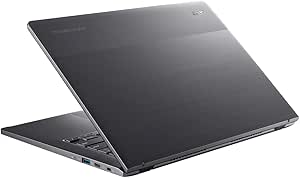 | Best for Built-In Storage | Display: 14-inch FHD IPS touchscreen, 1920 × 1080, 300 nits, 60 Hz | Processor: Intel Core i3-N305, 8 cores, 8 threads, up to 3.80 GHz | Memory: 8GB LPDDR5 | VIEW LATEST PRICE | See Our Full Breakdown |
| Acer Chromebook 15.6-Inch Full HD Laptop, Intel N50, 4GB LPDDR5, 128GB eMMC |  | Best for a Big Screen on a Basic Setup | Processor: Intel N50, 2 cores, up to 3.4 GHz | Display: 15.6-inch Full HD IPS, anti-glare, 1920 × 1080, 60 Hz | Memory: 4GB LPDDR5 | VIEW LATEST PRICE | See Our Full Breakdown |
| Acer Chromebook Plus Spin 514 14-Inch 2-in-1 Laptop, Intel Core i5-1334U, 8GB RAM, 512GB SSD |  | Best Premium Convertible | Processor: Intel Core i5-1334U, 10 cores, up to 4.6 GHz | Display: 14-inch WUXGA IPS touchscreen, 1920 × 1200 | Memory: 8GB DDR5 | VIEW LATEST PRICE | See Our Full Breakdown |
| Acer Chromebook Plus 514 14-Inch FHD Touchscreen Laptop |  | Best for Ports and Everyday Touch Use | Processor: Intel Core i3-N305, 8 cores and 8 threads, up to 3.8 GHz | Display: 14-inch FHD IPS touchscreen, 1920 × 1080 | Memory: 8GB RAM | VIEW LATEST PRICE | See Our Full Breakdown |
| Acer Chromebook Plus 515 15.6-Inch FHD Touchscreen Laptop |  | Best Large Touchscreen for Desk Use | Processor: Intel Core i3-1305U | Display: 15.6-inch FHD IPS touchscreen, 1920 × 1080, 60 Hz | Display protection: Corning Gorilla Glass | VIEW LATEST PRICE | See Our Full Breakdown |
| Acer Chromebook Spin 314 Convertible Laptop, 14-inch WUXGA Touchscreen, Intel Core i3-N305, 8GB RAM, 128GB eMMC |  | Best Convertible for Compact Storage Needs | Processor: Intel Core i3-N305, 1.8 GHz, turbo up to 3.8 GHz | Display: 14-inch WUXGA IPS touchscreen, 1920 × 1200, 16:10 | Display protection: Antimicrobial Corning Gorilla Glass | VIEW LATEST PRICE | See Our Full Breakdown |
| Acer Chromebook Plus 515 15.6-inch Touchscreen Laptop, Intel Core i3-1305U, 8GB RAM, 256GB SSD |  | Best Large-Screen Work Pick | Display: 15.6-inch Full HD (1920 × 1080) IPS touchscreen with ComfyView | Processor: Intel Core i3-1305U, 5-core, up to 4.5 GHz | Memory: 8GB DDR5 | VIEW LATEST PRICE | See Our Full Breakdown |
| Acer Chromebook 315 15.6-Inch Touchscreen Laptop, Intel N50, 8GB RAM, 128GB eMMC |  | Best for Everyday Basics | Model: Acer CB315-7HT-C7GN | Display: 15.6-inch Full HD (1920 × 1080) LCD touchscreen with anti-glare coating | Processor: Intel N50, 1.8 GHz base speed, up to 3.4 GHz | VIEW LATEST PRICE | See Our Full Breakdown |
| Acer Chromebook Plus 516 16-inch WUXGA Laptop, Intel Core i3-1315U, 8GB RAM, 128GB UFS, Chrome OS, Steel Gray |  | Best for Long Work Sessions | Display: 16-inch IPS LCD, 1920 × 1200 WUXGA, 300 nits, anti-glare | Processor: Intel Core i3-1315U, 6 cores, up to 4.5 GHz | Memory: 8GB LPDDR5 | VIEW LATEST PRICE | See Our Full Breakdown |
| Acer 15.6-Inch FHD Touch Chromebook, Intel N50, 8GB RAM, 128GB eMMC | | Best Bundle for First-Time Chromebook Buyers | Model: Acer CB315-7HT-C7GN | Display: 15.6-inch Full HD (1920 × 1080) LCD touchscreen with anti-glare | Processor: Intel N50, up to 3.4 GHz | VIEW LATEST PRICE | See Our Full Breakdown |
| Acer Chromebook Plus Spin 514 14-Inch Convertible Laptop, MediaTek Kompanio Ultra 910, 12GB RAM, 256GB UFS, Wi-Fi 7, ChromeOS, Platinum Silver |  | Best Premium Convertible | Display: 14-inch WUXGA (1920 × 1200) IPS touchscreen | Processor: MediaTek Kompanio Ultra 910 | AI processing: 50 TOPS NPU | VIEW LATEST PRICE | See Our Full Breakdown |
| Acer Chromebook | Display | Processor | Memory | Storage |
|---|---|---|---|---|
| Acer Plus Spin 714 14-inch WUX | 14-inch WUXGA (1920 × 1200) capacitive touchscreen | Intel Core Ultra 5 115U | 8GB LPDDR5 | — |
| Acer Chromebook Plus 514 14-In | 14-inch matte IPS touchscreen, 1920 × 1200, 16:10, 300 nits | Intel Core i3-1315U, 6 cores, 8 threads, up to 4.5 GHz | 8GB LPDDR5 | 256GB PCIe Gen4 SSD |
| Acer Chromebook Plus Spin 714 | 14-inch WUXGA (1920 × 1200) IPS touchscreen | Intel Core Ultra 5 115U, 8 cores, 10 threads, up to 4.2 GHz | 8GB RAM | 256GB SSD |
| Acer Chromebook 315 15.6-Inch | 15.6-inch FHD (1920 × 1080) LCD, non-touch | Intel Celeron N4500 | 4GB RAM | 128GB total: 64GB eMMC and 64GB SD card |
| Acer Chromebook Plus 514 14-In | 14-inch FHD IPS touchscreen, 1920 × 1080, 300 nits, 60 Hz | Intel Core i3-N305, 8 cores, 8 threads, up to 3.80 GHz | 8GB LPDDR5 | 512GB PCIe Gen 4 SSD |
| Acer Chromebook 15.6-Inch Full | 15.6-inch Full HD IPS, anti-glare, 1920 × 1080, 60 Hz | Intel N50, 2 cores, up to 3.4 GHz | 4GB LPDDR5 | 128GB eMMC |
| Acer Chromebook Plus Spin 514 | 14-inch WUXGA IPS touchscreen, 1920 × 1200 | Intel Core i5-1334U, 10 cores, up to 4.6 GHz | 8GB DDR5 | 512GB PCIe NVMe M.2 SSD |
| Acer Chromebook Plus 514 14-In | 14-inch FHD IPS touchscreen, 1920 × 1080 | Intel Core i3-N305, 8 cores and 8 threads, up to 3.8 GHz | 8GB RAM | 512GB SSD |
| Acer Chromebook Plus 515 15.6- | 15.6-inch FHD IPS touchscreen, 1920 × 1080, 60 Hz | Intel Core i3-1305U | 8GB RAM | 256GB PCIe SSD |
| Acer Chromebook Spin 314 Conve | 14-inch WUXGA IPS touchscreen, 1920 × 1200, 16:10 | Intel Core i3-N305, 1.8 GHz, turbo up to 3.8 GHz | 8GB LPDDR5, 5200 MHz, onboard | 128GB eMMC |
| Acer Chromebook Plus 515 15.6- | 15.6-inch Full HD (1920 × 1080) IPS touchscreen with ComfyView | Intel Core i3-1305U, 5-core, up to 4.5 GHz | 8GB DDR5 | 256GB SSD |
| Acer Chromebook 315 15.6-Inch | 15.6-inch Full HD (1920 × 1080) LCD touchscreen with anti-glare coating | Intel N50, 1.8 GHz base speed, up to 3.4 GHz | 8GB DDR5, 4800 MHz | 128GB eMMC |
| Acer Chromebook Plus 516 16-in | 16-inch IPS LCD, 1920 × 1200 WUXGA, 300 nits, anti-glare | Intel Core i3-1315U, 6 cores, up to 4.5 GHz | 8GB LPDDR5 | 128GB UFS |
| Acer 15.6-Inch FHD Touch Chrom | 15.6-inch Full HD (1920 × 1080) LCD touchscreen with anti-glare | Intel N50, up to 3.4 GHz | 8GB DDR5, 4800 MHz | 128GB eMMC |
| Acer Chromebook Plus Spin 514 | 14-inch WUXGA (1920 × 1200) IPS touchscreen | MediaTek Kompanio Ultra 910 | 12GB LPDDR5X | 256GB UFS |
More Details on Our Top Picks
Acer Plus Spin 714 14-inch WUXGA 2-in-1 Chromebook, Intel Core Ultra 5 115U, 8GB RAM, 256GB SSD with Docking Station Storage, Gray
I’d choose this Spin 714 bundle for its combination of a convertible touchscreen and accessories: the 14-inch display can serve as a conventional laptop screen or fold back for tablet-style use, while the docking station adds ports and extra storage. Its Core Ultra 5 processor and 256GB SSD give it a more capable everyday-work setup than the Chromebook 315, which has a basic Celeron processor and 4GB of memory. The backlit keyboard and QHD webcam also suit late work sessions and video calls. The tradeoff is that the included-storage figures are inconsistent, and the listed weight varies between 3.21 and 7 pounds. I’d favor the standard Chromebook Plus Spin 714 if you want clearer specs and don’t need the bundled dock.
Pros:- Convertible 14-inch touchscreen supports laptop and tablet-style use
- Core Ultra 5 processor and 256GB SSD suit everyday productivity
- QHD webcam and backlit keyboard support calls and low-light typing
- Docking station bundle includes additional storage and accessories
Cons:- Storage totals are inconsistent across the listing and included accessories
- Listed weight conflicts between 3.21 and 7 pounds
- 8GB RAM may constrain heavier multitasking
Best for: People who want a 14-inch convertible for work, video calls, and tablet-style use, and will make use of the included docking station and accessories.
Not ideal for: Buyers who need dependable storage and weight specifications or want the simplest, lightest setup; the bundle’s listed figures conflict.
- Display:14-inch WUXGA (1920 × 1200) capacitive touchscreen
- Processor:Intel Core Ultra 5 115U
- Memory:8GB LPDDR5
- Primary storage:256GB SSD
- Operating system:Chrome OS
- Form factor:Convertible 2-in-1
- Webcam:QHD
- Ports:2 × USB-C, HDMI, headphone/speaker
- Included accessories:7-in-1 docking station, 32GB MicroSD card with adapter, USB-C data cable, charging cable, cleaning cloth
Our verdict“Choose this Spin 714 bundle if the convertible design and dock matter more to you than having fully consistent accessory and weight details.”
Acer Chromebook Plus 514 14-Inch WUXGA Touchscreen Laptop, Intel Core i3-1315U, 8GB RAM, 256GB SSD, Wi-Fi 7, ChromeOS
This Chromebook Plus 514 is my pick for buyers who want a conventional laptop with a sharp, practical screen and current wireless hardware. Its matte 1920 × 1200 touchscreen offers more vertical workspace than the FHD display on the Chromebook Plus 514 with Core i3-N305, which can mean less scrolling through documents and web pages. Wi-Fi 7, HDMI, and a useful mix of USB-C and USB-A ports make it a flexible desk or study machine, while the 1080p camera’s privacy shutter adds a reassuring physical control. Unlike either Spin 714, it does not fold into tablet mode. The 8GB onboard memory also limits headroom for demanding multitasking, so I’d look elsewhere for heavy workloads or a convertible design.
Pros:- Matte 1920 × 1200 touchscreen gives a taller workspace and reduces reflections
- Wi-Fi 7 provides newer wireless connectivity
- 1080p camera includes a physical privacy shutter
- USB-C, USB-A, HDMI, and a protective sleeve are included
Cons:- 8GB memory is onboard and may limit demanding multitasking
- Fixed laptop design lacks the Spin 714’s tablet mode
- Battery life varies with workload and usage
Best for: Students and office users who want a matte, high-resolution touchscreen, a privacy-shutter webcam, and Wi-Fi 7 in a standard laptop.
Not ideal for: People who want a tablet-style convertible or expect to run many demanding apps at once; it has a fixed laptop design and 8GB onboard memory.
- Model:CB514-5HT-33RD
- Display:14-inch matte IPS touchscreen, 1920 × 1200, 16:10, 300 nits
- Processor:Intel Core i3-1315U, 6 cores, 8 threads, up to 4.5 GHz
- Memory:8GB LPDDR5
- Storage:256GB PCIe Gen4 SSD
- Wireless:Wi-Fi 7, Bluetooth 5.3 or above
- Camera:1920 × 1080 FHD with privacy shutter
- Ports:2 USB-C 3.2 Gen 2, 2 USB-A 3.2 Gen 1, HDMI 1.4
- Operating system:ChromeOS
Our verdict“Pick this Chromebook Plus 514 for a high-resolution matte touchscreen and Wi-Fi 7, but choose a Spin model if you need a convertible.”
Acer Chromebook Plus Spin 714 14-inch 2-in-1 Chromebook, Intel Core Ultra 5 115U, 8GB RAM, 256GB SSD
I’d put this Spin 714 ahead of the bundled Spin 714 for buyers who care more about a clearly described display and high-speed connections than extra accessories. Its 100% sRGB coverage is a useful advantage for photo editing and other color-conscious tasks, while Thunderbolt 4 gives compatible docks and external drives a fast connection. The QHD webcam also has a privacy shutter. Like the bundled model, it pairs a Core Ultra 5 processor with 8GB RAM and a 256GB SSD, but this listing does not add a docking station or storage bundle. Compared with the fixed-screen Chromebook Plus 514, its 2-in-1 design adds tablet flexibility; in exchange, the supplied data contains conflicting display-resolution and graphics descriptions. I’d verify those details before buying.
Pros:- Convertible touchscreen works in laptop and tablet-style modes
- 100% sRGB color coverage suits color-sensitive viewing and editing
- Two Thunderbolt 4 USB-C ports complement USB-A and HDMI
- QHD webcam includes a privacy shutter
Cons:- Listing contains conflicting display-resolution details
- Integrated graphics descriptions are inconsistent in the product data
- 8GB RAM may restrict heavier multitasking
Best for: Students and mobile professionals who want a convertible Chromebook with a wide-color display, Thunderbolt 4, and a privacy-shutter webcam.
Not ideal for: Buyers who need unambiguous display specifications, more than 8GB of memory, or a bundled dock and accessories.
- Display:14-inch WUXGA (1920 × 1200) IPS touchscreen
- Color coverage:100% sRGB
- Processor:Intel Core Ultra 5 115U, 8 cores, 10 threads, up to 4.2 GHz
- Memory:8GB RAM
- Storage:256GB SSD
- Form factor:Convertible 2-in-1
- Ports:2 USB-C Thunderbolt 4, 1 USB-A 3.2, 1 HDMI 1.4b
- Wireless:Wi-Fi 6 (802.11ax)
- Webcam:QHD with privacy shutter
Our verdict“Choose this Spin 714 for its convertible design, color coverage, and Thunderbolt 4, provided you confirm the display details first.”
Acer Chromebook 315 15.6-Inch FHD Laptop, Intel Celeron N4500, 4GB RAM, 128GB Storage, ChromeOS
The Chromebook 315 is the straightforward choice here for buyers who want a large display and a full-size keyboard layout without paying for convertible features they may not use. Its 15.6-inch FHD screen and numeric keypad suit document work, online lessons, and simple home tasks better than the compact 14-inch screens on both Chromebook Plus 514 models. The stated battery life of up to 10 hours and included sleeve make it a practical grab-and-go option for light use. Its limits are real: the non-touch display lacks the flexibility of Acer’s Spin models, and 4GB RAM plus the Celeron processor are a poor match for demanding multitasking. I’d choose it over a Plus model only when a larger screen and simpler workloads take priority.
Pros:- 15.6-inch FHD screen provides more viewing area than the 14-inch options
- Numeric keypad suits spreadsheet entry and number-heavy tasks
- Up to 10 hours of stated battery life and a protective sleeve
- ChromeOS updates are listed through June 2031
Cons:- 4GB RAM and Celeron N4500 limit demanding multitasking
- Non-touch screen lacks the flexibility of the Spin 714 models
- Listed 128GB storage combines eMMC and an SD card
Best for: Home users, younger students, or anyone focused on web browsing, writing, and video lessons on a larger screen with a numeric keypad.
Not ideal for: People who regularly multitask across demanding apps, want a touchscreen, or need a faster processor for intensive work.
- Display:15.6-inch FHD (1920 × 1080) LCD, non-touch
- Processor:Intel Celeron N4500
- Memory:4GB RAM
- Storage:128GB total: 64GB eMMC and 64GB SD card
- Battery life:Up to 10 hours
- Ports:2 USB-A 3.2 Gen 1, 2 USB-C 3.2 Gen 1, microSD reader, headphone/microphone combo jack
- Wireless:Wi-Fi, Bluetooth 5
- Weight:3.5 pounds
- Auto Update Expiration:June 2031
Our verdict“Choose the Chromebook 315 for basic tasks on a large screen, but step up to a Chromebook Plus model for heavier multitasking.”
Acer Chromebook Plus 514 14-Inch FHD Touchscreen Laptop, Intel Core i3-N305, 8GB RAM, 512GB SSD
This Chromebook Plus 514 makes the strongest case for buyers who want to keep more files on the laptop itself: its 512GB PCIe Gen 4 SSD doubles the storage listed for the i3-1315U Chromebook Plus 514. The 14-inch FHD touchscreen, 1080p webcam with privacy shutter, and lightweight 3.15-pound design suit studying and everyday productivity. Its Core i3-N305 has eight cores, but this model’s 1920 × 1080 display has less vertical room than the WUXGA screen on the i3-1315U version, and its Wi-Fi 6E is a step below that model’s Wi-Fi 7 specification. The 8GB RAM also sets a ceiling on heavier multitasking. I’d pick this version for local storage capacity, not for the sharpest or tallest screen in the lineup.
Pros:- 512GB PCIe Gen 4 SSD offers more built-in storage than the other listed Chromebook Plus 514
- 14-inch FHD IPS touchscreen supports touch-based navigation
- 1080p webcam includes a privacy shutter
- 3.15-pound listed weight and USB-C charging support portability
Cons:- FHD resolution offers less vertical workspace than the WUXGA i3-1315U Chromebook Plus 514
- 8GB RAM may limit heavier multitasking
- Wi-Fi 6E is not as recent as the Wi-Fi 7 specification on the competing 514
Best for: Students and everyday users who want a touchscreen Chromebook with ample built-in SSD space for files and a privacy-shutter webcam.
Not ideal for: Buyers who prioritize a taller 1920 × 1200 display, Wi-Fi 7, or extra memory for demanding multitasking.
- Display:14-inch FHD IPS touchscreen, 1920 × 1080, 300 nits, 60 Hz
- Processor:Intel Core i3-N305, 8 cores, 8 threads, up to 3.80 GHz
- Memory:8GB LPDDR5
- Storage:512GB PCIe Gen 4 SSD
- Operating system:Chrome OS
- Webcam:FHD 1080p with privacy shutter
- Wireless:Wi-Fi 6E, Bluetooth 5.1
- Ports:2 USB-C, 2 USB-A, 3.5mm combo jack, Kensington lock slot, microSD card reader
- Weight:3.15 pounds
Our verdict“Choose this Chromebook Plus 514 if built-in storage matters more than the WUXGA screen and Wi-Fi 7 offered by its i3-1315U counterpart.”
Acer Chromebook 15.6-Inch Full HD Laptop, Intel N50, 4GB LPDDR5, 128GB eMMC
I’d choose this Acer when a roomy screen and straightforward ChromeOS use matter more than multitasking headroom. Its 15.6-inch anti-glare Full HD IPS display is more comfortable for documents and video than the smaller panels on the Chromebook Plus Spin 514 and Chromebook Spin 314, while the numeric keypad suits spreadsheet entry. Wi-Fi 6E, HDMI, and a useful mix of USB-C and USB-A ports also make it easy to connect to a newer network or an external display.
The tradeoff is the 4GB of memory: it is a more limited fit for keeping many tabs or apps open than the 8GB Spin 314. The 128GB eMMC storage is also less responsive and flexible than the SSD in the Chromebook Plus 514. I’d treat this as a large-screen option for basic browsing, schoolwork, and streaming, not a power-user Chromebook.
Pros:- 15.6-inch anti-glare Full HD IPS display gives documents and videos generous screen space.
- Numeric keypad is useful for spreadsheets and frequent number entry.
- Wi-Fi 6E, HDMI, two USB-C ports, and two USB-A ports support varied connections.
- Webcam privacy shutter adds a straightforward privacy safeguard.
Cons:- 4GB of memory can constrain multitasking compared with the 8GB Chromebook Spin 314.
- 128GB eMMC is less capable for local files and storage performance than the Chromebook Plus 514’s SSD.
- Product details list the color inconsistently as silver and blue.
Best for: Students and home users who want a large anti-glare screen, numeric keypad, and ports for everyday web tasks.
Not ideal for: People who regularly keep many tabs open, edit large files, or want faster local storage; 4GB of memory and 128GB eMMC are restrictive for those workloads.
- Processor:Intel N50, 2 cores, up to 3.4 GHz
- Display:15.6-inch Full HD IPS, anti-glare, 1920 × 1080, 60 Hz
- Memory:4GB LPDDR5
- Storage:128GB eMMC
- Wireless:Wi-Fi 6E, Bluetooth 5.3
- Ports:2 USB 3.2, 2 USB-C, HDMI, headset jack
- Battery life:Up to 14.5 hours; varies with use and conditions
- Weight:3.68 lbs
Our verdict“Choose this model for a large, practical screen and number pad, but skip it if you need generous multitasking capacity.”
Acer Chromebook Plus Spin 514 14-Inch 2-in-1 Laptop, Intel Core i5-1334U, 8GB RAM, 512GB SSD
This is the most capable convertible in this five-model group for buyers who want flexible screen positions and stronger local storage. The 360-degree hinge lets the 14-inch touchscreen serve as a laptop, stand, or tablet, unlike the conventional Chromebook Plus 515. Its Core i5 processor and 512GB SSD also give it a more substantial hardware mix than the Spin 314, whose 128GB eMMC is better suited to lighter storage needs. A backlit keyboard, privacy-shutter camera, and MIL-STD 810H testing round out a useful work-and-travel package.
That capability comes with limits: 8GB of RAM may still bottleneck demanding multitasking, and ChromeOS cannot run every Windows or macOS application. The stated battery life is up to 10 hours, below the 15.6-inch N50 Chromebook’s advertised maximum, though those figures can vary by use. I’d pick it for convertible flexibility and SSD capacity, not specialist desktop software.
Pros:- 360-degree hinge supports laptop, stand, flip, and tablet use.
- 512GB PCIe NVMe SSD provides substantially more local storage than the Spin 314’s 128GB eMMC.
- Core i5-1334U processor offers a stronger platform than the N50 Chromebook in this group.
- Backlit keyboard, privacy-shutter camera, and MIL-STD 810H testing support mobile use.
Cons:- 8GB of RAM may limit heavier multitasking.
- ChromeOS does not support all Windows or macOS software.
- Stated battery life is up to 10 hours, and actual runtime varies with workload.
Best for: Mobile students and professionals who want a touchscreen convertible, a backlit keyboard, and room for local files.
Not ideal for: Buyers who need Windows- or macOS-only software, or who run memory-heavy workloads that can stretch 8GB of RAM.
- Processor:Intel Core i5-1334U, 10 cores, up to 4.6 GHz
- Display:14-inch WUXGA IPS touchscreen, 1920 × 1200
- Memory:8GB DDR5
- Storage:512GB PCIe NVMe M.2 SSD
- Wireless:Wi-Fi 6E, Bluetooth 5.2
- Convertible design:360-degree hinge with laptop, stand, flip, and tablet modes
- Battery life:Up to 10 hours
- Durability:Meets MIL-STD 810H standards
Our verdict“Pick the Spin 514 if you want a premium-feeling convertible with a large SSD, and choose a conventional Chromebook if tablet modes are not useful to you.”
Acer Chromebook Plus 514 14-Inch FHD Touchscreen Laptop
I’d point buyers who want a practical touchscreen and plenty of connection options toward this Chromebook Plus 514. Its 14-inch Full HD IPS touchscreen keeps the laptop more compact than the 15.6-inch Chromebook Plus 515, while the Core i3-N305, 8GB RAM, and 512GB SSD make it a more balanced everyday configuration than the 4GB N50 Chromebook. The SD card reader is a useful extra for moving photos, and Wi-Fi 6E plus a 1080p webcam suit video calls and current home networks.
It is not the convertible choice here: unlike the Chromebook Plus Spin 514, this model has no 360-degree hinge. The 8GB memory ceiling may also feel tight with many demanding apps open. Product details give conflicting battery-life, weight, and dimension figures, so I wouldn’t rely on those for a precise travel fit. Its strongest case is a capable, conventional touchscreen Chromebook with broad ports and a long update window through June 2033.
Pros:- 14-inch Full HD IPS touchscreen offers touch input in a more compact format than the Chromebook Plus 515.
- 512GB SSD gives more local storage than the Chromebook Plus 515’s 256GB SSD.
- Two USB-A ports, two USB-C ports, and an SD card reader provide flexible connections.
- ChromeOS auto-update support is listed through June 2033.
Cons:- No 360-degree hinge, unlike the Chromebook Plus Spin 514.
- 8GB of memory may restrict demanding multitasking.
- Listed battery life, weight, and dimensions conflict across the product details.
Best for: Everyday users and students who want a 14-inch touchscreen, SD card reader, SSD storage, and a long ChromeOS update window.
Not ideal for: People who want a tablet-style convertible or need dependable published weight and battery figures for frequent travel.
- Processor:Intel Core i3-N305, 8 cores and 8 threads, up to 3.8 GHz
- Display:14-inch FHD IPS touchscreen, 1920 × 1080
- Memory:8GB RAM
- Storage:512GB SSD
- Wireless:Wi-Fi 6E, Bluetooth 5.1
- Ports:2 USB 3.2 Gen 1 Type-A, 2 USB 3.2 Gen 1 Type-C, combo audio jack, SD card reader
- Webcam:1080p
- Auto-update expiration:June 2033
Our verdict“Choose this Chromebook Plus 514 for a well-connected touchscreen laptop with a roomy SSD, but choose the Spin 514 if you need convertible modes.”
Acer Chromebook Plus 515 15.6-Inch FHD Touchscreen Laptop
The Chromebook Plus 515 is the better fit when you want a big touchscreen without the convertible hardware of the Spin 514. Its 15.6-inch Full HD IPS display gives documents and video more room than the 14-inch Chromebook Plus 514, and Corning Gorilla Glass adds protection to the touch surface. The Core i3-1305U, 8GB RAM, and 256GB SSD make it a more capable daily-work configuration than the 4GB N50 Chromebook, while HDMI and two USB-C ports ease external-display connections.
The tradeoff is storage: its 256GB SSD is half the capacity of the Chromebook Plus 514’s 512GB drive, though both are conventional laptops rather than 2-in-1s. The integrated graphics are aimed at everyday ChromeOS tasks, not graphics-heavy work. Google Cloud storage and Google AI Pro are described as included for 12 months, but local SSD space remains limited for large offline libraries. I’d favor it for a larger touch workspace, not for maximum storage or tablet use.
Pros:- 15.6-inch Full HD IPS touchscreen offers more workspace than the Chromebook Plus 514’s 14-inch display.
- Corning Gorilla Glass protects the touchscreen surface.
- 1080p webcam and Wi-Fi 6E suit video calls and wireless connectivity.
- HDMI, two USB-C ports, USB-A, and a headphone jack support common peripherals.
Cons:- 256GB SSD provides less local capacity than the Chromebook Plus 514’s 512GB SSD.
- The conventional hinge does not offer the Spin 514’s tablet and stand modes.
- Integrated Intel UHD graphics are not intended for graphics-heavy work.
Best for: Home-office users and students who prefer a large touchscreen for documents, video calls, and browser-based work.
Not ideal for: Buyers who need a convertible tablet, extensive local storage, or dedicated graphics for demanding visual workloads.
- Processor:Intel Core i3-1305U
- Display:15.6-inch FHD IPS touchscreen, 1920 × 1080, 60 Hz
- Display protection:Corning Gorilla Glass
- Memory:8GB RAM
- Storage:256GB PCIe SSD
- Webcam:1080p FHD video at 60 FPS
- Ports:2 USB-C, 1 USB-A, HDMI, headphone jack
- Battery life:Up to 10 hours
Our verdict“Pick the Chromebook Plus 515 for a spacious touchscreen workspace, but choose the 14-inch Plus 514 for more SSD capacity in a smaller format.”
Acer Chromebook Spin 314 Convertible Laptop, 14-inch WUXGA Touchscreen, Intel Core i3-N305, 8GB RAM, 128GB eMMC
This Spin 314 makes the most sense for buyers who want a touchscreen Chromebook that can fold into tablet or presentation mode without stepping up to the Spin 514’s larger SSD configuration. Its 14-inch WUXGA 16:10 display gives more vertical room than the 16:9 panels on the Chromebook Plus 514 and Chromebook Plus 515, which can mean less scrolling through documents and webpages. The 360-degree hinge, FHD webcam with privacy shutter, and included protective sleeve make it a flexible option for school or commuting.
Compared with the Chromebook Plus Spin 514, this model has a less generous 128GB eMMC drive rather than a 512GB SSD, so it suits browser-based work and modest offline files better. Its 8GB memory is onboard and cannot be expanded, setting a firm ceiling for heavier multitasking. The product data does not give a battery-life estimate, so I’d avoid choosing it based on a promised all-day runtime.
Pros:- 360-degree hinge supports laptop, tablet, and presentation modes.
- WUXGA 16:10 touchscreen provides more vertical workspace than the Chromebook Plus 515’s 16:9 display.
- FHD webcam includes a privacy shutter.
- Protective sleeve is included for carrying the laptop.
Cons:- 128GB eMMC offers less capacity and a less capable storage setup than the Spin 514’s 512GB SSD.
- Onboard 8GB memory cannot be expanded.
- No battery-life estimate is provided in the product specifications.
Best for: Students and mobile users who want a 14-inch 2-in-1 for notes, browsing, and presentations, with a protective sleeve included.
Not ideal for: People who keep large offline libraries, need expandable memory, or want the larger SSD in the Chromebook Plus Spin 514.
- Processor:Intel Core i3-N305, 1.8 GHz, turbo up to 3.8 GHz
- Display:14-inch WUXGA IPS touchscreen, 1920 × 1200, 16:10
- Display protection:Antimicrobial Corning Gorilla Glass
- Memory:8GB LPDDR5, 5200 MHz, onboard
- Storage:128GB eMMC
- Wireless:Wi-Fi 6E, Bluetooth 5.2 or above
- Camera:1920 × 1080 FHD webcam with privacy shutter
- Included accessory:Protective sleeve
Our verdict“Choose the Spin 314 for flexible touchscreen use and modest storage needs, but opt for the Spin 514 if you keep more files locally.”
Acer Chromebook Plus 515 15.6-inch Touchscreen Laptop, Intel Core i3-1305U, 8GB RAM, 256GB SSD
I’d choose this Chromebook Plus 515 for a roomy work-and-study setup: its 15.6-inch Full HD IPS touchscreen pairs with an Intel Core i3-1305U and a 256GB SSD, giving it more processing headroom and local storage than the N50-based Chromebook 315 options. HDMI and USB-C support up to three 4K external displays, a rare advantage for buyers building a multi-screen desk without a dock. The 1080p webcam with privacy shutter also suits frequent video calls. Its 3.7-pound chassis and stated battery life of up to 10 hours make it more portable than its screen size suggests, though the 16-inch Chromebook Plus 516 claims longer battery life. The key caveat is purchase assurance: this unit was resealed for a system upgrade and carries a seller warranty, not a manufacturer warranty.
Pros:- 15.6-inch Full HD IPS touchscreen gives documents and video a generous workspace.
- Intel Core i3 processor and 256GB SSD provide more performance headroom and storage than the N50/eMMC models.
- Can support up to three 4K external monitors through HDMI or USB-C without a docking station.
- 1080p webcam includes a privacy shutter.
Cons:- The computer has been resealed for a system upgrade.
- Warranty is a one-year seller warranty rather than a manufacturer warranty.
- Stated battery life of up to 10 hours is shorter than the Chromebook Plus 516’s stated 12.5 hours.
Best for: Students and remote workers who want a large touchscreen, SSD storage, and multiple external-display connections for a home or office desk.
Not ideal for: Buyers who want an untouched factory-sealed unit or manufacturer-backed warranty, or frequent travelers prioritizing a smaller, lighter Chromebook.
- Display:15.6-inch Full HD (1920 × 1080) IPS touchscreen with ComfyView
- Processor:Intel Core i3-1305U, 5-core, up to 4.5 GHz
- Memory:8GB DDR5
- Storage:256GB SSD
- Operating system:ChromeOS
- Battery life:Up to 10 hours
- Weight:3.7 pounds
- Ports:2 × USB-C 3.2 Gen 1, USB-A 3.2 Gen 1, HDMI 1.4, headphone/microphone combo jack
- Auto-update expiration:June 2032
Our verdict“Choose this Chromebook Plus 515 for a large-screen, multi-monitor setup with SSD storage, provided the resealed condition and seller warranty suit you.”
Acer Chromebook 315 15.6-Inch Touchscreen Laptop, Intel N50, 8GB RAM, 128GB eMMC
This Chromebook 315 is the straightforward choice for buyers who want a large touchscreen and familiar ports for everyday browsing, schoolwork, and streaming. Its anti-glare Full HD panel is a practical fit for bright rooms, while HDMI, USB-A, and USB-C make it easy to connect a display or common accessories. Compared with the Chromebook Plus 515, it gives up the Core i3 processor and SSD storage, so it’s better suited to lighter workloads than sustained multitasking or large local files. The 8GB of DDR5 memory is a useful baseline, but it cannot be expanded according to the listing. The 128GB eMMC drive is another limit for users who keep lots of files on the laptop. I’d also weigh the listed 90-day limited warranty against the Plus 515’s one-year seller warranty.
Pros:- 15.6-inch Full HD touchscreen has an anti-glare coating.
- 8GB DDR5 memory is a stronger baseline than entry-level 4GB Chromebook configurations.
- Includes two USB-C ports, two USB-A ports, HDMI, and a headphone jack.
- Large screen suits desk-based browsing, coursework, and video.
Cons:- Intel N50 is a more basic processor than the Core i3 in the Chromebook Plus 515.
- 128GB eMMC storage is less spacious and generally less capable than the Plus 515’s 256GB SSD.
- Memory is capped at 8GB, and the listed warranty is limited to 90 days.
Best for: Students or home users who mainly browse, stream, write documents, and want a large anti-glare touchscreen with HDMI and USB ports.
Not ideal for: Multitaskers, users with large offline file collections, or buyers who need expandable memory, SSD storage, or a longer listed warranty.
- Model:Acer CB315-7HT-C7GN
- Display:15.6-inch Full HD (1920 × 1080) LCD touchscreen with anti-glare coating
- Processor:Intel N50, 1.8 GHz base speed, up to 3.4 GHz
- Memory:8GB DDR5, 4800 MHz
- Storage:128GB eMMC
- Operating system:Chrome OS
- Ports:2 × USB-C 3.2 Gen 1, 2 × USB-A 3.2 Gen 1, HDMI output, headphone jack
- Weight:1.67 kg
- Warranty:90-day limited warranty
Our verdict“Pick this Chromebook 315 for basic everyday tasks on a large anti-glare touchscreen, but choose the Chromebook Plus 515 for heavier multitasking or more local storage.”
Acer Chromebook Plus 516 16-inch WUXGA Laptop, Intel Core i3-1315U, 8GB RAM, 128GB UFS, Chrome OS, Steel Gray
The Chromebook Plus 516 makes the strongest case here for a large, comfortable workspace. Its 16-inch 16:10 WUXGA screen adds vertical room over the 15.6-inch Chromebook Plus 515, which can mean less scrolling through documents and web pages. The anti-glare IPS panel is rated at 300 nits, and the full-size keyboard includes a numeric keypad—useful for spreadsheets and data entry. Its Core i3-1315U and stated battery life of up to 12.5 hours suit longer study or work sessions; the Plus 515, by comparison, offers twice the listed storage and support for up to three external 4K monitors. The tradeoff is that this model has just 128GB of UFS storage and weighs 4 pounds, making it less convenient for large file libraries or daily carrying.
Pros:- 16-inch 16:10 WUXGA IPS display provides extra vertical workspace over a 15.6-inch 16:9 screen.
- Anti-glare coating and 300-nit listed brightness suit extended desk use.
- Full-size keyboard includes a numeric keypad.
- Stated battery life is up to 12.5 hours.
Cons:- 128GB UFS storage is limited compared with the Chromebook Plus 515’s 256GB SSD.
- At 4 pounds, it is heavier than the 3.7-pound Chromebook Plus 515.
- The listed battery figure is a maximum, not a guarantee of runtime in every workload.
Best for: Students and office users who spend long sessions reading, writing, or working with spreadsheets and want a tall display plus a numeric keypad.
Not ideal for: People who need ample local storage, a lighter daily-carry laptop, or the Chromebook Plus 515’s specified support for three external 4K displays.
- Display:16-inch IPS LCD, 1920 × 1200 WUXGA, 300 nits, anti-glare
- Processor:Intel Core i3-1315U, 6 cores, up to 4.5 GHz
- Memory:8GB LPDDR5
- Storage:128GB UFS
- Operating system:Chrome OS
- Battery life:Up to 12.5 hours
- Ports:2 × USB-C 3.2, 2 × USB-A 3.2, HDMI 1.4, headphone jack
- Keyboard:Full-size keyboard with numeric keypad
- Weight:4 pounds
Our verdict“Choose the Chromebook Plus 516 for its taller 16-inch screen, keypad, and longer stated runtime, but favor the Plus 515 if storage or multi-monitor support matters more.”
Acer 15.6-Inch FHD Touch Chromebook, Intel N50, 8GB RAM, 128GB eMMC
This 15.6-inch Acer is the most entry-level-friendly pick in this group: it pairs a Full HD anti-glare touchscreen with 8GB of DDR5 memory, standard ports, and a protective sleeve. That combination suits a first Chromebook for school or household use, where a straightforward setup and basic accessories may matter more than premium performance. Its Intel N50 processor and 128GB eMMC are geared toward everyday browsing and documents, not demanding multitasking. Compared with the Chromebook Plus 515, it has less storage and a lower-tier processor, and it lacks that model’s stated multi-monitor capabilities and 1080p webcam details. The sleeve is a useful inclusion, but it doesn’t change the laptop’s modest hardware ceiling. Buyers should also compare it carefully with the similar Chromebook 315 listing, since both use the CB315-7HT-C7GN model designation.
Pros:- 15.6-inch Full HD touchscreen has an anti-glare coating.
- 8GB DDR5 memory supports routine browsing and schoolwork.
- USB-C, USB-A, HDMI, and headphone ports cover common connections.
- Includes a protective sleeve.
Cons:- Intel N50 and 128GB eMMC are better suited to basic work than heavier multitasking or large file collections.
- Memory is limited to 8GB.
- The listing shares its model designation with another Chromebook 315 entry, so buyers should verify the exact configuration.
Best for: First-time Chromebook buyers, families, or students who want a large touchscreen for basic tasks and appreciate an included protective sleeve.
Not ideal for: Users who keep many files locally, run several demanding tasks at once, or want the faster processor and SSD found in the Chromebook Plus 515.
- Model:Acer CB315-7HT-C7GN
- Display:15.6-inch Full HD (1920 × 1080) LCD touchscreen with anti-glare
- Processor:Intel N50, up to 3.4 GHz
- Memory:8GB DDR5, 4800 MHz
- Storage:128GB eMMC
- Operating system:ChromeOS
- Ports:2 × USB-C 3.2 Gen 1, 2 × USB-A 3.2 Gen 1, HDMI output, headphone jack
- Included:Protective sleeve
- Weight:3.51 pounds
Our verdict“Choose this Acer for basic school or household use if the included sleeve is useful, but step up to the Chromebook Plus 515 for stronger performance and more storage.”
Acer Chromebook Plus Spin 514 14-Inch Convertible Laptop, MediaTek Kompanio Ultra 910, 12GB RAM, 256GB UFS, Wi-Fi 7, ChromeOS, Platinum Silver
The Chromebook Plus Spin 514 is the most flexible and generously equipped pick in this set. Its 14-inch WUXGA touchscreen converts into multiple modes, so it can serve as a laptop for writing and a touch-first screen for reading or presenting. Compared with the fixed-screen Chromebook Plus 515 and 516, the convertible design is the bigger distinction; it also offers 12GB of LPDDR5X memory, 256GB of UFS storage, Wi-Fi 7, and a listed 50 TOPS NPU. The 5MP webcam with privacy shutter and aluminum covers add useful travel-minded touches, while its 3-pound weight is lower than the larger-screen models here. Its claimed 17-hour battery life is a maximum and will vary by use. Buyers should check the configuration: the fingerprint sensor and backlit keyboard are optional, not guaranteed features.
Pros:- 14-inch WUXGA touchscreen and convertible 2-in-1 design offer laptop and tablet-style use.
- 12GB LPDDR5X memory and 256GB UFS storage exceed the basic Chromebook 315 configurations.
- Wi-Fi 7 and a 50 TOPS NPU are specified for this configuration.
- 5MP webcam includes a privacy shutter; aluminum covers and MIL-STD-810H durability rating suit travel.
Cons:- Fingerprint sensor and backlit keyboard are optional, so their presence depends on the configuration.
- The stated battery life of up to 17 hours may vary with workload and settings.
- Its 14-inch display is smaller than the 15.6-inch Chromebook Plus 515 and 16-inch Chromebook Plus 516.
Best for: Mobile students and professionals who want a convertible touchscreen, more memory and storage than the basic models, and current wireless connectivity.
Not ideal for: Buyers who prefer a larger built-in display, require a backlit keyboard or fingerprint sensor, or want a battery-life figure treated as guaranteed.
- Display:14-inch WUXGA (1920 × 1200) IPS touchscreen
- Processor:MediaTek Kompanio Ultra 910
- AI processing:50 TOPS NPU
- Memory:12GB LPDDR5X
- Storage:256GB UFS
- Connectivity:Wi-Fi 7
- Battery life:Up to 17 hours
- Weight and form factor:3.0 pounds; convertible 2-in-1
- Webcam and durability:5MP webcam with privacy shutter; MIL-STD-810H rating; aluminum top and rear covers
Our verdict“Pick the Spin 514 if you want a capable, travel-ready convertible with 12GB of memory; choose the Plus 515 or 516 for a larger fixed-screen workspace.”

How We Picked
I compared the 15 listed Acer Chromebooks by the factors that most affect everyday ownership: processor and memory for multitasking, storage type and capacity for local files, display size and resolution, touchscreen or convertible flexibility, and portability implied by the screen format. I also treated the Chromebook Plus label as a useful tier signal, not a substitute for checking the specific configuration. Where a listing leaves out processor, memory, or storage details, I avoid assuming that it matches a better-specified version.
The ranking favors models that offer the widest fit across common work, study, and home tasks, then separates alternatives by their strongest use case. That puts the Core i5 Spin 514 first for its combination of convertible design and larger SSD, with the more straightforward Plus 514 and larger-screen Plus 515 close behind for different priorities. Models with less memory or entry-level processors sit lower because they suit lighter workloads; compact convertibles and higher-memory configurations earn their place when their format or specs answer a specific need.
Factors to Consider When Choosing Best Acer Chromebooks
Before choosing among Acer Chromebooks, I’d start with the work you expect the device to handle and where you’ll use it. The right configuration can matter more than the product-family name: memory, storage, and display details differ even among models with similar names.
Match the Processor and Memory to Your Workload
For a few browser tabs, video calls, and document editing, a basic processor may be enough; heavy tab use and several open apps call for more headroom. Memory is harder to upgrade after purchase, so I would treat 4GB as a sign to keep expectations modest, especially if you routinely multitask. An 8GB configuration is a more flexible starting point across this lineup, while the 12GB Spin 514 stands out for people who want extra room for concurrent tasks. Don’t choose based on processor branding alone: compare the exact chip and RAM together. A faster processor cannot erase every limitation of low memory, and casual users may not benefit from paying for more processing power than their tasks need.
Choose Screen Size for Your Routine, Not Just Your Desk
A 14-inch Chromebook is a useful middle ground if you carry your laptop and still want a comfortable workspace. The 15.6-inch and 16-inch options give documents, spreadsheets, and side-by-side windows more space, but their larger footprint is a real tradeoff for commuting or small bags. Think about whether the laptop will live mostly on a desk or travel between rooms, school, and work. A larger display can reduce the need to connect an external monitor at home, while a smaller one can be easier to use in tight spaces. Screen resolution also deserves attention: compare the exact listing rather than assuming every model in a family has the same panel.
Decide Whether a Convertible Hinge Will Earn Its Keep
A 2-in-1 Chromebook can fold into tablet or presentation positions, which helps with reading, handwritten notes, and sharing a screen. Those modes are useful only if you expect to use them; otherwise, a conventional laptop may be the simpler choice. Touchscreens add direct interaction, but touch alone does not make a laptop a convertible or replace the need for a comfortable keyboard. Check whether the listing names a convertible design and whether included accessories, such as a stylus, are actually specified. A frequent buying mistake is paying for flexibility that stays unused, or assuming a touchscreen model folds back like a Spin.
Look Past Storage Capacity to Storage Type
Capacity tells you how much local space is available, while storage type can affect how a configuration fits your habits and workload. This roundup includes 128GB eMMC and UFS options as well as SSD configurations up to 512GB, so the model name alone won’t tell you what you’re getting. If you keep large downloads, media, or offline work on the laptop, favor more capacity and verify the exact type in the listing. If most files live in cloud services, a smaller drive may be adequate, but you still need room for offline access and installed apps. Don’t assume that two listings with the same screen size or Plus label share the same storage.
Treat Chromebook Plus as a Starting Point, Not a Spec Guarantee
The Chromebook Plus name helps distinguish a set of higher-spec configurations from Acer’s more basic Chromebook options, but it does not make every Plus model identical. The lineup here includes different processors, screen sizes, storage capacities, and convertible designs under related names. Compare the complete configuration before deciding, especially when a title omits a processor or memory figure. This matters even more when sellers list several versions of the same family. I’d prioritize the details tied to your daily use over the label alone, and confirm the product listing matches the configuration you intend to buy.
Pay for Headroom Only When Your Habits Need It
Extra processing power, memory, and SSD capacity make the most sense if you keep many tabs open, use demanding web apps, or store files locally. For email, streaming, and basic schoolwork, a simpler Chromebook may cover the essentials without the added hardware. The opposite mistake is choosing a bare-bones model for a workload that keeps several apps running at once; limited memory can become frustrating long before the laptop’s screen or design does. Write down your typical tasks and how many you do at the same time before comparing configurations. That quick check helps separate useful headroom from specs that won’t change your day-to-day experience.
Frequently Asked Questions
Is a Chromebook Plus model worth choosing over a basic Acer Chromebook?
It can be, if you expect to multitask, use demanding web apps, or keep a laptop for varied school and work tasks. The Plus models in this lineup generally have stronger listed configurations than the basic 315 and N50 options, but the exact processor, memory, and storage still matter. For simple browsing and streaming, a basic Chromebook may be enough. Compare the full spec sheet rather than treating the Plus name as a guarantee of identical performance across models. If you’re unsure, prioritize an 8GB configuration over a low-memory option for more room to keep apps open.
Should I choose a 14-inch Chromebook or a 15.6-inch Acer model?
Choose 14 inches if you expect to carry the Chromebook often or use it in compact spaces. A 15.6-inch screen is more comfortable for long documents, spreadsheets, and side-by-side windows, but the larger chassis is less convenient to pack. The 16-inch Plus 516 pushes that workspace further, making it a better fit for a mostly stationary setup than frequent travel. Screen size should follow your routine, not a general assumption that bigger is always better. If you split your time between home and travel, a 14-inch option is usually the more balanced format in this group.
Is 4GB of RAM enough for an Acer Chromebook?
Four gigabytes can suit light browsing, email, and streaming when you keep the number of open tabs and apps limited. It leaves less room for multitasking than the 8GB configurations that appear across many of the Plus and Spin options here. If you use video calls alongside documents and numerous browser tabs, I would favor 8GB. A basic 4GB model makes more sense when the laptop’s role is narrow and the workload is predictable. Think about what you do at the same time, not just which apps you use individually.
Do I need a convertible Acer Chromebook, or is a touchscreen enough?
A touchscreen lets you tap and interact directly with the display, but a convertible hinge also lets the laptop fold into other positions. Choose a Spin model if you expect to read, present, or use tablet-style modes often. If you mainly type at a desk, a standard touchscreen Chromebook may offer the interaction you want without a hinge you rarely use. Check the product details carefully because touchscreen and convertible are not interchangeable terms. Also verify whether any stylus or other accessory is included before basing your decision on it.
How can I avoid buying the wrong configuration when Acer model names are similar?
Use the complete listing to check processor, RAM, storage capacity, storage type, screen resolution, and whether the device is a convertible. This roundup includes several similarly named Chromebook Plus 514 and 515 options with meaningful differences, as well as basic models that vary in memory. A family name or screen size does not identify the exact hardware. Match the listed configuration to your priorities and confirm the product details before ordering. If a key specification is missing, don’t assume it matches a better-specified version with a similar name.
Conclusion
For most buyers, I’d start with the Acer Chromebook Plus Spin 514 with Core i5-1334U: its convertible format and 512GB SSD make it the most versatile pick in this group. My best value for everyday use is the Chromebook Plus 514 with Core i3, 8GB RAM, and 256GB SSD; choose it if you want a capable 14-inch touchscreen without needing a folding design. For a premium, larger-screen setup, look at the Chromebook Plus 516, while the Plus 515 is a useful alternative if you prefer a 15.6-inch touchscreen. Beginners focused on browsing and basic tasks can choose a straightforward Chromebook 315 configuration, but I’d favor 8GB RAM over 4GB when available. If you want tablet-style flexibility, pick a Spin; if you want a roomier workspace, choose a 15.6- or 16-inch model. Confirm the exact configuration before deciding, since specs vary across similar Acer names.