Choosing the best external hard drives requires balancing raw capacity with transfer speed and physical durability. My top overall pick is the Seagate One Touch 8TB for desktop users who need massive, reliable storage without complex setup. For those prioritizing portability and speed, the Samsung T7 Portable SSD offers a significant leap in performance over traditional spinning disks. The main tradeoff you face is between cost-per-terabyte and physical robustness; mechanical drives hold more data for less money but fail more easily if dropped. Solid-state drives cost more per gigabyte but withstand travel and transfer files much faster. Continue reading for a detailed breakdown of how these fifteen options compare in real-world usage.

Get the latest gadgets delivered free with Prime
- Fast, free delivery on millions of items
- Prime Video, Amazon Music and more included
- Member-only deals all year
Complete the kit



Key Takeaways
- Mechanical hard drives (HDDs) still dominate the high-capacity market, offering 8TB to 24TB storage at prices SSDs cannot match, making them ideal for desktop backups.
- Portable SSDs like the Samsung T7 and SanDisk Extreme series have become the standard for content creators, offering transfer speeds 5-10x faster than USB 3.0 HDDs.
- Physical durability is the primary differentiator for mobile users; SSDs lack moving parts, making them far more resilient to the bumps and drops common in travel.
- Desktop drives require external power adapters, which adds bulk and limits their true portability compared to bus-powered portable models.
- Encryption and password protection features are increasingly standard on premium models like the WD My Passport line, adding a layer of security for sensitive data.
| Seagate One Touch 8TB External Hard Drive Desktop HDD |  | Best High-Capacity Desktop Pick | Capacity: 8 TB | Interface: USB 3.0 Type-C | Form factor: 3.5-inch | VIEW LATEST PRICE | See Our Full Breakdown |
| WD My Passport 5TB Portable External Hard Drive |  | Best for Secure Portable Backups | Storage capacity: 5 TB | Interface: USB 2.0/3.0 | Form factor: 2.5-inch | VIEW LATEST PRICE | See Our Full Breakdown |
| Toshiba Canvio Basics 2TB Portable External Hard Drive, USB 3.0, Black |  | Best Simple Starter Drive | Storage capacity: 2 TB | Interface: USB 2.0/3.0 | Form factor: 2.5-inch | VIEW LATEST PRICE | See Our Full Breakdown |
| SanDisk 1TB Portable Drive, Up to 600MB/s Read Speed, Black |  | Best Compact Speed Pick | Storage capacity: 1 TB | Read speed: Up to 600 MB/s | Connectivity: USB Type-C | VIEW LATEST PRICE | See Our Full Breakdown |
| Western Digital Elements 5TB Portable External Hard Drive |  | Best Value High-Capacity Portable Pick | Storage capacity: 5 TB | Interface: USB 2.0/3.0 | Form factor: 2.5-inch | VIEW LATEST PRICE | See Our Full Breakdown |
| Seagate 2TB Portable External Hard Drive, USB 3.0 (STGX2000400) |  | Best for Simple, Everyday Backups | Capacity: 2 TB | Drive type: Mechanical hard disk | Interface: USB 3.0 | VIEW LATEST PRICE | See Our Full Breakdown |
| WD_BLACK P10 6TB Portable Game Drive |  | Best for Expanding a Game Library | Capacity: 6 TB | Drive type: Mechanical hard drive | Form factor: 2.5 inches | VIEW LATEST PRICE | See Our Full Breakdown |
| Samsung T7 Portable SSD, 1TB, Titan Gray, USB 3.2 Gen 2 | 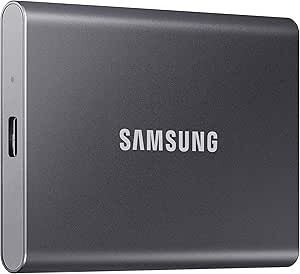 | Best for Speed and Compact Portability | Capacity: 1 TB | Drive type: Portable SSD | Interface: USB 3.2 Gen 2 | VIEW LATEST PRICE | See Our Full Breakdown |
| WD My Passport 6TB Portable External Hard Drive, Black |  | Best for Secure, High-Capacity Portable Storage | Capacity: 6 TB | Drive type: Mechanical hard drive | Form factor: 2.5 inches | VIEW LATEST PRICE | See Our Full Breakdown |
| Seagate Expansion 24TB External Hard Drive |  | Best for Maximum Desktop Capacity | Capacity: 24 TB | Drive type: Mechanical hard drive | Form factor: 3.5 inches | VIEW LATEST PRICE | See Our Full Breakdown |
| WD Elements 2TB Portable External Hard Drive | 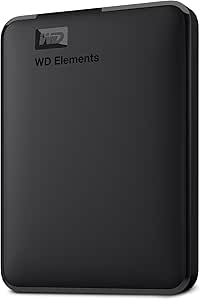 | Best Simple Portable HDD | Capacity: 2 TB | Drive type: Mechanical hard drive | Interface: USB 2.0/3.0 | VIEW LATEST PRICE | See Our Full Breakdown |
| WD My Passport 2TB Portable External Hard Drive, Black |  | Best Portable HDD for Security | Capacity: 2 TB | Drive type: Mechanical hard disk | Interface: USB 2.0/3.0 | VIEW LATEST PRICE | See Our Full Breakdown |
| SanDisk Extreme Portable SSD 2TB |  | Best Rugged High-Capacity SSD | Capacity: 2 TB | Drive type: Solid-state drive | Read speed: Up to 1050 MB/s | VIEW LATEST PRICE | See Our Full Breakdown |
| SanDisk Extreme Portable SSD, 1TB, Up to 2000MB/s |  | Best Compact Speed-Focused SSD | Capacity: 1 TB | Read speed: Up to 2000 MB/s | Interface: USB 3.0 | VIEW LATEST PRICE | See Our Full Breakdown |
| Seagate Expansion Desktop External Hard Drive, 4TB, USB 3.0 |  | Best Desktop Capacity Pick | Capacity: 4 TB | Interface: USB 3.0 | Form factor: 3.5 inches | VIEW LATEST PRICE | See Our Full Breakdown |
| external hard drife | Interface | Capacity | Read speed | Form factor |
|---|---|---|---|---|
| Seagate One Touch 8TB External | USB 3.0 Type-C | 8 TB | 120 MB/s | 3.5-inch |
| WD My Passport 5TB Portable Ex | USB 2.0/3.0 | — | — | 2.5-inch |
| Toshiba Canvio Basics 2TB Port | USB 2.0/3.0 | — | — | 2.5-inch |
| SanDisk 1TB Portable Drive | — | — | Up to 600 MB/s | — |
| Western Digital Elements 5TB P | USB 2.0/3.0 | — | — | 2.5-inch |
| Seagate 2TB Portable External | USB 3.0 | 2 TB | 120 MB/s | — |
| WD_BLACK P10 6TB Portable Game | USB 3.0 | 6 TB | Up to 130 MB/s | 2.5 inches |
| Samsung T7 Portable SSD | USB 3.2 Gen 2 | 1 TB | Up to 1,050 MB/s | — |
| WD My Passport 6TB Portable Ex | — | 6 TB | 110 MB/s | 2.5 inches |
| Seagate Expansion 24TB Externa | USB 3.0 | 24 TB | 140 MB/s | 3.5 inches |
| WD Elements 2TB Portable Exter | USB 2.0/3.0 | 2 TB | — | — |
| WD My Passport 2TB Portable Ex | USB 2.0/3.0 | 2 TB | — | 2.5 inches |
| SanDisk Extreme Portable SSD 2 | USB 3.2 | 2 TB | Up to 1050 MB/s | — |
| SanDisk Extreme Portable SSD | USB 3.0 | 1 TB | Up to 2000 MB/s | — |
| Seagate Expansion Desktop Exte | USB 3.0 | 4 TB | 120 MB/s | 3.5 inches |
More Details on Our Top Picks
Seagate One Touch 8TB External Hard Drive Desktop HDD
For buyers who want a large local archive without giving up a USB-C-powered setup, the Seagate One Touch 8TB is the standout desktop option here. Its 8TB capacity suits extensive photo, video, and document libraries, while the included Rescue Data Recovery Services add support that the portable WD Elements 5TB does not list. Despite its 3.5-inch desktop form factor, this model is described as bus-powered, so it avoids the wall adapter many desktop drives need. The tradeoff is speed: its listed 120 MB/s read rate is typical of a hard drive and far below the SanDisk 1TB Portable Drive’s stated peak. I’d choose it for bulk storage at a desk, not for frequent travel or fast editing workflows.
Pros:- 8TB capacity accommodates extensive file libraries
- Bus-powered USB-C connection avoids a separate wall adapter
- Includes Rescue Data Recovery Services
- Plug-and-play connection uses a single cable
Cons:- 3.5-inch desktop form factor is less portable than 2.5-inch drives
- Listed 120 MB/s read speed is far below the SanDisk 1TB Portable Drive’s stated peak
- No enclosure material or color details are provided
Best for: Desktop users who need 8TB for a large media archive and want USB-C connectivity without a separate power adapter
Not ideal for: Travelers and creators who need pocketable storage or faster file transfers than a mechanical hard drive can provide
- Capacity:8 TB
- Interface:USB 3.0 Type-C
- Form factor:3.5-inch
- Rotational speed:7200 rpm
- Read speed:120 MB/s
- Compatibility:Windows and macOS
- Warranty:2 years
- Model number:STNB8000400
Our verdict“Choose this Seagate for high-capacity desk storage with USB-C convenience, but skip it if portability or SSD-class speed matters more.”
WD My Passport 5TB Portable External Hard Drive
The WD My Passport 5TB pairs substantial portable capacity with security features that make it a stronger fit for sensitive files than the simpler WD Elements 5TB. Its password protection and hardware encryption can help protect stored data, and included software adds backup management and ransomware defense. At 7.4 ounces and under an inch thick, it remains practical to carry even with 5TB onboard. That feature set comes with a setup caveat: Mac users need to reformat the drive, so it is less convenient for people switching between systems than a drive ready for their preferred workflow. The supplied transfer-rate figure is listed as only 1 megabit per second, which is not a useful basis for comparing real-world performance; buyers focused on speed may prefer the SanDisk 1TB Portable Drive, while accepting much less capacity.
Pros:- 5TB capacity in a slim 2.5-inch portable design
- Password protection and hardware encryption help secure files
- Included software supports backup management and ransomware defense
- 3-year limited warranty
Cons:- Mac users must reformat the drive
- Listed transfer-rate information is only 1 megabit per second and does not establish practical performance
- Mechanical hard drive transfers are slower than the SanDisk 1TB Portable Drive’s stated read speed
Best for: Laptop owners who carry large backups and want password protection, hardware encryption, and backup software
Not ideal for: Mac users seeking a ready-to-use drive without reformatting, or speed-focused creators who need fast transfers
- Storage capacity:5 TB
- Interface:USB 2.0/3.0
- Form factor:2.5-inch
- Weight:7.4 ounces
- Dimensions:4.22 × 2.95 × 0.75 inches
- Security:Password protection and hardware encryption
- Warranty:3-year limited warranty
- Model:WDBPKJ0050BBK-WESN
Our verdict“Pick the My Passport if portable capacity and built-in file security matter more than out-of-box Mac setup or SSD speed.”
Toshiba Canvio Basics 2TB Portable External Hard Drive, USB 3.0, Black
The Toshiba Canvio Basics 2TB keeps setup uncomplicated: connect it over USB and start storing files, with no software installation required. Its 2.5-inch body weighs just 5.28 ounces, making it easier to slip into a bag than the larger-capacity WD My Passport 5TB. That smaller footprint and straightforward operation make it a sensible starter drive for everyday documents, photos, and backups. Capacity is the clear compromise: 2TB is far below the WD Elements 5TB, so growing media libraries may outgrow it sooner. It is also formatted for Windows; Mac owners need to reformat it before use, limiting convenience for households that share files across platforms. Compared with the SanDisk 1TB Portable Drive, the Canvio offers twice the listed capacity but uses a mechanical drive rather than a faster solid-state design.
Pros:- 2TB storage in a compact 5.28-ounce body
- Plug-and-play operation requires no software installation
- Supports USB 3.0 and USB 2.0
- No external AC power cord required
Cons:- Mac users must reformat the Windows-formatted drive
- 2TB capacity is substantially below the WD Elements 5TB
- Mechanical storage is less suited to buyers prioritizing SSD-style transfer speeds
Best for: Windows laptop owners who want simple, portable backup storage for everyday files without installing backup software
Not ideal for: Mac users who want plug-and-play setup, or anyone building a large archive that may outgrow 2TB
- Storage capacity:2 TB
- Interface:USB 2.0/3.0
- Form factor:2.5-inch
- Weight:5.28 ounces
- Dimensions:4.3 × 3.1 × 0.55 inches
- Rotational speed:5400 rpm
- Maximum transfer rate:5 Gbit/s
- Power:No external AC power cord required
- Model:HDTB420XK3AA
Our verdict“Choose the Canvio Basics for uncomplicated, portable Windows backups, but look to a 5TB option if your files need more room.”
SanDisk 1TB Portable Drive, Up to 600MB/s Read Speed, Black
When carrying convenience and quicker access matter more than maximum capacity, the SanDisk 1TB Portable Drive is the clearest fit in this group. Its up to 600 MB/s read speed is a major step above the listed 120 MB/s of the Seagate One Touch 8TB, which can mean less waiting when opening or copying files. The pocket-sized, 1.12-ounce design has no moving parts and is rated for drops up to 2 meters, making it more travel-friendly than any of the mechanical drives here. The tradeoff is storage: 1TB is a fraction of the 5TB WD Elements, and write speeds are lower than read speeds. I’d pick this for active files and lighter carry, not as the sole home for a huge archive.
Pros:- Read speeds up to 600 MB/s
- Pocket-sized body weighs 1.12 ounces
- No moving parts
- Rated for drop protection up to 2 meters
Cons:- 1TB capacity is much lower than the 5TB WD Elements
- Write speeds are lower than read speeds
- USB-C connectivity may require an adapter for devices with only USB-A ports
Best for: Traveling photographers, students, and mobile workers who value compact storage and faster reads over maximum capacity
Not ideal for: Buyers backing up multi-terabyte libraries or those who need equally fast write performance
- Storage capacity:1 TB
- Read speed:Up to 600 MB/s
- Connectivity:USB Type-C
- Drop protection:Up to 2 meters
- Weight:1.12 ounces
- Dimensions:2.95 × 1.77 × 0.39 inches
- Compatible devices:Desktop, laptop, smartphone, tablet
- Hardware platforms:Mac, PC
Our verdict“Choose the SanDisk for compact, faster-read storage on the move, but use a higher-capacity HDD for a large backup library.”
Western Digital Elements 5TB Portable External Hard Drive
The WD Elements 5TB is the straightforward choice for carrying a large backup without moving to a desktop drive. It offers the same listed 5TB capacity as the WD My Passport 5TB, but its appeal is simpler: plug-and-play storage over USB 3.0 or USB 2.0, with a supplied USB-A cable. That makes it a practical option for PC and Mac owners who want room for photos, video, and general backups rather than encryption and bundled security software. The My Passport is the better match for sensitive files because it adds hardware encryption and password protection; Elements keeps the feature set lean instead. At 8.32 ounces, it is portable but heavier than the Toshiba Canvio Basics 2TB, and as a mechanical drive it cannot match the SanDisk 1TB’s stated read speed.
Pros:- 5TB capacity for photo, video, and file backups
- Portable 2.5-inch design
- Plug-and-play use with compatible PCs and Macs
- Supports USB 3.0 and USB 2.0 and includes a USB-A cable
Cons:- Mechanical hard drive is slower than the SanDisk 1TB Portable Drive’s stated read speed
- Does not list the My Passport’s password protection or hardware encryption
- At 8.32 ounces, it is heavier than the 2TB Toshiba Canvio Basics
Best for: PC or Mac owners who want a simple, portable 5TB backup drive and do not need built-in encryption
Not ideal for: Users who need hardware encryption, a lighter carry, or SSD-class transfer speeds
- Storage capacity:5 TB
- Interface:USB 2.0/3.0
- Form factor:2.5-inch
- Weight:8.32 ounces
- Dimensions:4.35 × 3.23 × 0.82 inches
- Compatible platforms:Mac, PC
- Included:SuperSpeed USB-A cable, quick install guide
- Warranty:2-year limited warranty
- Model:WDBU6Y0050BBK-WESN
Our verdict“Choose WD Elements for uncomplicated 5TB portable backups, or pay attention to the My Passport instead if file security features are a priority.”
Seagate 2TB Portable External Hard Drive, USB 3.0 (STGX2000400)
The Seagate 2TB Portable is a straightforward choice for laptop owners who want extra room for documents, photos, and routine backups without installing software. Its plug-and-play setup and Windows and Mac compatibility make it simpler to get started than a drive built around extra security or backup features, such as the WD My Passport 6TB. The tradeoff is capacity: 2TB suits everyday files, but it falls well short of that WD’s 6TB for large media libraries. It also uses a mechanical hard disk, so it is less suited to frequent large transfers than the Samsung T7 SSD. The listed 3.5-inch form factor may also make it less compact than other portable options, despite the included 18-inch cable.
Pros:- 2TB capacity for everyday files and backups
- Plug-and-play setup with no additional software required
- Works with Windows and Mac computers
- Includes an 18-inch USB 3.0 cable
Cons:- Mechanical storage is slower than the Samsung T7 portable SSD
- The listed 3.5-inch form factor may be less compact than smaller portable drives
- 2TB provides much less room than 6TB portable alternatives
Best for: Laptop owners who want an uncomplicated drive for everyday file storage and occasional backups across Windows and Mac.
Not ideal for: Travelers seeking the smallest drive, people moving large files frequently, or anyone who needs several terabytes for games and media.
- Capacity:2 TB
- Drive type:Mechanical hard disk
- Interface:USB 3.0
- Compatibility:Windows, Mac, laptop
- Rotational speed:7200 RPM
- Read speed:120 MB/s
- Included cable:18 inches
- Warranty:1 year
Our verdict“Choose this Seagate for simple everyday storage on a Windows or Mac laptop, but pick a higher-capacity or SSD option for larger libraries or faster transfers.”
WD_BLACK P10 6TB Portable Game Drive
For players whose installed games are taking over a console or PC, the WD_BLACK P10’s 6TB capacity is its main advantage: it can hold a large library without requiring a desktop-sized drive. Its 2.5-inch form factor and metal enclosure make it a more portable gaming-focused pick than the 24TB desktop Seagate Expansion, which needs external power. The listed read speed of up to 130 MB/s is suitable for moving and accessing stored games, but this is still a mechanical drive, not an SSD like the Samsung T7. Console support also has limits: some next-generation games can only be archived on external storage, and disc-based titles may need the original disc to verify ownership. I’d choose it for capacity and portability, not as a universal way to play every console game.
Pros:- 6TB capacity for storing a large game library
- Portable 2.5-inch form factor
- Compatible with PC, Mac, and supported PlayStation and Xbox consoles
- Metal enclosure and read speeds up to 130 MB/s
Cons:- Some next-generation console games can only be archived, not played from the drive
- Disc-based games may still require the original disc for ownership checks
- Mechanical storage is slower than the Samsung T7 SSD
Best for: Console and PC players who want a portable 6TB library drive for compatible systems and understand external-storage limits.
Not ideal for: Players who need every next-generation console game to run directly from external storage or want SSD-class loading and transfer speeds.
- Capacity:6 TB
- Drive type:Mechanical hard drive
- Form factor:2.5 inches
- Interface:USB 3.0
- Read speed:Up to 130 MB/s
- Enclosure:Metal, black
- Compatibility:PC, Mac, and compatible PlayStation and Xbox consoles
- Included cable:USB Type-A to Micro-B
Our verdict“Pick the WD_BLACK P10 if portable game-library capacity matters more than SSD speeds or unrestricted play from external storage.”
Samsung T7 Portable SSD, 1TB, Titan Gray, USB 3.2 Gen 2
The Samsung T7 is the speed-first choice in this group. Its listed read and write speeds—up to 1,050 MB/s and 1,000 MB/s—make it a better fit than mechanical drives such as the WD My Passport 6TB when moving large project files or working across devices. The compact aluminum body is rated for drops up to 6 feet, and the included USB-C and USB-A cables make it easier to connect to a range of compatible gear. That performance comes with a clear compromise: 1TB capacity is far less than the 6TB WD options or the 24TB Seagate desktop drive. Maximum speeds also depend on a compatible USB 3.2 Gen 2 host and UASP support, so older equipment may not reach the listed figures.
Pros:- Listed read speeds up to 1,050 MB/s and write speeds up to 1,000 MB/s
- Compact aluminum body with drop protection up to 6 feet
- Includes USB Type-C to Type-C and Type-C to Type-A cables
- 256-bit AES hardware encryption
Cons:- 1TB capacity is much lower than the WD My Passport 6TB and other high-capacity hard drives
- Maximum speeds require a compatible USB 3.2 Gen 2 host and UASP support
- Compatibility and performance may vary by device
Best for: Photographers, video editors, and mobile professionals who move sizable files between compatible computers and value compact SSD storage.
Not ideal for: People prioritizing low-cost bulk storage or a large game and media archive over fast transfers and a small footprint.
- Capacity:1 TB
- Drive type:Portable SSD
- Interface:USB 3.2 Gen 2
- Read speed:Up to 1,050 MB/s
- Write speed:Up to 1,000 MB/s
- Encryption:256-bit AES hardware encryption
- Build and drop protection:Aluminum unibody; rated for drops up to 6 feet
- Included cables:USB Type-C to Type-C and USB Type-C to Type-A
Our verdict“Choose the T7 for fast, portable transfers on compatible devices, but choose a mechanical drive if capacity matters more than speed.”
WD My Passport 6TB Portable External Hard Drive, Black
The WD My Passport 6TB suits buyers who want a large file library in a slim portable drive, with security and backup software included. Its password protection and hardware encryption give it a stronger security focus than the Seagate 2TB Portable, which emphasizes straightforward plug-and-play storage instead. The included Acronis True Image for Western Digital software adds backup tools with ransomware protection, which can help users who want more than manual file copies. Capacity is another advantage over the 1TB Samsung T7, though the tradeoff is speed: the listed read speed is 110 MB/s, and this mechanical drive cannot match the T7’s SSD transfers. It makes more sense for carrying a large archive than for editing directly from the drive or frequent, rapid transfers.
Pros:- 6TB capacity in a slim 2.5-inch portable design
- Password protection and hardware encryption
- Includes Acronis True Image for Western Digital with ransomware protection
- Supports USB 2.0, USB 3.0, and USB 3.2 Gen 2 connectivity
Cons:- Mechanical drive with a listed read speed of 110 MB/s
- Slower for large transfers than the Samsung T7 SSD
- Software features may be unnecessary for buyers seeking basic plug-and-play storage
Best for: People who travel with large personal or work archives and want password protection, hardware encryption, and bundled backup software.
Not ideal for: Editors who need fast access to active project files or buyers who prefer SSD performance and shock-resistant solid-state storage.
- Capacity:6 TB
- Drive type:Mechanical hard drive
- Form factor:2.5 inches
- Connectivity:USB 2.0, USB 3.0, USB 3.2 Gen 2
- Data transfer rate:5 Gbps
- Read speed:110 MB/s
- Security:Password protection and hardware encryption
- Included software:Acronis True Image for Western Digital
Our verdict“Choose the My Passport 6TB for portable capacity and built-in security features, not for SSD-level speed.”
Seagate Expansion 24TB External Hard Drive
When the priority is keeping an extensive archive in one place, the Seagate Expansion 24TB offers the largest capacity in this batch by a wide margin. It is a desktop drive for backups, media libraries, and other files that do not need to travel; unlike the portable WD My Passport 6TB, it requires an 18W power adapter and is less convenient to move around. Seagate lists a 7200 rpm mechanical drive and read speed of 140 MB/s, which suits bulk storage better than work requiring SSD-like responsiveness, such as the Samsung T7. Setup is simple over USB 3.0, and Rescue Data Recovery Services are included. Mac users should note that reformatting is required for Apple Time Machine.
Pros:- 24TB capacity for large archives and backups
- Simple USB 3.0 setup with Windows and Mac computers
- Includes Rescue Data Recovery Services
- No additional software required for file transfers
Cons:- Requires an external power adapter
- Mechanical drive is slower than the Samsung T7 SSD
- Must be reformatted for Apple Time Machine
Best for: Desktop users, media archivists, and households who need one high-capacity drive for large backups and file collections.
Not ideal for: Frequent travelers, users without a convenient power outlet, or people who need fast SSD performance for active projects.
- Capacity:24 TB
- Drive type:Mechanical hard drive
- Form factor:3.5 inches
- Interface:USB 3.0
- Rotational speed:7200 rpm
- Read speed:140 MB/s
- Dimensions:7.04 × 1.65 × 4.92 inches
- Included accessories:18-inch USB 3.0 cable and 18W power adapter
- Warranty:1-year limited
Our verdict“Choose the Seagate Expansion for a stationary, very large backup or media archive, but pick a portable drive if you need storage on the move.”
WD Elements 2TB Portable External Hard Drive
The WD Elements 2TB is a straightforward choice for buyers who want extra space without backup software or security features to configure. Its plug-and-play design and USB 3.0/2.0 compatibility make it easy to add to a desktop or laptop, while the same connection can serve compatible gaming consoles. Compared with the WD My Passport 2TB, Elements keeps the setup simpler, but gives up the Passport’s hardware encryption and included backup tools. Both are mechanical drives, so neither matches the transfer speeds or shock resistance of the SanDisk Extreme Portable SSD 2TB. This WD is a practical fit for routine file storage, but its supplied dimensions are less pocket-friendly than many portable-drive listings suggest. Choose it for uncomplicated capacity, not fast project transfers or rugged travel use.
Pros:- 2TB capacity for everyday files and backups
- USB 3.0 and USB 2.0 compatibility
- Plug-and-play setup on compatible devices
- Works with desktops, laptops, and compatible gaming consoles
Cons:- Mechanical storage is slower and more vulnerable to physical shock than an SSD
- Listed dimensions make it less compact than many portable-drive expectations
- No included encryption or backup software is specified
Best for: Laptop and desktop owners who want a simple 2TB drive for documents, photos, and console storage without installing backup software.
Not ideal for: Travelers seeking a genuinely pocketable, rugged drive or creators who frequently move large video files and need SSD-class speeds.
- Capacity:2 TB
- Drive type:Mechanical hard drive
- Interface:USB 2.0/3.0
- Data transfer rate:Up to 5 Gbps
- Rotational speed:5400 RPM
- Compatible devices:Desktop, laptop, gaming console
- Weight:4.64 oz
- Warranty:2-year limited
Our verdict“Pick the WD Elements for uncomplicated 2TB storage, but choose the My Passport for security tools or the SanDisk SSD for speed and travel protection.”
WD My Passport 2TB Portable External Hard Drive, Black
The WD My Passport 2TB adds useful protection and backup features to a familiar portable hard-drive format. Its hardware encryption and password protection suit people carrying personal or work files, while downloadable backup and device-management software gives it more built-in utility than the simpler WD Elements 2TB. The tradeoff is setup: buyers must download and install the software to use those extras, so this is not the most hands-off option. Like the Elements, it uses mechanical storage and USB 2.0/3.0, rather than the faster solid-state design of the SanDisk Extreme Portable SSD 2TB. Its 2TB capacity also prioritizes portability over the larger libraries possible with desktop models such as the Seagate Expansion 4TB. Choose it when data protection matters more than speed or maximum capacity.
Pros:- Hardware encryption and password protection
- Downloadable backup and device-management software
- Compact 2.5-inch portable-drive format
- USB 2.0/3.0 compatibility
Cons:- Backup and management tools require download and installation
- Mechanical storage is slower and less shock-resistant than an SSD
- 2TB capacity is modest beside larger desktop and portable HDD options
Best for: Students, remote workers, and frequent commuters carrying private documents who want a compact HDD with encryption and backup utilities.
Not ideal for: Buyers who want a no-install setup, SSD-level transfer speeds, or enough space for a large video and game library.
- Capacity:2 TB
- Drive type:Mechanical hard disk
- Interface:USB 2.0/3.0
- Form factor:2.5 inches
- Encryption:Hardware encryption
- Compatible devices:Desktop, laptop, tablet
- Color:Black
- Warranty:3-year limited
Our verdict“Choose the My Passport if you want a portable HDD with encryption and backup tools; skip it if you prefer a simpler drive or SSD speed.”
SanDisk Extreme Portable SSD 2TB
The SanDisk Extreme Portable SSD 2TB is the strongest fit here for people who move large files away from a desk. Its stated read and write speeds reach 1050 MB/s and 1000 MB/s, a major step up from mechanical options such as the WD Elements 2TB and WD My Passport 2TB. Water and dust resistance, stated 3-meter drop protection, and a carabiner loop add practical protection for field work and travel; the loop also gives it a way to attach to a bag. Compared with the 1TB SanDisk Extreme Portable SSD, this model doubles capacity but has a lower stated maximum read speed. Actual transfer rates depend on the host device, and Mac users need to download software for password protection. It costs more in storage efficiency than an HDD, but saves time and handles mobile use better.
Pros:- 2TB solid-state capacity with up to 1050 MB/s read and 1000 MB/s write speeds
- Water- and dust-resistant design with stated drop protection up to 3 meters
- Carabiner loop supports attachment to a bag or gear
- 256-bit AES hardware encryption
Cons:- Actual performance varies with the host device and other factors
- Mac password protection requires a software download
- Offers less capacity per drive than larger mechanical options such as the Seagate Expansion 4TB
Best for: Photographers, video editors, and field workers who carry large projects and need fast, protected 2TB storage.
Not ideal for: Budget-focused users storing mostly archival files, or buyers whose computers cannot take advantage of the SSD’s high transfer speeds.
- Capacity:2 TB
- Drive type:Solid-state drive
- Read speed:Up to 1050 MB/s
- Write speed:Up to 1000 MB/s
- Interface:USB 3.2
- Protection:Water and dust resistant; up to 3-meter drop protection stated in item details
- Encryption:256-bit AES hardware encryption
- Compatible devices:Desktop, laptop, tablet
Our verdict“Choose this SanDisk when fast, rugged 2TB storage matters more than maximizing capacity with a slower desktop HDD.”
SanDisk Extreme Portable SSD, 1TB, Up to 2000MB/s
This 1TB SanDisk Extreme Portable SSD favors a small footprint and a high stated read speed over maximum capacity. At 1.6 oz and about 3.35 inches long, it is easier to carry than the desktop-bound Seagate Expansion 4TB, while its up-to-2000 MB/s read claim exceeds the stated speeds of the SanDisk Extreme Portable SSD 2TB. That makes it appealing for compact project backups and quick file access, but the listing gives no matching write-speed figure, so buyers should not assume equally fast writes. Its 1TB capacity is half that of the 2TB SanDisk SSD, and password protection requires a software download and supported operating systems. IP65 dust and water resistance plus stated 3-meter drop protection help with mobile use, though this remains a portable device rather than a substitute for a large archive drive.
Pros:- Stated read speeds up to 2000 MB/s
- Lightweight 1.6 oz body with compact dimensions
- IP65 dust and water resistance with stated drop protection up to 3 meters
- 256-bit AES password protection
Cons:- 1TB capacity is half that of the SanDisk Extreme Portable SSD 2TB
- Write speed is not specified and is lower than the stated maximum read speed
- Password protection requires a software download and supported operating systems
Best for: Mobile creators and smartphone users who need a lightweight, high-speed 1TB drive for active projects and travel backups.
Not ideal for: People building a large media archive, or buyers who need a specified high write speed and prefer not to install security software.
- Capacity:1 TB
- Read speed:Up to 2000 MB/s
- Interface:USB 3.0
- Connector:USB Type-C
- Protection:IP65 dust and water resistance; drop protection up to 3 m
- Encryption:256-bit AES password protection
- Weight:1.6 oz
- Dimensions:3.35 × 2 × 0.39 in
- Compatible devices:Desktop, laptop, smartphone, tablet
Our verdict“Pick this model for a very portable, speed-focused 1TB SSD, but choose the 2TB SanDisk if capacity matters more than its higher stated read speed.”
Seagate Expansion Desktop External Hard Drive, 4TB, USB 3.0
The Seagate Expansion Desktop 4TB is aimed at a different job from the portable drives in this roundup: keeping a sizeable library of photos, movies, and music close to a home or office computer. Its capacity doubles that of the 2TB WD Elements and WD My Passport, and the included USB cable and power adapter support a simple desktop setup without software installation. The cost of that extra space is a fixed location: it needs its own power connection, unlike bus-powered portable drives. Its mechanical 5400-rpm drive and stated 120 MB/s read speed also trail the SanDisk Extreme Portable SSD 2TB for frequent large transfers. Mac users must reformat it for Time Machine, which adds a setup step. This makes most sense as a roomy local archive, not a travel drive or speed-first editing disk.
Pros:- 4TB capacity for large photo, movie, and music libraries
- Plug-and-play recognition on Windows and Mac computers
- Includes an 18-inch USB 3.0 cable and 18W power adapter
- Rescue Data Recovery Services included
Cons:- Requires a separate power adapter as well as a USB connection
- Mechanical storage is slower than SSD alternatives
- Requires reformatting for Apple Time Machine compatibility
Best for: Home and office users who need 4TB for a large media library or backup collection and can keep the drive near a powered computer.
Not ideal for: Travelers, laptop users who need bus-powered storage, and creators who regularly transfer large projects at SSD speeds.
- Capacity:4 TB
- Interface:USB 3.0
- Form factor:3.5 inches
- Drive type:Mechanical hard drive
- Rotational speed:5400 rpm
- Read speed:120 MB/s
- Compatible platforms:Mac, PC, PlayStation 4
- Included power adapter:18W
Our verdict“Choose the Seagate Expansion for a large, mostly stationary 4TB library; opt for a portable SSD if speed and mobility matter more.”
How We Picked
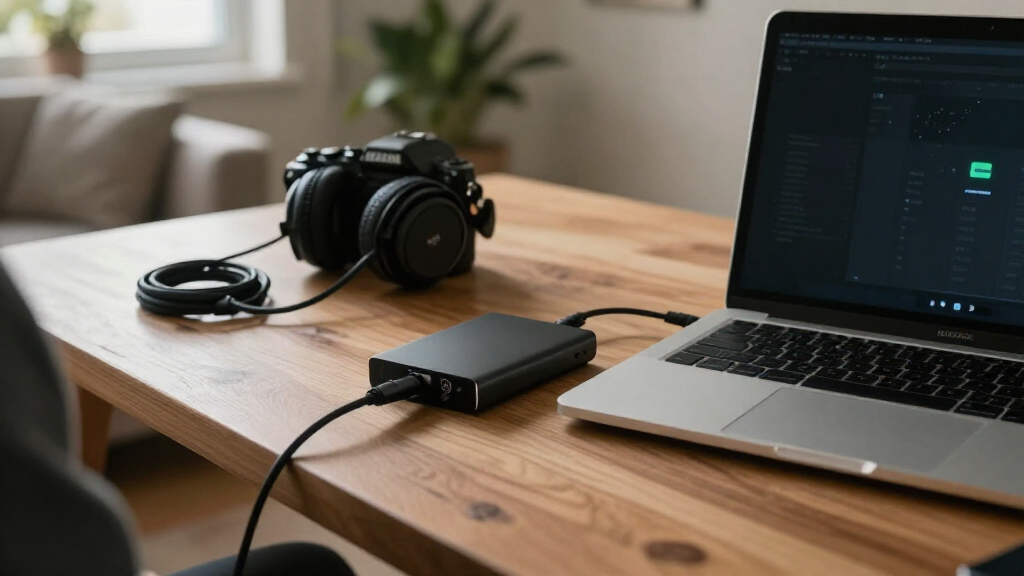
I evaluated these fifteen external drives based on three core metrics: transfer speed, durability, and value proposition. For speed, I looked at whether the drive utilizes USB 3.2 Gen 2 or Thunderbolt interfaces versus older USB 3.0 standards, as this dictates how quickly you can move large video files or entire system backups. Durability was assessed by checking for rubberized housings, shock resistance ratings, and the fundamental difference between mechanical platters and solid-state memory chips. I also considered the ecosystem compatibility, ensuring each drive works seamlessly across Windows, macOS, and gaming consoles where applicable.
The ranking logic prioritizes the specific use case each drive serves. A 24TB desktop drive is not ranked lower than a 1TB SSD simply because it is slower; it is ranked lower for portability but higher for bulk archival. I grouped products by their primary strength—high-capacity desktop storage, balanced portable HDDs, and high-performance SSDs—to provide a clear hierarchy for different buyer needs. Products that offered poor build quality or lacked essential safety features were downgraded, regardless of their price point.
| external hard drife | Interface | Drive type |
|---|---|---|
| Seagate One Touch 8TB External | USB 3.0 Type-C | — |
| WD My Passport 5TB Portable Ex | USB 2.0/3.0 | — |
| Toshiba Canvio Basics 2TB Port | USB 2.0/3.0 | — |
| SanDisk 1TB Portable Drive | — | — |
| Western Digital Elements 5TB P | USB 2.0/3.0 | — |
| Seagate 2TB Portable External | USB 3.0 | Mechanical hard disk |
| WD_BLACK P10 6TB Portable Game | USB 3.0 | Mechanical hard drive |
| Samsung T7 Portable SSD | USB 3.2 Gen 2 | Portable SSD |
| WD My Passport 6TB Portable Ex | — | Mechanical hard drive |
| Seagate Expansion 24TB Externa | USB 3.0 | Mechanical hard drive |
| WD Elements 2TB Portable Exter | USB 2.0/3.0 | Mechanical hard drive |
| WD My Passport 2TB Portable Ex | USB 2.0/3.0 | Mechanical hard disk |
| SanDisk Extreme Portable SSD 2 | USB 3.2 | Solid-state drive |
| SanDisk Extreme Portable SSD | USB 3.0 | — |
| Seagate Expansion Desktop Exte | USB 3.0 | Mechanical hard drive |
Factors to Consider When Choosing Best External Hard Drives
Selecting the right external storage solution depends entirely on what you plan to store and how you plan to move it. This guide breaks down the critical factors that separate a good purchase from a regrettable one, focusing on practical application rather than just technical specifications.
HDD vs. SSD: The Performance and Price Tradeoff
Traditional Hard Disk Drives (HDDs) use spinning platters, while Solid State Drives (SSDs) use flash memory. HDDs offer the lowest cost per terabyte, making them the only viable option if you need 8TB or more for a reasonable budget. However, they are slower, typically capping around 100-140MB/s, and contain moving parts that can fail if the drive is dropped while running. SSDs are significantly faster, often exceeding 500MB/s or even 1000MB/s, and are virtually immune to shock damage. If you are editing 4K video or working with large databases, the time saved with an SSD pays for itself. If you are backing up family photos you rarely access, an HDD is the more economical choice.
Interface Speeds and Compatibility
Not all USB cables and ports are created equal. Many budget drives still use USB 3.0 (USB 3.2 Gen 1), which maxes out around 5Gbps. While sufficient for HDDs, this interface bottlenecks SSDs, preventing them from reaching their full potential. High-performance drives require USB 3.2 Gen 2 (10Gbps) or Thunderbolt connections to achieve speeds above 500MB/s. You must check your computer’s ports; if you have an older laptop, buying a top-tier SSD will not result in faster transfer speeds because the port itself is the limitation. Always match the drive’s interface to your host device to avoid paying for speed you cannot use.
Portability: Power Sources and Physical Size
True portability means a drive is bus-powered, drawing all its electricity from the USB port. Desktop drives, like the Seagate Expansion Desktop, require a separate power brick. This makes them excellent for a static desk setup but inconvenient for travel, as you must carry an adapter and find a power outlet. If you need a drive that fits in a pocket and works on a plane or in a coffee shop, stick to 2.5-inch portable HDDs or SSDs. The weight and thickness also matter; some rugged SSDs are thicker than standard drives, which may affect port clearance on ultra-thin laptops.
Data Security and Encryption Features
Physical theft or loss of a drive is a real risk for mobile users. Many premium drives, such as the WD My Passport series, include hardware-based AES 256-bit encryption and password protection software. This means that even if someone gets the drive, they cannot read the data without the password. Budget drives, like the Toshiba Canvio Basics, typically lack these features. If you store sensitive financial documents or client work, paying extra for a drive with built-in encryption is a necessary insurance policy. Without it, your data is exposed as soon as the drive leaves your sight.
Reliability and Warranty Support
Storage devices fail; it is a matter of when, not if. Look for drives with a minimum two-year warranty, though many desktop models offer three to five years. The brand’s support ecosystem also matters; larger manufacturers like Seagate and Western Digital often have established data recovery services, though these are rarely covered under standard warranties. Ruggedized drives with rubberized coatings or IP-rated water resistance (like the SanDisk Extreme series) reduce the likelihood of failure due to environmental accidents. Check the warranty terms specifically for accidental damage, as standard warranties usually cover manufacturing defects only, not drops or spills.
Frequently Asked Questions
Do I need an external hard drive if I already have cloud storage?
Yes, for most users, because cloud storage and local storage serve different purposes. Cloud services are excellent for accessibility and sharing, but uploading and downloading terabytes of data is slow and often incurs bandwidth limits or subscription costs. An external drive provides immediate access to your files without internet dependency and is far more cost-effective for large media libraries. I recommend using an external drive for your primary archive and cloud storage for a secondary, accessible backup. This hybrid approach protects you from both drive failure and cloud service outages.Can I use the same external drive on both Windows and Mac?
Most drives ship formatted for Windows (NTFS), which Macs can read but not write to without third-party software. To use a single drive on both operating systems seamlessly, you should reformat it to exFAT. This file system is compatible with both Windows and macOS and supports large file sizes, unlike the older FAT32 standard. However, reformatting erases all existing data, so do this before copying files over. Some drives, like the WD My Passport, offer a ‘Mac and Windows’ version out of the box, which simplifies this process.Is it safe to leave an external drive plugged in 24/7?
For SSDs, leaving them plugged in is generally safe and does not significantly impact lifespan, as they have no moving parts. For mechanical HDDs, continuous spinning generates heat and wear on the motor and platters. If you use a desktop HDD as a constant ‘always-on’ drive for media streaming or Time Machine backups, it will likely have a shorter lifespan than one used intermittently. If you must keep an HDD connected, ensure it has adequate ventilation and consider configuring your system to spin down the drive when idle to reduce wear.Why are external SSDs so much more expensive than HDDs?
The price difference stems from the manufacturing cost of NAND flash memory compared to magnetic platters. Flash memory is denser and faster, but the raw materials and production processes are more expensive per gigabyte. HDDs benefit from mature, high-volume manufacturing that drives costs down, especially at capacities above 4TB. You are paying for speed, silence, and durability with an SSD. If your workflow involves moving large files frequently, the time saved often justifies the higher upfront cost. For cold storage where speed is irrelevant, HDDs remain the economic winner.Do rugged external drives actually protect against data loss?
Rugged drives, such as the SanDisk Extreme Portable series, protect the physical hardware from drops, water, and dust, which reduces the chance of mechanical failure. However, they do not protect against data corruption, accidental deletion, or logical file system errors. A rugged drive can survive a fall from a table, but if you accidentally format it, the data is still gone. True data protection requires a backup strategy, such as the 3-2-1 rule (three copies, two different media, one offsite). Ruggedness is about surviving accidents, not replacing backups.Conclusion
Choosing from the best external hard drives comes down to identifying your primary bottleneck: capacity, speed, or portability. For the Best Overall balance of space and ease of use, the Seagate One Touch 8TB remains the superior choice for desktop users who need to archive large libraries without breaking the bank. If you are a Beginner or on a tight budget, the Toshiba Canvio Basics 2TB offers reliable, no-frills storage that works right out of the box. For Premium Performance and durability, the SanDisk Extreme Portable SSD is unmatched for creators who need speed and ruggedness in one package. Finally, the Samsung T7 is the Best Value SSD for general users who want to upgrade from slow HDDs without paying for extreme ruggedness.
Black Friday Picks

Sonos Roam Portable Bluetooth and Wi-Fi Speaker, Black
As an affiliate, we earn on qualifying purchases.