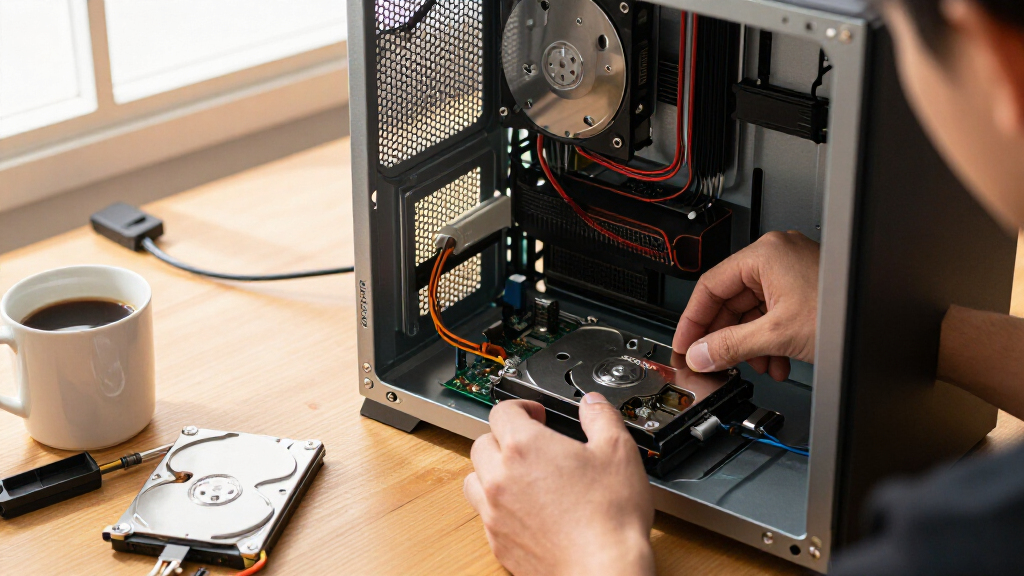

The Seagate IronWolf 8TB (ST8000VNZ04) is the best internal hard drive for most people because it pairs NAS-grade durability with CMR recording technology at a capacity that handles years of growth. If you’re building on a tighter budget, the Seagate BarraCuda 1TB delivers dependable 7200 RPM performance for everyday desktop use, while the Seagate Exos 26TB stands out when raw capacity matters more than anything else. The main tradeoff in this category is capacity versus speed: traditional hard drives give you terabytes cheaply, while SSDs like the SIX X7400 NVMe trade storage space for dramatically faster load and boot times. You’ll also need to decide between drives built for single-desktop use and drives engineered for always-on NAS or surveillance workloads. Keep reading for the full breakdown of all fifteen picks.

Get the latest gadgets delivered free with Prime
- Fast, free delivery on millions of items
- Prime Video, Amazon Music and more included
- Member-only deals all year
Complete the kit



Key Takeaways
- CMR (conventional magnetic recording) drives dominated the top of this comparison — every NAS-focused pick (IronWolf, WD Red Plus) uses CMR, which avoids the stutter and performance drops that SMR drives cause under sustained writes.
- The 8TB IronWolf beat its 4TB sibling mainly on cost per terabyte and workload headroom; the 4TB version only makes sense for small two-bay NAS setups or first-time builders.
- The SSD picks (SIX X7400, X4000, PHIXERO P500) serve completely different buyers than the HDD picks — they ranked high only when the priority was boot speed and responsiveness, not storage volume.
- Two of the largest-capacity options (Toshiba MG07 14TB and Seagate Exos 26TB) are renewed units — they offer unbeatable capacity-per-dollar but carry warranty and lifespan uncertainty that budget-conscious buyers must weigh honestly.
- Special-purpose drives earned their spots by fit, not raw specs: the SkyHawk 4TB exists for surveillance systems, the WD_BLACK 6TB for gaming, and the 2.5-inch BarraCuda 5TB for cramped cases where no 3.5-inch bay exists.


| internal hard drife | Capacity | Interface | Form Factor | Cache |
|---|---|---|---|---|
| Seagate IronWolf 4TB NAS Inter | 4TB | SATA 6Gb/s | 3.5 Inch | 64MB |
| Western Digital 4TB WD Red Plu | 4TB | SATA 6 Gb/s | 3.5 inches | 128 MB |
| Seagate IronWolf 8TB Internal | 8 TB | SATA 6 Gb/s | 3.5 inches | 256 MB |
| Toshiba MG07ACA14TE 14TB Enter | 14 TB | SATA 6.0 Gb/s | 3.5 inches | 256 MB |
| SIX X7400 1TB NVMe M.2 SSD PCI | 1 TB | PCIe Gen4 x4 NVMe | M.2 2280 | — |
| Seagate BarraCuda 5TB Internal | 5 TB | SATA 6Gb/s (SATA III) | 2.5 inches | 128 MB |
| Seagate BarraCuda 1TB Internal | 1 TB | SATA 6 Gb/s | 3.5 inches | 64 MB |
| SIX X4000 512GB M.2 NVMe SSD P | 512 GB | PCIe Gen3 x4 NVMe | M.2 2280 | — |
| Seagate Barracuda ST4000LM024 | 4 TB | SATA 6 GB/s | 2.5 inches (15mm thickness) | 128 MB |
| Seagate SkyHawk 4TB Internal H | 4 TB | SATA 6Gb/s | 3.5 inches | 64 MB |
| Seagate Exos 26TB Internal Har | 26TB | SATA 6Gb/s | 3.5 in | 512MB |
| Western Digital 6TB WD_BLACK P | 6 TB | SATA 6 Gb/s | 3.5 inches | 256 MB DRAM |
| Western Digital 12TB WD Blue 3 | 12 TB | SATA 6 Gb/s | 3.5 inches | 512 MB |
| PHIXERO P500 256GB 3D NAND SAT | 256 GB | SATA III 6.0 Gb/s | 2.5 inches | — |
| Seagate 8TB BarraCuda Internal | 8TB | SATA 6 Gb/s | — | — |
More Details on Our Top Picks
Seagate IronWolf 4TB NAS Internal Hard Drive HDD (ST4000VNZ08)
For a home NAS build, this option stands out for balancing long-term reliability with sensible capacity. Seagate pairs CMR recording with IronWolf Health Management, which means you can monitor drive health before a failure takes your RAID array down with it — something desktop drives like the BarraCuda 1TB simply don’t offer. The five-year warranty plus three years of Rescue Data Recovery Services is the strongest protection in this lineup, and it matters more in a NAS where multiple drives share workload. The tradeoff is rotational speed: at 5900 RPM, it trails the IronWolf 8TB’s 7200 RPM, so file transfers over the network feel noticeably slower. For a two-to-four bay home server serving media and backups, that compromise is easy to accept in exchange for quiet operation and reduced vibration.
Pros:- Purpose-built for NAS with low noise and vibration
- IronWolf Health Management gives early warning of drive problems
- 5-year warranty plus 3 years of Rescue Data Recovery Services
- 1M hours MTBF rating for dependable long-term service
Cons:- 5900 RPM is slower than 7200 RPM NAS drives like the IronWolf 8TB
- Overkill for a standard desktop or gaming PC
Best for: Home users building a small NAS for media streaming, backups, and shared family storage
Not ideal for: Single-user desktop PC builders who would be paying for NAS firmware and multi-bay tuning they’ll never use
- Capacity:4TB
- Form Factor:3.5 Inch
- Interface:SATA 6Gb/s
- Recording Technology:CMR
- RPM:5900
- Cache:64MB
- Max NAS Bays:8
- Warranty:5-year limited
Our verdict“Buy this if you’re filling a home NAS and want the best warranty and health monitoring in the 4TB class.”
Western Digital 4TB WD Red Plus NAS Internal Hard Drive (WD40EFZZ)
Compared with the Seagate IronWolf 4TB, this WD Red Plus takes a different path to the same goal: NASware firmware and rotational vibration sensors keep it stable in multi-bay RAID arrays, while a 128MB cache — double the IronWolf’s — helps smooth out simultaneous access from several users. The tradeoff is protection: a three-year warranty and no bundled data recovery service, versus Seagate’s five years plus Rescue Services. This model makes the most sense for buyers who want CMR reliability in a NAS without paying a premium, since its larger cache partially offsets the lower spindle speed. One frustration worth flagging: the listed specs conflict between 5400 and 7200 RPM, so plan around the slower figure when estimating transfer performance.
Pros:- NASware firmware and RV sensors for stable multi-bay RAID operation
- 128MB cache is generous for the capacity class
- CMR recording avoids the SMR pitfalls that hurt RAID rebuilds
- Rated for 24/7 continuous operation
Cons:- 3-year warranty with no data recovery service, unlike the IronWolf 4TB
- Conflicting 5400/7200 RPM spec listings create uncertainty
Best for: Budget-conscious builders populating a 2-8 bay NAS who value CMR recording and RAID stability over maximum warranty coverage
Not ideal for: Anyone who needs guaranteed performance specs — the conflicting RPM listings make speed planning uncertain
- Capacity:4TB
- Form Factor:3.5 inches
- Interface:SATA 6 Gb/s
- Recording Technology:CMR
- Cache:128 MB
- Read Speed:180 MB/s
- Max NAS Bays:8
- Warranty:3-year limited
Our verdict“A sensible mid-tier NAS drive for multi-bay setups where warranty length is less important than upfront cost.”
Seagate IronWolf 8TB Internal NAS Hard Drive (ST8000VNZ04)
Where the IronWolf 4TB prioritizes warranty length, this 8TB sibling prioritizes throughput and density. The jump to 7200 RPM with a 256MB cache delivers up to 210MB/s reads, which shows up in real use as faster RAID rebuilds and smoother multi-user access — meaningful when four or more people hit the same server. Doubling capacity per bay also means fewer spindles, less power draw, and less heat compared to filling the same space with 4TB drives. The compromises are predictable: warranty drops from five years to three, and despite a ‘portable’ label in the listing, this is a 3.5-inch desktop-class drive, full stop. And no spinning disk competes with the SIX X7400 SSD’s 7350MB/s for raw speed — this pick is about bulk shared storage, not boot times.
Pros:- 7200 RPM and 256MB cache deliver up to 210MB/s reads
- 8TB per bay reduces total drives, power, and heat in large arrays
- IronWolf Health Management monitors drive condition
- 1M hours MTBF with 3-year Rescue Data Recovery Services
Cons:- Warranty shortens to 3 years versus the 5-year IronWolf 4TB
- Mechanical speeds are modest next to any NVMe SSD
Best for: Small business or power-user NAS builds needing fast shared storage and high capacity per drive bay
Not ideal for: Anyone wanting OS or game loading speed — a SATA HDD at 210MB/s can’t approach an NVMe SSD
- Capacity:8 TB
- Form Factor:3.5 inches
- Interface:SATA 6 Gb/s
- Rotational Speed:7200 RPM
- Cache:256 MB
- Read Speed:210 MB/s
- Max NAS Bays:8
- Warranty:3-year limited + 3-year Rescue Data Recovery
Our verdict“The right choice when a NAS needs to be fast for many users and big enough to stop worrying about bay space.”
Toshiba MG07ACA14TE 14TB Enterprise SATA Hard Drive (Renewed)
If raw capacity per dollar is the goal, this renewed Toshiba takes a strategy the consumer drives here can’t match: enterprise hardware at a refurbished price. The helium-sealed 9-disk design runs cooler and more efficiently than air-filled drives like the WD Blue 12TB, and 7200 RPM with 256MB cache keeps transfers quick for a mechanical drive. The caveats are real, though. As a renewed unit, it has lived a previous life — the Amazon Renewed Guarantee covers replacement or refund, but you’re accepting unknown wear history in exchange for the 14TB price break. The 512e sector emulation can also trip up older systems expecting native 512-byte sectors. This pick makes the most sense for secondary storage, backups, or a media archive where a failure is an inconvenience, not a catastrophe.
Pros:- 14TB enterprise-class capacity at a renewed price point
- Helium-sealed design improves efficiency and thermal behavior
- 7200 RPM and 256MB cache for strong mechanical performance
- Amazon Renewed Guarantee covers replacement or refund
Cons:- Refurbished condition means unknown prior wear
- 512e sector emulation may not suit legacy systems
Best for: Media hoarders and homelab builders who need massive archive capacity and accept refurbished hardware for the savings
Not ideal for: Anyone storing irreplaceable primary data — a pre-owned drive with unknown history is the wrong place for your only copy
- Capacity:14 TB
- Form Factor:3.5 inches
- Interface:SATA 6.0 Gb/s
- Rotational Speed:7200 RPM
- Cache:256 MB
- Design:9-disk helium-sealed
- Sector Format:512e
- Condition:Renewed (refurbished)
Our verdict“A calculated risk that pays off for big, redundant archives where capacity matters more than pristine hardware.”
SIX X7400 1TB NVMe M.2 SSD PCIe Gen4 x4 with Heatsink
This is the pick that answers a completely different question than the mechanical drives in this roundup. With PCIe Gen4 x4 speeds up to 7350MB/s, it outruns any HDD here — the IronWolf 8TB manages 210MB/s, meaning the X7400 is theoretically over thirty times faster at reads. In practice, that advantage shows up in game load times, PS5 storage expansion, and large project file work for content creation. The included heatsink and installation accessories remove the usual friction of PS5 upgrades, where a compatible heatsink is required. The honest tradeoff: 1TB costs you far more per gigabyte than 8TB of spinning storage, and the quoted read figure is a peak, not a sustained workload number. The brand also lacks the established reliability track record of Seagate or WD, so keep backups regardless.
Pros:- PCIe Gen4 x4 read speeds up to 7350MB/s
- Included heatsink and install kit make PS5 upgrades straightforward
- Works in desktops, laptops, and consoles
- 5-year limited warranty
Cons:- Peak read claims may not reflect sustained or write performance
- Less proven brand track record than major SSD manufacturers
Best for: Gamers and PS5 owners who want fast load times plus creators working with large files on a Gen4 system
Not ideal for: Bulk storage buyers — 1TB of flash costs far more per terabyte than 8TB or 14TB of hard drive space
- Capacity:1 TB
- Form Factor:M.2 2280
- Interface:PCIe Gen4 x4 NVMe
- Read Speed:7350 MB/s
- Compatibility:Desktop, Laptop, PS5, Gaming Consoles
- Cooling:Included heatsink
- Warranty:5-year limited
Our verdict“The right internal drive when speed is the priority and 1TB is enough — pair it with a big HDD for bulk files.”
Seagate BarraCuda 5TB Internal Hard Drive HDD – 2.5 Inch SATA 6Gb/s 5400 RPM 128MB Cache (ST5000LM000)
Most 2.5-inch drives tap out around 2TB, so the BarraCuda 5TB stands out for squeezing a serious amount of storage into a laptop-sized chassis. Compared with its 4TB sibling, the ST4000LM024, this model gives you an extra terabyte in the same footprint, with the same 128MB cache and 140 MB/s read speed — which is to say, fast enough for media libraries and game storage, but nowhere near what the SIX X4000 NVMe SSD delivers. The tradeoff is real: 5400 RPM means slower load times, and the 15mm thickness rules out many slim laptops entirely. Where this pick shines is small-form-factor desktops, PS4-style console upgrades, and external enclosures where 3.5-inch drives simply won’t fit. It makes the most sense when capacity matters more than raw speed.
Pros:- Class-leading 5TB capacity for a 2.5-inch drive
- 128MB cache and optimized read/write caching for smoother multitasking
- Fits where 3.5-inch drives can’t, including consoles and enclosures
- Backed by two decades of Seagate hard drive development
Cons:- 5400 RPM spindle speed lags behind 7200 RPM desktop drives
- 15mm thickness is incompatible with most modern laptop bays
Best for: Small-form-factor PC builders and console owners who need maximum storage in a 2.5-inch bay
Not ideal for: Slim ultrabook owners — the 15mm z-height won’t fit most thin laptop drive bays
- Capacity:5 TB
- Form Factor:2.5 inches
- Interface:SATA 6Gb/s (SATA III)
- Rotational Speed:5400 RPM
- Cache:128 MB
- Read Speed:140 MB/s
- Average Latency:5.56 ms
Our verdict“This is the drive for cramped builds that need terabytes, not speed — anyone with room for a 3.5-inch bay or an M.2 slot should look elsewhere.”
Seagate BarraCuda 1TB Internal Hard Drive HDD – 3.5 Inch SATA 6 Gb/s 7200 RPM 64MB Cache (ST1000DMZ10)
Not everyone needs terabytes upon terabytes, and the BarraCuda 1TB is proof that a basic desktop drive can still earn its spot. With 7200 RPM and a 210 MB/s read speed, it’s noticeably snappier than the 5400 RPM 2.5-inch Barracudas in this lineup, making it better suited as a secondary drive for games and media on a budget build. It won’t touch the SIX X4000 SSD’s 3000 MB/s reads, so I’d stop short of recommending it as a primary OS drive in 2024 — but as cheap overflow storage next to a fast NVMe boot drive, the value case is strong. The main frustration is capacity headroom: 1TB fills up fast with modern game sizes, so buyers with large libraries should step up to the 8TB BarraCuda (ST8000DM004) instead.
Pros:- 7200 RPM speed with 64MB cache for responsive load times
- Cheapest entry point into the BarraCuda family
- Handles gaming, photo editing, and everyday computing without fuss
- Ships in frustration-free packaging
Cons:- 1TB fills quickly with modern game installs
- Mechanical speeds are far behind any SSD alternative
Best for: Budget desktop builders pairing a small NVMe boot SSD with inexpensive bulk storage
Not ideal for: Anyone wanting a primary OS or game-loading drive — an SSD like the SIX X4000 will feel dramatically faster
- Capacity:1 TB
- Form Factor:3.5 inches
- Interface:SATA 6 Gb/s
- Rotational Speed:7200 RPM
- Cache:64 MB
- Read Speed:210 MB/s
- Weight:14.72 oz
Our verdict“A sensible, low-cost storage workhorse for desktop builders who already have an SSD handling the fast stuff.”
SIX X4000 512GB M.2 NVMe SSD PCIe Gen3x4 with Heatsink
If every other drive in this roundup is about capacity, the SIX X4000 is about speed. At up to 3000 MB/s reads, it’s roughly fourteen times faster than the BarraCuda 5TB’s 140 MB/s — a difference you’ll feel every time Windows boots or a level loads. The attached heatsink is a thoughtful touch at this price tier, keeping sustained write speeds from sagging during big file transfers. Compared with the SIX X7400 Gen4 model, this drive gives up meaningful bandwidth, but Gen3 is still more than fast enough for most users, and older motherboards can’t exploit Gen4 anyway. The compromises: 512GB disappears quickly under a few modern games, and the PS5 is off the table entirely. As a boot drive for an older desktop or a laptop refresh, though, this pick makes a lot of sense.
Pros:- 3000 MB/s read and 1300 MB/s write speeds transform boot and load times
- Built-in heatsink prevents thermal throttling during sustained transfers
- Mounting screws included for straightforward installation
- 5-year warranty with lifetime support
Cons:- 512GB capacity is tight for large game libraries
- PCIe Gen3 bandwidth trails Gen4 and Gen5 alternatives like the SIX X7400
- Not compatible with PlayStation 5
Best for: Owners of slightly older laptops and desktops wanting a dramatic speed upgrade on a Gen3 budget
Not ideal for: PS5 upgraders and anyone building a fresh Gen4/Gen5 system — capacity and interface both fall short
- Capacity:512 GB
- Interface:PCIe Gen3 x4 NVMe
- Form Factor:M.2 2280
- Read Speed:3000 MB/s
- Write Speed:1300 MB/s
- Heatsink:Yes
- Warranty:5 years
Our verdict“The cheapest credible path to NVMe-level responsiveness — just pair it with a hard drive if you hoard files.”
Seagate Barracuda ST4000LM024 4TB 2.5″ Internal Hard Drive
The ST4000LM024 occupies a pragmatic middle ground: one terabyte less than the 5TB BarraCuda (ST5000LM000), but typically at a friendlier cost per practical use, with identical 128MB caching and the same 140 MB/s read ceiling. Like its bigger sibling, it’s a 15mm-thick 2.5-inch drive, which means it’s really a small-form-factor and enclosure play — most laptops simply can’t swallow it. Where it differentiates itself from the SkyHawk 4TB is intent: the SkyHawk is built for always-on surveillance duty, while this Barracuda is a generalist for game archives, media servers in compact cases, and USB enclosures. The 5400 RPM spindle keeps it cool and quiet but limits it to cold-storage roles. Anyone tempted should honestly weigh whether a 3.5-inch drive like the WD Blue 12TB offers better cost per terabyte if the space exists.
Pros:- 4TB of storage in a compact 2.5-inch footprint
- Runs cooler and quieter than 7200 RPM alternatives
- 128MB cache smooths out sequential media streaming
- Backed by a 2-year warranty and a 20-year product lineage
Cons:- 5400 RPM performance suits archiving, not active workloads
- 15mm thickness fits almost no modern laptop
Best for: Media hoarders and console owners who want 4TB of quiet, cool-running archive storage in a compact bay
Not ideal for: Laptop upgraders — the 15mm z-height excludes nearly all notebook drive bays, and speed seekers should buy SSD
- Capacity:4 TB
- Form Factor:2.5 inches (15mm thickness)
- Interface:SATA 6 GB/s
- Rotational Speed:5400 RPM
- Cache:128 MB
- Read Speed:140 MB/s
- Warranty:2 years
Our verdict“A sensible value pick for compact archive builds — skip it if you have a 3.5-inch bay or need real speed.”
Seagate SkyHawk 4TB Internal Hard Drive HDD – 3.5 Inch SATA 6Gb/s 64MB Cache for DVR/NVR Security Camera Systems (ST4000VXZ16)
Surveillance recording is a genuinely different workload from desktop use, and the SkyHawk 4TB is the only drive in this batch engineered for it. A desktop drive like the BarraCuda 1TB would struggle under constant 24/7 writes; the SkyHawk is rated for 180TB/year and up to 64 simultaneous HD camera streams without dropped frames. Built-in rotational vibration sensors matter here too — in multi-bay NVR enclosures, drives without RV compensation can develop errors over time, which is also why NAS-focused drives like the IronWolf 4TB exist for network storage duty. The 3-year Rescue Data Recovery service is a differentiator you won’t find on consumer Barracudas. Against all that, the 64MB cache and SATA interface look dated, and this drive is a poor choice for anything but always-on recording — it’s slower and pricier per terabyte than general-purpose options.
Pros:- Purpose-built for continuous 24/7 surveillance recording
- Handles up to 64 simultaneous HD streams without dropped frames
- RV sensors keep multi-bay NVR enclosures stable long-term
- 3-year Rescue Data Recovery service included
Cons:- 64MB cache trails some competing surveillance drives
- SATA interface limits transfer speeds versus modern alternatives
- Overkill premium for everyday desktop storage
Best for: Home or small-business owners building a DVR/NVR system with multiple always-recording cameras
Not ideal for: General desktop and gaming use — you’d pay a specialty premium for features you’ll never use
- Capacity:4 TB
- Form Factor:3.5 inches
- Interface:SATA 6Gb/s
- Cache:64 MB
- Max Workload:180 TB/year
- Supported Cameras:Up to 64 simultaneous HD streams
- MTBF:1 million hours
- Warranty:3-year limited
Our verdict“If your hard drive’s job is recording security footage around the clock, this is the one — everyone else should buy a cheaper general-purpose drive.”
Seagate Exos 26TB Internal Hard Drive HDD (ST26000NM000C) (Renewed)
When one drive bay has to hold an entire media archive, the Exos 26TB stands out as the largest single-drive option in this roundup. Its enterprise-class engineering — CMR recording, 7200 RPM spindles, and a 2.5 million hour MTBF rating — means it is built for sustained读写 workloads rather than casual desktop duty. Compared with the Toshiba MG07ACA14TE, another renewed enterprise pick, the Exos nearly doubles the capacity in the same 3.5-inch footprint, making it the obvious choice when slot count is the limiting factor. The tradeoff is real: this is a renewed unit, so buyers give up the fresh-factory warranty and long-term provenance they would get from a new drive. Noise and heat output also run higher than desktop-class models like the WD Blue 12TB, so plan airflow accordingly.
Pros:- Largest capacity in the roundup at 26TB
- Enterprise-grade 2.5M hour MTBF rating for sustained workloads
- CMR recording avoids SMR write penalties
- Standard SATA 6Gb/s interface fits virtually any desktop or server
Cons:- Renewed condition means shorter or third-party warranty coverage
- Enterprise drives run hotter and louder than desktop models
Best for: Home server builders and media archive collectors who need massive capacity in a single bay and accept refurbished hardware to get it
Not ideal for: Buyers who prioritize warranty security or a quiet desktop build — renewed status and enterprise noise levels make it a poor fit
- Capacity:26TB
- Form Factor:3.5 in
- Recording Technology:CMR
- Interface:SATA 6Gb/s
- Spindle Speed:7200 RPM
- Cache:512MB
- MTBF:2.5M hours
- Condition:Renewed
Our verdict“This pick makes the most sense for capacity-crunched server builders who would rather buy one 26TB enterprise drive than juggle multiple smaller disks.”
Western Digital 6TB WD_BLACK Performance Internal Hard Drive (WD6004FZBX)
The WD_BLACK 6TB occupies a specific niche: gamers who want a large, HDD-priced library drive that still feels snappy. With 7200 RPM speed, a 256MB DRAM cache, and read speeds up to 267MB/s, it posts the fastest transfer numbers of any spinning drive in this lineup — measurably quicker than the Seagate BarraCuda 8TB’s 190MB/s sustained rate. Features like StableTrac (a motor shaft secured at both ends) and Dynamic Cache Technology translate into fewer load-time stutters during long gaming sessions. That said, no amount of tuning makes an HDD competitive with the SIX X7400 NVMe SSD for boot drives and frequently played titles. The smarter play is pairing the two: NVMe for your active games, this for the backlog.
Pros:- Fastest HDD read speeds in the roundup at up to 267MB/s
- StableTrac and Dynamic Cache Technology reduce vibration and stutter
- 6TB holds a large game library at a lower cost per TB than SSDs
- Works with both Mac and PC builds
Cons:- Still far slower than NVMe or SATA SSDs for active game loading
- Not rated for NAS or RAID workloads like the IronWolf or WD Red Plus
Best for: PC gamers with large libraries who need affordable bulk game storage to pair alongside an SSD boot drive
Not ideal for: Anyone expecting SSD-like load times, or buyers needing NAS-grade endurance for always-on RAID arrays
- Capacity:6 TB
- Interface:SATA 6 Gb/s
- Rotational Speed:7200 RPM
- Cache:256 MB DRAM
- Read Speed:up to 267 MB/s
- Form Factor:3.5 inches
- Compatibility:Mac, PC
Our verdict“The best secondary drive for gamers who need capacity for a backlog library while an SSD handles the games they actually play.”
Western Digital 12TB WD Blue 3.5″ Internal Hard Drive HDD (WD120EAGZ)
The WD Blue 12TB is the straightforward pick for general-purpose desktop expansion — documents, photos, downloads, and everyday applications. Its 7200 RPM speed and generous 512MB cache keep file operations responsive, and the bundle of free Acronis True Image cloning software makes migrating an old drive onto it genuinely painless, a nice touch the Seagate BarraCuda lineup doesn’t match. Compared with the WD_BLACK 6TB, this drive doubles capacity and matches the cache size, but it trades away the gaming-focused performance tuning. It’s also worth understanding the line’s limits: WD Blue drives are engineered for light daily workloads, not the 24/7 demands that NAS drives like the WD Red Plus or IronWolf series are built to handle.
Pros:- Large 12TB capacity for a mainstream desktop drive
- 7200 RPM and 512MB cache for responsive everyday performance
- Includes free Acronis True Image cloning software for easy migration
- Backed by a 2-year limited warranty
Cons:- WD Blue line is not rated for NAS, RAID, or sustained heavy workloads
- Mechanical speeds lag far behind SSD alternatives for boot and app loads
Best for: Home office and family desktop users adding reliable everyday storage with easy drive-migration tooling included
Not ideal for: NAS builders or anyone running RAID arrays — this drive isn’t rated for always-on multi-drive environments
- Capacity:12 TB
- Interface:SATA 6 Gb/s
- Rotational Speed:7200 RPM
- Cache:512 MB
- Form Factor:3.5 inches
- Warranty:2 year limited
- Enclosure:Aluminum
Our verdict“A sensible, no-drama capacity upgrade for everyday desktop users who don’t need NAS-grade endurance or SSD speeds.”
PHIXERO P500 256GB 3D NAND SATA III 2.5″ Internal SSD
The PHIXERO P500 serves a different job than every other drive here: it’s the affordable way to breathe life into an aging laptop or desktop. Read speeds up to 550MB/s and roughly 8-second boot times mean a machine that limped along on a spinning drive will feel dramatically quicker — easily several times faster than the WD_BLACK or any HDD in this roundup for everyday responsiveness. Its broad compatibility across Windows, Linux, macOS, and PS4 makes it a flexible revival project drive, and the 5-year warranty is generous at this tier. The compromises are clear: SATA tops out well below what the SIX X7400 Gen4 NVMe can deliver, and 256GB fills up fast once Windows and a few applications are installed. It’s a boot drive, not a library drive.
Pros:- SATA speeds up to 550MB/s read and 480MB/s write
- 8-second boot times transform aging hardware
- Works with laptops, desktops, mini PCs, and PS4 across all major OSes
- Long 5-year warranty with low-power 3D NAND
Cons:- SATA III interface caps speeds far below NVMe Gen3 or Gen4 drives
- 256GB capacity fills quickly after OS and essential apps
Best for: Owners of older laptops, mini PCs, or PS4 consoles looking to revive sluggish systems on a budget
Not ideal for: Users with modern NVMe-capable systems or large storage needs — the capacity and interface will feel limiting quickly
- Capacity:256 GB
- Form Factor:2.5 inches
- Interface:SATA III 6.0 Gb/s
- Read Speed:550 MB/s
- Write Speed:480 MB/s
- NAND Type:3D NAND
- Compatibility:Desktop, Laptop, Mini PC, PS4
- Warranty:5 years
Our verdict“A smart, low-cost SSD for resurrecting an older SATA-only machine — just don’t expect it to hold a game library.”
Seagate 8TB BarraCuda Internal Hard Drive (ST8000DM004)
The BarraCuda 8TB earns its spot as the go-to bulk-storage value play. It handles gaming, photo and video libraries, and music archives with a solid 190MB/s sustained transfer rate, and carries the weight of two decades of Seagate hard drive development behind it. Compared with the BarraCuda 5TB 2.5-inch model, this 3.5-inch version delivers substantially more capacity and better sustained throughput for desktop builds. Against the IronWolf 8TB NAS drive, the tradeoff is clear: you give up NAS-specific firmware and workload ratings, but gain a cheaper cost per terabyte for single-bay desktop use. One practical note — it ships in frustration-free packaging, meaning an anti-static bag with no cables or retail box, so budget for a SATA cable if you don’t have a spare.
Pros:- Generous 8TB capacity at a strong cost per terabyte
- 190MB/s sustained transfer rate for smooth media work
- Versatile across gaming, video, photo, and music applications
- Backed by 20 years of Seagate hard drive innovation
Cons:- Ships in anti-static bag only — no cables or retail box included
- Desktop-class drive not rated for NAS or RAID workloads
Best for: Desktop builders and content hobbyists who want maximum affordable capacity for media libraries and general storage
Not ideal for: NAS or always-on server deployments — the IronWolf or WD Red Plus lines are the right tools for that job
- Capacity:8TB
- Interface:SATA 6 Gb/s
- Sustained Transfer Rate:190MB/s
- Type:3.5-inch Internal HDD
- Model:ST8000DM004
- Packaging:Frustration Free (anti-static bag, no cables)
Our verdict“The sensible default for anyone who needs lots of reliable desktop storage without paying for NAS or enterprise features they won’t use.”

How We Picked
I evaluated each drive against the workload it’s actually built for, because a gaming drive and a NAS drive fail in completely different ways. For NAS-oriented models like the IronWolf line and WD Red Plus, the deciding factors were CMR recording, workload rating (TB per year), rotational speed, and compatibility with multi-bay enclosures. For desktop and gaming drives — the BarraCuda family, WD_BLACK — I prioritized sustained transfer speeds, cache size, and value per terabyte. SSD picks were judged on interface generation, endurance ratings, and whether a heatsink was included for consistent performance under load.
The ranking also accounts for capacity-per-dollar logic, warranty terms, and physical format. A 5400 RPM 2.5-inch drive isn’t “worse” than a 7200 RPM 3.5-inch one — it’s a different tool — so drives were grouped by role before being compared head-to-head within their category. Renewed enterprise drives were included only where their capacity advantage justified the added risk, and I’ve flagged that tradeoff clearly in each case.
Factors to Consider When Choosing Best Internal Hard Drives
Before picking a specific drive, it helps to understand the bigger decisions that shape every internal storage purchase. These are the factors that separate a satisfying upgrade from a regrettable one.CMR vs. SMR: The Spec Most Buyers Miss
The single most common mistake in hard drive buying is ignoring recording technology. SMR (shingled magnetic recording) packs data more densely to cut costs, but when a large file is rewritten, the drive has to restructure overlapping data tracks, causing dramatic speed collapses during sustained writes. CMR drives avoid this entirely and are mandatory for NAS use, RAID rebuilds, and heavy video editing. Manufacturers don’t always make the distinction obvious on product pages, so verify before buying — a cheap drive with unspecified recording tech is often SMR. Every NAS-class drive in this roundup uses CMR, which is part of why those picks rank where they do.
Speed Class: HDD vs. SATA SSD vs. NVMe
Rotational speed and interface determine how a drive feels in daily use. A 7200 RPM HDD streams large files competently but still loads operating systems and games far slower than any SSD. A SATA SSD (like the PHIXERO P500) is typically four to five times faster than a hard drive, while a PCIe Gen4 NVMe drive like the SIX X7400 can be twenty times faster in sequential reads. The mistake buyers make is assuming faster is always better: for media libraries, backups, and surveillance footage, raw speed barely matters, and HDD capacity wins. The smartest builds often pair one fast SSD for the OS with one large HDD for storage.
Workload Rating and Duty Cycle
Drive manufacturers rate their products for expected annual workload — desktop drives around 55TB per year, NAS drives 180TB or more, and enterprise models up to 550TB. If you run a drive 24/7 in a NAS or surveillance system with a desktop-rated model, it will wear out early, no matter how good the reviews look. This is why the SkyHawk exists for DVR/NVR systems and the IronWolf line for NAS enclosures — they’re built for continuous operation, vibration tolerance in multi-bay setups, and constant small writes. Matching the duty cycle to your actual usage pattern matters more than any speed spec.
The Renewed Enterprise Drive Gamble
Datacenter decommissioning has flooded the market with high-capacity enterprise drives at tempting prices, and two appear in this roundup. The upside is real: capacities like 14TB and 26TB become affordable, and enterprise build quality is genuinely overengineered. The risk is that these drives carry thousands of powered-on hours and usually a shortened or third-party warranty. My advice: never put a renewed drive as the sole copy of irreplaceable data, always run a SMART health check immediately after installation, and prefer renewed drives for parity or backup roles where a failure is an inconvenience rather than a disaster.
Physical Format and Case Compatibility
A brilliant drive is useless if it doesn’t fit. 3.5-inch drives need a standard drive bay and a SATA power connector, while 2.5-inch drives like the BarraCuda 5TB fit slim cases, laptops, and consoles — but 2.5-inch drives above 2TB spin at 5400 RPM and lag noticeably in sustained transfers. M.2 NVMe drives need a compatible motherboard slot; the included heatsinks on the SIX drives matter because Gen4 controllers throttle when they overheat, especially under the motherboard’s chipset cover. Check your case, motherboard, and PSU connectors before ordering, not after.
Capacity Planning: Buy Ahead, Not Exact
Storage needs compound. A drive that’s 80% full transfers files slower, fragments more, and leaves you no room for the next game or project. A useful rule is to buy roughly double what you currently need, because the cost difference between tiers is far smaller than the cost of buying a second drive later or migrating data. This logic is why the 8TB IronWolf ranks above its 4TB sibling — the jump in capacity costs proportionally less per terabyte. The exception is boot drives, where a smaller, faster SSD beats a larger, slower one for the same money.
Frequently Asked Questions
Can I use a NAS hard drive like the IronWolf or WD Red Plus in a regular desktop PC?
Yes, and it often works very well. NAS drives use the same SATA interface and 3.5-inch form factor as desktop drives, so they’ll install and run without any compatibility issues. The differences are internal: NAS drives have firmware tuned for always-on operation, better vibration resistance for multi-bay enclosures, and typically CMR recording, which actually helps sustained write performance. The tradeoffs are slightly higher noise levels, sometimes marginally slower random access than a 7200 RPM desktop drive, and a price premium you may not need to pay for a single-drive home PC. If you ever plan to move the drive into a NAS later, starting with a NAS-rated model saves you from buying twice.
Is a renewed enterprise drive like the Toshiba MG07ACA14TE safe to trust with my data?
It’s a calculated risk, not a guarantee. These drives come from datacenters with real usage history, but enterprise hardware is built to a higher durability standard than consumer drives, so many still have years of life left. Immediately after installation, check the SMART data — powered-on hours, reallocated sector count, and pending sectors tell you most of what you need to know about a specific unit. Warranty coverage is the weakest point: renewed units typically carry a short third-party warranty rather than the manufacturer’s multi-year coverage. My recommendation is to use renewed enterprise drives for replaceable data — media libraries, game installs, parity copies — and keep a new drive or cloud backup for anything irreplaceable.
Should I buy one large hard drive or split my budget between an SSD and an HDD?
For almost everyone, the split approach delivers a better experience. A modest NVMe SSD like the SIX X4000 as a boot drive transforms how the system feels — boot times, application launches, and file navigation all become near-instant — while a large HDD like the 8TB BarraCuda or IronWolf handles bulk storage where speed doesn’t matter. Putting everything on one large HDD saves money upfront but means every program launch is bottlenecked by mechanical seek times. Conversely, buying one huge SSD costs several times more per terabyte for speed you only benefit from on a fraction of your files. The exception is a pure storage or backup machine, where a single large HDD is the simpler and cheaper answer.
Why does the 2.5-inch BarraCuda 5TB exist when 3.5-inch drives are cheaper per terabyte?
Because physical space is a real constraint in many builds. Slim desktop cases, home theater PCs, laptops, game consoles, and external enclosures often have no 3.5-inch bay at all, and 2.5-inch drives are the only mechanical option at capacities above 2TB. The compromises are real: 5400 RPM spindle speed means slower sustained transfers, and 2.5-inch drives at high capacity tend to run warmer under load. If you have the space for a 3.5-inch drive, you’ll get better speed and value — the 4TB 3.5-inch BarraCuda undercuts it on cost per terabyte while transferring files faster. The 5TB 2.5-inch model earns its place only where the smaller format is the deciding factor.
Do I really need a heatsink on an NVMe SSD like the SIX X7400?
For PCIe Gen4 drives, a heatsink is genuinely useful rather than marketing. Gen4 controllers run hot, and when they exceed thermal limits, the drive throttles its speed to protect itself — often dropping to a fraction of its rated performance during long file transfers or heavy gaming sessions. Motherboard heatsinks usually suffice, but many boards leave the M.2 slot under the GPU or chipset cover exposed, where airflow is poor. A pre-installed heatsink removes the guesswork, though you should confirm your motherboard’s M.2 slot clearance accommodates it, since some board shields won’t fit over an added heatsink. For slower Gen3 drives like the SIX X4000, a heatsink matters far less and shouldn’t drive your buying decision.
Conclusion
After comparing all fifteen drives, the right choice comes down to what your system is actually for. For best overall, the Seagate IronWolf 8TB wins with NAS-grade durability, CMR recording, and capacity that covers years of growth — it’s the safest all-around purchase in this lineup. The best value pick is the Seagate BarraCuda 1TB, which delivers honest 7200 RPM desktop performance without paying for features most single-drive users never touch. On the premium end, the SIX X7400 1TB NVMe offers Gen4 speed with a heatsink for enthusiasts who want their system to feel as fast as possible, while the renewed Seagate Exos 26TB is the premium capacity play for media hoarders willing to accept renewed-unit risk.
For beginners, the 4TB IronWolf or WD Red Plus makes the most sense — forgiving, well-documented, and ready for a future NAS. Specific needs map cleanly too: gamers should look at the WD_BLACK 6TB, surveillance builders at the SkyHawk 4TB, and owners of cramped cases at the 2.5-inch BarraCuda 5TB. Whatever you choose, match the drive to the workload, verify CMR recording for any NAS use, and never leave a renewed drive as your only copy of important data.
Halloween Picks
halloween
As an affiliate, we earn on qualifying purchases.