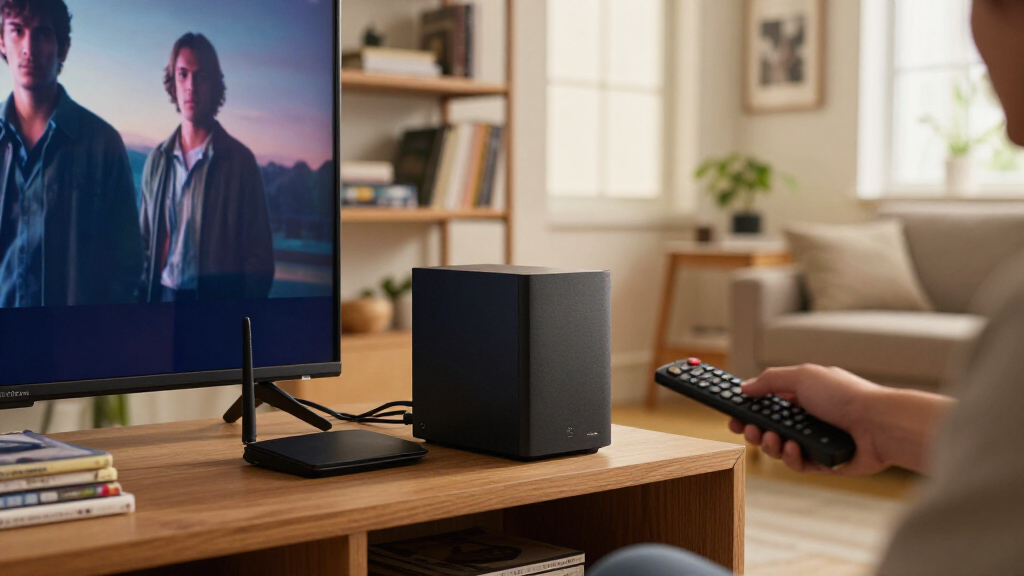

The best NAS devices for Plex balance reliable media serving with enough processing power for the way you watch. My best overall pick is the Synology DS425+, a four-bay choice that pairs room for a growing library with Plex-friendly hardware transcoding. The UGREEN DXP4800 Plus stands out for households and small teams that want a more flexible, higher-performance system, while the Synology DS225+ makes sense for a smaller Plex library in a two-bay enclosure. The main tradeoffs are transcoding capability, drive capacity, software experience, and how much performance you need beyond media playback. Read on for the full breakdown, including picks for beginners, compact builds, and all-flash storage.

Get the latest gadgets delivered free with Prime
- Fast, free delivery on millions of items
- Prime Video, Amazon Music and more included
- Member-only deals all year
Complete the kit



Key Takeaways
- Four bays are the roundup’s most practical middle ground: models such as the Synology DS425+ and UGREEN DXP4800 Plus leave more room for library growth and drive choices than the two-bay options.
- Hardware transcoding matters most when playback devices cannot handle the source format: the DS225+ and DS425+ are the clearest Synology picks for buyers who want that capability.
- Network speed and transcoding solve different problems: faster Ethernet helps move large files and serve multiple streams, but it does not replace a capable CPU when Plex must convert video.
- Not every multi-bay system is a classic hard-drive NAS: the LincStation N2 and Asustor Flashstor 6 use a mix of drive types or all-SSD storage, appealing to buyers with specific performance or size goals.
- The lineup divides cleanly by priorities: Synology emphasizes a familiar NAS software experience, while UGREEN and Asustor offer alternatives for buyers who prioritize hardware flexibility, connectivity, or a particular storage layout.
| LincStation N2 6-Bay NAS Server with Intel N100, 16GB RAM, 10GbE, 2 SATA Bays, 4 M.2 NVMe Slots, Diskless |  | Best for Fast, Flexible Plex Storage | Processor: Intel N100, 4-core, 4-thread, up to 3.4GHz | Memory: 16GB LPDDR5 | Storage bays: 2 SATA bays and 4 M.2 NVMe slots | VIEW LATEST PRICE | See Our Full Breakdown |
| Synology DS225+ Private Cloud Media Server – 2-Bay Diskless NAS with Intel CPU for Hardware Transcoding |  | Best for Beginner-Friendly Plex Transcoding | Model: Synology DS225+ | Processor: Intel CPU; specific model not provided | Drive bays: 2 | VIEW LATEST PRICE | See Our Full Breakdown |
| UGREEN NAS DXP2800 2-Bay for Advanced Home Users, Remote Workers & Creators |  | Best Value for an Expandable Two-Bay Plex Library | Processor: Intel N100 quad-core | Memory: 8GB DDR5 | Drive bays: 2 | VIEW LATEST PRICE | See Our Full Breakdown |
| Synology DS425+ Private Cloud Media Server – 4-Bay Diskless NAS |  | Best for Growing Plex Libraries | Model: Synology DS425+ | Drive bays: 4 | Maximum storage capacity: Up to 80 TB | VIEW LATEST PRICE | See Our Full Breakdown |
| Synology 2-Bay DiskStation DS223j (Diskless) |  | Best Entry-Level Plex Storage | Model: Synology DS223j | Drive bays: 2 | System type: Diskless NAS | VIEW LATEST PRICE | See Our Full Breakdown |
| UGREEN DXP4800 Plus 4-Bay NAS for Families, Creators & Small Teams |  | Best for High-Capacity Plex Libraries | Drive bays: 4 | Maximum stated capacity: 144TB | Processor: Intel five-core CPU | VIEW LATEST PRICE | See Our Full Breakdown |
| Asustor Drivestor 4 Gen 2 AS1204T 4-Bay NAS Personal Cloud Backup |  | Best for Budget-Conscious Four-Bay Storage | Drive bays: 4 | Processor: Realtek RTD1619B, 1.7GHz quad-core | Memory: 1GB DDR4 | VIEW LATEST PRICE | See Our Full Breakdown |
| Synology 4-Bay DiskStation DS925+ (Diskless) |  | Best for a Managed Plex and Data-Protection Setup | Drive bays: 4 | Network ports: 2 x 2.5GbE | Sequential read speed: 522 MB/s | VIEW LATEST PRICE | See Our Full Breakdown |
| Asustor Lockerstor 2 Gen2 AS6702T – 2 Bay NAS Plex Media Server (Diskless) |  | Best Compact Plex Server for NVMe Expansion | Main storage bays: 2 | Processor: Intel Celeron N5105 quad-core, up to 2.0GHz | Memory: 4GB DDR4, expandable to 16GB | VIEW LATEST PRICE | See Our Full Breakdown |
| Asustor Drivestor 2 Pro Gen2 AS3302T v2 2-Bay NAS with 2.5GbE and 4K Media Server |  | Best for a Simple Two-Bay 4K Media Setup | Drive bays: 2 | Processor: Realtek quad-core | Memory: 2GB DDR4 | VIEW LATEST PRICE | See Our Full Breakdown |
| Asustor Flashstor 6 FS6706T, 6-Bay All-SSD NAS for Content Creators |  | Best Compact All-Flash Plex NAS | Processor: Intel Celeron N5105 quad-core | Drive bays: 6 x M.2 NVMe SSD slots | Networking: Dual 2.5GbE ports | VIEW LATEST PRICE | See Our Full Breakdown |
| Asustor Lockerstor 4 Gen2+ AS6704T v2 4-Bay NAS |  | Best Hybrid Storage for Plex | Processor: Intel Celeron N5105 quad-core | Memory: 4GB DDR4, expandable to 16GB | Drive bays: 4 SATA bays | VIEW LATEST PRICE | See Our Full Breakdown |
| UGREEN NAS DH4300 Plus 4-Bay Network Attached Storage for Home and Small Business |  | Best for Beginner Home Media Libraries | Drive bays: 4 SATA bays | Maximum stated capacity: 128TB | Drive form factor: 3.5 inches | VIEW LATEST PRICE | See Our Full Breakdown |
| QNAP TS-233-US 2-Bay Desktop NAS with ARM Cortex-A55 Quad-core Processor and 2GB RAM |  | Best Simple Two-Bay Plex Starter | Processor: ARM Cortex-A55 quad-core | Memory: 2GB RAM | Drive bays: 2 SATA bays | VIEW LATEST PRICE | See Our Full Breakdown |
| UGREEN NAS DXP4800 GT 4-Bay for Creators, Tech Enthusiasts and Office Teams |  | Best Premium Plex Server Platform | Processor: AMD Ryzen Embedded R2514, 4 cores, up to 3.70GHz | Memory: 8GB DDR4, expandable to 64GB | Drive bays: 4 bays | VIEW LATEST PRICE | See Our Full Breakdown |
| NAS devices for Plex | Drive bays | Processor | Warranty | Memory |
|---|---|---|---|---|
| LincStation N2 6-Bay NAS Serve | — | Intel N100, 4-core, 4-thread, up to 3.4GHz | 2 years | 16GB LPDDR5 |
| Synology DS225+ Private Cloud | 2 | Intel CPU; specific model not provided | 3 years | — |
| UGREEN NAS DXP2800 2-Bay for A | 2 | Intel N100 quad-core | 2 years | 8GB DDR5 |
| Synology DS425+ Private Cloud | 4 | — | 3 years | — |
| Synology 2-Bay DiskStation DS2 | 2 | — | 2 years | — |
| UGREEN DXP4800 Plus 4-Bay NAS | 4 | Intel five-core CPU | 2 years | 8GB DDR5 |
| Asustor Drivestor 4 Gen 2 AS12 | 4 | Realtek RTD1619B, 1.7GHz quad-core | 10 years | 1GB DDR4 |
| Synology 4-Bay DiskStation DS9 | 4 | — | 3 years | — |
| Asustor Lockerstor 2 Gen2 AS67 | — | Intel Celeron N5105 quad-core, up to 2.0GHz | — | 4GB DDR4, expandable to 16GB |
| Asustor Drivestor 2 Pro Gen2 A | 2 | Realtek quad-core | — | 2GB DDR4 |
| Asustor Flashstor 6 FS6706T | 6 x M.2 NVMe SSD slots | Intel Celeron N5105 quad-core | 3 years | — |
| Asustor Lockerstor 4 Gen2+ AS6 | 4 SATA bays | Intel Celeron N5105 quad-core | 3 years | 4GB DDR4, expandable to 16GB |
| UGREEN NAS DH4300 Plus 4-Bay N | 4 SATA bays | — | — | — |
| QNAP TS-233-US 2-Bay Desktop N | 2 SATA bays | ARM Cortex-A55 quad-core | — | 2GB RAM |
| UGREEN NAS DXP4800 GT 4-Bay fo | 4 bays | AMD Ryzen Embedded R2514, 4 cores, up to 3.70GHz | — | 8GB DDR4, expandable to 64GB |
More Details on Our Top Picks
LincStation N2 6-Bay NAS Server with Intel N100, 16GB RAM, 10GbE, 2 SATA Bays, 4 M.2 NVMe Slots, Diskless
The LincStation N2 is the most network- and SSD-focused option here: its 10GbE port, Intel N100 processor, and four M.2 slots give a Plex server room to serve media while handling other storage tasks. The N100 and 16GB of RAM make it a more capable small-server platform than the entry-level Synology DS223j, while the Unraid starter license offers a different, more configurable setup than Synology’s managed environment. Its two SATA bays, however, limit straightforward hard-drive capacity; the four NVMe slots add speed and flexibility, not a substitute for a large multi-disk archive. This diskless model also calls for more setup effort than a beginner-oriented appliance. I’d choose it for a technically confident Plex owner who values fast transfers and mixed storage, not someone seeking a simple, high-capacity library box.
Pros:- 10GbE networking can speed large media transfers on a compatible network.
- Four M.2 NVMe slots allow fast storage alongside the two SATA bays.
- Intel N100 and 16GB LPDDR5 provide capable hardware for Plex and other server tasks.
- Unraid OS starter license supports a more configurable storage setup.
Cons:- Only two SATA bays constrain conventional hard-drive capacity.
- Diskless configuration requires separate drive purchases and installation.
- Unraid and NAS setup may be less approachable than Synology’s appliance-style software.
Best for: Technically confident Plex users who want 10GbE, NVMe storage options, and a configurable home server.
Not ideal for: Beginners or collectors prioritizing inexpensive bulk hard-drive capacity, since it has only two SATA bays and requires drive and software setup.
- Processor:Intel N100, 4-core, 4-thread, up to 3.4GHz
- Memory:16GB LPDDR5
- Storage bays:2 SATA bays and 4 M.2 NVMe slots
- Network:10GbE Ethernet
- Connectivity:USB-C (10G), USB 3.2 Gen2, HDMI 2.0, 3.5mm audio
- Operating system:Unraid OS starter license included
- Form factor:Compact metal shell
- Warranty:2 years
Our verdict“Choose the LincStation N2 if fast networking and flexible NVMe storage matter more to your Plex setup than maximizing SATA drive capacity.”
Synology DS225+ Private Cloud Media Server – 2-Bay Diskless NAS with Intel CPU for Hardware Transcoding
The DS225+ is the more approachable two-bay Plex pick for buyers who want hardware transcoding in a compact Synology system. Its Intel processor is specified for hardware transcoding, and the product description cites 4K media streaming; that makes it a more direct fit for playback to devices that cannot handle a file’s original format than the basic DS223j. Synology’s automated backups and RAID options also suit a home that wants media storage alongside everyday file protection. The tradeoff is limited room to grow: two drive bays are a tighter fit for a large collection than the four-bay DS425+. It ships without drives, and the description does not specify processor model or memory, so I would not treat it as a high-capacity or broadly documented server platform.
Pros:- Intel CPU is specified for hardware transcoding, useful when playback devices need compatible streams.
- Supports 4K media streaming according to the product description.
- Automated backups and RAID options suit combined media and household file storage.
- Compact enclosure fits a home or small-office setup.
Cons:- Two bays offer less capacity and expansion room than the Synology DS425+.
- Diskless configuration requires separate drive purchases.
- Processor model and memory capacity are not specified in the provided product data.
Best for: Home Plex users who want a compact two-drive Synology with hardware-transcoding support and familiar backup features.
Not ideal for: Plex collectors expecting a large library or significant storage growth, since this model has only two bays.
- Model:Synology DS225+
- Processor:Intel CPU; specific model not provided
- Drive bays:2
- Maximum storage capacity:40 TB
- Media features:4K media streaming and hardware transcoding support
- Dimensions:9.14 × 4.25 × 6.5 inches
- Weight:1300 g
- Warranty:3 years
Our verdict“Pick the DS225+ if you want a compact Synology Plex server with stated hardware-transcoding support and do not need more than two drive bays.”
UGREEN NAS DXP2800 2-Bay for Advanced Home Users, Remote Workers & Creators
The DXP2800 pairs a two-drive layout with an Intel N100 platform, 8GB DDR5 RAM, and a stated maximum capacity of 80TB, making it a compelling fit for advanced home users building a substantial library without moving to a four-bay enclosure. Compared with the Synology DS225+, it emphasizes broad server flexibility—its description lists Docker, virtual machines, and media-server use—rather than foregrounding Synology’s specific hardware-transcoding claim. That flexibility can suit a Plex setup that shares space with other services, but the product data does not identify a hardware-transcoding feature, so buyers should verify their intended playback and transcoding needs before choosing it. Drives are not included, and its app and storage setup may demand more technical attention than the DS223j.
Pros:- Intel N100 quad-core processor and 8GB DDR5 are suited to a home server running multiple applications.
- Stated capacity of up to 80TB gives a two-bay system room for a sizeable library.
- Docker and virtual-machine support can accommodate services beyond Plex.
- SATA drive support suits users building a hard-drive-based media archive.
Cons:- Diskless setup requires separate compatible drives.
- Hardware-transcoding support is not specified in the provided product data.
- Advanced applications and setup may be challenging for less technical users.
Best for: Advanced home users and creators who want a two-bay Plex library with capacity for large drives and room to run additional server applications.
Not ideal for: Beginners who want clearly specified hardware transcoding or a minimal-setup Plex appliance.
- Processor:Intel N100 quad-core
- Memory:8GB DDR5
- Drive bays:2
- Maximum storage capacity:80 TB
- Hard drive interface:SATA
- Hardware platform:x86
- Connectivity:Ethernet, SATA 6.0 Gb/s, USB
- Warranty:2 years
Our verdict“Choose the DXP2800 if you want a high-capacity two-bay Plex server that can also host other applications and are comfortable configuring it.”
Synology DS425+ Private Cloud Media Server – 4-Bay Diskless NAS
For a Plex collection likely to outgrow two drives, the DS425+ makes the clearest case: its four bays provide more room to add storage than the DS225+ or DS223j, while RAID, snapshots, and automated backups support a broader home-storage role. The listed 2.5GbE ports and 278 MB/s network speed are useful for multi-user access and moving large files across a compatible network, though they do not match the LincStation N2’s 10GbE connection. This model’s appeal is capacity and Synology’s shared-storage toolkit, not a stated Plex hardware-transcoding specification; the supplied data does not identify its processor or transcoding capability. I’d favor it for an expanding library and household backups, but its diskless setup and four-drive management make it more work than a compact two-bay system.
Pros:- Four bays allow more storage capacity and flexibility than the DS225+ two-bay design.
- 2.5GbE ports and listed 278 MB/s network speed support fast transfers on a compatible network.
- RAID, snapshots, and automated backups help protect a media library and shared files.
- Designed for concurrent access and supports up to 30 IP cameras.
Cons:- Diskless configuration requires purchasing and installing drives.
- The provided data does not specify processor, memory, or Plex hardware-transcoding support.
- Its listed network speed is below the LincStation N2’s 10GbE connection.
Best for: Households with a growing Plex collection that want four drive bays, shared access, and backup features in one NAS.
Not ideal for: Buyers who need confirmed hardware-transcoding specifications, a ready-to-use system, or faster-than-2.5GbE networking.
- Model:Synology DS425+
- Drive bays:4
- Maximum storage capacity:Up to 80 TB
- Network ports:2.5GbE
- Network speed:278 MB/s
- Supported cameras:30 IP cameras
- Dimensions:8.78 × 7.83 × 6.54 inches
- Warranty:3 years
Our verdict“Choose the DS425+ if library growth and four-bay storage flexibility matter more than a specified hardware-transcoding feature or 10GbE.”
Synology 2-Bay DiskStation DS223j (Diskless)
The DS223j is the straightforward choice for someone who wants a Synology NAS for media storage, backups, and remote access without paying for features the supplied product data does not establish. Its two bays support a small home library, while automated backups and multi-platform access make it useful beyond Plex. Compared with the DS225+, it is the more basic option: the DS225+ specifically lists an Intel CPU for hardware transcoding and 4K streaming, whereas no processor or transcoding details are provided for the DS223j. That makes this a better match for direct-play setups than for buyers relying on the NAS to convert video for varied devices. It is diskless, and setup still takes some technical effort, but its simpler role suits a modest media collection better than the larger DS425+.
Pros:- Two-bay design provides a simple foundation for a small home media library.
- Automated backups support files from multiple devices.
- Multi-platform access and remote monitoring extend its use beyond local Plex storage.
- Ongoing software updates are listed as part of the product offering.
Cons:- Diskless configuration requires separate drive purchases.
- Processor and hardware-transcoding capabilities are not specified in the provided product data.
- Two bays provide less growth room than the four-bay Synology DS425+.
Best for: First-time NAS owners with a modest Plex library who also want household backups and remote file access.
Not ideal for: Users who need confirmed hardware transcoding, a large multi-drive library, or extensive Plex server capacity.
- Model:Synology DS223j
- Drive bays:2
- System type:Diskless NAS
- Backup features:Automated backups for multiple devices
- Access:Multi-platform access and remote monitoring
- Surveillance:IP camera monitoring support
- Warranty:2 years
Our verdict“Choose the DS223j for basic Plex storage and home backups if your setup relies mainly on direct play rather than NAS-powered transcoding.”
UGREEN DXP4800 Plus 4-Bay NAS for Families, Creators & Small Teams
For a Plex library that keeps growing, the four drive bays and stated capacity of up to 144TB give the DXP4800 Plus more room to build out than the two-bay Lockerstor 2 Gen2. Its Intel five-core CPU, 8GB of DDR5 memory, and 10GbE plus 2.5GbE ports also suit a household or small team sharing large media files across a fast wired network. Docker and virtual-machine support add flexibility beyond Plex, though they bring more setup work than a simpler media-focused server. The 4K HDMI output is useful for a direct display connection, but it does not by itself establish how well the NAS handles Plex transcoding. Drives are sold separately, and wired-only networking means placement needs an Ethernet connection. I’d choose it for capacity and expansion, not the easiest first NAS.
Pros:- Four bays and stated capacity up to 144TB leave room for a growing media library.
- 8GB DDR5 memory and an Intel five-core CPU support additional services alongside Plex.
- 10GbE and 2.5GbE ports provide faster wired transfer options than a single 2.5GbE connection.
- Docker, virtual machines, and 4K HDMI broaden its uses beyond network storage.
Cons:- Drives are not included, so buyers must select and install storage separately.
- More advanced features can make setup and ongoing management harder for first-time NAS owners.
- No Wi-Fi; the NAS needs a wired Ethernet connection.
Best for: Plex owners building a large library who want four bays, substantial memory, and fast wired transfers, with the confidence to handle a more involved setup.
Not ideal for: Beginners seeking a simple plug-and-play Plex server, or anyone who needs Wi-Fi or wants the NAS to include drives.
- Drive bays:4
- Maximum stated capacity:144TB
- Processor:Intel five-core CPU
- Memory:8GB DDR5
- Network ports:1 x 10GbE, 1 x 2.5GbE
- Connectivity:Ethernet, HDMI, SATA, USB
- Video output:4K HDMI
- Warranty:2 years
Our verdict“Choose the DXP4800 Plus if your Plex library needs four-bay capacity and fast networking more than a beginner-friendly setup.”
Asustor Drivestor 4 Gen 2 AS1204T 4-Bay NAS Personal Cloud Backup
The Drivestor 4 Gen 2 is a straightforward way to get four drive bays for a Plex library without moving up to a more feature-heavy system like the UGREEN DXP4800 Plus. Its Realtek quad-core processor and 2.5GbE networking suit home streaming and faster file transfers on a compatible network, while RAID options including 5 and 6 let buyers plan for disk redundancy. The main compromise is its 1GB of RAM: that leaves less headroom for several services or heavier multitasking than the DXP4800 Plus’s 8GB. The product description lists 4K media streaming, but the supplied details do not establish dedicated Plex hardware-transcoding capability. Drives are not included, and buyers should verify drive-size compatibility before building a system. I’d shortlist it for capacity-first home use, not demanding server workloads.
Pros:- Four bays provide more room for a Plex collection than two-bay options such as the Lockerstor 2 Gen2.
- 2.5GbE can improve transfers when the rest of the home network supports it.
- RAID 0, 1, 5, 6, and 10 offer several storage and redundancy configurations.
- Three USB ports add options for external devices and storage.
Cons:- The listed 1GB of RAM limits headroom for concurrent apps and heavier workloads.
- Diskless setup means drives must be purchased separately.
- The supplied details do not confirm Plex hardware-transcoding support.
Best for: Home Plex users who want four bays for a growing library and RAID choices, and whose server needs are mostly storage and streaming.
Not ideal for: Users planning multiple demanding apps, virtual machines, or intensive Plex transcoding; the listed 1GB RAM offers limited headroom.
- Drive bays:4
- Processor:Realtek RTD1619B, 1.7GHz quad-core
- Memory:1GB DDR4
- Network:2.5-Gigabit Ethernet
- Supported RAID:0, 1, 5, 6, 10
- USB ports:3
- Case type:Desktop
- Warranty:10 years
Our verdict“Pick the Drivestor 4 Gen 2 if you want four-bay Plex storage and RAID flexibility without needing substantial app or transcoding headroom.”
Synology 4-Bay DiskStation DS925+ (Diskless)
The DS925+ is a strong fit for buyers who want a four-bay Plex library wrapped in Synology’s broader file-management and data-protection tools. Its dual 2.5GbE ports support faster transfers and network redundancy, while the listed sequential speeds of 522MB/s read and 565MB/s write indicate solid file-serving potential. Compared with the more hardware-focused UGREEN DXP4800 Plus, Synology emphasizes an integrated management ecosystem; the tradeoff is that this product data does not specify its processor, memory, or Plex transcoding capability. It is also diskless, and the requirement to use drives from Synology’s official compatibility list narrows drive choices. Setup may take more effort for newcomers. I’d favor it when storage management and protection tools matter as much as Plex, but not when confirmed transcoding details are the deciding factor.
Pros:- Four bays support a larger library and more storage configurations than the two-bay Lockerstor 2 Gen2.
- Dual 2.5GbE ports provide fast transfers and a redundancy option.
- Built-in file-management and data-protection solutions extend its usefulness beyond Plex.
- Listed sequential read and write speeds provide useful guidance for file-transfer expectations.
Cons:- The product data does not specify processor, memory, or Plex transcoding capability.
- Diskless design requires a separate drive purchase.
- Drive compatibility is limited to Synology’s official compatibility list, and setup can challenge beginners.
Best for: Plex households that also want Synology file-management, data-protection, virtualization, or surveillance tools in a four-bay system.
Not ideal for: Buyers who need clearly documented Plex transcoding performance, broad drive-choice flexibility, or a simple first-time setup.
- Drive bays:4
- Network ports:2 x 2.5GbE
- Sequential read speed:522 MB/s
- Sequential write speed:565 MB/s
- Drive compatibility:Drives from Synology’s official compatibility list
- Other listed solutions:File management, data protection, virtualization, surveillance
- Warranty:3 years
Our verdict“Choose the DS925+ if you value Synology’s management and protection features alongside four-bay Plex storage, and can accept its drive and setup restrictions.”
Asustor Lockerstor 2 Gen2 AS6702T – 2 Bay NAS Plex Media Server (Diskless)
The Lockerstor 2 Gen2 takes a different route from four-bay picks like the Synology DS925+: it keeps the main chassis to two drive bays while adding four M.2 NVMe slots and expandable memory. That layout suits a smaller Plex library or a compact home server where SSD storage or caching matters more than room for many large hard drives. Its Intel Celeron N5105 and 4GB of DDR4 memory provide a more clearly specified hardware base than the DS925+ listing, while dual 2.5GbE ports help on a compatible network. Memory can expand to 16GB, giving it more growth room than the Drivestor 4 Gen 2’s listed 1GB. Still, two bays limit bulk capacity, drives are not included, and the supplied operating-system detail is unclear. I’d pick it for compact flexibility, not maximum library size.
Pros:- Four M.2 NVMe slots offer storage and expansion options beyond the two main drive bays.
- Memory expands from 4GB to up to 16GB for additional workload headroom.
- Intel Celeron N5105 and dual 2.5GbE ports make its hardware more clearly specified than the DS925+ listing.
- HDMI output and two USB ports add connection options.
Cons:- Two main drive bays limit bulk storage compared with four-bay options such as the DXP4800 Plus.
- Diskless design requires buyers to supply drives.
- The supplied operating-system specification is unclear and should be checked before purchase.
Best for: Plex users who want a compact two-bay NAS with Intel hardware, dual 2.5GbE, and room for NVMe storage or memory expansion.
Not ideal for: Collectors planning a very large hard-drive-based Plex library or buyers who need uncomplicated, verified software specifications.
- Main storage bays:2
- Processor:Intel Celeron N5105 quad-core, up to 2.0GHz
- Memory:4GB DDR4, expandable to 16GB
- Network:2 x 2.5GbE
- M.2 NVMe slots:4
- Video output:HDMI
- USB ports:2
- Dimensions:9.06 x 4.25 x 6.44 inches
Our verdict“Choose the Lockerstor 2 Gen2 for compact Intel-based Plex storage with NVMe and memory expansion, but choose a four-bay NAS for a larger hard-drive library.”
Asustor Drivestor 2 Pro Gen2 AS3302T v2 2-Bay NAS with 2.5GbE and 4K Media Server
The Drivestor 2 Pro Gen2 is the more straightforward choice for a home Plex setup built around two drives and 4K media support. Its 2.5GbE connection can speed up file transfers on a compatible network, and tool-free drive installation makes physical setup less involved than the more expandable Lockerstor 2 Gen2. The tradeoff is less room to grow: the Lockerstor adds four NVMe slots, expandable RAM, and a specified Intel processor, while this model has 2GB of DDR4 and a Realtek quad-core CPU. The listing describes 4K transcoding, but gives no detailed transcoding limits, so I would not assume it suits every mix of codecs or remote-streaming demands. It is diskless, and two bays may constrain a large library. This is best for uncomplicated home streaming, not a server built for heavy multitasking.
Pros:- The listing specifies 4K media transcoding support for a home media-server use case.
- 2.5GbE offers faster network transfers than standard Gigabit Ethernet on compatible equipment.
- Tool-free drive installation can simplify the physical setup compared with the Lockerstor 2 Gen2.
- Metal enclosure and private-cloud access add practical home-use features.
Cons:- Two bays provide less room for a growing library than the four-bay DXP4800 Plus.
- The listed 2GB of memory may constrain advanced multitasking.
- Drives are not included, and the supplied details do not specify transcoding limits.
Best for: Home Plex users with a modest two-drive library who want 2.5GbE, stated 4K transcoding support, and tool-free drive installation.
Not ideal for: Plex collectors needing four-bay capacity, or users planning heavy multitasking and multiple demanding services.
- Drive bays:2
- Processor:Realtek quad-core
- Memory:2GB DDR4
- Network:2.5-Gigabit Ethernet
- Media support:4K transcoding
- Drive installation:Tool-free
- Enclosure material:Metal
- Weight:1200 g
Our verdict“Pick the Drivestor 2 Pro Gen2 for a modest home Plex library and simpler drive installation, not for extensive storage or demanding server workloads.”
Asustor Flashstor 6 FS6706T, 6-Bay All-SSD NAS for Content Creators
The Flashstor 6 FS6706T is the distinctive pick here for a Plex library built around fast, quiet SSD storage rather than a large collection of hard drives. Its six M.2 NVMe slots can make browsing and moving media feel responsive, while dual 2.5GbE gives compatible home networks more headroom than a standard gigabit link. The Intel Celeron N5105 also supports the listed 4K playback and hardware transcoding, a useful combination when clients cannot direct-play a file. Compared with the four-bay Lockerstor 4 Gen2+, this model trades conventional SATA drive flexibility for an all-flash layout and a smaller, lighter chassis. That makes it a better fit for a quiet editing or media workspace, but a costly way to build a high-capacity Plex archive. It is diskless, and setup asks more of the owner than beginner-oriented options such as the UGREEN DH4300 Plus.
Pros:- Six M.2 NVMe slots support a compact all-flash storage setup.
- Dual 2.5GbE ports can improve transfers on a compatible wired network.
- Hardware transcoding and 4K playback support suit mixed Plex clients.
- Lightweight design is a practical fit for a studio or media workspace.
Cons:- NVMe drives are not included, adding a separate storage purchase.
- All-flash capacity can be an expensive route for a large Plex collection.
- Setup and configuration may challenge less experienced NAS owners.
Best for: Creators and advanced Plex users who want a quiet, compact all-NVMe library for active projects and frequent media access.
Not ideal for: First-time NAS buyers or anyone building a large, low-cost movie archive; it requires separate NVMe drives and more hands-on configuration.
- Processor:Intel Celeron N5105 quad-core
- Drive bays:6 x M.2 NVMe SSD slots
- Networking:Dual 2.5GbE ports
- Media support:4K video playback and hardware transcoding
- USB:USB 3.2 Gen 2
- Video output:HDMI 2.0b
- Weight:2 kg
- Warranty:3 years
Our verdict“Choose the Flashstor 6 if quiet NVMe storage and a compact footprint matter more than economical bulk capacity.”
Asustor Lockerstor 4 Gen2+ AS6704T v2 4-Bay NAS
The Lockerstor 4 Gen2+ AS6704T v2 suits Plex owners who want a conventional hard-drive library with room to add SSD caching later. Four SATA bays offer a practical path to expanding a movie collection, while four M.2 NVMe slots let users add cache without replacing the main storage layout. Its Celeron N5105 and 4GB of expandable memory provide a more flexible foundation for media serving and multitasking than the simpler two-bay QNAP TS-233, though the listed specs do not make this the most powerful system in the group. The unusual draw is dual 5GbE, which can help with fast transfers when the rest of the network supports it. That extra speed will not improve ordinary streaming over a slower connection, and the NAS arrives without drives or cache SSDs. It is a balanced fit, not a plug-and-play purchase.
Pros:- Four SATA bays provide a familiar route to building a larger media library.
- Four M.2 slots allow NVMe caching alongside HDD or SATA SSD storage.
- Dual 5GbE ports offer high-throughput networking on compatible setups.
- Memory is expandable from 4GB to 16GB for broader multitasking needs.
Cons:- No HDDs, SATA SSDs, or NVMe cache drives are included.
- Fast networking adds little for users on standard gigabit equipment.
- The listed 4GB base memory may limit heavier concurrent workloads until upgraded.
Best for: Plex households planning a growing HDD-based library who also want the option to add NVMe cache and faster networking.
Not ideal for: Beginners seeking a minimal setup, or buyers whose home network and clients cannot make use of the dual 5GbE ports.
- Processor:Intel Celeron N5105 quad-core
- Memory:4GB DDR4, expandable to 16GB
- Drive bays:4 SATA bays
- NVMe slots:4 x M.2
- Networking:Dual 5GbE Ethernet ports
- RAID support:RAID 0, 1, 5, 6, and JBOD
- Video output:HDMI 4K output
- Operating system:ASUSTOR Data Master (ADM)
- Warranty:3 years
Our verdict“Pick this model for a growing Plex library that needs HDD capacity today and optional NVMe cache and fast networking later.”
UGREEN NAS DH4300 Plus 4-Bay Network Attached Storage for Home and Small Business
The UGREEN NAS DH4300 Plus is the approachable four-bay option for households that want shared storage and media access without making advanced server features the priority. Its stated easy setup, remote access, and automatic photo backups make it a more welcoming starting point than the configuration-focused Flashstor 6, while four SATA bays give a Plex library room to grow beyond a two-bay entry-level box such as the QNAP TS-233. The listed 2.5GbE port and 8GB RAM support a capable home-storage setup, but the product details do not specify a Plex-focused processor or hardware transcoding support. I would treat it as a straightforward media-storage choice rather than assume it can handle demanding transcodes. Docker is supported, but not virtual machines; it is also wired-only and arrives diskless. Buyers who want a more configurable Plex server should compare it with the Lockerstor 4 Gen2+.
Pros:- Four SATA bays provide room for a home media library to expand.
- Easy setup and remote-access features suit first-time NAS owners.
- Automatic photo backups and AI-powered albums add household utility beyond Plex.
- Listed 2.5GbE networking and 8GB RAM support everyday home storage use.
Cons:- Drives are not included, so the NAS is not ready for storage out of the box.
- Wi-Fi is not supported; network access requires Ethernet.
- Docker is supported, but virtual machines are not, and Plex transcoding capability is not specified.
Best for: Households new to NAS who want a guided setup, private photo backups, remote access, and a four-bay base for media storage.
Not ideal for: Plex users who need confirmed hardware transcoding, virtual machines, or a fully wireless NAS connection.
- Drive bays:4 SATA bays
- Maximum stated capacity:128TB
- Drive form factor:3.5 inches
- Read speed:312 MB/s
- Connectivity:Ethernet, HDMI, SATA, and USB
- Virtualization:Docker supported; virtual machines not supported
- Configuration:Diskless
- Additional features:Automatic photo backups and AI-powered photo albums
Our verdict“Choose the DH4300 Plus for a beginner-friendly four-bay home media hub, not for an advanced Plex server that depends on specified transcoding power.”
QNAP TS-233-US 2-Bay Desktop NAS with ARM Cortex-A55 Quad-core Processor and 2GB RAM
The QNAP TS-233-US makes the most sense for a modest personal Plex library where compact size and simple home storage matter more than expansion or heavy server workloads. Its two SATA bays keep the setup smaller than four-bay choices such as the UGREEN DH4300 Plus, while the ARM Cortex-A55 quad-core processor is listed with hardware-accelerated transcoding. That can help with supported media conversions, but the 2GB of RAM is a clear limit if several users, background tasks, or additional services run at once. Compared with the Asustor Lockerstor 4 Gen2+, the TS-233 gives up drive capacity, expandable memory, and faster networking in exchange for a simpler personal-storage role. The supplied data contains inconsistent storage-speed and drive-form-factor fields, so I would not use those figures to predict Plex performance. It is diskless and best kept to a lean setup.
Pros:- Compact two-bay design fits personal and small-home storage setups.
- Hardware-accelerated transcoding is listed for multimedia use.
- AI-powered image recognition and remote access add useful personal-cloud features.
- Snapshot protection is listed as a safeguard against ransomware.
Cons:- 2GB RAM leaves limited headroom for multiple users and background services.
- Two bays provide less expansion capacity than the four-bay DH4300 Plus or Lockerstor 4.
- Hard drives are not included, and the supplied speed details are inconsistent.
Best for: Individuals or couples building a small, wired home media library who want two-bay storage and basic transcoding support.
Not ideal for: Multi-user households, large Plex libraries, or owners planning to run several server applications alongside media streaming.
- Processor:ARM Cortex-A55 quad-core
- Memory:2GB RAM
- Drive bays:2 SATA bays
- Media features:Hardware-accelerated transcoding and AI-powered image recognition
- Data transfer rate:3 gigabits per second
- Media speed:125 MB/s
- Form factor support:2.5-inch and 3.5-inch listed
- Connectivity:SATA and USB
Our verdict“Choose the TS-233 for a compact, modest Plex setup with basic transcoding needs, but look to a four-bay NAS for growth or heavier multitasking.”
UGREEN NAS DXP4800 GT 4-Bay for Creators, Tech Enthusiasts and Office Teams
The UGREEN NAS DXP4800 GT is the premium, expand-as-you-go choice for Plex owners who also want a capable platform for creator workflows, containers, virtual machines, or surveillance. Its Ryzen Embedded R2514, 8GB of expandable DDR4 memory, and support for SATA, U.2 NVMe, and M.2 SSD storage give it more flexibility than the Celeron-based Lockerstor 4 Gen2+ or the simpler DH4300 Plus. Dual 10GbE ports can speed large media transfers on a suitably equipped network, though they will not make ordinary streaming clients faster by themselves. This breadth comes with setup work: Plex through Docker requires manual configuration, and the installed RAM is non-ECC. Drives are not included, and reaching the stated storage capacity depends on separately selected drives. It is a strong fit for technically confident owners, but more hardware and networking than a basic Plex library needs.
Pros:- Ryzen Embedded processor and expandable memory provide headroom for multiple workloads.
- Dual 10GbE ports with link aggregation support fast transfers on compatible networks.
- SATA, U.2 NVMe, and M.2 options give the storage layout broad flexibility.
- Docker, virtual machines, and a built-in surveillance center extend use beyond Plex.
Cons:- Plex setup through Docker requires manual configuration.
- Drives are not included, and the stated capacity depends on separately purchased hardware.
- Pre-installed RAM is non-ECC; ECC use requires compatible replacement memory.
Best for: Creators, small-office teams, and advanced Plex owners who want one NAS for media, Docker, virtual machines, and high-speed file transfers.
Not ideal for: First-time NAS buyers or households seeking a straightforward Plex appliance without manual Docker setup or 10GbE networking requirements.
- Processor:AMD Ryzen Embedded R2514, 4 cores, up to 3.70GHz
- Memory:8GB DDR4, expandable to 64GB
- Drive bays:4 bays
- Storage support:SATA, U.2 NVMe, and M.2 SSDs
- Maximum stated capacity:Up to 144TB
- Networking:Dual 10GbE with link aggregation support
- Connectivity:USB 3.2, USB-C, HDMI, and SD card slot
- Additional software features:Docker, virtual machines, surveillance center, and SAN management
- Security:TLS/SSL, RSA, AES, SHA-512, and RAID support
Our verdict“Pick the DXP4800 GT if Plex is one part of a broader, technically managed server setup and you can use its fast networking and expansion options.”
How We Picked
I compared these 15 NAS devices as Plex hosts, not as general-purpose file servers. The main ranking factors were whether the hardware can handle Plex’s media-serving workload, whether a model offers hardware transcoding where it is advertised, and how much storage flexibility its drive bays and NVMe slots provide. I also weighed network connectivity, memory, the software experience a home user must maintain, and the usefulness of the device beyond Plex. Those details shape whether a NAS can serve a growing library without forcing a premature replacement.
Higher-ranked picks offer a stronger mix of Plex suitability, usable capacity, and everyday flexibility. A two-bay system can be a better choice for a small library or a simpler setup, but it ranks below a well-rounded four-bay option when expansion is a priority. Specialty systems, including all-SSD and mixed-bay models, appear lower when their design serves a narrower set of Plex needs. I also treat Ethernet speed as a supporting advantage rather than a substitute for transcoding ability; a fast network cannot make incompatible playback devices direct-play a file.
Factors to Consider When Choosing Best NAS Devices For Plex
Choosing a Plex NAS starts with the way your household plays media, not the biggest specification on the box. These factors help separate a capable media server from a storage device that only looks powerful on paper.
Match Transcoding to Your Playback Devices
Plex direct play sends a compatible file to a playback device without converting it, which places far less demand on the NAS than transcoding. A conversion may be needed when a television or streaming box cannot handle a video format, audio track, or subtitle type. Before choosing hardware, check the formats your regular devices support and whether you expect to stream away from home at a reduced quality. Hardware transcoding support can help with conversion, but Plex’s software, configuration, and any applicable account requirements also affect how the feature works. A common mistake is buying a server for a demanding transcoding scenario when most household devices could direct-play the files. If you expect several simultaneous conversions, treat that as a higher hardware requirement than simply serving several compatible streams.
Choose Bay Count Around Library Growth and Redundancy
Two bays can suit a modest collection, but the limited number of drives can constrain future capacity choices. Four bays provide more ways to add storage over time and can make it easier to balance capacity, redundancy, and drive replacement plans. RAID or a similar redundancy arrangement helps keep a system running after certain drive failures, but it is not a backup of the media itself. A second copy stored elsewhere protects against accidental deletion, device failure, and other loss scenarios that drive redundancy cannot address. Buyers often focus only on the largest possible capacity and overlook the cost and effort of restoring a library. Plan for both how many terabytes you need and how you would recover the files.
Treat Network Speed as a Separate Decision
Gigabit Ethernet can be enough for many home Plex setups, particularly when a small number of devices stream compressed media. Faster ports become more useful when transferring large video files, serving multiple high-bitrate streams, or connecting the NAS to a faster home network. The benefit depends on the rest of the setup: a faster NAS port cannot exceed the speed of a slower switch, router, computer, or client connection. Likewise, bandwidth does not solve a codec mismatch that forces Plex to transcode. Buyers can spend extra on 2.5GbE or 10GbE and see little improvement if their network and usage do not call for it. Check the whole network path before paying for faster connectivity.
Budget for Drives, Backup, and Ongoing Upkeep
Most models in this roundup are sold diskless, so the NAS itself is only one part of the complete system. Drive capacity, drive type, redundancy, and a separate backup plan all affect the real amount of usable storage and the ongoing maintenance workload. HDDs tend to suit large media libraries, while SSD-based systems can appeal when low noise, compactness, or fast storage access matters more than capacity per drive. Check which drive configurations the NAS supports and how the manufacturer handles drive health alerts and updates. A common buying error is filling every bay at the start, leaving no simple path to expand. Leaving room for future drives can make a mid-sized system more practical over its lifespan.
Weigh the Software You Will Maintain
A Plex NAS also runs an operating environment that needs updates, account management, storage setup, and occasional troubleshooting. A polished, familiar interface can matter more to a first-time NAS owner than a small difference in processor specifications. Buyers who like configuring services may welcome a flexible system, while someone who wants a simple home media library may prefer a straightforward setup and clear maintenance tools. Check that the Plex server software is supported on the model and operating system you plan to use before buying. Also look at how the NAS handles remote access and security updates, since an internet-facing media server needs ongoing care. The easiest system is not always the most configurable, and the most configurable option may ask more of its owner.
Pay More Only for a Defined Workload
Premium connectivity, extra NVMe slots, and all-flash storage can be useful, but they do not automatically improve ordinary Plex playback. Pay for these features when they match a specific need such as frequent large-file transfers, a compact low-noise installation, or using the NAS for creator and work files as well as media. For a basic household library that mostly direct-plays, storage capacity and dependable backup may matter more than top-end networking. Mixed-bay and SSD-focused systems also change the drive budget and capacity calculation, so compare usable storage rather than counting slots alone. Decide which non-Plex jobs the NAS will handle before selecting a more specialized model. That keeps the purchase aligned with how the device will actually be used.
Frequently Asked Questions
Do I need hardware transcoding for a Plex NAS?
Not always: if your playback devices support the files’ video, audio, and subtitle formats, Plex can often direct-play them without converting the stream. Hardware transcoding becomes more relevant when devices have format limits, remote playback needs a lower bitrate, or multiple viewers need conversions at once. The DS225+ and DS425+ are notable choices in this lineup for buyers seeking advertised hardware-transcoding capability. Check Plex’s support and account requirements for the feature before relying on it. If your library and clients already work well with direct play, you may prefer to spend more of your budget on storage and backup.
Is a four-bay NAS better than a two-bay NAS for Plex?
A four-bay NAS is not automatically better at serving a Plex stream, but it offers more room to arrange and expand storage. That can matter if your media library is large or expected to grow, or if you want more flexibility when choosing drives. A two-bay system can be a sensible fit for a smaller collection and a simpler setup, especially when its hardware meets your playback needs. Bay count alone does not tell you how much storage will remain available after redundancy choices. Decide how much media you plan to keep and how you will protect it before choosing the enclosure.
Will a 2.5GbE or 10GbE NAS make Plex play better?
Faster Ethernet can reduce transfer times and support demanding network workloads, but it does not directly improve video decoding or transcoding. Many home Plex users can serve compatible media over a standard gigabit connection, depending on stream count and bitrate. To benefit from faster NAS networking, the switch, router, client, and cabling along the data path also need to support the higher speed. A network upgrade will not resolve playback issues caused by an unsupported codec or subtitles that trigger conversion. Match the network investment to your file-transfer habits and stream demands.
Should I buy an all-SSD NAS for a Plex library?
An all-SSD NAS can suit a buyer who values a compact or low-noise setup and has a clear need for fast storage access. For a large movie library, SSDs can make capacity expansion more expensive than using hard drives, so compare the total usable storage you need before choosing. SSD speed does not guarantee better Plex playback when the limiting factor is transcoding or network compatibility. The Asustor Flashstor 6 is the lineup’s dedicated all-SSD option, while the LincStation N2 combines SATA and NVMe storage. Choose flash storage for a defined space, noise, or workload goal rather than assuming it is required for Plex.
Can a diskless NAS work with any hard drive?
Do not assume every drive will work equally well: check the NAS maker’s compatibility information and the supported drive types and capacities for the exact model. Also confirm the number of available bays and whether you plan to use hard drives, SSDs, or a combination. Some models have specific slot layouts, so the total bay count may not mean every slot accepts the same kind of drive. Plan the drive arrangement and redundancy before installation, since changing it later can involve moving data or rebuilding storage. Keep an independent backup copy of important media and files even if the NAS uses drive redundancy.
Conclusion
For most households planning a growing Plex library, I would start with the Synology DS425+ as the best overall balance of four-bay expansion and advertised hardware transcoding. The Synology DS225+ is my pick for beginners who want a smaller, more approachable Plex setup, while the Asustor Drivestor 2 Pro Gen2 is a useful value-minded option for a straightforward two-bay system with 2.5GbE. Buyers seeking a more capable system for Plex plus creator or small-team workloads should compare the UGREEN DXP4800 Plus and the higher-performance DXP4800 GT; the Asustor Lockerstor models are also worth a look when their connectivity and hardware fit the workload. For specific needs, choose the Asustor Flashstor 6 for an all-SSD build or the LincStation N2 for its mixed SATA and NVMe layout. I would choose by expected transcoding, usable storage, and backup plan first, then pay for extra speed or specialty storage only when those features solve a real need.
Halloween Picks
halloween
As an affiliate, we earn on qualifying purchases.