
Shopping for portable external hard drives in 2026 means sorting through a crowded field where nearly every option promises the same thing: plug-and-play USB 3.0 storage in a pocket-sized shell. After comparing 15 of the most popular models, the Seagate Portable 5TB stands out as the best overall pick, pairing the highest practical capacity most buyers need with broad PC, Mac, PlayStation and Xbox compatibility at a fair price per terabyte. The WD 5TB My Passport is the smarter choice if you carry sensitive files, since it adds password protection and ransomware defense that most rivals skip, while the Aiolo Innovation 500GB proves you can still get functional portable storage for the price of a takeout dinner. The real tradeoffs in this category come down to capacity versus cost, brand reliability versus budget pricing, and whether software extras like encryption matter for how you actually use a drive. Speed is barely a differentiator here — every drive on this list is a spinning HDD, so performance clusters in a narrow band and the decision hinges on other factors. Read on for the full breakdown of all 15 picks, what separated the winners, and how to match a drive to your specific situation.

Get the latest gadgets delivered free with Prime
- Fast, free delivery on millions of items
- Prime Video, Amazon Music and more included
- Member-only deals all year
Complete the kit



Key Takeaways
- The Seagate Portable 5TB took the top spot because it delivers the best balance of capacity, cross-platform compatibility and price per terabyte — none of the 14 other drives matched that combination.
- WD’s My Passport line is the only family in this roundup offering password protection and ransomware defense, which makes it the clear pick for anyone carrying work files or personal documents.
- Budget brands like Aiolo, UnionSine and YOTUO undercut Seagate and WD by 30-50% on price, but the savings come with thinner warranty coverage and less established reliability track records.
- 6TB is the practical ceiling for portable HDDs in 2026 — only the WD 6TB My Passport and WD 6TB Elements hit it, and both cost noticeably more per terabyte than their 4TB and 5TB siblings.
- All 15 drives are spinning hard drives over USB 3.0-class connections, so real-world transfer speeds land in the same 100-130 MB/s range; capacity, warranty and build quality are what actually separate the rankings.






| portable external hard drife | Interface | Compatibility | Capacity | Warranty |
|---|---|---|---|---|
| Seagate Portable 5TB External | USB 3.0 | Windows, Mac, PS4, Xbox | — | 1 year |
| Aiolo Innovation 500GB Externa | USB 3.0 | Windows, Mac, Linux, Android, PS4, Xbox One, Xbox 360 | — | — |
| Seagate 4TB Portable Hard Driv | USB 3.0 | Windows and macOS | — | 1 year |
| Western Digital 5TB Elements P | — | Windows and Mac | — | — |
| 500GB External Hard Drive Port | USB 3.0 | Windows, Mac (reformat required), PS4, Xbox | — | 1 year |
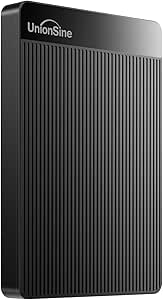
| UnionSine 500GB Ultra Slim Por | USB 3.0 (SATA-600 internal) | PC, Mac, Xbox 360/One/Series, PS4, PS5, TV | 500 GB | — |
| 1TB External Hard Drive with A | USB 3.0 (USB-C adapter included) | — | 1 TB | 3 years |
| WD 5TB My Passport Portable Ex | USB 3.1/3.0 | Desktop, laptop, tablet (reformat for Mac) | 5 TB | 3-year limited |
| Seagate Portable 2TB External | USB 3.0 | PC, Mac, PlayStation 5, Xbox | 2 TB | 1 year |
| WD 6TB My Passport Portable Ex | USB 3.1/3.0 (5 Gbps) | — | 6 TB | Per Amazon return policy |
| WD 2TB Elements Portable Exter | USB 3.2 Gen 1 (backward compatible with USB 3.0/2.0) | Windows 10; Mac via reformat | 2TB | 2-year limited |
| WD 6TB Elements Portable Exter | USB 3.2 Gen 1 / USB 3.0 | — | 6TB | — |
| Seagate Portable 1TB External | — | PC, Mac, PlayStation, Xbox | 1TB | — |
| UnionSine 1TB Ultra Slim Porta | USB 3.0 | PC, Mac, gaming consoles | 1TB | 3 years |
| YOTUO 500GB External Hard Driv | — | PC, Mac, Linux, PS4, PS5, Xbox One, Xbox Series X/S | 500GB | — |
More Details on Our Top Picks
Seagate Portable 5TB External Hard Drive HDD
If I had to point most buyers toward one drive in this roundup, it would be the Seagate Portable 5TB. It matches the Western Digital Elements 5TB on raw capacity, but adds two things that drive lacks: official PS4 and Xbox support and a one-year Rescue data recovery service, which is meaningful peace of mind for a drive that lives in a bag. Compared with slim 500GB options like the Aiolo Innovation model, it holds ten times the data, so I read it as the better single-purchase answer for mixed use. The tradeoffs are honest ones: this is a spinning HDD, so transfers are steady rather than fast, the setup software feels like clutter next to the truly software-free Seagate 4TB model, and the one-year warranty is short for long-term archives.
Pros:- 5TB capacity covers game libraries, photo archives, and backups in one drive
- Works with Windows, Mac, PS4, and Xbox without workarounds
- Includes one year of Rescue data recovery services
- Drag-and-drop plug-and-play keeps everyday use simple
Cons:- Only a 1-year warranty, thin coverage for a long-term archive drive
- Setup software adds friction the software-free Seagate 4TB model avoids
- HDD speeds lag far behind portable SSDs for big transfers
Best for: Console gamers and PC users who want one high-capacity drive that works across every platform they own, with a recovery safety net
Not ideal for: Speed-focused users moving large files daily — a spinning HDD and USB 3.0 cap transfer rates well below any SSD
- Storage Capacity:5TB
- Drive Type:Portable HDD
- Interface:USB 3.0
- Compatibility:Windows, Mac, PS4, Xbox
- Setup:Plug-and-play with drag-and-drop backup
- Included Accessories:18-inch USB 3.0 cable
- Data Protection:1-year Rescue data recovery service
- Warranty:1 year
Our verdict“The default recommendation for most buyers: maximum capacity, broad compatibility, and a recovery service at a mainstream price.”
Aiolo Innovation 500GB External Hard Drive Ultra Slim Portable HDD
Portability is the whole argument here. The Aiolo Innovation 500GB is an ultra-slim 2.5-inch drive that disappears into a jacket pocket, and its rated 120 MB/s read speed edges past the other 500GB budget drive in this roundup, which tops out at 100 MB/s. It also lists Linux, Android, and Xbox 360 support — broader device coverage than either Seagate model here. For shuttling project files between machines or adding quick console storage, that’s a sensible package. The catch is obvious: 500GB fills fast. Anyone archiving photo libraries or large game collections should spend up for the Seagate Portable 5TB or WD Elements instead. I also note the 5400 rpm platter and the absence of backup or encryption tools, so treat this as a transport drive, not a vault.
Pros:- Ultra-slim, lightweight build travels easily
- Rated 120 MB/s read speed, the fastest figure among the 500GB drives here
- Unusually wide compatibility: Windows, Mac, Linux, Android, PS4, Xbox
- Heat dissipation design supports longer transfer sessions
Cons:- 500GB capacity is limiting for games, video, or full backups
- No backup software, encryption, or password protection included
- 5400 rpm platter keeps sustained transfers modest
Best for: Students and commuters who carry files between machines and value a slim profile and wide device support over raw capacity
Not ideal for: Anyone building a media archive or backing up a full system — 500GB will feel cramped within months
- Storage Capacity:500GB
- Form Factor:2.5-inch ultra-slim
- Interface:USB 3.0
- Read Speed:120 MB/s (rated)
- Write Speed:103 MB/s (rated)
- Rotational Speed:5400 rpm
- Compatibility:Windows, Mac, Linux, Android, PS4, Xbox One, Xbox 360
- Extras:Heat dissipation design, plug-and-play
Our verdict“Buy it if pocketability and cross-device flexibility matter more than capacity; skip it if your library is growing.”
Seagate 4TB Portable Hard Drive USB 3.0 (STGX4000400)
Some buyers want storage that behaves like a bigger USB stick, and the Seagate 4TB Portable (STGX4000400) is the cleanest version of that idea in this lineup. Where the 5TB Seagate Portable involves setup software, this model is true plug-and-play with no software required on Windows or macOS — connect it, drag files over, done. That simplicity is genuinely differentiating next to the WD Elements 5TB, which is nearly as hands-off but adds a terabyte; the choice between them is really 4TB of zero friction versus 5TB of near-zero friction. The drawbacks are clear, though: no console compatibility is listed, so PS4 and Xbox owners should look at the 5TB Seagate instead, and it needs a USB 3.0 port to reach full speed. There’s also no bundled recovery service, which its bigger sibling includes.
Pros:- No software required — genuine plug-and-play on Windows and macOS
- 4TB is ample for full system backups and large media libraries
- Simple drag-and-drop workflow suits non-technical users
- Backed by an established storage brand
Cons:- No listed console compatibility, unlike the 5TB Seagate Portable
- No rescue service or backup software bundled
- Needs a USB 3.0 port to perform at its rated speed
Best for: First-time external drive buyers and non-technical users who want big backup capacity with literally nothing to install
Not ideal for: Console gamers — with no listed PS4 or Xbox support, the Seagate Portable 5TB is the safer pick for a console
- Storage Capacity:4TB
- Drive Type:Portable HDD
- Interface:USB 3.0
- Compatibility:Windows and macOS
- Setup:Plug-and-play, no software required
- Warranty:1 year
Our verdict“The easiest high-capacity drive to live with — ideal for computer-only backups where simplicity outranks extras.”
Western Digital 5TB Elements Portable External Hard Drive
The WD Elements 5TB is the stripped-down workhorse of this roundup. It matches the Seagate Portable 5TB on capacity and uses the same class of connection — USB 3.2 Gen 1, which is effectively USB 3.0 speed — but skips the extras: no recovery service, no backup software, no encryption. If those features sound like clutter, that omission is the point, since Elements models typically undercut feature-loaded rivals on price per terabyte. Compared with WD’s own My Passport drives elsewhere in this roundup, which add password protection and ransomware defense, the Elements trades security features for simplicity and cost. My hesitation: Western Digital publishes little on durability or speed benchmarks for this line, so you’re buying brand reputation more than documented performance. For a desk-and-backup drive that’s acceptable; for rough travel or sensitive files, I’d pay more for a My Passport instead.
Pros:- 5TB of capacity from an established brand, usually at a sharp price per terabyte
- Straightforward plug-and-play setup on Windows and Mac
- USB 3.2 Gen 1 connection with USB 3.0 compatibility
- No bundled software clutter to manage or uninstall
Cons:- No encryption, backup software, or recovery service included
- Little published data on durability or real-world speed
- No console compatibility listed, unlike the Seagate Portable 5TB
Best for: Value-focused buyers who want 5TB from a major brand and don’t need encryption, backup software, or recovery services
Not ideal for: Anyone storing sensitive client or financial data — with no password protection, a My Passport is the safer WD choice
- Storage Capacity:5TB
- Drive Type:Portable HDD
- Connectivity:USB 3.2 Gen 1 (USB 3.0 compatible)
- Compatibility:Windows and Mac
- Setup:Plug-and-play
- Included Software:None
- Encryption:Not included
Our verdict“The pick for maximum trusted-brand terabytes per dollar, as long as you can supply your own backup discipline and security.”
500GB External Hard Drive Portable USB 3.0 for Windows, Mac, PS4, Xbox
This 500GB portable drive is the roundup’s low-cost entry point, and it earns that spot honestly. Like the Aiolo Innovation 500GB, it’s an ultra-slim 2.5-inch USB 3.0 unit for PC, Mac, and consoles, but it adds shock- and dust-resistant housing that the Aiolo doesn’t claim — a real plus for a drive meant to travel. The compromises show up in the numbers: its 100 MB/s rated read speed trails the Aiolo’s 120 MB/s, real-world performance varies by device, and Mac users must reformat before use, which rules it out as a plug-and-play gift for a mixed household. I’d steer anyone storing more than a modest media library toward the Seagate 4TB or 5TB models, since capacity is this drive’s hard ceiling. But as cheap overflow storage for a PS4, or a first backup drive on a tight budget, it covers the basics without pretense.
Pros:- Lowest-cost entry into portable storage in this lineup
- Shock-resistant, dust-resistant, and hot-swappable design
- Works with PC, Mac, PS4, and Xbox after setup
- Includes quick start guide and USB cable
Cons:- Requires reformatting before Mac use — not truly plug-and-play cross-platform
- 100 MB/s rated read speed is the slowest figure among the 500GB options here
- 500GB capacity limits it to light backup and overflow duty
Best for: Budget buyers needing a small, tough secondary drive for console overflow or light laptop backups
Not ideal for: Mac-only households wanting plug-and-play out of the box — the required reformat adds a step and erases anything already on it
- Storage Capacity:500GB
- Form Factor:2.5-inch ultra-slim
- Interface:USB 3.0
- Rotational Speed:5400 rpm
- Read Speed:100 MB/s (rated)
- Durability:Shock resistant, dust resistant, hot swappable
- Enclosure:Plastic
- Compatibility:Windows, Mac (reformat required), PS4, Xbox
- Warranty:1 year
Our verdict“A serviceable budget drive for console overflow or light backups, provided you accept slower speeds and a Mac reformat.”
UnionSine 500GB Ultra Slim Portable External Hard Drive
The UnionSine 500GB Ultra Slim earns its spot as the roundup’s slimmest pick — it’s the drive I’d point to when pocket space matters more than raw capacity. At 500GB it holds a fraction of what the WD 5TB My Passport swallows, but it’s also thinner, lighter, and cheaper, and that tradeoff is the whole point. Read speeds up to 125MB/s match the bigger Seagate Portable 2TB in everyday transfers, so moving a photo library or a few console games feels quick enough. The heat dissipation strip keeps it stable during long copies, and plug-and-play support across PC, Mac, Xbox, and PlayStation suits mixed-device households. The limits are real: 500GB fills fast with 4K video, the 5400 RPM platter won’t thrill anyone moving huge files daily, and there’s no encryption like the My Passport line offers.
Pros:- Genuinely pocketable ultra-slim, lightweight build
- 125MB/s reads keep pace with larger rivals
- Works with PC, Mac, Xbox, and PlayStation out of the box
- Heat dissipation strip keeps long transfers stable
Cons:- 500GB capacity fills quickly with modern game installs or 4K footage
- No encryption, password protection, or backup software
- 5400 RPM platter limits sustained transfer speed
Best for: Students and console gamers who want the lightest possible drive for shuttling a modest library between devices
Not ideal for: Anyone archiving 4K video or large game collections — 500GB disappears fast, and stepping up to the Seagate 2TB costs little more
- Capacity:500 GB
- Form Factor:2.5 inches
- Interface:USB 3.0 (SATA-600 internal)
- Rotational Speed:5400 RPM
- Read Speed:125 MB/s
- Write Speed:103 MB/s
- Compatibility:PC, Mac, Xbox 360/One/Series, PS4, PS5, TV
- Extras:Heat dissipation strip, quiet operation
Our verdict“Buy this if portability is your top priority and your storage needs honestly fit inside 500GB.”
1TB External Hard Drive with Aluminium Housing (USB 3.0)
This unbranded 1TB aluminium drive is the value play of the lineup. For roughly what you’d pay for the UnionSine 500GB, you get double the capacity, an aluminium housing that sheds heat better than the plastic shells on the Seagate Portable models, and a three-year warranty — two years longer than Seagate offers and matched only by WD’s My Passport drives. USB 3.0 speeds up to 133MB/s edge past most budget rivals on paper, and the bundled USB-C adapter saves dongle money on newer laptops. The catches: it’s a 5400 RPM drive like the UnionSine, so sustained transfers feel modest, there’s no encryption or backup software anywhere in the box, and the no-name branding means you’re leaning on the warranty rather than a reputation. Buyers who want polished software should look at the WD picks instead.
Pros:- Double the capacity of slim 500GB drives at a similar price
- Aluminium shell dissipates heat better than plastic rivals
- Three-year warranty beats Seagate’s one-year coverage
- USB-C adapter and accessories included in the box
Cons:- Unknown brand with no reliability track record
- No encryption or bundled backup software
- 5400 RPM platter caps real-world transfer speed
Best for: Budget-conscious buyers who want 1TB, a metal shell, and a long warranty without paying brand-name prices
Not ideal for: Anyone storing sensitive files — with no encryption and an unproven brand, the WD My Passport is the safer home for confidential data
- Capacity:1 TB
- Form Factor:2.5 inches
- Interface:USB 3.0 (USB-C adapter included)
- Rotational Speed:5400 RPM
- Transfer Speed:Up to 133 MB/s
- Housing:Aluminium
- Color:Blue
- Warranty:3 years
Our verdict“The smart buy for shoppers who want the most storage and warranty per dollar and don’t need security features.”
WD 5TB My Passport Portable External Hard Drive
The WD 5TB My Passport is my Best Overall because no other drive here balances capacity, security, and price as well. Next to the Seagate Portable 2TB, you get two and a half times the room plus hardware encryption and password protection — the difference between a drive I’d carry client files on and one I wouldn’t. Its bundled backup software adds ransomware defense, something neither Seagate nor the budget UnionSine offers at all. Against its own 6TB sibling, it gives up a terabyte of headroom for a friendlier price and clearer three-year warranty, which is the right trade for most buyers. The compromises: at 0.75 inches thick it’s chunkier than the slim drives in this roundup, there’s no Thunderbolt or native USB-C, and Mac users must reformat before writing a single file.
Pros:- Hardware encryption and password protection are rare at this price
- 5TB handles years of backups in one device
- Backup software includes ransomware defense
- Three-year limited warranty from an established brand
Cons:- Thicker and heavier than the slim 500GB–2TB drives
- No Thunderbolt or native USB-C connector
- Requires reformatting for full Mac compatibility
Best for: Freelancers and families backing up years of photos, videos, and work files who want real security without a premium price
Not ideal for: Minimalists who prize pocketability — the UnionSine or aluminium 1TB drives are far slimmer if you can live with less room
- Capacity:5 TB
- Form Factor:2.5 inches
- Interface:USB 3.1/3.0
- Security:Hardware encryption with password protection
- Weight:7.4 ounces
- Dimensions:4.22 x 2.95 x 0.75 inches
- Compatibility:Desktop, laptop, tablet (reformat for Mac)
- Warranty:3-year limited
Our verdict“The default choice for most buyers — big, secure, and fairly priced, with only modest bulk as the cost.”
Seagate Portable 2TB External Hard Drive
The Seagate Portable 2TB is the easiest drive here to live with, which is why it’s my pick for beginners. There’s no software to install and no setup ritual — plug it in, drag files over, done. That simplicity contrasts with the WD My Passport drives, whose backup suites and encryption add security but also configuration steps a first-time buyer may not want. Two terabytes is a sensible middle ground: four times the UnionSine 500GB’s room without the cost or bulk of the 5TB and 6TB models. The tradeoffs are what you surrender for that simplicity: no password protection, no bundled backup utility, and only a one-year warranty where WD and the aluminium 1TB drive offer three. The 7200 RPM rating looks strong on paper, though real-world 120MB/s reads land in the same range as the slower-spinning rivals.
Pros:- True plug-and-play with zero software to learn
- 2TB hits a sweet spot between price and room
- Broad PC, Mac, PlayStation, and Xbox compatibility
- 18-inch USB 3.0 cable included in the box
Cons:- No password protection or encryption of any kind
- Only a one-year warranty — shortest among the top picks
- Plastic shell is less travel-tough than aluminium rivals
Best for: First-time buyers and casual users who want simple drag-and-drop backup for a laptop or game console with zero learning curve
Not ideal for: Anyone carrying confidential files — the lack of encryption means a lost drive is an open book, so choose the WD My Passport instead
- Capacity:2 TB
- Form Factor:Portable (2.5-inch class)
- Interface:USB 3.0
- Rotational Speed:7200 RPM (rated)
- Read Speed:120 MB/s
- Cache:2 MB
- Compatibility:PC, Mac, PlayStation 5, Xbox
- Warranty:1 year
Our verdict“The hassle-free choice for everyday backup, as long as your files don’t need a lock on them.”
WD 6TB My Passport Portable External Hard Drive
The WD 6TB My Passport takes everything that makes the 5TB model my Best Overall — hardware encryption, password protection, ransomware defense — and stretches capacity to the largest size in this roundup. Against the plain WD 6TB Elements elsewhere in the lineup, the My Passport’s security layer is the deciding factor for anyone carrying sensitive work files; the Elements is the cheaper route to the same 6TB if encryption doesn’t matter to you. Compared with the 5TB My Passport, you’re paying a premium for that extra terabyte, and rated read speeds of 110MB/s trail the smaller Seagate and UnionSine drives — capacity, not speed, is the reason to buy this. It’s also among the thicker drives here, and the warranty terms are vaguer than the 5TB model’s clean three-year coverage.
Pros:- Largest capacity in the roundup at 6TB
- Same encryption and ransomware defense as the 5TB My Passport
- Cheaper and simpler than buying two smaller drives
- Password protection included out of the box
Cons:- Highest price in the lineup
- 110MB/s rated reads trail smaller drives
- Warranty coverage is less clearly defined than the 5TB model’s
Best for: Photographers, videographers, and small-business owners consolidating huge libraries who refuse to juggle multiple drives
Not ideal for: Everyday users with modest needs — the 5TB My Passport delivers the same security for less money, and casual users won’t fill 6TB
- Capacity:6 TB
- Form Factor:2.5 inches
- Interface:USB 3.1/3.0 (5 Gbps)
- Security:Hardware encryption with password protection
- Read Speed:110 MB/s
- Cache:6 MB
- Weight:7.36 ounces
- Warranty:Per Amazon return policy
Our verdict“Worth the premium only if you genuinely need six secure terabytes in a single portable drive.”
WD 2TB Elements Portable External Hard Drive for Windows, USB 3.2 Gen 1
Of the five drives I weighed for this roundup, the WD 2TB Elements hits the sweet spot most buyers actually need. It doubles the Seagate Portable 1TB’s capacity for a modest step up in price, yet avoids the cost and heft of its own 6TB sibling. Two terabytes covers years of photos, a full music library, or a complete laptop backup, and the plug-and-play USB 3.2 Gen 1 connection means there is no software to fight with. The WD badge also buys a level of reliability that budget names like UnionSine can’t match on track record alone. The tradeoffs are real: the plastic enclosure won’t shrug off drops, and unlike the WD My Passport line, there’s no password protection or hardware encryption, so sensitive files sit exposed if the drive goes missing.
Pros:- 2TB capacity balances room to grow against a reasonable price
- True plug-and-play setup with USB 3.2 Gen 1, no software required
- Compact, lightweight 2.5-inch body travels easily
- Backed by WD’s reputation and a 2-year warranty
Cons:- No password protection or hardware encryption, unlike the My Passport range
- Plain plastic enclosure offers little drop protection
- Mechanical speeds lag far behind portable SSDs for large transfers
Best for: Everyday users who want one dependable drive for laptop backups, photos, and media without overpaying for capacity they won’t fill
Not ideal for: Anyone storing sensitive work or client files — the lack of password protection and encryption makes the My Passport line a safer choice
- Capacity:2TB
- Interface:USB 3.2 Gen 1 (backward compatible with USB 3.0/2.0)
- Form Factor:2.5-inch portable
- Compatibility:Windows 10; Mac via reformat
- Power:Bus-powered over USB, no external adapter
- Warranty:2-year limited
- Color:Black
Our verdict“The default choice for most buyers — enough capacity, a trusted brand, and no setup headaches at a fair price.”
WD 6TB Elements Portable External Hard Drive for Windows, USB 3.2 Gen 1/USB 3.0
When 2TB stops being enough, the WD 6TB Elements is where I’d point video shooters and anyone archiving a growing media library. It packs three times the room of the WD 2TB Elements into the same 2.5-inch footprint, which keeps a desk or camera bag tidy. Against the WD 6TB My Passport elsewhere in this roundup, it typically costs less but drops the password protection and ransomware defense, so it suits bulk storage rather than sensitive storage. Speeds stay in mechanical-drive territory — roughly 50 to 150 MB/s in real use — fine for overnight backups, slow for editing 4K footage straight off the disk. The plastic shell and missing backup software mean you’re paying purely for capacity, but at this size the cost per terabyte is hard to argue with.
Pros:- Huge 6TB capacity, the largest in this lineup
- Same compact 2.5-inch form factor as smaller Elements models
- Strong cost per terabyte for bulk archiving
- Plug-and-play on Windows, reformats for Mac
Cons:- No encryption, password protection, or bundled backup software
- Plastic enclosure feels less durable than pricier rivals
- Mechanical transfer speeds make it poor for editing directly off the drive
Best for: Photographers, videographers, and media collectors who need one drive to hold years of large files
Not ideal for: Users who want security features or fast scratch-disk performance — look at the My Passport 6TB or a portable SSD instead
- Capacity:6TB
- Interface:USB 3.2 Gen 1 / USB 3.0
- Form Factor:2.5-inch portable
- Real-World Media Speed:Approx. 50–150 MB/s
- Compatible Devices:Desktop, laptop, tablet (Windows and Mac)
- Enclosure:Plastic
- Color:Black
Our verdict“Buy it when sheer room matters most — it’s the archive workhorse of the roundup, not the speed or security pick.”
Seagate Portable 1TB External Hard Drive HDD – USB 3.0 for PC, Mac, PlayStation, & Xbox
Console owners who just want more room for games should start here. The Seagate Portable 1TB works with PC, Mac, PlayStation, and Xbox out of the box, and setup is genuinely plug-and-play — connect the included 18-inch cable, let the console format it, done. Compared with the YOTUO 500GB, it doubles capacity for a small bump in price, which matters when modern games routinely eat 100GB each. It also carries a brand name with decades of drive history, something the UnionSine 1TB can’t claim even with its longer warranty. The compromises are honest: 1TB fills faster than you’d expect, Mac users may need a reformat before first use, and the enclosure is plain plastic with no ruggedization. It’s a workhorse, not a showpiece — and priced like one.
Pros:- Works across PC, Mac, PlayStation, and Xbox with plug-and-play setup
- 18-inch USB 3.0 cable included in the box
- Lightweight, travel-friendly design
- Established brand with broad support resources
Cons:- Only 1TB — tight for large modern game libraries or media collections
- May require reformatting before Mac use
- No ruggedization or protective casing
Best for: PS4, PS5, and Xbox players who want cheap, instant overflow storage for a growing game library
Not ideal for: Heavy media archivists or anyone backing up a full PC — 1TB runs out quickly, and the WD 2TB Elements costs only a bit more
- Capacity:1TB
- Connection:USB 3.0
- Compatibility:PC, Mac, PlayStation, Xbox
- Included Cable:18-inch USB 3.0
- Setup:Plug-and-play; Mac reformat may be required
- Design:Lightweight portable HDD
Our verdict“The easy recommendation for console players who need affordable extra space and nothing fancier.”
UnionSine 1TB Ultra Slim Portable External Hard Drive HDD – USB 3.0, Black
The UnionSine 1TB earns its spot by being the drive you’ll actually carry. Its ultra-slim shell slides into a laptop sleeve pocket where chunkier bodies like the WD Elements line won’t, and heat-dissipation strips keep it quiet and cool through long transfers. Against the Seagate Portable 1TB, it matches capacity and adds a three-year warranty — a year longer than WD gives the Elements — for typically less money. The catch is trust: UnionSine lacks the service network and long reliability record of Seagate or WD, so I wouldn’t let it hold the only copy of anything irreplaceable. Speeds top out around 125MB/s and only over a USB 3.0 port; on older USB 2.0 hardware, transfers crawl. For shuttling files between machines on a tight budget, it’s a sensible save.
Pros:- Ultra-slim body fits pockets and sleeves the bigger drives can’t
- Three-year warranty beats both WD and Seagate on paper
- Heat-dissipation strips keep operation quiet and cool
- True plug-and-play, no software installation needed
Cons:- Lesser-known brand with a thinner support and reliability track record
- Capped at 1TB with no larger options in this model
- Full 125MB/s speed requires a USB 3.0 port
Best for: Students and commuters who want the slimmest, cheapest way to move files between computers daily
Not ideal for: Anyone storing irreplaceable data as a sole backup — the unproven brand makes the Seagate or WD options safer homes
- Capacity:1TB
- Interface:USB 3.0
- Transfer Speed:Up to 125 MB/s
- Design:Ultra-slim with heat dissipation strips
- Compatibility:PC, Mac, gaming consoles
- Warranty:3 years
- Color:Black
Our verdict“The pick for budget buyers who prioritize pocketability and warranty length over brand pedigree.”
YOTUO 500GB External Hard Drive, Portable USB 3.0 & USB-C Storage for PC, Mac, Consoles
Half a terabyte sounds stingy next to the Seagate Portable 1TB, but the YOTUO 500GB answers with something no other drive in this batch offers: a shock-absorbing silicone sleeve that softens the bumps of life in a backpack. For students or commuters whose drives ride loose in bags, that protection can matter more than raw capacity. It also ships with both USB-A and USB-C connectivity, a flexibility the WD Elements models lack without an adapter. Gamers get broad compatibility across PC, Mac, Linux, and both console generations, though PS5 and Xbox Series X/S games can’t run directly from the drive — it serves as cold storage for last-gen titles only. At 500GB it fills quickly, and the brand is unproven, but as a protected shuttle drive it’s the cheapest safe bet in this lineup.
Pros:- Silicone sleeve adds drop protection rivals don’t include
- USB 3.0 and USB-C connectivity covers old and new machines
- Featherweight 0.16 kg design disappears into a bag
- Broad compatibility: PC, Mac, Linux, PlayStation, Xbox
Cons:- Only 500GB — the smallest capacity in this roundup
- Cannot run PS5 or Xbox Series X/S games directly from the drive
- Unproven brand with limited long-term reliability data
Best for: Students and travelers who need a tough little drive for documents, photos, and last-gen console games
Not ideal for: Anyone archiving large media libraries or playing current-gen console games — capacity and platform limits rule it out
- Capacity:500GB
- Connections:USB 3.0 & USB-C
- Transfer Rate:Up to 5 Gbps (USB 3.0)
- Weight:0.16 kg
- Protection:Shock-absorbing silicone sleeve
- Compatibility:PC, Mac, Linux, PS4, PS5, Xbox One, Xbox Series X/S
- Color:Black
Our verdict“The right call if you value protection and USB-C flexibility over capacity — a shuttle drive, not an archive.”
How We Picked
I ranked these 15 drives on five buyer-focused criteria: capacity per dollar, brand reliability and warranty, portability, cross-platform compatibility, and security features. Capacity per dollar carried the most weight because portable HDDs live or die on value — a drive that costs 40% more for the same terabytes needs a very good reason to exist. Reliability mattered next: Seagate and WD have decades of failure-rate data and multi-year warranties behind them, while lesser-known budget brands had to earn their spots through price and design rather than reputation.
The ranking logic flows from those criteria. Drives that combined high capacity with a trusted brand name and a sensible price rose to the top, which is why the Seagate Portable 5TB and WD’s Elements and My Passport lines dominate the upper half. Security software pushed the My Passport models ahead of their Elements counterparts for professional use, even though the hardware underneath is similar. The 500GB and 1TB budget drives from Aiolo, UnionSine and YOTUO cluster lower not because they are bad products, but because their value case only makes sense for buyers with modest storage needs or very tight budgets — and I ranked them with that specific audience in mind rather than penalizing them for being small.
Factors to Consider When Choosing Portable External Hard Drives
The product reviews above tell you which drives came out on top. This section covers the wider questions that determine which of those winners belongs in your bag — because the best drive for a student backing up a semester of coursework is not the best drive for a photographer archiving raw files or a gamer expanding a console library.
Buy More Capacity Than You Think You Need
The single most common mistake with portable hard drives is buying for today’s files instead of next year’s. A 500GB drive feels roomy until you start backing up a phone full of 4K video, at which point it fills in months. The price ladder in this category is not linear: jumping from 500GB to 2TB usually costs far less than double, and moving from 2TB to 5TB is often the best value step of all. That is why the sweet spot in this roundup sits at 4TB to 5TB — you pay a modest premium over the small drives and avoid paying again when you outgrow them. The exception is buyers who genuinely only need to shuttle a few projects between machines; for them, a cheap 500GB drive is a rational purchase, not a compromise. My advice: estimate your current data, double it, and buy the closest capacity above that number.
Why Every Drive on This List Is a Spinning HDD
Readers sometimes ask why no portable SSDs appear in a roundup of the best portable drives. The answer is price per terabyte. External SSDs are faster — often five to ten times faster — but a 4TB portable SSD costs several times what a 4TB HDD does. For backup, media libraries and console game storage, the 100-130 MB/s speeds of a spinning drive are perfectly adequate, because these tasks are about capacity and reliability rather than raw pace. An SSD makes sense if you edit video directly off the drive or move huge files daily under time pressure. Everyone else gets more storage for less money with an HDD, and the gap in 2026 remains wide enough that HDDs still own this category. Accept the slower transfers and pocket the savings, or pay the SSD premium knowing exactly what you are paying for.
Brand Reliability Versus Budget Pricing
Seagate and WD have manufactured hard drives for decades, and that history buys you two things: documented failure rates and warranty support that actually answers the phone. Budget brands like UnionSine, Aiolo and YOTUO typically source drives from the same handful of factories and repackage them in slim enclosures at aggressive prices. Many buyers use these drives for years without trouble, and for non-critical data — a second copy of a media library, overflow game storage — the risk is reasonable. Where I would not gamble is sole-copy data: if the only version of your thesis, tax records or family photos lives on a drive, spend the extra $20-40 on a name brand with a real warranty. A useful rule is that the cheaper the drive, the more important your backup habits become. Any drive can fail; the question is whether a failure costs you money or costs you your files.
When Password Protection Is Worth Paying For
Most portable drives offer zero security — plug one into any computer and everything on it is readable. WD’s My Passport line is the exception in this roundup, bundling 256-bit hardware encryption, password protection and ransomware defense at a modest premium over the otherwise similar Elements models. If your drive ever leaves your home or office, that premium is easy to justify: a lost unencrypted drive with client files or personal documents on it is a genuine liability, not just an inconvenience. If your drive lives permanently on your desk as a backup target, encryption matters less and the cheaper Elements or Seagate Portable models make more sense. One caveat worth knowing: hardware encryption tied to vendor software can complicate data recovery if the enclosure’s electronics fail. For most buyers the protection outweighs that edge case, but it is a real tradeoff rather than a free upgrade.
Compatibility, Formatting and Console Use
Nearly every drive here advertises PC, Mac, PlayStation and Xbox compatibility, and that claim is mostly true — with an asterisk. Drives formatted NTFS work out of the box on Windows but are read-only on Mac unless you reformat or install third-party drivers. Reformatting to exFAT gives you full read-write access on both platforms, but it wipes the drive, so do it before loading any data. Console use has its own quirks: PlayStation and Xbox each require the drive to be formatted through the console itself, which erases existing content and locks the drive to that ecosystem until you reformat again. The practical takeaway is to decide the drive’s primary job before you fill it. A drive dedicated to console storage, a drive dedicated to Mac backups and a drive shared between Mac and PC are three different setups, and switching roles later always involves a format.
Portability, Cables and Bus Power in Daily Use
All 15 drives here are bus-powered, meaning they draw electricity through the USB cable with no wall adapter — that is what makes them genuinely portable. The differences come down to size, weight and cable design. Slim models like the UnionSine and Aiolo drives slip into a laptop sleeve pocket, while the higher-capacity WD and Seagate units are thicker but still jacket-pocket friendly. Cable quality is an underrated factor: budget drives often ship with short, stiff cables that strain the port when the drive sits at an awkward angle, and a flaky cable causes disconnects that look exactly like a failing drive. I recommend treating the bundled cable as a spare and buying a quality USB 3.0 Micro-B or USB-C cable in the length you actually need. Also check which connector your laptop offers — a drive like the YOTUO with native USB-C saves you from living on dongles if your machine has gone all-in on that port.
Frequently Asked Questions
Is a 1TB portable hard drive enough, or should I buy bigger?
It depends entirely on what you are storing. For documents, spreadsheets and a moderate photo library, 1TB lasts years — drives like the Seagate Portable 1TB or UnionSine 1TB handle that workload comfortably and cost very little. The math changes fast with video: an hour of 4K phone footage eats roughly 20-40GB, so a 1TB drive holds only 25-50 hours before it fills. Gamers should also size up, since modern titles routinely exceed 100GB each and a 1TB drive holds maybe eight or nine large games. My general guidance is that 2TB is the safe minimum for mixed use in 2026, and 4-5TB is the better buy if the drive will serve as your main backup target. The price per terabyte drops steeply as capacity rises, so buying bigger up front is almost always cheaper than buying a second drive later.
Can I use the same portable drive with both a Mac and a Windows PC?
Yes, but not always straight out of the box. Most of these drives ship formatted as NTFS, which Windows reads and writes natively but Macs can only read without extra software. The fix is reformatting the drive to exFAT, which both operating systems fully support — the catch is that formatting erases everything, so do it before you copy any files over. Both Windows and macOS include built-in tools for the reformat, and the process takes under a minute. If you never plan to touch a Mac, skip this entirely and leave the drive as NTFS. And if the drive is destined for a PlayStation or Xbox instead, let the console format it itself, because consoles use their own file systems that computers cannot read afterward.
Are budget drives like UnionSine, Aiolo and YOTUO reliable enough to trust?
For the right job, yes. These brands sell functional drives at prices 30-50% below Seagate and WD, and plenty of owners report years of trouble-free use. What you give up is warranty depth and a long reliability track record — the big brands publish failure statistics and honor multi-year warranties, while budget brands typically offer shorter coverage through the retailer rather than the manufacturer. That makes budget drives a sensible choice for secondary copies: overflow game storage, a duplicate of a media library, a drive you lend to a friend. I would not store the only copy of anything irreplaceable on one. Follow the 3-2-1 backup habit — three copies, two different devices, one offsite — and a budget drive fits comfortably into that system as one leg of the stool rather than the whole thing.
Will a portable HDD work for PS5 or Xbox Series X gaming?
Yes, with one limitation to understand. Current-generation consoles will happily store and play PS4 and Xbox One-era games directly from a USB hard drive, and any drive on this list handles that job well — a 4TB or 5TB model can hold an enormous back catalog. The limitation is that native PS5 and Xbox Series X|S games must run from internal or approved expansion storage, not from a USB HDD. You can still park those games on the external drive as cold storage and move them back to internal storage when you want to play, which is far faster than re-downloading them. For households with capped internet, that alone justifies the purchase. Format the drive through the console when prompted, and keep in mind that doing so dedicates the drive to that console ecosystem until you reformat it again.
How long should a portable external hard drive last?
A reasonable expectation is three to five years of regular use, with plenty of drives lasting longer and a small percentage failing early — that spread is true of every brand, premium and budget alike. Portable drives face extra risk because they travel: drops, bumps and being powered up mid-jostle are the leading causes of early death for spinning disks. Treat the drive gently while it is running, eject it properly before unplugging, and store it in a padded sleeve rather than loose in a bag. Watch for warning signs like clicking sounds, repeated disconnects or transfers that slow to a crawl, and copy your data off at the first symptom rather than waiting. Most drives in this roundup carry two- to three-year warranties, which tells you roughly how long the manufacturers expect them to run — plan your replacement cycle accordingly and keep a second copy of anything that matters.
Conclusion
Fifteen drives is a lot to sort through, so here is the short version by buyer type. For most people, the Seagate Portable 5TB is the right answer — it combines the capacity nearly everyone eventually needs with universal compatibility and a price per terabyte that none of the smaller drives can touch. If you want the same practicality for less money and can live without encryption, the WD 5TB Elements is the best value in the lineup, and the 6TB Elements stretches that further for data hoarders. Professionals and anyone carrying sensitive files should pay the modest premium for the WD My Passport line, whose password protection and ransomware defense are the only real security features in this roundup. Beginners and light users are best served by the Seagate Portable 1TB: cheap, simple, backed by a major brand, and roomy enough for documents and photos. Budget-focused buyers who understand the warranty tradeoffs can save real money with the Aiolo 500GB or UnionSine slim drives, and USB-C laptop owners should give the YOTUO 500GB a look for its native connector. Whichever you pick, buy more capacity than you need today, keep a second copy of anything irreplaceable, and the drive will do its job quietly for years.
Halloween Picks
halloween
As an affiliate, we earn on qualifying purchases.