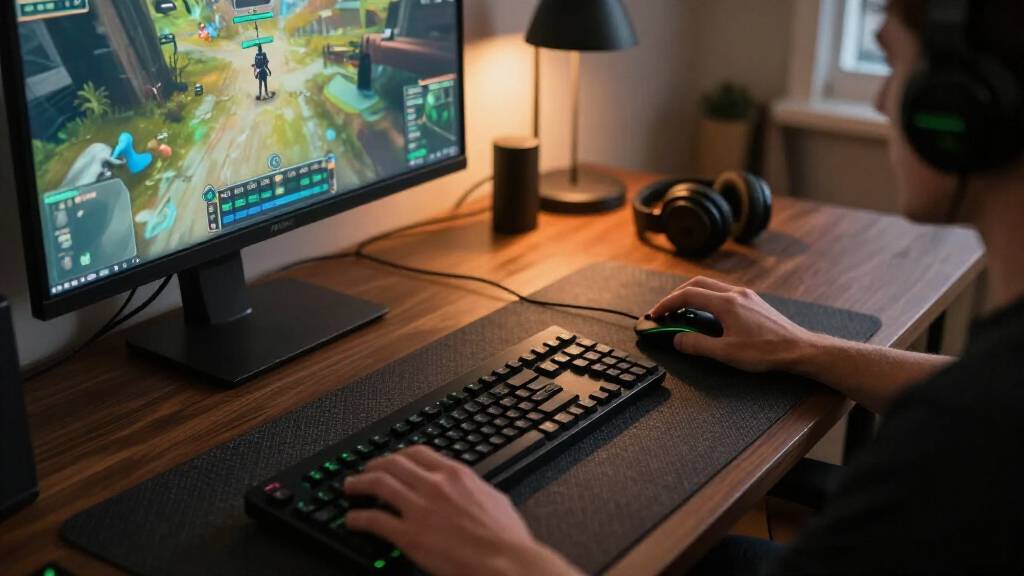

The best Razer gaming accessories depend on what your setup needs most: better mouse control, clearer audio, or a tidier desk. I’d put the Razer Tartarus V2 first for its distinctive, programmable keypad, while the DeathAdder Essential is a straightforward mouse pick and the Gigantus V2 Large offers a simple cloth surface. The main tradeoffs are desk space, connection type, surface feel, and how much RGB lighting or extra functionality you’ll actually use. A premium feature set can add convenience, but it can also mean more setup and a less flexible fit. Read on for the full breakdown of all 15 options and how to choose among them.

Get the latest gadgets delivered free — and shop member deals
- Fast, free delivery on millions of items
- Access to Prime Big Deal Days deals on October 6–7
- Prime Video, Amazon Music and more included
Complete the kit



Key Takeaways
- The Tartarus V2 stands apart because it adds programmable keypad controls, a different kind of upgrade from the lineup’s many mouse surfaces and desk accessories.
- Mouse mats serve distinct preferences: the Gigantus V2 Large uses cloth, while the Firefly V2 and Firefly V2 Pro are hard RGB surfaces, and the Strider Chroma is a hybrid option.
- RGB adds the most practical value when it also adds function, such as the Monitor Stand Chroma’s USB-C hub; on a mouse mat or headphone stand, lighting is chiefly a style choice.
- Audio choices depend on your setup: the Kraken V3 X and BlackShark V2 X are headsets, while the Leviathan V2 X is a PC soundbar for shared, speaker-based listening.
- Compatibility and desk space separate convenience accessories from essentials: the Mouse Dock Pro, laptop cooling pad, and monitor stand make more sense when their charging, cooling, or connectivity features match your equipment.
| Razer Strider Chroma Hybrid Gaming Mouse Mat with RGB Lighting |  | Best Extended Hybrid Mouse Mat | Product type: Mouse mat | Surface: Hybrid soft/hard | Size: Extended | VIEW LATEST PRICE | See Our Full Breakdown |
| Razer Tartarus V2 Gaming Keypad |  | Best for Programmable Controls | Key count: 32 | Key type: Mecha-membrane | Thumbpad: 8-way directional | VIEW LATEST PRICE | See Our Full Breakdown |
| Razer Base Station V2 Chroma Headphone Stand, Black |  | Best Headphone Stand with Audio Connectivity | Color: Black | Lighting: Customizable Chroma RGB, up to 16.8 million colors | Ports: Two USB 3.1 charging ports and one 3.5 mm audio combo port | VIEW LATEST PRICE | See Our Full Breakdown |
| Razer Firefly Hard V2 RGB Gaming Mousepad |  | Best Compact Hard RGB Pad | Dimensions: 10.84 × 13.99 × 0.14 inches | Lighting: Customizable RGB Chroma | Lighting colors: Up to 16.8 million | VIEW LATEST PRICE | See Our Full Breakdown |
| Razer Monitor Stand Chroma with 4-Port USB-C Hub |  | Best for a Connected Desk Setup | Model: RC21-02320100-R3U1 | Ports: 2× USB 3.2 Type-A, 1× USB 3.2 Type-C, 1× HDMI 2.0 | Material: Aluminum | VIEW LATEST PRICE | See Our Full Breakdown |
| Razer Laptop Cooling Pad with Adaptive Fan Control |  | Best for Cooling and Connectivity | Fan: 140 mm brushless | Maximum fan speed: 3000 RPM | Laptop compatibility: 14–18 inches | VIEW LATEST PRICE | See Our Full Breakdown |
| Razer Kraken V3 X Wired USB Gaming Headset, Black |  | Best Lightweight PC Headset | Weight: 285 g | Connection: Wired USB-A | Driver size: 40 mm | VIEW LATEST PRICE | See Our Full Breakdown |
| Razer DeathAdder Essential Ergonomic Wired Gaming Mouse, Black |  | Best for Straightforward Mouse Control | Connection: Wired | Sensor: 6,400 DPI optical | Programmable buttons: 5 | VIEW LATEST PRICE | See Our Full Breakdown |
| Razer Firefly V2 Pro RGB Gaming Mouse Mat, Black |  | Best for Edge-to-Edge RGB | Model: RZ02-04920100-R3U1 | Lighting: 15 customizable Chroma RGB zones | USB port: USB 2.0 | VIEW LATEST PRICE | See Our Full Breakdown |
| Razer Gaming Mouse Bungee V3 Chroma |  | Best for Taming a Wired Mouse Cable | Weight: 240 g (8.5 oz) | Color: Black | Lighting: RGB, 16.8 million colors | VIEW LATEST PRICE | See Our Full Breakdown |
| Razer Gigantus V2 Large Cloth Gaming Mouse Pad, Classic Black |  | Best for Controlled Tracking | Size: Large | Dimensions: 15.75 × 17.72 in | Thickness: 3 mm | VIEW LATEST PRICE | See Our Full Breakdown |
| Razer Leviathan V2 X PC Soundbar |  | Best Compact Desktop Audio | Speaker type: Soundbar | Audio output: Stereo | Connectivity: USB-C, Bluetooth 5.0 | VIEW LATEST PRICE | See Our Full Breakdown |
| Razer Mouse Dock Pro with Wireless Charging Puck |  | Best Premium Mouse Charging Dock | Compatible devices: Razer Basilisk V3 Pro, Cobra Pro, and Naga V2 Pro | Transceiver: Integrated HyperPolling, specified up to 8K Hz | Charging standard: Qi | VIEW LATEST PRICE | See Our Full Breakdown |
| Razer BlackShark V2 X Gaming Headset |  | Best Lightweight Wired Headset | Driver size: 50 mm | Weight: 240 g | Connection: 3.5 mm audio jack | VIEW LATEST PRICE | See Our Full Breakdown |
| Razer Goliathus Extended Chroma Gaming Mouse Pad |  | Best Extended RGB Mouse Pad | Material: Micro-textured cloth | Base: Natural-foam rubber | Lighting: Customizable Chroma RGB with 16.8 million colors | VIEW LATEST PRICE | See Our Full Breakdown |
| Razer gaming accessorie | Lighting |
|---|---|
| Razer Strider Chroma Hybrid Ga | — |
| Razer Tartarus V2 Gaming Keypa | Individually backlit Razer Chroma |
| Razer Base Station V2 Chroma H | Customizable Chroma RGB, up to 16.8 million colors |
| Razer Firefly Hard V2 RGB Gami | Customizable RGB Chroma |
| Razer Monitor Stand Chroma wit | Customizable Chroma RGB, up to 16.8 million colors |
| Razer Laptop Cooling Pad with | — |
| Razer Kraken V3 X Wired USB Ga | Razer Chroma RGB |
| Razer DeathAdder Essential Erg | — |
| Razer Firefly V2 Pro RGB Gamin | 15 customizable Chroma RGB zones |
| Razer Gaming Mouse Bungee V3 C | RGB, 16.8 million colors |
| Razer Gigantus V2 Large Cloth | — |
| Razer Leviathan V2 X PC Soundb | Razer Chroma RGB with 14 lighting zones |
| Razer Mouse Dock Pro with Wire | 8 Chroma RGB zones |
| Razer BlackShark V2 X Gaming H | — |
| Razer Goliathus Extended Chrom | Customizable Chroma RGB with 16.8 million colors |
More Details on Our Top Picks
Razer Strider Chroma Hybrid Gaming Mouse Mat with RGB Lighting
The Strider Chroma suits players who want room for broad mouse movement without choosing between glide and control. Its hybrid surface pairs a smooth feel for quick sweeps with enough stopping power for more deliberate aim, making it a different fit from the smaller, hard-surface Firefly Hard V2. The extended format also gives keyboard and mouse a shared surface, while 19 customizable Chroma zones add lighting across the desk. Water and warp resistance, seamless edges, and an anti-slip base support day-to-day use. The tradeoff is its footprint: it needs substantial desk space, and buyers who prefer a compact, firm pad may find the Firefly easier to accommodate. I’d choose this for a roomy setup where surface area and a balanced glide matter more than portability.
Pros:- Hybrid surface balances smooth glide with stopping power
- Extended size can accommodate keyboard and mouse together
- 19 customizable Chroma lighting zones
- Water-resistant surface, anti-slip base, and seamless edges
Cons:- Extended footprint takes substantial desk space
- Less suited to players seeking the firm, compact feel of a hard pad
Best for: PC players with a roomy desk who want a large, water-resistant mouse surface with both glide and stopping control
Not ideal for: Players with limited desk space or those who prefer a compact, uniformly hard mousepad
- Product type:Mouse mat
- Surface:Hybrid soft/hard
- Size:Extended
- RGB lighting zones:19 customizable zones
- Water-resistant:Yes
- Warp-resistant:Yes
- Base:Anti-slip
- Edges:Seamless
Our verdict“Choose the Strider Chroma if you have room for an extended pad and want a hybrid feel with broad RGB lighting.”
Razer Tartarus V2 Gaming Keypad
The Tartarus V2 is the most control-focused pick here: its 32 programmable keys and 8-way thumbpad let players map movement, macros, and commands to one hand. That makes it a more direct fit for games or creative workflows with many repeated inputs than the DeathAdder Essential, which keeps interaction centered on a conventional mouse. Hypershift adds another layer of remapping, so the keypad can adapt to different tasks. Its mecha-membrane keys provide tactile feedback, but they use rubber-dome switches rather than fully mechanical switches; buyers who prioritize a mechanical key feel may want a different input device. There is also a setup cost in deciding how to map the controls. I’d pick it for players who will use the extra commands, not anyone seeking a simple plug-in replacement for a keyboard.
Pros:- 32 programmable keys support macros and custom layouts
- 8-way thumbpad keeps movement controls under the thumb
- Hypershift supports additional key mappings and combinations
- Individually backlit keys support Chroma color customization
Cons:- Mecha-membrane switches are rubber-dome rather than fully mechanical
- Custom layouts take time to configure and learn
Best for: Players of command-heavy games or creators who want programmable one-hand controls and thumb-operated movement
Not ideal for: Buyers who want fully mechanical switches or prefer a familiar full keyboard layout without remapping
- Key count:32
- Key type:Mecha-membrane
- Thumbpad:8-way directional
- Programmable keys:Yes
- Lighting:Individually backlit Razer Chroma
- Lighting colors:Up to 16.8 million
Our verdict“Pick the Tartarus V2 if programmable one-hand controls will simplify your games or creative workflow.”
Razer Base Station V2 Chroma Headphone Stand, Black
The Base Station V2 Chroma makes the most sense for a desk that needs a dedicated headphone home and convenient connections in one spot. Its two USB 3.1 ports can serve charging needs, while the 3.5 mm combo port and built-in 7.1 surround sound DAC add audio connectivity that a simple display accessory like the Razer Monitor Stand Chroma does not provide. The aluminum stand has a detachable, non-slip base with a low center of gravity, giving it a stable footprint while making transport easier. Chroma lighting ties it into a coordinated setup. The tradeoff is that it occupies dedicated desk space for one headset, and the supplied details don’t specify which headphones can use every DAC feature. I’d favor it when accessible audio ports matter as much as keeping headphones off the desk.
Pros:- Two USB 3.1 ports provide convenient charging connections
- 3.5 mm combo port and built-in 7.1 surround sound DAC add audio connectivity
- Detachable non-slip base supports stable placement and easier transport
- Aluminum construction and customizable Chroma lighting
Cons:- Uses dedicated desk space for a single headphone stand
- DAC feature compatibility may depend on the connected headphones and setup
Best for: PC gamers who want to store a headset upright and keep USB charging and analog audio connections within reach
Not ideal for: Minimal desk setups that do not need a headphone stand, extra ports, or Chroma lighting
- Color:Black
- Lighting:Customizable Chroma RGB, up to 16.8 million colors
- Ports:Two USB 3.1 charging ports and one 3.5 mm audio combo port
- Audio:Built-in 7.1 surround sound DAC
- Base:Detachable, non-slip with low center of gravity
- Material:Aluminum
- Dimensions:4.72 in (120 mm) base diameter; 10.94 in (278 mm) height
- Weight:1 lb (460 g)
Our verdict“Choose the Base Station V2 Chroma if you want a stable headphone stand that also brings audio and USB ports to your desk.”
Razer Firefly Hard V2 RGB Gaming Mousepad
The Firefly Hard V2 is a compact, hard-surface pick for players who want a consistent mouse glide and lighting without committing to an extended mat. Its micro-textured surface is calibrated for all mouse sensors and is designed to support both fast and controlled play. Compared with the larger Strider Chroma, it takes up less desk area and its firm surface has a distinct feel; that makes it a better match for small setups or players who specifically prefer a hard pad. A nonslip rubber base helps keep it in place, and the built-in cable manager can reduce cord drag. The tradeoff is personal comfort: a hard surface won’t suit everyone, especially those who prefer soft cloth under the wrist. Lighting integrations also depend on compatible devices or software.
Pros:- Compact hard surface supports fast or controlled mouse movement
- Micro-texture is calibrated for all mouse sensors
- Nonslip rubber base and built-in cable manager help keep the setup orderly
- Chroma lighting can integrate with compatible games and devices
Cons:- Hard surface may feel uncomfortable to players who prefer cloth pads
- Lighting integrations require compatible devices or software
Best for: Players with limited desk space who prefer a firm, micro-textured surface and want Chroma lighting
Not ideal for: Players who prefer a soft cloth feel or do not want lighting features tied to compatible software and devices
- Dimensions:10.84 × 13.99 × 0.14 inches
- Lighting:Customizable RGB Chroma
- Lighting colors:Up to 16.8 million
- Surface:Micro-textured, calibrated for all mouse sensors
- Base:Nonslip natural-foam rubber
- Cable management:Built-in cable manager
Our verdict“Choose the Firefly Hard V2 if you prefer a compact, firm mousepad with integrated cable management and Chroma lighting.”
Razer Monitor Stand Chroma with 4-Port USB-C Hub
The Monitor Stand Chroma earns its place by combining screen elevation with desk connectivity. Its aluminum platform raises a monitor and provides a shelf for smaller accessories, while the hub brings two USB-A ports, one USB-C port, and HDMI 2.0 within reach. Compared with the Base Station V2 Chroma, which centers on headphone storage and audio, this stand is a better fit for clearing and connecting the workstation. Its stated 44 lb load capacity suits a range of monitors, and Chroma lighting can sync with other Razer devices. The tradeoff is the fixed footprint: at 19.7 by 8.27 inches, it needs a substantial stretch of desk, and its HDMI 2.0 connection may not suit every display setup. I’d choose it when raising the screen and adding ports solve real desk needs.
Pros:- Raises the monitor while adding a shelf for desk accessories
- Hub includes two USB-A ports, one USB-C port, and HDMI 2.0
- Aluminum construction has a stated 44 lb load capacity
- Customizable Chroma lighting can sync with other Chroma devices
Cons:- 19.7 by 8.27 inch footprint requires substantial desk space
- HDMI 2.0 may not fit display setups that require a different connection
Best for: PC users with a monitor and peripherals who want screen elevation, accessory storage, and convenient USB and HDMI ports
Not ideal for: Small desk owners or users whose display setup needs connections beyond the included hub
- Model:RC21-02320100-R3U1
- Ports:2× USB 3.2 Type-A, 1× USB 3.2 Type-C, 1× HDMI 2.0
- Material:Aluminum
- Finish:Matte black
- Load capacity:44 lb
- Dimensions:19.7 × 8.27 in
- Weight:5.5 lb
- Lighting:Customizable Chroma RGB, up to 16.8 million colors
- Warranty:2 years
Our verdict“Choose the Monitor Stand Chroma if your desk has room for a raised monitor platform with built-in USB and HDMI access.”
Razer Laptop Cooling Pad with Adaptive Fan Control
The adaptive fan control makes this cooling pad a more active setup tool than the passive desk accessories in the roundup: preset or custom curves in Razer Synapse can adjust airflow as laptop demands change. Its 140 mm brushless fan reaches 3000 RPM, while magnetic frames accommodate 14–18-inch laptops. The built-in three-port USB-A hub also adds connections where a laptop’s ports may be hard to reach. Compared with the Razer Monitor Stand Chroma, this pad is aimed at laptop airflow rather than raising a monitor and organizing a desk. The tradeoff is software dependence for fan settings and remapping; HyperBoost is limited to compatible Blade laptops, so other owners should not count on that feature.
Pros:- Automatic, preset, and custom fan curves let users tune airflow to different workloads
- Magnetic frames fit laptops from 14 to 18 inches
- Three USB-A ports add convenient connectivity
- Remappable controls and Chroma RGB allow setup customization
Cons:- Fan settings and control remapping depend on Razer Synapse
- HyperBoost is limited to compatible Blade laptops
Best for: Laptop gamers with a 14–18-inch system who want adjustable airflow and extra USB-A ports in one accessory
Not ideal for: Owners who want a plug-and-play cooling stand without Synapse, or who expect HyperBoost support on a non-compatible Blade laptop
- Fan:140 mm brushless
- Maximum fan speed:3000 RPM
- Laptop compatibility:14–18 inches
- USB hub:3-port USB Type-A
- Fan control:Automatic, preset, and custom fan curves
- Software:Razer Synapse
- Warranty:Up to 2 years
Our verdict“Choose this pad if adjustable laptop cooling and extra USB-A ports matter more than a software-free setup.”
Razer Kraken V3 X Wired USB Gaming Headset, Black
At 285 g, the Kraken V3 X prioritizes a light fit for long PC sessions, with breathable fabric and memory foam cushions supporting that use. Its 40 mm TriForce drivers are tuned across highs, mids, and lows, and the bendable cardioid microphone can be positioned for voice chat. Compared with the Razer BlackShark V2 X, this model adds Chroma RGB lighting and USB connectivity, while its 7.1 surround sound is limited to Windows 10 64-bit. That focus also narrows its audience: it connects through USB-A and is listed for Windows PCs and laptops, with no console, Mac, or mobile support. Choose it for a lightweight wired PC headset; skip it if broad device compatibility or a 3.5 mm connection matters more.
Pros:- 285 g weight suits extended gaming sessions
- Breathable fabric and memory foam ear cushions
- 40 mm TriForce drivers are tuned across highs, mids, and lows
- Customizable Chroma RGB lighting and a bendable cardioid mic
Cons:- Wired USB-A connection limits placement and device options
- Not compatible with consoles, Mac, or mobile devices
- 7.1 surround sound is limited to Windows 10 64-bit
Best for: Windows PC and laptop players who want a lightweight USB-A headset with a bendable mic and RGB lighting
Not ideal for: Console, Mac, or mobile players, and anyone who needs wireless, USB-C, or 3.5 mm connectivity
- Weight:285 g
- Connection:Wired USB-A
- Driver size:40 mm
- Microphone:Bendable HyperClear cardioid
- Surround sound:7.1 on Windows 10 64-bit
- Lighting:Razer Chroma RGB
- Compatibility:Windows PCs and laptops
- Color:Black
Our verdict“Pick the Kraken V3 X for lightweight Windows PC gaming with RGB; choose another headset if you need wider compatibility.”
Razer DeathAdder Essential Ergonomic Wired Gaming Mouse, Black
The DeathAdder Essential keeps its focus on familiar wired mouse control: its 6,400 DPI optical sensor and dedicated reprogrammable DPI buttons let players change sensitivity without navigating a menu. Five programmable buttons also cover common remaps and macros, while mechanical switches are rated for up to 10 million clicks. Compared with the Razer Mouse Dock Pro, this is a direct, wired pointer rather than a wireless mouse charging setup, so it suits buyers who value a simple connection and adjustable controls. The listed data does not specify weight, dimensions, or extra connectivity, and the wired design leaves less freedom to move than a wireless option. It makes a practical pick for players who want programmable basics without adding a charging dock to the desk.
Pros:- Dedicated reprogrammable DPI buttons allow sensitivity changes on the fly
- Five programmable buttons support remaps and macros
- Mechanical switches are rated for up to 10 million clicks
- Ridged rubberized scroll wheel provides a tactile grip
Cons:- Wired connection limits freedom of movement compared with wireless options
- Listed product data does not specify weight or dimensions
Best for: PC players who want a wired mouse with on-the-fly DPI adjustment and five programmable buttons
Not ideal for: Players seeking a wireless mouse, an included charging system, or detailed fit specifications before buying
- Connection:Wired
- Sensor:6,400 DPI optical
- Programmable buttons:5
- Switch durability:Up to 10 million clicks
- Scroll wheel:Ridged, rubberized
- DPI controls:Dedicated, reprogrammable buttons
Our verdict“Choose the DeathAdder Essential if you want programmable wired control and quick DPI changes without a wireless charging setup.”
Razer Firefly V2 Pro RGB Gaming Mouse Mat, Black
The Firefly V2 Pro is the lighting-focused choice among this roundup’s mouse surfaces, with 15 customizable Chroma RGB zones and illumination across the mat rather than lighting confined to its edges. Its low-friction micro-textured surface is designed for optical sensors, while the anti-slip base helps keep the mat steady. A built-in USB 2.0 port can keep a wireless mouse dongle nearby, and the detachable USB-C cable can also charge compatible devices. Compared with the cloth Razer Gigantus V2 Large, this model trades a simple surface for powered lighting and extra connectivity. That means cable dependence: the USB port and lighting need the cable connected. It suits buyers building a coordinated RGB desk, but is less compelling if a mouse surface without powered features is the priority.
Pros:- Edge-to-edge illumination with 15 customizable Chroma RGB zones
- Micro-textured surface is designed for optical sensors
- Built-in USB 2.0 port keeps a wireless mouse dongle nearby
- Detachable USB-C cable can charge compatible devices
Cons:- Lighting and USB port functionality require the cable to be connected
- Powered lighting adds a cable to the desk setup
Best for: RGB-focused PC players who want a lit mouse surface, a nearby dongle port, and a detachable USB-C cable
Not ideal for: Players who prefer a cable-free desk or want a simple mouse mat without powered lighting features
- Model:RZ02-04920100-R3U1
- Lighting:15 customizable Chroma RGB zones
- USB port:USB 2.0
- Cable:Detachable USB Type-C
- Surface:Low-friction, micro-textured
- Base:Anti-slip
- Warranty:1 year manufacturer
Our verdict“Pick the Firefly V2 Pro if illuminated desk aesthetics and a built-in USB port justify keeping a cable attached.”
Razer Gaming Mouse Bungee V3 Chroma
The Mouse Bungee V3 Chroma addresses a specific wired-mouse annoyance: it holds the cable at an angle to reduce tangles and drag, creating a less restricted feel without changing the mouse itself. Its 240 g weighted base and non-slip feet are intended to keep it in place, while the compact form takes less desk space than a full-size accessory. Compared with the Razer Mouse Dock Pro, this is for people keeping a wired mouse rather than moving to wireless charging; its RGB underglow adds visual coordination but does not change cable handling. The tradeoff is that it only helps if the mouse is wired, and it still occupies space near the mouse pad edge. It is a focused desk accessory for players who want their existing cable better managed.
Pros:- Holds a mouse cable to reduce tangles and drag
- Weighted 240 g base with non-slip feet is designed for stability
- Compact form takes up limited desk space
- Customizable RGB underglow coordinates with a Chroma setup
Cons:- Only useful with a wired mouse
- Requires space near the mouse pad edge
Best for: Wired-mouse players whose cable drags or tangles and who have room beside the mouse pad
Not ideal for: Wireless mouse users or players with a tightly packed desk and little space near the pad
- Weight:240 g (8.5 oz)
- Color:Black
- Lighting:RGB, 16.8 million colors
- Cable compatibility:Rubber, braided, and paracord
- Base:Weighted with non-slip feet
Our verdict“Choose this bungee if you want to manage a wired mouse cable and have space beside your pad.”
Razer Gigantus V2 Large Cloth Gaming Mouse Pad, Classic Black
The Gigantus V2 Large is the straightforward cloth pick for players who want consistent mouse movement across a broad surface. Its textured micro-weave is designed to balance smooth gliding with control, while the 3 mm foam adds cushioning without making the pad especially tall. Compared with the Goliathus Extended Chroma, it gives up edge lighting and an extended desk-spanning format in favor of a simpler, more focused mouse area. That makes it easier to fit into a restrained setup, though its 15.75 × 17.72-inch footprint can still crowd a compact desk. The non-slip rubber base helps keep aim consistent when play gets fast. Choose it for practical tracking; skip it if lighting or a keyboard-length surface is part of the goal.
Pros:- Textured cloth is designed for smooth, controlled movement
- Surface supports precise tracking across mouse sensors
- 3 mm foam adds cushioning under the wrist
- Non-slip rubber base helps prevent shifting
Cons:- Large footprint may crowd smaller desks
- No RGB lighting or extended keyboard coverage
- Available thickness varies by size
Best for: PC players who want a stable, cushioned cloth surface for mouse control and have room for a large mouse pad.
Not ideal for: Small-desk users or RGB-focused setup builders who want an extended, illuminated surface.
- Size:Large
- Dimensions:15.75 × 17.72 in
- Thickness:3 mm
- Surface:Textured micro-weave cloth
- Base:Non-slip rubber
- Color:Classic Black
- Weight:11.84 oz
- Warranty:1 year manufacturer warranty
Our verdict“Choose the Gigantus V2 Large for dependable cloth tracking and cushioning if you have the desk space and do not need RGB.”
Razer Leviathan V2 X PC Soundbar
When a headset-free PC setup matters more than room-filling sound, the Leviathan V2 X keeps audio close at hand in a compact bar that fits beneath a monitor. Its USB-C connection handles power and audio through one cable, and Bluetooth 5.0 makes it easier to switch between a PC and a mobile device. That gives it a cleaner desk footprint than adding a separate speaker pair, while the 14-zone Chroma RGB adds a visual accent. Compared with the wired BlackShark V2 X, it is built for shared desktop listening rather than isolating game audio around one player’s ears. The tradeoff is less privacy and no water resistance; some lighting and control options also depend on software or an app. It suits compact desks, not buyers seeking a headset or expansive speaker setup.
Pros:- Compact bar fits beneath many monitors
- USB-C combines power and audio in one cable
- Bluetooth 5.0 supports connection to a mobile device
- 14-zone Chroma RGB lighting is customizable
Cons:- Open desktop audio offers less isolation than the BlackShark V2 X headset
- Some customization and controls require software or an app
- Not water resistant
Best for: PC players with limited desk space who want shared game, movie, and music audio plus Bluetooth for a mobile device.
Not ideal for: Players who need private, isolating audio, water resistance, or a more expansive speaker arrangement.
- Speaker type:Soundbar
- Audio output:Stereo
- Connectivity:USB-C, Bluetooth 5.0
- Drivers:Two full-range drivers and two passive radiators
- Lighting:Razer Chroma RGB with 14 lighting zones
- Bluetooth range:10 meters
- Maximum volume output:Up to 90 dB
- Color:Black
Our verdict“Pick the Leviathan V2 X if you want compact shared PC audio and Bluetooth without adding separate speakers.”
Razer Mouse Dock Pro with Wireless Charging Puck
The Mouse Dock Pro is a purpose-built upgrade for owners of select Razer wireless mice: set a compatible mouse onto the magnetic Qi charging puck, and the dock also supplies an integrated HyperPolling transceiver. The listed feature set specifies up to 8K Hz, tying the dock’s appeal to high polling performance as well as charging. Compared with the Gaming Mouse Bungee V3 Chroma, this is for compatible wireless mice rather than managing a wired mouse cable, and the extra charging and transceiver hardware takes up tabletop space. Its battery-status lighting and eight Chroma zones make charge state visible while adding setup lighting. The main limitation is fit: compatibility is restricted to the Basilisk V3 Pro, Cobra Pro, and Naga V2 Pro. This pick only makes sense if you own one of those models and want its dock features.
Pros:- Magnetic Qi puck provides a secure charging connection
- Integrated HyperPolling transceiver is specified for up to 8K Hz
- Battery-status lighting and eight Chroma zones
- Anti-slip base helps keep the dock stable
Cons:- Compatible only with three listed Razer mouse models
- Requires tabletop space and a USB connection
- Product details conflict on whether the transceiver supports 8K Hz or 4K Hz
Best for: Owners of a Razer Basilisk V3 Pro, Cobra Pro, or Naga V2 Pro who want tabletop charging and an integrated HyperPolling transceiver.
Not ideal for: Razer mouse owners with other models, or players who do not need a charging dock or higher polling support.
- Compatible devices:Razer Basilisk V3 Pro, Cobra Pro, and Naga V2 Pro
- Transceiver:Integrated HyperPolling, specified up to 8K Hz
- Charging standard:Qi
- Lighting:8 Chroma RGB zones
- Connectivity:USB
- Mounting type:Tabletop
- Input:5 V, 2 A
- Output:5 V DC, 1 A
Our verdict“Buy the Mouse Dock Pro if your compatible Razer mouse can use both its charging puck and integrated transceiver features.”
Razer BlackShark V2 X Gaming Headset
The BlackShark V2 X suits players who want a light, wired headset that can move between several platforms. At 240 g, it keeps weight down, while closed earcups with breathable foam help reduce ambient sound during play. Its 3.5 mm connection spans PC, Mac, PS4, Xbox One, and Nintendo Switch, so it is more flexible across consoles than the PC-focused Leviathan V2 X soundbar. A cardioid microphone focuses voice pickup, useful for team chat without adding a separate mic. The tradeoff is that surround processing is software-enabled and limited to Windows 10 64-bit; console use does not get that same feature. Xbox One players may also need a stereo adapter sold separately. Pick this headset for light, private wired play, not wireless convenience or platform-independent surround sound.
Pros:- Lightweight 240 g construction
- Closed earcups help reduce ambient noise
- 3.5 mm connection supports several listed platforms
- Cardioid microphone focuses voice pickup
Cons:- Software-enabled 7.1 surround sound is limited to Windows 10 64-bit
- Xbox One stereo adapter may be required and is sold separately
- Wired 3.5 mm connection limits cable-free movement
Best for: Multi-platform players who want a lightweight wired headset with a built-in mic for PC and console chat.
Not ideal for: Players seeking wireless use or surround sound across consoles and operating systems.
- Driver size:50 mm
- Weight:240 g
- Connection:3.5 mm audio jack
- Microphone:Razer HyperClear cardioid
- Surround sound:Software-enabled 7.1 on Windows 10 64-bit
- Compatibility:PC, Mac, PS4, Xbox One, Nintendo Switch
- Ear cushion material:Breathable foam
Our verdict“Choose the BlackShark V2 X for light, private wired gaming across platforms, as long as wireless audio is not a priority.”
Razer Goliathus Extended Chroma Gaming Mouse Pad
The Goliathus Extended Chroma pairs a broad cloth mouse surface with edge lighting, making it the more decorative and desk-spanning cloth option beside the Gigantus V2 Large. Its micro-textured surface is designed for control, speed, and precision, while natural-foam rubber helps keep the pad planted. The extended format can bring the mouse area into a more unified setup, and Chroma lighting can sync with supported games and devices. That visual integration comes with a practical cost: RGB needs a compatible setup, and the product details do not provide dimensions, so checking fit before choosing it is difficult. Compared with the Gigantus, you trade a simpler pad for lighting and broader coverage. Pick this when those setup features matter more than known dimensions and a minimal footprint.
Pros:- Micro-textured cloth supports precise mouse tracking
- Extended format provides a broad surface
- Chroma edge lighting syncs with supported games and devices
- Natural-foam rubber base helps prevent slipping
Cons:- Lighting features require a compatible setup
- Product details do not provide dimensions
- Less suited to minimal setups than the Gigantus V2 Large
Best for: RGB setup builders who want a cloth mouse surface with extended desk coverage and Chroma lighting.
Not ideal for: Buyers with limited desk space or anyone who needs product dimensions confirmed before ordering.
- Material:Micro-textured cloth
- Base:Natural-foam rubber
- Lighting:Customizable Chroma RGB with 16.8 million colors
- Model number:RZ02-02500300-R3U1
- Warranty:1 year
- UPC:811659030252
Our verdict“Choose the Goliathus Extended Chroma if you want a broad cloth pad with synchronized RGB and can confirm it fits your desk.”

How We Picked
I compared these 15 accessories by the job they do, how directly their features support that job, and what each asks from the buyer in space, setup, and compatibility. For input gear, I weighed control options and surface type; for audio, I considered whether the product suits private headset use or speaker-based PC listening. For desk accessories, I looked at utility beyond appearance, including connectivity, charging, cable management, and cooling.
The ranking follows how broadly useful and distinctive each option is within Razer’s accessory lineup, with tradeoffs made visible rather than treating every product as a universal upgrade. A versatile accessory with a clear purpose ranks ahead of one whose benefit depends on a narrower setup or preference. Product names and listed features informed this comparison; I do not imply hands-on testing or performance measurements.
Factors to Consider When Choosing Best Razer Gaming Accessories
Start with the problem your current setup creates, then check what the accessory needs from your desk, devices, and habits. These choices can improve a gaming station in very different ways, so the most feature-rich option may not be the most useful one for you.
Choose a Mouse Surface by Feel and Maintenance
Cloth, hard, and hybrid surfaces can feel meaningfully different under a mouse, so pick based on the movement you prefer rather than lighting alone. Cloth options such as the Gigantus V2 Large and Goliathus Extended Chroma suit buyers who want a fabric surface, while the Firefly models use a hard surface and the Strider Chroma is described as hybrid. A larger mat can give broad movement room, but first measure the clear desk area around your keyboard and monitor stand. RGB edges add visual coordination but also bring another cable and lighting control into the setup. Think about cleaning, too: a surface you can keep in good condition matters more over time than a lighting effect you rarely notice. If you are unsure, choose the surface type that best matches your existing mouse habits and make size the next decision.
Separate Useful Lighting From Decoration
RGB can tie a setup together, but lighting does not automatically improve play or desk function. The Monitor Stand Chroma pairs its lighting with a USB-C hub, giving it a practical role beyond appearance. By comparison, illuminated mats and the Base Station V2 Chroma mainly add a coordinated look around the mouse or headset. Before choosing a lit accessory, check where its cable will run and whether its lighting can fit the rest of your desk. Multiple effects can make a setup feel busy, especially when devices use separate controls. If lighting is a low priority, a simpler surface or accessory may leave more room in the budget and on the desk for features you will use every session.
Match Audio to Who Needs to Hear It
A headset and a soundbar solve different listening problems, even when both connect to a gaming PC. The Kraken V3 X and BlackShark V2 X keep sound close to the player, which can suit voice chat or a shared room where speaker audio would be intrusive. The Leviathan V2 X is a PC soundbar, making it a better match for desk listening without wearing headphones. Consider your room, microphone needs, and how often someone else is nearby before choosing. A headset may be easier to use privately, but some buyers find long sessions more comfortable with speakers. Check the connection requirements against your computer before buying, especially if you rely on a specific port or use more than one device.
Check Desk Fit Before Adding Convenience Gear
Stands, docks, bungees, and cooling pads can improve organization, but each occupies space or depends on a particular setup. Measure your available desk depth and height before adding the Monitor Stand Chroma or Base Station V2 Chroma, and make sure a mouse bungee will not crowd your mouse area. The Mouse Dock Pro’s wireless charging puck is only useful if it matches your mouse and charging needs. A laptop cooling pad also makes most sense for a laptop-centered setup, rather than a desktop where it has no matching job. Small accessories can accumulate into a crowded surface if you buy them one at a time without a layout plan. Sketching where each device sits can reveal whether a convenience upgrade will simplify your desk or compete with equipment you already use.
Pay for Features You Can Use
Extra controls, hubs, charging, and adaptive features can justify choosing a more specialized accessory when they address a real bottleneck. The Tartarus V2 is aimed at players who want programmable keypad controls, while a standard mouse and mouse mat serve more familiar input needs. A hub-equipped monitor stand can consolidate connections if your desk regularly runs short of ports, but it adds little if your computer already has convenient access. The same logic applies to wireless charging and adaptive fan control: confirm device compatibility and the use case before treating either as a benefit. Avoid buying a feature because it sounds advanced when your current workflow has no need for it. Prioritize the single limitation you notice most, then spend on the accessory that addresses it directly.
Frequently Asked Questions
Which Razer mouse mat should I choose if I do not know whether I prefer cloth or hard surfaces?
Start with the type of surface you already find comfortable, if you have one, and check whether you want a compact mat or broader movement area. The Gigantus V2 Large and Goliathus Extended Chroma are cloth options, while the Firefly V2 and Firefly V2 Pro use hard surfaces; the Strider Chroma is labeled hybrid. These labels distinguish the choices, but they do not replace trying a surface when feel is your main concern. If you cannot compare them in person, choose based on your current habits and the available desk space. Treat RGB as a separate style choice rather than a clue about which surface will suit you.
Can the Leviathan V2 X replace a gaming headset?
It can serve desk listening through speakers, but it does not fill every role a headset does. A headset such as the Kraken V3 X or BlackShark V2 X keeps audio private and is better suited to voice chat where you want headphones and a microphone on hand. A soundbar is more convenient when you prefer not to wear a headset, but people nearby may hear what you play. Consider the room and whether you need private listening before deciding. Some buyers may find that a soundbar and headset complement each other rather than compete.
Do I need a Razer mouse dock or mouse bungee?
Choose a dock if wireless charging and an uncluttered place to rest a compatible mouse solve a problem in your setup; check that your mouse supports the Mouse Dock Pro’s charging puck. A bungee is intended for managing a wired mouse cable, so it makes more sense if cable drag or movement is an annoyance. They address different needs and are not interchangeable upgrades. If your wireless mouse already charges easily or your wired cable stays out of the way, neither accessory may add much. Check placement around your mouse pad so the accessory does not interfere with movement.
Is the Monitor Stand Chroma useful if my monitor is already at a comfortable height?
Its value may come from its four-port USB-C hub rather than raising the display. If accessible connections would simplify your desk, the hub can make the stand more useful even when monitor height is already comfortable. If you have no need for extra ports, the stand’s main remaining appeal is organization and RGB styling. Check whether the ports match the devices you plan to connect and whether the stand fits your monitor base. A stand should not be chosen for connectivity until you confirm it suits your specific equipment.
Which accessory is a sensible first Razer upgrade for a new gaming setup?
Pick the accessory that fixes the clearest gap in your setup: a mouse mat if you need a suitable surface, a mouse if you need a basic pointing device, or a headset if private audio and chat matter. The DeathAdder Essential and Gigantus V2 Large are straightforward choices for familiar mouse use, while the Tartarus V2 serves a more specific interest in programmable keypad controls. New buyers do not need to coordinate every accessory or choose RGB across the desk at once. Check that the chosen item works with your computer and fits your available space. You can add specialized desk gear later once you know what your setup actually lacks.
Conclusion
For the most distinctive input upgrade, I’d choose the Tartarus V2 as the best overall pick for players who want programmable keypad controls. The Gigantus V2 Large is the value-minded choice for a broad cloth mouse surface, while the Firefly V2 Pro is the premium-style option for buyers who want a hard RGB mat. Beginners who want familiar essentials can start with the DeathAdder Essential or pair it with the Gigantus V2 Large. For specific needs, the Monitor Stand Chroma suits a desk short on ports, the Leviathan V2 X suits speaker-based PC audio, and a headset is the better direction for private listening. Choose the one that solves your most noticeable setup problem, then add complementary gear only when it has a clear job.
Fall Picks
fall essentials
As an affiliate, we earn on qualifying purchases.