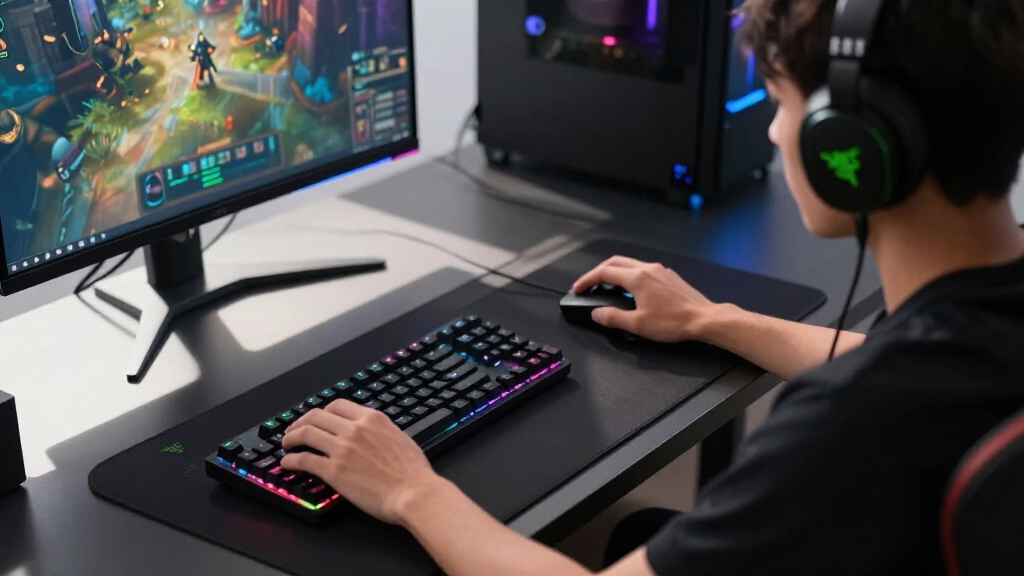

For gamers seeking top-tier performance, Razer remains a leading choice thanks to its blend of innovative features and premium build quality. The Razer Viper V4 Pro Wireless Esports Gaming Mouse stands out for its lightweight design and exceptional precision, making it ideal for competitive play. Meanwhile, the Razer Basilisk V3 offers extensive customization and ergonomic comfort suited for long gaming sessions. The main tradeoffs in this category often involve balancing price, features, and ease of use—more advanced gear tends to come at a higher cost, while simpler models may lack key features. Continue reading for a detailed look at these top picks to help you find the best Razer gear for your gaming needs.

Get the latest gadgets delivered free with Prime
- Fast, free delivery on millions of items
- Prime Video, Amazon Music and more included
- Member-only deals all year
Complete the kit



Key Takeaways
- The top-performing Razer gear combines high precision with customizable features for tailored gameplay.
- Wireless options like the Razer Viper V4 Pro and Basilisk V3 X offer freedom of movement but may trade off slight latency or battery life concerns.
- Build quality and ergonomic design are consistent priorities among the best options, ensuring comfort during extended gaming sessions.
- Price differences often reflect feature sets, so more expensive models tend to include advanced customization and higher durability.
- Choosing the right gear depends heavily on your gaming style—competitive players prioritize precision, while casual gamers value comfort and simplicity.
| Razer Firefly V2 RGB Gaming Mousepad |  | Best Value for Precise, Customizable Surface | Dimensions: 10.84 x 13.99 inches | Surface Material: Micro-textured surface | Lighting: RGB Chroma with 16.8 million colors | VIEW LATEST PRICE | See Our Full Breakdown |
| Razer Viper V4 Pro Wireless Esports Gaming Mouse |  | Best for Competitive Speed and Precision | Weight: 49g | Battery Life: Up to 180 hours at 1000 Hz | DPI: 50,000 | VIEW LATEST PRICE | See Our Full Breakdown |
| Razer Naga V3 Pro Wireless MMO Gaming Mouse with Swappable Side Plates |  | Best for Versatile Control Across Genres | Number of Side Plates: 3 (12, 6, or 2-button layouts) | Number of Programmable Buttons: Up to 23 | DPI: 50,000 | VIEW LATEST PRICE | See Our Full Breakdown |
| Razer Naga V2 HyperSpeed Wireless MMO Gaming Mouse, 400 Hr Battery, Black |  | Best for Long-Lasting Wireless MMO Control | Number of Buttons: 19 programmable | Battery Life: Up to 400 hours on Bluetooth | Connectivity: Razer HyperSpeed Wireless, Bluetooth | VIEW LATEST PRICE | See Our Full Breakdown |
| Razer Basilisk V3 Customizable RGB Wired Ergonomic Gaming Mouse, Black |  | Best for Ergonomic Precision and Custom Control | Connectivity Technology: USB | Number of Programmable Buttons: 11 | Sensor: Focus Plus 26K DPI | VIEW LATEST PRICE | See Our Full Breakdown |
| Razer Tartarus V2 Left-Handed Gaming Keypad, 32 Programmable Keys, Black |  | Best Left-Handed Gaming Keypad | Number of Keys: 32 | Switch Type: Mecha-Membrane | Backlit: RGB with 16.8 million colors | VIEW LATEST PRICE | See Our Full Breakdown |
| Razer DeathAdder Essential Ergonomic Wired Gaming Mouse, Black |  | Best Wired Gaming Mouse for Precision and Durability | DPI: 6,400 | Switch Life: 10 million clicks | Buttons: 5 programmable | VIEW LATEST PRICE | See Our Full Breakdown |
| Razer Basilisk V3 X HyperSpeed Wireless Gaming Mouse, Black |  | Best Wireless Gaming Mouse with Long Battery Life | Connectivity: Wireless (HyperSpeed and Bluetooth) | Battery Life: Up to 285 hours (HyperSpeed), 535 hours (Bluetooth) | Sensor: Razer 5G 18K optical sensor | VIEW LATEST PRICE | See Our Full Breakdown |
| Razer gaming gear | Battery Life | Sensor | Connectivity |
|---|---|---|---|
| Razer Firefly V2 RGB Gaming Mo | — | — | — |
| Razer Viper V4 Pro Wireless Es | Up to 180 hours at 1000 Hz | Focus Pro 50K DPI optical sensor | — |
| Razer Naga V3 Pro Wireless MMO | Up to 155 hours | — | Wireless (Razer HyperSpeed), Bluetooth, USB-C wired |
| Razer Naga V2 HyperSpeed Wirel | Up to 400 hours on Bluetooth | Focus Pro 30K optical sensor | Razer HyperSpeed Wireless, Bluetooth |
| Razer Basilisk V3 Customizable | — | Focus Plus 26K DPI | — |
| Razer Tartarus V2 Left-Handed | — | — | — |
| Razer DeathAdder Essential Erg | — | — | Wired |
| Razer Basilisk V3 X HyperSpeed | Up to 285 hours (HyperSpeed), 535 hours (Bluetooth) | Razer 5G 18K optical sensor | Wireless (HyperSpeed and Bluetooth) |
More Details on Our Top Picks
Razer Firefly V2 RGB Gaming Mousepad
The Razer Firefly V2 stands out for its calibrated micro-textured surface that enhances pixel-perfect tracking, making it ideal for gamers who demand precision. Compared with the Razer Basilisk V3, it offers a dedicated mousepad experience that complements high-DPI mice, but its thin profile may compromise durability over time. Its RGB Chroma lighting adds a vibrant aesthetic, though it requires compatible hardware for full effects. The built-in cable management helps keep setups tidy, a feature absent in many standard mousepads. Tradeoffs include a limited surface area that might not suit large mouse movements and a thinner profile that could wear faster with heavy use. This pick is best for gamers seeking a reliable, customizable surface that improves mouse accuracy without the expense of premium accessories.
Pros:- Customizable RGB lighting with 16.8 million colors
- Calibrated surface for enhanced pixel accuracy
- Non-slip rubber base for stability
- Built-in cable management for organized setup
Cons:- Thin profile may reduce long-term durability
- Limited surface area for large, sweeping mouse movements
Best for: Gamers who prioritize precise tracking and customizable lighting on a budget
Not ideal for: Players with large movement styles or those needing a highly durable, oversized mousepad
- Dimensions:10.84 x 13.99 inches
- Surface Material:Micro-textured surface
- Lighting:RGB Chroma with 16.8 million colors
- Cable Management:Built-in cable organizer
- Base Material:Natural-foam rubber
- Thickness:0.14 inches
Our verdict“This mousepad is perfect for gamers who want a precise, customizable surface without breaking the bank.”
Razer Viper V4 Pro Wireless Esports Gaming Mouse
The Razer Viper V4 Pro is designed for serious esports enthusiasts seeking ultra-lightweight agility and top-tier responsiveness. Its 50K DPI optical sensor ensures pinpoint accuracy, surpassing the sensor in the Razer Basilisk V3, with the added benefit of a lightweight frame at just 49g. The long-lasting battery—up to 180 hours at 1000 Hz—supports extended sessions without frequent charging. While it offers extensive customization via Razer Synapse 4, this reliance on software can be a barrier for casual users who prefer plug-and-play. Compared to the Naga V3 Pro, it’s less versatile for MMO-specific control but excels in fast, competitive gameplay. The high price reflects its premium build and performance but may be prohibitive for budget-conscious gamers.
Pros:- Ultra-lightweight design for rapid, agile movements
- High-precision 50K DPI optical sensor
- Long battery life for extended play sessions
- Highly customizable via Razer Synapse 4
Cons:- High cost may deter budget-conscious buyers
- Requires software for full feature access
- Limited to Razer ecosystem for advanced customization
Best for: Professional or competitive gamers who need fast, precise control with minimal weight
Not ideal for: Casual gamers or those who prefer a wired mouse for zero latency and simplicity
- Weight:49g
- Battery Life:Up to 180 hours at 1000 Hz
- DPI:50,000
- Polling Rate:Up to 8000 Hz
- Sensor:Focus Pro 50K DPI optical sensor
- Switches:Optical Switches Gen-4
Our verdict“This mouse excels for fast-paced, competitive gaming where every millisecond counts, but it comes with a premium price.”
Razer Naga V3 Pro Wireless MMO Gaming Mouse with Swappable Side Plates
The Razer Naga V3 Pro combines extensive customization with versatility, making it ideal for MMO players and productivity tasks alike. Its three swappable side plates with up to 23 programmable buttons offer unparalleled control, surpassing the 19 buttons on the Naga V2 HyperSpeed. The high-precision 50K DPI sensor and adaptable scrolling wheel provide tailored navigation across different game genres. However, its complexity and premium price point may be overwhelming for casual gamers or those new to extensive customization. The need for software setup can be a barrier, but for those seeking a control hub for multiple games and workflows, it’s a compelling choice.
Pros:- Up to 23 programmable buttons with swappable side plates
- High-precision 50K DPI sensor for accurate tracking
- Versatile scrolling wheel with multiple modes
- Long battery life up to 155 hours wireless
Cons:- Premium price may be prohibitive
- Complex setup may be intimidating for casual users
- Heavy with batteries, impacting long-term comfort
Best for: Hardcore MMO players and multi-genre gamers who want maximum customization
Not ideal for: Casual players or those preferring simple, plug-and-play mice
- Number of Side Plates:3 (12, 6, or 2-button layouts)
- Number of Programmable Buttons:Up to 23
- DPI:50,000
- Tracking Speed:930 IPS
- Battery Life:Up to 155 hours
- Connectivity:Wireless (Razer HyperSpeed), Bluetooth, USB-C wired
Our verdict“This mouse is best for gamers who need extensive customization and versatile control, despite its complexity and cost.”
Razer Naga V2 HyperSpeed Wireless MMO Gaming Mouse, 400 Hr Battery, Black
The Razer Naga V2 HyperSpeed offers an impressive combination of long battery life—up to 400 hours on Bluetooth—and extensive button customization, making it a practical choice for marathon gaming sessions. Its 19 programmable buttons and Focus Pro 30K sensor deliver reliable, accurate control across MMO and other genres. Compared to the Viper V4 Pro, it’s heavier and less suited for fast, precision-driven play but excels in sustained control and versatility. The heavy batteries can add weight, and setup requires software for full customization, but its durability and battery longevity make it a standout for dedicated MMO players seeking longevity without sacrificing performance.
Pros:- Up to 400 hours of battery life on Bluetooth
- 19 programmable buttons for extensive control
- High-precision Focus Pro 30K sensor
- Seamless low-latency wireless performance
Cons:- Relatively heavy with batteries installed
- Higher cost compared to simpler mice
- Requires software setup for full features
Best for: MMO players needing a durable mouse with extensive programmable controls for extended sessions
Not ideal for: Players seeking lightweight, fast-action mice for FPS titles
- Number of Buttons:19 programmable
- Battery Life:Up to 400 hours on Bluetooth
- Connectivity:Razer HyperSpeed Wireless, Bluetooth
- Sensor:Focus Pro 30K optical sensor
- Switches:Mechanical Switches Gen 2
- Color:Black
Our verdict“This mouse is suited for long-haul MMO gaming with its exceptional battery life and extensive controls, though it’s less agile for fast-paced FPS games.”
Razer Basilisk V3 Customizable RGB Wired Ergonomic Gaming Mouse, Black
The Razer Basilisk V3 is crafted for gamers who value comfort along with extensive customization. Its ergonomic shape supports long gaming sessions, while 11 programmable buttons and a 26K DPI optical sensor provide precise control. Compared with the Naga V2, it offers fewer buttons but focuses more on comfort and responsiveness, making it suitable for FPS players or those who prefer a wired connection for zero latency. The dual-mode tilt scroll wheel adds a layer of versatility, and RGB lighting allows personalization. However, its wired design limits mobility and the complex customization options may be overwhelming for casual gamers. It strikes a good balance between comfort and performance for dedicated players.
Pros:- Ergonomic design for comfortable long-term use
- 11 programmable buttons for customization
- Precise 26K DPI optical sensor
- Dual-mode tilt scroll wheel for versatile scrolling
Cons:- Wired connection limits mobility
- Premium price may be a barrier for some
- Complex customization setup may be overwhelming
Best for: Players seeking a comfortable, highly customizable wired mouse for competitive gaming
Not ideal for: Gamers who prefer wireless freedom or minimal setup complexity
- Connectivity Technology:USB
- Number of Programmable Buttons:11
- Sensor:Focus Plus 26K DPI
- Lighting:Razer Chroma RGB
- Switch Type:Optical Mouse Switches Gen 2
- Scroll Wheel:Tilt wheel with free-spin and tactile modes
Our verdict“This mouse offers a strong combination of comfort, precision, and customization for serious gamers who prefer wired reliability.”
Razer Tartarus V2 Left-Handed Gaming Keypad, 32 Programmable Keys, Black
The Razer Tartarus V2 stands out for gamers who prefer a dedicated left-handed control device, offering a highly customizable 32-key layout with tactile mecha-membrane switches that prioritize responsiveness. Compared to traditional gaming mice or more general-purpose keypads like the Basilisk V3 X, this keypad provides extensive macro options tailored for complex commands, though its left-handed design limits its versatility for right-handed users. The 8-way thumbpad enhances movement control, making it ideal for MMO or MOBA players who need quick access to multiple commands. However, the membrane switches may not satisfy users craving the tactile feedback of mechanical keys, and its exclusive left-handed orientation could be a barrier for ambidextrous players. This pick makes the most sense for left-handed gamers seeking a highly programmable control pad. Pros: Fully programmable keys for customization, tactile feedback from mecha-membrane switches, ergonomic thumbpad enhances control, extensive RGB customization. Cons: Designed only for left-handed use, membrane switches may feel less premium, limited versatility for right-handed gamers.
Verdict: This keypad is best suited for left-handed players who need extensive programmability and control, despite the tradeoff in switch feel and ambidextrous compatibility.- Number of Keys:32
- Switch Type:Mecha-Membrane
- Backlit:RGB with 16.8 million colors
- Thumbpad:8-way directional
Razer DeathAdder Essential Ergonomic Wired Gaming Mouse, Black
The Razer DeathAdder Essential is a straightforward wired mouse that emphasizes core performance, making it a solid choice for gamers who prioritize reliability over extra features. Its 6,400 DPI optical sensor delivers precise tracking, comparable to the Viper V4 Pro but without the advanced customizable options, and supports on-the-fly sensitivity adjustments for quick responsiveness. The durable switches support up to 10 million clicks, ensuring longevity, but the absence of RGB lighting and additional buttons makes it less appealing for users who want full customization like with the Basilisk V3 X. Its basic, no-frills design caters well to players who prefer a simple, no-distraction setup. This mouse is less suitable for those needing wireless freedom or extensive macro options. Pros: High-precision sensor, durable switches supporting 10 million clicks, reliable wired connection, rubberized scroll wheel for accuracy. Cons: No wireless option, lacks RGB lighting and extra buttons, basic design with limited customization.
Verdict: This model is ideal for gamers seeking a dependable, no-nonsense wired mouse with excellent durability and precision, but not for those wanting wireless or aesthetic flair.- DPI:6,400
- Switch Life:10 million clicks
- Buttons:5 programmable
- Connectivity:Wired
Our verdict“Best Wired Gaming Mouse for Precision and Durability — a strong pick in this lineup.”
Razer Basilisk V3 X HyperSpeed Wireless Gaming Mouse, Black
The Razer Basilisk V3 X excels for gamers who need a reliable wireless experience with long-lasting battery life, offering a high-precision 18K optical sensor and 9 customizable controls that rival the Viper V4 Pro in accuracy but with a focus on comfort and convenience. Its HyperSpeed wireless technology provides low-latency performance, making it suitable for fast-paced games, though the slightly higher price compared to wired options like the DeathAdder means it’s better suited for those who value mobility over pure affordability. The impressive battery life—up to 285 hours with HyperSpeed—addresses concerns about frequent recharging, but actual longevity depends on usage patterns. Its ergonomic design is optimized for long sessions, though some users may find the customization options less extensive than on more premium models. This mouse is best for players who want wireless freedom without sacrificing precision. Pros: Long battery life (up to 285 hours), ergonomic design, high-precision 18K sensor, customizable controls. Cons: Battery life varies with use, higher cost than wired options, limited to gaming uses, less customizable lighting than premium models.
Verdict: This mouse suits gamers seeking a wireless, ergonomic, high-precision device with exceptional battery life for extended play sessions.- Connectivity:Wireless (HyperSpeed and Bluetooth)
- Battery Life:Up to 285 hours (HyperSpeed), 535 hours (Bluetooth)
- Sensor:Razer 5G 18K optical sensor
- Switches:Razer Mechanical Mouse Switches Gen-2
- Number of Controls:9 customizable buttons
- Lighting:Chroma RGB with 16.8 million colors
Our verdict“Best Wireless Gaming Mouse with Long Battery Life — a strong pick in this lineup.”
How We Picked
These products were selected based on a combination of performance, build quality, usability, and versatility. We prioritized gear that offers a clear benefit for gamers, whether through precision, comfort, or customization. Our evaluation considered user feedback, expert reviews, and feature sets that align with current gaming trends. The ranking reflects the overall value each product provides relative to its price, balancing high-end features with accessibility for different types of gamers.| Razer gaming gear | Battery Life | Sensor | Connectivity |
|---|---|---|---|
| Razer Firefly V2 RGB Gaming Mo | — | — | — |
| Razer Viper V4 Pro Wireless Es | Up to 180 hours at 1000 Hz | Focus Pro 50K DPI optical sensor | — |
| Razer Naga V3 Pro Wireless MMO | Up to 155 hours | — | Wireless (Razer HyperSpeed), Bluetooth, USB-C wired |
| Razer Naga V2 HyperSpeed Wirel | Up to 400 hours on Bluetooth | Focus Pro 30K optical sensor | Razer HyperSpeed Wireless, Bluetooth |
| Razer Basilisk V3 Customizable | — | Focus Plus 26K DPI | — |
| Razer Tartarus V2 Left-Handed | — | — | — |
| Razer DeathAdder Essential Erg | — | — | Wired |
| Razer Basilisk V3 X HyperSpeed | Up to 285 hours (HyperSpeed), 535 hours (Bluetooth) | Razer 5G 18K optical sensor | Wireless (HyperSpeed and Bluetooth) |
Factors to Consider When Choosing Best Razer Gaming Gear
When choosing the best Razer gaming gear, it’s important to consider several key factors that influence your overall experience. The right gear should complement your gaming style, provide comfort during long sessions, and offer features that enhance your performance. Understanding these considerations can help you avoid common pitfalls like overpaying for unnecessary features or selecting gear that doesn’t fit your hand or play style. Let’s explore the most important factors to weigh before making your decision.Performance and Accuracy
For gaming, especially competitive titles, precision is paramount. Look for mice with high DPI settings and customizable sensitivity to match your play style. Higher accuracy sensors translate into more consistent aiming and movement. Keep in mind that the most expensive models often include the latest sensor technology, but mid-range options can still offer excellent performance for casual or semi-competitive play. Avoid overly complicated setups if you prefer simplicity, and remember that a good sensor is more important than a high DPI number alone.
Ergonomics and Comfort
Comfort should be a top consideration since long gaming sessions can lead to fatigue or strain. Consider the shape, size, and weight of the gear—ergonomic mice with customizable grips can reduce wrist strain, especially for extended use. If you have a specific hand orientation, such as left-handedness, ensure your choice accommodates that. For keyboard accessories, ergonomic design minimizes discomfort and helps maintain precision. Don’t overlook the importance of a well-designed mousepad that provides smooth tracking and consistent glide.
Wireless vs. Wired
Wireless gear offers greater freedom of movement and reduces cable clutter but can introduce concerns about latency and battery life. Modern wireless options, like Razer’s HyperSpeed technology, mitigate lag issues effectively. Wired gear, on the other hand, guarantees a stable connection and zero latency—an advantage for competitive players. Consider your setup and preferences; if you prioritize mobility and minimal cable fuss, wireless models are a key benefit, but ensure you’re comfortable managing battery life and charging routines.
Customization and Features
Advanced customization options, such as programmable buttons, RGB lighting, and adjustable DPI settings, allow you to tailor your gear for specific games or workflows. While these features can enhance gameplay, they also add complexity and cost. Simpler models focus on core performance without extensive customization, which may suit beginners or casual players. Think about which features will genuinely improve your experience and avoid paying for extras you won’t use regularly.
Durability and Build Quality
Gaming gear undergoes frequent use, so durability matters. Look for high-quality switches, sturdy construction, and reliable materials. A well-built mouse or keyboard will withstand long-term use without failure, saving you money over time. Cheaper options might save money upfront but may require replacement sooner. For gear that sees intensive use, investing in premium build quality ensures consistent performance and a longer lifespan.
Frequently Asked Questions
How do I know if a wireless gaming mouse will have enough battery life?
Battery life varies significantly across wireless gaming mice. To ensure your mouse will last through long gaming sessions, look for models with larger batteries or energy-saving features. Many high-end Razer mice include rechargeable batteries that can last for dozens of hours on a single charge, especially if you disable RGB lighting or reduce polling rates. Consider your typical playtime and whether you prefer quick-charging options, as some models support rapid charge via USB. Reading user reviews can also reveal real-world battery performance to help you choose confidently.
Are RGB lighting features worth paying extra for?
RGB lighting is largely a matter of aesthetics and personal preference. For many gamers, customizable lighting enhances the overall gaming setup and personal expression. However, RGB features often come with additional costs and can slightly impact battery life in wireless models. If you prioritize performance and simplicity, a non-RGB model might offer better core features at a lower price. For those who enjoy customizing their setup, RGB lighting can add a layer of enjoyment without sacrificing core performance.
Should I choose a wired or wireless mouse for competitive gaming?
For competitive gaming, wired mice are traditionally favored due to their zero-latency connection and consistent responsiveness. However, modern wireless mice with advanced technology, like Razer HyperSpeed, now deliver virtually indistinguishable performance for most players. The decision depends on your comfort and setup preferences; if you value cable-free freedom and a clutter-free desk, a high-quality wireless mouse can serve well. For absolute minimal lag, especially in fast-paced shooters, wired remains the slightly more reliable choice.
How important is the number of programmable buttons on a gaming mouse?
The number of programmable buttons can greatly enhance your gameplay, especially in MMOs or MOBA titles where quick access to abilities matters. More buttons allow you to assign complex commands or macros, reducing the need to switch between keyboard and mouse. However, too many buttons can also cause accidental presses or overwhelm new users. Consider your game genre and play style; for general FPS gaming, fewer buttons with high-quality switches might be better, while MMO players often benefit from extensive customization.
What should I look for in a gaming mousepad?
A good gaming mousepad should provide a smooth, consistent surface tailored to your mouse sensor for precise tracking. Material choice affects glide and control—hard surfaces offer quick movement, while soft cloth mats provide better control and comfort. Size is another factor; larger pads accommodate wide swings and low DPI settings, while smaller ones suit quick, precise movements. Additionally, durability and non-slip bases ensure the mousepad stays in place during intense gameplay. Investing in a quality mousepad complements your gear and enhances your overall accuracy.
Conclusion
For gamers seeking the best overall experience, the Razer Viper V4 Pro Wireless offers lightweight precision with wireless convenience. Casual players or those new to gaming might prefer the Razer DeathAdder Essential for its straightforward design and reliable performance. For budget-conscious buyers, the Razer Basilisk V3 X HyperSpeed delivers solid features at a lower price point. If you want the most customizable setup, the Razer Naga V3 Pro stands out with swappable side plates and extensive programmable buttons. Finally, those prioritizing ergonomic comfort during long sessions should consider the Razer Basilisk V3 for its tailored grip and customizable features, perfectly suited for extended use.
Halloween Picks
halloween
As an affiliate, we earn on qualifying purchases.