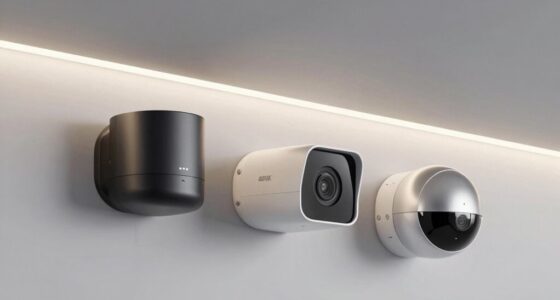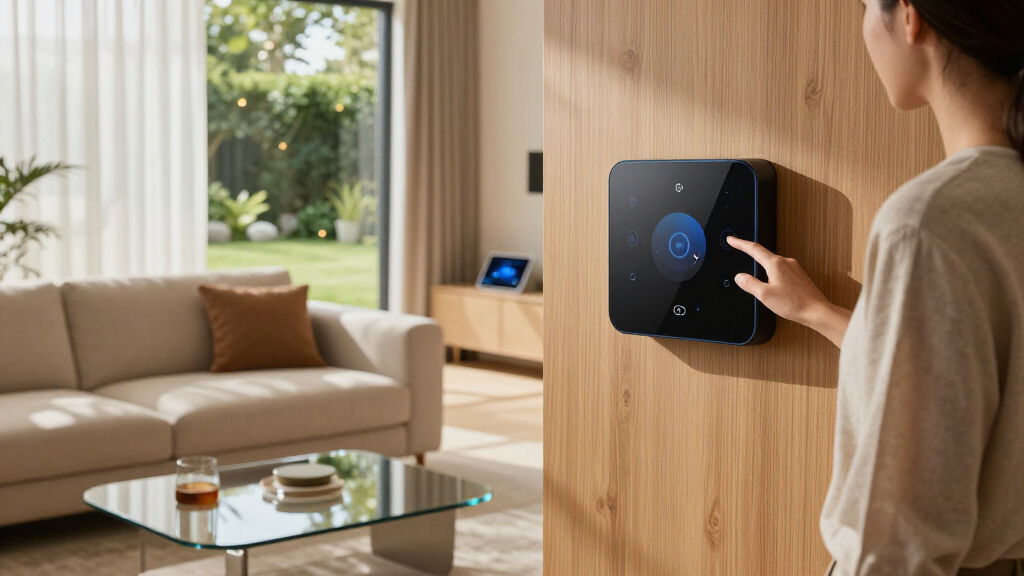

Choosing the best smart home AI hub involves balancing compatibility, ease of use, and automation flexibility. The Aeotec Smart Home Hub stands out for its broad device support and compatibility with Z-Wave, Zigbee, Matter, and voice assistants, making it the top overall pick. The Homey Pro mini offers extensive automation options for tech-savvy users, while the Amazon Echo Hub provides a seamless, voice-controlled experience ideal for smart home newcomers. The main tradeoffs include balancing advanced features with user-friendliness and considering whether local control or cloud integration is more important. Continue reading for a detailed breakdown of each option to find the best fit for your smart home setup.

Get the latest gadgets delivered free with Prime
- Fast, free delivery on millions of items
- Prime Video, Amazon Music and more included
- Member-only deals all year
Complete the kit



Key Takeaways
- The top picks excel in device compatibility, with most supporting Z-Wave, Zigbee, and Matter standards.
- Ease of use varies; some hubs prioritize simple voice control, while others focus on advanced automation capabilities.
- Local control is a key factor for privacy-conscious users, influencing the choice of hubs like amazon.com/dp/B0CR4G1G8M?tag=techieus-20&ascsubtag=dc-703369″ target=”_blank” rel=”nofollow sponsored noopener”>Hubitat and Home Assistant Green.
- Price range spans from budget-friendly options to premium, feature-rich hubs, requiring tradeoffs between cost and functionality.
- Integration with voice assistants (Alexa, Google, Siri) remains a decisive factor for many buyers, affecting overall usability.
| Aeotec Smart Home Hub – Works as a SmartThings Hub with Z-Wave, Zigbee, Matter, Wi-Fi, and Voice Assistant Compatibility |  | Best Overall for Versatile Protocol Support | Weight: 1.1 pounds | Connectivity Technology: Ethernet, Wi-Fi, Z-Wave, ZigBee, Matter | Supported Protocols: Matter, SmartThings, Z-Wave, ZigBee | VIEW LATEST PRICE | See Our Full Breakdown |
| Homey Pro mini | Smart Home Hub for Home Automation with Zigbee, Ethernet, Matter & Thread |  | Best Value for Protocol Versatility and Privacy | Protocols Supported: Zigbee, Matter, Thread, Ethernet | Compatibility: Apple Siri, Amazon Alexa, Google Home | Connectivity: Ethernet, Zigbee, Thread | VIEW LATEST PRICE | See Our Full Breakdown |
| Hubitat Elevation C-8 Pro Smart Home Hub, Local Control and Automations |  | Best for Local Automation and Privacy | Product Dimensions: 2.95 x 3.23 x 0.67 inches | Item Weight: 2.56 ounces | Processor: 2.0 GHz | VIEW LATEST PRICE | See Our Full Breakdown |
| Amazon Echo Hub (newest model), 8-inch Smart Home Control Panel with Alexa+ |  | Best for User-Friendly Control and Ecosystem Integration | Display: 8-inch touchscreen, 1280 x 800 | Power Requirements: USB-C PD support for 5V/2.4A and 9V/3A | Connectivity: Dual-band WiFi, Bluetooth | VIEW LATEST PRICE | See Our Full Breakdown |
| Home Assistant Green – Official Smart Home Hub with Advanced Automation |  | Best for Power Users and Customizable Automation | RAM: 4 GB | Storage Capacity: 32 GB | Connectivity Technology: Ethernet, USB | VIEW LATEST PRICE | See Our Full Breakdown |
| SONOFF Bridge Max Smart Home Hub |  | Best for Multi-Platform Compatibility and Local Control | Compatibility: Zigbee, BTHome, eWeLink, Matter | Features: Local web console, security alarm, MQTT support | Alarm Volume: 90 dB | VIEW LATEST PRICE | See Our Full Breakdown |
| iSG Box SE Smart Home Hub with Preinstalled Home Assistant |  | Best for Advanced Automation and Protocol Support | Connectivity Technology: Wi-Fi, Ethernet, Zigbee, Z-Wave | Supported Protocols: Matter, Zigbee, Z-Wave | Compatible Devices: TVs, smartphones, PCs, tablets | VIEW LATEST PRICE | See Our Full Breakdown |
| SwitchBot AI Hub with OpenClaw Support |  | Best for Local Automation and Camera Integration | Product Dimensions: 7.8 x 5.79 x 2.2 inches | Item Weight: 1.17 pounds | MicroSD Card Included: 16GB | VIEW LATEST PRICE | See Our Full Breakdown |
More Details on Our Top Picks
Aeotec Smart Home Hub – Works as a SmartThings Hub with Z-Wave, Zigbee, Matter, Wi-Fi, and Voice Assistant Compatibility
The Aeotec Smart Home Hub stands out for its extensive protocol support, including Z-Wave, Zigbee, and Matter, making it ideal for users with diverse device ecosystems. Compared to the Homey Pro mini, this hub offers broader compatibility without needing additional devices, but it can be more complex to set up, especially for newcomers. Its ability to connect with Alexa and Google Assistant enhances automation potential across popular voice platforms. However, its primarily North American focus and potentially challenging setup process may deter international or less tech-savvy users. This hub is best suited for those looking for a highly adaptable, all-in-one control point that supports a wide range of protocols and devices.
Pros:- Supports multiple protocols including Z-Wave, Zigbee, and Matter for broad device compatibility
- Enables automation and integration with popular voice assistants like Alexa and Google Assistant
- Easy setup via Wi-Fi or Ethernet with the SmartThings app
Cons:- Limited to North America, restricting usability elsewhere
- Setup process may be complex for beginners
Best for: Homeowners with varied smart devices across Z-Wave, Zigbee, and Matter, seeking broad compatibility and voice assistant integration.
Not ideal for: International users or those seeking an extremely simple setup without technical knowledge, due to regional restrictions and setup complexity.
- Weight:1.1 pounds
- Connectivity Technology:Ethernet, Wi-Fi, Z-Wave, ZigBee, Matter
- Supported Protocols:Matter, SmartThings, Z-Wave, ZigBee
- Control Method:App, Voice
- Compatible Devices:Lighting, comfort devices, voice assistants, energy management devices, Matter devices, SmartThings devices, Z-Wave Plus devices, Zigbee devices, Wi-Fi devices, Google Home, Alexa
- Frequency:908.42 MHz
Our verdict“This hub is perfect for tech-savvy users who need a flexible, protocol-rich smart home control center within North America.”
Homey Pro mini | Smart Home Hub for Home Automation with Zigbee, Ethernet, Matter & Thread
The Homey Pro mini offers a compelling combination of Zigbee, Matter, and Thread support, prioritizing local control and privacy without subscription fees. Unlike the Aeotec hub, it requires a separate purchase of the Homey Bridge for Z-Wave support, which might be a downside for those needing full protocol coverage out of the box. Its local data processing enhances security and reduces latency, making it ideal for privacy-conscious users. While its protocol support is broad, it doesn’t natively include Z-Wave without additional hardware, possibly complicating setup for some. This hub makes the most sense for users who want a flexible, privacy-focused platform with no ongoing costs and are comfortable managing additional hardware for full protocol support.
Pros:- Supports multiple smart home protocols including Zigbee, Matter, and Thread
- Local control enhances privacy and reliability
- No subscription fees for full features
Cons:- Requires additional purchase of Homey Bridge for Z-Wave support
- Limited out-of-the-box protocol support without extra hardware
Best for: Users prioritizing local control, privacy, and a broad protocol set, especially those avoiding subscription fees.
Not ideal for: Users who want an all-in-one, Z-Wave inclusive hub without extra purchases or those seeking a plug-and-play experience.
- Protocols Supported:Zigbee, Matter, Thread, Ethernet
- Compatibility:Apple Siri, Amazon Alexa, Google Home
- Connectivity:Ethernet, Zigbee, Thread
- Additional Features:Local control, automation routines, energy monitoring, secure backups
- Model Number:HOMEY-PRO-MINI-US-01
Our verdict“Best suited for privacy-focused users who value protocol flexibility and are willing to add hardware for Z-Wave support.”
Hubitat Elevation C-8 Pro Smart Home Hub, Local Control and Automations
The Hubitat Elevation C-8 Pro excels at processing automations locally, offering fast responses and enhanced privacy, especially compared to cloud-dependent hubs like the Amazon Echo Hub. Its support for Z-Wave, Zigbee, and Matter ensures broad device compatibility, but it requires some technical skill to set up and configure, making it less suitable for complete beginners. Unlike the Home Assistant Green, it doesn’t run on a general OS, limiting its flexibility to home automation tasks only. Its ongoing updates improve device support, but users should verify compatibility with their specific devices before buying. This hub is ideal for users who need reliable, fast local automations and value privacy over a sleek user interface.
Pros:- Processes automations locally for fast response and privacy
- Supports multiple protocols including Z-Wave, Zigbee, and Matter
- Continuously updated with new features and device support
- Integrates with Alexa, Google, and Apple HomeKit
Cons:- Setup and configuration require technical knowledge
- Device compatibility varies and needs verification
Best for: Tech-savvy homeowners who want fast, local automations and are comfortable with manual setup and configuration.
Not ideal for: Beginners or those seeking a plug-and-play experience with minimal setup effort, due to the technical knowledge required.
- Product Dimensions:2.95 x 3.23 x 0.67 inches
- Item Weight:2.56 ounces
- Processor:2.0 GHz
- RAM:2 GB
- Connectivity:Wi-Fi, Ethernet
- Protocols Supported:Z-Wave 800 Series, Z-Wave Long Range, Zigbee 3.0, Matter 1.5, Bluetooth
Our verdict“A strong choice for users who prioritize speed, privacy, and local processing over a simple setup process.”
Amazon Echo Hub (newest model), 8-inch Smart Home Control Panel with Alexa+
The Amazon Echo Hub features an intuitive 8-inch touchscreen and deep integration with Alexa, making it a prime choice for users who prefer a visual interface combined with voice control. Its support for Zigbee, Thread, Matter, and Sidewalk allows it to connect with a wide variety of devices, but its reliance on wall mounting and lack of portability limit flexibility. Compared to the Home Assistant Green, it offers a more polished, consumer-friendly experience, but with less emphasis on local processing and advanced automation. This device is ideal for households that want a dedicated control panel with an easy-to-use interface and seamless Alexa integration but don’t need extensive protocol support outside the ecosystem.
Pros:- Customizable dashboard for quick device access and routines
- Supports multiple protocols including Zigbee, Thread, and Matter
- Built-in privacy controls like mic off button
- Made from recycled materials
Cons:- Requires wall mounting or separate stand (sold separately)
- Power over Ethernet and mounting accessories sold separately
- Not portable or handheld
Best for: Homeowners seeking an easy-to-operate, visually accessible control panel with broad protocol compatibility and Alexa ecosystem integration.
Not ideal for: Users who want a portable or standalone device, or need highly customizable automation without a fixed installation.
- Display:8-inch touchscreen, 1280 x 800
- Power Requirements:USB-C PD support for 5V/2.4A and 9V/3A
- Connectivity:Dual-band WiFi, Bluetooth
- Sensors:PIR, ambient light sensor
- Compatibility:Zigbee, Thread, Matter, Sidewalk, Bluetooth LE
- Materials:Recycled plastics
Our verdict“Best suited for users who want a stylish, easy-to-use control panel integrated into their smart home ecosystem.”
Home Assistant Green – Official Smart Home Hub with Advanced Automation
The Home Assistant Green targets the dedicated home automation enthusiast with its fanless, energy-efficient design and robust hardware, including a quad-core processor and ample RAM. Unlike the Hubitat Elevation C-8 Pro, it runs on Home Assistant OS, providing extensive customization options for advanced users who want to craft complex automations and integrate deeply with various smart devices. Its support for Z-Wave, Zigbee, and Thread via USB makes it highly versatile, but it’s less suited for those wanting a plug-and-play hub, as it requires Ethernet or USB expansion and doesn’t include Wi-Fi. This hub is best for DIYers and smart home tinkerers who prioritize flexibility, security, and control over ease of setup.
Pros:- Official Home Assistant hardware supported by Nabu Casa
- Pre-installed Home Assistant OS simplifies setup
- Fanless, energy-efficient, compact design
- Supports multiple protocols including Z-Wave, Zigbee, and Thread
Cons:- Limited to smart home automation, not a general-purpose computer
- Requires Ethernet or USB for expansion, no built-in Wi-Fi
Best for: Home automation enthusiasts who want a customizable, secure hub with powerful automation capabilities and extensive protocol support.
Not ideal for: Casual users seeking a simple, out-of-the-box, all-in-one smart home control solution, due to its technical setup and configuration requirements.
- RAM:4 GB
- Storage Capacity:32 GB
- Connectivity Technology:Ethernet, USB
- Operating System:Home Assistant OS
- Wireless Compatibility:Bluetooth
- Item Dimensions:4.41″L x 4.41″W x 1.26″H
Our verdict“Ideal for users who want a flexible, local-control-focused hub capable of complex automations and integration, with a willingness to manage setup.”
SONOFF Bridge Max Smart Home Hub
The SONOFF Bridge Max stands out for its ability to connect Zigbee, BTHome, and eWeLink devices under a single platform, making it ideal for users with diverse device ecosystems. Compared to the iSG Box SE, it emphasizes local web console management, which enhances privacy but requires some technical setup. Its built-in security alarm adds a layer of safety, especially for security-conscious households. However, its connectivity range and stability details are limited, potentially impacting performance in larger homes. This hub is perfect for tech-savvy homeowners who prioritize privacy and multi-protocol support but are comfortable with initial configuration hurdles.
Pros:- Supports Zigbee, BTHome, eWeLink, and Matter platforms for broad device compatibility
- Local web console ensures privacy and no reliance on cloud services
- Built-in security alarm enhances home safety
- Compatible with many third-party Zigbee devices
Cons:- Requires some technical knowledge for setup and integration
- Limited information on device range and connection stability
Best for: Homeowners who want a flexible, privacy-focused hub supporting multiple ecosystems and local device management.
Not ideal for: Less experienced users or those seeking plug-and-play simplicity, due to setup complexity and limited connectivity info.
- Compatibility:Zigbee, BTHome, eWeLink, Matter
- Features:Local web console, security alarm, MQTT support
- Alarm Volume:90 dB
- Supported Ecosystems:Alexa, Google Home, Apple, Home Assistant
Our verdict“Ideal for tech-savvy users seeking a versatile, privacy-centric hub with strong multi-platform support.”
iSG Box SE Smart Home Hub with Preinstalled Home Assistant
The iSG Box SE offers extensive device compatibility, supporting over 2,500 brands and major protocols like Matter, Zigbee, and Z-Wave. Unlike the SwitchBot AI Hub, it provides a pre-installed Home Assistant, which unlocks high-level automation and customization, making it perfect for advanced users. Its local control architecture prioritizes privacy and response speed, but setup can be complex, especially for beginners who might need to purchase additional USB sticks for Zigbee and Z-Wave. This hub is best for experienced DIYers or smart home enthusiasts who want a highly customizable, protocol-agnostic system.
Pros:- Supports over 2,500 brands and protocols including Matter, Zigbee, and Z-Wave
- Pre-installed with Home Assistant for advanced automation and scripting
- Local control architecture enhances privacy and responsiveness
- Includes HomeKit Bridge for Apple ecosystem integration
Cons:- Requires purchasing additional Zigbee or Z-Wave USB sticks
- Setup process can be complex and intimidating for novices
Best for: Tech-savvy homeowners or developers seeking a flexible, open-source automation platform supporting diverse devices.
Not ideal for: Beginners or users who prefer ready-to-use, plug-and-play solutions with minimal setup effort.
- Connectivity Technology:Wi-Fi, Ethernet, Zigbee, Z-Wave
- Supported Protocols:Matter, Zigbee, Z-Wave
- Compatible Devices:TVs, smartphones, PCs, tablets
- Additional Features:Home Assistant, HomeKit Bridge, Local Control, AI Home Agent
Our verdict“Best suited for experienced DIYers who want maximum flexibility and control over their smart home ecosystem.”
SwitchBot AI Hub with OpenClaw Support
The SwitchBot AI Hub is tailored for users who want fast, local automations and integrated camera management. Its support for OpenClaw allows connecting cameras and devices, with local storage options like MicroSD and external drives providing reliable data access. Unlike the other hubs, it emphasizes automation speed and camera support, making it ideal for security-conscious households or those with multiple cameras. However, its AI features depend on a subscription, and it lacks IR control for common appliances like TVs or air conditioners. This makes it a focused choice for those prioritizing automation speed and camera versatility over broad device support.
Pros:- Supports OpenClaw for camera and device integration
- Pre-installed Home Assistant and Matter Bridge enable extensive automation
- Local storage via microSD and external drives offers reliable data management
- Faster local automations improve responsiveness
Cons:- AI features require an ongoing AI+ subscription
- Lacks IR control for TVs and air conditioners
- Limited to supported cameras and devices
Best for: Homeowners with multiple cameras and a need for quick local automations, especially if they subscribe to AI services.
Not ideal for: Users seeking comprehensive IR control or a broader range of smart devices without subscription fees.
- Product Dimensions:7.8 x 5.79 x 2.2 inches
- Item Weight:1.17 pounds
- MicroSD Card Included:16GB
Our verdict“Best for camera-heavy setups requiring rapid local automations and flexible device integration, with a willingness to subscribe to AI services.”
How We Picked
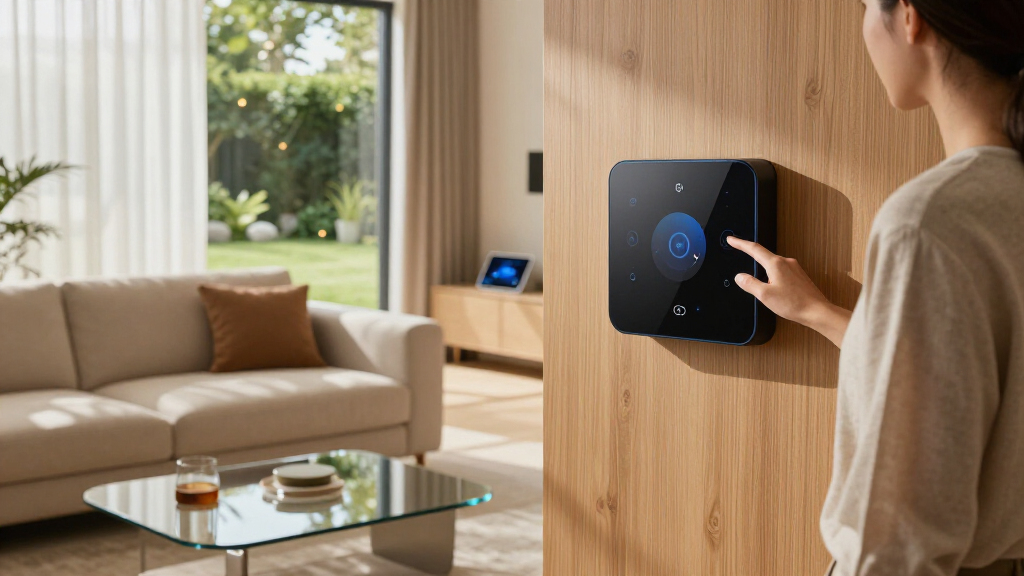
Our evaluation focused on compatibility, ease of setup, automation features, build quality, and ongoing software support. We prioritized hubs that support multiple standards like Z-Wave, Zigbee, and Matter, ensuring broad device compatibility. Usability was assessed through user interface design and setup complexity, favoring intuitive controls for beginners while not neglecting advanced automation features for power users. Build quality and reliability were also key, especially for local control options that require consistent performance without cloud dependence. The ranking reflects a balance of these factors, aiming to recommend options suited for different user needs and budgets.
Factors to Consider When Choosing Best Smart Home AI Hubs
Selecting the best smart home AI hub depends on several critical factors that influence overall performance, compatibility, and ease of use. Understanding these considerations can help you avoid common pitfalls like incompatible devices or complex setups. Here are the key elements to evaluate before making your decision.Compatibility and Standards
Device compatibility is fundamental. A good hub should support Z-Wave, Zigbee, and Matter, which are the prevailing standards for smart home devices. This ensures you won’t face limitations when expanding your system. Be cautious of hubs that only support proprietary protocols or a limited range of devices, as this can restrict your automation options and increase future costs. Investing in a hub with broad compatibility provides flexibility and longevity for your smart home ecosystem.
Ease of Use and Setup
Ease of setup varies widely among hubs. Some prioritize user-friendly interfaces and guided setup processes, making them suitable for beginners. Others may require more technical knowledge, especially when configuring automations or integrating third-party devices. Consider whether you prefer a straightforward app-based setup or are comfortable with more complex configurations. A seamless onboarding process can save time and reduce frustration, especially if you plan to expand your system over time.
Automation and Control Capabilities
Automation features differ significantly. Some hubs excel in local control, providing fast, reliable automations without internet dependency, while others rely heavily on cloud services. If privacy and speed are priorities, look for hubs like Hubitat or Home Assistant Green that emphasize local control. Conversely, hubs with advanced automation scripting and third-party integrations can offer more customization but may require a steeper learning curve. Match the automation complexity to your comfort level and needs.
Build Quality and Reliability
The physical build and software stability influence long-term satisfaction. A well-made hub should have durable hardware, stable firmware, and regular updates. Local control hubs generally offer increased reliability, especially during internet outages, but they need consistent software support. Cloud-dependent hubs may be easier to set up initially but can face downtime or service interruptions. Evaluate the vendor’s track record for updates and community support to ensure your investment remains secure over time.
Price and Future Expansion
Budget considerations are important, yet investing in a more capable hub can save money and effort later. Cheaper options might lack compatibility with newer devices or automation features. Think about your long-term plans for expanding your smart home: a more versatile hub might cost more upfront but will adapt better to future device additions. Balance your immediate budget with the potential need for more advanced features down the line.
Voice Assistant Integration
Most users want voice control integrated into their smart hubs. Compatibility with Alexa, Google Assistant, or Siri can greatly enhance usability. Check whether the hub supports your preferred voice platform natively or via third-party integrations. A hub with robust voice assistant support simplifies daily interactions, but be aware that some integrations may introduce latency or privacy considerations. Prioritize voice features if hands-free control is a priority for your household.
Frequently Asked Questions
Can I use multiple smart home hubs together?
Yes, integrating multiple hubs can expand device support and functionalities. However, it can also introduce complexity in management and automation. For instance, pairing a local control hub like Hubitat with a voice-controlled hub like Amazon Echo allows for both fast automations and voice commands, but you’ll need to ensure they communicate properly. Compatibility between hubs and unified control apps or platforms can simplify managing multiple systems, but some setup effort is required.
Is local control more secure than cloud-based hubs?
Generally, local control hubs offer enhanced security because they do not rely on internet connectivity for automations and device management. This reduces exposure to potential hacking or data breaches via cloud servers. Nonetheless, local hubs still require proper network security practices, such as strong passwords and firmware updates. Cloud-based hubs can be more vulnerable, but they often provide better remote access and easier updates, so consider your security comfort level and control preferences.
How important is device compatibility for future-proofing my smart home?
Device compatibility is critical for creating a flexible and scalable smart home. A hub that supports multiple standards like Z-Wave, Zigbee, and Matter allows you to add new devices without replacing the entire system. This future-proofs your investment, ensuring ongoing compatibility as new products emerge. Choosing a hub with broad support prevents obsolescence and helps maintain a cohesive ecosystem over time.
Should I prioritize hubs with built-in voice assistants?
Hubs with integrated voice assistants, like Amazon Echo Hub, offer immediate convenience for hands-free control and quick automation. If voice commands are a primary way you interact with your smart home, prioritize these options. However, be aware that built-in voice features can sometimes limit customization or automation complexity. Evaluate whether the added voice functionality aligns with your overall automation goals and privacy preferences.
Is it better to choose a hub with extensive automation features or simplicity?
This depends on your technical comfort and automation needs. Advanced users seeking deep customization should opt for hubs like Homey Pro mini or Home Assistant Green, which support complex scripting and integrations. Beginners or those wanting straightforward control might prefer simpler hubs like Amazon Echo Hub, which emphasize easy setup and voice control. Balance your skill level with your automation ambitions to pick the right hub for your household.
Halloween Picks
halloween
As an affiliate, we earn on qualifying purchases.