
Choosing the right backup drive for video editors involves balancing speed, capacity, portability, and reliability. The Seagate 2TB Portable Hard Drive USB 3.0 stands out as a reliable, budget-friendly option for quick backups on the go. For those needing rugged durability, the LaCie Rugged Thunderbolt USB-C 4TB offers exceptional build quality, though at a higher price point. The LaCie d2 Professional 10TB is ideal for editors handling large projects who need ample space and fast transfer speeds. Keep in mind, tradeoffs often involve choosing between capacity and portability or between speed and cost. Continue reading for an in-depth comparison of these top picks and what aligns best with your editing workflow.

Get the latest gadgets delivered free with Prime
- Fast, free delivery on millions of items
- Prime Video, Amazon Music and more included
- Member-only deals all year
Complete the kit



Key Takeaways
- The best backup drives for video editing balance high capacity with fast data transfer speeds.
- Ruggedized drives like LaCie Rugged excel for field work but tend to come at a premium.
- SSD options like SanDisk Extreme Portable SSD offer faster speeds but generally cost more per GB.
- Capacity needs vary widely; smaller drives suit portability, while larger ones accommodate extensive project archives.
- Build quality and compatibility are key; not all drives work seamlessly across Windows and Mac without reformatting.
| Seagate 2TB Portable Hard Drive USB 3.0 |  | Best for On-the-Go Video Editors Needing Simplicity | Digital Storage Capacity: 2 TB | Hard Disk Interface: USB 3.0 | Connectivity Technology: USB | VIEW ON AMAZON | See Our Full Breakdown |
| LaCie Rugged Thunderbolt USB-C 4TB External Hard Drive |  | Best for Durable, Mobile Video Editing Setup | Storage Capacity: 4TB | Connectivity: Thunderbolt, USB 3.0, USB-C | Transfer Speed: 130MB/s | VIEW ON AMAZON | See Our Full Breakdown |
| LaCie d2 Professional 10TB External Hard Drive |  | Best for Large-Scale, Desktop-Based Video Storage | Capacity: 10TB | Speed: up to 240MB/s | Connectivity: USB-C, Thunderbolt 3 | VIEW ON AMAZON | See Our Full Breakdown |
| SanDisk 2TB Extreme Portable SSD |  | Best for Speed-Driven, Rugged Video Workflow | Capacity: 2TB | Read Speed: 1050MB/s | Write Speed: 1000MB/s | VIEW ON AMAZON | See Our Full Breakdown |
| WD 2TB My Passport Portable External Hard Drive |  | Best for Secure, Portable Data Backup with Software Features | Capacity: 2TB | Compatibility: USB 3.1/USB 3.0 | Warranty: 3 years | VIEW ON AMAZON | See Our Full Breakdown |
| WD 6TB Elements Portable External Hard Drive for Windows and Mac | 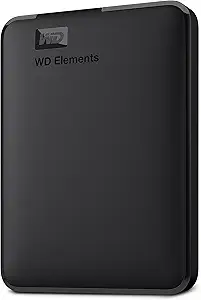 | Best Value for High Capacity Portable Storage | Capacity: 6TB | Interface: USB 3.2 Gen 1 / USB 3.0 | Compatibility: Windows, Mac | VIEW ON AMAZON | See Our Full Breakdown |
| backup drive for video editor | Capacity | Warranty |
|---|---|---|
| Seagate 2TB Portable Hard Driv | — | — |
| LaCie Rugged Thunderbolt USB-C | — | 3 years |
| LaCie d2 Professional 10TB Ext | 10TB | 5 years |
| SanDisk 2TB Extreme Portable S | 2TB | — |
| WD 2TB My Passport Portable Ex | 2TB | 3 years |
| WD 6TB Elements Portable Exter | 6TB | — |
More Details on Our Top Picks
Seagate 2TB Portable Hard Drive USB 3.0
The Seagate Portable Drive stands out for its straightforward plug-and-play design, making it ideal for editors who need quick access to files without fuss. Compared with the SanDisk Extreme SSD, it offers slower transfer speeds—120MB/s versus over 1000MB/s—meaning it’s less suited for handling large video files quickly. Its compact size and broad compatibility with Windows and Mac make it a reliable, no-frills backup option. However, the limited 2TB capacity and absence of encryption or backup software mean it’s best for smaller projects or secondary backups. This model is perfect for editors who prioritize portability and ease of use over maximum speed or security.Pros:- Easy to set up with plug-and-play USB 3.0 connectivity
- Compact and portable design for on-the-go storage
- Compatible with both Windows and Mac systems
Cons:- Limited to 2TB capacity, which may not suffice for large media collections
- No included backup software or encryption features
Best for: Video editors who need a simple, portable backup solution for moderate data volumes on the go
Not ideal for: Professionals working with multi-terabyte projects requiring fast throughput or advanced security features
- Digital Storage Capacity:2 TB
- Hard Disk Interface:USB 3.0
- Connectivity Technology:USB
- Form Factor:Portable
- Rotational Speed:7200 RPM
- Read Speed:120 MB/s
- Media Speed:120 MB/s
- Data Transfer Rate:1 Gbps
Our verdict“A reliable, portable backup drive best suited for small to medium projects requiring simplicity and mobility.”
LaCie Rugged Thunderbolt USB-C 4TB External Hard Drive
The LaCie Rugged offers a solid balance of speed and toughness, making it ideal for outdoor or travel video editors. Its 130MB/s transfer rate surpasses typical portable HDDs like the Seagate, and the rugged design guards against drops, dust, and water—crucial for working in less controlled environments. Compared to the LaCie d2 Professional, it’s more portable but has less capacity and slower speeds. Its included one-month Adobe Creative Cloud subscription adds value for creative workflows. The main tradeoff is the price—it’s more expensive than basic drives—and its capacity may vary, requiring careful consideration for large projects. This drive is suited for editors who need reliable performance in challenging conditions.Pros:- High-speed data transfer up to 130MB/s
- Drop, dust, and water resistant for rugged environments
- Includes a one-month Adobe Creative Cloud subscription
Cons:- Storage capacity may vary and could be insufficient for very large projects
- Requires compatible Thunderbolt or USB-C ports, limiting use with older devices
Best for: Outdoor or mobile video editors who need durable storage that can handle rough handling and environmental exposure
Not ideal for: Studio-based editors with massive data needs or those prioritizing maximum capacity over durability
- Storage Capacity:4TB
- Connectivity:Thunderbolt, USB 3.0, USB-C
- Transfer Speed:130MB/s
- Durability:Drop, dust, water resistant
- Warranty:3 years
Our verdict“A rugged, portable drive designed for editors who need dependable durability and decent speed in demanding conditions.”
LaCie d2 Professional 10TB External Hard Drive
The LaCie d2 Professional offers massive storage and fast speeds, making it ideal for editors managing substantial video libraries. Its 10TB capacity far exceeds the portable options, and with speeds up to 240MB/s, it outperforms most portable drives like the SanDisk SSD—though it’s less convenient for on-the-move use. The aluminum build reduces noise and heat, suitable for a desktop environment. However, its size and weight mean it’s not portable, and system compatibility or speed can vary depending on your setup. It’s a dependable choice for stationary editing stations with extensive data needs, but not for those who require portability.Pros:- Massive 10TB storage for extensive media libraries
- Fast transfer speeds up to 240MB/s
- Reliable enterprise-class design with 5-year warranty
- Versatile connectivity with USB-C and Thunderbolt 3
Cons:- Designed primarily for desktop use, less portable
- Speed may vary depending on system configuration
Best for: Stationary video editors handling large projects needing high capacity and reliable performance
Not ideal for: Traveling or on-location editors needing a lightweight, portable solution
- Capacity:10TB
- Speed:up to 240MB/s
- Connectivity:USB-C, Thunderbolt 3
- Form Factor:Desktop HDD
- Drive Type:Enterprise class
- Warranty:5 years
Our verdict“An excellent desktop storage solution for professionals with large, ongoing projects demanding high capacity and speed.”
SanDisk 2TB Extreme Portable SSD
The SanDisk Extreme Portable SSD delivers outstanding transfer speeds up to 1050MB/s, vastly outpacing traditional HDDs like the Seagate or LaCie Rugged, making it perfect for fast editing workflows. Its rugged build, with drop protection up to 3 meters and IP65 resistance, ensures it withstands tough environments. Encryption and password protection add security, ideal for traveling professionals. The main downside is performance variability depending on the host device and the drive’s capacity being slightly less than advertised due to formatting. However, for editors prioritizing speed and durability in the field, this SSD offers a compelling mix of performance and resilience.Pros:- Exceptional read/write speeds up to 1050MB/s
- Rugged design with drop, water, and dust resistance
- Built-in password protection with hardware encryption
- Includes a carabiner loop for easy attachment
Cons:- Performance may vary depending on host device and connection
- Capacity is slightly less than advertised due to formatting
Best for: Traveling video editors requiring rapid data transfer and rugged durability
Not ideal for: Editors working mainly in a fixed studio environment who don’t need extreme portability or speed
- Capacity:2TB
- Read Speed:1050MB/s
- Write Speed:1000MB/s
- Drop Protection:3 meters
- Water and Dust Resistance:IP65
- Encryption:256-bit AES
Our verdict“A high-speed, rugged SSD perfect for editors who need fast, secure storage on the move.”
WD 2TB My Passport Portable External Hard Drive
The WD My Passport combines portability with security, offering hardware encryption, password protection, and backup software with ransomware defense. Its 2TB capacity makes it suitable for everyday backups, similar to the Seagate but with added security features. Compared to the LaCie d2, it’s more compact and easier to carry but lacks the enterprise-level reliability and speed of larger desktop drives. While it’s well-suited for users who need to safeguard sensitive footage on the move, its performance is dependent on USB connection speed, and the capacity is limited compared to higher-capacity models. This drive makes sense for editors prioritizing data security and portability over raw capacity.Pros:- Compact and durable design for portability
- Includes backup software with ransomware protection
- Password protection and hardware encryption for security
Cons:- Limited to 2TB capacity in this model, less than some competitors
- Performance depends on USB port compatibility
Best for: Video editors seeking a secure, portable backup with integrated protection features
Not ideal for: Professionals handling large, multi-terabyte projects who need maximum storage capacity
- Capacity:2TB
- Compatibility:USB 3.1/USB 3.0
- Warranty:3 years
- Encryption:Hardware encryption
- Backup Software:Included
Our verdict“A security-focused portable drive ideal for editors who need reliable backups with enhanced data protection.”
WD 6TB Elements Portable External Hard Drive for Windows and Mac
This WD 6TB Elements drive offers a significant storage boost compared to smaller options like the Seagate 2TB Portable Hard Drive, making it ideal for video editors who need to offload large files without breaking the bank. Its large capacity and USB 3.2 Gen 1 interface enable quick transfers, but it lacks built-in encryption or security features, unlike more premium drives such as the LaCie Rugged. The plug-and-play setup ensures compatibility across Windows and Mac, streamlining workflow for editors working on varied systems. However, its reliance on a single USB port means it isn’t ideal for users seeking added security or rugged durability. Compared to SSD options like SanDisk Extreme Portable, it sacrifices speed for affordability and capacity, which is acceptable for archiving but less so for real-time editing. For those prioritizing affordability and large storage, this drive makes the most sense, but security-conscious users may need to consider other options.
Pros:- Large 6TB storage capacity for extensive video files
- Fast data transfer with USB 3.2 Gen 1 (5Gbps)
- Plug-and-play compatibility with Windows and Mac
- Affordable price for high capacity
Cons:- No built-in encryption or security features
- Requires USB port for operation, lacks additional security or ruggedness
Best for: Budget-conscious video editors who need large storage capacity for backups and archiving.
Not ideal for: Editors requiring encryption, rugged durability, or faster transfer speeds for on-the-go editing workflows.
- Capacity:6TB
- Interface:USB 3.2 Gen 1 / USB 3.0
- Compatibility:Windows, Mac
- Plug and Play:Yes
- Size:Compact portable
- Security features:None
Our verdict“This drive is ideal for editors who prioritize high capacity and affordability over security or speed for routine backups.”

How We Picked
The products in this roundup were evaluated based on performance benchmarks, build quality, compatibility with common editing setups, and overall value. Speed tests for data transfer rates, especially for large video files, played a critical role. We also considered portability, durability, and user reviews to gauge real-world reliability. The ranking reflects a balance between capacity, speed, and price, prioritizing drives that meet the demands of professional video editing workflows while offering solid durability and ease of use.Factors to Consider When Choosing Backup Drive For Video Editors
When selecting a backup drive for video editing, it’s essential to consider several key factors beyond basic storage capacity. Speed is critical because large video files require fast transfer rates to avoid bottlenecks. Compatibility with your operating system and editing software can prevent headaches later, especially when switching between Windows and Mac. Durability and portability matter if you often work in different locations or outdoors, making rugged drives a worthwhile investment. Capacity should align with your project size—overpaying for excessive space isn’t necessary if your current needs are modest. Finally, assess the drive’s reliability and warranty to ensure your data remains safe over time.Speed and Data Transfer Rates
Fast transfer speeds are vital for video editors who regularly move large files. SSDs typically offer speeds of 500MB/s or more, dramatically reducing wait times during backups and file transfers. HDDs, while more affordable, usually max out around 150MB/s, which can become a bottleneck for high-resolution footage. Choosing a drive with a Thunderbolt or USB-C interface can further boost transfer rates, especially for editing in real-time. Keep in mind that real-world speeds depend on your connection port and computer hardware, so matching the drive to your setup is essential for efficiency.
Capacity and Scalability
Video projects quickly consume storage, especially with 4K and higher resolutions. Smaller drives in the 1-2TB range are portable and suitable for quick backups, but may require frequent transfers or additional drives for larger projects. Larger capacities, such as 6TB or 10TB, provide space for entire project archives, reducing the need for constant management. However, larger drives tend to be bulkier and more expensive. Consider your current project sizes and future growth to select a drive that offers enough room without overpaying for unused space.
Portability and Durability
If you frequently shoot on location or travel between editing stations, a ruggedized drive like LaCie Rugged offers enhanced durability against drops, dust, and shocks. Lightweight, compact drives are easier to carry but often lack extensive protection, making them vulnerable in rough environments. For stationary setups, durability may matter less, allowing for larger, desktop-class drives that prioritize capacity and speed over portability. Evaluate your typical workflow to determine whether ruggedness or maximum capacity is your priority.
Compatibility and Connectivity
Most drives now support USB-C and Thunderbolt interfaces, which are essential for high-speed transfers. If you work across multiple platforms, choose drives with cross-platform compatibility to avoid reformatting or data loss. Some drives are optimized for Mac, Windows, or both, so verifying these features can save time and prevent frustration. Also, check if the drive supports daisy-chaining or multiple connections if you plan to expand your setup in the future. Compatibility issues can lead to delays and data transfer errors, so this factor deserves careful consideration.
Reliability and Warranty
Your data’s safety depends on the drive’s build quality and the manufacturer’s warranty. Drives with solid-state technology tend to be more durable and less prone to mechanical failure than traditional HDDs. A good warranty offers peace of mind, especially when working on critical projects. Additionally, reading user reviews about longevity and customer support can reveal potential issues that aren’t obvious from specifications alone. Investing in a reliable drive can prevent costly data loss and workflow interruptions in the long run.
Frequently Asked Questions
Should I choose an SSD or HDD for my backup drive?
Choosing between an SSD and HDD depends on your workflow and budget. SSDs offer faster data transfer speeds, which can significantly cut down backup and restore times, especially with large video files. They are also more durable and shock-resistant, making them ideal for fieldwork. HDDs, on the other hand, typically provide higher capacities at a lower cost per gigabyte, making them suitable for archiving extensive video libraries when speed is less critical. If your budget allows, combining both—using SSDs for active projects and HDDs for backups—can deliver the best of both worlds.
How much storage capacity do I really need?
Storage needs vary based on project size and workflow. For occasional use or small projects, 2-4TB drives may suffice, but for ongoing large-scale editing, 6TB or more can prevent frequent transfers. Always consider future growth; video files grow rapidly with higher resolutions and longer durations. It’s wise to choose a drive with some buffer space—around 20-30% more than your current needs—to accommodate new projects without immediate upgrades. Overestimating slightly can save time and money in the long run, especially if you prefer to keep entire projects archived locally.
Is portability worth sacrificing capacity?
Portability can be a game-changer if you work on multiple sites or shoot in the field. Smaller, lightweight drives are easier to carry but often come with limited capacity. Larger drives, especially desktop-class models, tend to be bulkier and less convenient to transport but offer extensive storage. Balancing these factors depends on your typical workflow. If you need to move files frequently, prioritize portability, but if your work is primarily stationary, larger capacities can be more cost-effective and practical, reducing the need for constant transfers.
Do I need a rugged drive for outdoor shoots?
If you often shoot outdoors or in challenging environments, a rugged drive provides added protection against drops, dust, and moisture. These drives are designed with shock-resistant enclosures and weatherproof features, which can safeguard your data in unpredictable conditions. However, rugged drives tend to be more expensive and heavier than standard models. If your workflow involves frequent outdoor work, investing in a rugged drive makes sense. For indoor or studio use, standard drives typically offer better value and higher capacities for the price.
What’s the most important feature to prioritize?
The most critical feature depends on your specific needs. For fast backups and editing, prioritize drives with high data transfer speeds, such as SSDs or Thunderbolt-enabled models. If capacity is your primary concern, larger HDDs or desktop drives will serve better. Reliability and build quality are essential for protecting your data over time, especially if you handle critical projects. Balancing these factors based on your workflow—speed for active editing, capacity for storage, durability for fieldwork—is key to choosing the right backup drive.
Conclusion
For those who need a reliable, all-around performer, the LaCie d2 Professional 10TB offers a compelling mix of capacity and speed, making it ideal for professional editors managing large files daily. Beginners or those on a tighter budget may find the Seagate 2TB Portable Hard Drive USB 3.0 sufficient for light editing and backup tasks. Editors working outdoors or in rugged environments should consider the LaCie Rugged Thunderbolt USB-C 4TB for its durability. For portable speed, the SanDisk Extreme Portable SSD provides fast transfers in a sleek, compact design. Finally, if maximizing capacity on a budget, the WD 6TB Elements balances affordability with ample storage, suitable for extensive archives or multi-project workflows.
Halloween Picks
halloween
As an affiliate, we earn on qualifying purchases.