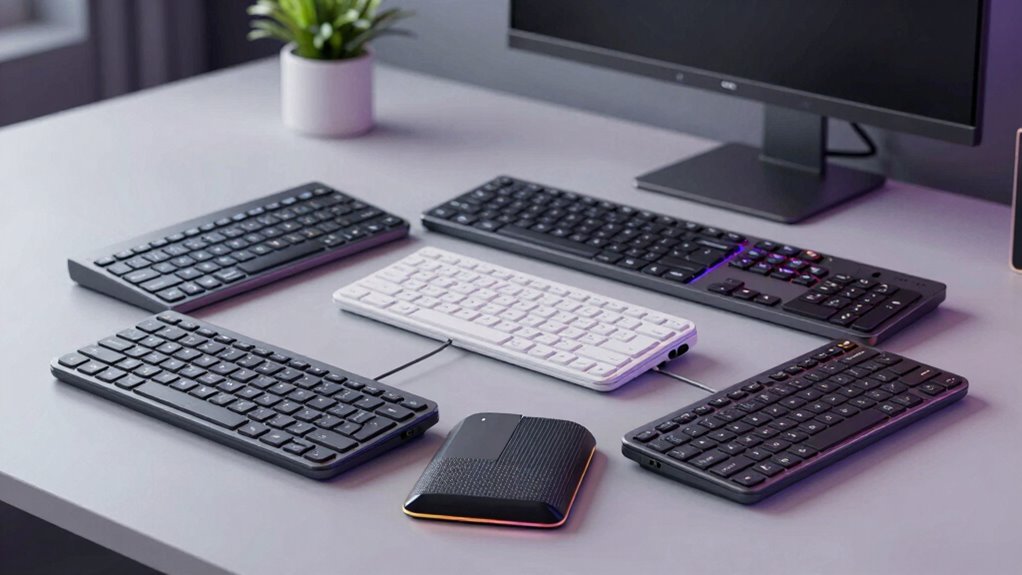

When searching for an ergonomic keyboard wireless, the goal is to find a setup that prioritizes comfort without sacrificing connectivity or features. The Logitech Wave Keys Ergonomic Wireless Keyboard stands out as the best overall choice for its balanced design and reliable performance. For those on a budget, the Meetion Wireless Ergonomic Keyboard offers solid comfort at a lower price, while the Arteck Split Ergonomic Keyboard is a strong pick for users seeking a split layout. The main tradeoffs in this category often involve balancing ergonomic features with portability, build quality, and price. Keep reading for a detailed breakdown of the top options and how to choose the best fit for your needs.

Get the latest gadgets delivered free — and shop member deals
- Fast, free delivery on millions of items
- Access to Prime Big Deal Days deals on October 6–7
- Prime Video, Amazon Music and more included
Complete the kit



Key Takeaways
- Top-ranked models like the Logitech Wave Keys excel in overall comfort, build quality, and seamless wireless connectivity.
- Split and wave-key designs are preferred for reducing wrist strain, but they can be less portable and require an adjustment period.
- The inclusion of wrist rests and palm supports significantly enhances long-term comfort, especially for extended typing sessions.
- Price often correlates with features—more affordable options may lack advanced ergonomic adjustments or premium materials.
- Compatibility with various devices (Windows, Mac, Bluetooth) is essential for versatility, but some models are more limited in connectivity options.
| Meetion Wireless Ergonomic Keyboard with Wave Keys and Wrist Rest – Black |  | Best Budget Ergonomic Wireless Keyboard | Design: Wave-shaped ergonomic keycaps | Wrist Rest: Built-in hard plastic support | Connectivity: 2.4GHz wireless with USB-A receiver and USB-C adapter | VIEW ON AMAZON | See Our Full Breakdown |
| COLIKES Wireless Ergonomic Keyboard with RGB Backlit and Leather Wrist Rest |  | Best for Customization and Aesthetic Appeal | Battery: 2500mAh rechargeable | Lighting Effects: 15 RGB lighting effects | Connection: 2.4G USB wireless | VIEW ON AMAZON | See Our Full Breakdown |
| Arteck Split Ergonomic Keyboard with Palm Rest, 2.4G USB Wireless |  | Best for Comfort and Reduced Wrist Strain | Design: Split ergonomic | Connectivity: Wireless 2.4G USB | Battery Life: Up to 6 months | VIEW ON AMAZON | See Our Full Breakdown |
| Logitech Wave Keys Ergonomic Wireless Keyboard with Palm Rest – Graphite |  | Best for Long-Term Comfort and Customization | Connectivity: Bluetooth and Logi Bolt Receiver | Battery Life: Up to 3 years | Palm Rest: Cushioned with memory foam | VIEW ON AMAZON | See Our Full Breakdown |
| Logitech Ergo K860 Wireless Ergonomic Split Keyboard with Wrist Rest |  | Best for Premium Ergonomic Support and Adjustability | Connectivity: USB receiver and Bluetooth | Wrist Rest: Pillowed with memory foam | Key Layout: Full-size with Numpad | VIEW ON AMAZON | See Our Full Breakdown |
| Wireless Keyboard and Mouse Combo, 2.4G Ergonomic Wave Keys (Black) |  | Best Budget-Friendly Ergonomic Wireless Combo | Connectivity Technology: Usb | Special Features: Ergonomic, Wrist Rest | Compatible Devices: Laptop, Personal Computer | VIEW ON AMAZON | See Our Full Breakdown |
| EAYBLLY 2.4G Wireless Ergonomic Keyboard with Memory Foam Wrist Rest and Phone Holder |  | Best for Multi-Device Office Use with Comfort Features | Connectivity Technology: 2.4GHz Wireless + USB-C | Compatible Devices: Laptop, Computer, PC | Power Source: Battery Powered | VIEW ON AMAZON | See Our Full Breakdown |
| ProtoArc EK02 Wave Keys Ergonomic Wireless Keyboard – Black |  | Best Compact, Multi-Device Ergonomic Keyboard | Dimensions: 15.6″ L x 8.9″ W | Battery: 500mAh rechargeable | Connectivity: Bluetooth, 2.4G USB dongle | VIEW ON AMAZON | See Our Full Breakdown |
| Nulea Ergonomic Split Wireless Keyboard with Cushioned Wrist Rest |  | Best for Reducing Forearm Strain in Long Sessions | Design: Ergonomic split layout | Battery Life: 200 hours | Connectivity: Bluetooth & 2.4G wireless | VIEW ON AMAZON | See Our Full Breakdown |
| TECKNET Wireless Ergonomic Keyboard Rechargeable, 2.4G+Bluetooth, Wrist Rest, Compatible with Windows |  | Best Adjustable, Split & Curved Design for Custom Comfort | Connectivity: Bluetooth 5.0 and 2.4G | Battery: 500mAh rechargeable | Charging Port: USB-C | VIEW ON AMAZON | See Our Full Breakdown |
| Logitech Wave Keys Ergonomic Wireless Keyboard with Palm Rest – Sand |  | Best Overall for Comfortable, Extended Use | Connectivity: Bluetooth and Logi Bolt Receiver | Battery Life: Up to 3 years | Palm Rest: Cushioned with memory foam | VIEW ON AMAZON | See Our Full Breakdown |
| ergonomic keyboard wireless | Connectivity | Battery Life |
|---|---|---|
| Meetion Wireless Ergonomic Key | 2.4GHz wireless with USB-A receiver and USB-C adapter | — |
| COLIKES Wireless Ergonomic Key | — | — |
| Arteck Split Ergonomic Keyboar | Wireless 2.4G USB | Up to 6 months |
| Logitech Wave Keys Ergonomic W | Bluetooth and Logi Bolt Receiver | Up to 3 years |
| Logitech Ergo K860 Wireless Er | USB receiver and Bluetooth | Two years |
| Wireless Keyboard and Mouse Co | — | — |
| EAYBLLY 2.4G Wireless Ergonomi | — | — |
| ProtoArc EK02 Wave Keys Ergono | Bluetooth, 2.4G USB dongle | — |
| Nulea Ergonomic Split Wireless | Bluetooth & 2.4G wireless | 200 hours |
| TECKNET Wireless Ergonomic Key | Bluetooth 5.0 and 2.4G | Up to 200 hours |
| Logitech Wave Keys Ergonomic W | Bluetooth and Logi Bolt Receiver | Up to 3 years |
More Details on Our Top Picks
Meetion Wireless Ergonomic Keyboard with Wave Keys and Wrist Rest – Black
This Meetion keyboard stands out for its wave-shaped keycaps and built-in wrist rest, which promote a natural typing posture at an accessible price. Compared with more feature-rich options like the Logitech K860, it offers essential ergonomic benefits without the premium cost, but it sacrifices advanced connectivity options such as Bluetooth and longer battery life. Its 2.4GHz wireless connection is reliable for daily use, though the need for two AAA batteries and lack of Bluetooth may limit flexibility for some users. The membrane keys and simple design suit those seeking comfort without complex features, but it isn’t ideal for users who prefer wireless versatility or longer-term battery independence. Overall, this pick makes the most sense for budget-conscious buyers who need a straightforward ergonomic setup for Windows or Mac desktops.Pros:- Affordable price point for ergonomic design
- Wave-shaped keycaps for natural wrist positioning
- Built-in wrist rest enhances comfort during long sessions
- Reliable 2.4GHz connection with easy setup
Cons:- Requires two AAA batteries, which are not included
- No Bluetooth or multi-device pairing options
- Limited to Windows and macOS, excluding Linux and mobile devices
Best for: Budget-conscious users seeking reliable, ergonomic wireless typing on Windows or Mac desktops
Not ideal for: Users who want Bluetooth connectivity, longer battery life, or compatibility with tablets and Linux systems
- Design:Wave-shaped ergonomic keycaps
- Wrist Rest:Built-in hard plastic support
- Connectivity:2.4GHz wireless with USB-A receiver and USB-C adapter
- Power:Battery-powered (2 AAA batteries, not included), auto-sleep mode
- Compatibility:Windows XP/7/8/10/11, macOS X 10.6+
- Dimensions:Standard membrane keys, curved layout
Our verdict“A solid choice for budget-minded users who need a straightforward, ergonomic wireless keyboard primarily for Windows or Mac desktops.”
COLIKES Wireless Ergonomic Keyboard with RGB Backlit and Leather Wrist Rest
This COLIKES keyboard is distinguished by its vibrant 15 RGB lighting effects and soft leather wrist rest, making it ideal for users who want personalization and style alongside ergonomic comfort. Unlike the Meetion, which offers simplicity, this model provides extensive backlight customization, boosting ambiance in creative or gaming setups. Its quiet membrane keys ensure a peaceful typing experience, especially compared to mechanical or semi-mechanical options. The long-lasting rechargeable 2500mAh battery and stable 2.4GHz connection make it suitable for extended use, but the need for a USB receiver and limited brightness levels may frustrate users seeking maximum flexibility. This keyboard is best suited for office workers, gamers, or creative professionals who value aesthetics, yet it’s less ideal for those who prefer Bluetooth or prefer a clutter-free setup without extra dongles.Pros:- 15 customizable RGB lighting effects for personalization
- Long-lasting rechargeable battery with quick USB-C charging
- Quiet membrane keys reduce typing noise
- Wrist rest made of soft leather for added comfort
Cons:- Requires a USB receiver for wireless connection, adding clutter
- Backlight automatically turns off to conserve power
- Limited to three brightness levels, reducing lighting customization
Best for: Creative professionals or gamers who want customizable lighting and ergonomic comfort in a wireless setup
Not ideal for: Users seeking Bluetooth connectivity or minimal lighting effects for a clean workspace
- Battery:2500mAh rechargeable
- Lighting Effects:15 RGB lighting effects
- Connection:2.4G USB wireless
- Backlight:RGB with 5 modes and 3 brightness levels
- Compatibility:Windows, Mac, Chrome OS, Linux
- Key Type:Membrane
Our verdict“Best suited for users who prioritize visual customization and comfort in a wireless ergonomic keyboard, particularly in creative or gaming environments.”
Arteck Split Ergonomic Keyboard with Palm Rest, 2.4G USB Wireless
The Arteck split ergonomic design emphasizes reducing wrist and forearm stress, making it a prime choice for users with repetitive strain concerns. Its split layout naturally positions hands, differentiating it from the wave-shaped meetion or Logitech models. The included cushioned palm rest enhances comfort, but the reliance on a USB receiver and compatibility only with Windows limits its versatility—an important tradeoff for those who want Bluetooth or multi-device use. The six-month battery life is respectable but less impressive than the two-year life of the Logitech Ergo K860. This model is well-suited for users seeking a straightforward, ergonomic solution focused on reducing strain, but less ideal for those wanting wireless flexibility across multiple platforms or longer battery life.Pros:- Split ergonomic design reduces wrist and forearm strain
- Cushioned palm rest provides extra comfort
- Long battery life of up to 6 months
- Easy setup with nano USB receiver
Cons:- Limited to Windows compatibility
- Requires a USB receiver, adding clutter
- No Bluetooth option for multi-device pairing
Best for: Users with wrist pain or repetitive strain injuries seeking a split, ergonomic wireless keyboard for Windows
Not ideal for: Mobile users or those needing Bluetooth or multi-platform wireless support
- Design:Split ergonomic
- Connectivity:Wireless 2.4G USB
- Battery Life:Up to 6 months
- Included:Nano USB receiver, USB-C charging cable, wrist rest
Our verdict“Ideal for Windows users who need a split ergonomic keyboard that minimizes wrist strain, though it lacks wireless flexibility for multi-platform use.”
Logitech Wave Keys Ergonomic Wireless Keyboard with Palm Rest – Graphite
The Logitech Wave Keys keyboard is designed for prolonged ergonomic use, featuring a wave-shaped form and a cushioned palm rest that supports natural hand positioning. Its versatility is enhanced by Bluetooth and Logi Bolt connectivity, enabling easy multi-device pairing. Compared with the Meetion or Arteck, it offers longer battery life—up to three years—and the ability to connect wirelessly to multiple devices with a simple switch. The use of recycled plastic aligns with eco-conscious priorities, yet the need for batteries and the smaller form factor might not suit larger hands or users seeking a more minimalist aesthetic. This model is best for those who value long-term durability and multi-device flexibility, though it may be less appealing for budget buyers or mobile-first users.Pros:- Ergonomic wave shape with cushioned palm rest for comfort
- Up to 3 years of battery life reduces maintenance
- Connects via Bluetooth and Logi Bolt for multi-device use
- Made from recycled plastic, eco-conscious design
Cons:- Requires batteries, which need replacement over time
- Designed more for small to medium hands, possibly limiting for larger users
- Limited color options for aesthetic preference
Best for: Professionals who need a durable, eco-friendly ergonomic keyboard with multi-device support
Not ideal for: Users seeking a purely wired solution or those with larger hands who prefer bigger keys
- Connectivity:Bluetooth and Logi Bolt Receiver
- Battery Life:Up to 3 years
- Palm Rest:Cushioned with memory foam
- Material:Recycled plastic (Graphite: 61%, Off-white: 46%)
- Compatibility:Windows, macOS, iPadOS, ChromeOS
- Design:Ergonomic with wave shape
Our verdict“A durable, eco-friendly choice for professionals needing long battery life and multi-device ergonomic wireless support.”
Logitech Ergo K860 Wireless Ergonomic Split Keyboard with Wrist Rest
The Logitech Ergo K860 offers a full-sized, split, curved design that visibly reduces wrist bending and muscle tension. Its pillowed wrist rest with memory foam enhances comfort, especially during extended sessions. The adjustable tilt options allow users to fine-tune their ergonomic position, setting it apart from simpler designs like the Meetion or Arteck. With a two-year battery life and wireless connectivity via Bluetooth or a USB receiver, it provides a premium, low-maintenance experience. The higher price tag reflects its build quality and ergonomic features, making it less ideal for budget buyers but perfect for those prioritizing long-term comfort and customization. This model is best for professionals who spend hours at their desk and want a versatile, high-end ergonomic keyboard.Pros:- Reduces wrist bending with split, curved design
- Pillowed memory foam wrist rest for superior comfort
- Adjustable tilt for personalized ergonomics
- Long battery life of two years
Cons:- Higher price point limits accessibility for budget-conscious users
- Requires Bluetooth or USB setup, which may involve initial configuration
- Full-size layout may be bulkier for small desks
Best for: Long-hour desk workers seeking a highly adjustable, split ergonomic keyboard with premium build quality
Not ideal for: Casual users or those on a tight budget who need a basic, no-frills wireless keyboard
- Connectivity:USB receiver and Bluetooth
- Wrist Rest:Pillowed with memory foam
- Key Layout:Full-size with Numpad
- Adjustable Tilt:0, -4, -7 degrees
- Battery Life:Two years
- Materials:71% post-consumer recycled plastic, FSC-certified packaging
Our verdict“An excellent investment for those who require adjustable, premium ergonomic support for long-term comfort at their workspace.”
Wireless Keyboard and Mouse Combo, 2.4G Ergonomic Wave Keys (Black)
This combo stands out for offering a straightforward ergonomic wave design with wrist rest at an accessible price point. Its reliable 2.4 GHz connection and compatibility with Windows, Mac, and Linux make it a versatile choice for users seeking comfort without extra bells and whistles. Compared to pricier options like the ProtoArc EK02, it lacks rechargeable batteries and backlit keys, which could be a drawback for those working in low light or seeking sustainability. The basic layout and absence of backlit keys make setup simple but less adaptable for nighttime work or advanced customization. The design is ideal for users who prioritize comfort and stability over advanced features, but those needing multi-device switching or programmable keys might find it limited.
Pros:- Affordable price point with ergonomic wave design
- Reliable 2.4 GHz connection with a 33-foot range
- Compatible with multiple operating systems including Windows and Mac
Cons:- Batteries are not included, requiring additional purchase
- Lacks backlighting and advanced customization options
Best for: Budget-conscious users who want an ergonomic setup for everyday office tasks
Not ideal for: Power users seeking customizable, backlit, or multi-device features
- Connectivity Technology:Usb
- Special Features:Ergonomic, Wrist Rest
- Compatible Devices:Laptop, Personal Computer
- Keyboard Layout:QWERTY
- Number of Keys:104
- Color:Black
Our verdict“This combo offers a solid ergonomic foundation for users on a tight budget who need basic wireless functionality.”
EAYBLLY 2.4G Wireless Ergonomic Keyboard with Memory Foam Wrist Rest and Phone Holder
This full-size keyboard excels for users who need ergonomic features combined with multitasking tools like a phone holder. Its wave-shaped keys and memory foam wrist rest significantly reduce wrist fatigue during prolonged typing, making it a good upgrade over basic models like the Wireless Keyboard and Mouse Combo. Unlike the ProtoArc EK02, which emphasizes compactness and rechargeable batteries, this keyboard prioritizes versatility with multi-platform compatibility, including Chrome OS. Its mechanical switches, although preferred by some for tactile feedback, may not suit everyone’s typing style, and water resistance is a minor benefit rather than a key feature. It’s best suited for office workers or students who want comfort and multi-device connectivity in one package, but those seeking a minimalist or ultra-lightweight design should look elsewhere.
Pros:- Ergonomic wave keys and memory foam wrist rest reduce fatigue
- Includes multi-function phone holder for multitasking
- Stable wireless connection with no driver needed
Cons:- Requires one AA battery (not included)
- Mechanical switches may not suit all users
Best for: Office workers or students needing a full-size, ergonomic keyboard with multitasking features
Not ideal for: Travelers or minimalists who prefer compact or lightweight keyboards without mechanical switches
- Connectivity Technology:2.4GHz Wireless + USB-C
- Compatible Devices:Laptop, Computer, PC
- Power Source:Battery Powered
- Button Quantity:107
- Water Resistance Level:Water Resistant
- Mechanical Switch Model:Cherry MX Silent Red
Our verdict“Ideal for professionals or students wanting ergonomic comfort and multi-device support in a full-size keyboard.”
ProtoArc EK02 Wave Keys Ergonomic Wireless Keyboard – Black
The ProtoArc EK02 leads in compactness and multi-device flexibility, supporting Bluetooth and USB dongle connections for seamless switching. Its built-in memory foam palm rest offers all-day comfort, making it a top choice for those needing an ergonomic setup without sacrificing desk space. Unlike larger or more complex models like the TECKNET, it maintains a sleek profile while supporting up to 100 hours of battery life, a major advantage for users on the move. However, the absence of backlit keys and the need for USB-C charging could be limitations for low-light use or users with limited charging options. This model suits tech-savvy users who value portability and multi-device capability, but it may not meet needs for illuminated keys or non-USB-C setups.
Pros:- Supports Bluetooth and USB dongle for multi-device switching
- Compact wave-shaped design for ergonomic comfort
- Long battery life up to 100 hours
Cons:- No backlit keys, limiting use in dark environments
- Requires USB-C charging, which may not be universal
Best for: Tech professionals or students who need a compact, multi-device ergonomic keyboard
Not ideal for: Users who require backlit keys or prefer traditional layouts without Bluetooth support
- Dimensions:15.6″ L x 8.9″ W
- Battery:500mAh rechargeable
- Connectivity:Bluetooth, 2.4G USB dongle
- Compatibility:Windows 8-11, Mac OS X 10.12, Android 5+
- Tilt Legs:Yes
- Palm Rest:Memory foam built-in
Our verdict“This keyboard is perfect for users who prioritize space-saving design and multi-device flexibility in a portable ergonomic keyboard.”
Nulea Ergonomic Split Wireless Keyboard with Cushioned Wrist Rest
The Nulea split keyboard is designed for users who experience discomfort with traditional layouts. Its ergonomic split design actively reduces forearm twisting, making it suitable for those with repetitive strain concerns. The rechargeable battery lasts up to 200 hours, and the soft palm rest enhances wrist support, putting it ahead of many all-in-one keyboards like the TECKNET. However, the split layout could be less familiar for users accustomed to standard keyboards, and the slightly higher price point reflects its specialized design. This pick is best for users committed to ergonomic health and willing to adapt to a split layout, but it might not appeal to those preferring a conventional keyboard form.
Pros:- Reduces forearm muscle twisting for ergonomic comfort
- Long-lasting rechargeable battery
- Cushioned palm rest provides excellent wrist support
Cons:- Split layout may require adaptation for some users
- Higher price compared to standard models
Best for: Professionals or individuals with wrist or arm discomfort seeking an ergonomic split design
Not ideal for: Users who prefer traditional layouts or need a budget-friendly option
- Design:Ergonomic split layout
- Battery Life:200 hours
- Connectivity:Bluetooth & 2.4G wireless
- Key Type:Scissor-switch
- Wrist Support:Cushioned palm rest
Our verdict“This split ergonomic keyboard best serves users prioritizing wrist health and willing to adjust to a different layout.”
TECKNET Wireless Ergonomic Keyboard Rechargeable, 2.4G+Bluetooth, Wrist Rest, Compatible with Windows
The TECKNET keyboard emphasizes extensive adjustability, with four-stage tilt options and a split, curved key layout designed to follow the natural arc of your fingers. Its dual connectivity options—Bluetooth and 2.4 GHz wireless—make device switching effortless, comparable to the ProtoArc EK02. The inclusion of a dual-density memory foam wrist rest enhances comfort during long typing sessions, and the long battery life supports extended use without frequent charging. However, its reliance on Bluetooth pairing may require some setup, and the absence of backlit keys limits usability in dim environments. This model is well-suited for users who want to customize their ergonomic setup and need multi-device support, but it may be less appealing to those seeking plug-and-play simplicity or backlit illumination.
Pros:- Split and curved key layout reduces strain
- Supports multi-device switching with easy toggle
- Adjustable tilt for personalized comfort
Cons:- Requires initial Bluetooth pairing setup
- No backlit keys for low-light use
Best for: Power users or remote workers seeking a highly adjustable ergonomic keyboard with multi-device support
Not ideal for: Users who prefer a simple, plug-and-play keyboard with backlit keys
- Connectivity:Bluetooth 5.0 and 2.4G
- Battery:500mAh rechargeable
- Charging Port:USB-C
- Battery Life:Up to 200 hours
- Wrist Rest:Dual-density memory foam
- Adjustable Feet:4-stage tilt
Our verdict“This keyboard offers maximum customization and multi-device connectivity for users committed to ergonomic fine-tuning.”
Logitech Wave Keys Ergonomic Wireless Keyboard with Palm Rest – Sand
This Logitech Wave Keys model stands out for its thoughtfully designed wavy shape and cushioned palm rest, which work together to promote a natural typing posture and reduce wrist strain during long hours at the keyboard. Compared to the Meetion Wireless Ergonomic Keyboard, which offers a similar wave shape but lacks a memory foam palm rest, the Logitech provides a more comfortable experience for extended sessions. While its limited color options and absence of backlit keys might be drawbacks for some, the long battery life of up to 3 years and dual connectivity options via Bluetooth and Logi Bolt give it a significant edge for users seeking hassle-free, all-day ergonomic comfort. The lack of backlit keys means it’s less suited for low-light environments, but its compatibility with multiple operating systems makes it versatile for different setups.
Pros:- Ergonomic wavy design reduces wrist pressure and promotes natural posture
- Long battery life of up to 3 years minimizes frequent charging
- Dual connectivity via Bluetooth and Logi Bolt provides flexible setup options
- Customizable shortcuts via Logi Options+ enhance productivity
Cons:- Limited to a single color option (Sand), reducing aesthetic variety
- No backlit keys, which can be inconvenient in dim environments
- Requires pairing and setup for optimal use, which may be slightly cumbersome
Best for: Professionals who spend many hours typing and need a comfortable, reliable ergonomic keyboard for daily use
Not ideal for: Gamers or typists who prefer backlit keys or a more colorful aesthetic for occasional use
- Connectivity:Bluetooth and Logi Bolt Receiver
- Battery Life:Up to 3 years
- Palm Rest:Cushioned with memory foam
- Design:Wavy ergonomic shape
- Compatibility:Windows, macOS, iPadOS, ChromeOS
- Materials:Includes recycled plastic (61% Graphite & Sand, 46% Off-White & Rose)
Our verdict“This pick is ideal for users prioritizing comfort and long-term durability in a wireless ergonomic keyboard.”

How We Picked
Each keyboard was evaluated based on ergonomic design, wireless reliability, build quality, and user comfort features. We prioritized models that offer adjustable angles, wrist support, and user-friendly connectivity options. Additional factors included compatibility with multiple devices, battery life, and overall value for the price. Rankings reflect a balance between comfort, functionality, and affordability, with the top picks excelling in multiple areas and providing clear benefits for different user needs.Factors to Consider When Choosing Ergonomic Keyboard Wireless
Choosing the right ergonomic wireless keyboard involves several key considerations. Beyond basic comfort, factors like connectivity options, build quality, and adjustability can significantly impact your long-term satisfaction. It’s important to recognize common pitfalls, such as prioritizing features over ergonomics or overlooking device compatibility. Understanding these tradeoffs can help you select a keyboard that not only feels good but also integrates seamlessly into your workspace and workflow.Ergonomic Design and Comfort
Look for keyboards with split layouts, wave-shaped keys, or curved designs that promote a natural hand position. Features like wrist rests and cushioned palm supports can prevent strain during long typing sessions. However, keep in mind that some ergonomic designs may require an adjustment period and might not suit every workspace or user preference. Prioritize models that offer adjustable tilt angles for customized comfort.
Connectivity and Compatibility
Wireless options typically include Bluetooth and 2.4 GHz USB dongles. Consider which connectivity type best suits your devices, and verify compatibility with your operating system. Some keyboards support multiple device pairing, making switching between tablets, laptops, and desktops easier. Be aware that wireless connections can sometimes introduce latency or interference, so look for models with stable, reliable signals.
Build Quality and Materials
Durability is essential for long-term use, especially if you move your keyboard frequently. Check for sturdy construction and high-quality keys that withstand extensive typing. Some models feature metal frames or reinforced plastics, which add to longevity. Also, consider the quality of the wrist rests and padding—cheap materials may wear out quickly and reduce comfort over time.
Adjustability and Customization
Adjustable tilt angles and customizable key functions can greatly enhance ergonomic benefits. Some keyboards offer software for remapping keys or creating macros, which can improve workflow. Keep in mind that overly complex customization options may complicate setup, so choose a model that balances flexibility with ease of use. Proper adjustability helps maintain a neutral wrist position, reducing strain.
Battery Life and Maintenance
Wireless keyboards depend on batteries or rechargeable cells, so consider models with long-lasting power and easy charging options. Some keyboards feature quick charge capabilities or replaceable batteries, reducing downtime. Maintenance also involves keeping the keys and surface clean to prevent dirt buildup, which can impact performance and comfort. Prioritizing models with good battery management ensures uninterrupted use throughout your workday.
Frequently Asked Questions
Will an ergonomic wireless keyboard require an adjustment period?
Yes, switching to an ergonomic wireless keyboard often involves a brief adaptation period as your muscles and joints get used to a new typing position. This period can range from a few days to a couple of weeks, depending on your previous setup and the design of the keyboard. During this time, you might experience some initial discomfort or slower typing, but the ergonomic benefits typically outweigh this temporary inconvenience. It’s worth allowing yourself time to adapt and adjusting the keyboard’s tilt and height to suit your comfort.
Are wireless ergonomic keyboards less reliable than wired options?
Wireless ergonomic keyboards can be just as reliable as wired ones, especially with modern Bluetooth and 2.4 GHz connections that offer stable signals. However, they may occasionally face interference from other wireless devices or suffer from battery issues. To minimize these problems, choose models with strong connectivity options and good battery life. Regularly updating firmware and maintaining a clear wireless environment can help ensure consistent performance.
What should I prioritize if I work long hours at a computer?
If you spend many hours typing daily, prioritize ergonomic features such as split or wave designs, cushioned wrist rests, and adjustable angles. Durable build quality and long battery life are also essential to prevent interruptions. Additionally, consider keyboards with quiet keys to reduce noise during long sessions. Investing in a model with customizable height and tilt options can help you find a comfortable, neutral wrist position, reducing fatigue and strain over time.
Can I use an ergonomic wireless keyboard with any device?
Most ergonomic wireless keyboards support multiple devices via Bluetooth or USB dongles, making them compatible with a wide range of computers, tablets, and even some smartphones. However, it’s important to verify specific device compatibility before purchasing, especially if you use non-standard operating systems or peripherals. Some models may require additional drivers or software, so check manufacturer specifications. Compatibility across platforms ensures you get the most value from your investment.
Is it worth investing in a premium ergonomic wireless keyboard?
Premium models often feature higher-quality materials, advanced ergonomic adjustments, and better connectivity options, which can significantly improve comfort and durability. While they typically cost more, these keyboards are designed for heavy or long-term use, making them a worthwhile investment if you need maximum ergonomic support or work long hours. Cheaper options may suffice for casual use, but they might lack the fine-tuning and build quality necessary for extended comfort and reliability.
Conclusion
For general office workers and those new to ergonomic setups, the Logitech Wave Keys Ergonomic Wireless Keyboard offers a balanced blend of comfort, features, and reliability, making it the best overall choice. Budget-conscious users should consider the Meetion Wireless Ergonomic Keyboard for affordability without sacrificing essential ergonomic benefits. Professionals seeking a premium experience will find the Logitech Ergo K860 to be a solid upgrade with advanced adjustability. Beginners should prioritize models with straightforward setup, while those with specific needs, like mobile work, may prefer compact, versatile options like the Arteck Split Keyboard. Your ideal choice depends on your usage pattern, comfort needs, and device ecosystem.
Evergreen bestsellers Picks
bestsellers
As an affiliate, we earn on qualifying purchases.