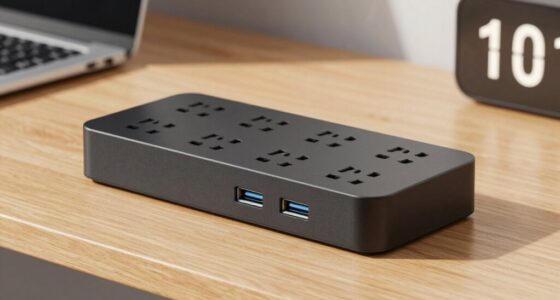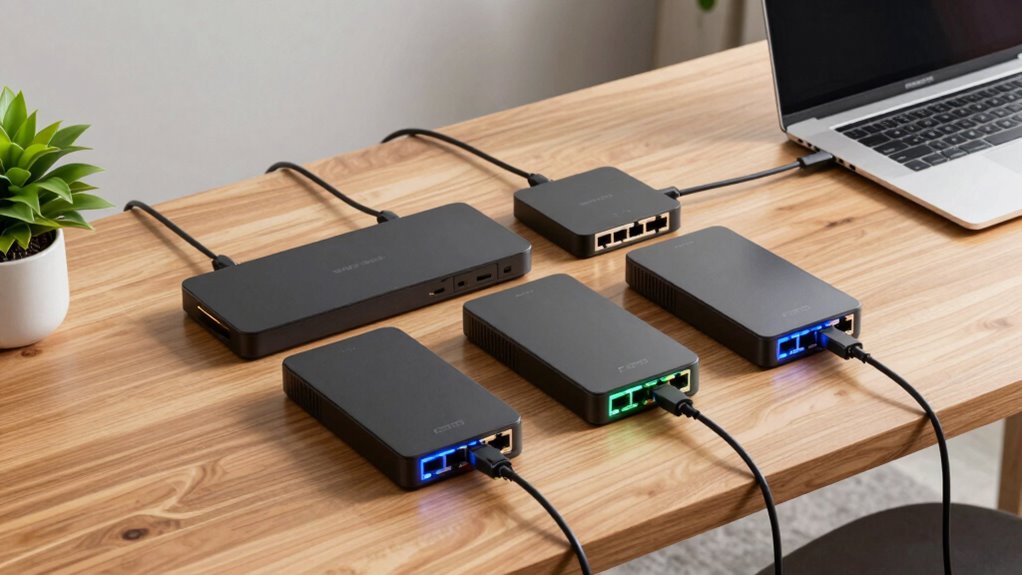

Choosing the right Ethernet switch for a home office in 2026 means balancing performance, simplicity, and cost. The TP-Link TL-SG105 stands out for its plug-and-play setup and energy efficiency, making it ideal for small setups. The NETGEAR GS308 offers a compact, silent, and straightforward solution for those who need a bit more flexibility. Meanwhile, the NETGEAR GS308E provides managed features that suit users who want some control without complexity. Each of these options presents tradeoffs—more ports, management features, or higher price—which I’ll clarify to help you find the best fit.

Get the latest gadgets delivered free with Prime
- Fast, free delivery on millions of items
- Prime Video, Amazon Music and more included
- Member-only deals all year
Complete the kit



Key Takeaways
- The TP-Link TL-SG105 offers a simple, reliable, and energy-efficient option for basic home networking needs.
- NETGEAR‘s unmanaged switches like GS308 and GS305 excel in ease of use and silent operation for small setups.
- Managed switches like the NETGEAR GS308E provide advanced control but may be unnecessary for most home offices.
- Number of ports varies from 5 to 8; choose based on your device count and future expansion plans.
- Consider whether features like VLAN, QoS, or PoE are necessary, as they significantly impact cost and complexity.
| TP-Link TL-SG105 5-Port Gigabit Unmanaged Ethernet Switch |  | Best Overall for Small, Simple Setups | Ports: 5 x 10/100/1000Mbps RJ45 | Design: Metal casing, desktop/wall-mountable | Flow Control: IEEE 802.3X | VIEW ON AMAZON | See Our Full Breakdown |
| TP-Link 8 Port Gigabit Ethernet Network Switch – Unmanaged, Fanless, Metal Housing |  | Best for Quiet, Slightly Larger Networks | Ports: 8 RJ45 ports | Speed: 10/100/1000 Mbps | Design: Fanless, metal housing | VIEW ON AMAZON | See Our Full Breakdown |
| NETGEAR 8-Port Gigabit Ethernet Easy Smart Managed Network Switch (GS308E) |  | Best for Users Wanting Some Management Control | Number of Ports: 8 | Port Speed: Gigabit Ethernet | Management: Web GUI, VLAN, QoS | VIEW ON AMAZON | See Our Full Breakdown |
| NETGEAR 5-Port Gigabit Ethernet Unmanaged Network Switch (GS305) |  | Best Compact Unmanaged Switch | Ports: 5 x 1.0Gbps Ethernet | Design: Compact metal, fanless | Energy Efficiency: IEEE 802.3az | VIEW ON AMAZON | See Our Full Breakdown |
| NETGEAR 8-Port Gigabit Ethernet Unmanaged Network Switch (GS308) |  | Best for High-Speed, Simple Expansion | Ports: 8 x 1.0Gbps Ethernet | Design: Compact metal, fanless | Energy Efficiency: IEEE 802.3az | VIEW ON AMAZON | See Our Full Breakdown |
| ethernet switch for home office | Ports | Design | Energy Efficiency |
|---|---|---|---|
| TP-Link TL-SG105 5-Port Gigabi | 5 x 10/100/1000Mbps RJ45 | Metal casing, desktop/wall-mountable | — |
| TP-Link 8 Port Gigabit Etherne | 8 RJ45 ports | Fanless, metal housing | Automatic power adjustment |
| NETGEAR 8-Port Gigabit Etherne | — | — | — |
| NETGEAR 5-Port Gigabit Etherne | 5 x 1.0Gbps Ethernet | Compact metal, fanless | IEEE 802.3az |
| NETGEAR 8-Port Gigabit Etherne | 8 x 1.0Gbps Ethernet | Compact metal, fanless | IEEE 802.3az |
More Details on Our Top Picks
TP-Link TL-SG105 5-Port Gigabit Unmanaged Ethernet Switch
The TP-Link TL-SG105 stands out for its straightforward, plug-and-play design, making it perfect for users who want reliable wired connectivity without fuss. Its 5 ports limit expansion but keep things simple and affordable. Compared with larger switches, it’s more compact and energy-efficient, thanks to its fanless, metal casing. The lack of management features means it’s not suited for more complex network needs, but for most home offices, that’s a plus—less to configure and maintain.
While it’s an excellent all-around choice for basic network expansion, its limited port count and absence of advanced features mean it can’t handle future growth or complex traffic management. If you need more ports or VLAN support, consider other options. The included warranty and durable build offer peace of mind, but the absence of a power supply might require an extra purchase.
Pros:- Easy plug-and-play setup with no configuration needed
- Energy-efficient design reduces power consumption
- Durable metal casing suitable for various environments
- Supports traffic prioritization for quality data transmission
Cons:- Limited to 5 ports, not suitable for larger networks
- No advanced management features
- No included power supply listed
Best for: Small home offices needing reliable, hassle-free connectivity
Not ideal for: Users requiring advanced network management or more than 5 devices
- Ports:5 x 10/100/1000Mbps RJ45
- Design:Metal casing, desktop/wall-mountable
- Flow Control:IEEE 802.3X
- QoS:Port-based 802.1p/DSCP, IGMP Snooping
- Warranty:3 years
Our verdict“Ideal for simple, reliable network expansion in small home offices with minimal fuss.”
TP-Link 8 Port Gigabit Ethernet Network Switch – Unmanaged, Fanless, Metal Housing
The TP-Link 8 Port Gigabit Ethernet Switch extends connectivity with more ports while maintaining a simple, unmanaged setup. Its fanless, metal construction keeps it silent—perfect for a quiet home environment. Compared to the 5-port TL-SG105, this model offers more room for devices, making it suitable if you plan to connect multiple computers, printers, or smart home hubs. Its plug-and-play design ensures quick setup, but lacking management features means limited traffic control or segmentation options.
For users who want a straightforward, high-speed wired network with room to grow but don’t need complex controls, this switch makes a compelling choice. However, if you seek VLAN support or QoS for traffic prioritization, you’ll need to look elsewhere—this model is strictly unmanaged. Its rugged metal housing guarantees durability, but no mounting hardware is included, which could be inconvenient.
Pros:- Silent fanless operation suitable for quiet spaces
- Durable metal construction with shielded ports
- Plug and play setup for quick deployment
- Energy-efficient with automatic power adjustment
Cons:- Limited to unmanaged switch features
- No advanced management or configuration options
- No included mounting hardware
Best for: Home users needing a larger, silent switch with straightforward expansion
Not ideal for: Those requiring managed features or advanced network segmentation
- Ports:8 RJ45 ports
- Speed:10/100/1000 Mbps
- Design:Fanless, metal housing
- Protection:Shielded ports
- Flow Control:IEEE 802.3x
- Energy Efficiency:Automatic power adjustment
Our verdict“A solid, silent choice for expanding home networks without complexity.”
NETGEAR 8-Port Gigabit Ethernet Easy Smart Managed Network Switch (GS308E)
The NETGEAR GS308E strikes a balance between simplicity and control, offering an easy-to-use web GUI that doesn’t overwhelm. Its 8 ports provide enough room for a typical home office, and full gigabit speeds keep data flowing smoothly. Compared with unmanaged options, it adds VLAN support, QoS, and network protection features, making it suitable for users who want some control over traffic prioritization and security but without the complexity of enterprise gear.
The rugged, fanless metal housing guarantees durability and silent operation. Still, it lacks Power over Ethernet (PoE) and more advanced management features found in larger switches, which might matter for future expansion or specific device needs. It’s an excellent choice for those who want manageable features without complexity.
Pros:- Easy plug-and-play setup with web GUI for management
- Reliable, silent, and durable design
- VLAN, QoS, and security features for better traffic control
- Energy-efficient, fanless metal housing
Cons:- Limited advanced management features compared to enterprise switches
- No PoE support
- Designed primarily for small networks
Best for: Home users needing manageable, reliable, and silent network expansion
Not ideal for: Users requiring PoE or enterprise-level management features
- Number of Ports:8
- Port Speed:Gigabit Ethernet
- Management:Web GUI, VLAN, QoS
- Additional Features:Auto DoS prevention, loop detection
- Housing:Rugged fanless metal
Our verdict“A versatile managed switch that balances control with simplicity for home office networks.”
NETGEAR 5-Port Gigabit Ethernet Unmanaged Network Switch (GS305)
The NETGEAR GS305 offers a compact, no-fuss wired solution for smaller home offices. Its 5 Gigabit ports provide fast data transfers, and the simple plug-and-play setup means no configuration is needed. Its small footprint and versatile mounting options make it ideal for limited spaces, and its energy-efficient design keeps power use low. Compared with larger switches, its simplicity is a benefit, but the limited number of ports might restrict larger setups.
This switch suits users who want a straightforward, reliable wired connection with minimal setup effort. However, if you need more than five devices or advanced features like VLANs, this model falls short. Its regional limitations on U.S. & Canada compatibility might also be a concern for some.
Pros:- Easy plug-and-play setup without software
- Silent operation due to fanless design
- Energy-efficient with reduced power usage
- Versatile mounting options for desktop or wall
Cons:- Limited to U.S. & Canada regions
- No advanced management features
- Only 5 ports, not future-proof for expanding devices
Best for: Small home offices needing a compact, plug-and-play switch
Not ideal for: Larger networks or users requiring managed features
- Ports:5 x 1.0Gbps Ethernet
- Design:Compact metal, fanless
- Energy Efficiency:IEEE 802.3az
- Compatibility:U.S. & Canada only
Our verdict“A practical, space-saving switch perfect for small, straightforward setups.”
NETGEAR 8-Port Gigabit Ethernet Unmanaged Network Switch (GS308)
The NETGEAR GS308 delivers 8 gigabit ports in a compact, fanless design, making it suitable for users who want quick, reliable wired connections without fuss. Its plug-and-play nature means setup is straightforward, and its energy-efficient features help keep power consumption low. Compared to its managed sibling, the GS308E, this model is less feature-rich but more affordable and easier to use for those who don’t need VLANs or traffic management.
It’s an excellent choice for users who want a straightforward way to connect multiple devices with gigabit speeds and silent operation. The regional restriction to U.S. & Canada is a minor inconvenience, but overall, it offers good value for basic home office needs.
Pros:- High-speed Gigabit Ethernet ports
- Easy plug-and-play setup
- Silent, durable metal design
- Energy-efficient operation
Cons:- Limited to U.S. & Canada regions
- No managed features or VLAN support
Best for: Home users wanting fast, simple, and silent network expansion
Not ideal for: Those seeking managed features or PoE support
- Ports:8 x 1.0Gbps Ethernet
- Design:Compact metal, fanless
- Energy Efficiency:IEEE 802.3az
- Mounting:Desktop or wall-mount
Our verdict“A reliable, simple switch that handles your home office needs without complexity.”
How We Picked
In selecting these switches, I focused on models that balance affordability, ease of use, and performance suitable for home office environments. I prioritized unmanaged switches for simplicity, while including a managed option for those who need more control. Critical factors include port count, silent operation, durability, and energy efficiency. I compared features, user reviews, and manufacturer reputations to ensure each product delivers value for different types of home office users.
| ethernet switch for home office | Design | Energy Efficiency |
|---|---|---|
| TP-Link TL-SG105 5-Port Gigabi | Metal casing, desktop/wall-mountable | — |
| TP-Link 8 Port Gigabit Etherne | Fanless, metal housing | Automatic power adjustment |
| NETGEAR 8-Port Gigabit Etherne | — | — |
| NETGEAR 5-Port Gigabit Etherne | Compact metal, fanless | IEEE 802.3az |
| NETGEAR 8-Port Gigabit Etherne | Compact metal, fanless | IEEE 802.3az |
Factors to Consider When Choosing Ethernet Switch For Home Office
When selecting an Ethernet switch for your home office, consider the number of devices, whether you prefer unmanaged simplicity or managed control, and your budget. The right switch can enhance your network speed, reduce clutter, and improve overall reliability. Here, I break down what to look for and how each feature impacts your setup.
Port Count and Size
The number of ports determines how many devices you can connect directly. Smaller setups may do fine with 5 ports, like the TP-Link TL-SG105 or NETGEAR GS305, but if you have multiple computers, printers, or smart devices, an 8-port switch like the GS308 or GS308E offers more flexibility. Consider future expansion—buying a slightly larger switch now can save you a headache later.
Unmanaged vs. Managed
Unmanaged switches like the TP-Link TL-SG105 or NETGEAR GS305 are plug-and-play, making them ideal for users who want simple, reliable wired connections without configuration. Managed switches, such as the NETGEAR GS308E, provide VLANs, QoS, and security features, which are useful if you need traffic prioritization or network segmentation. For most home offices, unmanaged switches suffice, but those with heavier data needs or multiple networks may benefit from management features.
Size, Noise, and Installation
Compact, fanless designs like the NETGEAR GS308 or GS305 operate silently, making them perfect for quiet environments. Their durability and mounting options also matter—if space is limited, a small, wall-mountable switch can keep your desk uncluttered. Think about where you’ll place the switch and whether noise or size is a concern.
Energy Efficiency and Cost
Many modern switches include energy-saving features like IEEE 802.3az, which reduces power consumption during idle times. These can lower your electricity bill and are environmentally friendly. Price varies based on features—unmanaged switches are generally more affordable, while managed options cost more but provide greater control. Balance your budget with your current and future needs.
Additional Features
If you need Power over Ethernet (PoE) for powering devices like IP cameras or VoIP phones, verify that the switch supports it. VLAN support and QoS are more advanced features generally found in managed switches and might be unnecessary for basic home use. Decide what features are essential for your setup to avoid overspending on unnecessary capabilities.
Frequently Asked Questions
What is the difference between unmanaged and managed switches?
Unmanaged switches are designed for simplicity—plug in your devices and they work immediately without any configuration. They are ideal for most home offices where minimal control is needed. Managed switches, however, offer configuration options like VLANs, QoS, and security features, which can help optimize traffic and improve network performance if your setup becomes more complex or you have specific security concerns.
How many ports do I need for my home office?
The number of ports depends on your device count and future plans. For small setups with a few computers and peripherals, 5 to 8 ports typically suffice. If you plan to add more devices later or want to keep options open, choosing a switch with 8 or more ports makes sense. Remember, buying a slightly larger switch now can prevent needing an upgrade soon.
Is energy efficiency important for a home network switch?
Yes, energy-efficient switches reduce power consumption, which can lower your electricity costs and lessen environmental impact. Many switches now include features like IEEE 802.3az, which puts ports into low-power mode when idle. For a home office, this feature can be a simple way to make your network setup more eco-friendly without sacrificing performance.
Do I need a managed switch for my home office?
Most home offices do not require managed switches, as unmanaged models provide sufficient connectivity with minimal setup. Managed switches are better suited for advanced users needing traffic control, VLANs, or security segmentation. If your needs are straightforward—just connecting a few devices—an unmanaged switch will be easier and more cost-effective.
What should I consider regarding switch placement?
Placement depends on your space and noise considerations. Fanless switches like the NETGEAR GS308 or GS305 operate silently and can be placed on desks or shelves. Compact, wall-mountable models help keep your workspace tidy. Consider proximity to your devices and ensure easy access for cables, but avoid placing switches in areas prone to excessive heat or moisture.
Conclusion
For small, straightforward home offices, unmanaged switches like the TP-Link TL-SG105 or NETGEAR GS305 provide reliable, plug-and-play performance at an affordable price. If you need a bit more control and plan to expand or segment your network, the NETGEAR GS308E offers manageable features without complexity. Those with larger device counts or specific security needs might consider stepping up to managed switches, but for most users, simplicity and reliability take precedence in 2026.
Halloween Picks
halloween
As an affiliate, we earn on qualifying purchases.