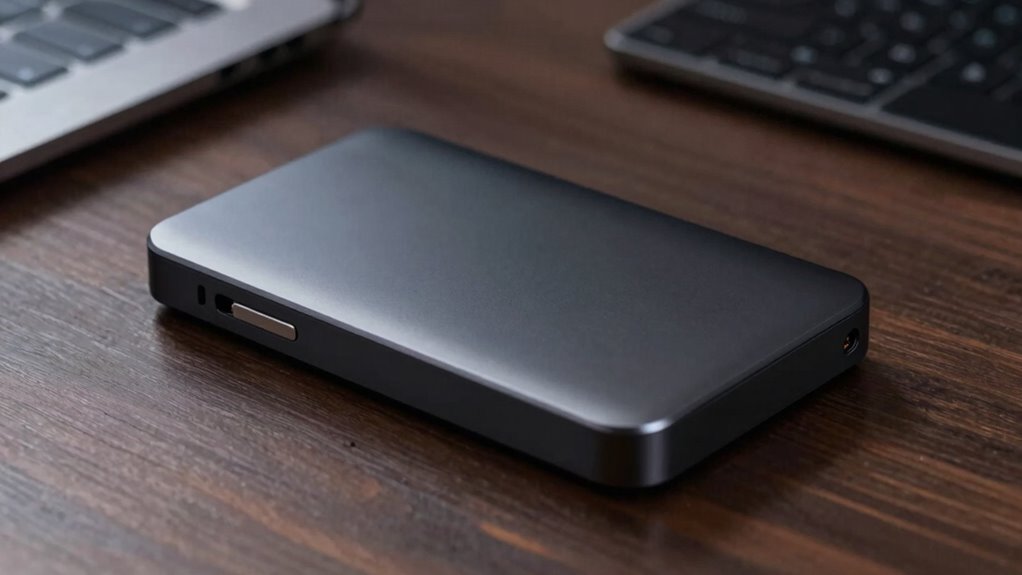

Choosing a 4TB external SSD means balancing transfer speed, toughness, and the devices you plan to connect. I rank the Crucial X10 first for its blend of speed, IP65 protection, and broad compatibility; the Samsung T9 is the performance pick for compatible Gen 2×2 systems; and the Samsung T7 suits buyers who want a straightforward, compact drive at more moderate speeds. Those differences matter: the fastest stated drive only reaches its potential when the host port supports its interface, while a rugged enclosure or hardware encryption may matter more for travel and sensitive files.

Get the latest gadgets delivered free — and shop member deals
- Fast, free delivery on millions of items
- Access to Prime Big Deal Days deals on October 6–7
- Prime Video, Amazon Music and more included
All five options hold 4TB, but they are not interchangeable. The two SanDisk Extreme listings make different speed claims, the T9 emphasizes sustained high-speed work, and the T7 trades peak throughput for a simpler fit with common USB 3.2 Gen 2 gear. I compare them by what those distinctions mean for real buying decisions, and flag where host hardware can limit the advertised performance.
Complete the kit



Key Takeaways
- The Crucial X10 combines a stated 2,100MB/s read speed with IP65 protection and wide device compatibility, making it my strongest all-around pick.
- The Samsung T9 offers up to 2,000MB/s reads and writes, but its USB 3.2 Gen 2×2 interface requires compatible equipment to make full use of that speed.
- The Samsung T7 and SanDisk Extreme SDSSDE61-4T00-G25 share 1,050MB/s maximum read speeds; the SanDisk adds IP65 protection and hardware encryption.
- The SanDisk listing B0GMX1JSGL claims up to 2,000MB/s, but provides fewer interface and write-speed details than the other listings.
- For travel and outdoor handling, compare protection details: the X10 lists IP65 and 9.8-foot drop resistance, while both detailed SanDisk models list IP65 and up to 3-meter drop protection.
| Crucial X10 4TB Portable SSD |  | Best Overall | Capacity: 4TB | Maximum read speed: Up to 2,100MB/s | Connectivity: USB 3.2, USB-C | VIEW ON AMAZON | See Our Full Breakdown |
| Samsung T9 Portable SSD 4TB, USB 3.2 Gen 2×2 External Solid State Drive |  | Best for Heavy Workloads | Capacity: 4TB | Interface: USB 3.2 Gen 2×2 | Maximum read speed: Up to 2,000MB/s | VIEW ON AMAZON | See Our Full Breakdown |
| SanDisk Extreme Portable SSD 4TB, USB-C |  | Best for Built-In Hardware Encryption | Capacity: 4TB | Read speed: Up to 1,050MB/s | Write speed: Up to 1,000MB/s | VIEW ON AMAZON | See Our Full Breakdown |
| Samsung T7 Portable SSD, 4TB External Solid State Drive |  | Best for Everyday Simplicity | Capacity: 4TB | Interface: USB 3.2 Gen 2 | Technology: PCIe NVMe | VIEW ON AMAZON | See Our Full Breakdown |
| SanDisk Extreme Portable SSD, 4TB |  | Best Compact High-Speed SanDisk | Capacity: 4TB | Maximum transfer speed: Up to 2,000MB/s | Ingress protection: IP65 | VIEW ON AMAZON | See Our Full Breakdown |
| external ssd 4tb | Capacity | Maximum read speed | Interface |
|---|---|---|---|
| Crucial X10 4TB Portable SSD | 4TB | Up to 2,100MB/s | — |
| Samsung T9 Portable SSD 4TB | 4TB | Up to 2,000MB/s | USB 3.2 Gen 2×2 |
| SanDisk Extreme Portable SSD 4 | 4TB | — | USB-C, USB 3.2 Gen 2 |
| Samsung T7 Portable SSD | 4TB | 1,050MB/s | USB 3.2 Gen 2 |
| SanDisk Extreme Portable SSD | 4TB | — | — |
More Details on Our Top Picks
Crucial X10 4TB Portable SSD
The Crucial X10 is my best all-around choice because it joins a high stated read speed of up to 2,100MB/s with practical protection and unusually broad compatibility. Its IP65 dust and water resistance and listed drop resistance up to 9.8 feet suit a drive that may travel between a desk, classroom, or shoot. Compared with the Samsung T7, it offers a much higher maximum read-speed claim and stronger stated drop protection; compared with the T9, it lists a wide range of compatible systems rather than centering its pitch on Gen 2×2 performance.
That breadth makes the X10 a sensible choice for someone moving files between computers, tablets, and consoles. Its speed still depends on a suitable connection, and the supplied information does not give a maximum write speed, so buyers who move huge projects in both directions may prefer the T9’s stated read and write figures. The X10 is also described as a premium option, and its ports and cable setup need to match the system to make the most of its performance. I would choose it when durability and flexible device use matter almost as much as speed.
Pros:- Up to 2,100MB/s stated read speed
- IP65 dust and water resistance
- Drop resistance listed up to 9.8 feet
- Compatibility spans computers, mobile devices, and consoles
Cons:- Premium positioning may not suit budget-focused buyers
- Maximum speed depends on using a suitable USB connection
Best for: Creators, students, and gamers who want one protected 4TB drive for several compatible devices.
Not ideal for: Buyers seeking the lowest-cost option or a drive with a clearly stated maximum write speed.
- Capacity:4TB
- Maximum read speed:Up to 2,100MB/s
- Connectivity:USB 3.2, USB-C
- Dust and water resistance:IP65
- Drop resistance:Up to 9.8 feet
- Listed compatibility:Windows, Mac, iPad Pro, Chromebooks, Android, Linux, PS4, PS5, Xbox
Our verdict“I recommend the X10 as the most balanced 4TB pick for buyers who value speed, protection, and cross-device flexibility.”
Samsung T9 Portable SSD 4TB, USB 3.2 Gen 2×2 External Solid State Drive
The Samsung T9 targets buyers who move large files often and have a host that supports its USB 3.2 Gen 2×2 interface. It lists sustained read and write speeds up to 2,000MB/s, giving it an advantage over the T7 and the detailed SanDisk Extreme listing for workloads with frequent transfers in both directions. Thermal management is also called out for heavy use, which makes the T9 a more workload-focused choice than the general-purpose X10.
The interface caveat is central to the decision. A compatible connection is needed to approach the headline figures; on less capable hardware, the practical difference from a more common Gen 2 drive may shrink. The supplied details also do not specify water, dust, or drop protection, so I would not rank it ahead of the X10 for rough travel. Its software adds firmware updates, encryption, and drive-health monitoring, and the stated iPhone 15 Pro 4K/60 video support may appeal to mobile creators. Choose the T9 for fast sustained transfers on suitable equipment, not simply because its number is large.
Pros:- Up to 2,000MB/s read and write speeds
- Thermal management is specified for heavy workloads
- Software offers encryption, firmware updates, and drive-health monitoring
- Supports stated iPhone 15 Pro 4K recording at 60 fps
Cons:- Full performance depends on USB 3.2 Gen 2×2 host support
- Protection ratings for water, dust, or drops are not specified in the supplied details
Best for: Video editors and other heavy-transfer users with computers or devices that support USB 3.2 Gen 2×2.
Not ideal for: Buyers whose host lacks Gen 2×2 support or who need specifically listed water, dust, and drop ratings.
- Capacity:4TB
- Interface:USB 3.2 Gen 2×2
- Maximum read speed:Up to 2,000MB/s
- Maximum write speed:Up to 2,000MB/s
- Workload feature:Thermal management
- iPhone video support:iPhone 15 Pro, 4K at 60 fps
- Software features:Firmware updates, encryption, drive-health monitoring
Our verdict“I would pick the T9 for repeated large transfers when my host supports Gen 2×2 and workload speed outweighs listed ruggedness.”
SanDisk Extreme Portable SSD 4TB, USB-C
This SanDisk Extreme 4TB is the clearest fit for buyers who want portable storage with hardware encryption and a simple way to attach it to a bag. It lists 256-bit AES hardware encryption, an integrated carabiner loop, IP65 resistance, and drop protection up to 3 meters. Its maximum read speed of 1,050MB/s and write speed of 1,000MB/s are close to the Samsung T7’s listed figures, but the SanDisk adds specified environmental protection and encryption to that mainstream speed tier.
Compared with the X10 and T9, it gives up peak speed on paper. In exchange, its feature set is easier to match to a travel or backup role, and its Gen 2 interface is less demanding than Gen 2×2. Actual transfer performance varies with the host device and other factors, so the numbers should guide expectations rather than promise a fixed result. The carabiner is convenient, though buyers should still protect the drive and cable from snagging. This is a good choice for mobile file storage with security features, especially if the T7’s simpler aluminum design does not meet your need for explicit IP-rated protection.
Pros:- 256-bit AES hardware encryption
- IP65 water and dust resistance
- Drop protection up to 3 meters
- Carabiner loop for carrying
Cons:- Lower stated speeds than the X10 and T9
- Actual performance varies with the host device and connection
Best for: Travelers and professionals who want a rugged 4TB drive with stated hardware encryption.
Not ideal for: Users prioritizing the fastest transfers or needing the X10’s wider listed device compatibility.
- Capacity:4TB
- Read speed:Up to 1,050MB/s
- Write speed:Up to 1,000MB/s
- Interface:USB-C, USB 3.2 Gen 2
- Water and dust resistance:IP65
- Drop protection:Up to 3 meters
- Encryption:256-bit AES hardware encryption
- Model:SDSSDE61-4T00-G25
Our verdict“I recommend this SanDisk when encryption and travel-friendly protection matter more than leading transfer speeds.”
Samsung T7 Portable SSD, 4TB External Solid State Drive
The Samsung T7 is the straightforward choice for buyers who want a compact 4TB drive using the familiar USB 3.2 Gen 2 tier. Its NVMe technology supports stated maximums of 1,050MB/s read and 1,000MB/s write, putting it in the same general speed class as the detailed SanDisk Extreme. The distinction is in the fit: the T7 has an aluminum unibody with shock resistance and fall protection up to 6 feet, while the SanDisk lists IP65 protection and hardware encryption.
For desk backups, moving media libraries, or compatible mobile and camera workflows, the T7 offers a simple package without the T9’s Gen 2×2 dependency. Its maximum performance depends on the host, cable, and UASP support, and compatibility can vary. Those limits make it less suited to buyers chasing maximum throughput; the X10 and T9 make stronger speed claims. I would choose the T7 when compact everyday storage and a metal enclosure are more compelling than IP-rated resistance or encryption details.
Pros:- Compact 4TB design
- Up to 1,050MB/s read and 1,000MB/s write
- Aluminum unibody enclosure
- Fall protection listed up to 6 feet
Cons:- Maximum speed depends on host, cable, and UASP support
- Device compatibility may vary
- No IP rating is specified in the supplied product details
Best for: Everyday users who want a compact, aluminum 4TB drive for compatible PCs, mobile devices, or supported cameras.
Not ideal for: Buyers who need stated water and dust protection, hardware encryption details, or higher maximum speeds.
- Capacity:4TB
- Interface:USB 3.2 Gen 2
- Technology:PCIe NVMe
- Maximum read speed:1,050MB/s
- Maximum write speed:1,000MB/s
- Fall protection:Up to 6 feet
- Enclosure:Aluminum unibody
- Model:MU-PC4T0T/AM
Our verdict“I would choose the T7 for familiar, compact everyday storage when its standard Gen 2 speed tier is enough.”
SanDisk Extreme Portable SSD, 4TB
This second SanDisk Extreme 4TB listing is the compact, faster-stated alternative to the SDSSDE61-4T00-G25. It claims transfer speeds up to 2,000MB/s and includes IP65 protection, drop protection up to 3 meters, and password-protected 256-bit AES encryption. Those details make it attractive to someone who wants a pocket-sized drive with both speed and protection, rather than the roughly 1,050MB/s read tier of the other SanDisk listing.
The qualification is the amount of information available here. Unlike the other SanDisk, the supplied specs do not identify an interface or separate read and write ceilings, so it is harder to judge what host hardware is needed or how it handles sustained writes. The X10 gives a slightly higher stated read maximum and clearer compatibility breadth; the T9 specifies both read and write speeds plus Gen 2×2. I would consider this model when its compact format and stated speed align with the intended setup, but verify the exact interface and device compatibility before choosing it for demanding production work.
Pros:- Up to 2,000MB/s stated transfer speed
- Pocket-sized design
- IP65 rating and up to 3-meter drop protection
- Password-protected 256-bit AES encryption
Cons:- Supplied details do not specify the interface
- Separate read and write maximums are not listed
- Compatibility details are less complete than the X10 listing
Best for: Buyers seeking a compact, protected 4TB SanDisk with a high stated transfer speed and password-protected encryption.
Not ideal for: People who need clearly stated interface details, separate write speeds, or broad listed compatibility before buying.
- Capacity:4TB
- Maximum transfer speed:Up to 2,000MB/s
- Ingress protection:IP65
- Drop protection:Up to 3 meters
- Encryption:Password-protected 256-bit AES
- Design:Pocket-sized
Our verdict“I would shortlist this SanDisk for its compactness and protection, after confirming its interface fits my devices.”

How We Picked
I compared these five drives as 4TB portable storage, focusing on the features that can change which one makes sense for a particular buyer. I gave weight to stated read and write speeds, the interface behind those claims, physical protection, compatibility, and useful extras such as encryption or thermal management. A headline speed is only useful when the computer, cable, and port can support it, so I treat the quoted figures as maximums rather than guaranteed everyday transfer rates.
Ranking reflects how clearly each model fits a distinct need. The Crucial X10 leads on its stated speed, ruggedness, and broad compatibility. The T9 ranks high for demanding workloads when the host supports USB 3.2 Gen 2×2. The SanDisk model with full speed and protection details earns a place for portable security features, while the T7 is the simpler mainstream option. I include the second SanDisk listing separately because it has a different stated speed, while noting that its supplied details are more limited. I do not infer features that the product information does not specify.
| external ssd 4tb | Interface |
|---|---|
| Crucial X10 4TB Portable SSD | — |
| Samsung T9 Portable SSD 4TB | USB 3.2 Gen 2×2 |
| SanDisk Extreme Portable SSD 4 | USB-C, USB 3.2 Gen 2 |
| Samsung T7 Portable SSD | USB 3.2 Gen 2 |
| SanDisk Extreme Portable SSD | — |
Factors to Consider When Choosing External Ssd 4tb
I would start by matching the drive to the port and the kind of files I move. At 4TB, each model offers substantial portable capacity; the decision is whether I need ruggedness, security, a familiar interface, or higher potential throughput.
Check the interface before comparing speed claims
The T7 and detailed SanDisk Extreme list USB 3.2 Gen 2 speeds around 1,000MB/s for writes and 1,050MB/s for reads. The T9 lists USB 3.2 Gen 2×2 and up to 2,000MB/s in both directions, while the X10 claims up to 2,100MB/s reads. The faster claims depend on a host and cable that can support them. If my computer has only a slower port, I may not gain much from paying attention to the highest number. I would check the specific ports on my computer, tablet, camera, or console before choosing.
Choose protection for where the drive will travel
IP65 appears on the X10 and both SanDisk listings, providing stated dust and water resistance. The X10 lists drop resistance up to 9.8 feet; the two SanDisk models list up to 3 meters. The T7 specifies an aluminum body and fall protection up to 6 feet, while the T9’s supplied information emphasizes thermal management rather than an ingress or drop rating. For frequent outdoor work, I would give more weight to the models with explicit IP ratings. For a mostly stationary backup drive, the T7’s enclosure may be enough.
Treat write speed as a separate question
Copying large video folders onto a drive relies on writes, so read speed alone does not tell the whole story. The T9 specifies up to 2,000MB/s writes, while the T7 and detailed SanDisk give 1,000MB/s write maximums. The X10’s supplied specifications state a read maximum but no write figure, and the second SanDisk listing gives one maximum transfer-speed claim without a separate read and write breakdown. If my regular work involves writing large files, I would favor a model with explicit write specifications and remember that actual results vary by setup.
Decide whether encryption and software matter
The detailed SanDisk Extreme lists 256-bit AES hardware encryption; the other SanDisk listing specifies password-protected 256-bit AES encryption. The T9 includes software for encryption, firmware updates, and drive-health monitoring. Those features can be valuable for work files or a drive that travels, but I would check the setup and compatibility requirements for the software or password protection. The X10 and T7 information supplied here does not specify encryption, so I would not choose them if that feature is a requirement without checking the current product details.
Match the drive to the devices in your routine
The X10 has the broadest listed compatibility, including computers, mobile devices, and gaming consoles. The T7 lists compatible PCs, mobile devices, and supported cameras; the T9 mentions desktops, cameras, gaming consoles, and iPhone 15 Pro recording. Compatibility can depend on the device, cable, formatting, and intended use. Before buying, I would confirm the specific model supports my workflow, especially for direct video recording or console use, rather than relying on a general compatibility label alone.
Frequently Asked Questions
Which 4TB external SSD is my best all-around choice?
I rank the Crucial X10 first for its combination of a 2,100MB/s maximum read claim, IP65 protection, listed 9.8-foot drop resistance, and broad compatibility. It suits buyers who want a single drive to move among several kinds of devices. If I need a stated write speed for heavy transfers, I would compare the T9 or detailed SanDisk before deciding.
Will the Samsung T9 reach 2,000MB/s on any USB-C port?
No. The T9 lists USB 3.2 Gen 2×2, and a USB-C connector alone does not establish that a device supports that interface. I would check the computer or device specifications and use an appropriate cable. On a less capable connection, transfer speeds can fall below the stated maximum.
Which models list water and dust resistance?
The Crucial X10 and both SanDisk Extreme listings specify IP65 dust and water resistance. The T7’s supplied details specify an aluminum enclosure and fall protection, while the T9 details provided here do not list an IP rating. If I expect exposure to dust or water, I would prioritize a model with an explicit rating and still follow its handling guidance.
Which drive lists hardware encryption?
The SanDisk Extreme model SDSSDE61-4T00-G25 lists 256-bit AES hardware encryption, and the other SanDisk listing describes password-protected 256-bit AES encryption. The T9 includes software that provides encryption alongside firmware updates and drive-health monitoring. The supplied X10 and T7 details do not specify encryption, so I would confirm current documentation if that is a must-have.
Is a 4TB portable SSD suitable for video work?
It can be a useful portable workspace or transfer drive, but I would match its interface and write specifications to the camera and editing computer. The T9 lists up to 2,000MB/s reads and writes and specifies iPhone 15 Pro 4K recording at 60 fps; the X10 lists up to 2,100MB/s reads. Actual performance and recording support depend on the connected device, cable, software, and workflow.
Conclusion
I would choose the Crucial X10 for a balanced mix of speed, ruggedness, and cross-device use. For sustained heavy transfers on Gen 2×2 hardware, the Samsung T9 is the more focused performance pick. Travelers who want encryption and IP-rated protection should compare the SanDisk Extreme SDSSDE61-4T00-G25, while everyday users who prefer an aluminum enclosure and familiar Gen 2 speeds may favor the Samsung T7. The compact SanDisk listing with a 2,000MB/s claim has appeal, but I would first confirm its interface and compatibility for my setup.
Halloween Picks
halloween
As an affiliate, we earn on qualifying purchases.