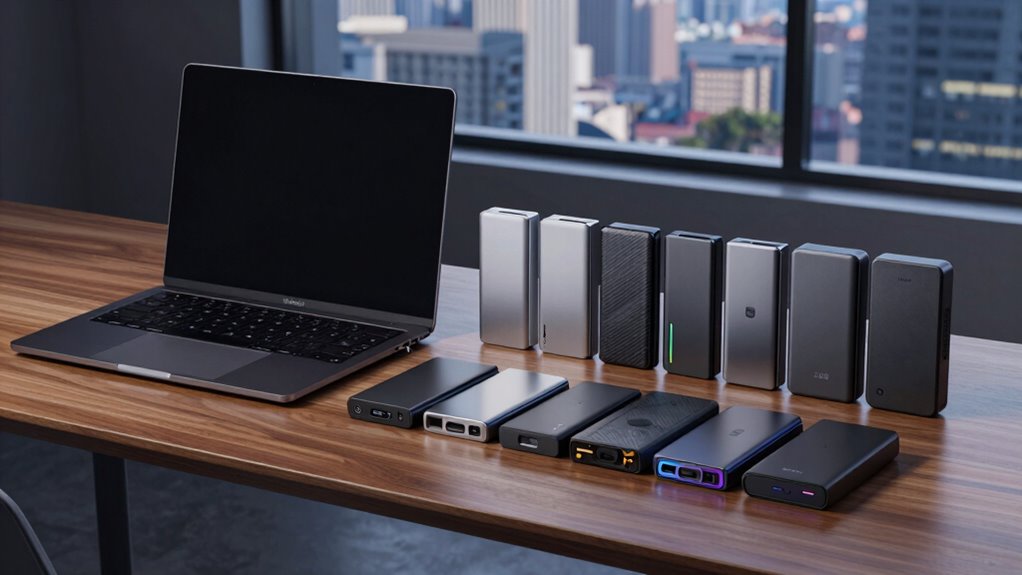

When choosing an external SSD for Mac, performance, compatibility, and durability are key factors. The Samsung T7 Portable SSD stands out as the overall best with fast transfer speeds and reliable build quality. The SanDisk Extreme Portable SSD is a strong contender for those prioritizing ruggedness, while the Samsung T9 offers cutting-edge speed with USB 3.2 Gen 2×2. Buyers face tradeoffs between speed, capacity, and price, making it essential to weigh what matters most for their workflow. Continue reading for a detailed breakdown of these top options and how they compare.

Get the latest gadgets delivered free with Prime
- Fast, free delivery on millions of items
- Prime Video, Amazon Music and more included
- Member-only deals all year
Complete the kit



Key Takeaways
- The fastest drives, like the Samsung T9, excel for large file transfers but often come at a premium price.
- Rugged models such as the SanDisk Extreme excel for outdoor use and durability, though sometimes at the cost of speed.
- Capacity options vary widely, so consider whether 1TB is enough or if 2TB or more is necessary for your needs.
- Compatibility with Mac, especially with Apple Silicon chips, remains consistent across most models, but some require formatting adjustments.
- Price-performance ratio is key; some models offer great value without sacrificing essential features.
| Samsung T7 Portable SSD 1TB Titan Gray, USB 3.2 Gen 2, Up to 1,050MB/s |  | Best Overall for Reliable, Balanced Performance | Capacity: 1TB | Interface: USB 3.2 Gen 2 | Max Speed: 1050MB/s | VIEW ON AMAZON | See Our Full Breakdown |
| SanDisk 1TB Extreme Portable SSD |  | Best for Rugged Durability and Security | Capacity: 1TB | Transfer Speed: up to 2000MB/s | Drop Protection: up to 3 meters | VIEW ON AMAZON | See Our Full Breakdown |
| SanDisk 2TB Extreme Portable SSD |  | Best for High Capacity and Rugged Performance | Capacity: 2TB | Read Speed: 1050MB/s | Write Speed: 1000MB/s | VIEW ON AMAZON | See Our Full Breakdown |
| Samsung T9 Portable SSD 2TB USB 3.2 Gen 2×2 External SSD |  | Best for Extreme Speed and Heavy-Duty Use | Capacity: 2TB | Max Speed: 2000MB/s | Compatibility: Desktop, camera, gaming console, iPhone 15 Pro Res 4K | VIEW ON AMAZON | See Our Full Breakdown |
| SSK Portable SSD 1TB External Solid State Drive USB-C Up to 1050MB/s |  | Best for Versatile Compatibility and Portability | Capacity: 1TB | Max Read Speed: 1050MB/s | Max Write Speed: 1000MB/s | VIEW ON AMAZON | See Our Full Breakdown |
| Lexar ES3 1TB Portable SSD Silver, USB 3.2 Gen 2 up to 1050MB/s |  | Best Portable Speed and Versatility | Capacity: 1TB | Connection: USB 3.2 Gen 2 | Read Speed: up to 1050MB/s | VIEW ON AMAZON | See Our Full Breakdown |
| SanDisk 8TB Extreme Portable SSD | | Best High-Capacity Rugged Drive | Capacity: 8TB | Read Speed: 1050MB/s | Write Speed: 1000MB/s | VIEW ON AMAZON | See Our Full Breakdown |
| SanDisk 1TB Extreme Portable SSD |  | Best Compact Durable Storage | Capacity: 1TB | Read Speed: 1050MB/s | Write Speed: 1000MB/s | VIEW ON AMAZON | See Our Full Breakdown |
| Samsung T7 Portable SSD 2TB Titan Gray, USB 3.2 Gen 2, Up to 1,050MB/s | | Best for Large Files and High-Speed Backup | Capacity: 2TB | Max Speed: 1,050MB/s | Shock Resistance: Up to 6 feet | VIEW ON AMAZON | See Our Full Breakdown |
| Samsung T9 Portable SSD 1TB USB 3.2 Gen 2×2 External SSD | | Best for Heavy-Duty, High-Speed Tasks | Capacity: 1TB | Max Speed: 2000MB/s | Interface: USB 3.2 Gen 2×2 | VIEW ON AMAZON | See Our Full Breakdown |
| external ssd for mac | Capacity | Compatibility |
|---|---|---|
| Samsung T7 Portable SSD 1TB Ti | 1TB | PC, mobile phones, iPhone 15 Pro |
| SanDisk 1TB Extreme Portable S | 1TB | PC, Mac, mobile devices |
| SanDisk 2TB Extreme Portable S | 2TB | — |
| Samsung T9 Portable SSD 2TB US | 2TB | Desktop, camera, gaming console, iPhone 15 Pro Res 4K |
| SSK Portable SSD 1TB External | 1TB | — |
| Lexar ES3 1TB Portable SSD Sil | 1TB | iPhone 17, Android, laptops, cameras, gaming consoles |
| SanDisk 8TB Extreme Portable S | 8TB | — |
| SanDisk 1TB Extreme Portable S | 1TB | — |
| Samsung T7 Portable SSD 2TB Ti | 2TB | PC, mobile phones, iPhone 15 Pro |
| Samsung T9 Portable SSD 1TB US | 1TB | — |
More Details on Our Top Picks
Samsung T7 Portable SSD 1TB Titan Gray, USB 3.2 Gen 2, Up to 1,050MB/s
This model stands out for its combination of speed, durability, and broad compatibility, making it a versatile choice for Mac users who need dependable transfer rates without sacrificing portability. Compared with the SanDisk 1TB Extreme Portable SSD, the Samsung T7 offers slightly lower maximum speeds but benefits from a sleeker, more elegant unibody design that resists shocks and scratches. Its 1TB capacity suits most users, but those needing large storage might find it limiting. The premium price reflects its build quality and performance, which might be a consideration for budget-conscious buyers.
Pros:- Fast transfer speeds up to 1,050MB/s for quick file handling
- Sleek, shock-resistant aluminum unibody for durability
- Excellent compatibility across Mac, PC, and mobile devices
Cons:- Limited to 1TB capacity in this model, which may not suffice for large projects
- Premium pricing compared to alternatives like the SSK Portable SSD
Best for: Mac users seeking a reliable, all-around external SSD for everyday use and moderate video editing
Not ideal for: Power users requiring 2TB or larger capacities or those on a tight budget, as the T7’s capacity and price may be restrictive
- Capacity:1TB
- Interface:USB 3.2 Gen 2
- Max Speed:1050MB/s
- Shock Resistance:Up to 6 feet
- Compatibility:PC, mobile phones, iPhone 15 Pro
- Design:Titan Gray, aluminum unibody
Our verdict“This is an excellent pick for Mac users who want a balanced mix of speed, durability, and portability without needing the highest capacity available.”
SanDisk 1TB Extreme Portable SSD
This drive makes the most sense for users who need fast, secure storage in tough environments, thanks to its 2000MB/s transfer speeds and IP65 water and dust resistance. Compared with the Samsung T7, the SanDisk Extreme offers nearly double the throughput, ideal for transferring large files quickly. Its rugged design with drop protection up to 3 meters enhances reliability during outdoor or on-the-move use. However, the higher performance and durability come at a price that might be steep for some, and its maximum speed requires a compatible device to truly realize its potential.
Pros:- High transfer speeds up to 2000MB/s for quick large file transfers
- IP65 rated water and dust resistance for outdoor use
- Drop protection up to 3 meters enhances durability
- Secure with 256-bit AES encryption
Cons:- Price not specified, likely higher than standard models
- Requires compatible device to reach maximum speed
- No included software for file management
Best for: Outdoor professionals, videographers, or field workers who need high-speed, durable storage
Not ideal for: Casual users or those with limited budgets, as the rugged features and high-speed capabilities increase the cost
- Capacity:1TB
- Transfer Speed:up to 2000MB/s
- Drop Protection:up to 3 meters
- Water/Dust Resistance:IP65
- Encryption:256-bit AES
- Compatibility:PC, Mac, mobile devices
Our verdict“This drive is perfect for users who need fast, rugged, and secure storage in demanding environments, despite its premium cost.”
SanDisk 2TB Extreme Portable SSD
This 2TB option is tailored for users needing substantial storage and fast performance on the go. It features NVMe SSD speeds with read speeds up to 1050MB/s and write speeds up to 1000MB/s, comparable to the SanDisk 1TB version but with double the capacity. Its rugged build includes drop protection, water, and dust resistance, making it suitable for outdoor workflows. The inclusion of hardware encryption enhances security. Compared to the Samsung T7, it offers larger storage but at a similar speed, which might be a tradeoff for those prioritizing capacity over raw speed.
Pros:- High NVMe performance with speeds up to 1050MB/s
- Rugged, durable design with IP65 resistance
- Includes hardware encryption for security
- Large 2TB capacity
Cons:- Performance can vary depending on host device
- No included file management software
- Price point may be high for some users
Best for: Photographers, videographers, or professionals handling large files outside controlled environments
Not ideal for: Budget-conscious users or those who prioritize the absolute fastest transfer speeds over capacity
- Capacity:2TB
- Read Speed:1050MB/s
- Write Speed:1000MB/s
- Drop Protection:Up to 3 meters
- Water and Dust Resistance:IP65
- Encryption:256-bit AES
Our verdict“This drive suits professionals who need large, fast, and durable storage for demanding environments, accepting a premium price for capacity.”
Samsung T9 Portable SSD 2TB USB 3.2 Gen 2×2 External SSD
This model makes a compelling case for creators and professionals who need ultra-fast transfer speeds of up to 2,000MB/s. Compared with the SanDisk 2TB Extreme, the T9’s USB 3.2 Gen 2×2 interface provides a significant speed advantage, ideal for 4K video editing or large data transfers. Its advanced thermal management helps prevent overheating during prolonged use, and broad device compatibility includes smartphones and gaming consoles. The main tradeoff involves the need for compatible hardware and potentially additional accessories, like a high-quality cable, to achieve full performance.
Pros:- Extreme transfer speeds up to 2000MB/s for demanding workflows
- Advanced thermal management maintains performance during extended use
- Broad device compatibility including smartphones and gaming consoles
- Reliable performance with firmware updates and encryption
Cons:- Performance depends on device compatibility and setup
- Additional accessories may be needed for optimal performance
- Higher cost due to advanced features
Best for: Content creators and power users who demand top-tier speed and thermal management in a portable form
Not ideal for: Casual users or those with devices that lack USB 3.2 Gen 2×2 support, as they won’t reach peak speeds
- Capacity:2TB
- Max Speed:2000MB/s
- Compatibility:Desktop, camera, gaming console, iPhone 15 Pro Res 4K
- Interface:USB 3.2 Gen 2×2
- Design:Durable, thermal-managed
- Encryption:Supported
Our verdict“This SSD is ideal for professionals who prioritize maximum speed and thermal stability, provided their hardware supports USB 3.2 Gen 2×2.”
SSK Portable SSD 1TB External Solid State Drive USB-C Up to 1050MB/s
This drive offers solid speed and portability with dual USB-C and USB-A cables, making it a flexible choice for users who switch between different devices. Its 1TB capacity and aluminum case provide a good balance of performance and durability, especially for those who need a lightweight, heat-dissipating storage solution. Compared to the Samsung T7, the SSK emphasizes compatibility with multiple platforms, though it may lack some of the sleek aesthetic and refined build of higher-end options. Its capacity limit and potential Windows display quirks are factors to consider.
Pros:- Fast read/write speeds up to 1050MB/s
- Lightweight and portable with a durable aluminum case
- Includes both USB-C and USB-A cables for wide compatibility
Cons:- Capacity limited to 1TB, not expandable
- Windows might show around 931GB due to formatting differences
- Performance may vary depending on USB port quality
Best for: Travelers and professionals who need cross-platform compatibility and a lightweight, reliable SSD
Not ideal for: Power users requiring larger capacity or maximum speed, as the 1TB limit may be restrictive
- Capacity:1TB
- Max Read Speed:1050MB/s
- Max Write Speed:1000MB/s
- Connectivity:USB-C & USB-A
- Material:Aluminum alloy
- Heat Dissipation:Effective with aluminum case
Our verdict“This SSD is well-suited for users seeking a portable, cross-platform drive that balances speed and compatibility, with some limitations on capacity.”
Lexar ES3 1TB Portable SSD Silver, USB 3.2 Gen 2 up to 1050MB/s
This Lexar ES3 excels in delivering high-speed data transfer up to 1050MB/s, making it ideal for users who need quick access to large files on the go. Compared to the SanDisk 1TB Extreme, it offers similarly fast speeds but with broader device compatibility, including smartphones and gaming consoles. Its compact, lightweight design and AES encryption add convenience and security, though performance can dip if the connected device doesn’t support USB 3.2 Gen 2. This model suits those who prioritize speed and multi-device use over maximum capacity or rugged features.
Pros:- High-speed transfer up to 1050MB/s
- Compact, lightweight, easy to carry
- Compatible with smartphones, laptops, gaming consoles
- 256-bit AES encryption for data security
Cons:- Performance depends on supporting USB 3.2 Gen 2 port
- Lacks Magsafe or rugged protection
Best for: Creative professionals and mobile users who need fast transfers across multiple device types.
Not ideal for: Users with limited USB 3.2 Gen 2 ports or those seeking rugged durability for extreme environments.
- Capacity:1TB
- Connection:USB 3.2 Gen 2
- Read Speed:up to 1050MB/s
- Write Speed:up to 1000MB/s
- Weight:42g
- Compatibility:iPhone 17, Android, laptops, cameras, gaming consoles
Our verdict“This pick is best for users needing quick, versatile data access in a portable form factor, accepting some dependency on device compatibility.”
SanDisk 8TB Extreme Portable SSD
This SanDisk 8TB Extreme is designed for users who need massive storage with rugged reliability, making it a standout compared to the 1TB SanDisk Extreme Portable. It offers NVMe speeds of up to 1050MB/s, with durability features like drop protection up to 3 meters and IP65 water and dust resistance. Despite its impressive capacity, the larger size and weight mean it’s less ideal for ultra-light portability. This model suits professionals handling large media libraries or backups in challenging environments but isn’t the best choice for ultra-compact needs or budget-conscious buyers.
Pros:- Massive 8TB capacity for large files
- Fast NVMe speeds up to 1050MB/s
- Rugged design with drop, water, and dust resistance
- Hardware encryption and security features
Cons:- Bulkier and heavier than smaller drives
- Performance may vary depending on host device
Best for: Photographers, videographers, or content creators requiring extensive, durable storage for field work.
Not ideal for: Casual users or those seeking a smaller, more portable SSD for daily light use.
- Capacity:8TB
- Read Speed:1050MB/s
- Write Speed:1000MB/s
- Drop Protection:Up to 3 meters
- Water and Dust Resistance:IP65
- Warranty:5 years
Our verdict“Ideal for demanding professionals with large data needs who require ruggedness over ultra-light portability.”
SanDisk 1TB Extreme Portable SSD
The SanDisk 1TB Extreme Portable SSD provides NVMe performance with speeds of up to 1050MB/s, matching the speed of the larger SanDisk 8TB but in a more portable size. Its rugged features include drop protection up to 3 meters and IP65 water and dust resistance, making it suitable for outdoor shoots or fieldwork. While it’s slightly limited in capacity compared to the 8TB model, it strikes a balance for those who want reliable speed and durability without bulk. However, performance may fluctuate depending on the connected device, and its 1TB limit could be a drawback for very heavy storage needs.
Pros:- NVMe speeds up to 1050MB/s
- Drop and water resistant (IP65)
- Secure password protection with AES encryption
- Portable and lightweight
Cons:- Limited to 1TB capacity
- Performance may depend on host device
Best for: Outdoor professionals and travelers who need dependable, fast storage in a small package.
Not ideal for: Heavy data handlers or users needing more than 1TB of storage regularly.
- Capacity:1TB
- Read Speed:1050MB/s
- Write Speed:1000MB/s
- Drop Protection:Up to 3 meters
- Water/Dust Resistance:IP65
Our verdict“This drive is perfect for users seeking rugged, portable storage that balances speed and durability in a compact size.”
Samsung T7 Portable SSD 2TB Titan Gray, USB 3.2 Gen 2, Up to 1,050MB/s
The Samsung T7 2TB Titan Gray offers substantial capacity with speed matching many smaller drives, reaching up to 1050MB/s. Its durable, shock-resistant aluminum unibody makes it a reliable choice for demanding tasks like large backups or video editing. Compared with the SanDisk 1TB Extreme, it provides more storage space for a similar speed profile, though at a possibly higher price. Its compact design adds portability, but users with limited USB 3.2 Gen 2 ports might find it less versatile. This makes it a solid pick for professionals who need ample space without sacrificing speed.
Pros:- High transfer speeds up to 1050MB/s
- Large 2TB capacity
- Durable, shock-resistant design
- Sleek, portable form factor
Cons:- Price may be higher compared to smaller drives
- Limited to USB 3.2 Gen 2 only
Best for: Content creators and professionals needing large, fast storage for editing or backups.
Not ideal for: Budget-conscious buyers or those with limited USB port options, as the capacity and price could be limiting.
- Capacity:2TB
- Max Speed:1,050MB/s
- Shock Resistance:Up to 6 feet
- Compatibility:PC, mobile phones, iPhone 15 Pro
Our verdict“This drive is suitable for users requiring large capacity and fast speeds, especially in professional environments where space and performance matter.”
Samsung T9 Portable SSD 1TB USB 3.2 Gen 2×2 External SSD
The Samsung T9 1TB stands out with blazing fast transfer speeds of up to 2000MB/s, surpassing the other drives in this lineup. It’s tailored for creators and professionals who handle large files, such as 4K videos or extensive gaming data, thanks to its USB 3.2 Gen 2×2 interface. Its thermal management system helps prevent overheating during prolonged use, and broad device compatibility makes it versatile. The tradeoff is a higher price point and a reliance on the included SSD cable for optimal performance, which could be a hassle for some users. This drive suits users who prioritize speed above all else for demanding workflows.
Pros:- Extremely fast transfer speeds up to 2000MB/s
- Effective thermal management
- Broad device compatibility including high-resolution video editing
- Reliable ongoing firmware updates
Cons:- Higher cost compared to other options
- Requires the included SSD cable for best performance
Best for: Heavy users, such as video editors or gamers, who need maximum transfer speeds and reliable thermal performance.
Not ideal for: Casual users or those on a budget, since its high performance comes with a higher cost and specific cable requirements.
- Capacity:1TB
- Max Speed:2000MB/s
- Interface:USB 3.2 Gen 2×2
- Thermal Management:Advanced
Our verdict“This drive fits demanding professional workflows where maximum speed and thermal stability are essential, accepting a premium price.”

How We Picked
The products in this roundup were evaluated based on a combination of performance, build quality, compatibility, and value. Speed benchmarks, specifically read/write speeds, were a primary focus, since fast data transfer directly impacts productivity for Mac users. We also considered design, durability, and ease of use, especially for users who may need rugged options or portability. Price was factored in to identify value, ensuring that each recommended drive offers a compelling balance of features relative to its cost. This led to a ranking that highlights the best overall options while also recognizing specialized needs like ruggedness or maximum capacity.| external ssd for mac | Compatibility |
|---|---|
| Samsung T7 Portable SSD 1TB Ti | PC, mobile phones, iPhone 15 Pro |
| SanDisk 1TB Extreme Portable S | PC, Mac, mobile devices |
| SanDisk 2TB Extreme Portable S | — |
| Samsung T9 Portable SSD 2TB US | Desktop, camera, gaming console, iPhone 15 Pro Res 4K |
| SSK Portable SSD 1TB External | — |
| Lexar ES3 1TB Portable SSD Sil | iPhone 17, Android, laptops, cameras, gaming consoles |
| SanDisk 8TB Extreme Portable S | — |
| SanDisk 1TB Extreme Portable S | — |
| Samsung T7 Portable SSD 2TB Ti | PC, mobile phones, iPhone 15 Pro |
| Samsung T9 Portable SSD 1TB US | — |
Factors to Consider When Choosing External Ssd For Mac
Choosing the right external SSD for Mac involves understanding several key factors beyond just speed and capacity. Compatibility with macOS, especially newer Apple Silicon Macs, can influence performance and setup. Durability and portability matter if you plan to carry your drive frequently, while transfer speeds should match your typical workflow—whether you’re editing videos or backing up large files. Price is also a consideration, but investing in quality often pays off in longevity and reliability. Keep these factors in mind to select a drive that truly fits your needs.Performance and Speed
Fast transfer speeds reduce wait times and streamline workflows, especially for large multimedia files. Look for drives with at least USB 3.2 Gen 2 or Thunderbolt compatibility for the best Mac experience. The latest models with USB 3.2 Gen 2×2 can offer even higher speeds, but they often come at a premium. Consider your typical file sizes and transfer frequency to decide whether investing in top-tier speed makes sense for you.
Compatibility with Mac
Most external SSDs are compatible with macOS, but some may require reformatting or specific configuration, especially for Apple Silicon Macs. Ensure the drive supports exFAT or APFS for seamless operation, and check if it needs any additional drivers or software updates. A plug-and-play experience is ideal, reducing setup time and troubleshooting.
Durability and Portability
If you frequently move your drive or work outdoors, durability features like rugged casings, water resistance, or shockproof designs are worth considering. Compact drives with sturdy build quality are easier to carry without compromising performance. Keep in mind that more rugged models sometimes trade off slightly slower speeds or higher prices.
Capacity and Price
Assess your storage needs carefully. For most users, 1TB or 2TB provides sufficient space for backups and file storage, but professionals working with large media files might need 4TB or more. Higher capacity drives tend to cost more, but they reduce the need for multiple drives. Balance your budget with the capacity you require to avoid overspending or running out of space too quickly.
Additional Features
Some drives include features like hardware encryption, Thunderbolt compatibility, or included software for backup and security. These extras can add value if security or speed is a priority. Conversely, if simplicity and affordability are more important, a straightforward USB-C drive might suffice. Weigh these features against your specific needs for a more tailored choice.
Frequently Asked Questions
Will my external SSD work seamlessly with my MacBook Air?
Most modern external SSDs are compatible with MacBook Air, especially those using USB-C or Thunderbolt connections. However, some drives may require reformatting to work optimally with macOS, which is a simple process. Always check the drive specifications for compatibility details and consider choosing models that explicitly mention Mac support for a smoother setup experience.
Should I prioritize speed over capacity when choosing an external SSD for Mac?
It depends on your workflow. If you frequently transfer large files or work with high-resolution media, faster drives can save significant time. However, if your main concern is storing large amounts of data without constant transfers, then capacity might take precedence. Balancing both is ideal, but if forced to choose, consider your typical usage to determine which factor impacts your productivity more.
Are rugged external SSDs worth the extra cost for Mac users?
Rugged drives can be highly beneficial if you often work outdoors or travel with your data. They offer extra protection against shocks, water, and dust, reducing the risk of damage. However, they might come at a higher price and sometimes have slower speeds compared to more delicate models. For users with a mobile lifestyle, investing in durability can provide peace of mind, but for stationary setups, standard drives may suffice.
Can I use an external SSD for Time Machine backups on my Mac?
Yes, many external SSDs are compatible with Time Machine, providing fast and reliable backups. Ensure the drive is formatted correctly—preferably APFS or HFS+—and has enough free space for your backup needs. Using an SSD for Time Machine can significantly speed up backup and restore times, especially for large datasets, making it a practical choice for those seeking quick recovery options.
Is Thunderbolt necessary for external SSDs on Mac, or is USB-C sufficient?
For most Mac users, USB-C with USB 3.2 Gen 2 or Gen 2×2 support is sufficient for high-speed data transfer, especially when working with 4K or 8K media files. Thunderbolt offers even higher speeds, but it is often more expensive and may be unnecessary unless you engage in professional video editing or other intensive tasks. Consider your speed requirements and budget to choose the appropriate connection type.
Conclusion
The best overall external SSD for Mac in 2026 is the Samsung T7, thanks to its balanced combination of speed, reliability, and affordability, making it ideal for most users. For those prioritizing value, the SanDisk Extreme Portable SSD offers rugged durability at a lower price point. Power users or professionals working with large media files will find the Samsung T9’s blazing-fast speeds worth the investment. Beginners or casual users should consider simple, easy-to-use drives with straightforward setup, while travelers and outdoor workers should focus on rugged options. Ultimately, selecting the right drive depends on your specific needs, budget, and workflow demands.
Halloween Picks
halloween
As an affiliate, we earn on qualifying purchases.