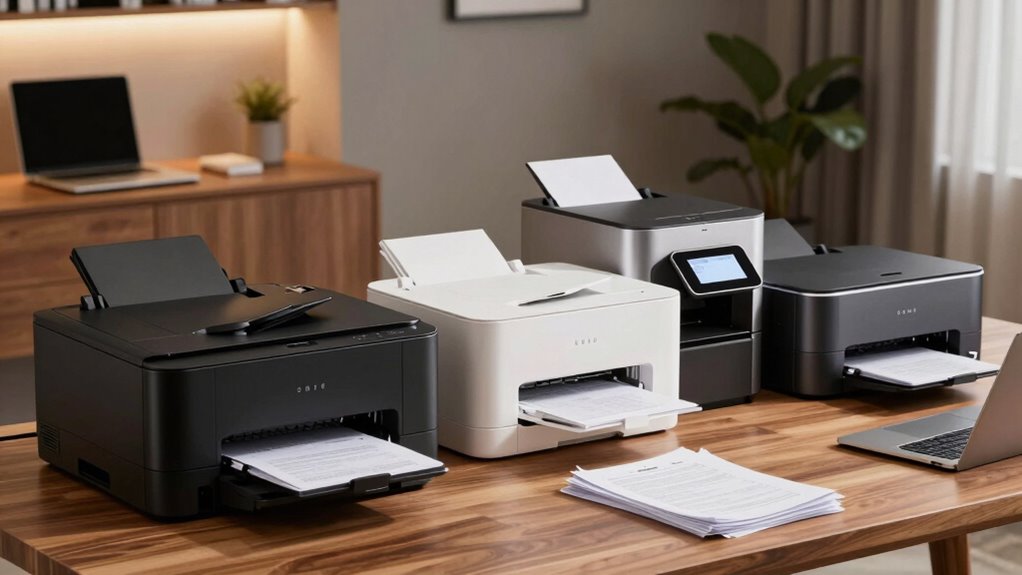

Choosing the right laser printer for a home office in 2026 means balancing speed, size, and features with your specific needs. For those who prioritize speed and wireless convenience, the Brother HL-L2405W stands out for its quick 30 ppm print rate and mobile support. If you’re working in a small team and need all-in-one functionality, the HP LaserJet Pro MFP 3101sdw offers fast printing with scanning and copying. For compact spaces, the HP LaserJet M110w is the world’s smallest laser printer with reliable wireless setup. Meanwhile, the Brother DCP-L2640DW combines speed and versatility for small business tasks. Each model makes tradeoffs between size, speed, and cost, so understanding these differences helps identify the best fit for your home workspace.

Get the latest gadgets delivered free with Prime
- Fast, free delivery on millions of items
- Prime Video, Amazon Music and more included
- Member-only deals all year
Complete the kit



Key Takeaways
- The Brother HL-L2405W is ideal for users needing fast monochrome printing with mobile support but lacks duplex printing.
- HP’s all-in-one models offer the best balance of speed and multifunctionality for small teams, with auto duplex features.
- Compact models like HP M110w are perfect for tight spaces but sacrifice high-volume capacity.
- Price and consumables are ongoing considerations — some models require proprietary toner, affecting long-term costs.
- All options focus on black-and-white printing, so color is generally unavailable or requires a different category.
| Brother HL-L2405W Wireless Monochrome Laser Printer with Mobile Printing |  | Best Overall for Speed and Wireless Convenience | Print Speed: 30 pages per minute | Connectivity: Wi-Fi (dual-band), USB | Paper Capacity: 250 sheets | VIEW ON AMAZON | See Our Full Breakdown |
| HP LaserJet MFP M140w Wireless Black & White Printer |  | Best for Small Teams with Multifunction Needs | Print Speed: Up to 21 ppm | Color: Black & White | Connectivity: Wireless, Mobile Printing | VIEW ON AMAZON | See Our Full Breakdown |
| HP LaserJet M110w Wireless Black & White Printer |  | Best for Small Spaces and Simplified Use | Printer Type: Laser | Print Speed: Up to 21 ppm | Connectivity: USB, Wireless | VIEW ON AMAZON | See Our Full Breakdown |
| HP LaserJet Pro MFP 3101sdw Wireless Black and White All-in-One Laser Printer |  | Best for Professional Small Offices needing All-in-One | Print Speed: up to 35 ppm | Input Tray Capacity: 250 sheets | Auto Document Feeder: 50 sheets | VIEW ON AMAZON | See Our Full Breakdown |
| Brother DCP-L2640DW Wireless Monochrome Multi-Function Printer |  | Best for Versatile Small Business Use | Print Speed: up to 36 ppm | Scan Speed: up to 23.6/7.9 ipm | Auto Document Feeder: 50 pages | VIEW ON AMAZON | See Our Full Breakdown |
| laser printer for home office | Print Speed | Connectivity |
|---|---|---|
| Brother HL-L2405W Wireless Mon | 30 pages per minute | Wi-Fi (dual-band), USB |
| HP LaserJet MFP M140w Wireless | Up to 21 ppm | Wireless, Mobile Printing |
| HP LaserJet M110w Wireless Bla | Up to 21 ppm | USB, Wireless |
| HP LaserJet Pro MFP 3101sdw Wi | up to 35 ppm | Wireless Wi-Fi |
| Brother DCP-L2640DW Wireless M | up to 36 ppm | Wi-Fi (dual-band), Ethernet, USB |
More Details on Our Top Picks
Brother HL-L2405W Wireless Monochrome Laser Printer with Mobile Printing
The Brother HL-L2405W stands out for its rapid 30 pages per minute printing, making it a top choice for home users who need quick document turnaround. Its wireless dual-band Wi-Fi and USB connectivity offer flexible setup options, and a large 250-sheet tray minimizes refills during busy periods. Compared with smaller or multifunction models, it excels in simple monochrome tasks, but it lacks duplex printing, which means double-sided jobs require manual intervention. The optional toner subscription can reduce running costs, but without it, toner replacements may become frequent and somewhat costly.
Pros:- Fast printing speed of 30 ppm
- Wireless and USB connectivity
- Large 250-sheet paper tray
- Mobile printing via app
Cons:- Limited to black and white printing
- No duplex printing feature
- Toner may need frequent replacement without subscription
Best for: Users who prioritize fast, reliable monochrome printing with mobile support in a compact, standalone device.
Not ideal for: Those needing color printing, automatic duplex, or multifunction capabilities like scanning and copying.
- Print Speed:30 pages per minute
- Connectivity:Wi-Fi (dual-band), USB
- Paper Capacity:250 sheets
- Printer Type:Monochrome Laser
- Included:Refresh subscription trial
Our verdict“A well-rounded choice for fast, wireless monochrome printing in a compact form, best suited for straightforward document tasks.”
HP LaserJet MFP M140w Wireless Black & White Printer
The HP LaserJet MFP M140w caters to small workgroups, offering print, scan, and copy functions with a fast output of up to 21 ppm. Its small footprint makes it suitable for limited spaces, and its wireless connectivity ensures easy setup with mobile device compatibility. However, it’s designed primarily for monochrome output, with only original HP cartridges supporting optimal performance. Its limited speed and capacity mean it’s not ideal for high-volume or demanding use, but it provides all essential functions for a small, home-based team.
Pros:- Compact size fits small spaces
- Fast printing speeds for small teams
- Wireless and mobile device compatibility
- Easy to set up and use
Cons:- Limited to monochrome printing
- Requires HP proprietary cartridges
- Not suited for high-volume tasks
Best for: Small teams needing a reliable all-in-one monochrome printer with fast setup and mobile access.
Not ideal for: Users requiring color printing, high-volume output, or advanced features like fax or document management.
- Print Speed:Up to 21 ppm
- Color:Black & White
- Connectivity:Wireless, Mobile Printing
- Functions:Print, Scan, Copy
- Compatibility:Microsoft, Mac, AirPrint, Android, Chromebook
- Size:Smallest in its class
Our verdict“A practical, space-saving multifunction printer ideal for small teams focused on black-and-white documents.”
HP LaserJet M110w Wireless Black & White Printer
The HP LaserJet M110w claims the title of the world’s smallest laser printer, making it perfect for very tight spaces. It offers up to 21 ppm speed, wireless setup, and mobile printing, ensuring reliable performance with minimal footprint. Its compact size means it has a limited paper capacity of 150 sheets, which might require frequent refilling during busy periods. Designed for small-scale use, it’s best for individuals or very small teams who need straightforward black-and-white output without extra features.
Pros:- Compact size fits easily in small spaces
- Fast printing speeds for its class
- Wireless and mobile printing capabilities
- Easy setup and reliable connectivity
Cons:- Limited to black & white printing
- Maximum paper capacity of 150 sheets
- Designed mainly for small-scale use
Best for: Those with limited space seeking a simple, reliable monochrome laser printer for occasional or moderate use.
Not ideal for: High-volume or multifunctional needs, or users requiring color printing.
- Printer Type:Laser
- Print Speed:Up to 21 ppm
- Connectivity:USB, Wireless
- Max Media Size:8.5 x 14 inches
- Paper Capacity:150 sheets
- Weight:9 pounds
- Dimensions:7.45″ D x 13.63″ W x 6.26″ H
- Supported Devices:Laptops, PCs, Smartphones, Tablets
- Compatible Cartridges:HP pre-installed black LaserJet
Our verdict“An excellent choice for space-constrained environments that need dependable monochrome printing with basic features.”
HP LaserJet Pro MFP 3101sdw Wireless Black and White All-in-One Laser Printer
The HP LaserJet Pro MFP 3101sdw offers a high-speed 35 ppm output, combined with scanning and copying, including auto duplexing. Its 250-sheet input tray and 50-sheet auto document feeder streamline workflow, making it suitable for small teams requiring efficiency and versatility. The device supports wireless connectivity for flexible placement and remote printing. A notable drawback is that it only works with cartridges containing HP chips, which can be more costly over time. Its monochrome focus makes it less suitable for users needing color functions.
Pros:- Fast speed of 35 ppm
- Auto duplex printing saves time and paper
- Large 250-sheet input tray
- Reliable wireless connectivity
Cons:- Limited to monochrome printing
- Works only with HP chips or circuitry in cartridges
- No color printing capabilities
Best for: Small office teams needing fast, multifunction monochrome printing with automatic duplex and high capacity.
Not ideal for: Those needing color printing or more advanced document management features.
- Print Speed:up to 35 ppm
- Input Tray Capacity:250 sheets
- Auto Document Feeder:50 sheets
- Connectivity:Wireless Wi-Fi
- Functions:Print, Scan, Copy
Our verdict“An excellent all-in-one for small teams focused on speed, efficiency, and monochrome output in a compact package.”
Brother DCP-L2640DW Wireless Monochrome Multi-Function Printer
The Brother DCP-L2640DW combines speed and multi-functionality with a 36 ppm print rate, scanning, copying, and a 50-page auto document feeder. Its dual-band Wi-Fi, Ethernet, and USB connections provide flexible options for small offices or home setups. Its compact design fits well in limited spaces, but like others in this list, it’s monochrome only. While it requires genuine toner for best performance, it offers a solid balance of speed, connectivity, and functionality for small business tasks.
Pros:- Fast print and scan speeds
- Multiple connectivity options
- Compact and space-efficient design
- Mobile printing support
Cons:- Limited to monochrome output
- Requires genuine toner for optimal operation
- No color printing capabilities
Best for: Small businesses or busy home offices needing fast, versatile monochrome printing and scanning.
Not ideal for: Color printing needs or heavy-duty high-volume commercial applications.
- Print Speed:up to 36 ppm
- Scan Speed:up to 23.6/7.9 ipm
- Auto Document Feeder:50 pages
- Connectivity:Wi-Fi (dual-band), Ethernet, USB
Our verdict“A versatile, fast monochrome multifunction printer ideal for small business environments with space constraints.”

How We Picked
Our selection process focused on printers designed specifically for home office use, prioritizing factors like print speed, size, connectivity options, and multifunction features. We compared models based on user reviews, technical specs, and reputation for reliability. Cost considerations, including consumables and setup ease, also played a role. We aimed to identify printers that balance performance with space and budget constraints, avoiding high-volume commercial models that are unnecessarily large or expensive for home use.
| laser printer for home office | Connectivity |
|---|---|
| Brother HL-L2405W Wireless Mon | Wi-Fi (dual-band), USB |
| HP LaserJet MFP M140w Wireless | Wireless, Mobile Printing |
| HP LaserJet M110w Wireless Bla | USB, Wireless |
| HP LaserJet Pro MFP 3101sdw Wi | Wireless Wi-Fi |
| Brother DCP-L2640DW Wireless M | Wi-Fi (dual-band), Ethernet, USB |
Factors to Consider When Choosing Laser Printer For Home Office
Choosing the right laser printer for your home office involves understanding your workload, space, and feature needs. Speed matters if you print frequently, but size becomes critical for limited space. Multifunction models save space and add versatility for scanning and copying, especially for small teams. Cost considerations include initial price and ongoing toner expenses. By examining these factors, I aim to clarify which printer best matches different home office setups.
Print Speed and Volume
If you print large volumes regularly, look for models with higher ppm ratings like the Brother HL-L2405W or HP LaserJet Pro 3101sdw. For light or occasional printing, even models with lower speeds like the HP M110w will suffice. Remember, speed affects productivity but often comes with a higher price or larger size.
Size and Space Constraints
Space is often limited at home, so compact models like the HP M110w or Brother DCP-L2640DW are best suited for small desks or shelves. Larger multifunction printers tend to have bigger footprints but offer more features, so balance your space with your feature needs.
Functionality and Features
Decide whether you need just black-and-white printing or multifunction capabilities. All-in-one models like the HP MFP 3101sdw and Brother DCP-L2640DW provide scanning and copying, saving space and adding convenience. Duplex printing and high paper capacity are additional features to consider for frequent use.
Cost of Consumables
Some models use proprietary toner cartridges that can be costly over time, especially if you print often. Others, like the Brother HL-L2405W, offer toner subscription options to reduce ongoing expenses. Always factor in the long-term costs of toner replacements when choosing.
Connectivity and Ease of Use
Wireless and mobile printing support are essential for modern home offices. Look for models with easy setup, app support, and multiple connection options like Wi-Fi, Ethernet, and USB. Simplicity in setup and maintenance can save time and frustration.
Frequently Asked Questions
Are laser printers suitable for home use?
Yes, laser printers are well-suited for home use, especially if you print frequently or need sharp, professional-looking documents. They tend to be faster and more cost-effective for high-volume printing compared to inkjet models, though they are generally more expensive initially and larger in size.
Can I use a monochrome laser printer for color printing?
Most monochrome laser printers only print in black and white, so if color is needed, you’ll have to choose a color laser or inkjet printer. For a home office focused on text and simple documents, monochrome models provide faster, more cost-efficient printing.
What should I consider regarding toner costs?
toner costs vary by model; some use proprietary cartridges that can be expensive, while others offer high-yield or compatible options. If you print often, investing in a model with affordable toner replacements or subscription services can save money over time.
Is duplex printing important for home office use?
Automatic duplex printing saves time and paper, making it a valuable feature for those who print large documents or want to be environmentally conscious. However, not all models include this feature, so consider whether manual duplexing suffices for your needs.
How hard is it to set up a wireless laser printer?
Most modern wireless laser printers offer straightforward setup, often guided by an app or on-screen instructions. Once connected to your Wi-Fi network, they can be easily accessed from multiple devices, simplifying printing from laptops, tablets, or smartphones.
Conclusion
For users with high-volume needs or who want a dedicated printer that handles multiple tasks efficiently, the HP LaserJet Pro MFP 3101sdw stands out. Small-space dwellers or those with basic monochrome needs should consider the HP M110w for its compact size and straightforward setup. If speed and wireless support are priorities, the Brother HL-L2405W offers excellent performance without unnecessary extras. Budget-conscious buyers should weigh ongoing toner costs, while those wanting multifunctionality in a small form factor will appreciate models like the Brother DCP-L2640DW. Ultimately, the best choice depends on your specific workspace, volume, and feature preferences.
Fall Picks
fall essentials
As an affiliate, we earn on qualifying purchases.