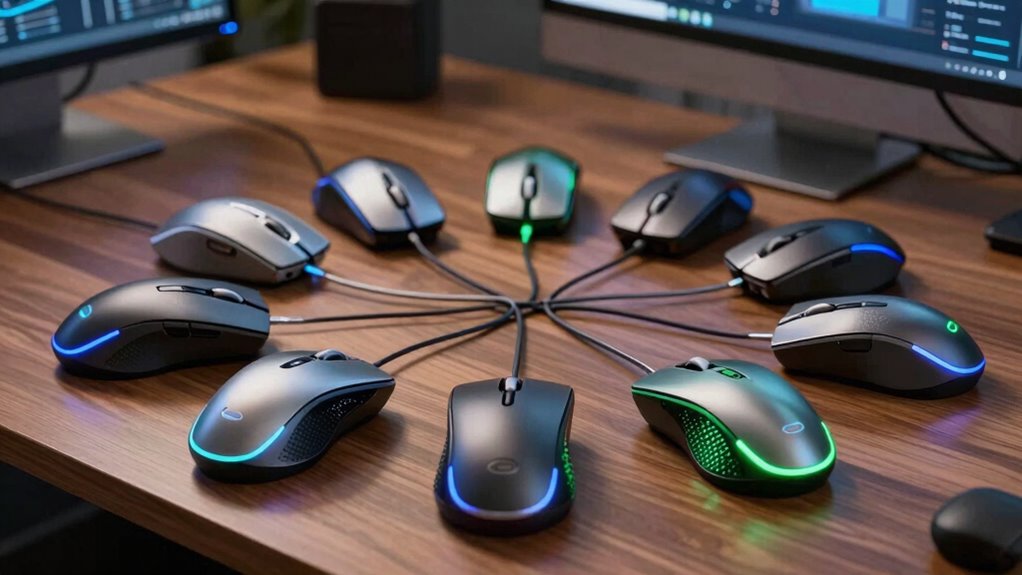

Finding the perfect mouse for productivity across multiple devices can be a game changer for your workflow. The best models allow seamless switching between devices like laptops, tablets, and desktops, while offering comfort and reliable performance. Top picks include the Logitech M720 Triathlon for its versatility and durability, and the Rapoo MT760 for its advanced connectivity features. However, these options come with tradeoffs, such as price, complexity, or size. Keep reading for a detailed breakdown that will help you choose the right multi-device mouse for your needs.

Get the latest gadgets delivered free with Prime
- Fast, free delivery on millions of items
- Prime Video, Amazon Music and more included
- Member-only deals all year
Complete the kit



Key Takeaways
- Seamless device switching is a key feature that separates top models from budget options.
- Ergonomic design remains important for long-term comfort during extended work sessions.
- Connectivity options like Bluetooth 5.0 and 2.4 GHz RF influence ease of use and reliability.
- Battery life varies significantly, impacting daily convenience and maintenance needs.
- Programmable buttons add productivity but may increase complexity for casual users.
| Logitech M720 Triathlon Full-Size Multi-Device Wireless Mouse – Black |  | Best Overall for Versatile Multi-Device Productivity | Battery Life: 24 months | Connectivity: Bluetooth, Logitech Unifying receiver | Compatible Devices: Computers, laptops, tablets, Windows, macOS, Chrome OS, Linux, iPadOS | VIEW ON AMAZON | See Our Full Breakdown |
| Logitech Signature Plus M750 L Wireless Mouse – Graphite |  | Best for Quiet Operation and Long Battery Life | Connectivity: Bluetooth | Battery Life: 24 months | Compatibility: Windows, macOS, Linux, ChromeOS, Android, iPadOS | VIEW ON AMAZON | See Our Full Breakdown |
| Lenovo 700 Multi-Device Wireless Mouse, Bluetooth or 2.4 GHz USB-A Connection, Connect up to 3 Devices, 36 Month Battery Life, Luna Grey |  | Best for Long-Lasting Multi-Device Connectivity | Connection: Bluetooth or 2.4 GHz USB-A | Device Connectivity: Up to 3 devices | Battery Life: 36 months | VIEW ON AMAZON | See Our Full Breakdown |
| Wireless Bluetooth Mouse, Multi-Device Ergonomic Mouse with 5 Programmable Buttons, 4-Way Metal Scroll Wheel, 4800 DPI Adjustable, 18-Month Battery Life, Silent Click, for Laptop, PC, Mac – Black | 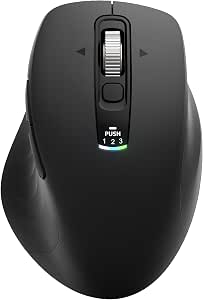 | Best for Customization and Precision | Connection Modes: 2.4G USB + Bluetooth | Number of Buttons: 5 | DPI: Up to 4800 | VIEW ON AMAZON | See Our Full Breakdown |
| Philips Ergonomic Wireless Mouse, Multi-Device Bluetooth, Silent, Rechargeable, Right-Handed |  | Best for Ergonomic Comfort and Seamless Multi-Device Switching | Connectivity Technology: Bluetooth, 2.4G Receiver | Additional Features: Ergonomic, Silent, Dual Scroll Wheels | Maximum Sensitivity: 4000 DPI | VIEW ON AMAZON | See Our Full Breakdown |
| Acer Ergonomic Wireless Rechargeable Mouse with Side Scroll for Laptop and Mac |  | Best Overall for Comfort and Seamless Multi-Device Switching | Connectivity: 2.4G and Bluetooth | DPI Settings: 800/1200/1600/2400/3200/4800 | Battery: 500mAh rechargeable, USB-C charging | VIEW ON AMAZON | See Our Full Breakdown |
| CITLLA Ergonomic Bluetooth Mouse for Laptop, Rechargeable Wireless Mouse with Multi-Device Switching, Silent Click, Flying Scroll & Thumb Wheel, 4800 DPI for PC, Mac, Tablet and Phone | 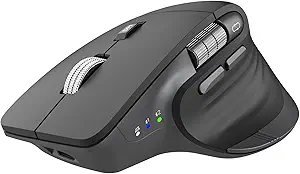 | Best for All-Day Comfort with Silent Operation and Long Battery Life | Connectivity: Bluetooth and 2.4G USB receiver | DPI: up to 4800 DPI | Battery: Rechargeable, USB-C, up to 60 days | VIEW ON AMAZON | See Our Full Breakdown |
| Rapoo MT760 Multi-Device Wireless Mouse, Bluetooth 5.0 & 2.4G, 11 Programmable Buttons, 4K DPI, Wireless Charging, Matte Black |  | Best for Customization and High-Precision Control | Connectivity: Bluetooth 5.0/3.0 and 2.4GHz tri-mode | DPI: 800/1000/1200/1600/2400/3200/4000 | Number of Buttons: 11 programmable | VIEW ON AMAZON | See Our Full Breakdown |
| Arteck Multi-Device Wireless Bluetooth Mouse with Ergonomic Design and Rechargeable Battery |  | Best for Budget-Friendly Multi-Device Productivity | Connectivity: Bluetooth | Device Support: 3 devices simultaneously | Buttons: 7 | VIEW ON AMAZON | See Our Full Breakdown |
| Wireless Bluetooth Rechargeable Mouse with 8 Programmable Buttons – Black |  | Best for Customizable Workflow and Silent Operation | Connectivity: Bluetooth 5.1, 2.4GHz USB-A | Number of Buttons: 8 programmable | Battery Capacity: 500 mAh | VIEW ON AMAZON | See Our Full Breakdown |
| mouse for productivity multi device | Connectivity | Battery Life |
|---|---|---|
| Logitech M720 Triathlon Full-S | Bluetooth, Logitech Unifying receiver | 24 months |
| Logitech Signature Plus M750 L | Bluetooth | 24 months |
| Lenovo 700 Multi-Device Wirele | — | 36 months |
| Wireless Bluetooth Mouse | — | 18 months |
| Philips Ergonomic Wireless Mou | — | 200 hours |
| Acer Ergonomic Wireless Rechar | 2.4G and Bluetooth | — |
| CITLLA Ergonomic Bluetooth Mou | Bluetooth and 2.4G USB receiver | — |
| Rapoo MT760 Multi-Device Wirel | Bluetooth 5.0/3.0 and 2.4GHz tri-mode | — |
| Arteck Multi-Device Wireless B | Bluetooth | — |
| Wireless Bluetooth Rechargeabl | Bluetooth 5.1, 2.4GHz USB-A | up to 90 days |
More Details on Our Top Picks
Logitech M720 Triathlon Full-Size Multi-Device Wireless Mouse – Black
The Logitech M720 Triathlon stands out as the best overall choice thanks to its exceptional support for multiple devices, seamless switching, and long battery life. It supports up to three devices via Bluetooth or the Unifying receiver, making it highly flexible for multi-platform setups—ideal for users who switch between work and personal computers. Compared with the Lenovo 700, it offers a slightly more refined ergonomic design and more straightforward customization, though it requires software for full button remapping. Its 24-month battery life reduces maintenance, but the need for software installation can be a hassle for those seeking plug-and-play simplicity. This mouse suits busy professionals and multitaskers who prioritize ease of use and durability over initial setup time.
Pros:- Long-lasting 24-month battery life minimizes interruptions
- Supports seamless switching between three devices via Bluetooth or receiver
- Customizable buttons enhance personalized workflows
- Ergonomic design offers comfort for right-handed users
Cons:- Requires software installation for full customization
- Designed primarily for right-handed users, limiting inclusivity
Best for: Professionals who regularly switch between multiple computers and value durability and customization
Not ideal for: Left-handed users or those who prefer a mouse with built-in, hardware-based customization without software dependencies
- Battery Life:24 months
- Connectivity:Bluetooth, Logitech Unifying receiver
- Compatible Devices:Computers, laptops, tablets, Windows, macOS, Chrome OS, Linux, iPadOS
- Number of Buttons:6
- Color:Black
Our verdict“This mouse is best suited for right-handed professionals who need reliable multi-device support and extensive customization options.”
Logitech Signature Plus M750 L Wireless Mouse – Graphite
The Logitech Signature Plus M750 L excels in delivering quiet clicks and a comfortable, ergonomic design, making it ideal for quiet environments and long work sessions. It supports multi-device switching via Bluetooth and offers a substantial 24-month battery life, aligning with the Lenovo 700’s impressive 36 months, though its reliance solely on Bluetooth limits connection options compared to models with dual receivers. Its large, right-handed shape caters well to users with bigger hands, but this makes it less suitable for smaller or more portable setups. Compared to the Microsoft Arc Mouse, its traditional form factor prioritizes comfort over portability. This mouse is perfect for office workers and multitaskers who need quiet operation and a dependable, ergonomic design.
Pros:- Quiet clicks reduce noise in shared or quiet environments
- Supports multi-device switching with Bluetooth
- Long battery life of up to 2 years
- Ergonomic, large right-handed design
Cons:- Limited to Bluetooth connectivity, no dual receiver option
- Less portable due to size and shape
Best for: Office workers and multitaskers prioritizing quiet clicks and ergonomic comfort for prolonged periods
Not ideal for: Travelers or users with smaller hands seeking a compact, portable mouse with multi-platform support beyond Bluetooth
- Connectivity:Bluetooth
- Battery Life:24 months
- Compatibility:Windows, macOS, Linux, ChromeOS, Android, iPadOS
- Features:Silent clicks, SmartWheel, customizable side buttons
- Size:Large
Our verdict“This mouse suits quiet, office-based multitaskers with large hands who prioritize comfort and long battery life over portability.”
Lenovo 700 Multi-Device Wireless Mouse, Bluetooth or 2.4 GHz USB-A Connection, Connect up to 3 Devices, 36 Month Battery Life, Luna Grey
The Lenovo 700 offers an exceptionally long battery life of 36 months, making it an appealing option for users seeking low-maintenance devices. Its ability to connect to three devices via Bluetooth or USB-A receiver makes it versatile, though the reliance on a single AA battery might require frequent replacements for heavy users. The silent operation and ergonomic shape support comfortable, distraction-free use, but its compatibility is limited to Windows and supported OS, unlike some competitors with broader OS support. Compared with the Philips mouse, the Lenovo’s longer battery life and multi-connection flexibility make it a solid choice for budget-conscious users who want dependable multi-device support without bells and whistles.
Pros:- Connects to up to three devices simultaneously
- Impressive 36-month battery life reduces maintenance
- Silent clicks for quiet operation
- Ergonomic and comfortable design
Cons:- Requires USB-A port or Bluetooth support, which may limit compatibility
- Uses a single AA battery, potentially requiring frequent replacement
Best for: Budget-conscious professionals needing long-term multi-device support with minimal upkeep
Not ideal for: Users with limited USB-A ports or those requiring cross-platform support with macOS or iOS
- Connection:Bluetooth or 2.4 GHz USB-A
- Device Connectivity:Up to 3 devices
- Battery Life:36 months
- Color:Luna Grey
- OS Support:Broad OS support
Our verdict“This mouse is a practical choice for users who prioritize long battery life and multi-device support on a budget.”
This Bluetooth wireless mouse offers impressive customization with five programmable buttons and a 4-way metal scroll wheel, aimed at users who need tailored workflows. Its adjustable DPI up to 4800 allows for precise control, especially beneficial for creative or detail-oriented tasks. The 18-month battery life balances good longevity with the need for a single AA battery, but it’s less than some competitors like the Lenovo 700. It supports multi-device switching, similar to the Logitech M720, but the ergonomic shape may be less suited for smaller hands or those seeking a more compact form. Compared to the Philips model, it emphasizes customization and control, making it ideal for power users who want to fine-tune their experience.
Pros:- Supports multi-device connection and easy switching
- Up to 4800 DPI for high-precision control
- Five programmable buttons for workflow customization
- Silent click design reduces noise
Cons:- Requires one AA battery, which is not included
- Ergonomic shape may not fit smaller hands comfortably
Best for: Power users and creatives needing high precision and extensive button customization
Not ideal for: Travelers or those with small hands seeking a compact, lightweight mouse
- Connection Modes:2.4G USB + Bluetooth
- Number of Buttons:5
- DPI:Up to 4800
- Battery Life:18 months
- Color:Black
Our verdict“This mouse is ideal for users who prioritize customization, high precision, and multi-device flexibility over portability.”
Philips Ergonomic Wireless Mouse, Multi-Device Bluetooth, Silent, Rechargeable, Right-Handed
The Philips Ergonomic Wireless Mouse excels in reducing wrist fatigue with its contoured right-handed design and anti-slip thumb rest. It supports seamless switching between up to three devices via Bluetooth and dual 2.4G receivers, making it suitable for multi-platform setups, including Windows, macOS, and mobile OS. Its rechargeable battery lasts up to 25 days on a single charge, with quick top-up charging for emergencies, a feature that surpasses many competitors in battery longevity. The dual scroll wheels and customizable buttons enhance productivity, but the need for specific software for button customization may be a barrier for some users. Compared to the Logitech M720, it offers better ergonomic support at the cost of slightly higher price and limited compatibility for non-USB or non-Bluetooth devices.
Pros:- Ergonomic design significantly reduces wrist fatigue
- Supports seamless switching between three devices
- Rechargeable battery lasts up to 25 days per charge
- Quiet clicks and dual scroll wheels enhance productivity
Cons:- Requires specific software for button customization
- Higher price point compared to basic mice
Best for: Ergonomic-conscious professionals who need seamless multi-device support and long battery life
Not ideal for: Users seeking a budget-friendly, simple mouse without advanced ergonomic features or multi-platform capabilities
- Connectivity Technology:Bluetooth, 2.4G Receiver
- Additional Features:Ergonomic, Silent, Dual Scroll Wheels
- Maximum Sensitivity:4000 DPI
- Battery Life:200 hours
- Range:42 feet
Our verdict“This mouse suits professionals who prioritize ergonomic comfort, multi-device flexibility, and long battery life over budget constraints.”
Acer Ergonomic Wireless Rechargeable Mouse with Side Scroll for Laptop and Mac
This mouse stands out for its ergonomic design, making long hours of productivity more comfortable than some competitors like the Rapoo MT760, which emphasizes customization over comfort. The Acer mouse supports effortless switching between three devices, ideal for users juggling multiple screens, but the non-programmable side scroll limits flexibility for advanced workflows. Its adjustable DPI and rechargeable USB-C battery make it practical for everyday use, though it requires a 1-2 week adjustment period to find the perfect fit. The side scroll wheel’s non-programmable nature could frustrate power users seeking more control. Compared to the CITLLA model, this is a better pick for those prioritizing ergonomic comfort over extensive customization.
Pros:- Ergonomic shape for extended comfort
- Supports seamless switching across three devices
- Adjustable DPI for precise control
- Rechargeable with USB-C charging
Cons:- Side scroll wheel cannot be programmed
- Requires adjustment period for optimal comfort
Best for: Professionals who need a comfortable, multi-device mouse with simple switching and prefer ergonomic design.
Not ideal for: Power users requiring extensive button customization or programmable scroll features.
- Connectivity:2.4G and Bluetooth
- DPI Settings:800/1200/1600/2400/3200/4800
- Battery:500mAh rechargeable, USB-C charging
- Weight:108g
- Side Scroll:Yes, non-programmable
- Compatibility:Laptop, Mac, Tablet
Our verdict“This mouse is best suited for users who prioritize comfort and straightforward multi-device switching over advanced customization.”
CITLLA Ergonomic Bluetooth Mouse for Laptop, Rechargeable Wireless Mouse with Multi-Device Switching, Silent Click, Flying Scroll & Thumb Wheel, 4800 DPI for PC, Mac, Tablet and Phone
Compared with the Rapoo MT760, the CITLLA mouse emphasizes a natural hand fit and quiet operation, making it ideal for shared workspaces. Its multi-device switching is smooth, but it relies on Bluetooth or USB receiver connections, which may pose compatibility issues for some users. The long-lasting battery, lasting up to 60 days, reduces downtime, yet the need for driver installation and limited color options can be inconvenient. The horizontal thumb wheel and silent clicks enhance productivity, but the setup complexity might deter casual users. This choice makes the most sense for those who value quiet, ergonomic operation over extensive customization options found in the Rapoo.
Pros:- Reduces wrist strain with ergonomic design
- Supports multi-device switching seamlessly
- Long battery life with USB-C recharge
- Quiet, click sound for shared environments
Cons:- Requires Bluetooth or USB receiver connection
- Limited color options
Best for: Office workers or students needing a quiet, ergonomic mouse for daily multi-device use.
Not ideal for: Users who prefer plug-and-play devices or require extensive button programming without dealing with drivers.
- Connectivity:Bluetooth and 2.4G USB receiver
- DPI:up to 4800 DPI
- Battery:Rechargeable, USB-C, up to 60 days
- Compatibility:Windows, Mac, ChromeOS, Linux, iPadOS, Android
- Special Features:Multi-device switching, silent clicks, horizontal thumb wheel
Our verdict“Ideal for users who want a quiet, ergonomic mouse for regular multi-device productivity without complex setup.”
Rapoo MT760 Multi-Device Wireless Mouse, Bluetooth 5.0 & 2.4G, 11 Programmable Buttons, 4K DPI, Wireless Charging, Matte Black
Compared to the Arteck model, the Rapoo MT760 offers more programmable buttons and a higher DPI ceiling, which appeals to users needing tailored workflows and precise navigation. Its tri-mode connection ensures smooth switching across multiple devices, but setup involves driver installation and, for full control, Wi-Fi or Ethernet configuration—adding complexity. The wireless charging feature is a convenience, yet the battery life can vary based on intensive use. The ergonomic, matte finish supports comfortable extended use, but the need for driver updates and separate wireless charging module could be a hassle for casual users. This mouse caters best to power users who want customization and high sensitivity over simplicity.
Pros:- Supports multiple devices with seamless switching
- 11 programmable buttons for customization
- High DPI up to 4000 for precision
- Wireless charging for convenience
Cons:- Requires driver installation and network setup
- Wireless charging module sold separately
Best for: Advanced users who need extensive button remapping, high DPI, and seamless device switching.
Not ideal for: Casual users seeking simple plug-and-play mice without driver or network setup.
- Connectivity:Bluetooth 5.0/3.0 and 2.4GHz tri-mode
- DPI:800/1000/1200/1600/2400/3200/4000
- Number of Buttons:11 programmable
- Battery:800mAh Li-po
- Charging:USB-C quick charge, wireless charging
- Compatibility:PC, laptop, smartphone, iPad
Our verdict“This mouse is best suited for tech-savvy users demanding extensive customization and high sensitivity for productivity multitasking.”
Arteck Multi-Device Wireless Bluetooth Mouse with Ergonomic Design and Rechargeable Battery
Compared with the CITLLA, the Arteck mouse emphasizes simplicity and affordability while supporting three devices simultaneously. Its ergonomic shape offers all-day comfort, and the rechargeable battery lasts up to four months, which is impressive for a budget model. The limited buttons (seven total) and lower DPI range suit users with basic navigation needs, but the lack of programmable buttons and slightly less refined build may disappoint power users. Setup is straightforward, but it’s limited to Bluetooth-only connections, which could restrict compatibility with some older devices. This mouse offers a balanced mix of comfort and affordability, making it ideal for casual multitaskers.
Pros:- Supports connection to three devices simultaneously
- Ergonomic for long-term comfort
- Rechargeable with up to four months of use
- Affordable price point
Cons:- Limited to Bluetooth connection only
- Fewer buttons and features compared to premium options
Best for: Budget-conscious users who want ergonomic comfort and multi-device support without advanced customization.
Not ideal for: Power users needing extensive button programming or high DPI for detailed work.
- Connectivity:Bluetooth
- Device Support:3 devices simultaneously
- Buttons:7
- DPI Settings:800 / 1200 / 1600 / 2000 / 2400
- Battery:Rechargeable lithium, up to 4 months
Our verdict“A practical choice for casual users seeking ergonomic multi-device support at an affordable price point.”
Wireless Bluetooth Rechargeable Mouse with 8 Programmable Buttons – Black
Compared with the Arteck, this mouse offers more buttons (eight versus seven) and a metal scroll wheel, catering to users who want personalized shortcuts. Its dual-mode connectivity via Bluetooth 5.1 and 2.4GHz USB-A provides flexibility, but setup can be more involved, especially since button customization requires manual configuration and software on Windows or Mac. The adjustable DPI and silent operation make it suitable for focused work environments, though some may find the lack of dedicated multi-device switching features limiting. The long battery life and multi-device support make it a versatile choice for users who value customization and quiet operation in their workflow.
Pros:- Supports multi-device switching with dual-mode connectivity
- 8 programmable buttons for workflow customization
- Silent operation reduces workspace noise
- Long battery life with 90-day estimate
Cons:- Button customization requires software setup
- Software is only compatible with Windows and Mac
Best for: Users who want high customization, silent operation, and multi-device support for productivity tasks.
Not ideal for: Casual users or those without Bluetooth or willing to deal with software setup for button remapping.
- Connectivity:Bluetooth 5.1, 2.4GHz USB-A
- Number of Buttons:8 programmable
- Battery Capacity:500 mAh
- Charging Time:2 hours
- Battery Life:up to 90 days
- Scroll Wheel:Metal smart flying scroll
Our verdict“Ideal for power users who prioritize customization and quiet operation over plug-and-play simplicity.”

How We Picked
To evaluate these mice, I focused on performance, ease of multi-device switching, build quality, ergonomic comfort, and battery life. The best models needed to support smooth transitions between multiple devices without lag or interruption. I also considered value for money, noting how features like programmable buttons and connectivity options correspond to different user needs. The ranking reflects a balance of reliability, usability, and overall value, with the top choices standing out for their versatility and user-friendly features in multi-device environments.Factors to Consider When Choosing Mouse For Productivity Multi Device
Choosing a mouse for productivity across multiple devices involves weighing several important factors. Beyond connectivity, consider ergonomic comfort, battery life, and the ease of switching between devices. It’s easy to overpay for bells and whistles you won’t use, or to overlook features that could streamline your workflow. This guide highlights the key considerations so you can make an informed decision tailored to your work style and device setup.Connectivity and Device Compatibility
Ensuring your mouse can connect reliably via Bluetooth or a dedicated receiver is crucial. Some mice support both, giving flexibility, but may come at a higher cost. Compatibility with your operating systems—Windows, macOS, or mobile platforms—also matters. Devices that support Bluetooth 5.0 or dual wireless connections often offer more stable and quick switching, reducing frustration during busy work sessions.
Ease of Switching Between Devices
Look for mice with dedicated buttons or easy-to-access switches for multiple devices. Some models support automatic switching, which can save time, but they might be less predictable. The complexity of switching features should match your workflow—casual users may prefer simple one-click solutions, while power users benefit from seamless, automatic transitions. Consider whether you need a mouse that remembers specific device pairings or can switch instantly with a button press.
Ergonomic Design and Comfort
Long hours at a desk demand a comfortable shape and feel. Ergonomic mice reduce strain on your hand and wrist, especially if you switch devices frequently. However, larger, more supportive designs might sacrifice portability, while compact ones may cause discomfort over time. Testing the shape and grip style—palm, claw, or fingertip—can help match a mouse to your hand size and work habits.
Battery Life and Charging
For productivity, a mouse with long battery life minimizes disruptions. Rechargeable options are convenient but may require regular charging if the capacity is limited. Some models support wireless charging or have ultra-efficient power management, which can be an advantage. Consider how often you’ll need to recharge or replace batteries, especially if you work remotely or travel frequently.
Additional Features and Customization
Programmable buttons, adjustable DPI, and scroll wheel options enhance productivity but can add complexity. Evaluate whether these features are worth the extra cost or learning curve. Advanced customization can streamline repetitive tasks, but for casual use, a simpler interface might suffice. Also, consider design elements like silent clicks or textured grips that improve user experience during extended use.
Frequently Asked Questions
Can a multi-device mouse work with both Windows and Mac systems?
Yes, many multi-device mice support both Windows and macOS, but it’s important to verify compatibility before purchasing. Some mice may require specific drivers or software to enable full functionality, especially for programmable buttons. Check the product specifications to ensure seamless operation across your devices, and consider models that explicitly list support for both operating systems for hassle-free use.
How does switching between devices affect productivity?
Switching smoothly between multiple devices can significantly boost productivity by reducing downtime and minimizing the need for multiple mice or manual reconnections. Mice with dedicated switching buttons or automatic recognition streamline this process, allowing you to move fluidly between tasks on different screens. However, overly complex switching setups might add confusion, so choose a model that matches your comfort level and workflow complexity.
Is wireless charging worth it in a multi-device mouse?
Wireless charging can add convenience, especially if you work in a fixed location and want to avoid cable clutter. It ensures the mouse remains powered without frequent battery replacements, which benefits those who prioritize maintenance ease. However, wireless charging pads or stations add cost and require dedicated space. For casual or infrequent use, traditional rechargeable models might be more practical and cost-effective.
Should I prioritize DPI or other advanced features?
High DPI settings can improve precision, especially for detailed work or design tasks, but they are less critical for general productivity. More important are features like reliable switching, ergonomic comfort, and battery life. Advanced features like programmable buttons or customizable scroll wheels enhance workflow, but only if they align with your specific needs. Focus on the features that directly impact your daily tasks to get the best value.
Are budget multi-device mice suitable for professional use?
Budget options can handle basic multi-device switching but often lack durability, advanced connectivity, or ergonomic design. They may work well for light, casual tasks but could cause discomfort or reliability issues during long work sessions. If your workflow depends heavily on seamless switching and comfort, investing in a higher-quality model might be worth the additional cost. For occasional use, a budget mouse can suffice, but for daily professional work, choose a more robust option.
Conclusion
For general office work and everyday multi-device use, the Logitech M720 Triathlon offers excellent versatility and durability. If you seek premium features and sleek design, the Rapoo MT760 is a strong candidate. Beginners or casual users will appreciate the simplicity of models like the Arteck Mouse, while power users who want advanced customization should consider options with programmable buttons and high DPI. Those working across many devices or long hours should prioritize ergonomic comfort and long battery life to keep productivity high.Halloween Picks
halloween
As an affiliate, we earn on qualifying purchases.