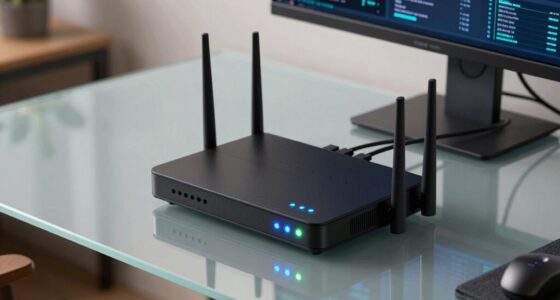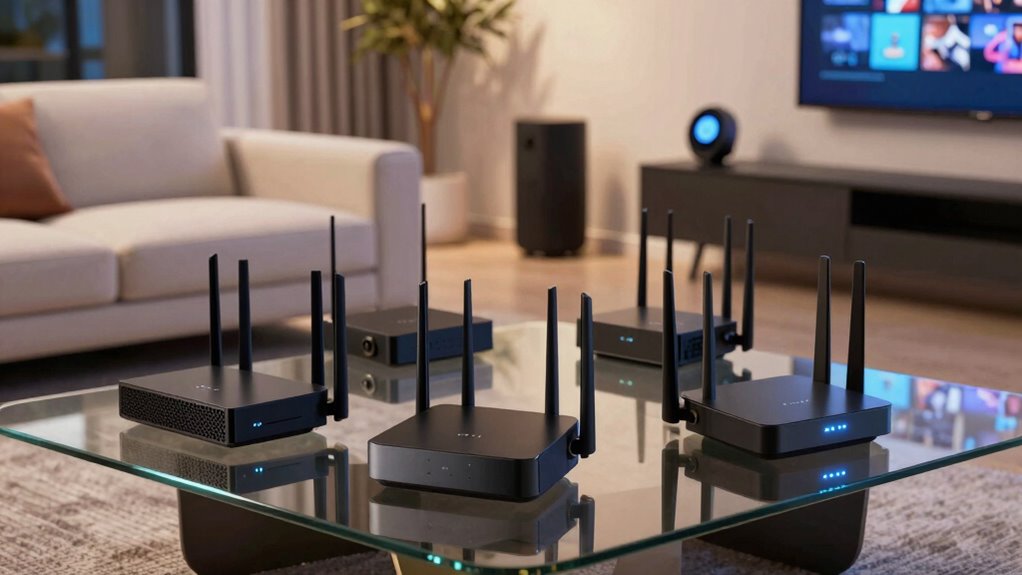

A smart home lives or dies by its router, because every smart plug, bulb, camera, and thermostat adds another device competing for bandwidth and a stable connection. After comparing six popular options, the TP-Link Archer AXE75 stands out as the best overall router for smart home devices thanks to its tri-band design, which gives crowded device networks room to breathe without slowing down phones and laptops. If your budget is tight, the TP-Link Archer AX21 delivers dependable WiFi 6 performance at a fraction of the cost, while the NETGEAR Nighthawk RS90 is the premium pick for large homes ready for WiFi 7. The main tradeoff in this category is between raw speed for streaming and gaming versus connection stability for dozens of small smart devices — the two don’t always go hand in hand. Keep reading for the full breakdown of what each router does well and where it falls short.

Get the latest gadgets delivered free with Prime
- Fast, free delivery on millions of items
- Prime Video, Amazon Music and more included
- Member-only deals all year
Complete the kit



Key Takeaways
- Tri-band routing (the Archer AXE75) proved to be the biggest differentiator for smart homes, because dedicating one band to IoT devices keeps cameras and sensors from fighting with streaming traffic.
- The 2.4GHz band still carries most smart home traffic, so budget single-band options like the DBIT T1 Pro can work for small apartments — but they choke once you add cameras or media streaming.
- WiFi 7 (the Nighthawk RS90) is overkill for most smart homes today; its value comes from coverage area and headroom, not from smart device compatibility, since almost no smart devices use WiFi 7 yet.
- All three TP-Link options include HomeShield-style parental and IoT controls, which mattered more for managing 30+ devices than raw throughput numbers did.
- The NETGEAR R6700AX and TP-Link Archer AX21 offer nearly identical AX1800 specs on paper, but setup ease and app quality separate them for beginners.
| NETGEAR Nighthawk WiFi 6 Router (R6700AX) – AX1800 |  | Best Overall | WiFi Standard: WiFi 6 (802.11ax), backward compatible | Max Speed: 1.8 Gbps | Coverage Area: Up to 1,500 sq. ft. | VIEW ON AMAZON | See Our Full Breakdown |
| DBIT T1 Pro N300 2.4GHz WiFi Router with WISP Repeater Mode |  | Best Budget Pick for Basic Smart Devices | Speed: 300 Mbps (2.4 GHz) | Wi-Fi Standard: 802.11b/g/n (Wi-Fi 4) | Security: WPA-PSK, WPA2-PSK | VIEW ON AMAZON | See Our Full Breakdown |
| TP-Link Archer A54 AC1200 Dual-Band Wi-Fi Router | 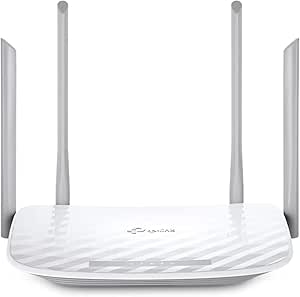 | Best Value for Small Homes | Wi-Fi Class: AC1200 (Wi-Fi 5) | Bands: Dual-band 2.4 GHz and 5 GHz | Max Speeds: 867 Mbps (5 GHz), 300 Mbps (2.4 GHz) | VIEW ON AMAZON | See Our Full Breakdown |
| NETGEAR Nighthawk RS90 WiFi 7 Router, 3.6 Gbps |  | Best Premium Pick | WiFi Standard: WiFi 7 | Bands: Dual-band (2.4 GHz and 5 GHz) | Max Wireless Speed: 3.6 Gbps | VIEW ON AMAZON | See Our Full Breakdown |
| TP-Link Archer AXE75 AXE5400 Tri-Band WiFi 6E Router |  | Best for Device-Heavy Homes | WiFi Standard: WiFi 6E | Band Type: Tri-band (2.4 / 5 / 6 GHz) | Total WiFi Speed: Up to 5,400 Mbps | VIEW ON AMAZON | See Our Full Breakdown |
| TP-Link Archer AX21 V5 AX1800 Wi-Fi 6 Router |  | Best Value Smart Home Pick | Wi-Fi standard: Wi-Fi 6 (802.11ax) | Wireless bands: Dual-band: 2.4 GHz and 5 GHz | Maximum combined bandwidth: 1.8 Gbps | VIEW ON AMAZON | See Our Full Breakdown |
| router for smart home device | WiFi Standard | Bands | Security | Antennas |
|---|---|---|---|---|
| NETGEAR Nighthawk WiFi 6 Route | WiFi 6 (802.11ax), backward compatible | 2.4 GHz and 5 GHz | WPA3, automatic firmware updates, guest network | — |
| DBIT T1 Pro N300 2.4GHz WiFi R | — | — | WPA-PSK, WPA2-PSK | 2 fixed |
| TP-Link Archer A54 AC1200 Dual | — | Dual-band 2.4 GHz and 5 GHz | WPA3, WPA2-PSK, WPA2-Enterprise | 4 external fixed |
| NETGEAR Nighthawk RS90 WiFi 7 | WiFi 7 | Dual-band (2.4 GHz and 5 GHz) | — | — |
| TP-Link Archer AXE75 AXE5400 T | WiFi 6E | — | — | — |
| TP-Link Archer AX21 V5 AX1800 | — | — | — | 4 high-gain antennas |
More Details on Our Top Picks
NETGEAR Nighthawk WiFi 6 Router (R6700AX) – AX1800
This model earns the top spot because it balances WiFi 6 speed, 20-device capacity, and WPA3 security at a mid-range level most smart home owners actually need. Compared with the TP-Link Archer A54, the R6700AX’s WiFi 6 radios handle many small smart home packets more efficiently than the A54’s older AC standard, which matters when bulbs, cameras, and speakers all ping the network constantly. The four gigabit LAN ports also outclass the DBIT T1 Pro’s 100 Mbps ports for wired hubs and cameras. The tradeoff: 1,500 sq. ft. of coverage is realistic for a single-floor home but optimistic for multi-story layouts, and the bundled NETGEAR Armor security turns into a paid subscription after 30 days — though WPA3 and automatic firmware updates work without paying anything.
Pros:- WiFi 6 with OFDMA handles dozens of simultaneous smart devices without congestion
- WPA3 encryption and automatic firmware updates included at no extra cost
- Four gigabit LAN ports for wired smart hubs, cameras, and switches
- Simple app-based setup and remote management
Cons:- Rated coverage falls short in multi-story or wall-heavy homes
- NETGEAR Armor security requires a paid subscription after the trial
- May need bridge mode configuration if replacing a modem/router combo
Best for: Owners of 20-30 smart devices in a single-floor or modest two-bedroom home who want WiFi 6 efficiency without mesh complexity
Not ideal for: Multi-story homes over 1,500 sq. ft. — walls and floors will create dead zones a single unit can’t fix
- WiFi Standard:WiFi 6 (802.11ax), backward compatible
- Max Speed:1.8 Gbps
- Coverage Area:Up to 1,500 sq. ft.
- Max Connected Devices:20
- Bands:2.4 GHz and 5 GHz
- LAN Ports:4 x 1 Gig Ethernet
- Security:WPA3, automatic firmware updates, guest network
- App:NETGEAR Nighthawk app (iOS/Android)
Our verdict“The safest all-around pick for a typical smart home that needs modern WiFi 6 capacity and solid security without paying for features it won’t use.”
DBIT T1 Pro N300 2.4GHz WiFi Router with WISP Repeater Mode
Most smart home gadgets — plugs, bulbs, sensors, and security cameras — only use the 2.4 GHz band, and that’s exactly the one band this router provides. That narrow focus is what makes it a smart budget play: instead of paying for 5 GHz and 6 GHz radios your smart devices can’t touch, you get a cheap, dedicated network for the Internet of Things. The WISP repeater mode is a genuine differentiator — none of the other picks here can retransmit an existing Wi-Fi signal, which makes it handy for isolating smart devices on a separate network away from your main one. Be clear-eyed about limits: 300 Mbps on Wi-Fi 4 and 100 Mbps LAN ports put 4K streaming and fast file transfers out of reach, and compared with the Archer A54’s dual-band setup it will feel sluggish for anything bandwidth-heavy.
Pros:- WISP/repeater mode extends existing Wi-Fi or creates a segregated IoT network
- Guest network, parental controls, and WLAN scheduling included at no cost
- QoS bandwidth prioritization helps protect camera feeds from congestion
- Simple WPS button and web UI setup
Cons:- Single-band 2.4 GHz only — no 5 GHz for phones, laptops, or 4K streaming
- LAN ports capped at 100 Mbps
- Requires a separate modem or ONT; no built-in modem
Best for: Buyers setting up a dedicated 2.4 GHz network just for IoT gadgets, cameras, and smart plugs on a tight budget
Not ideal for: Households that also stream, game, or work from home on the same router — 300 Mbps single-band Wi-Fi 4 can’t keep up
- Speed:300 Mbps (2.4 GHz)
- Wi-Fi Standard:802.11b/g/n (Wi-Fi 4)
- Security:WPA-PSK, WPA2-PSK
- Ports:4 x 10/100 Mbps LAN
- Antennas:2 fixed
- Modes:Router, WISP/Repeater
- Setup:WPS push button / web UI
Our verdict“A purpose-built secondary router for cheap 2.4 GHz smart gear — just don’t ask it to run your whole household.”
TP-Link Archer A54 AC1200 Dual-Band Wi-Fi Router
If the R6700AX is more router than your gadget count demands, the Archer A54 covers the smart home basics well for less. Its dual-band design lets you park bandwidth-hungry devices on 5 GHz while smart plugs and sensors share 2.4 GHz — something the single-band DBIT T1 Pro simply can’t do. The standout long-term feature is EasyMesh compatibility: unlike a fixed standalone router, you can later add compatible nodes instead of throwing the whole unit away, which the similarly app-managed Nighthawk R6700AX doesn’t support. WPA3 security is a pleasant surprise at this level. The honest tradeoffs: it’s still Wi-Fi 5, so efficiency with 20+ simultaneous devices trails the R6700AX’s WiFi 6 radios, and 1,000 sq. ft. of coverage suits apartments and small houses, not sprawling layouts.
Pros:- Dual-band keeps smart devices and streaming traffic separated
- EasyMesh compatibility allows adding mesh nodes later
- WPA3 security support
- Access Point mode adds flexibility in existing networks
Cons:- Wi-Fi 5 standard is less efficient with many simultaneous devices than WiFi 6 rivals
- Requires a separate modem for most providers
- Real-world coverage drops off with walls and floors
Best for: Apartment dwellers and small-home owners with 10-15 smart devices who want dual-band Wi-Fi and a mesh upgrade path without spending much
Not ideal for: Large homes or device-heavy setups — Wi-Fi 5 capacity and 1,000 sq. ft. coverage will strain quickly
- Wi-Fi Class:AC1200 (Wi-Fi 5)
- Bands:Dual-band 2.4 GHz and 5 GHz
- Max Speeds:867 Mbps (5 GHz), 300 Mbps (2.4 GHz)
- Coverage:Up to 1,000 sq. ft.
- Antennas:4 external fixed
- Security:WPA3, WPA2-PSK, WPA2-Enterprise
- Modes:Router, Access Point
- Mesh Compatibility:EasyMesh
Our verdict“The most sensible low-cost entry point for small homes, especially for buyers who want the option to expand into mesh later.”
NETGEAR Nighthawk RS90 WiFi 7 Router, 3.6 Gbps
For homes where the smart device count keeps climbing, the RS90’s 50-device capacity and WiFi 7 radios are the ceiling-raiser in this lineup. Its 2.5G WAN port matters if you have a multi-gig fiber plan — the R6700AX and AXE75 both bottleneck wired throughput at lower WAN speeds — and WiFi 7’s improved efficiency means less lag when cameras, TVs, and voice assistants compete for airtime. At 2,000 sq. ft. of rated coverage, it out-reaches every other single unit here. The reality check: full WiFi 7 speed requires WiFi 7 client devices, and most smart home gadgets today will happily run on the R6700AX for less money, so this is a buy-the-future purchase. The Armor subscription upsell after 30 days is the same annoyance as its cheaper sibling.
Pros:- WiFi 7 performance with headroom for years of device growth
- Supports up to 50 connected devices
- 2.5G WAN port for multi-gig internet plans
- 2,000 sq. ft. rated coverage, the largest single-unit range here
Cons:- Full speed benefits require WiFi 7-compatible client devices
- NETGEAR Armor security becomes a paid subscription after trial
- Overkill for households with a dozen older smart gadgets
Best for: Tech-forward households with 30-50 connected devices, multi-gig internet plans, and newer laptops or phones that can use WiFi 7
Not ideal for: Budget-conscious buyers with mostly older smart devices — a WiFi 6 router like the R6700AX delivers nearly the same real-world result for less
- WiFi Standard:WiFi 7
- Bands:Dual-band (2.4 GHz and 5 GHz)
- Max Wireless Speed:3.6 Gbps
- Coverage:Up to 2,000 sq. ft.
- Device Capacity:Up to 50 devices
- WAN Port:1 x 2.5 Gigabit
- LAN Ports:4 x 1 Gigabit Ethernet
- Management:Nighthawk app (iOS/Android)
Our verdict“The forward-looking choice for device-dense homes on fast internet plans — if your gadgets can actually use what it offers.”
TP-Link Archer AXE75 AXE5400 Tri-Band WiFi 6E Router
The AXE75 takes a different approach to congestion than the RS90: instead of WiFi 7 speed, it adds a third dedicated 6 GHz band — essentially a private lane for your newest phones, laptops, and streaming boxes, which frees the 2.4 GHz band entirely for smart home gear. That makes it arguably the smartest architecture in this lineup for mixed device ages: old Wi-Fi 4 plugs on 2.4 GHz, mid-range gadgets on 5 GHz, and modern gear on 6 GHz. The built-in VPN server and client support is unique here, letting you secure remote camera access without third-party services. Tradeoffs are real: only WiFi 6E-compatible devices can use the 6 GHz band, HomeShield’s best features sit behind a paywall, and its single-unit coverage doesn’t match the RS90’s 2,000 sq. ft. rating, though EasyMesh nodes can fill gaps.
Pros:- Tri-band design isolates device generations to reduce congestion
- Built-in VPN server and client (OpenVPN/PPTP/L2TP) for secure remote access
- OFDMA improves capacity for many simultaneous smart devices
- EasyMesh compatibility for adding coverage nodes later
Cons:- 6 GHz band only benefits WiFi 6E-compatible devices
- HomeShield’s advanced security features require a paid plan
- Single-unit coverage trails the Nighthawk RS90
Best for: Households mixing old smart devices with newer 6E-capable phones and laptops who want each generation on its own band
Not ideal for: Homes where all client devices are older than WiFi 6E — the third band would sit unused while costing you money
- WiFi Standard:WiFi 6E
- Band Type:Tri-band (2.4 / 5 / 6 GHz)
- Total WiFi Speed:Up to 5,400 Mbps
- 6 GHz Speed:2,402 Mbps
- CPU:1.0 GHz dual-core
- Memory:512 MB
- VPN Support:Server and Client (OpenVPN/PPTP/L2TP)
- Mesh Compatibility:EasyMesh
- Warranty:2 years
Our verdict“The best pick for homes juggling old and new devices at once, thanks to tri-band separation and unusual extras like built-in VPN support.”
TP-Link Archer AX21 V5 AX1800 Wi-Fi 6 Router
I’d put the TP-Link Archer AX21 V5 in the value slot for a smart home that mostly needs dependable dual-band coverage, not a full Wi-Fi 7 upgrade. Its Wi-Fi 6 OFDMA matters because bulbs, plugs, cameras, and sensors can share airtime more calmly than on an older AC router such as the TP-Link Archer A54. The four high-gain antennas and beamforming suit apartments and smaller houses, while OpenVPN and PPTP server support gives remote access without another box. Compared with the NETGEAR Nighthawk R6700AX, this model feels less about brand styling and more about practical AX1800 basics. The tradeoffs are real: it needs a separate modem, skips 6 GHz, and speed falls off with walls and distance.
Pros:- Wi-Fi 6 OFDMA helps many small smart-home devices share the network more efficiently
- Four high-gain antennas and beamforming support steadier coverage in modest-sized homes
- OpenVPN and PPTP server support add remote-access flexibility
- Balanced AX1800 speeds fit mixed streaming, browsing, and smart-home traffic
Cons:- A separate modem is still required
- No 6 GHz band limits future-proofing for newer Wi-Fi 6E devices
- Wireless speed can drop with distance, walls, and interference
Best for: Apartment dwellers or first-time smart-home owners who want an accessible Wi-Fi 6 router for bulbs, plugs, cameras, and streaming.
Not ideal for: Large homes or buyers with many 6 GHz-ready devices who need broader spectrum and more premium throughput.
- Wi-Fi standard:Wi-Fi 6 (802.11ax)
- Wireless bands:Dual-band: 2.4 GHz and 5 GHz
- Maximum combined bandwidth:1.8 Gbps
- 5 GHz speed:Up to 1200 Mbps
- 2.4 GHz speed:Up to 574 Mbps
- Antennas:4 high-gain antennas
- VPN server support:OpenVPN and PPTP
- Modem requirement:Separate modem required
- 6 GHz support:No
Our verdict“Choose this if you want a sensible dual-band Wi-Fi 6 router for everyday smart-home gadgets and can live without 6 GHz or a built-in modem.”
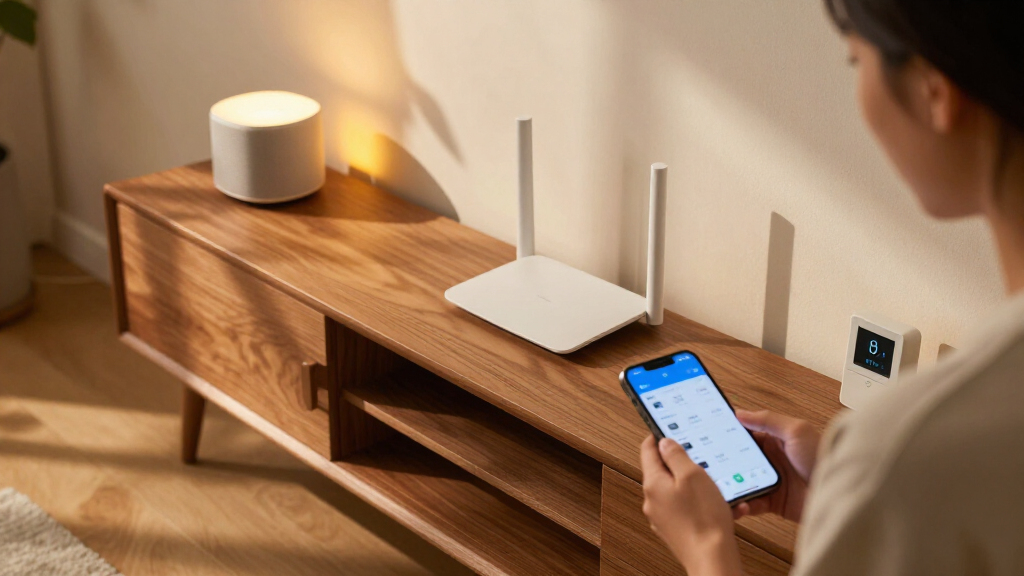
How We Picked
My ranking logic for this roundup centers on one question: which router keeps dozens of small, always-on devices connected reliably? That demands different priorities than a gaming router guide. I weighted concurrent device capacity, quality of the 2.4GHz band (where most smart plugs, bulbs, and sensors live), ease of setup and device management through a mobile app, and coverage area relative to home size. Raw top speeds mattered least, because a smart plug uses a tiny fraction of available bandwidth — stability and band separation matter far more.
I also factored in software support and security features, since routers are a common weak point in smart home security. Products were then ordered by how well they balance those needs at their respective tiers: the AXE75 takes the top spot for tri-band flexibility, the AX21 wins on value, the RS90 covers the premium tier, the R6700AX serves large single-floor homes, the Archer A54 handles budget dual-band needs, and the T1 Pro fills the ultra-basic niche. Every pick has real drawbacks noted, because no single router suits every household.
| router for smart home device | WiFi Standard | Security |
|---|---|---|
| NETGEAR Nighthawk WiFi 6 Route | WiFi 6 (802.11ax), backward compatible | WPA3, automatic firmware updates, guest network |
| DBIT T1 Pro N300 2.4GHz WiFi R | — | WPA-PSK, WPA2-PSK |
| TP-Link Archer A54 AC1200 Dual | — | WPA3, WPA2-PSK, WPA2-Enterprise |
| NETGEAR Nighthawk RS90 WiFi 7 | WiFi 7 | — |
| TP-Link Archer AXE75 AXE5400 T | WiFi 6E | — |
| TP-Link Archer AX21 V5 AX1800 | — | — |
Factors to Consider When Choosing Router For Smart Home Devices
Choosing a router for a smart home involves different tradeoffs than buying one for pure speed. These are the factors I’d weigh before spending anything, and the mistakes I’d avoid along the way.Device Count Matters More Than Speed
The single biggest mistake smart home buyers make is shopping for throughput instead of concurrent connection capacity. A router rated for 3 Gbps can still drop connections if its processor struggles to juggle 40 simultaneous devices, while a slower tri-band model handles them gracefully. Count every device you own — bulbs, plugs, cameras, thermostats, locks — and assume that number will double within two years. As a rough rule, homes with under 20 devices can get by with a basic dual-band router, while anything above 30 devices justifies tri-band or a mesh system. This is why I ranked tri-band options higher despite mid-tier speed ratings. Cheaper routers often quote impressive speeds but quietly limit how many clients connect stably at once, a spec buried or absent from most listings.
Don’t Overlook the 2.4GHz Band
Almost every smart plug, sensor, and budget bulb connects only to 2.4GHz, yet this band gets the least attention in router marketing. A router can have blazing 5GHz and 6GHz performance while offering a crowded, unreliable 2.4GHz radio — and your smart home will suffer for it. Some modern routers try to combine bands under one network name (band steering), which occasionally confuses older smart devices during setup. If you’ve ever had a smart plug refuse to pair, band steering was a likely culprit. Look for routers that let you split 2.4GHz into its own visible network, a feature all three TP-Link models in this roundup support. Single-band routers like the DBIT T1 Pro skip the problem entirely, but that convenience comes at the cost of any fast traffic on your network.
Coverage Area and Home Layout
Manufacturer coverage figures (like 1,500 or 2,000 square feet) assume open floor plans with minimal interference, so treat them as optimistic upper bounds. Walls, appliances, floors, and even your neighbor’s network can cut real coverage dramatically. A smart home compounds this problem because devices like garage door controllers and outdoor cameras live at the network’s edge, exactly where weak signal meets the devices that least tolerate it. If your smart devices are dropping offline in far corners of the house, a single router upgrade may not fix it — a mesh system or a router with strong antenna design might. Before buying, walk your home and note where current dead zones sit. That map tells you whether you need a stronger router or a second access point more than any spec sheet will.
Security Features for IoT Traffic
Smart home devices are notorious for weak individual security, which makes your router the last line of defense. Router-level features like automatic firmware updates, guest network isolation, and IoT-specific firewalls can block compromised devices from reaching the rest of your network. Putting all smart devices on a separate guest or IoT network is one of the cheapest security wins available — if a bulb gets hacked, the attacker can’t see your laptop. TP-Link’s HomeShield and NETGEAR’s app both offer some form of this, though advanced protections often sit behind subscriptions. I’d weigh built-in free features heavily and treat paid tiers as optional extras rather than buying reasons. A router that hasn’t received firmware updates in over a year is a liability no matter how fast it is.
When to Pay More — and When Not To
Spending more makes sense for three reasons: large homes, heavy device counts, or multi-gig internet plans. Beyond that, premium routers mostly buy speed your smart home will never use. WiFi 6E and WiFi 7 routers shine when 4K streaming, gaming, and large file transfers share the network with IoT traffic, but a house full of plugs and bulbs on a 200 Mbps plan gains nothing from a WiFi 7 upgrade. The smarter move for many buyers is a mid-range WiFi 6 router plus a mesh extender, rather than one flagship router. Subscription creep is another trap: some premium routers gate basic parental controls or security behind monthly fees that add up to the router’s cost within a couple of years. Match the router tier to your actual home size and internet plan, not to future-proofing anxiety.
Frequently Asked Questions
Do I need WiFi 6 or WiFi 7 for my smart home devices?
Almost no smart home devices currently support WiFi 7, and only a small subset uses WiFi 6, so buying a WiFi 7 router for IoT compatibility alone doesn’t pay off. The real benefit of newer standards for smart homes is indirect: better processing and OFDMA technology let the router handle many simultaneous low-bandwidth connections more efficiently. WiFi 6 hits the sweet spot for most households, offering that efficiency gain at a much lower price than WiFi 7 hardware like the Nighthawk RS90. I’d only recommend WiFi 7 if you have a multi-gig internet plan, a large home, or you genuinely plan to keep the router for five-plus years. Otherwise, a solid WiFi 6 router serves a smart home just as well and leaves budget for extenders if needed.
How many devices can one router handle before I need a mesh system?
Most quality routers handle 25 to 35 devices comfortably, and tri-band models like the Archer AXE75 can push higher because IoT traffic gets its own lane. The trouble starts not at a specific number but when the router’s processor saturates — symptoms include devices randomly dropping offline, delayed voice assistant responses, and cameras that stutter at night when everything checks in. If you’re seeing those signs with 30-plus devices, a mesh system is usually a better fix than a faster single router. Mesh also solves the separate problem of coverage, which a router swap alone can’t address in multi-story homes. My suggestion: if you’re under 30 devices and happy with coverage, stay with a single router. Above that, or with dead zones, go mesh.
Why won’t my smart devices connect to my new router?
The most common cause is band steering — newer routers merge 2.4GHz and 5GHz under one network name, and many smart plugs and bulbs only recognize a dedicated 2.4GHz network during pairing. The fix is usually opening the router app and splitting the bands into separate network names, then connecting the device to the 2.4GHz one. Other frequent culprits include the router defaulting to WPA3-only security, which older IoT devices don’t support — switching to WPA2/WPA3 mixed mode resolves it. Distance also matters during setup, since some devices require a strong signal to complete pairing even if they’ll tolerate weaker signal afterward. Before returning a smart device, try these three router tweaks first; they solve the majority of pairing failures.
Is a cheap single-band router like the DBIT T1 Pro enough for a small apartment?
It can be, if your smart home is modest — say, under a dozen plugs, bulbs, and a thermostat — and you don’t stream heavily or work from home. Single-band 2.4GHz routers actually pair with smart devices easily since there’s no band confusion at all. The tradeoffs arrive fast, though: any laptop or TV sharing that band will crawl, and 2.4GHz congestion in apartment buildings with many neighboring networks can cause dropouts. Cameras are the breaking point, since even one streaming camera eats a large share of a 300 Mbps N300 connection. For a rental with fewer than 10 smart devices and light internet use, it’s a defensible budget choice. Add anything bandwidth-hungry, and a dual-band WiFi 6 router like the Archer AX21 is worth the extra cost.
Should smart home devices go on a separate network from my computers?
Yes, and most modern routers make this easy with a guest network or dedicated IoT network feature. The reason is containment: smart devices are frequently slow to receive security patches, and some cheap brands never patch at all. If a compromised bulb sits on your main network, it can potentially see traffic from your laptop, phone, and anything else connected there. On an isolated guest network, that same bulb can only reach the internet, not your personal devices. The tradeoff is minor — some features like casting to smart TVs or local device discovery can behave oddly across networks, so you may need to experiment with which devices stay on the main network. The security benefit for minimal effort makes this one of the highest-value habits in smart home setup.
Conclusion
Mapping these six routers to buyer types makes the decision straightforward. For most smart home owners, the TP-Link Archer AXE75 is the best overall pick — its tri-band design solves the exact problem smart homes create, giving IoT traffic its own lane while keeping streaming and work devices fast. If budget leads your decision, the TP-Link Archer AX21 is the best value, packing WiFi 6 and solid app-based device management into an affordable package that beats the similarly-specced Nighthawk R6700AX on ease of use.
Buyers who want the premium tier should look at the NETGEAR Nighthawk RS90, which pairs WiFi 7 headroom with 2,000 square feet of coverage — the right call for large homes and multi-gig internet, though overkill for everyone else. For beginners, the Archer AX21’s guided setup and simple app make it the least intimidating entry point. And for specific niche needs: the NETGEAR R6700AX suits larger single-router homes that prioritize range over features, the Archer A54 fits households wanting basic dual-band on a tight budget, and the DBIT T1 Pro covers the bare-minimum case — a small space with a handful of 2.4GHz devices and no heavy streaming. Whatever your home size, prioritize connection stability and device capacity over headline speeds, and your smart home will thank you.
Fall Picks
fall essentials
As an affiliate, we earn on qualifying purchases.