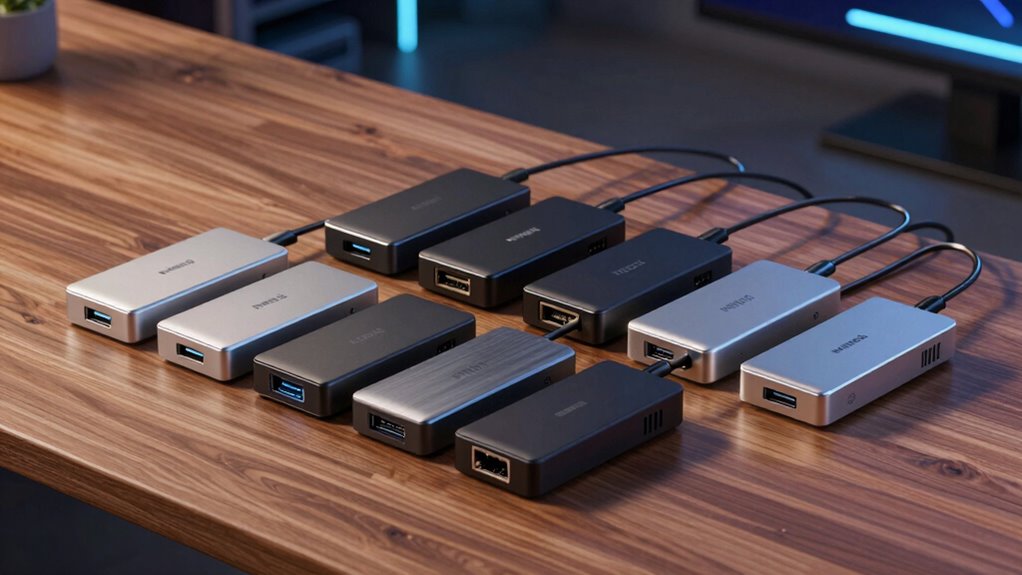

Finding the right Thunderbolt 4 dock can transform your workspace, offering fast data transfer, multiple display support, and charging power in a single device. The Dell WD22TB4 stands out as the best overall due to its robust build and versatile port selection. For those prioritizing ultra-fast data speeds, the CalDigit TS4 offers an impressive 18 ports, while the Lenovo ThinkPad Universal Dock is ideal for users needing 8K support. These options highlight key tradeoffs: fewer ports versus more features, premium build versus affordability, and compatibility concerns. Continue reading for a detailed breakdown of these models and what suits your specific needs.

Get the latest gadgets delivered free with Prime
- Fast, free delivery on millions of items
- Prime Video, Amazon Music and more included
- Member-only deals all year
Complete the kit



Key Takeaways
- The top-ranked docks balance port variety with data transfer speed, often favoring models with Thunderbolt 4’s full bandwidth capabilities.
- Build quality and compatibility are critical; premium docks tend to support more display configurations and charging power but come at a higher price.
- Most docks now support dual 4K displays, but 8K support remains limited to select models like the Lenovo ThinkPad dock.
- Charging wattage varies—most models offer 100W, but some, like the Dell WD22TB4, provide up to 130W, which is essential for power-hungry laptops.
- Choosing a dock with a mix of USB, Ethernet, SD card readers, and audio ports ensures broader versatility, but can increase complexity and cost.
| Dell Thunderbolt WD22TB4 4 Dock 130W |  | Best Overall Thunderbolt 4 Dock for Windows Power Users | Ports: 2 x Thunderbolt 4, 1 x USB-C 3.2 Gen 2, 1 x USB-A 3.2 Gen 1 with PowerShare, 2 x DisplayPort 1.4, 1 x HDMI 2.0, USB-C Multifunction DisplayPort, 2 x USB-A 3.2 Gen 1, Gigabit Ethernet RJ45 | Power: 180W Power adapter | Voltage: 120/230 V AC (50/60 Hz) | VIEW ON AMAZON | See Our Full Breakdown |
| WAVLINK Thunderbolt 4 Dock with 4K HDMI Dual Monitor Support |  | Best for Dual 4K or 8K Display Enthusiasts | Thunderbolt certification: Yes | HDMI ports: 2 (supporting 4K@60Hz or 8K@60Hz) | Display support: Up to 8K@60Hz or dual 4K@60Hz | VIEW ON AMAZON | See Our Full Breakdown |
| Microsoft Surface Thunderbolt 4 Docking Station – Black |  | Best Eco-Friendly Dual Monitor Dock for Surface Devices | Connectivity: Thunderbolt 4, USB-C, USB-A, 3.5mm audio, 2.5G Ethernet | Number of USB-C ports: 3 | Number of USB-A ports: 3 | VIEW ON AMAZON | See Our Full Breakdown |
| Plugable Thunderbolt 4 Dock for M4/M5 MacBook Air & Pro, 13-in-1 Laptop Docking Station with 4K HDMI, Dual Monitor, 100W Charging, Ethernet, SD Card Reader |  | Best for MacBook Users Needing Many Ports and Dual 4K Display Support | Ports: 13 | HDMI: 2x 4K @ 60Hz | Charging Power: 100W | VIEW ON AMAZON | See Our Full Breakdown |
| CalDigit TS4 18-Port Thunderbolt 4 Dock with 98W Charging, Space Gray, 0.8m Certified Cable |  | Best for Heavy-Duty Multi-Device Setups with High-Resolution Support | Number of Ports: 18 | Thunderbolt 4 Ports: 3 | USB-C Ports: 3 | VIEW ON AMAZON | See Our Full Breakdown |
| Plugable Thunderbolt 4 Dock, 100W Charging, Dual HDMI, 13 Ports for Windows and Mac |  | Best Overall Thunderbolt 4 Dock | Power Delivery: 100W (96W certified) | Display Support: Dual 4K 60Hz or single 8K | Ports: 13 total (2× HDMI, 1× Thunderbolt 4 downstream, 4× USB, 1× USB-C, SD/microSD, Ethernet, audio jack, K-lock slot) | VIEW ON AMAZON | See Our Full Breakdown |
| Plugable 16-in-1 Thunderbolt 4 Dock – Dual 4K Monitors, 100W Charging, HDMI, DisplayPort, Ethernet, USB, SD Card Reader |  | Best for Multi-Display Productivity | Number of USB ports: 7 | Video outputs: 2 HDMI, 2 DisplayPort | Ethernet: 2.5G | VIEW ON AMAZON | See Our Full Breakdown |
| Dell Pro Thunderbolt 4 Smart Dock SD25TB4 – USB-C Station 130W, 4 Displays 4K, 2X DP 1.4, HDMI 2.1, 2X Thunderbolt 4, 2.5GbE, Wi-Fi, Sustainable Design |  | Best for Creative and Professional Workstations | Power Output: 130W USB-C | Display Support: Up to 4 4K monitors | Video Ports: 2x DisplayPort 1.4, HDMI 2.1 | VIEW ON AMAZON | See Our Full Breakdown |
| Lenovo ThinkPad Universal Thunderbolt 4 Dock | Supports 8K & 4K Displays, 100W Charging |  | Best for Lenovo and Versatile Compatibility | Hardware Interface: Thunderbolt 3, Thunderbolt 4, USB Type C | Total USB Ports: 5 | Number of Ports: 11 | VIEW ON AMAZON | See Our Full Breakdown |
| UGREEN 8-in-1 Thunderbolt 4 Docking Station, Dual 4K@60Hz, 3xTBT4, 40Gbps |  | Best Compact Multi-Display Dock | Number of Ports: 8 | Thunderbolt 4 Ports: 3 | USB A 3.2 Ports: 3 | VIEW ON AMAZON | See Our Full Breakdown |
| thunderbolt 4 dock | Power delivery | Ethernet |
|---|---|---|
| Dell Thunderbolt WD22TB4 4 Doc | — | — |
| WAVLINK Thunderbolt 4 Dock wit | Up to 96W | — |
| Microsoft Surface Thunderbolt | — | — |
| Plugable Thunderbolt 4 Dock fo | — | Yes |
| CalDigit TS4 18-Port Thunderbo | 98W | 2.5GbE |
| Plugable Thunderbolt 4 Dock | 100W (96W certified) | — |
| Plugable 16-in-1 Thunderbolt 4 | 100W | 2.5G |
| Dell Pro Thunderbolt 4 Smart D | — | 2.5GbE |
| Lenovo ThinkPad Universal Thun | — | — |
| UGREEN 8-in-1 Thunderbolt 4 Do | 85W | Gigabit |
More Details on Our Top Picks
Dell Thunderbolt WD22TB4 4 Dock 130W
This Dell WD22TB4 stands out for its extensive port selection and modular upgrade options, making it ideal for users needing versatile connectivity and future-proofing. Compared with the CalDigit TS4, it offers more physical expansion modules but sacrifices some compatibility flexibility. Its multiple high-speed ports support multiple 4K displays and high data transfer rates, which boosts productivity but requires a somewhat complex setup. The dock’s powerful 180W power supply ensures rapid charging, perfect for demanding workloads. However, its design favors Windows systems, limiting Mac compatibility, and the setup complexity may challenge less experienced users. If you prioritize high flexibility and a rich array of ports in a Windows environment, this is a compelling choice.
Pros:- Multiple high-speed ports for versatile connectivity
- Supports multiple 4K displays for increased productivity
- Fast data transfer rate of 40 GB/s
- Modular swappable upgrade options
Cons:- Designed primarily for Windows systems, limiting Mac compatibility
- Complex setup process may be challenging for some users
Best for: Power users on Windows systems who need multiple high-speed connections and modular expandability.
Not ideal for: Mac users or those seeking a simple, plug-and-play dock with minimal setup.
- Ports:2 x Thunderbolt 4, 1 x USB-C 3.2 Gen 2, 1 x USB-A 3.2 Gen 1 with PowerShare, 2 x DisplayPort 1.4, 1 x HDMI 2.0, USB-C Multifunction DisplayPort, 2 x USB-A 3.2 Gen 1, Gigabit Ethernet RJ45
- Power:180W Power adapter
- Voltage:120/230 V AC (50/60 Hz)
Our verdict“This dock suits Windows power users who want a robust, expandable Thunderbolt 4 solution despite a complex setup process.”
WAVLINK Thunderbolt 4 Dock with 4K HDMI Dual Monitor Support
This WAVLINK dock excels at supporting dual 4K displays or a single 8K monitor, making it ideal for creative professionals. Unlike the Plugable model, which emphasizes Mac compatibility, this dock emphasizes high-resolution display support and fast data transfer with SD 4.0 and 2.5G Ethernet. Its 96W power delivery is sufficient for most laptops, and the dual HDMI ports support high refresh rates at 4K or 8K. However, dual monitor extension on Mac M1/M2/M3 models is limited to mirroring, which could frustrate users needing extended desktops. The complex setup for multiple monitors on some systems can also be a hurdle. This dock is best suited to users who need high-resolution displays and don’t mind some configuration complexity.
Pros:- Supports dual 4K displays or single 8K at 60Hz
- Fast data transfer with SD 4.0 and 2.5G Ethernet
- Powerful 96W charging for compatible laptops
- Seamless Thunderbolt 4 and USB4 compatibility
Cons:- Limited dual monitor extension on certain Mac models
- Complex setup for multi-monitor configurations
Best for: Creative professionals or power users requiring dual 4K or 8K displays on Windows or compatible Macs.
Not ideal for: Mac users with M1/M2/M3 systems needing extended dual monitors, due to limited support for extended desktop mode.
- Thunderbolt certification:Yes
- HDMI ports:2 (supporting 4K@60Hz or 8K@60Hz)
- Display support:Up to 8K@60Hz or dual 4K@60Hz
- Power delivery:Up to 96W
- Power adapter:160W
- Card reader:SD/MicroSD V4.0, 312MB/s
Our verdict“This dock works best for users who prioritize ultra-high-resolution displays and are comfortable with setup complexity.”
Microsoft Surface Thunderbolt 4 Docking Station – Black
This Microsoft Surface dock emphasizes eco-conscious design with recycled ocean-bound plastics while offering solid performance for Surface users. It supports up to two 4K monitors, combining fast Thunderbolt 4 data transfer with rapid charging, similar to the Plugable model but with a focus on environmental sustainability. Compared to the CalDigit TS4, it has fewer ports overall, but its eco-friendly materials appeal to environmentally conscious buyers. The dock’s compatibility is limited to Surface devices and other Thunderbolt 4-compatible systems, and it lacks detailed information about included cables, which could be a minor hassle. For Surface owners seeking a sleek, environmentally friendly dock, this offers a compelling choice.
Pros:- Eco-friendly design with recycled ocean-bound plastic
- Supports dual 4K monitors for enhanced productivity
- Fast Thunderbolt 4 data transfer and charging
- Compact and stylish build
Cons:- Limited to compatible Thunderbolt 4 devices, mainly Surface
- Fewer ports compared to larger docks like CalDigit TS4
Best for: Surface device owners or environmentally conscious users needing dual 4K monitor support.
Not ideal for: Users requiring extensive port options or broader cross-platform compatibility beyond Thunderbolt 4 devices.
- Connectivity:Thunderbolt 4, USB-C, USB-A, 3.5mm audio, 2.5G Ethernet
- Number of USB-C ports:3
- Number of USB-A ports:3
- Monitor support:Up to two 4K monitors
- Charging:Rapid charging (2.5 hours)
- Material:20% recycled ocean-bound plastic
Our verdict“This dock is a great eco-conscious choice for Surface users who need reliable dual 4K support without extra ports.”
Plugable Thunderbolt 4 Dock for M4/M5 MacBook Air & Pro, 13-in-1 Laptop Docking Station with 4K HDMI, Dual Monitor, 100W Charging, Ethernet, SD Card Reader
The Plugable Thunderbolt 4 Dock is designed with MacBooks in mind, offering a generous array of 13 ports, including dual 4K HDMI outputs and 100W charging. Unlike the CalDigit TS4, it provides more dedicated ports for peripherals, making it suited for users who need extensive connectivity. It supports dual 4K monitors on M4 and M5 Macs without requiring drivers, offering a seamless experience. However, for older M1 and M2 MacBooks, support is limited to one external display, which might disappoint some users. The dock’s high port count and plug-and-play setup make it ideal for professionals with complex workflows but could be overkill for lighter use cases.
Pros:- Supports dual 4K monitors without drivers
- High-speed 13-in-1 connectivity including SD reader and Ethernet
- Powerful 100W charging for MacBooks
- Plug-and-play compatibility for Mac and Windows
Cons:- Limited dual monitor support on older MacBooks
- May be more ports than needed for casual users
Best for: MacBook users who require multiple ports and dual 4K monitor support in a single compact dock.
Not ideal for: Users with older MacBooks (M1/M2) needing extended dual monitors, as support may be limited.
- Ports:13
- HDMI:2x 4K @ 60Hz
- Charging Power:100W
- USB Ports:1x Thunderbolt 4, 1x USB-C, 4x USB-A
- SD Card Reader:UHS-II
- Ethernet:Yes
Our verdict“This dock provides extensive port options and dual 4K support ideal for MacBook users with demanding workflows.”
CalDigit TS4 18-Port Thunderbolt 4 Dock with 98W Charging, Space Gray, 0.8m Certified Cable
The CalDigit TS4 offers a formidable 18 ports, making it a go-to for users who need maximum connectivity—whether for professional studios or complex workstation setups. It supports dual 6K displays or an 8K at 30Hz, surpassing many competitors like the WAVLINK for resolution support. The 98W charging capacity keeps laptops powered through demanding tasks, and its high compatibility across Mac, Windows, and Chrome OS broadens its appeal. The major tradeoff lies in its high cost and reliance on a certified Thunderbolt or USB4 cable for optimal performance. For those with extensive peripheral needs and high-resolution display demands, this dock’s extensive port array justifies the investment.
Pros:- High connectivity with 18 ports including Thunderbolt 4, USB-C, USB-A, Ethernet
- Supports dual 6K or 8K displays at 30Hz and 60Hz respectively
- Powerful 98W charging for laptops
- Compatible with Mac, Windows, and Chrome OS
Cons:- High price point for a docking station
- Requires certified Thunderbolt or USB4 cable for peak performance
- Large size may be less portable
Best for: Professionals needing maximum port variety and high-resolution display support across multiple OS platforms.
Not ideal for: Casual users or those on a budget who require fewer ports or less extensive connectivity.
- Number of Ports:18
- Thunderbolt 4 Ports:3
- USB-C Ports:3
- USB-A Ports:5
- Ethernet:2.5GbE
- Display Support:8K@30Hz or dual 6K@60Hz
- Power Delivery:98W
- Cable Length:0.8m
Our verdict“This dock is best suited for users with demanding multi-peripheral setups and high-res display needs who are willing to invest in a premium solution.”
Plugable Thunderbolt 4 Dock, 100W Charging, Dual HDMI, 13 Ports for Windows and Mac
This model stands out for its comprehensive port selection and robust performance, making it suitable for users who want a single dock to handle multiple displays and peripherals. Compared with the UGREEN dock, it offers more ports but can be more complex to configure on some systems. Its support for dual 4K displays or an 8K option provides flexibility, while 100W charging keeps laptops powered during intensive work sessions. However, dual display support can vary depending on Mac models and system configurations, which might be frustrating for Mac users expecting seamless compatibility. Overall, this dock excels for those needing maximum connectivity and performance, though it demands careful compatibility checks for certain setups.
Pros:- High-speed 40Gbps Thunderbolt 4 performance
- Supports dual 4K or single 8K display configurations
- 13 ports including Ethernet and SD card slots
- 100W power delivery for charging laptops
Cons:- Display support varies across Mac models and modes
- Complex compatibility considerations for some systems
Best for: Power users and professionals who need extensive connectivity for both Windows and Mac environments.
Not ideal for: Casual users seeking a simple, plug-and-play solution without complex compatibility considerations.
- Power Delivery:100W (96W certified)
- Display Support:Dual 4K 60Hz or single 8K
- Ports:13 total (2× HDMI, 1× Thunderbolt 4 downstream, 4× USB, 1× USB-C, SD/microSD, Ethernet, audio jack, K-lock slot)
- Performance:40Gbps Thunderbolt 4
- Compatibility:Windows 10 and up, macOS (varies by M1/M2/M3 models)
Our verdict“This dock offers excellent versatility for demanding setups but requires careful compatibility checks for seamless operation.”
Plugable 16-in-1 Thunderbolt 4 Dock – Dual 4K Monitors, 100W Charging, HDMI, DisplayPort, Ethernet, USB, SD Card Reader
This pick makes the most sense for users who need dual 4K displays and multiple peripherals without sacrificing charging power. It surpasses the capabilities of the UGREEN dock by supporting two DisplayPort outputs alongside HDMI, providing more flexible monitor arrangements. Its 100W charging ensures laptops stay powered, and the 7 USB ports plus SD card reader expand peripheral options. The main tradeoff is that it requires a Thunderbolt 4 or USB4 port to unlock full functionality, which might limit compatibility with older systems. Additionally, its size could be a drawback for those who prioritize portability. Overall, this dock is ideal for high-productivity environments where multiple high-res monitors and peripherals are essential.
Pros:- Supports dual 4K 60Hz monitors with no driver setup
- Powerful 100W charging for laptops
- Multiple high-speed ports including HDMI and DisplayPort
- Includes SD card reader for quick media transfer
Cons:- Requires Thunderbolt 4 or USB4 port for full features
- Potentially bulky for mobile use
Best for: Creative professionals and multitaskers who rely on multiple 4K displays and peripherals at their workspace.
Not ideal for: Travelers or users with limited space who need a lightweight, portable dock.
- Number of USB ports:7
- Video outputs:2 HDMI, 2 DisplayPort
- Ethernet:2.5G
- SD Card Reader:MicroSD/SD
- Power Delivery:100W
- Compatibility:Thunderbolt 4, Thunderbolt 5, USB4, USB-C, macOS 11+, Windows 10+
Our verdict“Best suited for professionals needing multiple high-res displays and extensive peripheral connectivity in a fixed workspace.”
Dell Pro Thunderbolt 4 Smart Dock SD25TB4 – USB-C Station 130W, 4 Displays 4K, 2X DP 1.4, HDMI 2.1, 2X Thunderbolt 4, 2.5GbE, Wi-Fi, Sustainable Design
The Dell Pro Thunderbolt 4 Smart Dock stands out for supporting up to four 4K displays and delivering 130W of charging power, making it suitable for high-demand creative and professional setups. Its multiple video outputs, including HDMI 2.1 and DisplayPort 1.4, provide flexible multi-monitor arrangements, outperforming some smaller docks like the Lenovo ThinkPad in display capacity. The inclusion of 2.5GbE Ethernet and Wi-Fi adds network versatility, while its eco-friendly recycled plastic design appeals to sustainability-minded users. The primary tradeoff is that setup complexity might challenge less technical users, and the specific security features may not align with all enterprise needs. This dock excels for those needing extensive display support paired with high power delivery and a focus on sustainability.
Pros:- Supports up to four 4K monitors for extensive multitasking
- Powerful 130W charging for high-performance laptops
- Multiple video outputs including HDMI 2.1 and DisplayPort 1.4
- Eco-friendly recycled materials and packaging
Cons:- Setup may be complex for non-technical users
- Designed for specific security configurations that might not suit all environments
Best for: Creative teams and professionals with multiple high-resolution monitors and eco-conscious priorities.
Not ideal for: Casual or portable users who prefer a lightweight, simple docking solution without multiple display options.
- Power Output:130W USB-C
- Display Support:Up to 4 4K monitors
- Video Ports:2x DisplayPort 1.4, HDMI 2.1
- Thunderbolt Ports:2x Thunderbolt 4
- Ethernet:2.5GbE
- Design:Recycled plastic, sustainable
Our verdict“Ideal for professionals requiring high-resolution multi-monitor setups and sustainable design features, though setup complexity is a consideration.”
Lenovo ThinkPad Universal Thunderbolt 4 Dock | Supports 8K & 4K Displays, 100W Charging
The Lenovo ThinkPad Universal Thunderbolt 4 Dock simplifies setup with a single cable and supports both 8K and 4K displays, making it a strong choice for Lenovo users and those who need high-resolution output. Its compatibility with Thunderbolt 3, Thunderbolt 4, USB-C, and USB4 ensures broad system support, matching or surpassing the versatility of the Plugable dock. While it provides 100W charging and multiple ports, it lacks additional Ethernet or audio ports, which could be limiting in some professional environments. The compact design and remote management features make it suitable for business settings, but it may be less appealing for those who want extensive port options beyond video and basic connectivity.
Pros:- Supports 8K and 4K display outputs
- Provides up to 100W power delivery
- Broad compatibility with Thunderbolt and USB-C systems
- Remote management features for IT support
Cons:- Limited to Thunderbolt and USB-C compatible devices
- No additional Ethernet beyond Gigabit or dedicated audio ports
Best for: Lenovo users and professionals needing a reliable, high-res, all-in-one docking solution with simple setup.
Not ideal for: Users seeking extensive peripheral options or additional Ethernet and audio ports beyond basic needs.
- Hardware Interface:Thunderbolt 3, Thunderbolt 4, USB Type C
- Total USB Ports:5
- Number of Ports:11
- HDMI Ports:1
- Wattage:100W
- Item Dimensions:6″L x 3″W x 1″H
Our verdict“A versatile, high-resolution dock best suited for Lenovo environments and users prioritizing simplicity and high display support.”
UGREEN 8-in-1 Thunderbolt 4 Docking Station, Dual 4K@60Hz, 3xTBT4, 40Gbps
The UGREEN 8-in-1 dock impresses with its compact size and solid performance, supporting dual 4K@60Hz displays and 85W charging. It offers three Thunderbolt 4 ports, making it suitable for expanding connectivity on compatible laptops, especially when space is limited. Compared to larger docks like the Plugable 16-in-1, it sacrifices some port variety but benefits from a smaller footprint and easier portability. Its 40Gbps transfer speeds enable quick data movement, but users should note that some MacBook models may only support a single display at full resolution, which could limit multi-monitor setups. This dock makes a good choice for those who want a portable, high-speed solution without extensive peripheral needs.
Pros:- Supports dual 4K@60Hz displays
- Compact and lightweight design for portability
- Three Thunderbolt 4 ports for versatile expansion
- High-speed data transfer up to 40Gbps
Cons:- Full display support depends on the laptop model
- Limited port options compared to larger docks
Best for: Travelers and professionals who need a portable, high-performance dock with dual 4K support.
Not ideal for: Power users requiring a large number of USB ports or Ethernet options beyond Gigabit speed.
- Number of Ports:8
- Thunderbolt 4 Ports:3
- USB A 3.2 Ports:3
- Ethernet:Gigabit
- Power Delivery:85W
- Maximum Display Resolution:8K or dual 4K@60Hz
Our verdict“A highly portable, high-speed dock suited for mobile professionals with moderate connectivity needs.”

How We Picked
These Thunderbolt 4 docks were selected based on a combination of performance, build quality, port versatility, and user value. Priority was given to models supporting full Thunderbolt 4 specifications, including bandwidth and charging capabilities. We evaluated compatibility with both Windows and Mac systems and considered user reviews for reliability and ease of use. Docks with a balanced mix of ports and future-proof features like 8K support or multiple 4K outputs ranked higher. Price was also a factor, favoring options that deliver high value without unnecessary extras. The final lineup reflects a range of budgets and use cases, from professional workstations to casual setups.Factors to Consider When Choosing Thunderbolt 4 Dock
When selecting a Thunderbolt 4 dock, understanding key features and potential tradeoffs helps ensure you choose a device that matches your workflow and device ecosystem. Some docks excel in port count, while others focus on high-speed data transfer or display support. Considering your primary needs—whether for professional productivity, creative work, or general use—can prevent overspending on unnecessary features or missing critical capabilities.Port Selection and Compatibility
Evaluate the types and number of ports you need, including USB-A, USB-C, Ethernet, SD card slots, and audio jacks. Not all docks support the same number of displays or resolutions; some are limited to dual 4K while others support 8K output. Compatibility with your laptop’s power delivery and operating system is critical to avoid connectivity issues. Selecting a dock with future-proof ports ensures it remains useful as your needs evolve.Power Delivery and Charging
A key factor is whether the dock provides enough wattage to charge your laptop during intensive tasks. Most docks now offer 100W, but some, like the Dell WD22TB4, push to 130W, supporting even power-hungry machines. Insufficient wattage can lead to slower charging or drained batteries. Confirm that the dock’s power output aligns with your device’s requirements to avoid performance bottlenecks.Build Quality and Reliability
Durability and stability are vital, especially if you travel frequently or use your dock in multiple locations. Premium models often feature metal construction and robust connectors that withstand daily wear. Cheaper options might be more fragile or prone to disconnection. Reliability also depends on driver support and compatibility, so choosing a well-reviewed, reputable brand helps prevent frustrating connectivity issues.Display Support and Video Bandwidth
If multiple or high-resolution displays are essential, verify the dock’s maximum supported resolutions and refresh rates. Thunderbolt 4’s bandwidth allows dual 4K displays or an 8K single display, but not all docks fully utilize this potential. Consider your workflow—professional editing, gaming, or general multitasking—when choosing a dock with the appropriate video capabilities to avoid bottlenecks.Price and Value
Price varies widely based on features, build quality, and port count. High-end docks like the CalDigit TS4 deliver extensive connectivity but come at a premium, while more affordable options still offer good core features for casual users. Avoid paying for unnecessary ports or features you won’t use. Instead, focus on the combination of essential ports, power delivery, and build quality that fits your budget and needs.Frequently Asked Questions
Will a Thunderbolt 4 dock work with my MacBook and Windows laptop?
Most Thunderbolt 4 docks are designed for broad compatibility, supporting both Mac and Windows devices. However, it’s important to check each dock’s specifications to ensure full compatibility, especially for features like charging and display support. Some docks may have firmware or driver requirements for Windows, while macOS users should verify support for 8K or dual 4K displays. Confirming compatibility before purchase helps avoid connection issues and ensures you get the features you need across your devices.
Can I connect multiple 4K monitors with a Thunderbolt 4 dock?
Yes, most Thunderbolt 4 docks support dual 4K monitors at 60Hz, leveraging the high bandwidth of Thunderbolt 4. Some models also support 8K display output, but this is less common. The actual number of supported monitors depends on the specific dock’s video outputs and internal bandwidth management. Always check the maximum supported resolutions and monitor count for each dock to match your setup requirements precisely.
How important is the dock’s build quality compared to its features?
Build quality directly impacts longevity and stability, especially in portable or busy environments. A well-constructed dock with metal housing and durable connectors reduces risks of failure or disconnection. While feature set is important, a low-quality dock can lead to intermittent connections, overheating, or port failure over time. Investing in a reputable brand with solid construction ensures your investment lasts and performs reliably under daily use.
Should I prioritize a dock with more ports or higher power delivery?
It depends on your primary needs. If you connect many peripherals like external drives, SD cards, or audio devices, a dock with more ports makes sense. Conversely, if your workflow involves charging a power-hungry laptop, higher wattage—such as 130W—becomes more important. Many high-end docks combine both features, but balancing port count and power delivery based on your device and accessory ecosystem results in a more effective setup.
Is Thunderbolt 4 faster than Thunderbolt 3 for docking purposes?
Yes, Thunderbolt 4 offers the same maximum data transfer rate of 40Gbps as Thunderbolt 3 but with improved standards, compatibility, and future-proofing. It guarantees support for dual 4K displays, 8K display, and more consistent power delivery, making it better suited for demanding professional setups. While the raw speed is similar, Thunderbolt 4’s stricter certification requirements provide more reliable and versatile performance for docking solutions.
Conclusion
For users seeking the best overall balance of features, the Dell WD22TB4 offers excellent versatility and reliable performance. Those prioritizing maximum connectivity and future-proofing might prefer the CalDigit TS4, while budget-conscious buyers will find the UGREEN 8-in-1 provides solid value. Creative professionals needing 8K support should consider the Lenovo ThinkPad Universal Dock. Beginners or casual users can start with more affordable models, focusing on essential ports and charging. Ultimately, matching a dock’s strengths to your specific setup ensures a seamless, productive experience.Fall Picks
fall essentials
As an affiliate, we earn on qualifying purchases.