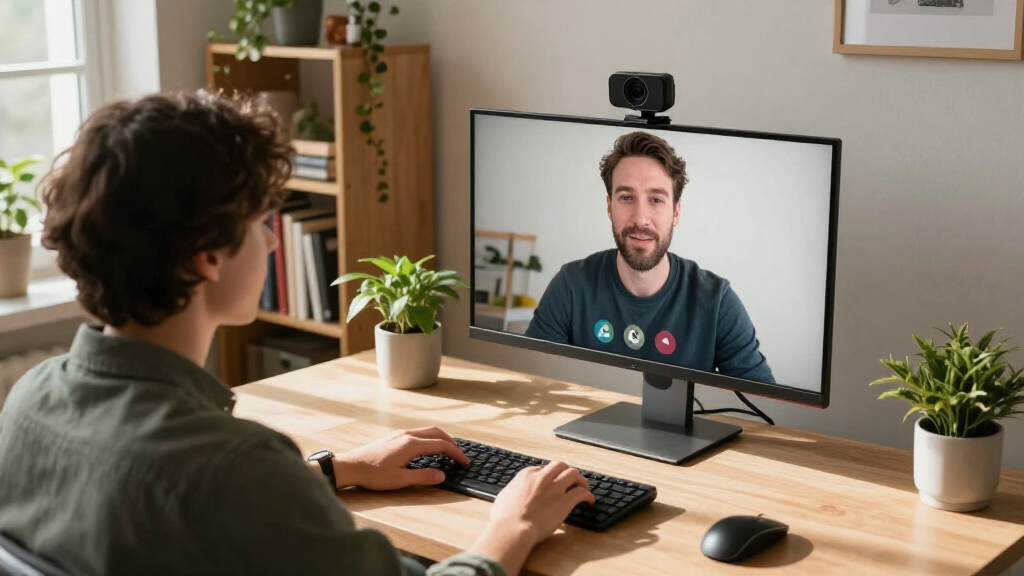
Searching for a webcam with wide angle means looking for a device that captures more of your environment in clear, detailed video. The Wide Angle Webcam, 120 Degree Large View, Spedal 920 Pro stands out as the overall best for its expansive field of view and sharp quality. For those prioritizing ultra-wide perspectives, the Innex C831 180° Panoramic Webcam offers impressive coverage with AI tracking, though it can be more complex to set up. The main tradeoffs in this category often revolve around image quality versus field of view, price versus features, and ease of use versus advanced controls. Continue reading for a detailed breakdown of each option to find the best fit for your needs.
Open a free Amazon Business account
Business pricing, bulk buying and tax-exempt orders.
Create a free accountAs an affiliate, we earn on qualifying purchases.
Complete the kit



Key Takeaways
- The widest field of view doesn’t always mean better image quality; balance your needs accordingly.
- Premium models like the Logitech Brio provide superior resolution but come at a higher price point.
- Features like AI tracking and low-light correction can significantly enhance video quality in real-world use.
- Webcams with dual or multiple cameras offer more flexible framing but tend to be more expensive and complex.
- Ease of setup and compatibility are critical for beginners, while advanced users may prioritize customization options.
| Wide Angle Webcam, 120 Degree Large View, Spedal 920 Pro Conference Camera |  | Best Overall for Versatile Conference Coverage | Field of View: 120 degrees | Resolution: 1080p HD | Rotation Range: 360° horizontal, 180° vertical | VIEW ON AMAZON | See Our Full Breakdown |
| Innex C831 180° Panoramic 4K Wide Angle Webcam with Microphone and AI Facial Tracking |  | Best for Advanced AI Features and 180° Coverage | Resolution: 4K | Field of View: 180° | Camera Count: 3 | VIEW ON AMAZON | See Our Full Breakdown |
| Logitech Brio Ultra 4K HD Webcam for Streaming and Meetings – Black |  | Best for Versatile 4K Quality in a Compact Design | Resolution: 4K at 30 fps | Field of View: 65°, 78°, 90° | Zoom: 5x digital zoom | VIEW ON AMAZON | See Our Full Breakdown |
| Anker PowerConf C200 2K Webcam for PC/Laptop/Mac, Low-Light Correction |  | Best for Balanced 2K Clarity with Low-Light Performance | Resolution: 2K Ultra-Clear | Microphone: Dual mics with AI noise cancellation | Low-Light Performance: Superior | VIEW ON AMAZON | See Our Full Breakdown |
| Logitech C920x HD Pro PC Webcam 1080p/30fps with Autofocus and Lighting Adjustment |  | Best for Reliable HD Performance in Compact Form | Resolution: 1080p/30fps | Autofocus: Yes | Lighting Adjustment: Yes | VIEW ON AMAZON | See Our Full Breakdown |
| EMEET C60E Dual-Camera 4K Webcam for Streaming, Wide-Angle & Telephoto |  | Best Overall for Versatile Streaming with Dual-Camera Flexibility | Sensor Type: CMOS | Connectivity Technology: USB | Color: Black | VIEW ON AMAZON | See Our Full Breakdown |
| NexiGo N60 1080P Webcam with Microphone, Privacy Cover, and Software Control |  | Best Value for Clear HD Video and Privacy Security | Resolution: 1920 x 1080 at 30fps | Lens: 3.6mm glass lens | Compatibility: USB 2.0/3.0, Windows, macOS, Linux | VIEW ON AMAZON | See Our Full Breakdown |
| 1080P HD Webcam with Microphone, Noise Cancellation, Privacy Cover, Wide-Angle Lens, Auto Light Correction, Plug & Play USB Webcam for Laptop, Desktop, PC, Mac, Zoom, Skype, Streaming |  | Best for Broad Coverage and Easy Setup in Multi-Device Environments | Resolution: 1080P Full HD | Frame Rate: 30 fps | Lens: Wide-angle | VIEW ON AMAZON | See Our Full Breakdown |
| Angetube Wide Angle 4K Webcam for PC, 120° FOV Video Conference Web Camera |  | Best for Ultra HD Wide-Angle Coverage with Auto Focus | Resolution: 3840×2160 @ 30fps | Field of View: 120° | Auto Focus: PDAF | VIEW ON AMAZON | See Our Full Breakdown |
| Gohero Full HD 1080P Webcam with Wide-Angle Lens and Privacy Cover |  | Best for Reliable Wide Coverage and Privacy in Everyday Use | Resolution: 1080P Full HD | Frame Rate: 30 fps | Lens: Wide-Angle | VIEW ON AMAZON | See Our Full Breakdown |
| Spedal 4K Webcam with Tripod, 120° Wide Angle, Sony Sensor, Dual Microphones, Remote Control, Auto Focus for Video Conferencing and Streaming |  | Best Overall for Professional-Quality Wide-Angle Video | Resolution: 3840×2160 UHD at 30fps | Sensor: Sony 1/2.8″ | Field of View: 120° | VIEW ON AMAZON | See Our Full Breakdown |
| Logitech Webcam Pro 960-001070 HD Web Camera |  | Best Value for Broad Framing with 1080p Clarity | Resolution: 1080p at 30fps | Lens Type: Ultra-wide angle | Focus Type: Auto Focus | VIEW ON AMAZON | See Our Full Breakdown |
| webcam with wide angle | Resolution | Compatibility |
|---|---|---|
| Wide Angle Webcam | 1080p HD | — |
| Innex C831 180° Panoramic 4K W | 4K | Zoom, Microsoft Teams, Google Meet |
| Logitech Brio Ultra 4K HD Webc | 4K at 30 fps | Windows, Mac, ChromeOS |
| Anker PowerConf C200 2K Webcam | 2K Ultra-Clear | Windows 7+, macOS 10.11+ |
| Logitech C920x HD Pro PC Webca | 1080p/30fps | Windows 11 |
| EMEET C60E Dual-Camera 4K Webc | — | — |
| NexiGo N60 1080P Webcam with M | 1920 x 1080 at 30fps | USB 2.0/3.0, Windows, macOS, Linux |
| 1080P HD Webcam with Microphon | 1080P Full HD | USB 2.0/3.0/3.1, Windows, Mac, Linux |
| Angetube Wide Angle 4K Webcam | 3840×2160 @ 30fps | Windows, Mac, Linux |
| Gohero Full HD 1080P Webcam wi | 1080P Full HD | USB 2.0/3.0/3.1, OTG |
| Spedal 4K Webcam with Tripod | 3840×2160 UHD at 30fps | — |
| Logitech Webcam Pro 960-001070 | 1080p at 30fps | — |
More Details on Our Top Picks
Wide Angle Webcam, 120 Degree Large View, Spedal 920 Pro Conference Camera
The Spedal 920 Pro stands out for its expansive 120-degree field of view, making it ideal for capturing entire conference rooms without multiple cameras. Compared with the Logitech C920x, which offers a narrower 78° FOV, this model provides a more panoramic perspective, reducing the need for repositioning. Its 1080p HD resolution ensures crisp images, while the 360-degree rotation offers flexible framing. The noise-canceling microphones improve audio clarity, crucial for professional meetings. However, it lacks built-in recording or wireless options, and manual focus may require occasional adjustment. This webcam suits teams needing broad coverage in shared spaces but may fall short for those seeking wireless or integrated storage capabilities.
Pros:- Very wide 120-degree field of view for panoramic coverage
- High-definition 1080p video with vibrant colors
- Flexible 360-degree rotation for versatile positioning
- Built-in noise-canceling microphone for clear audio
Cons:- No wireless streaming or built-in storage
- Manual focus may need frequent adjustments for different distances
Best for: Teams and conference rooms requiring wide, flexible coverage for large groups
Not ideal for: Individuals or small-scale streamers who prefer compact, plug-and-play solutions without manual focus adjustments
- Field of View:120 degrees
- Resolution:1080p HD
- Rotation Range:360° horizontal, 180° vertical
- Focus:Manual focus up to 10 meters
- Lens Coating:8-layer coating
- Light Correction:Automatic low light correction
Our verdict“This webcam is best for large rooms where broad coverage outweighs the need for mobility or wireless features.”
Innex C831 180° Panoramic 4K Wide Angle Webcam with Microphone and AI Facial Tracking
The Innex C831 offers an impressive 180° panoramic view with 4K resolution, capturing every participant with remarkable detail. Its AI facial tracking and auto-zoom features make it ideal for dynamic, engaging meetings, outperforming models like the Logitech Brio in broadness, though it requires compatible software for full AI capabilities. The plug-and-play setup simplifies deployment, but its reliance on software and limited platform support (Windows and Mac) restricts use for some users. Its adjustable preset angles enhance framing, yet the high price may deter casual users. This camera is best suited for high-end conference rooms seeking intelligent framing and maximum wide-angle coverage.
Pros:- Extensive 180° panoramic coverage for large groups
- High-resolution 4K footage captures detailed images
- AI facial tracking and auto-zoom improve engagement
- Flexible preset view angles for customized framing
Cons:- Requires compatible software for AI features
- Potentially high cost for average users
- Limited to Windows and Mac platforms
Best for: Large organizations or tech-savvy users needing AI-driven auto-framing and wide coverage
Not ideal for: Basic users or those on a tight budget who do not need AI features or 4K resolution
- Resolution:4K
- Field of View:180°
- Camera Count:3
- Preset View Angles:180°, 75°
- AI Features:Facial tracking, auto-zoom
- Compatibility:Zoom, Microsoft Teams, Google Meet
Our verdict“Ideal for users who prioritize AI-enhanced wide-angle coverage in large, professional settings and can accommodate the higher price.”
Logitech Brio Ultra 4K HD Webcam for Streaming and Meetings – Black
The Logitech Brio delivers stunning 4K resolution with adjustable field of view options—65°, 78°, and 90°—making it highly adaptable for various meeting sizes. Compared with wider-angle models like the Spedal 920 Pro, it offers a narrower but more detailed image, ideal for individual professionals or content creators. Its autofocus and digital zoom provide crisp framing, while automatic lighting adjustments ensure good image quality in different environments. The privacy shutter adds security, but at a higher price point, it might be overkill for casual users. Setup can be complex for some, especially when customizing advanced features. This webcam makes the most sense for users needing high-resolution, adjustable FOV, and security features, though it sacrifices the ultra-wide coverage of larger models.
Pros:- 4K video with excellent detail
- Adjustable FOV options for different contexts
- Automatic lighting adjustment for varied environments
- Includes privacy shutter for security
Cons:- Higher price compared to basic webcams
- Limited wide-angle coverage compared to 120° or 180° models
- Setup may be complex for new users
Best for: Content creators, professionals, or streamers seeking high-resolution video with adjustable field of view
Not ideal for: Teams or conference rooms that need a wide, panoramic shot of multiple participants simultaneously
- Resolution:4K at 30 fps
- Field of View:65°, 78°, 90°
- Zoom:5x digital zoom
- Microphones:Dual omnidirectional, noise-canceling
- Compatibility:Windows, Mac, ChromeOS
- Privacy Shutter:Yes
Our verdict“Best suited for individual professionals or streamers prioritizing high detail and customizable framing over ultra-wide views.”
Anker PowerConf C200 2K Webcam for PC/Laptop/Mac, Low-Light Correction
The Anker PowerConf C200 offers 2K ultra-clear resolution, striking a balance between detail and affordability. Its AI noise-canceling microphones excel in noisy environments, making it a reliable choice for professional calls. While it doesn’t boast the ultra-wide coverage of the Innex C831, its multiple viewing angles—65°, 78°, and 95°—offer flexibility for smaller groups or individual use. The low-light correction feature significantly improves image quality in dim settings, advantageous over many basic webcams. However, it lacks built-in storage or advanced AI framing, limiting its use to traditional video conferencing. Compatibility is broad, but some older systems may encounter issues. This pick is ideal for users who need sharp, detailed video with good low-light performance at a reasonable price.
Pros:- High 2K resolution for sharp, professional video
- Effective AI noise-canceling microphones
- Excellent low-light correction improves image quality
- Multiple adjustable viewing angles
Cons:- No built-in storage or AI auto-framing
- Limited to smaller group coverage compared to 120° or 180° models
Best for: Small teams, remote workers, or professionals needing clear video and good low-light handling on a variety of devices
Not ideal for: Users seeking ultra-wide panoramic views for large groups or advanced AI auto-framing
- Resolution:2K Ultra-Clear
- Microphone:Dual mics with AI noise cancellation
- Low-Light Performance:Superior
- Viewing Angles:65°, 78°, 95°
- Privacy Cover:Yes
- Compatibility:Windows 7+, macOS 10.11+
Our verdict“This webcam is perfect for remote professionals who value clarity and low-light performance over ultra-wide coverage.”
Logitech C920x HD Pro PC Webcam 1080p/30fps with Autofocus and Lighting Adjustment
The Logitech C920x remains a staple for high-quality 1080p video, offering decent coverage with its 78° FOV. Unlike wider-angle models like the Spedal 920 Pro, it focuses more on clarity and automatic adjustments, making it suitable for standard-sized desks and personal streaming. Its autofocus and lighting correction ensure consistent image quality across different environments. Stereo dual microphones provide natural sound, adding to its appeal for content creators and professionals. Its absence of a privacy shutter and limited frame rate—30fps at 1080p—are notable drawbacks, especially for users wanting more security and smoother video. Setup is straightforward but requires software for background removal or advanced features. This webcam is a solid choice for users prioritizing reliability and image quality in smaller spaces.
Pros:- Reliable 1080p video with autofocus
- Automatic lighting adjustment for consistent image quality
- Stereo microphones for clear audio
- Includes background editing software
Cons:- Limited wide-angle coverage at 78°
- No privacy shutter included
- Limited to 30fps at 1080p
Best for: Individuals or professionals needing dependable 1080p quality with automatic adjustments
Not ideal for: Large conference settings requiring wider coverage or high frame rates for fast-paced content
- Resolution:1080p/30fps
- Autofocus:Yes
- Lighting Adjustment:Yes
- Microphones:Stereo dual mics
- Includes:3-month XSplit VCam license
- Compatibility:Windows 11
Our verdict“Best for users who want dependable, high-quality 1080p video with automatic lighting in smaller or personal setups.”
EMEET C60E Dual-Camera 4K Webcam for Streaming, Wide-Angle & Telephoto
The EMEET C60E stands out for its dual-camera setup, offering both wide-angle and telephoto views—an advantage over single-lens options like the NexiGo N60. This makes it highly adaptable for professional streaming, content creation, or multi-person conferencing. Its smart dual control, via remote and software, enhances usability, though the absence of zoom support in 4K and limited water resistance are tradeoffs. Compared to the Angetube 4K Webcam, its dual-camera system provides more flexibility but adds complexity and cost. Its broad compatibility with Windows and macOS ensures it suits many streaming setups. However, its limited outdoor durability and lack of Windows Hello compatibility restrict outdoor or security-focused use.
Pros:- Dual-camera setup offers versatile wide-angle and telephoto views.
- Smart remote and software control enhance user flexibility.
- Vibrant RGB lighting adds aesthetic appeal and easy location.
Cons:- Zoom functionality not supported in 4K or 60FPS modes.
- Incompatibility with Windows Hello limits security features.
Best for: Streamers and content creators who need flexible camera angles and high-quality 4K resolution.
Not ideal for: Outdoor use or users requiring Windows Hello facial recognition, due to limited water resistance and autofocus restrictions.
- Sensor Type:CMOS
- Connectivity Technology:USB
- Color:Black
- Viewing Angle:73 degrees
- Display Resolution:Maximum UHD
- Focus Type:PDAF Auto Focus
Our verdict“This camera is best suited for streamers and professionals needing adaptable framing and high resolution, accepting some feature limitations.”
NexiGo N60 1080P Webcam with Microphone, Privacy Cover, and Software Control
The NexiGo N60 offers dependable 1080p video with a built-in noise-canceling microphone, making it a strong choice for everyday video calls and online classes. Compared to the Gohero Full HD Webcam, it lacks advanced wide-angle coverage but provides reliable plug-and-play performance across many OS platforms. Its fixed focus lens is a drawback for users needing dynamic focus, and firmware updates might be necessary for optimal audio performance. Despite this, its privacy cover and broad compatibility make it ideal for secure, routine use without breaking the bank. It’s less suitable for high-speed gaming or outdoor use, given its fixed focus and limited frame rate.
Pros:- High-definition 1080p video quality with broad device compatibility.
- Built-in noise-canceling microphone enhances audio clarity.
- Privacy cover adds security when not in use.
Cons:- Fixed focus may limit usability at varying distances.
- Lacks a microphone mute button for quick privacy control.
Best for: Remote workers and students seeking reliable 1080p video with privacy features and simple setup.
Not ideal for: Gamer or outdoor users who need flexible focus or higher frame rates for fast-paced activities.
- Resolution:1920 x 1080 at 30fps
- Lens:3.6mm glass lens
- Compatibility:USB 2.0/3.0, Windows, macOS, Linux
- Microphone:Built-in noise-canceling
- Privacy Cover:Yes
- Water Resistance:Not water resistant
Our verdict“This webcam is a practical choice for casual video conferencing and online learning, prioritizing security and ease of use over advanced features.”
1080P HD Webcam with Microphone, Noise Cancellation, Privacy Cover, Wide-Angle Lens, Auto Light Correction, Plug & Play USB Webcam for Laptop, Desktop, PC, Mac, Zoom, Skype, Streaming
The 1080P HD Webcam excels with its wide-angle lens and automatic light correction, making it suitable for comprehensive coverage during meetings or streaming, much like the Gohero Full HD Webcam. Its plug-and-play USB simplicity ensures quick setup across multiple platforms, and the noise-canceling microphone improves audio clarity. However, the absence of a mute button and its 30fps limit can hinder high-fidelity, fast-paced streaming. It’s ideal for typical video calls or casual streaming but less suitable for professional broadcasts requiring higher frame rates or advanced audio controls. Its broad compatibility is a plus, though the fixed frame rate limits some high-speed applications.
Pros:- Wide-angle lens captures broad scene coverage.
- Automatic light correction ensures good visuals in different lighting.
- Plug-and-play setup compatible with multiple platforms.
Cons:- No built-in mute button for microphone.
- Limited to 30 fps, not ideal for fast-motion content.
Best for: Users needing an easy-to-use, wide-angle webcam for daily meetings and casual streaming on various devices.
Not ideal for: High-speed gamers or streamers demanding higher frame rates or advanced audio controls.
- Resolution:1080P Full HD
- Frame Rate:30 fps
- Lens:Wide-angle
- Light Correction:Automatic
- Microphone:Noise-canceling
- Compatibility:USB 2.0/3.0/3.1, Windows, Mac, Linux
Our verdict“This webcam is well-suited for everyday video calls and streaming where broad coverage and ease of use are priorities over high frame rates.”
Angetube Wide Angle 4K Webcam for PC, 120° FOV Video Conference Web Camera
The Angetube 4K Webcam offers a 120° field of view, making it ideal for large meetings or streaming with expansive visuals, surpassing narrower-angle cameras like the EMEET C60E. Its fast auto focus and AI noise cancellation ensure sharp images and clear audio, though the default resolution is 1080p, requiring software tweaks for full 4K use. The wide-angle can introduce distortion for some setups, and it’s not compatible with PS4/PS5. This camera suits users who prioritize high-resolution wide coverage and automatic focus, but those needing true 4K out of the box or gaming compatibility should consider alternatives.
Pros:- High-quality 4K resolution with an ultra-wide 120° view.
- Fast auto focus and AI noise cancellation improve image and audio quality.
- Versatile mounting with 360° adjustments.
Cons:- Default resolution is 1080p; requires software to enable 4K.
- Wide angle may cause distortion in certain setups.
Best for: Remote educators, large-group conference hosts, or streamers wanting ultra-wide, high-quality video.
Not ideal for: Gamers or users needing immediate 4K without software adjustments, or those sensitive to wide-angle distortion.
- Resolution:3840×2160 @ 30fps
- Field of View:120°
- Auto Focus:PDAF
- Microphone:Dual
- Compatibility:Windows, Mac, Linux
- Connectivity:USB-A to Type-C
Our verdict“This camera is best for users seeking expansive, high-resolution video with auto focus, accepting some setup complexity and potential distortion.”
Gohero Full HD 1080P Webcam with Wide-Angle Lens and Privacy Cover
The Gohero Full HD Webcam provides dependable 1080p video with a wide-angle lens, making it suitable for broad scene capture during meetings or streaming, similar to the 1080P HD Webcam. Its noise-reducing microphone and automatic light correction ensure good clarity in various conditions, while its security feature—a privacy cover—adds peace of mind. The 30fps frame rate is sufficient for most casual applications but may fall short for fast-action streaming. Its plug-and-play USB connection makes it compatible across multiple devices, although it may not work well with older systems. Overall, it offers a balanced mix of features for everyday use, with some limitations for high-speed or professional-grade streaming.
Pros:- Wide-angle lens captures broad scenes effectively.
- Automatic light correction enhances image quality.
- Includes a privacy cover for added security.
Cons:- Limited to 30 fps, not ideal for high-speed video.
- No built-in microphone mute button for quick privacy adjustments.
Best for: Home users and professionals looking for reliable wide-angle coverage and security features without complexity.
Not ideal for: High-motion streaming or gaming requiring higher frame rates and advanced controls.
- Resolution:1080P Full HD
- Frame Rate:30 fps
- Lens:Wide-Angle
- Microphone:Noise-Reducing
- Light Correction:Automatic
- Compatibility:USB 2.0/3.0/3.1, OTG
Our verdict“This webcam offers a solid balance of wide coverage and security for daily video calls and streaming, with some limitations for fast-paced content.”
Spedal 4K Webcam with Tripod, 120° Wide Angle, Sony Sensor, Dual Microphones, Remote Control, Auto Focus for Video Conferencing and Streaming
This webcam stands out for delivering stunning 4K clarity thanks to its Sony sensor, making it ideal for professional streams and presentations. Its wide 120° field of view outshines most competitors like the Logitech Pro 960, which maxes at 1080p, providing a broader perspective for group meetings. The inclusion of a sturdy metal tripod with 360° adjustment gives flexibility for various setups, while the remote control simplifies operation during live sessions. However, achieving full 4K resolution demands a USB 3.0 port; using USB 2.0 caps resolution at 1080p, which could be a drawback for some. Additionally, some features require extra software configuration, adding complexity. Overall, this pick makes the most sense for users needing high-end, wide-angle video with professional audio quality—especially in well-equipped setups.
Pros:- Exceptional 4K resolution with Sony sensor for sharp, detailed video
- 120° wide-angle lens ideal for capturing larger groups
- Includes a durable, adjustable metal tripod for flexible positioning
- Remote control enables quick adjustments without software
Cons:- Requires USB 3.0 for full 4K functionality; USB 2.0 limits to 1080p
- Some features need extra software setup, adding complexity
Best for: Professionals and streamers who prioritize high-resolution, wide-angle video with adjustable setup options
Not ideal for: Casual users or those with budget constraints, as the higher price and technical setup may be unnecessary
- Resolution:3840×2160 UHD at 30fps
- Sensor:Sony 1/2.8″
- Field of View:120°
- Microphones:Dual AI noise-canceling microphones
- Tripod:Sturdy metal with 360° adjustment
- Remote Control:Yes, hardware-level
Our verdict“This webcam best suits users demanding professional-quality, wide-angle 4K video in a stable, adjustable setup.”
Logitech Webcam Pro 960-001070 HD Web Camera
Compared with the Spedal 4K webcam, the Logitech Pro 960 offers reliable 1080p video quality with an ultra-wide lens that captures more in the frame—perfect for expansive meetings or presentations. Its RightLight 2 technology enhances image clarity in low-light conditions, making it a practical choice for varied environments. However, unlike the Spedal, it doesn’t offer 4K resolution or a tripod, limiting its professional appeal somewhat. Its compact design makes it easy to mount and carry, but the lack of a built-in microphone or speakers means you’ll need additional equipment for audio. This model is better suited for budget-conscious users who need broad framing without the highest resolution or extensive setup options.
Pros:- Clear 1080p video quality with reliable image detail
- Ultra-wide lens captures more of the scene
- Good low-light performance thanks to RightLight 2 technology
- Compact, lightweight design for easy setup
Cons:- Lacks a built-in microphone or speakers, requiring extra equipment
- Limited mounting options and no tripod included
- No 4K support or advanced features for professional streaming
Best for: Remote workers and educators who want a simple, wide-angle webcam for everyday video calls
Not ideal for: Streamers or professionals needing 4K clarity or advanced adjustable features
- Resolution:1080p at 30fps
- Lens Type:Ultra-wide angle
- Focus Type:Auto Focus
- Technology:RightLight 2 for low-light
- Connectivity:USB
- Weight:0.27 g
Our verdict“This webcam offers excellent value for those needing wide framing in a straightforward, affordable package.”
How We Picked
These webcams were selected based on a combination of performance, usability, build quality, and value. We prioritized models that offer wide-angle capabilities with at least 120 degrees of field of view, emphasizing clarity, color accuracy, and low-light performance. Ease of setup and software support also influenced rankings, ensuring options are accessible for different user levels. Cost-to-feature ratio was a key factor, with a focus on delivering options for various budgets without sacrificing core wide-angle performance. This approach ensures that each product offers a clear advantage for specific buyer needs, from casual streamers to professional conference setups.Factors to Consider When Choosing Webcam With Wide Angle
Choosing the right wide-angle webcam involves more than just its field of view. Several factors impact how well a webcam will perform in your specific environment, whether you’re streaming, attending meetings, or recording videos. Understanding these considerations can help you avoid common pitfalls and make a more informed purchase that balances features and budget.Field of View and Image Quality
The primary benefit of a wide-angle webcam is capturing more of your surroundings, but a broader view can sometimes lead to distortion or reduced image clarity. Look for models with at least 120 degrees for a noticeable wide perspective, but check reviews on how they handle distortion at the edges. Higher-resolution sensors, like 4K or 2K, often improve overall image quality, especially in well-lit conditions, but may increase cost and require more processing power.
Ease of Use and Compatibility
Ease of setup can vary significantly. USB plug-and-play models simplify installation, but some advanced features or dual-camera setups might need additional software or drivers. Compatibility with your operating system and conferencing platforms is critical. Investing in a model with user-friendly controls or app support can save time and frustration, especially for those less comfortable with technology.
Additional Features and Customization
Features like AI facial tracking, low-light correction, and zoom controls can elevate your video quality but often come with higher prices or complexity. Consider whether these features are necessary for your use case or if a simpler model will suffice. Dual or multi-camera setups provide more flexible framing but require more space and setup time, making them better suited for professional environments.
Price and Value
While ultra-wide and 4K models tend to cost more, they offer future-proofing and higher quality. However, budget-friendly webcams with 120-degree views can still perform well for casual use. Evaluate what features are most important and balance your budget accordingly. Sometimes, spending a bit more on a well-reviewed model can significantly improve your experience and longevity.
Build Quality and Durability
A sturdy, well-built webcam reduces the risk of damage over time. Look for models with metal mounts, quality lenses, and reliable materials. Also, consider cable length and whether the device has a privacy cover—these small details can impact daily usability and security.
Frequently Asked Questions
Will a wider angle webcam necessarily provide better video quality?
Not always. While a wider angle can capture more of your environment, it can sometimes introduce distortion or reduce sharpness at the edges. Higher resolution sensors help mitigate quality loss, but in low-light conditions, even wide-angle webcams can struggle. Balancing field of view with sensor quality and image processing features is key to getting the best overall video quality.
Are wide-angle webcams suitable for professional streaming or conferences?
Yes, especially models with high resolution and features like AI tracking or low-light correction. They can make your setup look more engaging by showing more of your environment or providing dynamic framing. However, for highly polished professional streams, some users prefer adjustable or multiple-camera setups for more control over framing and backgrounds.
What should I prioritize if I want an easy-to-use wide-angle webcam?
Look for models with plug-and-play USB connectivity, minimal setup requirements, and straightforward controls. Devices with dedicated software that offers simple adjustments and automatic settings are ideal. Avoid overly complex configurations unless you’re comfortable with advanced technology, as this can delay setup and introduce frustration.
Is 4K resolution necessary for a wide-angle webcam?
Not necessarily. While 4K offers sharper images, it requires more processing power and bandwidth, which might not be needed for casual use. Many 2K or 1080p webcams with wide fields of view deliver excellent clarity for video calls and streaming. Consider your specific needs and hardware capabilities before investing in 4K models.
How important is low-light performance in a wide-angle webcam?
Very important, especially if you often record or stream in dim environments. Features like automatic light correction and larger sensors help maintain image clarity and color accuracy. A webcam with good low-light performance can reduce the need for additional lighting equipment and improve overall video quality in various settings.
Conclusion
For most users, the Wide Angle Webcam, 120 Degree Large View, Spedal 920 Pro offers a balanced combination of wide coverage and solid image quality, making it the best overall choice. Those prioritizing ultra-wide perspectives and AI features should consider the Innex C831 180° Panoramic Webcam, despite its complexity. Budget-conscious buyers can find good value in models like the NexiGo N60 or Gohero Full HD Webcam. Beginners will benefit from plug-and-play options with simple controls, while professional users might prefer higher-end options like the Logitech Brio or Spedal 4K Webcam for superior image clarity and features. Tailor your choice to your specific environment, budget, and technical comfort level to get the best results.
As an affiliate, we earn on qualifying purchases.Fall Picks
fall essentials