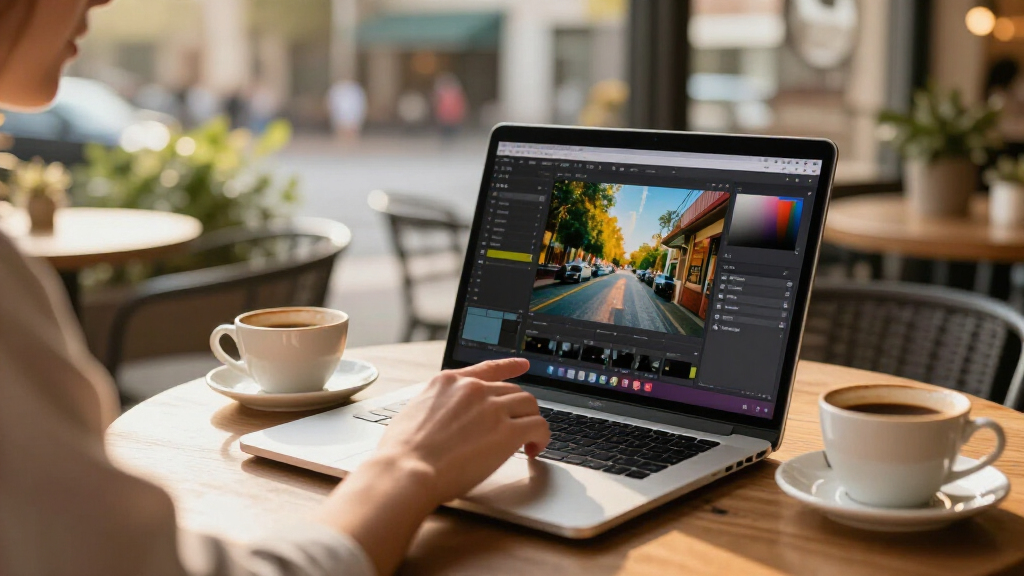

The best touchscreen laptop overall in this lineup is the Lenovo IdeaPad 5 2-in-1, which pairs a flexible 16-inch display with a Ryzen 7 processor and 1TB SSD. For demanding multitasking, the Dell 16-inch stands out with 32GB of RAM, while the Lenovo IdeaPad Slim 3 offers a simpler clamshell design with capable everyday specs. The key tradeoffs are screen resolution, memory, storage, and whether you need a true convertible or just touch input. Lower-cost configurations can handle basic tasks, but their HD screens and limited memory may feel restrictive. Keep reading for the full breakdown and help matching a laptop to how you work.

Get the latest gadgets delivered free — and shop member deals
- Fast, free delivery on millions of items
- Access to Prime Big Deal Days deals on October 6–7
- Prime Video, Amazon Music and more included
Complete the kit



Key Takeaways
- The Lenovo IdeaPad 5 2-in-1 leads for versatility: its 16-inch touchscreen folds into tablet-style modes, and its Ryzen 7 8845HS, 16GB RAM, and 1TB SSD form a strong all-round configuration.
- The Dell 16-inch and HP 15.6-inch Ryzen 7 model are the lineup’s most memory-rich picks, each offering 32GB RAM and a 1TB SSD for heavier multitasking.
- Screen resolution is a meaningful dividing line: several 15.6-inch options have HD panels, while FHD models such as the Dell Core i5 and Lenovo IdeaPad Slim 3 provide more workspace detail.
- The Lenovo Chromebook is the clearest choice for browser-centered use, but its 4GB RAM, 64GB eMMC storage, and ChromeOS make it a poor fit for Windows software or large local files.
- The lowest-spec options share a practical limit: 8GB RAM and smaller storage can suit basic browsing and documents, but buyers should weigh those limits against the longer-term flexibility of 16GB RAM and a larger SSD.
| HP 15.6-inch HD Touchscreen Laptop, AMD Ryzen 3 7320U, 8 GB RAM, 128 GB SSD |  | Best Entry-Level Touchscreen | Display: 15.6-inch anti-glare touchscreen, 1366 x 768, 250 nits | Processor: AMD Ryzen 3 7320U, 4 cores, 8 threads, up to 4.1 GHz | Memory: 8GB LPDDR5-5500, onboard | VIEW LATEST PRICE | See Our Full Breakdown |
| HP 15.6-Inch FHD Touchscreen Laptop with AMD Ryzen 7 7730U, 32GB RAM, and 1TB SSD |  | Best for Heavy Multitasking | Display: 15.6-inch FHD IPS touchscreen, 1920 x 1080, 300 nits, anti-glare | Processor: AMD Ryzen 7 7730U, 8 cores, 16 threads, up to 4.5 GHz | Memory: 32GB DDR4 3200MHz | VIEW LATEST PRICE | See Our Full Breakdown |
| Lenovo IdeaPad 5 2-in-1 Business Laptop, 16-inch Touchscreen, AMD Ryzen 7 8845HS, 16GB RAM, 1TB SSD, Windows 11 Pro, Luna Grey |  | Best Large-Screen 2-in-1 | Display: 16-inch LED touchscreen, 1920 x 1200, 60Hz | Processor: AMD Ryzen 7 8845HS, 8 cores, 16 threads, up to 5.1 GHz | Memory: 16GB LPDDR5 | VIEW LATEST PRICE | See Our Full Breakdown |
| 15.6″ 2-in-1 Touchscreen Laptop (Windows 11, Intel i3-10100Y, 16GB RAM, 256GB SSD) |  | Best Convertible for Everyday Tasks | Display: 15.6-inch Full HD LCD touchscreen, 1920 x 1080 | Processor: Intel Core i3-10100Y | Memory: 16GB RAM | VIEW LATEST PRICE | See Our Full Breakdown |
| Lenovo IdeaPad Slim 3 15.6-Inch FHD Touchscreen Laptop, Ryzen 7 5825U, 16GB RAM, 512GB SSD |  | Best Balanced Everyday Touchscreen | Display: 15.6-inch IPS LCD touchscreen, 1920 x 1080, 60Hz, 300 nits | Processor: AMD Ryzen 7 5825U, 8 cores, 16 threads | Memory: 16GB DDR4 3200MHz | VIEW LATEST PRICE | See Our Full Breakdown |
| Lenovo Flagship Chromebook, 14-inch FHD Touchscreen, MediaTek Kompanio 520, 4GB RAM, 64GB eMMC |  | Best Touchscreen Chromebook for Students | Display: 14-inch IPS touchscreen, 1920 × 1080, 60 Hz | Processor: MediaTek Kompanio 520, octa-core | Memory: 4GB RAM | VIEW LATEST PRICE | See Our Full Breakdown |
| Dell 16-Inch Touchscreen Laptop, Intel Core 7 150U, 32GB DDR5 RAM, 1TB SSD |  | Best for Touchscreen Multitasking | Display: 16-inch FHD+ touchscreen, 1920 × 1200, 16:10, 300 nits | Processor: Intel Core 7 150U, 10 cores, up to 5.4 GHz | Memory: 32GB DDR5, 5200 MT/s | VIEW LATEST PRICE | See Our Full Breakdown |
| HP Pavilion 15.6-Inch HD Touchscreen Laptop, Intel Core i3-1115G4, 16GB RAM, 1TB SSD | 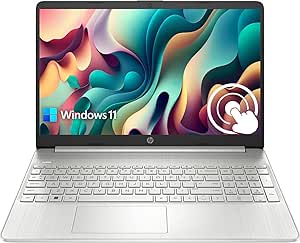 | Best for Touchscreen Storage on a Basic Windows Laptop | Display: 15.6-inch LED touchscreen, 1366 × 768, anti-glare, 220 nits, 60 Hz | Processor: Intel Core i3-1115G4, 2 cores, 4 threads, up to 4.1 GHz | Memory: 16GB RAM | VIEW LATEST PRICE | See Our Full Breakdown |
| HP 15.6-inch Touchscreen Laptop, AMD Ryzen 5 7520U, 8GB RAM, 512GB SSD |  | Best for Everyday Windows Touchscreen Use | Display: 15.6-inch HD touchscreen, 1366 × 768, 60 Hz, 250 nits, anti-glare | Processor: AMD Ryzen 5 7520U, 4 cores, 8 threads, up to 4.3 GHz | Memory: 8GB LPDDR5-5500, onboard | VIEW LATEST PRICE | See Our Full Breakdown |
| HP 17.3-Inch Touchscreen Laptop with Microsoft 365, 8GB RAM, and 128GB UFS |  | Best Large-Screen Touchscreen for Desk Use | Display: 17.3-inch HD+ touchscreen LCD, 1600 × 900, 60 Hz | Processor: Intel N100 quad-core | Memory: 8GB DDR4-3200, upgradeable to 16GB | VIEW LATEST PRICE | See Our Full Breakdown |
| HP 15.6 inch Laptop, HD Touchscreen Display, AMD Ryzen 3 7320U, 8 GB RAM, 256 GB SSD, AMD Radeon Graphics, Windows 11 Home, Natural Silver, 15-fc0399nr |  | Best Entry-Level Touchscreen | Display: 15.6-inch anti-glare touchscreen, 1366 × 768, 250 nits | Processor: AMD Ryzen 3 7320U, 4 cores, 8 threads, up to 4.1 GHz | Memory: 8 GB LPDDR5-5500, onboard | VIEW LATEST PRICE | See Our Full Breakdown |
| Dell 15.6″ FHD Touchscreen Laptop | 13th Gen Intel Core i5-1334U | 8GB RAM | 512GB PCIe SSD | Wi-Fi 6 | 1080p Webcam | Copilot AI | HDMI | Business & Study Ready | Windows 11 |  | Best for a Sharper, Smoother Screen | Display: 15.6-inch FHD IPS touchscreen, 1920 × 1080, 120 Hz, 250 nits | Processor: 13th Gen Intel Core i5-1334U, 10 cores, up to 4.60 GHz | Memory: 8 GB DDR4 | VIEW LATEST PRICE | See Our Full Breakdown |
| HP OmniBook 3 16-inch Touchscreen Laptop, Ryzen 3 7320U, 8 GB RAM, 256 GB SSD, Windows 11 Home, Mica Silver (16-by0199nr) |  | Best Large-Screen Battery Pick | Display: 16-inch IPS touchscreen, 1920 × 1200, 300 nits | Processor: AMD Ryzen 3 7320U, 4 cores, 8 threads, up to 4.1 GHz | Memory: 8 GB LPDDR5-5500 | VIEW LATEST PRICE | See Our Full Breakdown |
| touchscreen laptop | Display | Processor | Memory | Storage |
|---|---|---|---|---|
| HP 15.6-inch HD Touchscreen La | 15.6-inch anti-glare touchscreen, 1366 x 768, 250 nits | AMD Ryzen 3 7320U, 4 cores, 8 threads, up to 4.1 GHz | 8GB LPDDR5-5500, onboard | 128GB PCIe NVMe M.2 SSD |
| HP 15.6-Inch FHD Touchscreen L | 15.6-inch FHD IPS touchscreen, 1920 x 1080, 300 nits, anti-glare | AMD Ryzen 7 7730U, 8 cores, 16 threads, up to 4.5 GHz | 32GB DDR4 3200MHz | 1TB PCIe NVMe SSD |
| Lenovo IdeaPad 5 2-in-1 Busine | 16-inch LED touchscreen, 1920 x 1200, 60Hz | AMD Ryzen 7 8845HS, 8 cores, 16 threads, up to 5.1 GHz | 16GB LPDDR5 | 1TB SSD |
| 15.6" 2-in-1 Touchscreen Lapto | 15.6-inch Full HD LCD touchscreen, 1920 x 1080 | Intel Core i3-10100Y | 16GB RAM | 256GB SSD, expandable up to 2TB via M.2 2280 |
| Lenovo IdeaPad Slim 3 15.6-Inc | 15.6-inch IPS LCD touchscreen, 1920 x 1080, 60Hz, 300 nits | AMD Ryzen 7 5825U, 8 cores, 16 threads | 16GB DDR4 3200MHz | 512GB SSD |
| Lenovo Flagship Chromebook | 14-inch IPS touchscreen, 1920 × 1080, 60 Hz | MediaTek Kompanio 520, octa-core | 4GB RAM | 64GB eMMC |
| Dell 16-Inch Touchscreen Lapto | 16-inch FHD+ touchscreen, 1920 × 1200, 16:10, 300 nits | Intel Core 7 150U, 10 cores, up to 5.4 GHz | 32GB DDR5, 5200 MT/s | 1TB PCIe NVMe M.2 SSD |
| HP Pavilion 15.6-Inch HD Touch | 15.6-inch LED touchscreen, 1366 × 768, anti-glare, 220 nits, 60 Hz | Intel Core i3-1115G4, 2 cores, 4 threads, up to 4.1 GHz | 16GB RAM | 1TB PCIe NVMe SSD |
| HP 15.6-inch Touchscreen Lapto | 15.6-inch HD touchscreen, 1366 × 768, 60 Hz, 250 nits, anti-glare | AMD Ryzen 5 7520U, 4 cores, 8 threads, up to 4.3 GHz | 8GB LPDDR5-5500, onboard | 512GB PCIe NVMe M.2 SSD |
| HP 17.3-Inch Touchscreen Lapto | 17.3-inch HD+ touchscreen LCD, 1600 × 900, 60 Hz | Intel N100 quad-core | 8GB DDR4-3200, upgradeable to 16GB | 128GB UFS |
| HP 15.6 inch Laptop | 15.6-inch anti-glare touchscreen, 1366 × 768, 250 nits | AMD Ryzen 3 7320U, 4 cores, 8 threads, up to 4.1 GHz | 8 GB LPDDR5-5500, onboard | 256 GB PCIe NVMe M.2 SSD |
| Dell 15.6" FHD Touchscreen Lap | 15.6-inch FHD IPS touchscreen, 1920 × 1080, 120 Hz, 250 nits | 13th Gen Intel Core i5-1334U, 10 cores, up to 4.60 GHz | 8 GB DDR4 | 512 GB PCIe SSD |
| HP OmniBook 3 16-inch Touchscr | 16-inch IPS touchscreen, 1920 × 1200, 300 nits | AMD Ryzen 3 7320U, 4 cores, 8 threads, up to 4.1 GHz | 8 GB LPDDR5-5500 | 256 GB PCIe NVMe M.2 SSD |
More Details on Our Top Picks
HP 15.6-inch HD Touchscreen Laptop, AMD Ryzen 3 7320U, 8 GB RAM, 128 GB SSD
I’d pick this HP for straightforward browsing, email, and document work where a large touch surface matters more than sharpness or storage. Its 15.6-inch anti-glare touchscreen is easier to use in bright rooms than a glossy panel, but its 1366 x 768 resolution is a clear step down from the Full HD screens on the HP Ryzen 7 7730U and Lenovo IdeaPad Slim 3. The Ryzen 3 and 8GB of memory suit everyday tasks, while the 128GB SSD leaves limited room for files and apps. Wi-Fi 6, Bluetooth 5.4, and camera privacy controls are welcome practical additions. I’d rank it as an entry-level choice, not a flexible long-term work machine: Windows 11 S Mode and USB-C without charging or monitor support narrow its versatility.
Pros:- Anti-glare touchscreen helps reduce reflections in bright settings.
- Ryzen 3 processor and LPDDR5 memory suit common everyday tasks.
- Wi-Fi 6 and Bluetooth 5.4 provide current wireless connectivity.
- Camera privacy controls add useful protection for video calls.
Cons:- 1366 x 768 resolution looks less detailed than the Full HD displays on several alternatives.
- 128GB SSD gives limited room for apps and locally stored files.
- USB-C does not support charging or external monitors, and Windows 11 is supplied in S Mode.
Best for: Students or home users who mainly browse, write, and video-call and want a larger touchscreen for basic tasks.
Not ideal for: People who keep large media libraries, need crisp Full HD text, or expect USB-C to connect a monitor or charge the laptop.
- Display:15.6-inch anti-glare touchscreen, 1366 x 768, 250 nits
- Processor:AMD Ryzen 3 7320U, 4 cores, 8 threads, up to 4.1 GHz
- Memory:8GB LPDDR5-5500, onboard
- Storage:128GB PCIe NVMe M.2 SSD
- Graphics:Integrated AMD Radeon Graphics
- Operating system:Windows 11 Home in S Mode
- Wireless:Wi-Fi 6 and Bluetooth 5.4
- Ports:1 USB-C, 2 USB-A, HDMI 1.4b, headphone/microphone combo, AC smart pin
- Weight:3.5 lbs
Our verdict“Choose this HP for basic touchscreen computing on a roomy display, but step up to the Lenovo IdeaPad Slim 3 for sharper Full HD viewing and more storage.”
HP 15.6-Inch FHD Touchscreen Laptop with AMD Ryzen 7 7730U, 32GB RAM, and 1TB SSD
This HP is the strongest fit here for people who keep many work apps open and want generous built-in storage alongside a touchscreen. Its 32GB RAM and 1TB NVMe SSD give it a clear multitasking and capacity advantage over the Lenovo IdeaPad Slim 3, which has 16GB and 512GB. The 15.6-inch Full HD anti-glare display also gives text and spreadsheets more detail than the HD panel on the entry-level HP. A numeric keypad and Windows 11 Pro suit office routines, while the listed weight remains close to the lighter 15-inch options. The tradeoff is that Radeon graphics are integrated, so this is not a gaming or demanding graphics-work pick. I’d choose it for memory-heavy productivity, not because its touchscreen converts into a tablet or its battery life is unusually long.
Pros:- 32GB RAM supports heavier multitasking than the 16GB Lenovo IdeaPad Slim 3.
- 1TB NVMe SSD provides ample space for work files and applications.
- Full HD anti-glare touchscreen is more detailed than the HD display on the entry-level HP.
- Numeric keypad, Windows 11 Pro, and privacy-shutter camera suit office use.
Cons:- Integrated Radeon graphics limit demanding gaming and graphics workloads.
- Listed battery life is up to 10.75 hours, so actual runtime may not suit every full day away from power.
- The standard clamshell design does not offer tablet or tent modes.
Best for: Office users and multitaskers who keep numerous browser tabs and applications open and need substantial local storage.
Not ideal for: Buyers seeking a convertible touchscreen, dedicated graphics for demanding creative work, or a laptop chosen primarily for long unplugged use.
- Display:15.6-inch FHD IPS touchscreen, 1920 x 1080, 300 nits, anti-glare
- Processor:AMD Ryzen 7 7730U, 8 cores, 16 threads, up to 4.5 GHz
- Memory:32GB DDR4 3200MHz
- Storage:1TB PCIe NVMe SSD
- Graphics:Integrated AMD Radeon Graphics
- Operating system:Windows 11 Pro
- Wireless:Wi-Fi 6 and Bluetooth
- Ports:1 USB-C 3.0, 2 USB-A 3.0, HDMI 1.4, headphone/microphone combo
- Weight:3.52 lbs
Our verdict“Choose this HP over the Lenovo IdeaPad Slim 3 if your priority is more memory and storage for multitasking rather than a convertible design.”
Lenovo IdeaPad 5 2-in-1 Business Laptop, 16-inch Touchscreen, AMD Ryzen 7 8845HS, 16GB RAM, 1TB SSD, Windows 11 Pro, Luna Grey
The Lenovo IdeaPad 5 is the pick for buyers who want a touchscreen that can also serve as a tablet-style surface: its 2-in-1 hinge makes it more adaptable than the clamshell HP Ryzen 7 7730U. Its 16-inch, 1920 x 1200 display provides extra vertical room for documents and web pages compared with the 15.6-inch Full HD screens elsewhere in this group. The Ryzen 7 8845HS, 16GB of memory, and 1TB SSD make it a capable work setup, with a fingerprint reader and privacy shutter rounding out its business-friendly features. The tradeoff is substantial: listed at 6 lbs, it is much heavier than the roughly 3.5-pound HP and Lenovo clamshells. The product description also says the factory seal is opened for upgrades and lists inconsistent port counts, so I’d verify the supplied configuration before buying.
Pros:- 16-inch 1920 x 1200 touchscreen offers more vertical workspace than the 15.6-inch Full HD alternatives.
- 2-in-1 design supports more touch-friendly positions than standard clamshell laptops.
- Ryzen 7 8845HS, 16GB RAM, and 1TB SSD suit demanding everyday productivity.
- Fingerprint reader, backlit keyboard, numeric keypad, and camera privacy shutter support work use.
Cons:- Listed weight of 6 lbs makes it considerably less portable than the HP and IdeaPad Slim 3 clamshells.
- Product description says the factory seal is opened for upgrades.
- Port counts are inconsistent between the listing details.
Best for: Professionals who want a large, high-resolution touchscreen for documents and presentations plus convertible laptop and tablet modes.
Not ideal for: Frequent commuters who prioritize a light carry, or buyers who need fully clear confirmation of the laptop’s upgrade and port configuration.
- Display:16-inch LED touchscreen, 1920 x 1200, 60Hz
- Processor:AMD Ryzen 7 8845HS, 8 cores, 16 threads, up to 5.1 GHz
- Memory:16GB LPDDR5
- Storage:1TB SSD
- Graphics:Integrated AMD Radeon 780M
- Operating system:Windows 11 Pro
- Ports:2 USB-C, 2 USB-A, HDMI, headphone/microphone combo jack, microSD card reader
- Wireless:Wi-Fi 6 and Bluetooth
- Weight:6 lbs
Our verdict“Choose this Lenovo if convertible use and a larger, taller display matter more than carrying weight and listing clarity.”
15.6″ 2-in-1 Touchscreen Laptop (Windows 11, Intel i3-10100Y, 16GB RAM, 256GB SSD)
This 15.6-inch convertible makes sense for buyers who want to fold a touchscreen back for reading, casual viewing, or touch-led tasks without choosing the heavier 16-inch Lenovo IdeaPad 5 2-in-1. Its 360-degree hinge and Full HD resolution give it a more flexible screen setup than either HP clamshell in this group. The 16GB of RAM is useful for routine multitasking, and the listed USB-C, HDMI, SD card reader, and expandable M.2 storage offer practical connection and upgrade options. The main compromise is the Intel Core i3-10100Y: it is better suited to everyday computing than demanding professional workloads. At 2.2 kg, it is not especially light for carrying, either. I’d choose it for convertible versatility on a modest workload, not for graphics-heavy creation or intensive processing.
Pros:- 360-degree hinge supports laptop and tablet-style use, unlike the clamshell HP Ryzen 7 7730U.
- Full HD touchscreen provides more detail than the entry-level HP’s HD panel.
- 16GB RAM and 256GB SSD cover routine multitasking, with storage expandable up to 2TB.
- Wi-Fi 6, USB-C, HDMI, and an SD card reader offer useful connectivity.
Cons:- Intel Core i3-10100Y is a modest processor for heavy professional workloads.
- Integrated graphics are a poor fit for demanding games and high-end video editing.
- Listed 2.2 kg weight is heavier than the other 15-inch laptops in this batch.
Best for: Home users who want Full HD touch input and a 360-degree hinge for browsing, reading, and everyday productivity.
Not ideal for: People editing demanding video, playing graphics-intensive games, or seeking a particularly light laptop for daily commuting.
- Display:15.6-inch Full HD LCD touchscreen, 1920 x 1080
- Processor:Intel Core i3-10100Y
- Memory:16GB RAM
- Storage:256GB SSD, expandable up to 2TB via M.2 2280
- Operating system:Windows 11 Home
- Form factor:2-in-1 convertible with 360-degree hinge
- Battery:57.7Wh lithium-polymer
- Connectivity:Wi-Fi 6, Bluetooth 5.2, USB 3.2, USB-C, HDMI 1.4, SD card, 3.5mm audio
- Weight:2.2 kg
Our verdict“Choose this convertible for flexible touch use and everyday tasks, but pick the Lenovo IdeaPad 5 2-in-1 for its stronger listed processor and larger display.”
Lenovo IdeaPad Slim 3 15.6-Inch FHD Touchscreen Laptop, Ryzen 7 5825U, 16GB RAM, 512GB SSD
I’d put the IdeaPad Slim 3 near the center of this group for buyers who want a sharp touchscreen and capable everyday performance without the HP Ryzen 7 7730U’s larger memory and storage setup. Its 15.6-inch Full HD IPS display is a substantial step up from the 1366 x 768 entry-level HP, while the Ryzen 7 5825U and 16GB RAM suit a mix of browser tabs, office work, and video calls. The 512GB SSD is a useful middle ground: more room than the basic HP offers, though half the capacity of the higher-spec HP. Wi-Fi 6 and USB-C keep connectivity practical. This is a straightforward clamshell, not a convertible like either 2-in-1 here, and its 26Wh battery is a notable capacity limitation. The lack of a backlit keyboard also matters for dim workspaces.
Pros:- Full HD IPS touchscreen is sharper than the entry-level HP’s HD panel.
- Ryzen 7 5825U and 16GB RAM provide a capable everyday productivity setup.
- 512GB SSD offers more space than the basic HP’s 128GB drive.
- Wi-Fi 6, USB-C, HDMI, and a numeric keypad support common work routines.
Cons:- 26Wh battery capacity may be restrictive for buyers who regularly work away from an outlet.
- No backlit keyboard makes dim-room typing less convenient.
- Integrated Radeon graphics are not intended for demanding graphics work.
Best for: Students and home-office users who want a Full HD touchscreen, strong everyday multitasking, and moderate storage in a conventional laptop.
Not ideal for: People who need tablet-style modes, a backlit keyboard, large local storage, or long unplugged sessions.
- Display:15.6-inch IPS LCD touchscreen, 1920 x 1080, 60Hz, 300 nits
- Processor:AMD Ryzen 7 5825U, 8 cores, 16 threads
- Memory:16GB DDR4 3200MHz
- Storage:512GB SSD
- Graphics:Integrated AMD Radeon
- Operating system:Windows 11 Pro 64-bit
- Wireless:Wi-Fi 6 and Bluetooth
- Ports:2 USB-A 3.2 Gen 1, 1 USB-C 3.2 Gen 1, HDMI 1.4, headphone/microphone jack
- Battery:3-cell lithium battery, 26Wh
Our verdict“Choose the IdeaPad Slim 3 for a balanced Full HD touchscreen and everyday performance, or the HP Ryzen 7 7730U if you need more memory and storage.”
Lenovo Flagship Chromebook, 14-inch FHD Touchscreen, MediaTek Kompanio 520, 4GB RAM, 64GB eMMC
The 14-inch Full HD touchscreen gives this Chromebook a sharper workspace than the HD panels on the HP Pavilion 15.6-inch and HP 15.6-inch Ryzen 5, which helps keep text and class materials clearer. Its 2.86-pound design, Wi-Fi 6, and webcam privacy shutter suit students moving between home, school, and video lessons. ChromeOS also keeps the setup focused on browser-based work and Google apps rather than full Windows software. The tradeoff is its 4GB RAM and 64GB eMMC: those limits are manageable for lighter cloud-based tasks, but leave less room for many open tabs or locally stored files than the Windows laptops here. I’d choose it for portable coursework, not demanding multitasking or desktop applications.
Pros:- 14-inch 1920 × 1080 IPS touchscreen is sharper than the HD panels on several 15.6-inch options here.
- At about 2.86 pounds, it is easy to carry between classes or workspaces.
- ChromeOS, Wi-Fi 6, and a webcam privacy shutter suit online study and everyday browsing.
- USB-A, USB-C, microSD, and a headphone/microphone jack cover common accessories.
Cons:- 4GB RAM limits comfortable multitasking compared with the Windows laptops in this roundup.
- 64GB eMMC provides much less local storage than the 512GB and 1TB SSD options.
- ChromeOS cannot run every Windows desktop application.
Best for: Students who mainly use browser-based coursework, Google apps, video calls, and cloud storage, and want a light laptop with a clear touchscreen.
Not ideal for: People who need Windows-only software, keep many applications open, or store large media libraries locally; its 4GB RAM and 64GB eMMC are restrictive.
- Display:14-inch IPS touchscreen, 1920 × 1080, 60 Hz
- Processor:MediaTek Kompanio 520, octa-core
- Memory:4GB RAM
- Storage:64GB eMMC
- Operating system:ChromeOS
- Wireless:Wi-Fi 6 and Bluetooth 5.1
- Ports:USB-A, USB-C, microSD card reader, headphone/microphone combo
- Weight:Approximately 2.86 lb
Our verdict“Choose this Lenovo for portable, browser-centered study with a sharper touchscreen, but skip it if you need Windows apps or substantial memory and storage.”
Dell 16-Inch Touchscreen Laptop, Intel Core 7 150U, 32GB DDR5 RAM, 1TB SSD
The Dell makes its case with a 16-inch, 16:10 touchscreen and unusually generous 32GB of DDR5 memory, a combination that suits crowded browser sessions, office work, and switching among several applications. Its 1TB SSD also gives it far more local storage than the Lenovo Chromebook or the HP 17.3-inch N100 model. Compared with the HP 15.6-inch Ryzen 5, the Dell offers more memory and a taller 1920 × 1200 workspace, which means less scrolling through documents. The compromise is integrated graphics, so it is not the right pick for graphics-heavy games or demanding creative work. At 300 nits, the listed display brightness is also modest for bright rooms. I’d rank it for productivity, not visual performance.
Pros:- 32GB DDR5 memory supports heavier multitasking than the 4GB Lenovo Chromebook or 8GB HP models.
- 16-inch 1920 × 1200 display provides a roomy 16:10 workspace for documents and spreadsheets.
- 1TB NVMe SSD offers ample fast local storage.
- Windows 11 Pro, fingerprint reader, and webcam privacy shutter add practical work and security features.
Cons:- Integrated Intel graphics are a poor fit for demanding games and graphics-intensive work.
- The listed 300-nit brightness may feel limited in bright environments.
- A 16-inch chassis is less compact than the smaller-screen laptops in this group.
Best for: Professionals and students who keep many apps or browser tabs open, work with long documents, and want substantial SSD capacity.
Not ideal for: Gamers and creative users who need a dedicated graphics processor, or buyers prioritizing a particularly bright screen.
- Display:16-inch FHD+ touchscreen, 1920 × 1200, 16:10, 300 nits
- Processor:Intel Core 7 150U, 10 cores, up to 5.4 GHz
- Memory:32GB DDR5, 5200 MT/s
- Storage:1TB PCIe NVMe M.2 SSD
- Graphics:Integrated Intel Graphics
- Operating system:Windows 11 Pro
- Webcam:1080p FHD with privacy shutter and temporal noise reduction
- Wireless:Wi-Fi 6E and Bluetooth 5.3
- Ports:USB-A, USB-C, HDMI 1.4, audio jacks
Our verdict“Pick the Dell for multitasking and a spacious touchscreen workspace; choose another model if graphics power or a brighter display matters more.”
HP Pavilion 15.6-Inch HD Touchscreen Laptop, Intel Core i3-1115G4, 16GB RAM, 1TB SSD
This Pavilion pairs 16GB RAM and a 1TB NVMe SSD with a familiar 15.6-inch Windows touchscreen, making it a practical fit for everyday office tasks and a substantial local file collection. Its anti-glare finish may help reduce reflections, while USB-C, USB-A, and HDMI cover common peripherals and external displays. Compared with the HP 15.6-inch Ryzen 5, this model doubles the listed memory and storage, but its 1366 × 768 resolution is still low for a screen of this size. The two-core Core i3 is also a more modest processor than the Dell Core 7 150U or Ryzen 5 options. I’d favor this Pavilion when memory and storage matter more than screen detail or sustained heavy workloads.
Pros:- 16GB RAM gives it more multitasking headroom than the 8GB HP 15.6-inch Ryzen 5.
- 1TB NVMe SSD supplies substantial fast local storage.
- Anti-glare touchscreen can reduce reflections during everyday use.
- USB-C, two USB-A ports, and HDMI support a range of accessories.
Cons:- 1366 × 768 resolution looks less detailed than the Full HD touchscreen on the Lenovo Chromebook.
- Two-core, four-thread Core i3 is less suited to demanding workloads than the Dell Core 7 or Ryzen 5 alternatives.
- Listed display brightness is 220 nits.
Best for: Windows users doing everyday browsing, office work, and local file storage who want 16GB RAM and a large SSD.
Not ideal for: Buyers who read fine text for long stretches, need crisp high-resolution visuals, or run demanding applications; the HD display and two-core processor are limiting.
- Display:15.6-inch LED touchscreen, 1366 × 768, anti-glare, 220 nits, 60 Hz
- Processor:Intel Core i3-1115G4, 2 cores, 4 threads, up to 4.1 GHz
- Memory:16GB RAM
- Storage:1TB PCIe NVMe SSD
- Graphics:Integrated Intel UHD Graphics
- Operating system:Windows 11 Home
- Ports:USB-C, 2 USB-A, HDMI 1.4b, headphone/microphone combo
- Weight:1.7 kg
Our verdict“Choose this Pavilion if you want a Windows touchscreen with ample memory and storage for basic tasks, but not if sharp display detail or heavier processing is a priority.”
HP 15.6-inch Touchscreen Laptop, AMD Ryzen 5 7520U, 8GB RAM, 512GB SSD
The HP 15.6-inch Ryzen 5 is a straightforward Windows choice for browsing, documents, and video calls, with a 512GB NVMe SSD that offers considerably more local space than the Lenovo Chromebook’s 64GB eMMC. Its four-core Ryzen 5, Wi-Fi 6, and 3.5-pound weight make it a balanced everyday package, while the touchscreen supports familiar tap and gesture controls. The main compromise is the 1366 × 768 display: the Lenovo’s 14-inch Full HD panel shows finer detail, and the Dell’s 16-inch 1920 × 1200 screen offers a more useful workspace. The HP’s 8GB memory is onboard, so it cannot be upgraded according to the supplied specifications. Also, USB-C does not support charging or external monitors, limiting its role as a one-cable desk connection.
Pros:- Four-core Ryzen 5 processor is suited to routine productivity and browsing.
- 512GB PCIe NVMe SSD is a useful step up in storage from the Lenovo Chromebook.
- Wi-Fi 6 and Bluetooth 5.3 provide current wireless connectivity.
- Fast Charge is listed to reach 50% in 45 minutes.
Cons:- 1366 × 768 resolution provides less detail than the Lenovo Chromebook’s Full HD screen.
- 8GB onboard memory is not upgradeable according to the supplied specifications.
- USB-C does not support charging or external monitors.
Best for: Everyday Windows users who want a conventional 15.6-inch touchscreen for browsing, documents, and calls, with a 512GB SSD.
Not ideal for: People who want a sharp Full HD display, upgradeable memory, or USB-C charging and monitor support.
- Display:15.6-inch HD touchscreen, 1366 × 768, 60 Hz, 250 nits, anti-glare
- Processor:AMD Ryzen 5 7520U, 4 cores, 8 threads, up to 4.3 GHz
- Memory:8GB LPDDR5-5500, onboard
- Storage:512GB PCIe NVMe M.2 SSD
- Graphics:Integrated AMD Radeon Graphics
- Operating system:Windows 11 Home
- Wireless:Wi-Fi 6 and Bluetooth 5.3
- Ports:USB-C, 2 USB-A, HDMI 1.4b, AC smart pin, headphone/microphone combo
- Weight:3.5 lb
Our verdict“Pick this HP for everyday Windows tasks and a useful-sized SSD, but look elsewhere for a high-resolution touchscreen or flexible USB-C connectivity.”
HP 17.3-Inch Touchscreen Laptop with Microsoft 365, 8GB RAM, and 128GB UFS
If screen size matters more than portability, this HP’s 17.3-inch touchscreen gives documents, web pages, and on-screen controls more room than the 15.6-inch HP Pavilion and Ryzen 5 models. Its 1600 × 900 resolution is also a step above their 1366 × 768 panels, although it falls short of the Full HD Lenovo Chromebook and the 1920 × 1200 Dell. A backlit keyboard with numeric keypad and fingerprint reader make it convenient for desk-based work, while the N100 processor and 8GB RAM point toward light everyday tasks rather than heavy multitasking. The biggest constraint is the 128GB UFS storage, far below the Pavilion’s 1TB SSD. Microsoft 365 also requires subscription activation, and the listed weight information is inconsistent.
Pros:- 17.3-inch screen offers more viewing area than the other HP touchscreen models in this batch.
- 1600 × 900 resolution exceeds the 1366 × 768 panels on the HP Pavilion and HP Ryzen 5.
- Backlit keyboard, numeric keypad, and fingerprint reader support desk-based productivity.
- Wi-Fi 6 and Bluetooth 5.4 provide modern wireless connections.
Cons:- 128GB UFS storage is limited beside the 512GB and 1TB SSDs in other options here.
- Intel N100 and 8GB RAM are aimed at lighter workloads, not demanding multitasking.
- The product information lists conflicting weights, and Microsoft 365 requires subscription activation.
Best for: Home users who want a large touchscreen for browsing, documents, and number entry, and generally keep the laptop at a desk.
Not ideal for: Frequent travelers, users with large local file collections, or people who need strong performance for demanding multitasking and graphics work.
- Display:17.3-inch HD+ touchscreen LCD, 1600 × 900, 60 Hz
- Processor:Intel N100 quad-core
- Memory:8GB DDR4-3200, upgradeable to 16GB
- Storage:128GB UFS
- Operating system:Windows 11 Home
- Keyboard and security:Backlit keyboard with numeric keypad; fingerprint reader
- Wireless:Wi-Fi 6 and Bluetooth 5.4
- Ports:USB-C, 2 USB-A, HDMI 1.4b, headphone/microphone combo
- Battery:41 Wh lithium-ion
Our verdict“Choose this HP for a large touchscreen and full numeric keypad at a mostly stationary workstation, but skip it if storage, portability, or heavier performance matters.”
HP 15.6 inch Laptop, HD Touchscreen Display, AMD Ryzen 3 7320U, 8 GB RAM, 256 GB SSD, AMD Radeon Graphics, Windows 11 Home, Natural Silver, 15-fc0399nr
This HP is the straightforward pick for everyday browsing, documents, and video calls where touch input matters more than screen sharpness. Its 15.6-inch anti-glare display gives you room to tap through pages and menus, but 1366 × 768 resolution is a clear step below the Full HD panels on the Dell 15.6-inch FHD Touchscreen Laptop and HP OmniBook 3. Text and detailed images look less crisp, so buyers who spend long hours reading or editing photos may prefer either of those. The Ryzen 3 7320U, 8 GB of memory, and 256 GB SSD suit common tasks, while the USB-C port is data-only and cannot charge the laptop or drive an external monitor. Its appeal is accessible everyday use, not demanding creative work or a premium touchscreen experience.
Pros:- 15.6-inch capacitive touchscreen with anti-glare finish
- Ryzen 3 processor and 8 GB LPDDR5 memory for everyday tasks
- 256 GB PCIe NVMe SSD
- Includes HDMI, Wi-Fi 6, and a 720p camera with noise reduction
Cons:- 1366 × 768 resolution is less sharp than the Dell and OmniBook Full HD-class displays
- USB-C supports data only, not charging or external displays
- 8 GB of onboard memory limits headroom for heavier multitasking
Best for: Students and home users who want a large touchscreen for web browsing, online classes, documents, and basic video calls.
Not ideal for: People who read or edit on-screen for long stretches, need Full HD detail, or expect USB-C charging and monitor support.
- Display:15.6-inch anti-glare touchscreen, 1366 × 768, 250 nits
- Processor:AMD Ryzen 3 7320U, 4 cores, 8 threads, up to 4.1 GHz
- Memory:8 GB LPDDR5-5500, onboard
- Storage:256 GB PCIe NVMe M.2 SSD
- Graphics:Integrated AMD Radeon Graphics
- Operating system:Windows 11 Home
- Wireless:Wi-Fi 6 and Bluetooth 5.3
- Weight:3.5 lbs
Our verdict“Choose this HP for basic home or school touchscreen use if you can accept an HD panel and limited USB-C functionality.”
Dell 15.6″ FHD Touchscreen Laptop | 13th Gen Intel Core i5-1334U | 8GB RAM | 512GB PCIe SSD | Wi-Fi 6 | 1080p Webcam | Copilot AI | HDMI | Business & Study Ready | Windows 11
The Dell is the screen-focused choice among these three: its 15.6-inch Full HD IPS touchscreen gives text and video more definition than the HD panel on the HP 15.6-inch Ryzen 3, and its listed 120 Hz refresh rate can make scrolling feel smoother. The 13th-generation Core i5 and 512 GB SSD also give it more room for apps and files than either 256 GB HP option. That makes it a stronger fit for schoolwork, office tasks, and frequent video calls, helped by the 1080p webcam and SD card reader. There are limits: memory remains at 8 GB, the keyboard is non-backlit, and the stated battery life is up to nine hours. Compared with the OmniBook 3, the Dell offers more storage and a higher refresh rate, while the HP has a higher-resolution 16:10 panel and longer claimed battery life.
Pros:- Full HD IPS touchscreen with a listed 120 Hz refresh rate
- 13th-generation Core i5 processor with 10 cores
- 512 GB SSD provides more storage than either HP model here
- 1080p webcam, SD card reader, and HDMI connectivity
Cons:- 8 GB DDR4 memory may constrain heavier multitasking
- Keyboard is not backlit
- Listed battery life is up to nine hours, shorter than the OmniBook 3’s claim
Best for: Students and office users who want a 15.6-inch Full HD touch display, smoother scrolling, and extra SSD capacity for everyday files.
Not ideal for: Buyers who need more than 8 GB of memory, a backlit keyboard, or the longest stated battery life.
- Display:15.6-inch FHD IPS touchscreen, 1920 × 1080, 120 Hz, 250 nits
- Processor:13th Gen Intel Core i5-1334U, 10 cores, up to 4.60 GHz
- Memory:8 GB DDR4
- Storage:512 GB PCIe SSD
- Graphics:Integrated Intel Iris Xe Graphics
- Camera:Integrated 1080p FHD webcam
- Battery life:Up to 9 hours
- Weight:4.19 lbs
Our verdict“Pick the Dell if you prioritize a sharper, smoother 15.6-inch touchscreen and 512 GB storage over extra memory or longer battery claims.”
HP OmniBook 3 16-inch Touchscreen Laptop, Ryzen 3 7320U, 8 GB RAM, 256 GB SSD, Windows 11 Home, Mica Silver (16-by0199nr)
The OmniBook 3 earns its place for buyers who want a larger, taller touchscreen without moving to a heavier, more demanding configuration. Its 16-inch 1920 × 1200 IPS display offers more vertical workspace than the Dell’s 15.6-inch 1920 × 1080 screen, which helps when reading documents or keeping more of a webpage visible. HP also claims up to 14 hours and 15 minutes of battery life, well beyond the Dell’s stated nine hours, and the 1080p HDR camera is better specified than the 15-fc0399nr’s 720p camera. The tradeoff is modest core hardware: Ryzen 3, 8 GB of onboard memory, and 256 GB of storage are suited to routine work, not demanding workloads. Choose the Dell instead if you want a 120 Hz display and twice the storage.
Pros:- 16-inch 1920 × 1200 IPS touchscreen with 300-nit brightness
- Claimed battery life of up to 14 hours and 15 minutes
- 1080p FHD camera with HDR auto-switch
- Two USB-C ports, HDMI 2.1, and USB-C fast charging
Cons:- 8 GB of onboard memory offers limited multitasking headroom
- 256 GB SSD is less capacity than the Dell’s 512 GB drive
- Ryzen 3 integrated graphics are not aimed at demanding games or creative workloads
Best for: Mobile students and home-office users who value a roomy 16-inch touch workspace, a sharp 16:10 display, and long claimed battery life.
Not ideal for: Power users who run demanding creative apps, keep many applications open, or need more than 256 GB of built-in storage.
- Display:16-inch IPS touchscreen, 1920 × 1200, 300 nits
- Processor:AMD Ryzen 3 7320U, 4 cores, 8 threads, up to 4.1 GHz
- Memory:8 GB LPDDR5-5500
- Storage:256 GB PCIe NVMe M.2 SSD
- Graphics:Integrated AMD Radeon 610M
- Battery life:Up to 14 hours and 15 minutes
- Camera:1080p FHD with HDR auto-switch
- Weight:3.6 lbs
- Ports:2 USB Type-A, 2 USB Type-C, HDMI 2.1, headphone/microphone combo
Our verdict“Choose the OmniBook 3 for a larger, higher-resolution touchscreen and longer claimed battery life, provided its 8 GB memory and 256 GB storage fit your workload.”

How We Picked
I ranked these laptops by how well their touchscreen, performance, and overall configuration fit common work, school, and home tasks. I gave extra weight to FHD resolution, at least 16GB of RAM, useful SSD capacity, and processors that leave room for multitasking. A convertible design earned credit when it added real flexibility, while a touchscreen alone did not make a standard clamshell a 2-in-1.
The ordering reflects the balance of those factors, not a single headline specification. The Lenovo IdeaPad 5 2-in-1 ranks first because it combines capable components with flexible use; the Dell 16-inch and HP Ryzen 7 model suit buyers who prioritize memory and storage. More modest systems rank lower when HD resolution, 8GB RAM, small storage, or platform limits narrow their usefulness. I also treated screen size, operating system, and upgrade expectations as part of the buying fit, since a strong processor cannot compensate for a configuration that does not match the work.
| touchscreen laptop | Operating system | Wireless |
|---|---|---|
| HP 15.6-inch HD Touchscreen La | Windows 11 Home in S Mode | Wi-Fi 6 and Bluetooth 5.4 |
| HP 15.6-Inch FHD Touchscreen L | Windows 11 Pro | Wi-Fi 6 and Bluetooth |
| Lenovo IdeaPad 5 2-in-1 Busine | Windows 11 Pro | Wi-Fi 6 and Bluetooth |
| 15.6" 2-in-1 Touchscreen Lapto | Windows 11 Home | — |
| Lenovo IdeaPad Slim 3 15.6-Inc | Windows 11 Pro 64-bit | Wi-Fi 6 and Bluetooth |
| Lenovo Flagship Chromebook | ChromeOS | Wi-Fi 6 and Bluetooth 5.1 |
| Dell 16-Inch Touchscreen Lapto | Windows 11 Pro | Wi-Fi 6E and Bluetooth 5.3 |
| HP Pavilion 15.6-Inch HD Touch | Windows 11 Home | — |
| HP 15.6-inch Touchscreen Lapto | Windows 11 Home | Wi-Fi 6 and Bluetooth 5.3 |
| HP 17.3-Inch Touchscreen Lapto | Windows 11 Home | Wi-Fi 6 and Bluetooth 5.4 |
| HP 15.6 inch Laptop | Windows 11 Home | Wi-Fi 6 and Bluetooth 5.3 |
| Dell 15.6" FHD Touchscreen Lap | — | — |
| HP OmniBook 3 16-inch Touchscr | — | — |
Factors to Consider When Choosing Best Touchscreen Laptops
Touch input is only one part of the choice. I would start by deciding how you plan to use the display, then match the screen, memory, storage, and operating system to that routine. These broader checks can prevent paying for a feature you will rarely use—or buying a configuration that feels cramped after everyday software and files accumulate.
Decide Whether You Need a Convertible
A touchscreen does not automatically make a laptop a tablet replacement. A standard clamshell is usually the simpler choice for typing, video calls, and occasional taps, while a 2-in-1 can fold back for reading, drawing, or presenting. Think about where the screen will rest when you use touch: repeated tapping on a laptop keyboard can make the machine wobble or feel awkward. Convertible hinges add flexibility, but they may not matter if the device mostly stays on a desk. Do not choose a 2-in-1 just because it sounds more versatile; buy one when its alternate modes match a regular task. If handwriting matters, also check pen support and whether a compatible stylus is included, since touch compatibility alone does not promise a good note-taking setup.
Choose Screen Resolution for Your Work
Screen size tells only part of the story; resolution affects how much detail and workspace you can see. FHD is generally a better fit for side-by-side windows, dense spreadsheets, and long reading sessions than HD at the same screen size. A large HD panel can look less crisp up close, so do not mistake more inches for a sharper image. Touchscreens can also pick up reflections and fingerprints more readily, making display brightness and room lighting relevant to daily comfort. If you mainly browse and write short documents, HD may be adequate, but frequent multitasking makes the extra clarity more useful. Check the exact panel specification rather than relying on a product title that only says “touchscreen.”
Match Memory and Processor to Your Workload
For a laptop you plan to keep, memory affects how comfortably it handles many browser tabs, video calls, and office apps at once. Eight gigabytes can serve lighter tasks, but 16GB gives more breathing room for multitasking; 32GB is most useful for demanding workflows rather than basic browsing. Processor names alone can mislead because different generations and power classes behave differently, so compare the full model number and intended workload. A fast processor paired with limited memory may still feel constrained when several apps are open. Avoid paying for high-end components if your routine is mostly email and streaming, but do not under-spec a work machine that needs to run multiple tools throughout the day. Check whether memory is upgradeable before treating the starting configuration as fixed.
Buy Enough Storage for Your Files
Storage capacity determines how much room you have for applications, downloads, photos, and offline work. A small drive can fill quickly once the operating system and apps take their share, even if cloud storage is part of your routine. SSDs generally make everyday tasks feel more responsive than slower storage types, while eMMC configurations are more suited to lightweight use. Consider whether you need local access to large media or school and work files when choosing capacity. Cloud storage can reduce the need for a large internal drive, but it depends on reliable internet and may involve ongoing service costs. Before buying, check whether the laptop allows storage upgrades; external drives are useful, but they add another item to carry and manage.
Check the Operating System Against Your Apps
Windows and ChromeOS serve different needs, and a touchscreen does not make their software interchangeable. ChromeOS can work well for browser-based schoolwork, web apps, and cloud documents, but it is not a direct substitute for Windows desktop programs. Windows offers broader compatibility with common business and creative software, though it can need more local storage and system resources. Before choosing, list the applications you depend on and check their system requirements, especially for work-managed tools, specialist software, or peripherals. Also confirm whether your school or employer requires a particular operating system or security setup. Choosing around the software you actually use is more reliable than choosing by processor branding alone.
Set Priorities Before Paying for Extra Features
A laptop with more RAM, a larger SSD, or a premium processor is not automatically the better buy for every person. Put your budget toward the limitation you will notice most: screen clarity for long reading, memory for multitasking, storage for local files, or a convertible hinge for pen and tablet-style use. Do not let accessories or bundled software distract from the base configuration, since those additions may not improve the laptop’s core performance. If you keep devices for several years, a stronger memory and storage setup can provide more room as apps and files grow. For a short-term or single-purpose device, a simpler configuration may make better sense. Compare the complete specification, not just the model family name, because configurations within one series can differ substantially.
Frequently Asked Questions
Is a 2-in-1 touchscreen worth choosing over a regular touchscreen laptop?
Choose a 2-in-1 if you will regularly fold the display back for reading, presenting, drawing, or using the device in a tight space. If you mainly type at a desk and only tap links or buttons, a standard clamshell may be simpler and can offer a better configuration for the same kind of work. Touch input by itself does not provide the flexibility of a convertible hinge. For handwritten notes, check pen support and stylus availability separately. The Lenovo IdeaPad 5 2-in-1 is the strongest fit in this group when those extra modes are part of your routine.
Should I avoid an HD touchscreen if I use my laptop every day?
Not necessarily, but think about how much time you spend reading, editing documents, or keeping multiple windows open. At 15.6 inches, FHD usually gives text and interface details more definition than HD, which can be helpful during long sessions. HD may be acceptable for email, basic browsing, and simple schoolwork, particularly if you sit farther from the screen. Touch capability does not make a low-resolution display sharper. If display comfort is high on your list, prioritize a confirmed FHD panel over a vague touchscreen label.
Is 8GB of RAM enough for school or office work?
Eight gigabytes can handle basic documents, browsing, and video calls, but running many tabs and applications at once can make that configuration feel constrained. Sixteen gigabytes offers more room for multitasking and is a safer target for a laptop you expect to keep. For intensive workloads, 32GB may be useful, though it is more than many everyday users need. Check whether the memory can be upgraded, since some laptops do not allow an easy increase later. Also weigh RAM alongside the processor and storage rather than treating one specification as the whole performance story.
Can a touchscreen Chromebook replace a Windows laptop?
It can replace one for browser-based tasks such as web research, cloud documents, email, and streaming, provided your essential services work in ChromeOS. It is not a safe substitute if you rely on Windows-only desktop programs, specialized workplace tools, or particular peripherals. The Chromebook in this lineup has 4GB RAM and 64GB eMMC storage, so it is best kept to lightweight use rather than heavy local multitasking. Check whether offline access is available for your key apps before relying on it away from Wi-Fi. If software compatibility is uncertain, a Windows option is the lower-risk choice.
Which specifications should I prioritize if I want to keep my laptop for several years?
Start with the workload you expect to have, then favor enough memory and storage to avoid immediate constraints. For general multitasking, 16GB RAM and a larger SSD give more headroom than an entry configuration with 8GB and minimal storage. FHD can also make a noticeable difference if you spend long hours reading or arranging windows. Check the manufacturer’s details for memory and storage upgrade options, since future expansion is not guaranteed. A 2-in-1 hinge is worth prioritizing only if you expect to use its alternate modes; otherwise, put that choice behind the display and core configuration.
Conclusion
For the strongest balance of touch flexibility and everyday capability, I recommend the Lenovo IdeaPad 5 2-in-1 as the best overall. The Lenovo IdeaPad Slim 3 is my best-value fit for buyers who want an FHD clamshell with 16GB RAM, while the Dell 16-inch is the best premium-style choice here for those who need 32GB RAM and 1TB storage. For beginners with simple browsing and document needs, choose an entry-level HP configuration that matches your storage needs, but check its HD resolution and 8GB memory before committing. The Lenovo Chromebook makes the most sense for browser-first school or home use; skip it if Windows applications are part of your routine. Match the screen and memory to your daily work, and choose a convertible only when you will use its extra modes.
Halloween Picks
halloween
As an affiliate, we earn on qualifying purchases.