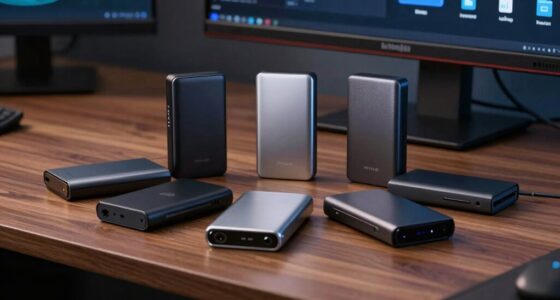
The best AI developer workstations balance memory capacity, accelerator performance, software compatibility, and the practical limits of a desktop setup. My best overall pick is the MSI EdgeXpert AI Mini Desktop, whose GB10 platform, 128GB memory, and 4TB SSD make it a well-equipped local AI system. The NVIDIA DGX Spark and AMD Ryzen AI Halo stand out for buyers choosing between an NVIDIA-focused development stack and an AMD-based AI desktop. The main tradeoff is between specialized AI platforms with large shared memory and more conventional workstations that may offer familiar Windows workflows or easier expansion. Read on for the full breakdown and a buying guide tailored to different development needs.

Get the latest gadgets delivered free with Prime
- Fast, free delivery on millions of items
- Prime Video, Amazon Music and more included
- Member-only deals all year
Complete the kit



Key Takeaways
- The GB10 systems lead this roundup for NVIDIA-centered local AI work: MSI EdgeXpert, NVIDIA DGX Spark, and ASUS Ascent GX10 share a specialized platform, but their configurations and bundled environments differ.
- AMD Ryzen AI Max+ 395 models emphasize large memory capacity in compact systems: the BOSGAME M5, GMKtec EVO-X3, GEEKOM A9 Mega, and MINISFORUM MS-S1 Max suit buyers comparing integrated-platform memory against discrete graphics.
- Memory capacity alone does not define usable model size: framework support, memory allocation, quantization, and workload overhead all affect what can run locally.
- The HP Z2 G1i and Dell Pro Max Tower T2 offer a more conventional workstation path: they may fit teams prioritizing familiar desktop workflows over a specialized mini AI platform.
- Several listings repeat the same model: GMKtec EVO-X3 appears twice and AMD Ryzen AI Halo appears twice, so buyers should verify the exact configuration rather than treating each listing as a distinct workstation.
| BOSGAME M5 Mini PC with AMD Ryzen AI Max+ 395, 128GB RAM, 2TB SSD |  | Best Overall for Multi-Display Local AI | Processor: AMD Ryzen AI Max+ 395, 16 cores and 32 threads, up to 5.1GHz | Memory: 128GB LPDDR5X-8000 unified memory | Storage: 2TB PCIe 4.0 NVMe SSD; second M.2 2280 PCIe 4.0 slot | VIEW LATEST PRICE | See Our Full Breakdown |
| GMKtec EVO-X3 Mini PC with AMD Ryzen AI Max+ 395, 128GB LPDDR5X RAM, and 2TB PCIe 4.0 SSD |  | Best for External GPU Expansion | Processor: AMD Ryzen AI Max+ 395, 16 cores and 32 threads, up to 5.1GHz | Architecture: AMD Zen 5 | Memory: 128GB LPDDR5X at 8000MT/s | VIEW LATEST PRICE | See Our Full Breakdown |
| AMD Ryzen AI Halo Personal AI Desktop Computer |  | Best for Linux AI Development | Operating system: Linux | Processor: AMD Ryzen AI Max+ 395, 16 cores and 32 threads, Zen 5 | Graphics: Integrated Radeon 8060S with 40 RDNA 3.5 compute units | VIEW LATEST PRICE | See Our Full Breakdown |
| MINISFORUM MS-02 Ultra Workstation Mini PC |  | Best for Expandable Workstation Builds | Processor: Intel Core Ultra 9 285HX, 24 cores and 24 threads, up to 5.5GHz | NPU: 13 TOPS | Memory: 32GB DDR5 installed; supports up to 256GB | VIEW LATEST PRICE | See Our Full Breakdown |
| HP Z2 G1i Small Form Factor Workstation, Intel Core Ultra 7 265, 32GB RAM, 1TB SSD, NVIDIA 8GB Graphics, Windows 11 Pro |  | Best for Windows-Based NVIDIA Workflows | Form factor: Small Form Factor | Processor: Intel Core Ultra 7 265, 20 cores and 20 threads; 2.4GHz base; 30MB L3 cache | Memory: 32GB DDR5 installed; maximum listed as 128GB in one field and up to 256GB in the description | VIEW LATEST PRICE | See Our Full Breakdown |
| AMD Ryzen AI Halo Personal AI Desktop Computer | | Best for Large Models in a Compact AMD System | Processor: AMD Ryzen AI Max+ 395, 16 cores and 32 threads | Graphics: AMD Radeon 8060S integrated graphics, 40 RDNA 3.5 compute units | NPU: AMD XDNA 2, up to 50 TOPS | VIEW LATEST PRICE | See Our Full Breakdown |
| Dell Pro Max Tower T2 FCT2250 Workstation with Intel Core Ultra 7 265 and NVIDIA RTX 2000 Ada |  | Best for Professional Graphics and Multi-Display Work | Model: FCT2250 | Processor: Intel Core Ultra 7 265 vPro, 20 cores, up to 5.3 GHz | Graphics: NVIDIA RTX 2000 Ada, 16GB GDDR6 | VIEW LATEST PRICE | See Our Full Breakdown |
| MSI EdgeXpert AI Mini Desktop with NVIDIA GB10 Grace Blackwell, 128GB Memory, 4TB SSD, Wi-Fi 7, and NVIDIA DGX OS |  | Best Complete NVIDIA AI Development Package | Processor: 20-core Arm CPU with NVIDIA GB10 Grace Blackwell | AI performance: Up to 1000 TOPS | Memory: 128GB LPDDR5X unified memory | VIEW LATEST PRICE | See Our Full Breakdown |
| NVIDIA DGX Spark Personal AI Desktop Supercomputer |  | Best for a Dedicated NVIDIA Local AI Lab | Processor: NVIDIA GB10 Grace Blackwell Superchip | Processor speed and cores: 3.8 GHz; 20 cores | AI performance: Up to 1 PFLOP FP4 | VIEW LATEST PRICE | See Our Full Breakdown |
| ASUS Ascent GX10 Mini PC with NVIDIA GB10 Superchip and 128GB Memory |  | Best for Two-System Scaling | Processor: NVIDIA GB10 Grace Blackwell Superchip | Memory: 128GB | AI performance: Up to 1 petaFLOP | VIEW LATEST PRICE | See Our Full Breakdown |
| HP ZGX G1n Mini Workstation |  | Best for Large Local Models | Processor: Cortex X925, 10 cores | Processor speed: 3 GHz base, up to 3.80 GHz turbo | Graphics and AI: NVIDIA GB10 Grace Blackwell Superchip, 1,000 TOPS FP4 | VIEW LATEST PRICE | See Our Full Breakdown |
| GMKtec EVO-X3 Mini PC with AMD Ryzen AI Max+ 395, 128GB LPDDR5X RAM, and 2TB PCIe 4.0 SSD |  | Best for Expandable AMD Development | Processor: AMD Ryzen AI Max+ 395, 16 cores and 32 threads, up to 5.1 GHz | Memory: 128 GB LPDDR5X, up to 8000 MT/s | Storage: 2 TB PCIe 4.0 SSD | VIEW LATEST PRICE | See Our Full Breakdown |
| MINISFORUM AI X1 Pro-470 Mini PC with AMD Ryzen AI 9 HX 470, 32 GB DDR5 RAM, and 2 TB SSD |  | Best for Upgradeable Entry-Level Builds | Processor: AMD Ryzen AI 9 HX 470, 12 cores and 24 threads, up to 5.2 GHz | Graphics: Integrated AMD Radeon 890M | Memory: 32 GB DDR5, expandable up to 128 GB | VIEW LATEST PRICE | See Our Full Breakdown |
| GEEKOM A9 Mega Mini PC Workstation, AMD Ryzen AI Max+ 395, 128GB RAM, 2TB SSD |  | Best for High-Speed Networked Workspaces | Processor: AMD Ryzen AI Max+ 395, up to 5.1 GHz | Memory: 128 GB LPDDR5X, 8000 MT/s | Storage: 2 TB PCIe Gen4 NVMe SSD | VIEW LATEST PRICE | See Our Full Breakdown |
| MINISFORUM MS-S1 Max Mini Workstation with AMD Ryzen AI Max+ 395, 64GB LPDDR5 RAM, and 2TB SSD |  | Best for Multi-Display and Internal Expansion | Processor: AMD Ryzen AI Max+ 395, 16 cores and 32 threads, up to 5.1 GHz | Processor and NPU performance: Up to 126 TOPS processor performance; up to 50 TOPS NPU performance | Graphics: AMD Radeon 8060S | VIEW LATEST PRICE | See Our Full Breakdown |
| AI developer workstation | Processor | Memory | Storage | Graphics |
|---|---|---|---|---|
| BOSGAME M5 Mini PC with AMD Ry | AMD Ryzen AI Max+ 395, 16 cores and 32 threads, up to 5.1GHz | 128GB LPDDR5X-8000 unified memory | 2TB PCIe 4.0 NVMe SSD; second M.2 2280 PCIe 4.0 slot | Integrated Radeon 8060S, 40 RDNA 3.5 compute units |
| GMKtec EVO-X3 Mini PC with AMD | AMD Ryzen AI Max+ 395, 16 cores and 32 threads, up to 5.1GHz | 128GB LPDDR5X at 8000MT/s | 2TB PCIe 4.0 SSD | — |
| AMD Ryzen AI Halo Personal AI | AMD Ryzen AI Max+ 395, 16 cores and 32 threads, Zen 5 | 128GB LPDDR5x at 8000MT/s; 256GB/s bandwidth; maximum RAM listed as 192GB | 2TB M.2 SSD | Integrated Radeon 8060S with 40 RDNA 3.5 compute units |
| MINISFORUM MS-02 Ultra Worksta | Intel Core Ultra 9 285HX, 24 cores and 24 threads, up to 5.5GHz | 32GB DDR5 installed; supports up to 256GB | 1TB SSD listed; four M.2 PCIe 4.0 slots support up to 24TB | — |
| HP Z2 G1i Small Form Factor Wo | Intel Core Ultra 7 265, 20 cores and 20 threads; 2.4GHz base; 30MB L3 cache | 32GB DDR5 installed; maximum listed as 128GB in one field and up to 256GB in the description | 1TB PCIe 4.0 SSD | Dedicated NVIDIA graphics with 8GB GDDR6 |
| AMD Ryzen AI Halo Personal AI | AMD Ryzen AI Max+ 395, 16 cores and 32 threads | — | 2TB M.2 SSD | AMD Radeon 8060S integrated graphics, 40 RDNA 3.5 compute units |
| Dell Pro Max Tower T2 FCT2250 | Intel Core Ultra 7 265 vPro, 20 cores, up to 5.3 GHz | 64GB DDR5, 4800 MHz | 2TB SSD | NVIDIA RTX 2000 Ada, 16GB GDDR6 |
| MSI EdgeXpert AI Mini Desktop | 20-core Arm CPU with NVIDIA GB10 Grace Blackwell | 128GB LPDDR5X unified memory | 4TB PCIe Gen5 NVMe SSD | — |
| NVIDIA DGX Spark Personal AI D | NVIDIA GB10 Grace Blackwell Superchip | 128GB unified DDR5 | 4TB NVMe M.2 SSD | — |
| ASUS Ascent GX10 Mini PC with | NVIDIA GB10 Grace Blackwell Superchip | 128GB | — | — |
| HP ZGX G1n Mini Workstation | Cortex X925, 10 cores | 128 GB coherent unified memory | 4 TB SSD | — |
| GMKtec EVO-X3 Mini PC with AMD | AMD Ryzen AI Max+ 395, 16 cores and 32 threads, up to 5.1 GHz | 128 GB LPDDR5X, up to 8000 MT/s | 2 TB PCIe 4.0 SSD | Integrated AMD Radeon RX 8060S, 40 RDNA 3.5 compute units |
| MINISFORUM AI X1 Pro-470 Mini | AMD Ryzen AI 9 HX 470, 12 cores and 24 threads, up to 5.2 GHz | 32 GB DDR5, expandable up to 128 GB | 2 TB PCIe 4.0 SSD | Integrated AMD Radeon 890M |
| GEEKOM A9 Mega Mini PC Worksta | AMD Ryzen AI Max+ 395, up to 5.1 GHz | 128 GB LPDDR5X, 8000 MT/s | 2 TB PCIe Gen4 NVMe SSD | AMD Radeon 8060S |
| MINISFORUM MS-S1 Max Mini Work | AMD Ryzen AI Max+ 395, 16 cores and 32 threads, up to 5.1 GHz | 64 GB LPDDR5-8000 | 2 TB M.2 2280 PCIe 4.0 SSD | AMD Radeon 8060S |
More Details on Our Top Picks
BOSGAME M5 Mini PC with AMD Ryzen AI Max+ 395, 128GB RAM, 2TB SSD
The BOSGAME M5 is my most balanced pick for developers who want a compact machine for local AI work without giving up a broad desktop setup. Its 128GB unified memory gives the integrated Radeon 8060S room to share resources with the CPU, while the 16-core Ryzen AI Max+ 395 and 50-TOPS NPU cover varied development and inference tasks. Unlike the GMKtec EVO-X3, which adds OCuLink for an external GPU, the M5 prioritizes built-in flexibility: it supports up to four displays and includes Wi-Fi 7, 2.5GbE, and a second M.2 slot. That makes it an easier fit for a workstation desk with several screens and growing local storage needs. The tradeoff is that its graphics remain integrated, so GPU-heavy workloads may benefit more from a desktop with a discrete card. Its listed 240W power consumption is also substantial for a mini PC.
Pros:- 128GB unified memory supports demanding local AI and development workloads.
- Radeon 8060S graphics and a 50-TOPS NPU add compute options without a separate graphics card.
- Second M.2 slot allows additional storage.
- Supports up to four displays and includes Wi-Fi 7 and 2.5GbE.
Cons:- Integrated graphics may fall short for workloads that depend on a dedicated GPU.
- Listed power consumption of 240W is high for a compact workstation.
Best for: AI and software developers who want 128GB of unified memory, multiple monitor outputs, and room to add a second SSD in a compact Windows workstation.
Not ideal for: Developers whose main workloads need a discrete GPU, or buyers seeking a low-power mini PC.
- Processor:AMD Ryzen AI Max+ 395, 16 cores and 32 threads, up to 5.1GHz
- Memory:128GB LPDDR5X-8000 unified memory
- Storage:2TB PCIe 4.0 NVMe SSD; second M.2 2280 PCIe 4.0 slot
- Graphics:Integrated Radeon 8060S, 40 RDNA 3.5 compute units
- AI performance:50 TOPS NPU; up to 126 TOPS total AI performance
- Operating system:Windows 11 Pro
- Display support:Up to four displays; up to 8K at 60Hz
- Connectivity:Dual USB4, HDMI 2.1, DisplayPort 1.4, Wi-Fi 7, Bluetooth 5.4, 2.5GbE, SD 4.0
Our verdict“Choose the BOSGAME M5 for a compact, well-connected local AI workstation with substantial memory and multi-display support, but not for discrete-GPU-first workloads.”
GMKtec EVO-X3 Mini PC with AMD Ryzen AI Max+ 395, 128GB LPDDR5X RAM, and 2TB PCIe 4.0 SSD
The GMKtec EVO-X3 earns a distinct place for developers who want a compact AI system that can later pair with an external graphics card. Its OCuLink PCIe Gen4 x4 interface offers a direct expansion path that the BOSGAME M5 does not list, giving buyers a way to add GPU resources as their projects grow. Inside, the EVO-X3 uses the same Ryzen AI Max+ 395, 128GB memory, and Radeon 8060S class of hardware as the M5, so it is already capable of local development and inference without an add-on. Triple-fan cooling and support for peak power up to 140W are aimed at sustained loads. There are meaningful compromises: the LPDDR5X memory is soldered, and OCuLink connections must be changed with the PC powered off. Its display support is also limited to two outputs, making the BOSGAME a stronger choice for larger multi-monitor setups.
Pros:- OCuLink provides a PCIe Gen4 x4 connection for external GPU expansion.
- 128GB LPDDR5X memory and a 2TB SSD are suited to sizable local projects.
- Ryzen AI Max+ 395, Radeon 8060S, and a 50-TOPS NPU combine CPU, graphics, and AI compute.
- Triple-fan cooling and three copper heat pipes support demanding workloads.
Cons:- LPDDR5X memory is installed on-board and is not listed as upgradeable.
- OCuLink devices must be connected or disconnected while the PC is powered off.
- Supports up to two displays, fewer than the BOSGAME M5.
Best for: Developers who want a compact 128GB local AI workstation now and a practical OCuLink route to external GPU expansion later.
Not ideal for: Buyers who need four displays, replaceable system memory, or hot-plug external GPU connections.
- Processor:AMD Ryzen AI Max+ 395, 16 cores and 32 threads, up to 5.1GHz
- Architecture:AMD Zen 5
- Memory:128GB LPDDR5X at 8000MT/s
- Storage:2TB PCIe 4.0 SSD
- Graphics and NPU:Radeon 8060S with 40 compute units; XDNA 2 NPU up to 50 TOPS
- External GPU interface:OCuLink PCIe Gen4 x4
- Display output:HDMI 2.1 and USB4; up to dual 8K output
- Networking:Wi-Fi 7, Bluetooth 5.4, and 2.5G LAN
- Cooling and peak power:Triple-fan system with three copper heat pipes; peak power up to 140W
Our verdict“Pick the EVO-X3 if external GPU expansion matters more than memory upgrades or a four-display setup.”
AMD Ryzen AI Halo Personal AI Desktop Computer
The AMD Ryzen AI Halo is the clearest fit here for developers who want a Linux-first environment for local AI work. It pairs 128GB of unified memory with ROCm support and preloaded AI tools and workflows, reducing the setup gap between a new machine and an AI development environment. The compact 6 x 6 x 2-inch chassis is smaller than the BOSGAME M5, while 10GbE gives it a stronger wired-network specification than the M5’s 2.5GbE connection. AMD describes support for models up to 200 billion parameters, but that claim should not be read as a promise that every model will run comfortably; workload and memory demands still matter. Unlike the Windows-based BOSGAME and GMKtec options, this Linux platform is less suited to buyers who want a familiar Windows desktop. Its memory is unified LPDDR5x, and the compact design may limit future upgrades.
Pros:- 128GB unified memory supports local AI workloads with sizable memory needs.
- ROCm support and preloaded AI tools provide a development-focused Linux starting point.
- 10GbE LAN is a strong option for fast transfers to network storage or other systems.
- Compact 6 x 6 x 2-inch dimensions suit a space-constrained workstation.
Cons:- Linux may require additional familiarity for developers whose tools and workflow are Windows-focused.
- Compact construction may limit upgrade options.
- HDMI 2.1b is the only video output listed.
Best for: Linux-based AI developers who want a compact ROCm-ready system for local model experimentation and fast wired connections.
Not ideal for: Windows-dependent developers or buyers who expect broad component upgrades in a small desktop.
- Operating system:Linux
- Processor:AMD Ryzen AI Max+ 395, 16 cores and 32 threads, Zen 5
- Graphics:Integrated Radeon 8060S with 40 RDNA 3.5 compute units
- Memory:128GB LPDDR5x at 8000MT/s; 256GB/s bandwidth; maximum RAM listed as 192GB
- NPU:AMD XDNA 2, up to 50 TOPS
- Storage:2TB M.2 SSD
- Networking:10GbE LAN, Wi-Fi 7, and Bluetooth 5.4
- Video output:HDMI 2.1b
- Dimensions:6 x 6 x 2 inches
Our verdict“Choose the Ryzen AI Halo for a small, Linux-first ROCm workstation, but skip it if Windows compatibility or broad upgrade options lead your checklist.”
MINISFORUM MS-02 Ultra Workstation Mini PC
The MINISFORUM MS-02 Ultra takes a different route from the memory-rich AMD mini PCs: it is built around expansion and high-speed connectivity. Its Intel Core Ultra 9 285HX is paired with 32GB of installed DDR5, but the platform supports up to 256GB, while four M.2 slots can accommodate up to 24TB of storage. A PCIe 5.0 x16 slot gives developers a more direct path to a full-size expansion card than the GMKtec EVO-X3’s OCuLink external-GPU connection. Dual 25GbE, USB4 v2, and Wi-Fi 7 also suit network-heavy development setups. This flexibility comes with more configuration work: memory installation needs care, and the listing warns that some partially populated slot arrangements can prevent booting. Its 13-TOPS NPU and installed 32GB memory make it less immediately suited to local AI than the 128GB BOSGAME M5 or Ryzen AI Halo.
Pros:- Supports up to 256GB DDR5 memory and four M.2 drives with up to 24TB listed capacity.
- PCIe 5.0 x16 slot offers an internal expansion path, unlike the EVO-X3’s external OCuLink approach.
- Dual 25GbE ports, 10GbE, 2.5GbE, Wi-Fi 7, and USB4 v2 offer extensive connectivity.
- Six-pipe, dual-fan cooling is designed for sustained workloads.
Cons:- Ships with 32GB DDR5, well below the 128GB installed in the BOSGAME M5 and Ryzen AI Halo.
- The listed NPU performance is 13 TOPS, lower than the 50-TOPS AMD options.
- Memory compatibility and slot population require careful checking to avoid boot problems.
Best for: Developers building an upgradable workstation that needs large internal storage, a PCIe expansion card, or very fast wired networking.
Not ideal for: Buyers who want 128GB of memory out of the box for local AI, or prefer a simple, ready-to-run configuration.
- Processor:Intel Core Ultra 9 285HX, 24 cores and 24 threads, up to 5.5GHz
- NPU:13 TOPS
- Memory:32GB DDR5 installed; supports up to 256GB
- Storage:1TB SSD listed; four M.2 PCIe 4.0 slots support up to 24TB
- Expansion:PCIe 5.0 x16 slot; supports up to three PCIe slots
- Connectivity:USB4 v2 at 80Gbps, Wi-Fi 7, dual 25GbE, 10GbE, and 2.5GbE
- Cooling:Six-pipe, dual-fan cooler
- Power supply:350W integrated power supply
- Operating system:Not specified
Our verdict“Pick the MS-02 Ultra for a configurable workstation with internal GPU and storage expansion, not for maximum local-AI memory out of the box.”
HP Z2 G1i Small Form Factor Workstation, Intel Core Ultra 7 265, 32GB RAM, 1TB SSD, NVIDIA 8GB Graphics, Windows 11 Pro
The HP Z2 G1i is the Windows workstation choice for developers who prefer a dedicated NVIDIA GPU over the shared graphics memory in the AMD mini PCs. Its 8GB of GDDR6 graphics memory gives GPU-dependent software a discrete graphics resource, while the 20-core Core Ultra 7 265 and Windows 11 Pro make it a familiar base for professional development workflows. Compared with the BOSGAME M5, the HP has much less installed system memory—32GB versus 128GB—but it supplies dedicated NVIDIA graphics and a conventional small-form-factor workstation design. The 1TB PCIe 4.0 SSD is also smaller than the 2TB drives in the M5 and GMKtec EVO-X3. The listing gives conflicting maximum memory figures, so I would verify the supported capacity before planning an upgrade. Its 500W power figure and larger footprint also make it less mini-PC-like than the AMD options.
Pros:- Dedicated NVIDIA graphics with 8GB of GDDR6, unlike the integrated graphics in the BOSGAME M5.
- 20-core Intel Core Ultra 7 265 suits multitasking and demanding development work.
- Windows 11 Pro supports Windows-focused professional workflows.
- Small-form-factor workstation includes 11 USB ports, including two USB Type-C.
Cons:- 32GB installed memory is far below the 128GB offered by the BOSGAME M5 and GMKtec EVO-X3.
- Product information gives inconsistent maximum memory capacities.
- The 500W power figure and 16 x 20 x 8-inch dimensions are substantial for a compact workstation.
Best for: Windows developers using software that benefits from dedicated NVIDIA graphics and who want a small-form-factor business workstation.
Not ideal for: Local AI developers who need 128GB of memory immediately, or buyers seeking a tiny, low-power desktop.
- Form factor:Small Form Factor
- Processor:Intel Core Ultra 7 265, 20 cores and 20 threads; 2.4GHz base; 30MB L3 cache
- Memory:32GB DDR5 installed; maximum listed as 128GB in one field and up to 256GB in the description
- Storage:1TB PCIe 4.0 SSD
- Graphics:Dedicated NVIDIA graphics with 8GB GDDR6
- Operating system:Windows 11 Pro
- Connectivity:Ethernet and 11 USB ports, including two USB Type-C
- Power consumption:500W
- Dimensions and weight:16 x 20 x 8 inches; 8.8 pounds
Our verdict“Choose the HP Z2 G1i for a Windows workstation with dedicated NVIDIA graphics, but verify its memory ceiling and avoid it if large local models are your main workload.”
AMD Ryzen AI Halo Personal AI Desktop Computer
The Ryzen AI Halo makes the most sense for developers who want a large unified memory pool without committing to NVIDIA’s DGX software environment. Its 128GB of LPDDR5x memory and stated support for models up to 200 billion parameters give local experimentation room that conventional workstation memory configurations may not offer. Compared with the MSI EdgeXpert AI Mini Desktop, it pairs that memory capacity with Windows 11 Pro and a 2TB SSD rather than DGX OS and 4TB of storage, making it a better fit for Windows-centered workflows but a less storage-rich starting point. The Ryzen AI Max+ 395, Radeon graphics, and XDNA 2 NPU form a capable integrated platform, though buyers should not expect the expansion options of a tower. Its compact chassis also makes later hardware changes a narrower path.
Pros:- 128GB of unified memory supports memory-hungry local AI experiments
- Specified support for models up to 200 billion parameters
- Combines a 16-core Ryzen processor, Radeon graphics, and an XDNA 2 NPU
- 10GbE, Wi-Fi 7, and Bluetooth 5.4 provide versatile connectivity
Cons:- Compact integrated design offers less upgrade flexibility than a tower
- 2TB SSD is less storage than the 4TB included with the MSI EdgeXpert
- One-year limited warranty
Best for: Windows developers who want to run large models locally in a small system and value 128GB of unified memory over tower-style expansion.
Not ideal for: Developers who need a customizable workstation tower, more than 2TB of included storage, or a software stack centered on NVIDIA DGX OS.
- Processor:AMD Ryzen AI Max+ 395, 16 cores and 32 threads
- Graphics:AMD Radeon 8060S integrated graphics, 40 RDNA 3.5 compute units
- NPU:AMD XDNA 2, up to 50 TOPS
- Unified memory:128GB LPDDR5x, 8000 MT/s
- Memory bandwidth:256 GB/s
- Storage:2TB M.2 SSD
- Operating system:Windows 11 Pro
- Networking:10GbE LAN, Wi-Fi 7, Bluetooth 5.4
- Dimensions:6 x 6 x 2 inches
Our verdict“Choose the Ryzen AI Halo for large-model work in a compact Windows desktop, but pick a tower if expansion matters more than size.”
Dell Pro Max Tower T2 FCT2250 Workstation with Intel Core Ultra 7 265 and NVIDIA RTX 2000 Ada
The Dell Pro Max Tower T2 is the lineup’s practical choice for developers whose workstation also needs to handle professional graphics and several displays. Its RTX 2000 Ada has 16GB of dedicated GDDR6, while the Core Ultra 7 265, 64GB of DDR5, and 2TB SSD provide a conventional workstation base. That makes it a different proposition from the AMD Ryzen AI Halo: the Halo offers twice the listed memory and a more compact system for large local models, while this Dell gives buyers a tower form factor and dedicated NVIDIA graphics. The configuration’s lack of Wi-Fi and Bluetooth is a notable limitation, and the unit was resealed for memory and SSD upgrades. Buyers should also note that the keyboard is not included and that warranty coverage is split between the seller and Dell.
Pros:- Dedicated NVIDIA RTX 2000 Ada graphics with 16GB GDDR6
- 64GB DDR5 memory and a 2TB SSD are included
- Supports up to four displays, with listed 8K at 60 Hz support
- Multiple USB-C, Thunderbolt 4, and USB-A connections
Cons:- No Wi-Fi or Bluetooth
- Resealed after memory and SSD upgrades, with warranty coverage split between seller and Dell
- Keyboard is not included
Best for: Developers who need a tower workstation for professional graphics, wired office deployment, and up to four connected displays.
Not ideal for: AI developers prioritizing large-model capacity in a compact system, or anyone who needs built-in Wi-Fi, Bluetooth, or an included keyboard.
- Model:FCT2250
- Processor:Intel Core Ultra 7 265 vPro, 20 cores, up to 5.3 GHz
- Graphics:NVIDIA RTX 2000 Ada, 16GB GDDR6
- Memory:64GB DDR5, 4800 MHz
- Storage:2TB SSD
- Operating system:Windows 11 Pro 64-bit
- Wireless:No Wi-Fi or Bluetooth
- Display support:Up to four displays; supports 8K at 60 Hz
- Dimensions and weight:17.24 x 15.24 x 7.4 inches; 18 pounds
Our verdict“Pick the Dell for wired, multi-display workstation use with dedicated NVIDIA graphics, not for a compact local-model setup like the Ryzen AI Halo.”
MSI EdgeXpert AI Mini Desktop with NVIDIA GB10 Grace Blackwell, 128GB Memory, 4TB SSD, Wi-Fi 7, and NVIDIA DGX OS
The MSI EdgeXpert stands out as a ready-to-work NVIDIA AI development system, pairing the GB10 Grace Blackwell platform with 128GB of unified memory, a 4TB PCIe Gen5 SSD, and NVIDIA DGX OS. That combination suits developers who want a Linux-based AI environment and room for models, datasets, and project files without adding storage immediately. Against the AMD Ryzen AI Halo, the EdgeXpert offers double the listed SSD capacity and an NVIDIA-centered software stack, while the Halo is a Windows 11 Pro system with an AMD processor, Radeon graphics, and an NPU. The EdgeXpert’s compact footprint also suits desk or edge deployments, but its 240-watt power draw is a meaningful operating consideration. Buyers looking for a general-purpose Windows workstation should favor a different configuration.
Pros:- 128GB unified memory supports large local AI workloads
- 4TB PCIe Gen5 NVMe SSD provides generous, fast local storage
- NVIDIA DGX OS supplies a purpose-built Linux-based development environment
- Compact chassis includes Wi-Fi 7, USB4 Type-C, and ConnectX-7 networking
Cons:- 240-watt power consumption may not suit buyers prioritizing low draw
- AI-focused DGX OS is less suited to Windows-centered workflows
- No built-in display
Best for: AI developers who want a compact Linux-based system with NVIDIA’s DGX environment, 128GB unified memory, and 4TB of fast storage.
Not ideal for: Windows-first users or buyers who need a general-purpose desktop rather than a system centered on AI development and inference.
- Processor:20-core Arm CPU with NVIDIA GB10 Grace Blackwell
- AI performance:Up to 1000 TOPS
- Memory:128GB LPDDR5X unified memory
- Memory bandwidth:Up to 273 GB/s
- Storage:4TB PCIe Gen5 NVMe SSD
- Operating system:NVIDIA DGX OS, Ubuntu Linux-based
- Connectivity:Wi-Fi 7, Bluetooth 5.3, USB4 Type-C, Ethernet, ConnectX-7
- Power consumption:240 watts
- Dimensions and weight:5.94 x 5.94 x 2.05 inches; 2.7 pounds
Our verdict“Choose the EdgeXpert for a compact NVIDIA DGX development setup with more included storage than the Ryzen AI Halo.”
NVIDIA DGX Spark Personal AI Desktop Supercomputer
The DGX Spark is the most purpose-built pick here for developers who want a dedicated NVIDIA local AI environment. Its GB10 Grace Blackwell Superchip, 128GB of unified memory, and stated FP4 performance of up to 1 PFLOP target model development, fine-tuning, and inference rather than everyday desktop work. Like the MSI EdgeXpert, it pairs 128GB memory with NVIDIA DGX OS and ConnectX-7 networking; the MSI is smaller and lighter on the listed dimensions, while the Spark’s included 4TB NVMe SSD and compact desktop form make it a strong self-contained lab system. This specialization is also its main limit: buyers seeking a conventional workstation for varied office or general computing tasks may get more flexibility from the Dell Pro Max Tower. The provided product data does not establish real-world performance.
Pros:- 128GB unified memory is suited to large local AI workloads
- Listed support for models up to 200 billion parameters at FP4
- NVIDIA DGX OS provides an integrated AI development environment
- 4TB NVMe SSD and ConnectX-7 networking are included
Cons:- Specialized for AI and high-performance computing rather than broad general use
- The provided product information includes no customer review content to help gauge real-world performance
Best for: AI engineers and researchers building a local NVIDIA development environment for model work, fine-tuning, and inference.
Not ideal for: General-purpose workstation buyers who need broad everyday flexibility or prefer a system with documented real-world performance evidence.
- Processor:NVIDIA GB10 Grace Blackwell Superchip
- Processor speed and cores:3.8 GHz; 20 cores
- AI performance:Up to 1 PFLOP FP4
- Memory:128GB unified DDR5
- Storage:4TB NVMe M.2 SSD
- Operating system:NVIDIA DGX OS
- Networking:ConnectX-7 Smart NIC, Ethernet, Bluetooth
- Ports:4 USB ports, 1 HDMI port
- Dimensions and weight:9.5 x 9.5 x 6 inches; 1.2 kg
Our verdict“Choose the DGX Spark for a compact, dedicated NVIDIA AI lab, but favor the Dell Pro Max Tower for a more conventional workstation role.”
ASUS Ascent GX10 Mini PC with NVIDIA GB10 Superchip and 128GB Memory
The ASUS Ascent GX10 is aimed at developers who want a compact NVIDIA AI node with a path to linking a second system. Its GB10 Grace Blackwell Superchip, 128GB of memory, and stated 1-petaFLOP AI performance put it in the same broad class as the NVIDIA DGX Spark and MSI EdgeXpert, but ASUS calls out NVLink-C2C and ConnectX-7 networking for high-speed communication and dual-system scaling. That makes the GX10 more compelling for builders planning a paired setup than for buyers choosing a standalone general-purpose desktop. The tradeoff is that the configuration data is sparse: it does not list storage capacity, operating system, ports, or dimensions, limiting direct comparison on day-to-day usability. Scaling also means acquiring a second GX10, so this feature matters mainly to buyers with a specific multi-system plan.
Pros:- GB10 Grace Blackwell platform is designed for local AI development
- 128GB of memory supports large-model workflows
- NVLink-C2C and ConnectX-7 support high-speed system communication
- Designed to scale by connecting two GX10 systems
Cons:- Dual-system scaling requires purchasing a second GX10
- AI-development focus may limit its appeal as a general-purpose workstation
- Provided specifications do not list storage capacity, operating system, or ports
Best for: AI developers planning a compact, private inference setup that may expand into a paired GX10 system.
Not ideal for: Buyers who need a fully specified standalone workstation, broad general-purpose use, or a system with listed storage and operating-system details.
- Processor:NVIDIA GB10 Grace Blackwell Superchip
- Memory:128GB
- AI performance:Up to 1 petaFLOP
- Networking:NVIDIA ConnectX-7
- CPU-GPU interconnect:NVIDIA NVLink-C2C
- Form factor:Mini PC
- Scaling:Supports stacking two GX10 systems
Our verdict“Pick the GX10 if you plan to build a paired NVIDIA AI setup; for a more fully specified single system, compare it with the DGX Spark or MSI EdgeXpert.”
HP ZGX G1n Mini Workstation
The HP ZGX G1n is the clearest fit here for developers who want to run very large models locally: its 128 GB of coherent unified memory is specified for workflows with models up to 200 billion parameters, backed by NVIDIA GB10 Grace Blackwell compute. That makes it a different proposition from the AMD-based GMKtec EVO-X3, whose 128 GB memory and OCuLink expansion suit a more flexible mix of local development and graphics workloads. The HP also bundles DGX OS and the ZGX Toolkit, giving AI-focused users a purpose-built starting point rather than a general mini PC setup. The tradeoff is constrained flexibility: upgrade and expansion details are limited, and 240 W is substantial for a compact system. I’d choose it for model capacity and NVIDIA tooling, not for a low-power or easily configurable desk PC.
Pros:- 128 GB coherent unified memory is specified for local workflows with models up to 200 billion parameters
- NVIDIA GB10 Grace Blackwell delivers 1,000 TOPS FP4 AI performance
- DGX OS and HP ZGX Toolkit target AI development workflows
- 4 TB SSD provides substantial local workspace for models and project data
Cons:- Limited information is available about internal upgrade options and expansion
- 240 W power consumption is high for a compact workstation
- HDMI is the only listed video output
Best for: AI developers who need a compact, NVIDIA-based system for prototyping, fine-tuning, and inference with very large local models.
Not ideal for: Buyers who want documented internal upgrades, a low-power mini PC, or an expandable AMD-based platform such as the GMKtec EVO-X3.
- Processor:Cortex X925, 10 cores
- Processor speed:3 GHz base, up to 3.80 GHz turbo
- Graphics and AI:NVIDIA GB10 Grace Blackwell Superchip, 1,000 TOPS FP4
- Memory:128 GB coherent unified memory
- Storage:4 TB SSD
- Networking:10 Gigabit Ethernet and 200 Gigabit networking
- Operating system:DGX OS
- Power and dimensions:240 W; 10.6 × 8.5 × 5.6 inches
Our verdict“Choose the HP ZGX G1n if large local models and NVIDIA’s AI software stack matter more than low power use or upgrade flexibility.”
GMKtec EVO-X3 Mini PC with AMD Ryzen AI Max+ 395, 128GB LPDDR5X RAM, and 2TB PCIe 4.0 SSD
The GMKtec EVO-X3 pairs 128 GB of fast unified system memory with an AMD Ryzen AI Max+ 395, giving developers room for memory-heavy local workloads without stepping up to the HP ZGX G1n’s NVIDIA GB10 platform. Its defining advantage is OCuLink external GPU support: add a compatible dock and graphics card when integrated Radeon performance is no longer enough. Two M.2 slots also leave a clear route to more local storage, unlike systems whose expansion story is less explicit. That flexibility has limits. The LPDDR5X memory is onboard, so the 128 GB configuration cannot be upgraded, and an external GPU requires separate hardware. Compared with the GEEKOM A9 Mega, the EVO-X3 offers OCuLink and two SSD slots, while the GEEKOM lists dual 10GbE and a longer warranty. I’d pick GMKtec for a modular AMD development setup, not a turnkey GPU workstation.
Pros:- 128 GB LPDDR5X memory supports demanding local workloads
- OCuLink provides a path to external GPU expansion
- Two M.2 PCIe 4.0 slots support up to 16 TB total storage
- Includes Wi-Fi 7, Bluetooth 5.4, and 2.5GbE Ethernet
Cons:- Onboard LPDDR5X memory cannot be upgraded
- An external GPU requires a separate dock and graphics card
- Listed Ethernet is 2.5GbE, below the GEEKOM A9 Mega’s dual 10GbE
Best for: Developers who want 128 GB of memory for local AI work and plan to add an external GPU or additional SSD storage later.
Not ideal for: Buyers who require a discrete GPU out of the box, user-upgradeable memory, or the dual 10GbE networking listed for the GEEKOM A9 Mega.
- Processor:AMD Ryzen AI Max+ 395, 16 cores and 32 threads, up to 5.1 GHz
- Memory:128 GB LPDDR5X, up to 8000 MT/s
- Storage:2 TB PCIe 4.0 SSD
- Storage expansion:Two M.2 2280 PCIe 4.0 x4 slots, up to 16 TB total
- Graphics:Integrated AMD Radeon RX 8060S, 40 RDNA 3.5 compute units
- Stated AI performance:Up to 126 TOPS
- External graphics:OCuLink, PCIe 4.0 x4
- Networking:2.5GbE Ethernet, Wi-Fi 7, Bluetooth 5.4
Our verdict“Choose the EVO-X3 if you want high-memory AMD development now and a defined OCuLink route to external graphics later.”
MINISFORUM AI X1 Pro-470 Mini PC with AMD Ryzen AI 9 HX 470, 32 GB DDR5 RAM, and 2 TB SSD
The MINISFORUM AI X1 Pro-470 is the practical starting point for developers who need a capable CPU platform but do not need 128 GB of memory on day one. Its 32 GB of DDR5 is expandable to 128 GB, and three M.2 slots allow storage growth without replacing the whole system. That makes it easier to tailor over time than the GMKtec EVO-X3, whose larger 128 GB LPDDR5X capacity is fixed. The Ryzen AI 9 HX 470, Radeon 890M graphics, and stated 86 TOPS suit development, light local AI experiments, and multi-display work, but integrated graphics set a limit for demanding model workloads. OCuLink can add dedicated graphics, though that means buying more hardware. I’d favor this model for a configurable workstation that can grow; buyers who need high memory immediately should look at the EVO-X3 or GEEKOM A9 Mega instead.
Pros:- DDR5 memory is expandable from 32 GB up to 128 GB
- Three M.2 slots support up to 12 TB of storage
- OCuLink allows connection to external dedicated graphics
- Supports up to four 4K displays and includes dual 2.5GbE
Cons:- The supplied 32 GB memory is less suited to large local models than 128 GB alternatives
- Integrated Radeon 890M graphics may limit demanding AI and graphics workloads
- Reaching the listed memory and storage ceilings requires separate upgrades
Best for: Developers building a compact workstation in stages who want upgradeable memory and storage, multiple displays, and an external GPU option.
Not ideal for: AI practitioners who need 128 GB of memory immediately or strong discrete graphics without purchasing an external GPU.
- Processor:AMD Ryzen AI 9 HX 470, 12 cores and 24 threads, up to 5.2 GHz
- Graphics:Integrated AMD Radeon 890M
- Memory:32 GB DDR5, expandable up to 128 GB
- Storage:2 TB PCIe 4.0 SSD
- Storage expansion:Three M.2 slots, up to 12 TB total
- Stated AI performance:Up to 86 TOPS
- Display support:Up to four 4K displays
- Connectivity and expansion:Wi-Fi 7, Bluetooth 5.4, dual 2.5GbE Ethernet, OCuLink
Our verdict“Choose the AI X1 Pro-470 if you want an upgradeable mini workstation and can start with modest memory and integrated graphics.”
GEEKOM A9 Mega Mini PC Workstation, AMD Ryzen AI Max+ 395, 128GB RAM, 2TB SSD
The GEEKOM A9 Mega brings a compelling balance for developers who want a compact AMD workstation with 128 GB of memory and dual 10GbE. That networking is its clearest distinction from the GMKtec EVO-X3, which lists 2.5GbE and an OCuLink port for external graphics. For shared datasets, fast network storage, or a wired development environment, GEEKOM’s dual 10GbE ports can matter more than an expansion path. Its Ryzen AI Max+ 395 and Radeon 8060S keep the system suited to local AI and graphics work, while vapor-chamber cooling is designed for sustained use. Four-display support, including up to 8K output, adds workstation flexibility. The tradeoff is fixed LPDDR5X memory and fewer explicitly described expansion options than the EVO-X3. I’d choose this model for its network and display connections, not for memory upgrades or external GPU flexibility.
Pros:- 128 GB LPDDR5X memory supports memory-intensive local workloads
- Dual 10GbE ports provide high-speed wired networking
- Supports up to four displays, including output up to 8K
- Vapor-chamber cooling with dual fans is designed for sustained workloads
Cons:- LPDDR5X memory is not listed as upgradeable
- Shared memory means graphics use capacity also available to the system
- Some advertised AI workflows depend on compatible drivers, software, and model downloads
Best for: Developers working with network-attached datasets or shared storage who want 128 GB of memory, dual 10GbE, and a compact multi-display workstation.
Not ideal for: Buyers who need upgradeable memory or an advertised OCuLink external GPU connection, as offered by the MINISFORUM AI X1 Pro-470 and GMKtec EVO-X3.
- Processor:AMD Ryzen AI Max+ 395, up to 5.1 GHz
- Memory:128 GB LPDDR5X, 8000 MT/s
- Storage:2 TB PCIe Gen4 NVMe SSD
- Maximum storage:Up to 8 TB across dual M.2 slots
- Graphics:AMD Radeon 8060S
- Networking:Dual 10GbE, Wi-Fi 7, Bluetooth
- Display support:Up to four displays, up to 8K
- Operating system and warranty:Windows 11 Pro; 3-year limited warranty
Our verdict“Choose the GEEKOM A9 Mega if dual 10GbE and compact multi-display support matter more than upgradeable memory or OCuLink.”
MINISFORUM MS-S1 Max Mini Workstation with AMD Ryzen AI Max+ 395, 64GB LPDDR5 RAM, and 2TB SSD
The MINISFORUM MS-S1 Max stands out for developers who need many display connections and workstation-style expansion in a mini PC. It offers five video outputs, dual 10G Ethernet, an additional SSD slot, and an internal PCIe x16 slot wired as PCIe 4.0 x4. That gives it a different emphasis from the GEEKOM A9 Mega: both list dual 10GbE, but the MS-S1 Max spells out internal PCIe expansion, while GEEKOM offers 128 GB of memory and four-display support. Here, 64 GB LPDDR5-8000 is not expandable, so the MS-S1 Max gives up memory headroom compared with the GEEKOM and GMKtec options. Its Ryzen AI Max+ 395 and Radeon 8060S still provide an integrated platform for development and local AI tasks. I’d pick it for ports and expansion, not for the largest possible models.
Pros:- Five video outputs support a broad multi-display setup
- Dual 10G Ethernet ports support high-speed wired connections
- Internal PCIe x16 slot, wired as PCIe 4.0 x4, provides an expansion option
- Additional M.2 slot allows SSD expansion up to 8 TB
Cons:- 64 GB LPDDR5-8000 memory is not expandable
- Its memory capacity is below the 128 GB GMKtec EVO-X3 and GEEKOM A9 Mega
- The internal PCIe slot is wired at PCIe 4.0 x4 rather than x16 bandwidth
Best for: Developers who need five video outputs, dual 10G Ethernet, and an internal PCIe expansion option in a compact workstation.
Not ideal for: Users running memory-heavy local models who need 128 GB of memory, or anyone who expects to upgrade RAM later.
- Processor:AMD Ryzen AI Max+ 395, 16 cores and 32 threads, up to 5.1 GHz
- Processor and NPU performance:Up to 126 TOPS processor performance; up to 50 TOPS NPU performance
- Graphics:AMD Radeon 8060S
- Memory:64 GB LPDDR5-8000
- Storage:2 TB M.2 2280 PCIe 4.0 SSD
- Additional storage:One additional PCIe 4.0 SSD slot, supports up to 8 TB
- Video outputs:1 × HDMI and 4 × USB4/USB4 V2
- Networking and expansion:2 × 10G Ethernet, Wi-Fi 7, Bluetooth 5.4; PCIe 4.0 x4 internal slot
Our verdict“Choose the MS-S1 Max if display connections, dual 10G networking, and internal expansion outweigh the need for more than 64 GB of memory.”

How We Picked
I compared these systems through the needs of AI developers: memory available to models, accelerator architecture, CPU capability, storage, operating environment, physical format, and likely fit with common development workflows. I gave more weight to a balanced platform for local experimentation than to a single headline specification, since model compatibility and usable memory can matter as much as raw capacity. I also distinguished compact integrated-memory designs from tower workstations with discrete graphics, because they make different tradeoffs around space, upgrades, and software.
The ranking favors systems with a clear AI development use case and a strong mix of compute, memory, and developer-oriented software. Specialized GB10 platforms rank highly for buyers building around NVIDIA tools, while Ryzen AI Max+ systems offer a compelling alternative for memory-heavy local workloads. Conventional HP and Dell workstations remain relevant for teams that value familiar workstation setups, though their listed graphics and memory configurations make them less compelling for large local models. Where product details are limited or listings duplicate another model, I avoid treating the name alone as proof of a performance advantage.
Factors to Consider When Choosing Best AI Developer Workstations
Before choosing a workstation, match its architecture to the models, frameworks, and deployment targets you actually use. A high-capacity machine can still be a poor fit if your software stack does not support its accelerator or if your workload depends on features it lacks.
Match memory to the models you plan to run
Model memory needs include more than the model weights: runtime overhead, context length, batch size, and development tools also use system resources. A listed 128GB does not mean every byte is available to an AI workload, and shared memory behaves differently from dedicated graphics memory. Check the framework’s supported memory path and the model’s quantized footprint before choosing a system. If you plan to experiment with several models at once, leave headroom rather than sizing the machine to a single launch test. Buyers often overvalue headline capacity and overlook how much memory their serving or fine-tuning setup consumes.
Choose an accelerator for your actual software stack
GPU and AI accelerator performance is useful only when your libraries, kernels, and deployment tools can use it. NVIDIA-centered workflows may make GB10 systems a natural fit, while AMD platforms can suit developers whose tools support their accelerator path. Verify support for the frameworks and operations you rely on, including inference, fine-tuning, and any custom kernels. A workstation that runs a model through a supported route may be more useful than a theoretically faster option with a fragile software setup. When your projects target cloud or production hardware, check that your local environment can reproduce the same runtime behavior.
Decide whether a mini PC or tower fits your workflow
Compact systems save desk space and can make a dedicated local AI box easier to place near a development setup. Towers generally provide a more familiar route for service access, component changes, and future expansion, though the exact options depend on the model. Do not assume a workstation can accept a larger accelerator or additional memory later; verify the available slots, power supply, cooling, and supported parts. Small enclosures also make sustained thermal behavior and noise worth checking for long training or inference runs. If the machine will sit in a shared office, its acoustics and connectivity may matter as much as its compute specification.
Treat storage as part of the model workflow
Model weights, datasets, checkpoints, containers, and cached files can consume storage quickly. A 2TB drive may be workable for a focused set of projects, while a 4TB configuration offers more room for parallel experiments without constant file cleanup. Capacity is only one factor: check drive type, performance, and whether the system provides an accessible path to add storage. Keep a separate backup plan for valuable datasets and checkpoints rather than relying on one internal drive. Buyers who use network storage should also check whether their connection can keep large files available without slowing routine development.
Account for operating system and deployment needs
An included AI-focused operating environment can reduce setup work for developers following that platform’s tools, while Windows Pro may fit organizations already using Windows administration and applications. Neither choice automatically guarantees compatibility with every model or library. Compare the workstation’s supported drivers and software versions with your existing development environment before purchase. If you need to test containerized services or reproduce a Linux deployment, confirm how those workloads run on the selected operating system. This check can prevent a machine that looks suitable on paper from becoming a separate, difficult-to-maintain environment.
Pay for headroom only when your workload can use it
Extra memory, faster storage, and a specialized AI platform can save time when they remove a real bottleneck. They add less value if your work centers on coding, small-model inference, or remote access to larger cloud GPUs. For a first workstation, prioritize a stable software path and enough capacity for the models you expect to use over the next few years. Teams with sustained local inference or repeated model experiments may benefit more from added memory and storage than from a small CPU specification bump. Compare the cost of local ownership with cloud use based on how often workloads run, not just occasional peak demand.
Frequently Asked Questions
Is a 128GB workstation enough to run large language models locally?
It can support substantial local experimentation, but the answer depends on model size, quantization, context length, and the memory architecture. Model weights are only part of the allocation; runtime, cache, and other processes use memory too. Shared system memory should not be assumed to perform exactly like dedicated VRAM. Check the requirements and reported memory use for the particular inference framework you plan to run. For fine-tuning or large contexts, leave more headroom than you would for basic inference.
Should I choose an NVIDIA GB10 system or an AMD Ryzen AI Max+ workstation?
Start with the software stack and deployment environment, not the brand name. A GB10 system is a strong candidate when your work depends on NVIDIA-oriented tools and its bundled environment fits your workflow. Ryzen AI Max+ models may appeal when their memory configuration and compact integrated platform better match your local development needs. Check framework support for the exact operations you use, since general compatibility does not guarantee every feature runs well. If you expect to deploy to a particular cloud or server accelerator, favor the system that most closely matches that target.
Can I upgrade memory or graphics in a mini AI workstation later?
Do not assume so: many compact workstations use integrated or soldered memory, and their enclosure may limit graphics upgrades. Look up the exact model’s service documentation and confirm memory type, expansion slots, power capacity, and cooling before purchase. A tower can offer more upgrade flexibility, but its listed configuration still does not prove that a particular component will fit. If your workload is likely to grow, compare the cost of buying the needed capacity now with the limits of a compact system. Plan for storage upgrades separately, since drive access may differ from memory access.
Are these workstations suitable for fine-tuning, or mainly for inference?
They can support different stages of AI development, but fine-tuning usually places heavier demands on memory, compute, and sustained cooling than inference. The suitability depends on the model, training method, sequence length, and framework, so a workstation’s headline memory figure is not enough to decide. Small-scale parameter-efficient tuning may fit a desktop that cannot handle full-model training. Check whether the accelerator supports your training libraries and whether the system is designed for long, continuous workloads. For larger jobs, a local workstation may be best used for prototyping before moving training to a cloud or server environment.
How should I compare duplicate listings for the same workstation?
Compare the exact part number and configuration rather than the product title. This roundup includes repeated GMKtec EVO-X3 and AMD Ryzen AI Halo entries, which should not be treated as separate hardware choices without evidence of a configuration difference. Verify memory type and capacity, storage, operating system, included power supply, and warranty terms on the specific listing. A small configuration change can affect upgrade options or software setup even when the model name is unchanged. If the details match, compare seller support and availability rather than counting the repeated listing as a distinct alternative.
Conclusion
For most developers seeking a purpose-built local AI desktop, I would start with the MSI EdgeXpert AI Mini Desktop as the best overall fit, especially for NVIDIA-centered work and its listed 4TB SSD. The GMKtec EVO-X3 is my best value direction for buyers who want a Ryzen AI Max+ 395 platform with 128GB memory, though the duplicate listings call for careful configuration checks. For a premium, NVIDIA-focused setup, compare the NVIDIA DGX Spark with the MSI and ASUS GB10 options based on their exact software and storage configurations. Beginners may prefer the HP Z2 G1i if a familiar Windows workstation matters more than running the largest models locally. For specific needs, choose the Dell Pro Max Tower T2 for a conventional tower workflow, a GB10 model for NVIDIA-oriented development, or a Ryzen AI Max+ mini workstation for a compact, memory-heavy alternative; confirm software compatibility before deciding.
Halloween Picks
halloween
As an affiliate, we earn on qualifying purchases.