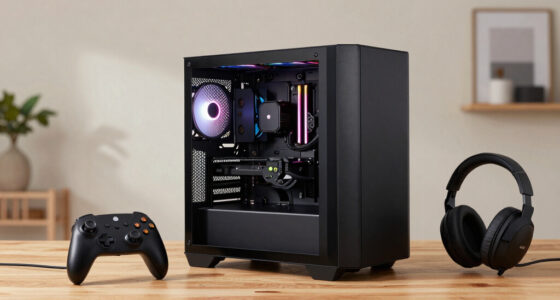
The best GPUs and RAM in this roundup serve different builds: I name the ASUS Prime GeForce RTX 5070 OC my best overall GPU pick for a balanced gaming system, while the ASRock Radeon RX 9060 XT Challenger 16GB OC is a strong value-minded graphics option and G.SKILL Trident Z5 Neo RGB 64GB DDR5-6000 CL30 suits memory-heavy workloads. The real choice is between graphics performance, VRAM capacity, system memory capacity, and whether your existing parts can support an upgrade. A powerful card can be held back by a weak power supply or cramped case, while extra RAM does little for a gaming PC that already has enough. I compare the graphics cards and memory kits by their distinct roles rather than treating them as interchangeable parts. Continue reading for the full breakdown and guidance on matching a GPU and RAM to your build.

Get the latest gadgets delivered free with Prime
- Fast, free delivery on millions of items
- Prime Video, Amazon Music and more included
- Member-only deals all year
Complete the kit



Key Takeaways
- The lineup spans entry-level and older-generation cards through enthusiast GPUs, so the right choice depends more on resolution, game demands, and system fit than on a single ranking.
- Several RX 9060 XT options pair 16GB of VRAM with different cooler designs; compare card dimensions, cooling needs, and model details before choosing among them.
- The ASUS Prime RTX 5070 OC is the roundup’s balanced GPU recommendation, while the two RTX 5080 models belong in a higher-performance tier that calls for stronger supporting hardware.
- The two 32GB DDR5-6000 RGB kits offer a sensible capacity target for many gaming builds; the 64GB G.SKILL kit is better suited to heavier multitasking and memory-intensive work.
- The RTX 3060 12GB and RX 7600 8GB occupy different upgrade roles: the former offers more VRAM, while the latter is a newer-generation alternative; neither should be chosen without checking the games and resolution you use.
| MSI GeForce RTX 5080 16G Inspire 3X OC Black Graphics Card |  | Best Premium GPU | GPU: NVIDIA GeForce RTX 5080 | Memory: 16GB GDDR7 | Memory speed: 30 Gbps | VIEW LATEST PRICE | See Our Full Breakdown |
| CORSAIR Vengeance RGB DDR5 32GB (2 × 16GB) 6000MHz Desktop Memory, Gray |  | Best RGB RAM Pick | Capacity: 32GB (2 × 16GB) | Memory technology: DDR5 | Timings: CL30-36-36-76 | VIEW LATEST PRICE | See Our Full Breakdown |
| ASRock Radeon RX 9060 XT Challenger 16GB OC Graphics Card |  | Best Value GPU for Lower-Power Builds | GPU: AMD Radeon RX 9060 XT | Architecture: AMD RDNA 4 | Memory: 16GB GDDR6 | VIEW LATEST PRICE | See Our Full Breakdown |
| ASUS Prime Radeon RX 9070 EVO OC 16GB GDDR6 Graphics Card |  | Best GPU for Quiet, Flexible Builds | GPU: AMD Radeon RX 9070 | Memory: 16GB GDDR6 | Boost clock: Up to 2610 MHz (OC mode); up to 2590 MHz (Default mode) | VIEW LATEST PRICE | See Our Full Breakdown |
| PNY NVIDIA GeForce RTX 5060 Ti 16GB OC Dual-Fan Graphics Card |  | Best Compact NVIDIA GPU | GPU: NVIDIA GeForce RTX 5060 Ti | Memory: 16GB GDDR7 | Memory bandwidth: 448 GB/s | VIEW LATEST PRICE | See Our Full Breakdown |
| XFX Swift AMD Radeon RX 9060 XT OC Triple Fan Graphics Card, 16GB GDDR6 |  | Best for 16GB AMD Gaming | GPU: AMD Radeon RX 9060 XT | Memory: 16GB GDDR6 | Boost clock: Up to 3320 MHz | VIEW LATEST PRICE | See Our Full Breakdown |
| ASUS Dual GeForce RTX 5060 Ti 16GB GDDR7 OC Edition Graphics Card |  | Best Compact NVIDIA 16GB Pick | GPU: NVIDIA GeForce RTX 5060 Ti | Architecture: NVIDIA Blackwell | Memory: 16GB GDDR7 | VIEW LATEST PRICE | See Our Full Breakdown |
| ASUS Prime GeForce RTX 5070 OC 12GB GDDR7 Graphics Card |  | Best for Higher-Tier 4K Builds | GPU: NVIDIA GeForce RTX 5070 | Memory: 12GB GDDR7 | Boost clock: 2587 MHz OC mode; 2557 MHz default mode | VIEW LATEST PRICE | See Our Full Breakdown |
| ASRock Radeon RX 7600 Challenger Pro OC 8GB Graphics Card |  | Best for Mainstream AMD Builds | GPU: AMD Radeon RX 7600 | Architecture: AMD RDNA 3 | Memory: 8GB GDDR6 | VIEW LATEST PRICE | See Our Full Breakdown |
| ASUS Dual GeForce RTX 3060 V2 12GB GDDR6 OC Edition Gaming Graphics Card |  | Best Compact Two-Slot Pick | GPU: NVIDIA GeForce RTX 3060 | Architecture: NVIDIA Ampere | Memory: 12GB GDDR6 | VIEW LATEST PRICE | See Our Full Breakdown |
| Corsair Vengeance RGB RS DDR5 32GB (2 x 16GB) 6000MHz Desktop Memory |  | Best RGB DDR5 Kit for Mixed AMD and Intel Builds | Capacity: 32GB (2 x 16GB) | Memory type: DDR5 | Data transfer rate: Up to 6000 MT/s | VIEW LATEST PRICE | See Our Full Breakdown |
| ASUS Dual Radeon RX 9060 XT 16GB GDDR6 Graphics Card |  | Best Compact Radeon for Quiet Builds | GPU: AMD Radeon RX 9060 XT | Memory: 16GB GDDR6 | Boost clock: Up to 3250 MHz in OC mode; up to 3230 MHz in Default mode | VIEW LATEST PRICE | See Our Full Breakdown |
| ASUS Prime GeForce RTX 5080 16GB GDDR7 Graphics Card |  | Best Premium GPU for Space-Conscious High-End Builds | GPU: NVIDIA GeForce RTX 5080 | Memory: 16GB GDDR7 | Boost clock: 2617 MHz default; 2640 MHz in OC mode | VIEW LATEST PRICE | See Our Full Breakdown |
| G.SKILL Trident Z5 Neo RGB 64GB (2 x 32GB) DDR5-6000 Desktop Memory, CL30, Matte Black |  | Best High-Capacity DDR5 Kit for AMD Builds | Capacity: 64GB (2 x 32GB) | Memory type: DDR5 | Speed: Up to 6000 MT/s | VIEW LATEST PRICE | See Our Full Breakdown |
| GPUs and RAM | GPU | Memory | Boost clock | Cooling |
|---|---|---|---|---|
| MSI GeForce RTX 5080 16G Inspi | NVIDIA GeForce RTX 5080 | 16GB GDDR7 | — | Triple-fan; ZERO FROZR mode |
| CORSAIR Vengeance RGB DDR5 32G | — | — | — | — |
| ASRock Radeon RX 9060 XT Chall | AMD Radeon RX 9060 XT | 16GB GDDR6 | Up to 3290 MHz | Dual fans; 0dB silent mode |
| ASUS Prime Radeon RX 9070 EVO | AMD Radeon RX 9070 | 16GB GDDR6 | Up to 2610 MHz (OC mode); up to 2590 MHz (Default mode) | Triple Axial-tech fans; phase-change GPU thermal pad |
| PNY NVIDIA GeForce RTX 5060 Ti | NVIDIA GeForce RTX 5060 Ti | 16GB GDDR7 | 2692 MHz | — |
| XFX Swift AMD Radeon RX 9060 X | AMD Radeon RX 9060 XT | 16GB GDDR6 | Up to 3320 MHz | Triple fan |
| ASUS Dual GeForce RTX 5060 Ti | NVIDIA GeForce RTX 5060 Ti | 16GB GDDR7 | — | — |
| ASUS Prime GeForce RTX 5070 OC | NVIDIA GeForce RTX 5070 | 12GB GDDR7 | 2587 MHz OC mode; 2557 MHz default mode | Three Axial-tech fans and phase-change GPU thermal pad |
| ASRock Radeon RX 7600 Challeng | AMD Radeon RX 7600 | 8GB GDDR6 | Up to 2695 MHz | — |
| ASUS Dual GeForce RTX 3060 V2 | NVIDIA GeForce RTX 3060 | 12GB GDDR6 | 1867 MHz in OC mode | Dual Axial-tech fans with 0dB technology |
| Corsair Vengeance RGB RS DDR5 | — | — | — | — |
| ASUS Dual Radeon RX 9060 XT 16 | AMD Radeon RX 9060 XT | 16GB GDDR6 | Up to 3250 MHz in OC mode; up to 3230 MHz in Default mode | Two Axial-tech fans with 0dB technology |
| ASUS Prime GeForce RTX 5080 16 | NVIDIA GeForce RTX 5080 | 16GB GDDR7 | 2617 MHz default; 2640 MHz in OC mode | Three Axial-tech fans and vapor chamber |
| G.SKILL Trident Z5 Neo RGB 64G | — | — | — | — |
More Details on Our Top Picks
MSI GeForce RTX 5080 16G Inspire 3X OC Black Graphics Card
The MSI GeForce RTX 5080 Inspire 3X OC is the premium choice here for buyers who want a high-end Blackwell GPU with fast GDDR7 memory and factory tuning. Its 16GB capacity matches the memory amount on the ASUS Prime Radeon RX 9070 EVO OC, but the RTX 5080 pairs that capacity with 30 Gbps GDDR7 and a 256-bit interface. The triple-fan cooler, copper baseplate, and heat pipes are built to manage sustained workloads, while ZERO FROZR can stop the fans when cooling demand is low. The tradeoff is system fit: MSI recommends an 850W power supply, more than the RX 9060 XT Challenger’s 550W recommendation. Choose it for a powerful gaming or creative desktop; skip it if your PSU or case is sized for a modest card.
Pros:- 16GB of GDDR7 memory with a 256-bit interface and 30 Gbps memory speed
- Factory overclocked to a 2640 MHz boost clock
- Triple-fan cooling with ZERO FROZR, heat pipes, and a nickel-plated copper baseplate
- HDMI 2.1b and DisplayPort 2.1b outputs
Cons:- MSI recommends a power supply of at least 850W
- Triple-fan desktop design is a poor fit for compact builds
Best for: Desktop gamers and creative users building a high-performance system with an 850W-or-better power supply and room for a triple-fan GPU.
Not ideal for: Small-form-factor builders or owners of lower-wattage systems who want a compact card with modest power requirements.
- GPU:NVIDIA GeForce RTX 5080
- Memory:16GB GDDR7
- Memory speed:30 Gbps
- Memory interface:256-bit
- GPU boost clock:2640 MHz
- Interface:PCI Express 5.0
- Cooling:Triple-fan; ZERO FROZR mode
- Recommended power supply:850W minimum
Our verdict“Choose the RTX 5080 Inspire 3X OC for a premium, high-power gaming or creative desktop, not a compact or lower-wattage system.”
CORSAIR Vengeance RGB DDR5 32GB (2 × 16GB) 6000MHz Desktop Memory, Gray
The CORSAIR Vengeance RGB DDR5 kit suits builders who want 32GB of memory, a 6000MHz rated speed, and lighting they can tailor to a coordinated desktop. Its CL30 timings make it a performance-oriented option beside standard, less-tunable memory, while support for both AMD EXPO and Intel XMP gives it wider platform flexibility than a kit tied to one profile type. Ten RGB zones on each module add visual control, and onboard voltage regulation supports more detailed overclocking adjustments. Those features bring setup work: reaching the rated speed can require BIOS changes, and the actual result depends on the CPU and motherboard. Unlike the GPUs in this roundup, RAM is not a direct graphics upgrade; this is a system-memory choice for a new build or capacity refresh.
Pros:- 32GB capacity in a two-module kit
- 6000MHz rated speed with CL30 timings
- AMD EXPO and Intel XMP profile support
- Ten-zone RGB lighting and onboard voltage regulation
Cons:- Rated speed may require overclocking or BIOS adjustments
- Achievable speed depends on the motherboard, CPU, and system settings
Best for: PC builders who want a 32GB DDR5 kit with customizable lighting and profile support for either an AMD or Intel platform.
Not ideal for: Buyers who want plug-and-play rated speeds without BIOS adjustments, or who prefer memory without RGB lighting.
- Capacity:32GB (2 × 16GB)
- Memory technology:DDR5
- Timings:CL30-36-36-76
- Voltage:1.4V
- Form factor:DIMM
- Compatibility:AMD EXPO and Intel XMP
- Lighting:Ten-zone RGB
Our verdict“Pick this Corsair kit for a flexible 32GB DDR5 build where RGB control and tuning matter more than a no-adjustment setup.”
ASRock Radeon RX 9060 XT Challenger 16GB OC Graphics Card
The ASRock Radeon RX 9060 XT Challenger 16GB OC is the practical pick for buyers who want 16GB of graphics memory without building around the MSI RTX 5080’s 850W power recommendation. ASRock recommends a 550W supply, and the card uses one 8-pin connector, making it easier to fit into a less demanding system. Its dual-fan cooler and 0dB silent mode also offer a simpler, lighter alternative to the triple-fan ASUS Prime RX 9070 EVO. The RX 9060 XT still has 16GB of memory and current display connections, but its GDDR6 memory uses a 128-bit bus, unlike the RTX 5080’s 256-bit interface. Its 249mm length is manageable for many cases, though buyers should measure clearance first.
Pros:- 16GB of GDDR6 memory
- 550W recommended power supply and a single 8-pin connector
- Dual-fan cooling with 0dB silent mode
- DisplayPort 2.1a and HDMI 2.1b outputs
Cons:- 128-bit memory bus is narrower than the MSI RTX 5080’s 256-bit interface
- Requires 249mm of chassis length clearance
Best for: Mainstream desktop builders seeking a 16GB graphics card for gaming or creative work without a high-wattage power supply.
Not ideal for: Buyers prioritizing a wider memory interface, a more substantial multi-fan cooler, or a card shorter than 249mm.
- GPU:AMD Radeon RX 9060 XT
- Architecture:AMD RDNA 4
- Memory:16GB GDDR6
- Memory bus:128-bit
- Boost clock:Up to 3290 MHz
- Interface:PCIe 5.0, PCI-Express x16
- Cooling:Dual fans; 0dB silent mode
- Recommended power supply:550W
- Dimensions:249 × 132 × 41 mm
Our verdict“Choose the ASRock RX 9060 XT Challenger for a 16GB GPU in a lower-power desktop, provided your case has the required length.”
ASUS Prime Radeon RX 9070 EVO OC 16GB GDDR6 Graphics Card
The ASUS Prime Radeon RX 9070 EVO OC takes the quieter, more adjustable approach among the AMD cards here. Its triple Axial-tech fans, 0dB operation, and Dual BIOS let builders choose between Quiet and Performance profiles, while the phase-change GPU thermal pad is designed to support heat transfer under load. Compared with the dual-fan ASRock RX 9060 XT Challenger, this ASUS model has a more substantial cooling setup and Dual BIOS flexibility, though its 2.5-slot footprint still needs room in the case. The stated OC-mode boost clock reaches 2610 MHz, with a slightly lower default mode. GPU Tweak III is needed for advanced thermal and performance adjustments, so this is a better match for hands-on builders than anyone who wants every control available without added software.
Pros:- 16GB of GDDR6 memory
- Dual BIOS provides Quiet and Performance profiles
- 0dB fan technology can reduce fan noise during light use
- Triple Axial-tech fans and a phase-change GPU thermal pad
Cons:- 2.5-slot design still needs room for a multi-slot graphics card
- GPU Tweak III is required for advanced performance and thermal control
Best for: Builders who want a 16GB AMD card with selectable noise and performance profiles, plus a case that can accommodate a 2.5-slot GPU.
Not ideal for: Compact-PC builders with limited expansion-slot room or users who do not want to rely on GPU Tweak III for advanced tuning.
- GPU:AMD Radeon RX 9070
- Memory:16GB GDDR6
- Boost clock:Up to 2610 MHz (OC mode); up to 2590 MHz (Default mode)
- Game clock:Up to 2140 MHz (OC mode); up to 2120 MHz (Default mode)
- Interface:PCI Express x16; PCIe 5.0
- Video outputs:2 × HDMI 2.1b; 3 × DisplayPort 2.1a
- Cooling:Triple Axial-tech fans; phase-change GPU thermal pad
- Slot design:2.5-slot
- Warranty:3 years
Our verdict“Choose the ASUS Prime RX 9070 EVO OC if adjustable cooling and noise profiles matter more than a smaller card footprint.”
PNY NVIDIA GeForce RTX 5060 Ti 16GB OC Dual-Fan Graphics Card
The PNY GeForce RTX 5060 Ti 16GB OC is the most build-friendly NVIDIA option in this group when space matters. Its compact dual-slot design measures 9.65 × 4.72 inches, a much easier fit than the triple-fan MSI RTX 5080, and the single 8-pin connector avoids a more demanding power connection. PNY also provides 16GB of GDDR7 memory and a factory boost clock of 2692 MHz, making this card suited to gaming, creative projects, and local AI workloads that benefit from memory capacity. The tradeoff is its 128-bit memory interface and PCIe x8 connection, rather than the wider interface on the RTX 5080. Buyers can tune clocks and fan curves in VelocityX, but should plan for a 600W system power supply.
Pros:- 16GB of GDDR7 memory
- Compact dual-slot design with dimensions of 9.65 × 4.72 inches
- Single 8-pin power connector
- VelocityX supports tuning, monitoring, and saved profiles
Cons:- 128-bit memory interface is narrower than the RTX 5080’s 256-bit interface
- Requires a 600W system power supply
Best for: Small-form-factor and compact-desktop builders who want a 16GB NVIDIA card for gaming, creative applications, or local AI workloads.
Not ideal for: Buyers seeking a wider memory interface or a card for a system with less than the recommended 600W power supply.
- GPU:NVIDIA GeForce RTX 5060 Ti
- Memory:16GB GDDR7
- Memory bandwidth:448 GB/s
- Boost clock:2692 MHz
- Memory interface:128-bit
- Interface:PCI Express x8; PCIe 5.0
- Cooling and design:Dual-fan; compact dual-slot, SFF-ready
- Power:Single 8-pin connector; 600W recommended system power
- Dimensions:9.65 × 4.72 inches
Our verdict“Pick the PNY RTX 5060 Ti for a compact NVIDIA build where 16GB of GDDR7 matters more than a wider memory interface.”
XFX Swift AMD Radeon RX 9060 XT OC Triple Fan Graphics Card, 16GB GDDR6
The XFX Swift RX 9060 XT pairs 16GB of GDDR6 with a boost clock up to 3320 MHz, making it a sensible fit for players who want generous graphics memory without stepping up to a higher-tier card. Compared with the ASUS Dual RTX 5060 Ti 16GB, it uses GDDR6 rather than GDDR7 and relies on a larger triple-fan cooler; the ASUS counters with a more compact 2.5-slot design and NVIDIA features such as DLSS 4. The XFX’s three fans are suited to sustained desktop gaming, while HDMI and two DisplayPort connections offer flexible monitor hookups. Its stated 4K output support is useful for display compatibility, but does not guarantee demanding games will run smoothly at 4K. The main tradeoff is fit: this is a desktop PCIe x16 card, and the listing gives no dimensions for checking tight cases.
Pros:- 16GB of GDDR6 provides substantial graphics memory for games and creative workloads.
- Triple-fan cooling design.
- One HDMI and two DisplayPort outputs support varied monitor setups.
- Supports displays up to 3840 × 2160.
Cons:- Requires a desktop motherboard with a PCI Express x16 interface.
- GDDR6 memory is a generation behind the GDDR7 used by the ASUS Dual RTX 5060 Ti 16GB.
- Product data does not provide card dimensions, making case-clearance checks harder.
Best for: Desktop gamers who want 16GB of AMD graphics memory, a triple-fan cooler, and a mix of HDMI and DisplayPort connections.
Not ideal for: Small-case builders who need confirmed clearance dimensions, or buyers seeking NVIDIA-specific features such as DLSS 4.
- GPU:AMD Radeon RX 9060 XT
- Memory:16GB GDDR6
- Boost clock:Up to 3320 MHz
- Base clock:1900 MHz
- Memory clock speed:20 GHz
- Cooling:Triple fan
- Video outputs:1 × HDMI, 2 × DisplayPort
- Maximum resolution:3840 × 2160 (4K UHD)
Our verdict“Choose the XFX Swift if you want an AMD card with 16GB of memory and triple-fan cooling, and have room in your desktop case.”
ASUS Dual GeForce RTX 5060 Ti 16GB GDDR7 OC Edition Graphics Card
The ASUS Dual RTX 5060 Ti stands out for combining 16GB of newer GDDR7 memory with a 2.5-slot body, giving builders a more space-conscious option than the triple-fan XFX Swift RX 9060 XT. Its Blackwell GPU supports DLSS 4, while the Quiet and Performance BIOS profiles let owners choose between a less aggressive fan approach and performance-focused operation. The two Axial-tech fans can stop during light use, which helps keep desktop noise down when the GPU is not under heavy load. This card also has three DisplayPort 2.1b outputs and HDMI 2.1b. The tradeoff is that compact does not mean tiny: a 2.5-slot card still needs case clearance, and its two-fan cooling arrangement may be less appealing to builders prioritizing a larger cooler for extended heavy workloads.
Pros:- 16GB of GDDR7 memory paired with NVIDIA Blackwell architecture.
- DLSS 4 support and 767 AI TOPS.
- 2.5-slot design is more compact than many triple-fan cards.
- 0dB fan operation and Quiet or Performance BIOS profiles offer noise and cooling choices.
Cons:- The 2.5-slot form still needs more clearance than a true two-slot card.
- Two fans may be less suited to buyers who prioritize a larger cooling setup.
- Its 16GB capacity matches the XFX Swift RX 9060 XT, but the two cards use different GPU platforms and memory generations.
Best for: NVIDIA-focused builders who want 16GB of GDDR7, DLSS 4, and a card that takes less space than many triple-fan designs.
Not ideal for: Buyers with cases that cannot accommodate a 2.5-slot card, or those who prefer a triple-fan cooler for sustained heavy use.
- GPU:NVIDIA GeForce RTX 5060 Ti
- Architecture:NVIDIA Blackwell
- Memory:16GB GDDR7
- GPU clock:2632 MHz OC mode; 2602 MHz default mode
- AI performance:767 AI TOPS
- Form factor:2.5-slot; 9 × 4.7 inches
- Video outputs:3 × DisplayPort 2.1b, 1 × HDMI 2.1b
- BIOS profiles:Quiet and Performance
Our verdict“Pick the ASUS Dual RTX 5060 Ti if you want NVIDIA features and 16GB of GDDR7 in a relatively compact card.”
ASUS Prime GeForce RTX 5070 OC 12GB GDDR7 Graphics Card
The ASUS Prime RTX 5070 OC is the performance-oriented choice among these five GPUs, pairing a GeForce RTX 5070 with 12GB of GDDR7 and up to 1005 AI TOPS. Its three Axial-tech fans, phase-change GPU thermal pad, and dual BIOS are aimed at managing heat while giving builders Quiet and Performance profiles. Compared with the ASUS Dual RTX 5060 Ti 16GB, this model has less memory capacity but a higher-tier GPU; that makes it a better fit for buyers who favor GPU capability over a larger VRAM pool. The compact 2.5-slot thickness helps with compatibility, but the 12-inch length can rule it out of smaller cases. Its listed maximum resolution is 4K UHD, so unlike the ASUS Dual RTX 5060 Ti’s listed 8K output, it is positioned around 4K displays.
Pros:- GeForce RTX 5070 GPU with 12GB of GDDR7.
- Three Axial-tech fans and a phase-change GPU thermal pad support heat management.
- Dual BIOS and 0dB technology provide quieter and performance-focused operating options.
- 2.5-slot design is relatively slim for a three-fan card.
Cons:- 12GB of memory is less than the 16GB on the ASUS Dual RTX 5060 Ti and XFX Swift RX 9060 XT.
- The 12-inch card length may not fit smaller cases.
- The 2587 MHz clock applies in OC mode; default mode is 2557 MHz.
Best for: Gamers building a 4K-oriented desktop who prefer a higher-tier GPU and a triple-fan cooler over maximum memory capacity.
Not ideal for: Small-case builders who cannot fit a 12-inch card, or buyers whose workloads call for more than 12GB of graphics memory.
- GPU:NVIDIA GeForce RTX 5070
- Memory:12GB GDDR7
- Boost clock:2587 MHz OC mode; 2557 MHz default mode
- AI performance:1005 AI TOPS
- Cooling:Three Axial-tech fans and phase-change GPU thermal pad
- Slot design:2.5-slot
- Dimensions:12 × 5 inches
- Maximum resolution:3840 × 2160
Our verdict“Choose the ASUS Prime RTX 5070 OC if you want a higher-tier GPU for a 4K-oriented build and your case can fit its 12-inch length.”
ASRock Radeon RX 7600 Challenger Pro OC 8GB Graphics Card
The ASRock RX 7600 Challenger Pro is the straightforward mainstream option here: its 8GB of GDDR6, RDNA 3 architecture, and support for ray tracing and AMD FSR suit a desktop built around conventional gaming and display needs. Compared with the XFX Swift RX 9060 XT, it has half the memory capacity, so it is the less flexible pick for games or creative tasks that place heavy demands on VRAM. In return, its feature set includes a triple-fan cooler with 0dB fan stop, a metal backplate, and four display outputs. The card is long at 303 mm and occupies 2.5 slots, so it is not a small-case solution despite its mainstream positioning. A single 8-pin connector and recommended 550W power supply also need to match the rest of the build.
Pros:- RDNA 3 GPU supports ray tracing and AMD FSR in compatible software.
- Triple-fan cooler includes 0dB fan stop at low temperatures.
- Four outputs support up to four displays.
- Metal backplate and one 8-pin power connector.
Cons:- 8GB of GDDR6 is half the capacity of the XFX Swift RX 9060 XT and ASUS Dual RTX 5060 Ti.
- 303 mm length and 2.5-slot width require a roomy case.
- Calls for an 8-pin power connector and a recommended 550W power supply.
Best for: Desktop gamers seeking an AMD RDNA 3 card with FSR support, multiple display connections, and a triple-fan cooler.
Not ideal for: Players who need 16GB of graphics memory, or compact-PC builders whose case cannot fit a 303 mm, 2.5-slot card.
- GPU:AMD Radeon RX 7600
- Architecture:AMD RDNA 3
- Memory:8GB GDDR6
- Memory bandwidth:Up to 288 GB/s
- Game clock:2280 MHz
- Boost clock:Up to 2695 MHz
- Dimensions:303 × 131 × 45 mm; 2.5 slots
- Power requirements:One 8-pin connector; 550W recommended PSU
Our verdict“Choose the ASRock RX 7600 if your mainstream AMD build does not need 16GB of memory and has room for its long triple-fan cooler.”
ASUS Dual GeForce RTX 3060 V2 12GB GDDR6 OC Edition Gaming Graphics Card
The ASUS Dual RTX 3060 V2 is the easiest fit for space-conscious builds in this group, with a true 2-slot design measuring 7.87 inches long. Its 12GB of GDDR6 gives it more memory capacity than the ASRock RX 7600 Challenger Pro, though it uses the older Ampere generation and does not match the newer RTX 5060 Ti or RTX 5070 options for platform features. The dual Axial-tech fans and 0dB technology suit systems that spend time at idle or under lighter loads, while HDMI 2.1 and DisplayPort 1.4a cover common monitor setups. The OC-mode boost clock is 1867 MHz, but the listing notes only a marginal increase over standard gaming mode. This is a practical fit-first choice, not the pick for buyers chasing the newest GPU generation.
Pros:- 12GB of GDDR6 offers more capacity than the ASRock RX 7600’s 8GB.
- Compact 2-slot design measures 7.87 inches long.
- 0dB technology supports silent operation under light loads.
- HDMI 2.1 and DisplayPort 1.4a outputs.
Cons:- Uses NVIDIA Ampere rather than the Blackwell architecture in the RTX 5060 Ti and RTX 5070.
- GDDR6 is older than the GDDR7 used by newer NVIDIA options in this roundup.
- The OC-mode boost clock is only marginally higher than standard gaming mode.
Best for: Builders with shorter or narrower desktop cases who want a two-slot card and 12GB of graphics memory for gaming or creative tasks.
Not ideal for: Buyers seeking the latest GPU architecture, newer-generation memory, or the 16GB capacity offered by the ASUS Dual RTX 5060 Ti.
- GPU:NVIDIA GeForce RTX 3060
- Architecture:NVIDIA Ampere
- Memory:12GB GDDR6
- Boost clock:1867 MHz in OC mode
- Form factor:2-slot
- Dimensions:7.87 × 4.84 inches
- Cooling:Dual Axial-tech fans with 0dB technology
- Video outputs:HDMI 2.1, DisplayPort 1.4a
Our verdict“Pick the ASUS Dual RTX 3060 V2 when case fit and 12GB of memory matter more than having a newer GPU generation.”
Corsair Vengeance RGB RS DDR5 32GB (2 x 16GB) 6000MHz Desktop Memory
I’d choose this kit when lighting flexibility and broad platform support matter as much as everyday capacity. Its 32GB across two DIMMs suits a mainstream gaming build, while AMD EXPO and Intel XMP 3.0 profiles let compatible systems configure memory speeds without relying on manual timing entry. The addressable lighting adds customization through iCUE, a feature the G.SKILL Trident Z5 Neo RGB 64GB kit also emphasizes, but that model doubles capacity and offers tighter CL30 timings for heavier workloads. Corsair’s kit instead keeps the target straightforward at 6000 MT/s and supports both major platform profile standards. The tradeoff is that 6000 MT/s is not guaranteed automatically: BIOS settings and the CPU and motherboard determine whether it runs at its rated speed. Choose it for a polished 32GB setup, not for maximum capacity.
Pros:- Supports AMD EXPO and Intel XMP 3.0 profiles
- Individually addressable RGB lighting customizable through CORSAIR iCUE
- 6000 MT/s target speed for compatible systems
- Onboard voltage regulation supports high-frequency operation
Cons:- Rated speed may require BIOS adjustments and is not guaranteed across all CPU and motherboard combinations
- 32GB capacity offers less headroom than the 64GB G.SKILL kit
- CL36 timings are less aggressive than the G.SKILL kit’s CL30 timings
Best for: PC builders who want a two-stick 32GB DDR5 kit with customizable RGB and memory profiles for a compatible AMD or Intel system.
Not ideal for: Users running memory-heavy creative workloads or large multitasking sessions who would benefit more from the G.SKILL Trident Z5 Neo RGB’s 64GB capacity.
- Capacity:32GB (2 x 16GB)
- Memory type:DDR5
- Data transfer rate:Up to 6000 MT/s
- CAS latency:CL36
- Timings:36-44-44-96
- Voltage:1.35V
- Memory profiles:AMD EXPO and Intel XMP 3.0
- Form factor:288-pin DIMM
Our verdict“Pick this Corsair kit for a customizable 32GB RGB build with AMD and Intel profile support, but choose the G.SKILL kit if capacity and tighter timings take priority.”
ASUS Dual Radeon RX 9060 XT 16GB GDDR6 Graphics Card
This is my pick for builders who want a 16GB Radeon card in a space-conscious design without giving up adjustable cooling. At 2.5 slots and 8 inches long, it has a smaller footprint than the triple-fan XFX Swift Radeon RX 9060 XT, which can make case planning easier. ASUS pairs its two Axial-tech fans with 0dB operation at light loads and a Dual BIOS switch, so buyers can choose between Quiet and Performance profiles. That flexibility is more useful than a clock-speed headline alone when a PC also serves as a quiet everyday machine. The tradeoff is that this is still a 2.5-slot card, not a truly slim option, and its PCIe x16 interface means it belongs in a desktop with suitable clearance. It makes sense for compact gaming builds, but not for systems with tight expansion-card spacing.
Pros:- Compact 8-inch length compared with larger triple-fan RX 9060 XT designs
- 16GB of GDDR6 memory
- 0dB technology supports quiet operation during light gaming
- Dual BIOS offers Quiet and Performance profiles
Cons:- 2.5-slot thickness can restrict nearby expansion cards
- Requires a desktop with a PCI-Express x16 interface
- Two-fan cooling provides less fan area than the triple-fan XFX Swift RX 9060 XT
Best for: Desktop builders seeking a relatively short 16GB Radeon GPU with quiet light-load behavior and selectable cooling profiles.
Not ideal for: Owners of slim cases or builds with very limited expansion-slot clearance, since the card still occupies 2.5 slots.
- GPU:AMD Radeon RX 9060 XT
- Memory:16GB GDDR6
- Boost clock:Up to 3250 MHz in OC mode; up to 3230 MHz in Default mode
- Interface:PCIe 5.0, PCI-Express x16
- Cooling:Two Axial-tech fans with 0dB technology
- BIOS:Dual BIOS with Quiet and Performance profiles
- Form factor:2.5-slot
- Dimensions:8 x 4.7 inches
- Video outputs:2 x DisplayPort 2.1a, 1 x HDMI 2.1b
Our verdict“Choose this ASUS Radeon for a shorter, quiet-focused 16GB GPU, but pick the triple-fan XFX model if your case has room and you prefer a larger cooler.”
ASUS Prime GeForce RTX 5080 16GB GDDR7 Graphics Card
I’d place this card near the premium end for builders who want an RTX 5080 in a 2.5-slot format rather than a bulkier cooler. Its 16GB of GDDR7 and NVIDIA Blackwell architecture put it in a different performance class from the ASUS Dual Radeon RX 9060 XT, while the compact slot thickness gives small-form-factor builders a more practical route to a high-end GPU. A vapor chamber, phase-change thermal pad, and three Axial-tech fans address heat management, and Dual BIOS plus 0dB technology offer a quieter mode for light use. Compact does not mean universally easy to fit: the 306 mm length still calls for a case-clearance check. The larger commitment is power, with a minimum 850W supply and a 16-pin connector required. This suits a carefully planned premium build, not a modest PSU upgrade.
Pros:- RTX 5080 GPU with 16GB of GDDR7 memory
- 2.5-slot design is more accommodating than many high-end card layouts
- Vapor chamber and phase-change thermal pad support heat transfer
- Dual BIOS and 0dB technology provide quiet-use options
Cons:- Requires a minimum 850W power supply with a 16-pin connector
- 306 mm length still rules out many compact cases
- At 3 pounds, it may need careful physical support in the case
Best for: Small-form-factor enthusiasts building a high-end NVIDIA gaming PC with room for a 306 mm card and an 850W power supply.
Not ideal for: Upgraders with a lower-wattage PSU, no 16-pin 12V-2×6 connector, or a case that cannot fit a 306 mm graphics card.
- GPU:NVIDIA GeForce RTX 5080
- Memory:16GB GDDR7
- Boost clock:2617 MHz default; 2640 MHz in OC mode
- Dimensions:306 mm (12 inches) long; 2.5 slots
- Power supply requirement:Minimum 850W with 16-pin 12V-2×6 (12VHPWR) connector
- Cooling:Three Axial-tech fans and vapor chamber
- Video outputs:3 x DisplayPort 2.1a; 2 x HDMI 2.1b
- Interface:PCI Express x16
Our verdict“Choose this RTX 5080 for premium NVIDIA performance in a relatively slim card, provided your case and power supply meet its demanding fit and power needs.”
G.SKILL Trident Z5 Neo RGB 64GB (2 x 32GB) DDR5-6000 Desktop Memory, CL30, Matte Black
For a gaming PC that also handles large projects, virtual machines, or heavy multitasking, I’d take this 64GB matched kit over the Corsair Vengeance RGB RS 32GB kit. Both target DDR5-6000 and offer RGB, but G.SKILL doubles the capacity and specifies CL30 timings, giving AMD builders a stronger fit when memory headroom matters. Its EXPO profile is tailored to compatible AMD systems, while JEDEC defaults provide a baseline before applying the overclock profile. That narrower platform emphasis is the main distinction from Corsair’s support for both AMD EXPO and Intel XMP 3.0. The rated speed also depends on the CPU, motherboard, and BIOS settings; mixing this kit with other memory can create instability. Buy it as a complete matched pair, not as an add-on to an existing kit.
Pros:- 64GB capacity in a matched two-module kit
- DDR5-6000 speed with CL30 latency when supported by the system
- AMD EXPO profile and JEDEC default support
- Limited lifetime manufacturer warranty
Cons:- Maximum speed may require compatible hardware and BIOS adjustments
- AMD EXPO profile makes it less directly suited to Intel systems than the Corsair kit
- Mixing with other memory kits can cause instability or system failure
Best for: AMD desktop users who run memory-intensive games, creative applications, virtual machines, or many demanding tasks at once.
Not ideal for: Intel-focused builders who want an Intel XMP profile, or buyers upgrading by mixing new modules with an existing memory kit.
- Capacity:64GB (2 x 32GB)
- Memory type:DDR5
- Speed:Up to 6000 MT/s
- CAS latency:CL30
- Timings:30-40-40-96
- Voltage:1.40V
- Memory profile:AMD EXPO
- Form factor:288-pin U-DIMM
- Error correction:Non-ECC
Our verdict“Pick this G.SKILL kit for an AMD system that needs 64GB and CL30 timings, but choose Corsair’s 32GB kit for broader AMD and Intel profile support.”
How We Picked
I ranked the graphics cards by the role they can fill in a PC build: broad gaming suitability, VRAM capacity, generation, cooling format, and the supporting hardware a buyer may need. I gave more weight to balance and usability than to a high model number alone, since case clearance, power supply capacity, and intended resolution can make a faster card a poor match. The RTX 5080 models rank as premium options, not automatic picks for every system, while the RTX 5070 and 16GB RX 9060 XT cards offer more approachable paths for different priorities.
For memory, I compared capacity, kit configuration, rated speed, and likely workload fit. The 32GB DDR5-6000 kits sit ahead for typical gaming builds because they provide a practical capacity without pushing buyers toward memory they may not use. The 64GB G.SKILL kit earns a distinct role for heavier multitasking and work, not simply because it has a larger number. The supplied product names do not establish independent benchmark results, so I avoid claiming exact performance gaps and focus the ranking on stated specifications and buyer fit.
Factors to Consider When Choosing Best GPUs And RAM
Choosing a GPU and RAM together means matching parts to the rest of the PC, not just selecting the highest specifications. I would start with your display, motherboard, case, power supply, and workload, then decide whether a graphics upgrade or a memory upgrade will address the actual limit.
Match GPU Class to Resolution and Games
Start with the resolution and refresh rate you actually use, then check requirements for the games or creative apps that matter to you. A premium card such as an RTX 5080 is harder to justify in a build aimed at lighter games or a modest display, where other parts may become the limit first. A lower-tier card can be a better-balanced choice if it meets your target settings without forcing a wider system rebuild. Look at game-specific benchmarks from reliable sources before buying, since performance can vary by title and settings. Avoid using VRAM capacity alone as a proxy for speed: it describes memory available to the GPU, not total rendering performance. If you are upgrading an older PC, confirm that the processor can keep up with the card you have in mind.
Check Fit, Power, and Cooling Before Ordering
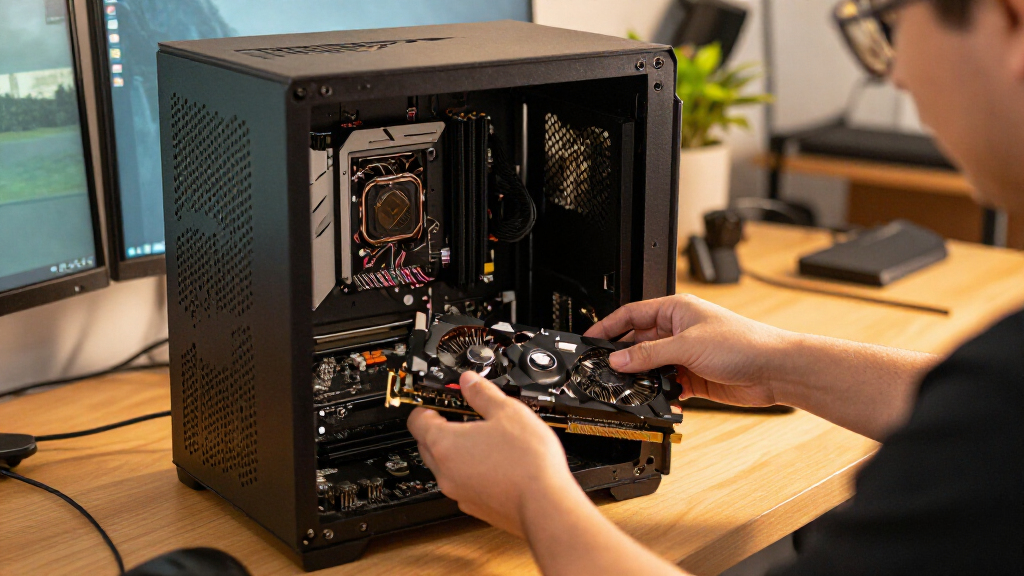
Graphics cards with similar GPU names can differ in length, thickness, fan layout, and power connections. Measure the space inside your case and check clearance around other components, including front-mounted radiators and drive cages. Compare the card’s power requirements with your power supply’s capacity, connectors, age, and quality; a connector fitting the card does not by itself prove the supply is a good match. A larger cooler may help manage heat and fan noise, but it can be awkward in a compact case or block adjacent slots. Leave room for airflow rather than packing a high-output card into a poorly ventilated enclosure. These checks matter just as much for choosing between multiple versions of a GPU as they do when moving up a performance tier.
Choose VRAM for Your Use, Not as a Shortcut
VRAM holds graphics data such as textures and frame buffers, so demanding games, higher resolutions, and some creative workloads can benefit from more capacity. The 16GB options in this roundup offer more headroom than the 8GB RX 7600, while the RTX 3060’s 12GB presents a different balance of capacity and generation. That does not make every 16GB card faster than every card with less memory. Check benchmarks at the resolution and settings you plan to use, and look for signs that a game’s texture settings exceed a card’s practical limits. Buyers who mainly play less demanding titles may gain more from a well-matched GPU than from paying for capacity they will rarely use. For long-term ownership, consider whether your planned games and display are likely to raise memory demands.
Set RAM Capacity Before Chasing Speed or Lighting
For many gaming builds, a matched 32GB kit is a practical starting point; 64GB makes more sense when you run heavy creative applications, virtual machines, large projects, or many demanding tasks at once. More RAM does not automatically raise gaming performance if your existing system already has enough memory for the games you play. Both 32GB RGB kits here are rated at DDR5-6000, so compare motherboard compatibility, appearance, and the exact kit rather than assuming one is faster from its branding. Check your motherboard’s memory support list and processor specifications before choosing a kit. Remember that advertised memory profiles may need to be enabled in firmware, and a rated speed is not guaranteed on every processor and board combination. Buy a matched kit rather than mixing modules with different specifications when reliability and straightforward setup are priorities.
Plan the Upgrade as a Whole-PC Decision
A GPU swap can expose limits elsewhere: an undersized power supply, older processor, small case, or insufficient cooling may turn a simple upgrade into a larger project. RAM has its own compatibility constraints, including DDR generation and motherboard slot layout, so DDR5 kits cannot replace DDR4 modules. Before choosing between a graphics card and memory, identify the bottleneck you are trying to fix: low frame rates, stuttering from memory pressure, or slow performance in a work application call for different changes. If your current RAM capacity is adequate, spending the upgrade budget on a suitable GPU may have a clearer effect on gaming. If applications regularly run out of memory, a 64GB kit may help more than a faster graphics card. Leave room in the build plan for any required supporting upgrades rather than judging parts in isolation.
Frequently Asked Questions
Should I buy a GPU or upgrade my RAM first?
Choose based on the symptom you are trying to fix. If games run slowly while memory use stays within capacity, a better-matched GPU is more likely to help than adding RAM. If applications approach the installed memory limit, stutter under multitasking, or cannot comfortably handle larger projects, capacity may be the more useful upgrade. Check actual memory usage during your usual workload instead of assuming that more RAM always improves gaming. Also verify that the motherboard supports the replacement memory and that the power supply and case can support a new graphics card.
Is a 16GB graphics card always a better choice than an 8GB card?
No. More VRAM can help with demanding textures, higher resolutions, and workloads that need larger graphics buffers, but it does not determine the card’s overall processing speed. The RX 9060 XT models in this roundup offer 16GB, while the RX 7600 has 8GB; their suitability still depends on the games, settings, and performance results you need. Compare independent benchmarks at your target resolution and check whether the games you play show memory-related limits. Do not pay for capacity alone if the rest of the card does not fit your performance needs.
Is 32GB of RAM enough for a gaming PC, or should I choose 64GB?
A matched 32GB kit is a sensible target for many gaming systems, especially when gaming is the main task and you do not run several demanding applications at once. The 64GB G.SKILL kit is a stronger fit for larger creative projects, virtual machines, heavy multitasking, or workloads that already exceed 32GB. Extra capacity usually will not make a game faster when the system is not running short of memory. Check your usage in the applications you actually run before moving to a larger kit. Also confirm motherboard support and available slots so the upgrade plan suits your system.
Can I replace my current RAM with a DDR5 kit from this roundup?
Only if your motherboard supports DDR5; DDR4 and DDR5 modules use different electrical and physical layouts and are not interchangeable. Check the exact motherboard model and processor support before ordering, then confirm the kit’s capacity and rated speed against the board’s compatibility information. A DDR5-6000 rating may require enabling a memory profile in firmware, and system support can vary by processor and board. When upgrading, a matched two-module kit is generally simpler than combining separate kits. If your PC uses DDR4, moving to DDR5 may require a motherboard and possibly processor change, not just new memory.
What should I check before replacing my older graphics card with an RTX 5080?
Check case clearance, power supply capacity and connectors, airflow, and processor pairing before choosing either RTX 5080 option. A large, high-performance card may need more room and stronger supporting hardware than an older GPU, so measure rather than relying on the card’s name. Confirm that the PSU is suitable for the full system and that its cables match the card’s requirements. Consider whether your display and workload can use the extra graphics capability; a less demanding setup may be better served by a more balanced card such as the RTX 5070. Factor any supporting changes into the upgrade plan before buying.
Conclusion
For a balanced gaming build, I recommend the ASUS Prime GeForce RTX 5070 OC as the best overall GPU in this selection. Buyers prioritizing a 16GB AMD option should compare the RX 9060 XT models by case fit, cooler layout, and independent performance data; the ASRock Challenger is my value-minded pick within that group, though exact value depends on local availability. For a premium build, choose between the MSI and ASUS RTX 5080 only after checking system power and space. Beginners can start with a matched 32GB DDR5-6000 kit and a GPU suited to their display, while confirming motherboard compatibility before ordering. For memory-heavy work, the 64GB G.SKILL Trident Z5 Neo RGB is the specific-capacity choice; for an older or tighter build, compare the RTX 3060 12GB and RX 7600 8GB against your games and upgrade limits rather than buying by model name alone.