
If you’re looking for the best cable modems for Xfinity in 2026, I recommend considering options like the NETGEAR Nighthawk Cable Modem & WiFi Router Combo for all-in-one convenience and the NETGEAR Nighthawk DOCSIS 3.1 WiFi 6 Router & Modem for high speeds. The Hitron DOCSIS 3.1 modem offers gigabit speeds without WiFi, while the ARRIS SURFboard SB8200 and SB6190-RB provide reliable performance for various plans. Keep in mind compatibility and future-proof features—I’ll share more details to help you choose the perfect fit.
Key Takeaways
- Select modems compatible with DOCSIS 3.1 or 3.0, certified or approved by Xfinity for seamless activation.
- Prioritize models supporting multi-gigabit speeds (up to 2.5 Gbps) for future-proof performance.
- Consider all-in-one modem/router combos like NETGEAR Nighthawk for simplicity and cost savings.
- Opt for reliable brands like ARRIS and Hitron with firmware updates ensuring long-term compatibility.
- Evaluate device features such as multiple Ethernet ports, security, and coverage to meet household needs.
| NETGEAR Nighthawk Cable Modem & WiFi Router Combo |  | Reliable Budget Option | Compatibility: Xfinity, Cox (cable plans up to 800Mbps) | Technology: DOCSIS 3.0 | Ethernet Ports: 1 (Ethernet port for router) | VIEW LATEST PRICE | See Our Full Breakdown |
| NETGEAR Nighthawk DOCSIS 3.1 WiFi 6 Router & Modem |  | Advanced WiFi 6 | Compatibility: Xfinity, Spectrum, Cox | Technology: DOCSIS 3.1 | Ethernet Ports: 4 (Gigabit Ethernet ports) | VIEW LATEST PRICE | See Our Full Breakdown |
| Hitron DOCSIS 3.1 Cable Modem (No WiFi or Router) |  | High-Speed Only | Compatibility: Xfinity, Spectrum, Cox | Technology: DOCSIS 3.1 | Ethernet Ports: 1 (Ethernet port) | VIEW LATEST PRICE | See Our Full Breakdown |
| ARRIS SURFboard SB8200 Cable Modem with 2 Gig Ethernet |  | Multi-Gig Performance | Compatibility: Cox, Xfinity, Spectrum | Technology: DOCSIS 3.1 | Ethernet Ports: 2 (Gigabit Ethernet ports) | VIEW LATEST PRICE | See Our Full Breakdown |
| ARRIS SB6190-RB Cable Modem DOCSIS 3.0 Renewed |  | Cost-Effective Ownership | Compatibility: Cox, Xfinity, others | Technology: DOCSIS 3.0 | Ethernet Ports: 1 (Ethernet port) | VIEW LATEST PRICE | See Our Full Breakdown |
More Details on Our Top Picks
-
NETGEAR Nighthawk Modem Router Combo (CAX30) DOCSIS 3.1 Cable Modem and WiFi 6 Router - AX2700 2.7 Gbps - Compatible with Xfinity, Spectrum, Cox, and More - Gigabit Wireless Internet
- Compatibility: Works with major cable providers
- Coverage and Speed: Up to 2,000 sq. ft. and 25 devices
- Wired Connectivity: 4 Gig Ethernet ports and USB 3.0
As an affiliate, we earn on qualifying purchases.
NETGEAR Nighthawk Cable Modem & WiFi Router Combo
If you’re looking for a reliable all-in-one solution for your Xfinity internet in 2026, the NETGEAR Nighthawk Cable Modem & WiFi Router Combo is a great choice, especially if your plan supports speeds up to 800Mbps. It replaces separate modem and router units, saving you up to $150 annually in rental fees. Compatible with major providers like Xfinity and Cox, it supports DOCSIS 3.0 technology and WiFi 5, offering speeds up to 1.9Gbps and coverage up to 1800 sq ft. Its ability to connect around 30 devices makes it ideal for busy households seeking fast, reliable internet.
- Compatibility:Xfinity, Cox (cable plans up to 800Mbps)
- Technology:DOCSIS 3.0
- Ethernet Ports:1 (Ethernet port for router)
- WiFi Support:Yes (WiFi 5 AC1900)
- Network Speed Support:Up to 800 Mbps
- Discontinued/Refurbished Status:Renewed (discontinued by manufacturer)
- Additional Feature:Supports up to 30 devices
- Additional Feature:Renewed product status
- Additional Feature:Includes management software (NETGEAR Genie)
-
Hitron CODA56 DOCSIS 3.1 Cable Modem ONLY (NOT Fiber) | 2.5 Gbps | NO WiFi/Voice/Router | Single Ethernet Port | Xfinity/Spectrum/Cox Compatible | Requires Separate WiFi Router
- Cable Internet Only: Compatible with Xfinity, Spectrum, Cox
- No Phone Service: Handles internet data only, no voice
- Multi-Gig Performance: Supports up to 2.5 Gbps speeds
As an affiliate, we earn on qualifying purchases.
NETGEAR Nighthawk DOCSIS 3.1 WiFi 6 Router & Modem
The NETGEAR Nighthawk DOCSIS 3.1 WiFi 6 Router & Modem stands out as an excellent choice for households that want all-in-one connectivity with fast, reliable performance. It’s compatible with major providers like Xfinity, Spectrum, and Cox, covering up to 2,000 sq. ft. and supporting 25 devices simultaneously via WiFi 6 (AX2700). This combo device replaces separate modem and router, supporting DOCSIS 3.1, 32×8 channel bonding, and 2.7 Gbps WiFi speeds. It offers four Gigabit Ethernet ports, a USB 3.0 port, and built-in security features, making setup straightforward and cost-effective by eliminating rental fees.
- Compatibility:Xfinity, Spectrum, Cox
- Technology:DOCSIS 3.1
- Ethernet Ports:4 (Gigabit Ethernet ports)
- WiFi Support:Yes (WiFi 6 AX2700)
- Network Speed Support:Up to 2.7 Gbps
- Discontinued/Refurbished Status:New/in-market
- Additional Feature:Equipped with NETGEAR Armor security
- Additional Feature:Supports dual-band WiFi 6
- Additional Feature:User-friendly app management
-
ARRIS SURFboard SB8200 DOCSIS 3.1 Cable Modem | Up to 1 Gbps Plans
- High-Speed Internet Support: Supports up to 2 Gbps plans
- Cost Savings: Own your modem, avoid rental fees
- Sleek Compact Design: Space-saving with LED indicators
As an affiliate, we earn on qualifying purchases.
Hitron DOCSIS 3.1 Cable Modem (No WiFi or Router)
For those who prioritize high-speed, reliable cable internet without the need for built-in WiFi or routing features, the Hitron DOCSIS 3.1 Cable Modem is an excellent choice. It supports gigabit speeds up to 2.5 Gbps and works with providers like Xfinity, Spectrum, and Cox, as long as your plan is compatible. It connects directly to your cable line and offers a single Ethernet port for your device. Keep in mind, you’ll need a separate WiFi router for wireless connectivity. Backed by over 30 years of expertise, it’s a dependable device, ideal for streaming, gaming, and low-latency tasks.
- Compatibility:Xfinity, Spectrum, Cox
- Technology:DOCSIS 3.1
- Ethernet Ports:1 (Ethernet port)
- WiFi Support:No (modem only)
- Network Speed Support:Up to 2.5 Gbps
- Discontinued/Refurbished Status:No (new, for high-speed plans)
- Additional Feature:Over 30 years of expertise
- Additional Feature:7-day technical support
- Additional Feature:Requires separate WiFi router
ARRIS SURFboard SB8200 Cable Modem with 2 Gig Ethernet
When high-speed internet is essential, the ARRIS SURFboard SB8200 Cable Modem with 2 Gig Ethernet stands out as an ideal choice for anyone needing reliable, multigigabit connections. Supporting DOCSIS 3.1 technology, it handles plans up to 2 Gbps, perfect for streaming, gaming, and large downloads. Compatible with major providers like Xfinity, Cox, and Spectrum, it’s certified by CableLabs for broad usability. Its two 1 Gigabit Ethernet ports let you connect routers or mesh systems easily. The compact design and LED indicators make setup straightforward. Owning this modem eliminates rental fees and guarantees a dependable, high-speed connection tailored for today’s demanding internet needs.
- Compatibility:Cox, Xfinity, Spectrum
- Technology:DOCSIS 3.1
- Ethernet Ports:2 (Gigabit Ethernet ports)
- WiFi Support:No (modem only)
- Network Speed Support:Up to 2 Gbps
- Discontinued/Refurbished Status:No (new)
- Additional Feature:Space-saving modern design
- Additional Feature:LED activity indicators
- Additional Feature:Supports multi-gigabit plans
ARRIS SB6190-RB Cable Modem DOCSIS 3.0 Renewed
If you’re looking to own your modem and avoid rental fees, the ARRIS SB6190-RB is a reliable choice for Xfinity users with internet plans up to 800 Mbps. This renewed model supports DOCSIS 3.0 technology with 32 downstream and 8 upstream channels, delivering fast, stable internet. It has a Gigabit Ethernet port for easy connection to your router or devices. Keep in mind, it doesn’t include Wi-Fi or digital voice support, so you’ll need an external router. With a 2-year warranty, it offers peace of mind and long-term savings, making it a solid investment for high-speed home internet.
- Compatibility:Cox, Xfinity, others
- Technology:DOCSIS 3.0
- Ethernet Ports:1 (Ethernet port)
- WiFi Support:No (modem only)
- Network Speed Support:Up to 800 Mbps
- Discontinued/Refurbished Status:Renewed
- Additional Feature:2-year warranty included
- Additional Feature:Supports high-bandwidth activities
- Additional Feature:Compatible with major providers
Factors to Consider When Choosing a Cable Modem for Xfinity
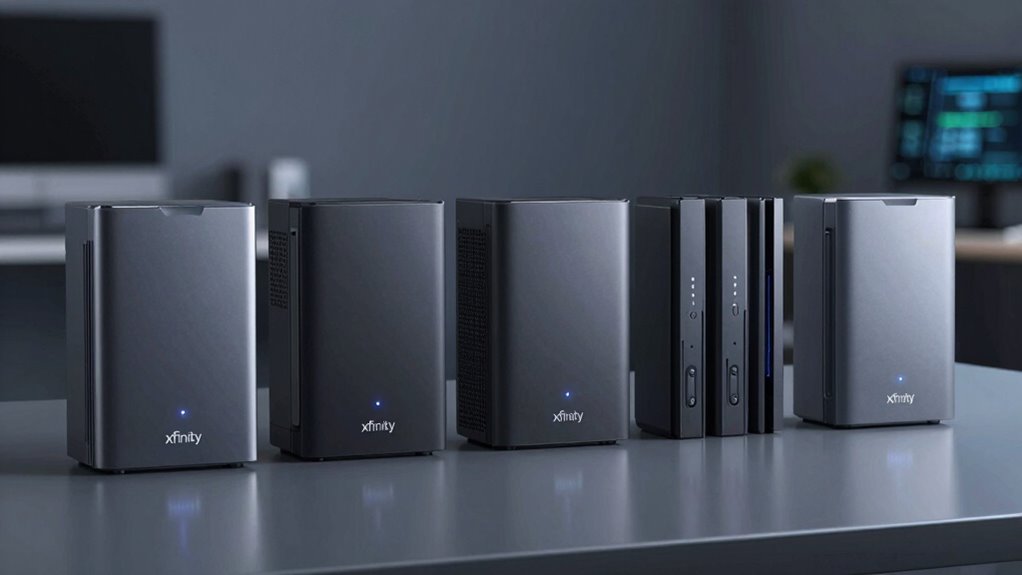
When choosing a cable modem for Xfinity, I focus on compatibility to guarantee it works seamlessly with their service. I also consider the speed I need, whether I want a WiFi router included or just the modem, and how easy it is to set up. Finally, I look at the cost and potential savings over time to get the best value.
Compatibility With Xfinity
Choosing the right cable modem for Xfinity isn’t just about speed; it’s essential to guarantee compatibility with their network. First, make sure the modem supports DOCSIS 3.0 or 3.1, as recommended by Xfinity for top performance. Check that it’s approved or certified by Xfinity to avoid activation issues and ensure seamless service. You’ll also want to verify that the modem has enough downstream and upstream channels to match your chosen internet speed tier. Keep in mind, some modems don’t support Xfinity’s voice services or bundled features, so pick one that fits your needs. Compatibility is critical for stable, reliable internet, so taking these steps helps prevent surprises and guarantees the modem works flawlessly with Xfinity’s infrastructure.
Speed Capabilities Needed
To guarantee your cable modem keeps up with your internet needs, it’s essential to match its speed capabilities to your Xfinity plan. If you have a plan offering up to 800 Mbps or even 2 Gbps, your modem must support those maximum speeds. Look for models compatible with DOCSIS 3.0 or 3.1, as these standards determine performance potential. Consider how many devices you connect simultaneously; a modem with higher channel bonding, like 32×8 or more, can handle multiple streams without slowdown. Think about your specific usage—streaming, gaming, or downloading large files—and choose a modem that can deliver the necessary speed without bottlenecks. Matching your modem’s capabilities with your plan guarantees peak performance and a smooth online experience.
WiFi vs. Modem Only
Deciding between a WiFi-enabled modem and a modem-only device depends on your specific network needs and setup preferences. A WiFi-enabled modem combines internet and wireless routing in one device, offering convenience and saving space. It’s ideal if you want a simple, all-in-one solution without extra equipment. On the other hand, a modem-only device requires a separate WiFi router, which allows for more customization and potentially better performance. This setup makes it easier to upgrade your WiFi technology later without replacing the modem. While modem-only options are often more affordable upfront, they can incur additional costs for a quality router and setup. Ultimately, your choice hinges on whether you prefer an integrated device for simplicity or a customizable setup for flexibility and performance.
Device Setup Process
Selecting the right cable modem for Xfinity involves considering several key setup factors to guarantee a smooth installation process. First, verify the modem is compatible by confirming it supports DOCSIS 3.0 or higher and is approved for your Xfinity plan. To set it up, connect the modem to the coaxial cable outlet, then power it on and wait for the indicator lights to stabilize. Next, access the setup interface via a web browser or mobile app, following the manufacturer’s instructions for initial configuration. Once configured, contact Xfinity support to activate the device, providing the MAC address if required. Finally, connect a Wi-Fi router to the Ethernet port for wireless access or opt for a modem with built-in Wi-Fi to streamline the connection process.
Cost Savings Potential
Choosing the right cable modem for your Xfinity service can lead to significant savings over time. Owning your modem eliminates monthly rental fees, saving you up to $168 annually. It also allows you to pick a device compatible with your specific internet plan, preventing costly upgrades or replacements later. Selecting a high-speed modem suited to your plan means you won’t need additional hardware, cutting overall costs. Additionally, refurbished or used modems can offer substantial savings compared to buying new. Plus, investing in a compatible modem can boost your internet performance, potentially reducing the need for extra networking equipment or future upgrades. All these factors combine to make the right choice not just about performance but also about long-term savings.
Future Technology Support
As internet technology continues to evolve rapidly, ensuring your cable modem supports future standards is essential for long-term compatibility. I recommend choosing a modem that supports DOCSIS 3.1, as it’s necessary for current and upcoming high-speed plans. Handling multi-gigabit speeds, like 2.5 Gbps, future-proofs your setup against planned upgrades. It’s also wise to select a modem with backward compatibility to DOCSIS 3.0, so it works seamlessly with existing infrastructure. Additionally, check if the manufacturer provides firmware and hardware updates, ensuring your device stays current with emerging standards. Security features and regular updates are vital for protecting against cyber threats. Prioritizing these factors helps guarantee your modem remains reliable, fast, and secure as technology advances.
Frequently Asked Questions
How Do I Determine if a Modem Is Compatible With Xfinity?
To determine if a modem is compatible with Xfinity, I check the device’s documentation or packaging for the Comcast/Xfinity approved list. I also visit their official website or contact customer support to confirm compatibility. Ensuring the modem supports DOCSIS 3.0 or 3.1, depending on my plan, is essential. This way, I avoid issues and get the best internet performance with my Xfinity service.
Can These Modems Support Future Internet Speed Upgrades?
Yes, many of these modems are equipped to support future internet speed upgrades. I look for models that have high DOCSIS standards, like DOCSIS 3.1, which can handle faster speeds as your provider upgrades. By choosing a modem with the latest technology, you’re investing in a device that won’t become obsolete quickly and will keep up with your growing internet needs without needing immediate replacement.
Are There Any Specific Security Features to Look for in a Modem?
When choosing a modem, I look for built-in security features like WPA3 encryption, which protects my network from unauthorized access. For example, I once upgraded to a modem with WPA3, and it greatly reduced my worries about hacking. I also check for automatic firmware updates, ensuring my device stays protected against new threats. Prioritizing these features gives me peace of mind knowing my connection is secure.
How Easy Is It to Install and Set up These Cable Modems?
Installing and setting up these cable modems is pretty straightforward. I usually just connect the coaxial cable and power, then follow the setup instructions provided—either through a web interface or app. Most modems come with clear guides, so I find it quick and easy to get online. If you’re familiar with basic networking, you’ll find the process simple; otherwise, customer support is usually helpful.
Do These Modems Include Customer Support or Warranty Services?
Most of these cable modems come with manufacturer warranties, typically covering hardware defects for at least a year. Customer support varies by brand, but many offer dedicated tech support via phone, chat, or online resources. I recommend checking each modem’s warranty details and support options before purchasing. This way, you’ll have peace of mind knowing help is available if you encounter any issues down the line.
Conclusion
Choosing the right cable modem is like selecting the key to a treasure chest—unlocking smooth, fast internet for your home. The best modem isn’t just a device; it’s the guardian of your digital world, ensuring no storm of buffering or lag can penetrate. Think of your chosen modem as the lighthouse guiding your online experience safely through the night. With the right choice, your internet voyage will always be steady and bright.