
TL;DR
Listen free for 30 days with Audible
Thousands of audiobooks and originals — cancel anytime.
As an affiliate, we earn on qualifying purchases.
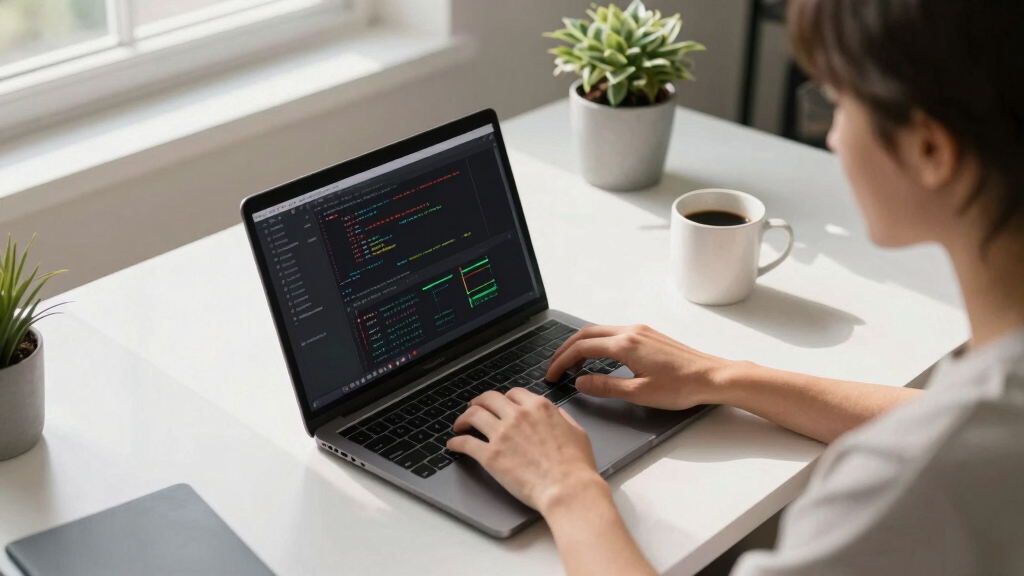
A user has demonstrated that it is possible to run certain local language models on a MacBook Pro with 24GB RAM. While not matching state-of-the-art models, this setup allows basic AI tasks and reduces reliance on external services. The process involves specific configurations and model choices, with some limitations still present.
A user has confirmed that it is possible to run a functional local language model on an M4 MacBook Pro with 24GB of memory, enabling basic AI tasks without internet access. This development offers a way to reduce dependence on large cloud-based models and demonstrates the hardware’s capabilities for smaller-scale AI workloads.
The user experimented with various local models and configurations, ultimately achieving stable operation with Qwen 3.5 9B (Q4) on LM Studio. The model runs at approximately 40 tokens per second, supports a 128K context window, and enables features like reasoning and tool use, though it does not match the performance of state-of-the-art models. Setting up required specific configurations, including enabling ‘thinking’ mode and adjusting inference parameters. The setup allows basic research, coding, and planning tasks, but is limited in solving complex, multi-step problems independently.Multiple tools and frameworks were tested, such as Ollama, llama.cpp, LM Studio, Pi, and OpenCode. The user found that while Pi was more responsive, it required more tweaking, whereas LM Studio provided a more straightforward setup. The selected model, Qwen 3.5 9B, was chosen for its balance of performance and resource requirements, fitting within the 24GB memory limit while leaving space for other applications.
Why It Matters
This development matters because it demonstrates that capable AI models can now run locally on consumer-grade hardware, specifically a MacBook Pro with 24GB RAM. It offers an alternative to cloud-based AI services, potentially increasing privacy, reducing costs, and decreasing reliance on external providers. Although these models are not as powerful as the latest SOTA models, they still support useful tasks, making AI more accessible for individual users and small teams.
MacBook Pro 24GB RAM external GPU enclosure
As an affiliate, we earn on qualifying purchases.
As an affiliate, we earn on qualifying purchases.
Background
Recent advancements have focused on improving the efficiency and accessibility of language models, with many high-performance models requiring extensive hardware and cloud infrastructure. This experiment builds on ongoing efforts to optimize models for local deployment, particularly on hardware like the M4 chip with 24GB of RAM. Prior to this, most users relied on cloud services or high-end GPUs for running large models. The user’s experience highlights the practical limits and configuration challenges involved in making local AI deployment feasible on consumer laptops.
“It’s surprisingly good for something that can run on a 24GB MacBook Pro while leaving space for lots of other things running too.”
— the user
“While it’s not matching SOTA models, the ability to perform basic tasks locally is a meaningful step for individual users.”
— the user
local AI model deployment software for MacBook
As an affiliate, we earn on qualifying purchases.
As an affiliate, we earn on qualifying purchases.
What Remains Unclear
It is not yet clear how scalable or reliable this setup will be for more complex or longer tasks. Performance may vary depending on specific configurations, and the user has not yet tested the limits of the model’s capabilities in real-world applications. Additionally, the process involves manual configuration, which may be challenging for less technical users.
AI model running on MacBook Pro accessories
As an affiliate, we earn on qualifying purchases.
As an affiliate, we earn on qualifying purchases.
What’s Next
Next steps include testing the setup with different models, optimizing configurations for stability and speed, and exploring ways to automate or simplify the process. Further experiments will determine whether more powerful models or larger context windows can be achieved within the same hardware constraints. Community sharing of configurations and experiences will likely drive further improvements.
high performance MacBook accessories for AI tasks
As an affiliate, we earn on qualifying purchases.
As an affiliate, we earn on qualifying purchases.
Key Questions
Can I run larger models on an M4 MacBook with 24GB RAM?
Currently, only smaller or optimized models like Qwen 3.5 9B are feasible. Larger models exceeding this size are unlikely to run smoothly on the hardware without significant modifications or further optimization.
What software do I need to set up local models on a MacBook?
Tools like LM Studio, llama.cpp, Ollama, Pi, and OpenCode can be used. The setup involves configuring model parameters, enabling thinking mode, and adjusting inference settings, which can be technically involved.
How does local model performance compare to cloud-based SOTA models?
Local models like Qwen 3.5 9B are less capable of handling complex, multi-step tasks or long-term reasoning compared to SOTA cloud models. They are best suited for interactive, step-by-step workflows and basic research or coding tasks.
Is this setup suitable for professional or critical applications?
Due to limitations in complexity and stability, this setup is primarily for experimentation and personal use. It is not recommended for critical or production environments where reliability and advanced capabilities are essential.
Flea & tick season Picks
flea and tick prevention
As an affiliate, we earn on qualifying purchases.