
TL;DR
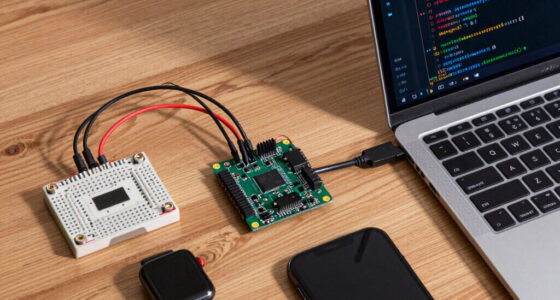
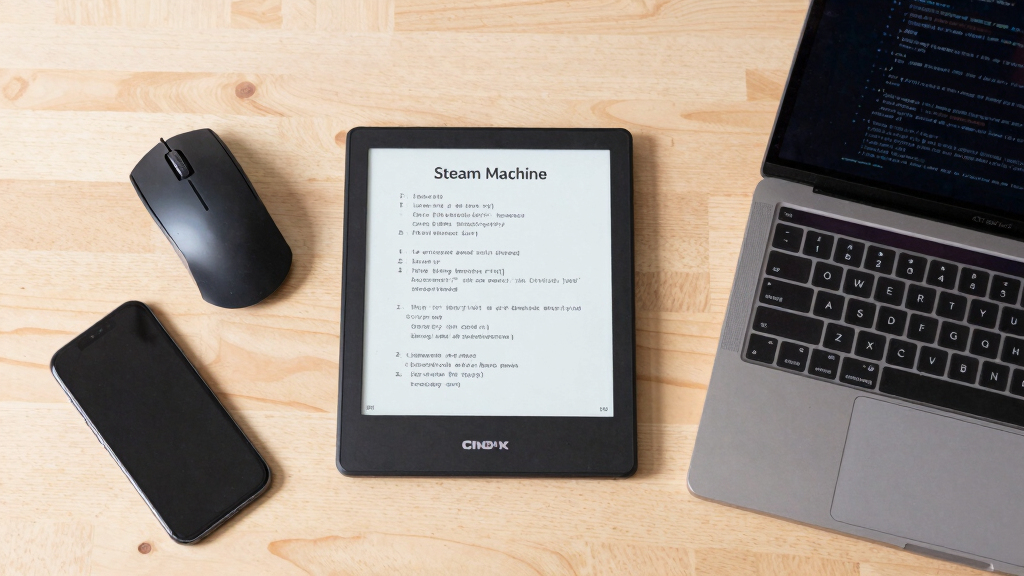
Valve has open-sourced the firmware and design files for the Steam Machine’s e-ink screen. This allows developers and enthusiasts to build their own versions or integrate the display into custom projects. The move aims to foster innovation and community-driven modifications.
Valve has officially released the open-source firmware and design files for the e-ink display used in its Steam Machine console, allowing users and developers to build their own versions or integrate the display into custom projects. This move marks a significant step toward community-driven hardware modifications and customization options for gaming hardware enthusiasts.
The company published the source code, schematics, and firmware for the Steam Machine’s e-ink screen on its official GitHub repository. Valve confirmed that the files are now publicly accessible, enabling hobbyists and developers to create their own implementations or modify existing setups. The e-ink display was a distinctive feature of the Steam Machine, offering a low-power, customizable secondary display that could show game information, system status, or custom graphics.
Valve’s decision to open-source the hardware and software was announced via its official blog, emphasizing its support for community innovation. The files include firmware code compatible with common microcontrollers, as well as detailed schematics and instructions for assembly. Valve did not specify whether this move is part of a broader strategy to promote hardware hacking or a response to community requests for more customization options.
Implications for DIY Gaming Hardware Projects
This release is significant because it lowers the barrier for enthusiasts to experiment with and modify the Steam Machine’s hardware. By providing open-source files, Valve encourages innovation and could inspire a new wave of custom gaming peripherals or secondary displays. It also signals a shift toward more open hardware practices in gaming devices, potentially influencing other manufacturers to adopt similar approaches.

5inch e-Paper Display with Driver HAT, e-Ink Display 960 x 552, Black/White, SPI Interface,Compatible with Raspberry Pi/Ardui / STM32 / ESP32, Ideal for Price Tags, Shelf Labels, etc.
5inch e-Paper Display, 960 x 552, Black / White Display Color, SPI Interface, with Driver HAT, Based On…
As an affiliate, we earn on qualifying purchases.
As an affiliate, we earn on qualifying purchases.
Background of the Steam Machine and E-Ink Display
The Steam Machine was a line of gaming hardware launched by Valve in 2015, aiming to bring PC gaming into a console-like form factor. While the hardware was discontinued in 2018, certain models featured an integrated e-ink display designed to show game info, notifications, or system data, offering a unique user experience. Prior to this release, the e-ink screen was a proprietary component, with limited options for modification or customization.
Valve’s move to open-source the display’s firmware and schematics follows a broader trend of tech companies releasing hardware designs to foster community projects. This approach has been seen with other devices like the Raspberry Pi and certain gaming peripherals, promoting innovation and user empowerment.
“We believe in empowering our community and providing the tools for innovation. Opening the source for the Steam Machine’s e-ink display is a step toward that goal.”
— Valve spokesperson
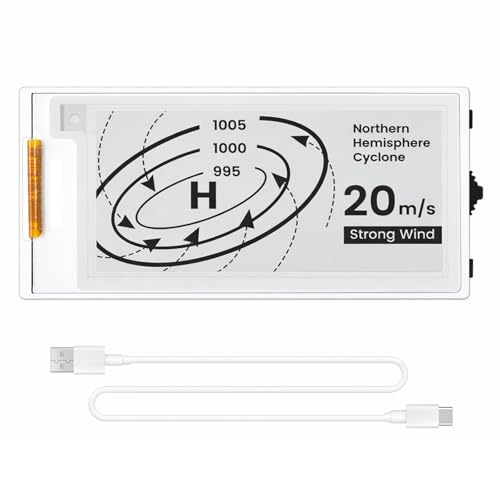
ELECROW ESP32 E-Ink Display 2.13 Inch, CrowPanel E-paper HMI Display Compatible with Arduino IDE, E Ink Screen with 122×250 Resolution Black/White Color, Driven by SPI Interface (Without Acrylic Case)
Built-in ESP32-S3 Controller & SPI Interface – Comes with ESP32-S3 as the main MCU (up to 240 MHz)…
As an affiliate, we earn on qualifying purchases.
As an affiliate, we earn on qualifying purchases.
What Limitations or Restrictions Are in Place?
It is not yet clear whether Valve plans to support ongoing updates or provide official technical support for custom implementations. The scope of modifications allowed or any licensing restrictions associated with the open-source files remains unspecified. Additionally, the compatibility of the firmware with various microcontrollers or hardware setups has not been fully tested or documented publicly.
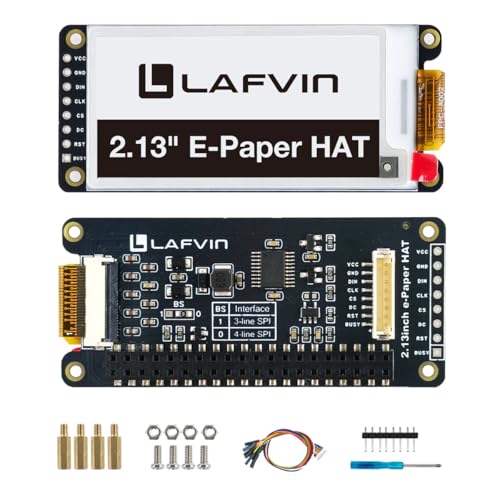
LAFVIN 2.13inch E-Ink E-Paper HAT Display Module Electronic Whiteboard Compatible with Raspberry Pi 5/4B/3B+/3B/2B/A+/Zero W//Zero 2 W
【Wide compatibility】It features a standard Raspberry Pi 40-pin GPIO expansion header, enabling seamless connectivity and compatibility with a…
As an affiliate, we earn on qualifying purchases.
As an affiliate, we earn on qualifying purchases.
Potential Community Projects and Developer Opportunities
Following this release, expect community-led projects to emerge, including custom e-ink displays, integrations with home automation, or novel gaming interfaces. Valve may also observe how the community adopts these files and whether they lead to broader hardware modifications. Further updates or official support channels could be announced if the community demonstrates significant interest or innovative use cases.

upHere 9.2'' Secondary Monitor IPS LCD Screen PC Secondary Monitor USB PC Temperature Display Mini Screen with Hardware Monitoring & Custom Display for DIY PC Enthusiasts/Gaming/Sea View Chassis
【High-Definition 9.2'' IPS LCD Screen for Premium Mini Monitor Visuals】This 9.2 inch monitor grade IPS LCD screen secondary…
As an affiliate, we earn on qualifying purchases.
As an affiliate, we earn on qualifying purchases.
Key Questions
Can I use the open-source files to build my own Steam Machine e-ink display?
Yes, the files are publicly available for anyone to download and use for personal projects, provided they adhere to the licensing terms specified by Valve.
Does Valve provide official support for custom modifications of the Steam Machine hardware?
No, Valve has not announced official support for modifications. The open-source release is intended for community experimentation and innovation.
Will Valve release updates or new features for the open-source firmware?
There has been no official indication of future updates. Community contributions and feedback may influence further development.
Are there any risks involved in building or modifying the e-ink display hardware?
As with any DIY electronics project, there are risks including hardware damage or voiding warranties. Users should proceed with caution and ensure they have appropriate technical skills.
Could this move lead to new products or commercial projects based on Valve’s designs?
While possible, Valve has not announced plans for commercial products based on this open-source release. It primarily aims to foster community innovation.
Source: hn