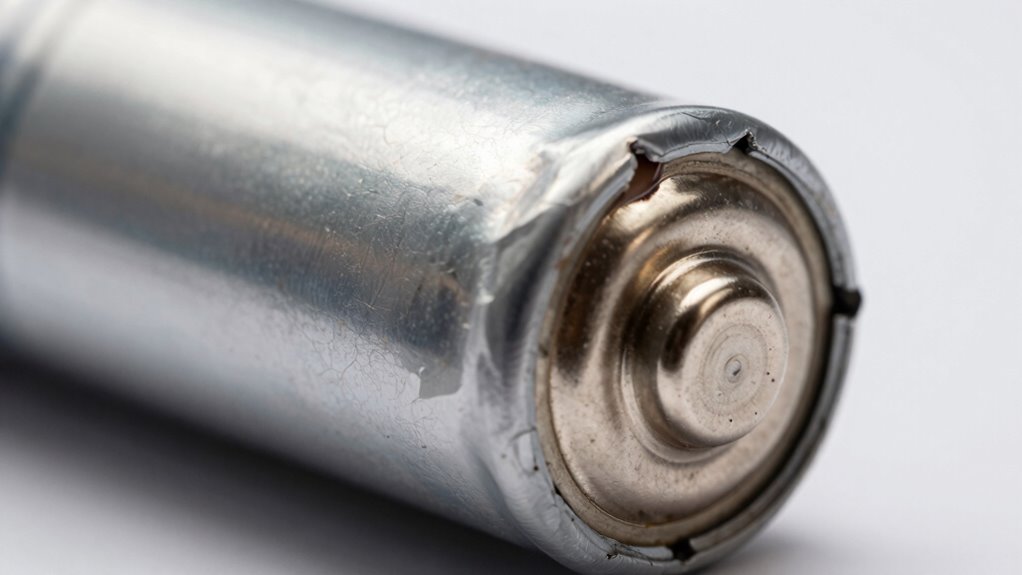

If you notice your device heats up quickly, the battery looks swollen or bulging, or if it leaks, stop using it immediately. Changes in charging behavior, strange smells, or a sudden drop in battery life are also warning signs. Do not attempt to squeeze or puncture a swollen battery. Ignoring these signs can lead to fires, explosions, or toxic leaks. Keep your safety in mind and learn more to protect yourself and your device.
Key Takeaways
- Visible bulging, warping, or deformation indicates a swollen battery that requires immediate attention.
- Unusual device heating or rapid battery drain are early signs of internal damage.
- Leaking, corrosion, or strange smells around the battery signal safety hazards.
- Overheating during charging or use suggests internal chemical reactions and potential failure.
- Do not ignore swelling; continued use increases risk of leaks, fire, or explosion.
SmartSign-S-0220-PL-10 "Danger – Battery Charging Area" Sign | 7" x 10" Plastic , Black/Red on White
- Material: 55 mil HDPE plastic for durability
- Weather Resistance: Lasts up to 2 years outdoors
- Eco-Friendly: 100% recyclable base material
As an affiliate, we earn on qualifying purchases.
As an affiliate, we earn on qualifying purchases.
How Can I Recognize Signs of Battery Swelling?
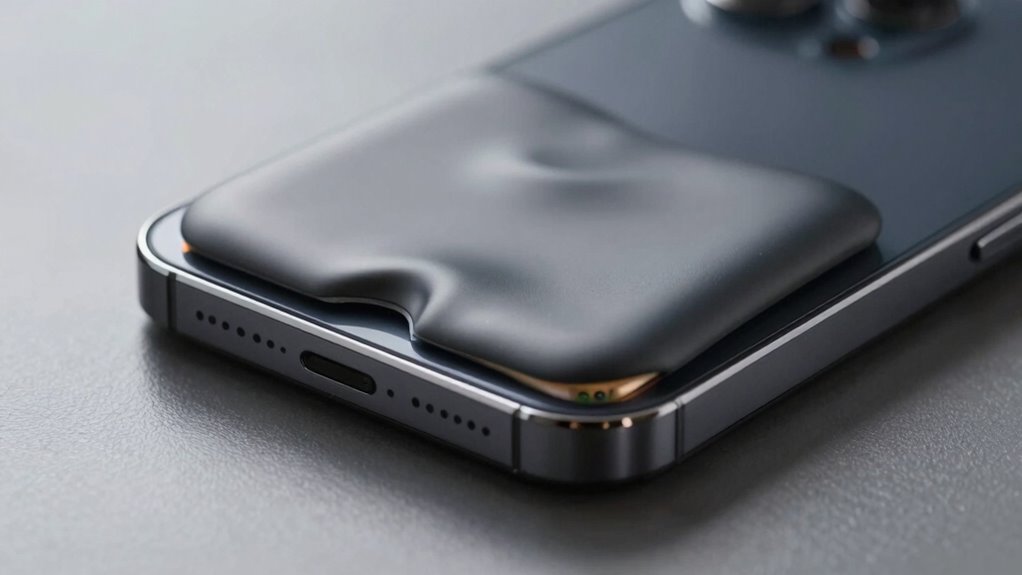
Recognizing the signs of battery swelling early can prevent potential hazards. One clear indicator is if your device feels unusually warm or heats up quickly during use or charging. Keep an eye out for any bulging or warping in the battery area, which suggests swelling. Changes in your device’s battery lifespan, such as it draining faster than usual, can also hint at internal issues. Poor charging habits, like overcharging or using incompatible chargers, can accelerate battery wear and increase swelling risk. If you notice any of these signs, stop using the device immediately and handle the battery with care. Additionally, Battery Maintenance and proper handling of batteries can help prolong their lifespan and prevent swelling. Addressing swelling early helps prevent leaks, explosions, or fires, making it essential to stay vigilant about your battery’s condition.
laptop battery swelling replacement
As an affiliate, we earn on qualifying purchases.
As an affiliate, we earn on qualifying purchases.
What Causes Battery Swelling and Why Does It Happen?
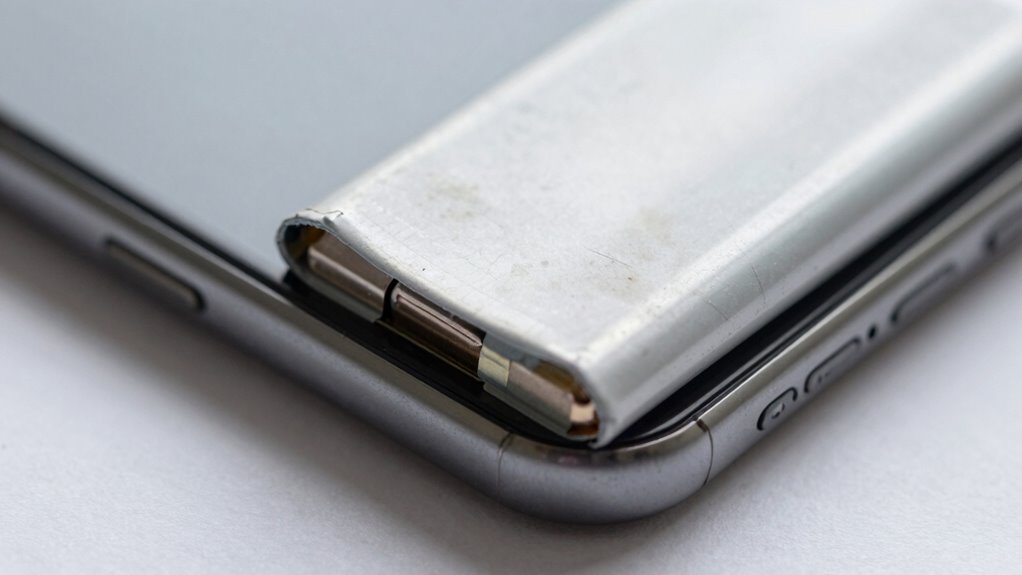
Battery swelling occurs when internal chemical reactions produce excess gases, causing the battery to expand. This often results from issues within the battery chemistry or manufacturing defects. Over time, repeated charge cycles can cause breakdowns in the electrolyte, releasing gases that build up pressure. Manufacturing defects, such as poor sealing or faulty components, also increase the risk of gas buildup. These problems disrupt the normal chemical balance, leading to swelling. You should be aware that:
- Poor-quality materials can accelerate chemical breakdown.
- Overcharging or overheating worsens internal reactions.
- Defective manufacturing can cause improper sealing.
- Age and frequent use weaken battery components.
- Understanding the battery chemistry is essential to grasp how these chemical reactions occur and lead to swelling. Proper knowledge of electrochemical processes can help in identifying early warning signs and preventing potential hazards. By monitoring the internal pressure within the battery, you can detect early signs of swelling before it becomes dangerous. Additionally, recognizing the signs of swelling early can prevent dangerous situations and potential damage to your device. Furthermore, being aware of safety precautions can help minimize the risk of accidents caused by swollen batteries.
electric vehicle battery swelling safety kit
As an affiliate, we earn on qualifying purchases.
As an affiliate, we earn on qualifying purchases.
How Can I Safely Check If My Battery Is Swollen?
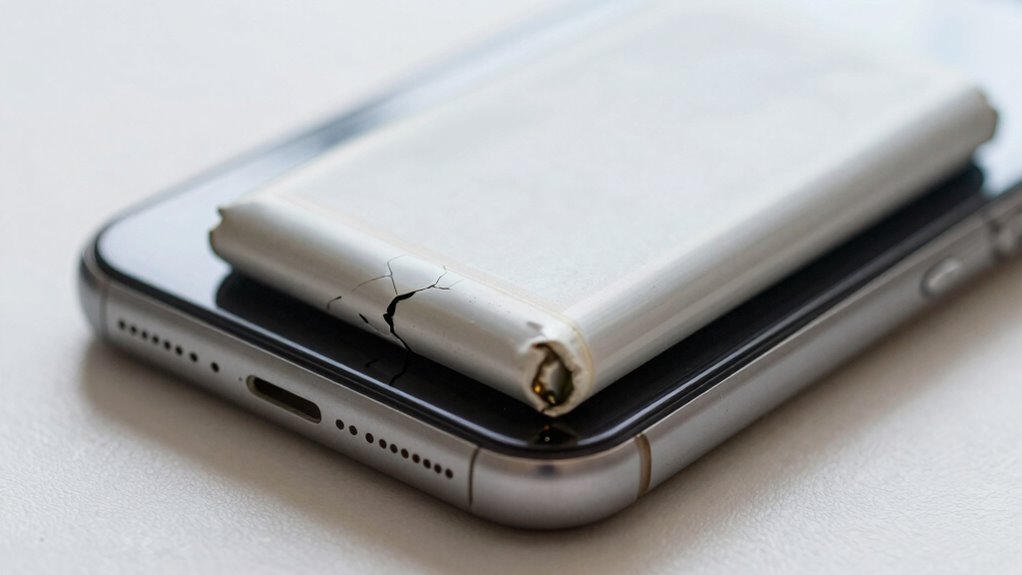
Start by visually inspecting your battery for any unusual bulges or deformations. If you notice any swelling, handle the battery carefully to avoid punctures or leaks. Always use caution and avoid applying pressure, as swollen batteries can be fragile and dangerous. Regular inspection can help detect early signs of damage before it worsens. Additionally, understanding growing trends in glycolic acid formulations can remind you of the importance of safe skincare practices, just as with battery safety. Being aware of the signs of battery failure can help you act promptly and prevent potential hazards. Recognizing warning signs of battery damage is crucial for safe handling and disposal, especially since security zone info highlights the importance of safety and reliability in equipment management. Furthermore, staying informed about regional flavor profiles can provide insights into the diverse characteristics of different batteries and their environments, emphasizing the need for proper care and understanding of their unique behaviors.
Visual Inspection Tips
Swelling in a battery is often visible, making a careful visual inspection your first step in detecting a problem. When inspecting, look for any irregular shapes, bulges, or deformation on the battery surface. Check for leaks, corrosion, or residue around the terminals, which can indicate internal damage. Keep in mind that a swollen battery may appear puffed or rounded, signaling the need for immediate action. To guarantee safe battery maintenance and charging safety, avoid applying pressure or puncturing the battery. Use good lighting and handle the battery gently. Remember, early detection through visual cues can prevent accidents and prolong device life. Additionally, battery swelling signs should never be ignored, as they could pose safety risks. Being aware of battery safety tips is essential to prevent potential hazards and ensure safe handling. Recognizing the signs of internal damage can further aid in early intervention and prevent hazardous situations. Monitoring for damage indicators is especially important for electric bikes and similar devices that rely heavily on battery health, and understanding the environmental impact of tissue paper can help promote safer disposal practices for damaged batteries.
Check for Bulges
To safely check if your battery is swollen, gently handle it and look for any unusual shapes or bulges. Swollen batteries often become visibly distorted or puffy, indicating internal damage. Inspect your device carefully, paying attention to the edges and casing—any bulging or swelling suggests a serious issue. Keep in mind that a shortened battery lifespan can increase swelling risks, especially if you’ve had the device for a while. Poor charging habits, like overcharging or using incompatible chargers, also contribute to battery swelling. If you notice any irregularity, stop using the device immediately. Avoid applying pressure or trying to flatten the battery, as this could cause a leak or fire. Regular inspections can help catch swelling early, safeguarding your device and personal safety. Using proper airless paint spraying gear and handling equipment safely can also prevent accidents related to battery damage. Additionally, understanding battery swelling warning signs can help you recognize issues before they become hazardous. Being aware of internal battery damage can prompt timely action to prevent dangerous situations. It’s also beneficial to stay informed about battery safety tips to further protect yourself and your device.
Handle With Care
When inspecting your device for signs of a swollen battery, handle it gently to avoid causing further damage or risking a leak. Swollen batteries are delicate and can be unpredictable due to changes in battery chemistry. Use minimal pressure and avoid squeezing or puncturing the battery. Keep in mind that poor charging habits, such as overcharging or using incompatible chargers, can accelerate swelling. Be cautious of the following:
- Avoid pressing or bending the device excessively
- Do not attempt to puncture or open the battery
- Use insulated tools if necessary, with care
- Always work in a dry, static-free environment
- Regularly monitor your device’s battery health to catch issues early
- Understanding battery swelling and its causes can help you take preventive measures. Recognizing home safety tips related to handling batteries can further protect you and your household.
Handling with care minimizes the risk of leaks or fire hazards. Properly evaluating the battery’s condition ensures your safety and preserves your device’s overall safety.
battery swelling detection tools
As an affiliate, we earn on qualifying purchases.
As an affiliate, we earn on qualifying purchases.
What Are the Dangers of Ignoring a Swollen Battery?
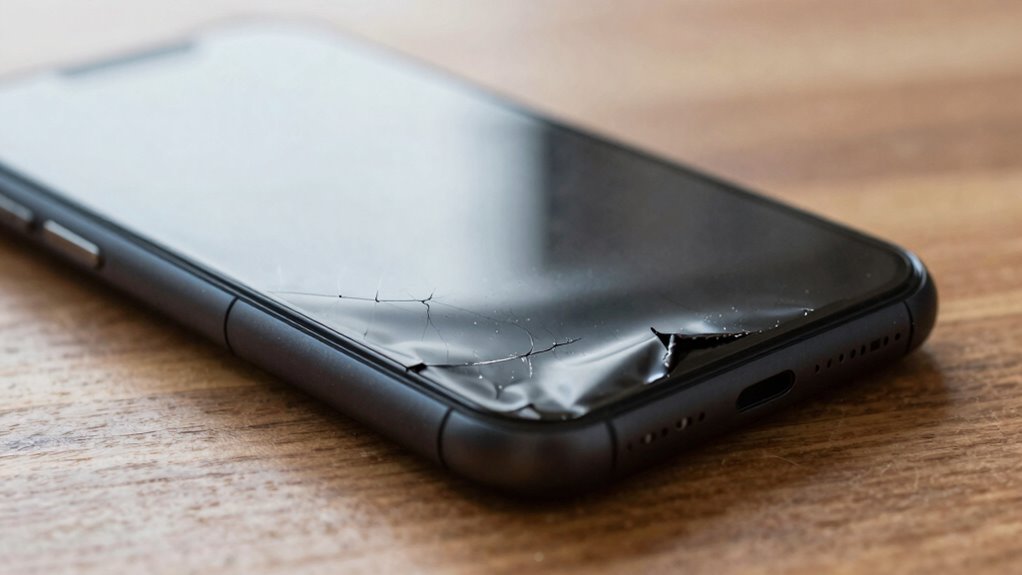
Ignoring a swollen battery can lead to serious safety risks, as the increased pressure inside can cause the battery to rupture or leak hazardous materials. This leakage may release toxic chemicals, posing health hazards and environmental damage. The swelling often results from faulty battery chemistry or improper charging habits, which generate excess heat and gas buildup. Continuing to use or charge a swollen battery can escalate these dangers, increasing the risk of fire or explosion. Over time, the compromised structure weakens, making rupture more likely. Additionally, ignoring swelling delays necessary repairs or replacements, leaving you vulnerable to accidents. Recognizing and addressing swelling promptly is essential to prevent potential injuries, property damage, or exposure to harmful substances.
When and How Should I Dispose of a Swollen Battery?
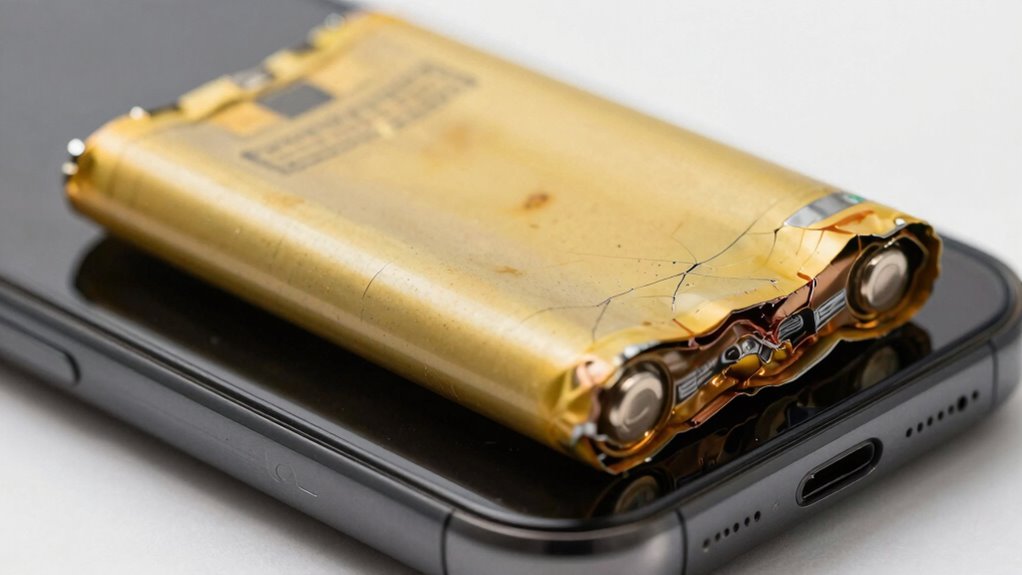
When you notice a battery swelling, it’s essential to know the signs that indicate it’s time for disposal. You should follow safe procedures to avoid hazards and handle the battery properly. If you’re unsure or the battery is severely damaged, seeking professional help is the safest move.
Recognizing Disposal Signs
Recognizing the signs that indicate it’s time to dispose of a swollen battery is essential for your safety. Swelling can result from degraded battery technology or poor charging habits, and ignoring it increases risks. Look for visible signs like bulging, warping, or leaks. If the battery no longer fits its compartment or if you notice a strange smell, it’s time to act. Also, a sudden loss of capacity or overheating during use are warning signals.
- Bulging or warping of the battery casing
- Leaking or corrosion around terminals
- Sudden decrease in battery life
- Overheating during charging or use
Always dispose of swollen batteries promptly and safely to prevent accidents or damage.
Safe Disposal Procedures
If you notice signs of a swollen battery, it’s crucial to dispose of it safely and promptly to prevent potential hazards. Handle the battery with care, avoiding punctures or pressure. Check the battery’s chemistry, as different types (lithium-ion, nickel-metal hydride) may require specific disposal methods. Do not throw it in the trash, as damaged batteries can ignite or leak harmful chemicals. Instead, locate a certified recycling program that accepts damaged batteries. Many electronics stores or local hazardous waste facilities offer safe disposal options. Contact them beforehand to confirm acceptance. Proper disposal ensures harmful chemicals are managed responsibly, reducing environmental impact. Remember, never attempt to puncture or dismantle a swollen battery. Always prioritize safety and follow the guidelines provided by your local recycling programs.
When to Seek Help
Knowing the right time to seek help is vital when dealing with a swollen battery, as delaying action can lead to dangerous situations. If your device’s battery shows signs of swelling, it’s important to stop using it immediately and contact a professional for disposal. Don’t ignore the issue, as poor charging habits and a limited battery lifespan can worsen the problem. Proper disposal prevents fire hazards and environmental harm.
Remember these key points:
- Never puncture or attempt to puncture a swollen battery yourself.
- Use certified recycling or disposal services.
- Avoid exposing the battery to heat or water.
- Follow local regulations for battery disposal.
Promptly seeking help ensures your safety and helps protect the environment from harmful chemicals.
What Steps Should I Take If I Find a Swollen Battery?
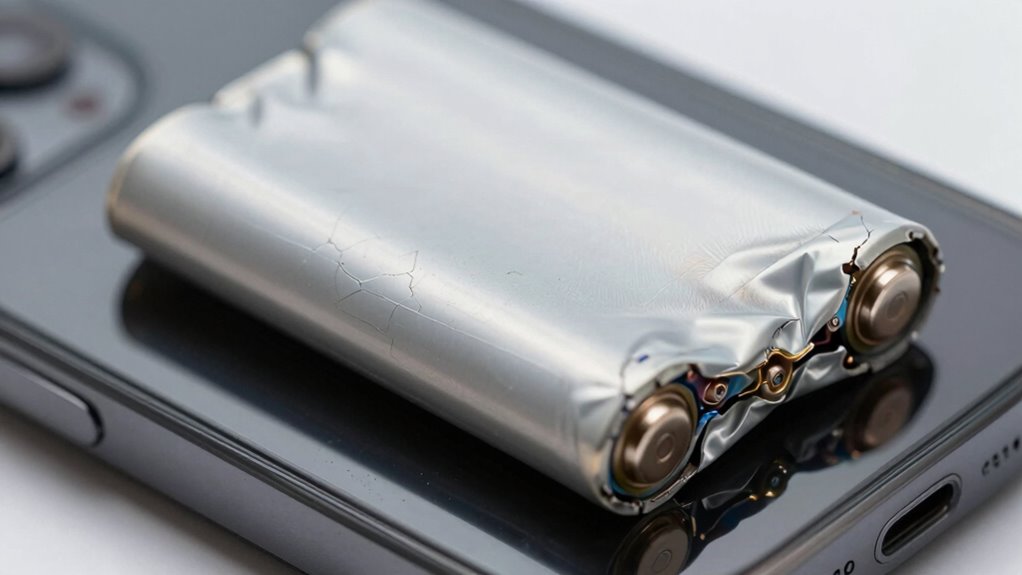
When you notice a battery that’s swollen or bulging, it’s essential to act quickly to prevent potential hazards. First, avoid handling the battery directly, as it could leak or catch fire. Safely disconnect the device from power sources and turn it off. Do not attempt to puncture or squeeze the swollen battery, as this can cause dangerous leaks or explosions. Proper battery maintenance includes disposing of the swollen battery at a designated recycling or disposal center—never throw it in regular trash. For electronics safety, keep the device away from flammable objects and place the battery in a fireproof container until disposal. Recognizing warning signs early and following these steps helps prevent accidents and prolongs the safety of your devices.
Frequently Asked Questions
Can a Swollen Battery Still Function Normally?
A swollen battery usually can’t function normally. You might notice reduced battery lifespan, slower device performance, or unexpected shutdowns. Even if it seems to work, the swelling indicates internal damage or gas buildup, risking safety hazards. To prevent swelling, avoid overcharging, keep your device cool, and use quality chargers. Ignoring swelling can lead to dangerous leaks or explosions, so replace the battery promptly and prioritize swelling prevention to keep your device safe and reliable.
How Often Should I Inspect My Batteries for Swelling?
You should inspect your batteries for swelling at least once a month to catch issues early. While some may think frequent checks are unnecessary, regular inspections can extend battery lifespan and prevent swelling. Swelling prevention starts with monitoring for signs of deterioration, so don’t skip routine checks. If you notice any bulging or unusual shape, stop using the battery immediately. Consistent inspections keep you safe and maintain peak battery performance.
Are Certain Devices More Prone to Battery Swelling?
Yes, certain devices are more prone to battery swelling, especially those with lithium-ion batteries made from specific materials. Devices like smartphones, tablets, and laptops often use batteries susceptible to swelling due to battery material issues or manufacturing defects. These problems can cause gas buildup inside the battery, leading to swelling. Regular inspection and handling properly can help prevent damage, but be especially cautious with devices known for battery issues.
Is It Safe to Charge a Slightly Swollen Battery?
No, it’s not safe to charge a slightly swollen battery. Swelling indicates damage that can compromise battery lifespan and pose safety risks, including fire hazards. Continuing to charge it can worsen the damage, increasing the chance of leaks or explosions. Always disconnect the device and replace the battery promptly. Prioritize charging safety to prevent accidents, and avoid using or charging a swollen battery to protect yourself and your device.
Can Temperature Affect Battery Swelling Risks?
Think of your battery as a delicate dance partner, sensitive to temperature changes. Yes, temperature affects swelling risks because thermal expansion causes the battery chemistry to become restless, increasing internal pressure. When it’s hot, the gases inside expand, risking swelling or even rupture. Keep your device cool to prevent this, as heat accelerates chemical reactions, making swelling more likely. Protect your battery by avoiding extreme temperatures—your device will thank you.
Conclusion
Ignoring a swollen battery is playing with fire—you never know when it might burst or cause a fire. Recognizing the signs early saves you from costly repairs and dangerous situations. Always handle suspect batteries with care, dispose of them properly, and seek professional help if needed. Don’t wait until it’s too late; stay vigilant and act swiftly. After all, an ounce of prevention is worth a pound of cure.