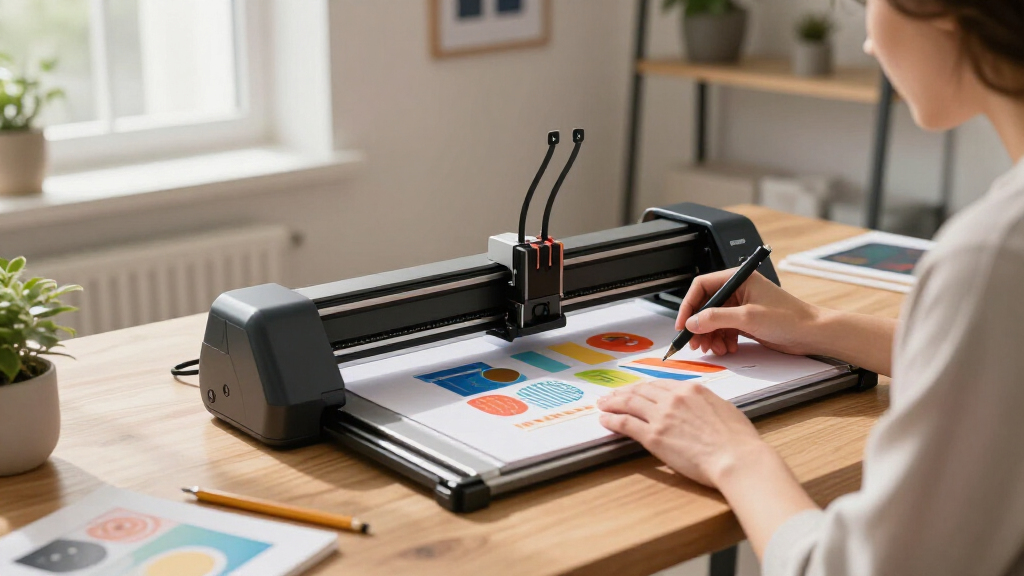

When searching for the best pen plotters, the main considerations often revolve around precision, workspace size, and ease of use. The iDraw 2.0 T-Structure stands out as the overall top pick thanks to its balance of speed and accuracy, making it ideal for detailed drawings and calligraphy. For those prioritizing affordability and versatility, the VigoTec DIY XY Plotter offers impressive build quality at a lower price point. Meanwhile, artists seeking a ready-to-use, high-end solution may prefer the iDraw H SE for its all-in-one design and rapid operation. Each choice involves tradeoffs—more advanced features often mean higher costs, while simpler models might lack some precision or speed. Continue reading for a detailed breakdown of these options and more to help you find the best pen plotter for your needs.

Get the latest gadgets delivered free with Prime
- Fast, free delivery on millions of items
- Prime Video, Amazon Music and more included
- Member-only deals all year
Complete the kit



Key Takeaways
- Top-tier models like the iDraw H SE deliver high speed and precision but come at a premium price.
- Open-source kits such as the AX5 and iDraw 2.0 T-Structure appeal to makers who want customization and control.
- Workspace size varies significantly, with A3 and larger models suited for larger projects, while smaller plotters fit compact spaces.
- Ease of assembly and user-friendliness are critical for beginners, often favoring pre-assembled units but limiting customization.
- Build quality and material choice, like aluminum frames, greatly influence durability and long-term performance.




More Details on Our Top Picks
CNC Router Drawing Robot Kit, Pen Plotter & Handwriting Machine, XYZ Plotter iDraw Hand Writing Robot Kit for Makers, A4 Working Area
This open-source drawing robot stands out for its high degree of customization, making it an excellent choice for makers, students, and small business owners who want to modify and extend their device. Unlike the more plug-and-play iDraw 2026, which emphasizes speed and ease of use, this kit offers a flexible platform for detailed modifications, thanks to its open-source interface and support for over 100 fonts. However, it requires more technical effort; Mac OS isn’t supported, and software setup can be complex for beginners. Its focus on handwriting imitation and colorful poster creation makes it ideal for educational projects and creative experiments, but not for those needing a ready-to-run solution.
Pros:- Open-source design allows deep customization and modifications
- Supports over 100 fonts and colorful layered artwork
- Ideal for educational projects and creative DIY applications
Cons:- Limited to Windows systems; Mac users will face compatibility issues
- Requires setup, installation, and font creation skills
Best for: DIY enthusiasts, educators, and small business owners who want a highly customizable drawing robot.
Not ideal for: Users seeking a straightforward, pre-assembled plotter or those who use Mac OS exclusively, as this model is Windows-only and requires software setup.
- Supported Systems:Windows XP/7/8/10
- Software:Bachin Draw, supports image and gcode input
- Working Area:A4
- Features:Imitates human handwriting, supports over 100 fonts, customizable fonts, colorful layer painting, open source interface
Our verdict“This pick is best suited for technically inclined users who want a flexible, customizable drawing robot for creative and educational projects.”
iDraw 2026 Handwriting and Drawing Robot Kit – XY Plotter with A4 Workspace, Open Source, Fast Writing Speed
This model makes the most sense for users who prioritize quick results and cross-platform flexibility. With a rapid writing speed of 15,000mm per minute, it outperforms the iDraw 2.0 T-Structure in speed, making it suitable for quick prototyping, educational demos, or creating multiple samples efficiently. Its plug-and-play design simplifies setup, and compatibility with Windows, macOS, and Linux broadens its appeal. However, the workspace is limited to A4, and creating custom fonts can demand some technical knowledge. Compared to the more versatile but slower iDraw 2.0 T-Structure, this kit emphasizes speed and ease over extensive customization or larger print areas.
Pros:- High-speed performance for quick project completion
- Plug-and-play design simplifies setup
- Supports multiple operating systems and common file formats
Cons:- Limited workspace size restricts larger projects
- Requires some technical knowledge for custom font creation
Best for: Creative professionals and educators who need fast, multi-platform compatible plotting within an A4 workspace.
Not ideal for: Users who require large format plotting or extensive customization without technical setup, as the workspace is limited and some font editing skills are needed.
- Workspace:A4
- Writing Speed:15,000mm per minute
- Compatibility:Windows 7/8/10/11, macOS, Linux
- File Formats Supported:JPG, JPEG, PNG, BMP, SVG
Our verdict“This option is ideal for users who want fast, cross-platform plotting with minimal fuss within an A4 area.”
AX5 Pen Plotter Writing Robot DIY Kit, CoreXY, A5 Size, Open Source Arduino System
The AX5 Pen Plotter offers a compact, DIY experience for those eager to learn about mechanics and programming. Its A5 size and open-source Arduino system make it perfect for educational purposes, hobbyists, and small-scale projects. Compared with the faster iDraw 2.0 T-Structure, this kit prioritizes learning and customization over speed, with a smaller, more manageable footprint. The main tradeoff is the necessity for self-assembly and some familiarity with Arduino and firmware flashing, which can be daunting for beginners. Its limited paper size and weight make it less suitable for larger or commercial projects, but for those wanting a hands-on experience, it offers valuable insight into plotter mechanics.
Pros:- Open-source Arduino system facilitates customization and learning
- Includes comprehensive manual, drivers, and firmware source code
- Compact and lightweight for desktop use
Cons:- Requires self-assembly and programming skills
- Limited to A5 paper size, restricting larger projects
Best for: Students, hobbyists, and educators interested in programming, mechanics, and small-scale plotting.
Not ideal for: Professionals needing large-format plotting or a ready-to-use device, since assembly and firmware knowledge are required.
- XY axis stroke:210×148mm
- Size:A5
- Weight:3kg
- Firmware:GRBL 0.9
- System:Open-source Arduino
Our verdict“This kit is perfect for learners and hobbyists seeking a hands-on, educational plotter experience within a small workspace.”
iDraw 2.0 T-Structure Pen Plotter XY Plotter with A4 Range and Faster Speed
This model makes a compelling choice for those who need a high-precision, fast, and versatile drawing device. Its support for over 100 fonts, layered color painting, and open-source software with lifetime updates gives it a creative edge over more basic models like xDraw A4. The increased speed—3 to 4 times faster than previous versions—enables quick completion of detailed projects, making it suitable for educational settings, professional artists, or small businesses. However, it requires manual screw adjustments after transport and doesn’t support Word files directly, limiting its use for text-heavy tasks. Compared with the more industrial xDraw A4, it offers a more refined balance of speed, customization, and user-friendliness.
Pros:- High precision with a fast writing speed
- Supports extensive fonts and layered color painting
- Open-source software with ongoing updates
Cons:- Requires manual adjustment after transport
- Limited to single-stroke lines unless pre-made
Best for: Designers, educators, and small businesses seeking a fast, precise, and highly customizable plotter for artistic or educational projects.
Not ideal for: Users who need large-format printing or direct Word file support, as its capabilities are focused on line art and font customization within A4 range.
- Working Range:A4
- Speed:3-4 times faster than previous model
- Software:Open-source with lifetime updates
- Fonts Supported:Over 100, customizable
Our verdict“This is an excellent choice for creative professionals and educators who prioritize speed, precision, and customization within A4 size constraints.”
Half-Auto A4 Pen Plotter xDraw A4 XYZ Pen Plotter with Offline Function and Enlarged Base Plate 12 x 12 inches
The xDraw A4 offers robust, pre-assembled performance with offline functionality, making it suitable for users who need a reliable, standalone drawing solution. Its stainless steel build and high-performance motor ensure quiet, consistent operation, ideal for environments where computer connection isn’t always feasible. Compared to the more feature-rich iDraw 2.0 T-Structure, which relies on software, this model emphasizes hardware durability and independence, at a higher cost. However, it’s limited to A4 size and provides no explicit info on software compatibility, which may restrict its flexibility. It’s best for those wanting a ready-to-use, industrial-grade plotter for precise, repeatable drawings without depending on a computer connection.
Pros:- Offline functionality allows independent operation
- Pre-assembled, ready to use out of the box
- Durable stainless steel construction ensures long-lasting performance
Cons:- Limited to A4 size drawings, restricting larger projects
- Lack of detailed info on software compatibility
Best for: Small workshops, educational institutions, or hobbyists valuing offline operation and durability over large workspace size.
Not ideal for: Users needing large or highly flexible plotting options, or those who require extensive software connectivity and advanced features.
- Base Plate Size:12 x 12 inches
- Offline Function:Yes
- Assembly:Pre-assembled
- Material:Stainless Steel
- Motor:High-performance motor driver chip
Our verdict“This plotter is ideal for users needing a sturdy, offline-capable device for precise, small-scale drawings without fuss.”
iDraw 2.0 T-Structure Pen Plotter XY Plotter Handwriting Robot Drawing Machine
The iDraw 2.0 T-Structure stands out for its exceptional accuracy, offering a 0.01mm resolution that surpasses many entry-level plotters like the xDraw A3, making it ideal for detailed artwork or technical drawings. Its support for over 100 fonts and bulk writing capabilities unlock creative possibilities, especially when compared with the simpler, less customizable options. However, the setup process can be complex, particularly for beginners, and its limited A4 working range may restrict larger projects. It’s a solid choice for professionals or hobbyists who prioritize precision over ease of use.
Pros:- High precision with 0.01mm resolution ensures detailed output
- Supports custom fonts and bulk writing for versatile applications
- Fast writing speed—twice as fast as previous versions—boosts productivity
Cons:- Initial font creation for custom fonts can be time-consuming
- Complex setup may pose challenges for new users
- Limited to A4 size, restricting larger works
Best for: Designers and educators needing high accuracy and font customization for detailed projects
Not ideal for: Beginners or those seeking a plug-and-play solution with a larger working area
- Working Range:A4
- Stepper Motors:3 x 42
- Speed:Twice faster than version 1.0
- Resolution:0.01mm
- Connectivity:USB, Bluetooth
- Supported Fonts:Over 100 fonts
Our verdict“This plotter is best suited for users who need fine detail and customization, willing to handle a more involved setup.”
iAuto Pen Plotter Handwriting Robot Machine with Auto Feeder and Accessories
The iAuto Pen Plotter excels in handling large-scale writing tasks thanks to its auto feeder capacity of 80 papers and 30 envelopes. Its ability to connect via API and Excel makes it highly automatable, ideal for mass production of personalized letters, cards, or signatures. Compared to the smaller, more manual plotters like the iDraw 2.0, this model offers greater efficiency for commercial or high-volume projects. The tradeoff lies in its complex setup and limited paper thickness capacity—only up to 1 cm—meaning it’s less suited for thicker materials or quick setups by casual users. This device fits best for professional environments focused on throughput.
Pros:- High-capacity auto feeder supports large batches of papers or envelopes
- Supports customizable fonts and SVG files for versatile output
- API and Excel integration allow seamless automation
Cons:- Limited paper thickness—only up to 1 cm—restricts material options
- Setup may be technically demanding for non-experts
- Insufficient info on software usability for new users
Best for: Small businesses or print shops needing automated bulk writing capabilities
Not ideal for: Hobbyists or casual users who want a simple, low-cost plotter for occasional use
- Auto Feeder Capacity:80 papers / 30 envelopes
- Maximum Paper Thickness:1 cm
- Number of Stepper Motors:57
- Motherboard:64-bit exclusive
- Supported Formats:SVG, JPG
- Power:Industrial-grade
Our verdict“Ideal for professionals needing automated bulk writing, but less suitable for casual or hobbyist use due to complexity.”
3.0 Pre-Assembled Pen Plotter High-End XY Drawing Robot for Letters and Art (Pen Not Included)
The UUNA TEK 3.0 offers a high-precision experience with ±0.02 mm accuracy and speeds up to 20,000mm/min, making it a compelling choice for artists and advanced hobbyists. Its wireless Wi-Fi control and offline SD card operation provide flexibility, especially compared to traditional wired plotters like the iDraw 2.0, which lack remote operation. Despite its excellent speed and accuracy, the device does not include pens, requiring additional purchases, and its A3 working range might limit larger projects. This pick is ideal for those who want professional-grade features in a ready-to-use package, but less so for beginners or those with larger workspaces.
Pros:- Wireless Wi-Fi control allows remote operation from multiple devices
- Offline operation with SD card supports standalone use
- High precision and fast plotting speeds enhance productivity
Cons:- Pen not included, requiring extra purchase
- Software setup can be complex for new users
- Limited to A3 working range
Best for: Artists and hobbyists seeking high-precision, wireless plotting with versatile software support
Not ideal for: Beginners or users needing a larger working area for bigger projects
- Working Range:A3
- Precision:±0.02 mm
- Max Speed:20000mm/min
- Noise Level:< 60 dB
- Control:Wi-Fi, SD card
- Compatibility:Inkscape, Processing SVG, P5.js
Our verdict“This plotter appeals most to creative users who value precision and wireless control over size flexibility.”
Intelligent Automatic DIY XY Plotter Writing Robot with A4 Working Area
The Intelligent Automatic XY Plotter provides a straightforward solution for copying and handwriting imitation within its A4 workspace. Its high-speed motor and stable operation make it reliable for detailed writing tasks, especially when compared with more complex models like the iDraw 2.0, which can be intimidating for beginners. However, its lack of Mac OS support and reliance on Windows software limit its accessibility, and its setup involves installing drivers and software, which may challenge less tech-savvy users. This device is best suited for Windows users seeking a dependable, easy-to-understand plotter for routine writing and copying.
Pros:- High-speed, stable writing ensures consistent results
- Easy paper alignment with built-in scale lines simplifies setup
- Compatible with various pen sizes for flexible use
Cons:- Not compatible with Mac OS limits versatility
- Requires software installation and driver support
- Limited to Windows systems, restricting cross-platform use
Best for: Windows users needing a simple, stable plotter for handwriting and copying tasks
Not ideal for: Mac users or those wanting cross-platform compatibility with minimal setup
- System Compatibility:XP, Win7, Win8, Win10
- Operating System:Not compatible with Mac OS
- Working Area:A4
- Motor:High-quality large motor
- Driver:A4988 driver
- Vibration Reduction:Anti-vibration rubber base
Our verdict“This plotter suits Windows users looking for a straightforward, stable device for detailed copying and handwriting tasks.”
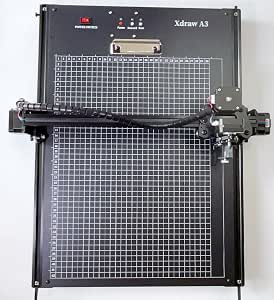
xDraw A3 Pen Plotter – Signature Drawing and Writing Robot with Offline Function and Enlarged Base Plate 15 x 17 inches
The xDraw A3 Pen Plotter offers a spacious 15 x 17 inch working area, making it ideal for larger drawings or signatures, especially with its offline functionality via built-in flash memory. Unlike smaller or wired models such as the iDraw 2.0, this device supports completely standalone operation, giving it an edge for projects where internet or computer access is limited. Its quiet operation and durable build add to its appeal, though the lack of detailed info on pen compatibility could be a concern for some users. Overall, this plotter makes sense for those needing larger output and offline independence, at a likely premium cost.
Pros:- Offline functionality enables use without a computer
- Pre-assembled and ready to operate immediately
- Quiet operation minimizes noise disturbance
Cons:- Limited info on pen compatibility and materials
- Potentially higher price point due to advanced features
- No mention of software flexibility or upgrade options
Best for: Artists or institutions needing large-scale, offline plotting with minimal fuss
Not ideal for: Casual hobbyists or users seeking a compact, budget-friendly device
- Model:xDraw A3
- Size:15 x 17 inches
- Features:Offline function, pre-assembled, quiet operation
- Durability:Robust design
Our verdict“This plotter is well-suited for large projects requiring offline, quiet operation, especially in professional or educational settings.”
iAuto Pen Plotter Handwriting Robot Machine with Auto Feeder, Signature Writing, Standard Version (UT-IAUTO-S)
The iAuto Pen Plotter stands out for its ability to automate large-scale handwriting and drawing tasks with high precision, thanks to its industrial-grade power and extensive customization options. Unlike the VigoTec DIY XY Plotter, which offers a manual assembly experience, the iAuto excels in professional environments needing consistent, bulk output. Its API and Excel integration streamline workflows, making it ideal for creating personalized signatures, letters, or complex designs efficiently. However, the setup complexity can be daunting for those without technical experience, and its high-end features might be excessive for casual hobbyists. Overall, this machine is best suited for businesses or professionals who prioritize automation and reliability over initial ease of use.
Pros:- Automates bulk writing and drawing with high precision
- Supports extensive customization with fonts and SVG files
- Seamless API and Excel integration for workflow automation
- Durable industrial-grade construction
Cons:- Complex setup requiring technical knowledge
- Limited to tasks within 1 cm thickness
- High cost and overkill for casual users
Best for: Professional sign makers, bulk letter distributors, or businesses needing automated, high-volume handwriting and drawing.
Not ideal for: Casual hobbyists or small-scale users seeking a simple, plug-and-play device without the need for technical setup.
- Auto Paper Feeding Capacity:80 papers / 30 envelopes and cards
- Maximum Thickness:1 cm
- Control Interface:API and software integration
- Supported Formats:SVG, JPG
- Number of Stepper Motors:57
- Motherboard:64-bit exclusive
- Power:Industrial-grade
Our verdict“This pick is perfect for professionals needing reliable, automated bulk handwriting and drawing capabilities, despite its setup complexity.”
VigoTec DIY XY Plotter Drawing Robot with Aluminum Alloy Frame and Large 310x256mm Drawing Space
The VigoTec DIY XY Plotter offers a sizable 310x256mm drawing area, making it a solid choice for artists and hobbyists interested in detailed artwork. Its sturdy aluminum alloy and acrylic construction provide durability, and its compatibility with various file formats simplifies creative workflows. Compared to the iDraw 2.0 H-Structure, which emphasizes precision and speed for professional use, the VigoTec is more accessible for DIYers who want a large workspace without complex electronics. Still, it requires some technical skill to assemble and calibrate, and its functions are limited to drawing and writing, making it less suited for other tasks. This machine is best for creative users who want a reliable, large-area plotter for artistic projects.
Pros:- Large drawing space suitable for detailed work
- Sturdy aluminum alloy and acrylic build for durability
- Easy to assemble and compatible with multiple file formats
- Ideal for DIY art, education, and creative projects
Cons:- Requires technical setup and calibration
- Limited to drawing and writing functions
- Power supply compatibility may vary regionally
Best for: Artists, DIY hobbyists, and educators seeking a large, sturdy, and customizable drawing platform.
Not ideal for: Beginners or users expecting plug-and-play devices, as assembly and setup are required.
- Material:Aluminum Alloy + Acrylic
- Drawing Space:310 x 256 mm
- Stepper Motor:42SHD0503, 26mm thick
- Step Angle:1.8°
- Controller:VigoTec
Our verdict“A great choice for creative users willing to assemble and calibrate a large, versatile plotter for artistic pursuits.”
Plotter Pen Drawing Robot DIY Desktop Writing Machine for Kids & Hobbyists, Compatible with Standard Pens, Silver (52 × 40 × 11 cm)
The Plotter Pen Drawing Robot offers an accessible entry point into pen plotting with a 310 x 256mm drawing area and compatibility with standard pens, making it appealing for beginners and educational settings. Its straightforward operation makes it a good choice for hobbyists and kids interested in exploring digital drawing. Compared with the iDraw 2.0 T-Structure, which has a more advanced setup and higher speed, this model emphasizes simplicity and ease of use, though at the expense of some precision and advanced features. The limited info on materials and motor specs might concern more experienced users, but for beginners, it provides a manageable learning curve. This device makes the most sense for those new to plotting or teaching basic drawing concepts in a home or classroom environment.
Pros:- Large drawing area suitable for detailed work
- Compatible with standard pens for easy customization
- Simple operation and installation
- Affordable entry-level device
Cons:- Limited information on materials and motor specs
- Potentially complex setup for absolute beginners
- No advanced features or speed for complex projects
Best for: Hobbyists, educators, and beginners wanting an easy-to-operate drawing robot for learning and creative projects.
Not ideal for: Advanced users seeking high-speed or high-precision plotters for professional or large-scale artwork.
- Drawing Area:310 x 256 mm
- Dimensions:52 × 40 × 11 cm
- Material:Not specified
Our verdict“This plotter is perfect for beginners and educational use, offering a straightforward experience at a reasonable price.”
iDraw 2.0 H-Structure Pen Plotter XY Plotter, Handwriting Robot Drawing Machine
The iDraw 2.0 H-Structure excels in high-precision handwriting and drawing, with a resolution of 0.01mm that surpasses many competitors like the VigoTec model. Its support for multiple fonts—including over 100 plus user fonts—and email merge capabilities make it suitable for detailed artistic and educational projects. Its multiple connectivity options, including USB and Bluetooth, provide flexibility for different operating environments. The need to create custom fonts before use adds a step for users, and the absence of a base plate might be inconvenient for some. Compared to the iDraw 2.0 T-Structure, this version focuses more on precision and font versatility, making it ideal for users who require detailed, bulk, or personalized handwriting.
Pros:- Exceptional 0.01mm resolution for detailed work
- Supports over 100 fonts plus custom fonts
- Multiple connectivity options including USB and Bluetooth
- Compatible with various operating systems
Cons:- Requires font creation for custom fonts
- No base plate included, which may affect stability
- Learning curve for new users unfamiliar with font setup
Best for: Digital artists, educators, and professionals needing high precision and font flexibility in handwriting or drawing tasks.
Not ideal for: Beginners unfamiliar with font creation or users who prefer a plug-and-play experience without setup complexity.
- Working Range:A1
- Stepper Motors:4 x 42
- Speed:Twice faster than version 1.0
- Resolution:0.01mm
- Connectivity:USB, Bluetooth
- Supported OS:Windows 7/8/10/11, Mac OS, Linux
Our verdict“Ideal for users who prioritize high precision, font versatility, and connectivity options for complex handwriting projects.”
iDraw H SE Drawing Robot for Artists, Pen Plotter, XY Plotter, All-in-One Design, Pre-assembled, A5-A3 Range, Max Speed 12,000mm/min
The iDraw H SE offers a ready-to-go solution for artists and creative professionals, with a CoreXY structure that ensures high speed—up to 12,000mm/min—and reliable accuracy. Its pre-assembled design reduces setup time significantly compared to DIY models like VigoTec or the DIY Plotter for Hobbyists. Its support for sizes from A5 to A3 and a minimum resolution of 0.0125mm make it suitable for detailed work and large-scale projects. However, its reliance on command-line or scripting for advanced functions may intimidate beginners, and its limited info on pricing could influence buying decisions. This machine is best for those who want professional-grade speed and stability with minimal assembly effort.
Pros:- Pre-assembled and ready to use immediately
- High speed with a maximum of 12,000mm/min
- Supports sizes A5 to A3 for versatility
- High precision with 0.0125mm minimum resolution
Cons:- Requires familiarity with command line or scripting for full functionality
- Limited info on price and availability
- Potential complexity for users unfamiliar with plotting software
Best for: Artists, designers, and professionals needing a pre-assembled, fast, and precise plotter for large or detailed projects.
Not ideal for: Beginners or hobbyists seeking a budget-friendly, simple device without scripting or advanced control features.
- Working Range:A5-A3
- Max Speed:12,000mm/min
- Minimum Resolution:0.0125mm
- Control Interface:USB
- Compatibility:Windows 7/8/10/11, Mac OS
- Firmware:EBB firmware
- Motherboard:DrawCore V1.3
Our verdict“This device is suited for artists and professionals who want a high-speed, pre-assembled plotter with broad size support and precision, despite some technical learning curve.”
How We Picked
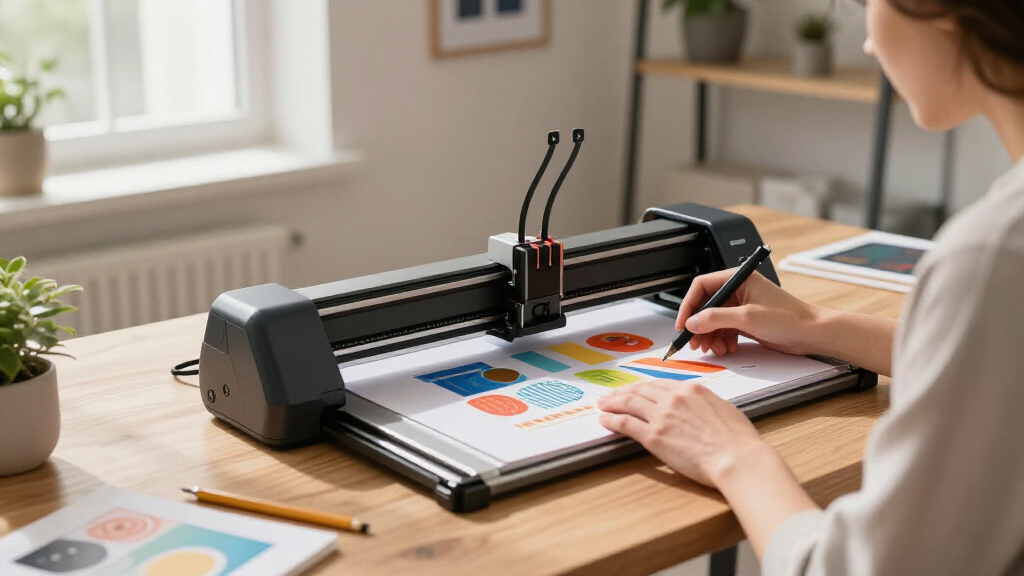
I evaluated these pen plotters based on several key criteria: performance in drawing accuracy and speed, build quality and durability, versatility in workspace size, ease of setup and operation, and overall value for different budgets. I also considered user feedback and the availability of features like offline functionality and auto-feeding. The ranking reflects a balance between professional-grade capabilities and beginner-friendly options, ensuring there are viable choices for different use cases and experience levels. Products that excelled in multiple areas earned higher positions, while those with notable limitations were rated accordingly.Factors to Consider When Choosing Best Pen Plotters
Choosing the best pen plotter depends on understanding your specific needs and the features that matter most. Whether you’re after high precision for detailed art or a simple, budget-friendly machine for DIY projects, several factors influence your decision. By considering workspace size, compatibility with pens, ease of use, and build quality, you can select a model that fits your skill level and project scope. Keep in mind that investing in a slightly more advanced unit may save you time and frustration in the long run, especially for complex or frequent work.Workspace Size and Compatibility
Pen plotters come in a range of sizes, from compact A4 models to large A3 or even bigger. Consider the maximum drawing area you need; larger models enable bigger projects but may take up more space and cost more. Compatibility with standard pens is another factor—some plotters support a variety of pen types and sizes, which expands creative possibilities. Be cautious about models with proprietary pen systems if you prefer flexibility or already own specific pens. Matching your workspace needs with the plotter’s size ensures efficiency and prevents frustration.
Ease of Assembly and Use
Beginners should prioritize models that are either pre-assembled or come with straightforward setup instructions. Open-source kits offer customization but often require technical skills and patience, which may not suit everyone. Conversely, pre-assembled units tend to be more user-friendly but might lack some adjustable features. Consider your comfort with assembly versus ready-to-go functionality, and read reviews to gauge the learning curve associated with each model. An intuitive interface and reliable offline operation can also make a significant difference for daily use.
Performance and Precision
Accuracy and speed are central to a pen plotter’s performance. Higher-end models, like the iDraw H SE, typically offer faster speeds and finer detail, making them suitable for professional artwork or detailed technical drawings. Cheaper or DIY models may compromise on precision or require calibration, which can be time-consuming. Think about your project complexity—if you need sharp lines and consistent results, investing in a more precise, stable machine is worthwhile. Balance your budget against the importance of detailed output for your work.
Build Quality and Long-Term Durability
Robust construction, especially with materials like aluminum or high-quality plastics, extends the lifespan of your plotter. Cheaper models might be more prone to wobbling or misalignment over time, affecting drawing accuracy. Consider the design and frame stability, especially if you’ll use the plotter frequently or for large projects. A well-built machine reduces maintenance needs and ensures consistent results, making it a better value in the long run, even if the initial cost is higher.
Price and Overall Value
Price ranges widely among pen plotters, from budget-friendly DIY kits to professional-grade units. While lower-cost options can be appealing, they often sacrifice precision, speed, or durability. Conversely, premium models tend to offer advanced features and better build quality but may be overkill for casual or beginner use. Target your investment based on your project frequency, desired quality, and budget constraints. Sometimes, paying slightly more upfront results in a more satisfying and reliable experience over time.
Frequently Asked Questions
Can I use my existing pens with these plotters?
Most pen plotters support standard pens, but compatibility varies. Many models are designed for specific pen types or sizes, especially those with proprietary holders. It’s important to check whether your preferred pens will fit and function correctly, as using incompatible pens might cause drawing issues or damage the machine. Some higher-end or open-source models allow for adjustable pen holders, increasing flexibility. If you plan to use a variety of pens regularly, prioritize models that explicitly support standard sizes or offer easy pen swapping.
Is it worth investing in a pre-assembled pen plotter for beginners?
Pre-assembled plotters significantly reduce setup time and technical challenges, making them an attractive choice for newcomers. While DIY kits offer customization and can be more affordable, they often require soldering, calibration, and troubleshooting. For beginners seeking quick results and less frustration, a pre-assembled model provides a smoother learning curve. However, these units may have fewer adjustable features, so weigh your desire for customization against ease of use. Overall, for most beginners, pre-assembled options deliver better immediate usability.
How important is workspace size when choosing a pen plotter?
Workspace size directly influences what projects you can undertake. Smaller models like A4 are ideal for small designs, personal projects, or limited spaces, while larger units such as A3 or A2 accommodate bigger artwork or technical drawings. Keep in mind that larger plotters may require more desk space and tend to be more expensive. Consider your typical project dimensions and available workspace before choosing a size—buying a plotter that’s too small may limit your creativity, whereas overly large models could be cumbersome for casual use.
What features should I look for in a pen plotter for professional art use?
For professional art, prioritize high precision, fast operation, and a stable build. Look for models with fine resolution, capable of detailed line work, and those supporting a variety of pen types and sizes. Speed can also be important if you plan to produce large volumes of work, so consider higher-end units with faster motors. A durable, vibration-resistant frame ensures consistency over time. Additional features like offline mode, adjustable speed, and calibration options help maintain quality and efficiency for professional projects.
Are open-source pen plotters reliable for everyday use?
Open-source pen plotters can be quite reliable if properly assembled and calibrated. They offer excellent flexibility and customization, making them popular among hobbyists and makers. However, they often require more maintenance and technical knowledge, especially to ensure consistent accuracy. For daily or professional use, reliability depends on the quality of components and assembly. If you’re comfortable with DIY projects and troubleshooting, open-source models can serve well; otherwise, pre-assembled units might provide more peace of mind.
Conclusion
For those new to pen plotting or seeking a budget-friendly entry point, models like the Plotter Pen Drawing Robot DIY are excellent choices thanks to their simplicity and affordability. Professionals or serious artists aiming for speed and precision should consider the iDraw H SE, which offers a comprehensive all-in-one design with rapid operation. Hobbyists who want a balance between customization and ease of use might prefer the iDraw 2.0 T-Structure, thanks to its open-source flexibility and solid performance. For larger projects or workspace needs, models like the xDraw A3 Pen Plotter provide ample size without sacrificing quality. Ultimately, your choice depends on your experience level, project scope, and budget, but this list offers options tailored to every type of user.
As an affiliate, we earn on qualifying purchases.Halloween Picks
halloween