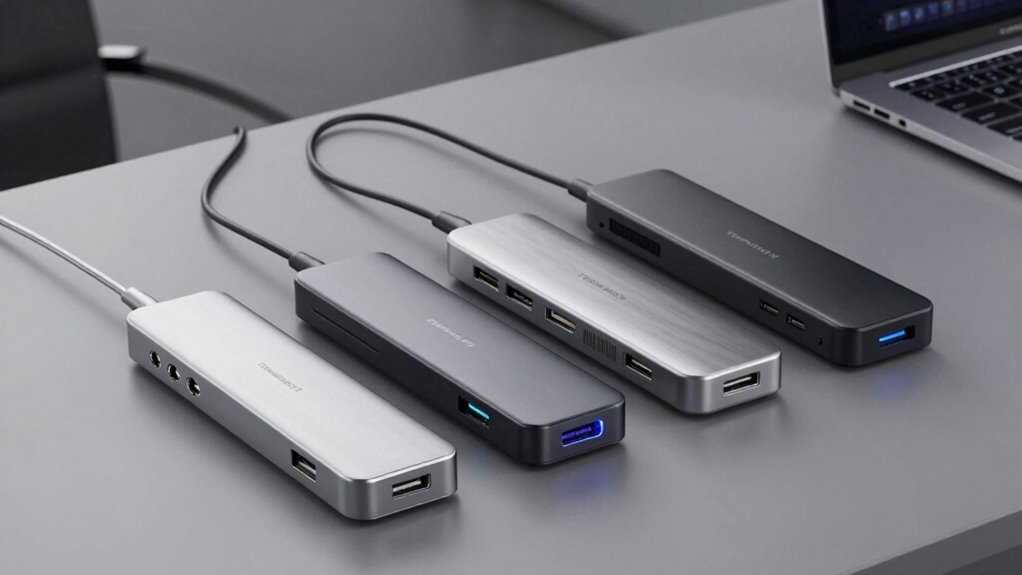

A Thunderbolt 3 dock can significantly expand your laptop’s connectivity, offering multiple ports and fast data transfer. The best models balance performance, build quality, and versatility, but they differ in features and price. The Belkin Thunderbolt 3 Dock Core stands out as the best overall for its reliable performance and compact design, while the OWC 14-Port Thunderbolt Dock offers extensive ports for demanding setups. Tradeoffs often involve cost versus expandability or size versus port variety. Keep reading for a detailed breakdown that helps you choose the right dock for your needs.

Get the latest gadgets delivered free with Prime
- Fast, free delivery on millions of items
- Prime Video, Amazon Music and more included
- Member-only deals all year
Complete the kit



Key Takeaways
- The top pick, Belkin Thunderbolt 3 Dock Core, offers a strong balance of features and reliability at a mid-range price.
- The OWC 14-Port Thunderbolt Dock excels in expandability but is larger and more expensive, suited for power users.
- Price often correlates with port variety and build quality—more ports usually mean higher cost.
- Compatibility with both Mac and Windows varies, so checking specific device support is essential before buying.
- Size and design matter if portability or desk space are concerns; more compact docks often offer fewer ports.
| Belkin Thunderbolt 3 Dock Core with Thunderbolt 3 Cable – 7-in-1 USB-C Hub and Docking Station for Mac & Windows |  | Best Compact and Budget-Friendly Thunderbolt 3 Dock | Ports: DisplayPort, HDMI, Gigabit Ethernet, Thunderbolt, USB-A, USB-C, Audio | Upstream Charging: Yes | Monitor Support: Dual 4K | VIEW ON AMAZON | See Our Full Breakdown |
| Belkin Thunderbolt 3 Docking Station + TB Cable 0.8M |  | Best for Versatile Connectivity and High Power Output | Ports: 12 | Thunderbolt Version: 3 | Power Supply: 170W | VIEW ON AMAZON | See Our Full Breakdown |
| Lenovo ThinkPad Thunderbolt 3 Dock Gen 2 135W (40AN0135US) |  | Best for ThinkPad Users Needing Windows-Optimized Connectivity | Ports: 2x HDMI, 2x DisplayPort, 1x USB-C, 4x USB 3.1, 1x RJ-45 Ethernet, 1x Audio | Power: 135W | Supported OS: Windows 7, Windows 10 | VIEW ON AMAZON | See Our Full Breakdown |
| TobenONE DisplayLink Docking Station with 4 Monitors and 20 Ports |  | Best for Multi-Platform, Versatile Multi-Monitor Setups | Number of Monitors Supported: 4 | Resolution: 4K@60Hz | Ports: 4 HDMI, 4 DisplayPort, 3 USB 3.2, 2 USB-C 3.2, 1 USB 2.0, SD/micro SD, Ethernet, audio | VIEW ON AMAZON | See Our Full Breakdown |
| Dell Pro Smart Dock SD25 Bundle – USB-C Docking Station with 130W Charging, HDMI, DisplayPort, Ethernet, and Cables |  | Best for Business Users Needing a Full Office Setup | Display Support: Up to four displays (single 6K or dual WQHD) | Charging Power: 130W | Connectivity: HDMI 2.1, Dual DisplayPort 1.4, USB-A, USB-C, 2.5GbE Ethernet, audio | VIEW ON AMAZON | See Our Full Breakdown |
| OWC 14-Port Thunderbolt Dock |  | Best for Extensive Connectivity and High-Resolution Displays | Power Delivery: Up to 85W | Display Support: One 5K @ 60Hz or two 4K @ 60Hz displays | Thunderbolt Ports: 2 (including host port) | VIEW ON AMAZON | See Our Full Breakdown |
| thunderbolt 3 dock | Ports |
|---|---|
| Belkin Thunderbolt 3 Dock Core | DisplayPort, HDMI, Gigabit Ethernet, Thunderbolt, USB-A, USB-C, Audio |
| Belkin Thunderbolt 3 Docking S | 12 |
| Lenovo ThinkPad Thunderbolt 3 | 2x HDMI, 2x DisplayPort, 1x USB-C, 4x USB 3.1, 1x RJ-45 Ethernet, 1x Audio |
| TobenONE DisplayLink Docking S | 4 HDMI, 4 DisplayPort, 3 USB 3.2, 2 USB-C 3.2, 1 USB 2.0, SD/micro SD, Ethernet, audio |
| Dell Pro Smart Dock SD25 Bundl | — |
| OWC 14-Port Thunderbolt Dock | — |
More Details on Our Top Picks
Belkin Thunderbolt 3 Dock Core with Thunderbolt 3 Cable – 7-in-1 USB-C Hub and Docking Station for Mac & Windows
This option stands out for its compact design and straightforward setup, making it ideal for users who need a reliable dock without excess features. Compared to the TobenONE, it offers fewer ports but benefits from a smaller footprint and a lower price point. The included Thunderbolt 3 cable simplifies connection, yet the short length may require an extension for flexible workspace arrangements. Its support for dual 4K displays ensures crisp visuals, but the limited port selection might constrain future device expansion. This dock is best suited for users with basic multi-monitor needs who prioritize portability and affordability over extensive connectivity. The main tradeoff involves its compatibility, which is restricted to Thunderbolt 3 devices, and the absence of additional USB ports beyond the core set.Pros:- Supports dual 4K monitor setup for high-resolution displays
- Includes a Thunderbolt 3 cable for easy connection
- Provides upstream charging for laptops and peripherals
Cons:- Limited to Thunderbolt 3 compatible devices
- Short cable length may require additional extensions
Best for: Mac or Windows users who want a simple, portable dock that supports dual 4K displays and upstream charging at an affordable price.
Not ideal for: Power users needing multiple USB-A ports or those with non-Thunderbolt 3 devices, as its port variety is limited.
- Ports:DisplayPort, HDMI, Gigabit Ethernet, Thunderbolt, USB-A, USB-C, Audio
- Upstream Charging:Yes
- Monitor Support:Dual 4K
- Cable Included:Thunderbolt 3 cable (7.87 inches)
Our verdict“This dock is perfect for users seeking a compact, budget-conscious solution for dual 4K displays and charging in a minimal setup.”
Belkin Thunderbolt 3 Docking Station + TB Cable 0.8M
This model is better suited to professionals who require multiple ports and robust power delivery, thanks to its 170W power supply supporting high-performance laptops. Compared to the Belkin Dock Core, it offers significantly more ports—12 in total—and a versatile set of connections including SD card slots, making it ideal for content creators or power users. The included 0.8-meter Thunderbolt cable provides flexible placement options, but its higher cost and bulkier design may be drawbacks for those with limited desk space or budget constraints. It excels in supporting dual 4K monitors and fast charging, but compatibility is limited to Thunderbolt 3 or USB-C laptops, and its size might be cumbersome for portable setups. This dock is best suited for professionals who need extensive peripheral options and high wattage charging in a fixed workspace.Pros:- Supports dual 4K monitor setup for high-res workflows
- Includes a 170W power supply for fast, high-capacity charging
- Multiple ports including SD card reader for versatile peripherals
- Comes with a 0.8-meter Thunderbolt cable for flexible setup
Cons:- Relatively high cost compared to simpler docks
- Bulkier design may take up more desk space
- Requires Thunderbolt 3 or USB-C compatibility for operation
Best for: Creative professionals and power users who need comprehensive port options, high wattage charging, and dual 4K support in a stationary setup.
Not ideal for: Users with minimal space or those seeking a lightweight, budget-friendly dock, as its larger size and higher price may be prohibitive.
- Ports:12
- Thunderbolt Version:3
- Power Supply:170W
- Power Output:Up to 85W
- Monitor Support:Dual 4K
- Cable Length:0.8m / 2.6ft
Our verdict“This dock is ideal for demanding professionals needing extensive connectivity and high-power delivery in a stationary workstation.”
Lenovo ThinkPad Thunderbolt 3 Dock Gen 2 135W (40AN0135US)
This dock makes the most sense for users with compatible ThinkPad models, offering dependable dual 4K display support and multiple ports, including HDMI, DisplayPort, and USB 3.1. It surpasses the TobenONE in power delivery with a 135W adapter, ensuring sufficient charging for most ThinkPads, but it’s less versatile for non-ThinkPad laptops or those requiring extensive peripheral support. Its design is tailored to Windows and ThinkPad ecosystems, with a security lock slot sold separately, which could be a concern for corporate security. The multiple video outputs and USB ports provide flexible connectivity, but limited OS support and the need for specific models may restrict its appeal. This dock is best for dedicated ThinkPad owners seeking a reliable, Windows-compatible docking station with multi-monitor support.Pros:- Supports dual 4K UHD display output
- Multiple connectivity options including HDMI, DisplayPort, and USB 3.1
- Includes a 135W power adapter for efficient charging
- Compatible with a wide range of ThinkPad models
Cons:- Limited to Windows 7 or 10; not macOS or Linux compatible
- Security lock slot sold separately, which could be inconvenient
Best for: ThinkPad users with Windows laptops who want a stable, compatible dock optimized for their device lineup.
Not ideal for: Owners of non-ThinkPad Windows laptops or Mac users, as compatibility and features are tailored to ThinkPad models and Windows OS.
- Ports:2x HDMI, 2x DisplayPort, 1x USB-C, 4x USB 3.1, 1x RJ-45 Ethernet, 1x Audio
- Power:135W
- Supported OS:Windows 7, Windows 10
- Compatible Devices:Various ThinkPad models
- Security Lock Slot:Sold separately
Our verdict“This dock is best for ThinkPad owners needing a dependable, Windows-optimized solution with strong multi-monitor support.”
TobenONE DisplayLink Docking Station with 4 Monitors and 20 Ports
This dock excels in supporting up to four 4K monitors, making it a standout choice for professionals who need extensive desktop real estate. Unlike the Belkin options, its support extends across Windows, Mac, Android, and Chrome OS, with a driver requirement that adds some setup complexity. Its 20 ports provide ample connectivity, surpassing most other docks for expandability. However, the reliance on DisplayLink drivers can introduce stability issues, especially on M1 Macs that only extend to three monitors. Its high power delivery—up to 100W—supports most laptops, but the complexity of setup and driver dependencies could deter less tech-savvy users. This dock is best for users requiring maximum monitor support and cross-platform compatibility, despite driver installation hassles.Pros:- Supports four 4K monitors for extensive multitasking
- Extensive port selection including SD card slots and Ethernet
- Universal compatibility across multiple operating systems
- High 150W power adapter for fast charging
Cons:- Requires driver installation, which may cause issues
- Limited support for M1 MacBooks (max 3 monitors)
- HDCP not supported, restricting some protected content
Best for: Creative teams or multitaskers who need four 4K displays and broad OS compatibility with a wide range of peripherals.
Not ideal for: Users with limited technical experience or those on M1 MacBooks who cannot extend beyond three monitors without workarounds.
- Number of Monitors Supported:4
- Resolution:4K@60Hz
- Ports:4 HDMI, 4 DisplayPort, 3 USB 3.2, 2 USB-C 3.2, 1 USB 2.0, SD/micro SD, Ethernet, audio
- Power Delivery:Up to 100W
- Compatibility:Windows, Mac, Android, Chrome OS
- Driver Requirement:DisplayLink driver needed
Our verdict“This dock is ideal for users who need maximum multi-monitor setup and broad cross-platform support, accepting some driver complexity.”
Dell Pro Smart Dock SD25 Bundle – USB-C Docking Station with 130W Charging, HDMI, DisplayPort, Ethernet, and Cables
This dock makes the most sense for corporate environments, supporting up to four displays with multiple connectivity options, including HDMI and DisplayPort outputs. Its bundle includes all necessary cables and a cleaning cloth, simplifying setup for busy offices. Compared with the Belkin models, its 130W charging is slightly lower than the Belkin Docking Station + TB Cable’s 170W but still sufficient for most laptops. Its comprehensive set of ports, including 2.5GbE Ethernet, enhances network flexibility, though setup might be more involved for non-technical users. The dock’s design prioritizes office workflows, but it’s less portable and may be overkill for casual users. It’s best for teams that need a reliable, all-in-one docking station with extensive display and network options.Pros:- Supports up to four displays for multitasking
- Includes all necessary cables and accessories in the bundle
- Powerful 130W charging for most laptops
- Dual DisplayPort 1.4 and HDMI 2.1 support for flexible display options
Cons:- Setup may be complex for non-technical users
- Limited to specific display configurations
- No wireless connectivity options included
Best for: Business professionals needing a multi-display setup with reliable Ethernet and comprehensive connectivity in a fixed office environment.
Not ideal for: Users seeking a lightweight or portable dock, or those with less complex display and network needs, as its setup may be more involved.
- Display Support:Up to four displays (single 6K or dual WQHD)
- Charging Power:130W
- Connectivity:HDMI 2.1, Dual DisplayPort 1.4, USB-A, USB-C, 2.5GbE Ethernet, audio
- Included Accessories:HDMI cable, USB-C cable, DisplayPort cable, cleaning cloth
Our verdict“This dock is well-suited for office environments requiring multi-display support, extensive ports, and a comprehensive accessory bundle.”
OWC 14-Port Thunderbolt Dock
The OWC 14-Port Thunderbolt Dock stands out for its expansive port selection, making it ideal for users who need to connect multiple peripherals simultaneously. Compared with the Belkin Thunderbolt 3 Dock Core, which offers fewer ports, this dock provides more flexibility for professional setups, especially those requiring multiple displays or extensive wired connections. Its support for a single 5K @ 60Hz or dual 4K @ 60Hz displays ensures high-quality visuals, suitable for creative workflows or multi-monitor workspaces. The dock also delivers up to 85W power, enough to charge most laptops during intensive use, but its size and weight mean it demands a larger desk footprint—less ideal for limited space. The premium price reflects its extensive features, which may be overkill for casual users or those with simpler needs.
Pros:- Extensive port selection including Thunderbolt, USB, SD card readers, and Ethernet
- Supports high-resolution dual 4K or single 5K displays
- Power delivery up to 85W for fast charging
Cons:- Large size may clutter smaller desks
- Premium price may be prohibitive for casual users
- Requires a dedicated workspace due to its size
Best for: Professionals who require high connectivity, multiple displays, and robust power delivery in a single dock.
Not ideal for: Users with limited desk space or those seeking an affordable, compact docking solution for basic tasks.
- Power Delivery:Up to 85W
- Display Support:One 5K @ 60Hz or two 4K @ 60Hz displays
- Thunderbolt Ports:2 (including host port)
- USB Ports:7 total (5 USB 3.2 Gen 1 Type-A, 1 USB 3.2 Gen 2 Type-C)
- SD Card Readers:microSD and SD UHS-II
- Ethernet:Gigabit Ethernet RJ-45
- Audio:S/PDIF digital output, 3.5mm stereo input/output
- Dimensions:3.5″ L x 9.1″ W x 1″ H
- Weight:0.5 kg
Our verdict“This dock makes the most sense for professionals needing maximum connectivity and high-resolution display support, willing to accommodate its size and cost.”
How We Picked
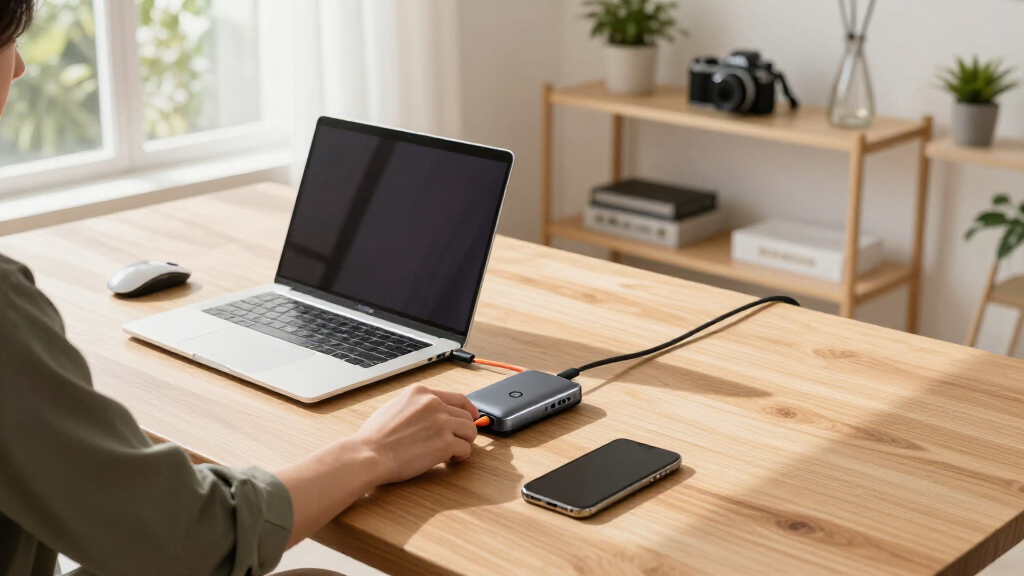
These products were evaluated based on performance, build quality, port variety, compatibility, and value for money. I prioritized docks that support Thunderbolt 3’s high data transfer rates and charging capabilities, ensuring they meet professional and creative workflows. The ranking reflects a balance between expandability, ease of use, and price, with special attention to reliability and user feedback. Smaller, more affordable options were included for those with less demanding needs, while high-end models serve power users who require maximum connectivity. This approach helps match each dock to specific user scenarios, from casual use to intensive professional setups.Factors to Consider When Choosing Thunderbolt 3 Dock
Choosing the right Thunderbolt 3 dock involves understanding several key factors that influence performance, usability, and value. While the number of ports is important, it’s equally vital to consider compatibility, power delivery, and size. Many buyers overlook the importance of future-proofing or end up overspending on unnecessary features. A thoughtful selection ensures your setup can grow with your needs without wasting money or desk space. Here’s what to keep in mind when selecting a Thunderbolt 3 dock.Port Selection and Expandability
Assess how many devices you need to connect—external displays, storage drives, audio equipment, etc. Docks vary from 4 ports to over 14, so choose one that offers enough connections without cluttering your workspace. Consider future needs; opting for a dock with more ports can save upgrades later. However, more ports often mean higher cost and size, so balance your current requirements with potential growth.
Compatibility and Power Delivery
Ensure the dock fully supports your operating system, whether Mac, Windows, or both. Compatibility issues can cause connectivity problems or limited functionality. Power delivery (PD) is equally critical—look for docks that provide enough wattage to charge your laptop at full speed, especially if you use a high-powered device. Overpaying for excessive PD can be wasteful, but underspending may lead to insufficient charging or device operation issues.
Size, Design, and Portability
Size matters if you work on the go or have limited desk space. Compact docks are easy to carry but often sacrifice port variety. Larger models tend to be more feature-rich but less portable. Material quality and design also affect durability and aesthetics, especially for professional environments. Strike a balance that aligns with your mobility needs and workspace style.
Build Quality and Reliability
Invest in docks with solid construction and reputable brands to avoid connectivity issues or hardware failures. Cheaply made docks may fail prematurely or cause data transfer problems. Reading user reviews and checking warranty/support options can provide insight into long-term reliability. Remember, a well-made dock ensures your workflow remains uninterrupted for years.
Price and Overall Value
While it’s tempting to choose the cheapest option, a higher price often correlates with better build quality, more features, or increased durability. Consider your actual needs versus what the dock offers; unnecessary features inflate costs without adding value. Finding a model that offers the right mix of ports, power, and reliability within your budget results in better long-term satisfaction.
Frequently Asked Questions
Will a Thunderbolt 3 dock work with my older laptop?
Compatibility depends on whether your laptop supports Thunderbolt 3. Many older laptops with USB-C ports may not support Thunderbolt 3 features such as high-speed data transfer and daisy chaining. Check your device specifications to ensure compatibility. If your laptop only supports USB-C without Thunderbolt 3, a standard USB-C dock might be a better fit, as Thunderbolt-specific features won’t function.
Can I connect multiple 4K monitors with a Thunderbolt 3 dock?
Most Thunderbolt 3 docks can support dual 4K displays, but the exact number depends on the dock’s GPU support and port configuration. Some models can handle three or more monitors, especially those with DisplayPort or HDMI outputs designed for multi-display setups. Always verify the maximum supported resolution and number of displays before purchasing to ensure it meets your workflow needs.
Is charging my laptop via the dock reliable and safe?
Charging through a Thunderbolt 3 dock is generally reliable when the dock provides sufficient wattage—typically 85W or more. Reputable brands design their docks to deliver consistent power, but lower-quality models may have unstable charging or insufficient wattage for high-power laptops. Always verify the power delivery specifications match your device’s requirements to avoid issues like slow charging or shutdowns during use.
Are Thunderbolt 3 docks backward compatible with USB-C?
Yes, Thunderbolt 3 docks are backward compatible with USB-C devices, but only for basic functions like data transfer and charging. The full feature set, such as high-speed data transfer and multiple display outputs, requires Thunderbolt 3 support. If your device only supports USB-C without Thunderbolt, you might not access all the features offered by a Thunderbolt 3 dock, so check device specifications carefully.
How do I choose the right port configuration for my needs?
Identify the devices you plan to connect—external monitors, drives, Ethernet, etc.—and prioritize docks that offer those ports. For users with multiple monitors, look for docks with multiple video outputs like HDMI and DisplayPort. If you need fast data transfer, ensure the dock supports Thunderbolt 3 speeds. Balancing your current and future needs prevents overpaying for unnecessary ports or missing out on essential connections.
Conclusion
For most users seeking a reliable all-around solution, the Belkin Thunderbolt 3 Dock Core offers excellent performance and flexibility at a reasonable price, making it ideal for professionals and creatives. Power users or those with extensive peripheral needs will appreciate the OWC 14-Port Thunderbolt Dock for its expansive port selection, though it comes with a larger footprint. Beginners or travelers should consider more compact options with sufficient ports like the Lenovo ThinkPad Thunderbolt 3 Dock Gen 2, which balances portability and functionality. Budget-conscious buyers might opt for simpler models that still provide essential features, but investing in quality often pays off in longevity and performance. Match the dock to your workflow and workspace size to get the best experience.
Halloween Picks
halloween
As an affiliate, we earn on qualifying purchases.