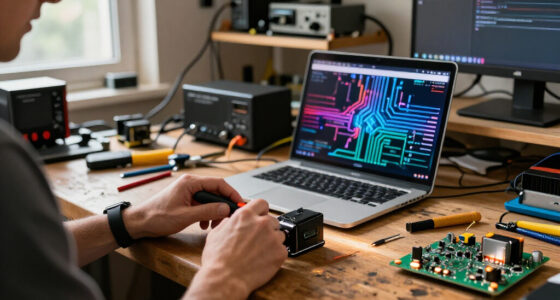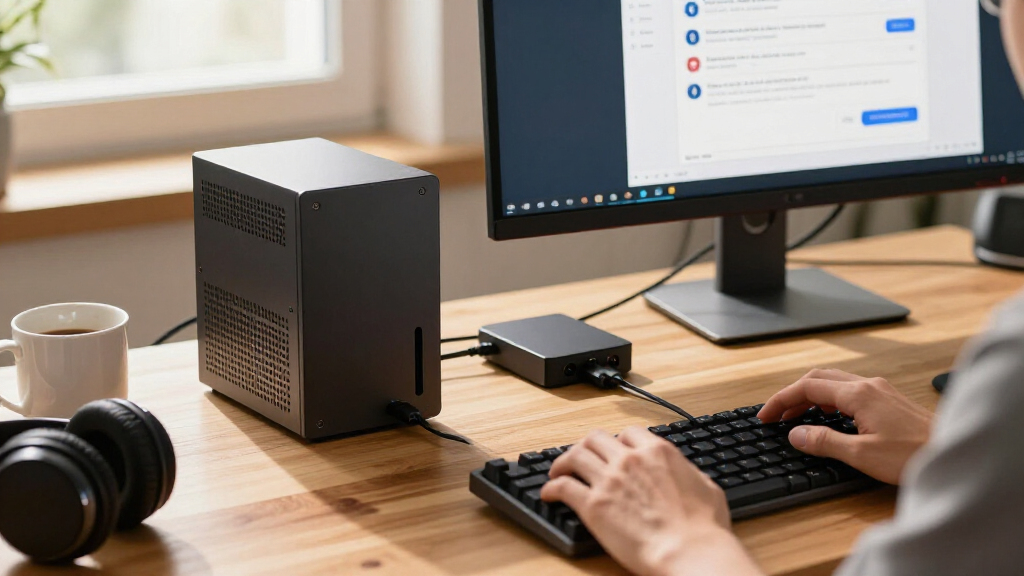

🔍 Read the full analysis: 10 Best AI Mini PCs For Desktop Local AI Workloads In 2026 on ThorstenMeyerAI.com

Get the latest gadgets delivered free with Prime
- Fast, free delivery on millions of items
- Prime Video, Amazon Music and more included
- Member-only deals all year
TL;DR
A 2026 buyer’s comparison of ten AI mini PC configurations names the GEEKOM A9 Max (Ryzen AI 9 HX 470, 32GB DDR5, 2TB SSD) as best overall. The GMKtec EVO-X3 stands out with 128GB of memory for large models, while the GMKtec K15 with Oculink offers a path to external graphics.
A new 2026 comparison of compact PCs for local AI workloads names the GEEKOM A9 Max as the best overall pick, citing its Ryzen AI 9 HX 470 processor paired with 32GB of DDR5 memory and a 2TB SSD as the most balanced out-of-box configuration among the ten systems evaluated. The roundup, published by ThorstenMeyerAI.com, ranks systems on processor class, installed memory, memory type, storage capacity, and expansion options — the factors that determine which AI models a compact machine can realistically run. The guide’s central finding is that processor branding alone does not determine AI capability: memory capacity, memory type, cooling, and connectivity set the practical limits.
The comparison evaluated ten mini PC configurations, with three systems earning highlighted positions. The GEEKOM A9 Max leads as the most balanced listed package. The GMKtec EVO-X3 takes a specialist role as the memory leader with 128GB of LPDDR5X, which the guide says suits workloads that need large models or datasets resident in memory. The GMKtec K15 with Oculink is positioned for buyers planning external graphics expansion, though its listed 512GB SSD is smaller than the 1TB drive on the otherwise similar NucBox K15.
Two K15 configurations built on the Intel Core Ultra 5 125U make different compromises, according to the roundup: the NucBox K15 lists a 1TB SSD, while the K15 with Oculink lists 512GB and adds the external graphics connection. Several premium processor options — including the GEEKOM GT15 Max, GEEKOM IT15, and MINISFORUM AI X1 Pro — arrive with 32GB of RAM, and the guide advises buyers to match that capacity to their actual workload rather than assuming the highest-tier processor is always the better fit.
The methodology explicitly avoids treating specifications as proven performance. The author states that product names and specifications alone do not establish benchmark performance, cooling behavior, or software compatibility, and the rankings prioritize balanced capability and practical fit rather than raw processor tiers.
The 10 picks
- 1
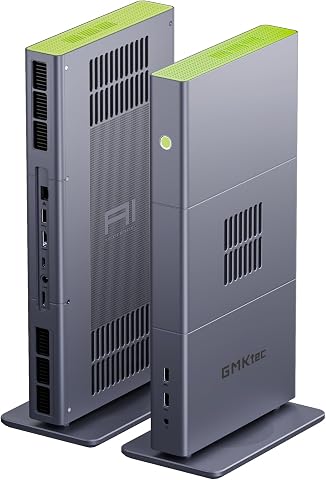 GMKtec EVO-X3 Mini PC with AMD Ryzen AI Max+ 395, 128GB LPDDR5X, and 2TB PCIe…View on Amazon →
 - 2
 GMKtec EVO-X2 AI Mini PC AMD Ryzen AI Max+ 395, Up to 5.1GHz, 16C/32TView on Amazon →
 - 3
 GEEKOM A9 Max Top AI Mini PC, AMD Ryzen AI9 HX470, 32GB DDR5, 2TB SSDView on Amazon →
 - 4
 GEEKOM IT15 Mini PC with Intel Ultra 9 285H, 32GB DDR5, 1TB SSD, Arc 140T GPU…View on Amazon →
 - 5
 MINISFORUM AI X1 Pro-370 Mini PC with AMD Ryzen AI 9 HX370, 32GB DDR5, 1TB SS…View on Amazon →
 - 6
 GEEKOM GT15 Max Business & Professional Mini PC with Intel Core Ultra 9, 32GB…View on Amazon →
 - 7
 GEEKOM IT13 MAX AI Mini PC with Intel Ultra 9 185H, 24GB LPDDR5, 500GB SSDView on Amazon →
 - 8
 Glorlin Mini PC with AMD Ryzen 7 Pro 8845HS, 16GB DDR5 RAM, and 1TB SSDView on Amazon →
 - 9
 GMKtec K15 AI Mini PC Oculink Intel Ultra 5 125U 32GB DDR5 512GB SSD, Desktop…View on Amazon →
 - 10
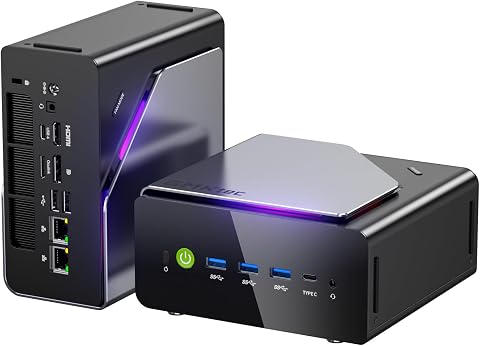 GMKtec K15 Mini PC AI Ultra 5 125U, 12-Core, 32GB DDR5, 1TB PCIe 4.0 SSDView on Amazon →
Why Memory Now Outranks Processor Labels
The roundup’s core argument matters because local AI has changed what a mini PC needs to be good at. For inference and development work, the guide notes that system memory often decides whether a model or dataset fits before processor speed becomes the main concern. A fast chip cannot compensate for a system that runs out of room for the model, the operating system, applications, and context windows.
This reframing affects purchasing decisions directly. The EVO-X3’s 128GB capacity gives it a distinct role despite not topping every specification sheet, while many of the 32GB configurations are described as better suited to lighter or more constrained tasks. Buyers who compare only processor tiers — Ultra 9 or Ryzen AI labels — risk paying for capability their software cannot use, especially since the guide warns that acceleration features help only when the buyer’s chosen tools actually support them.
How the Ten Systems Were Ranked
The selection process compared configurations around the factors that change what a buyer can do with AI locally: processor class, installed memory, memory type, storage capacity, and expansion options. The author also weighed how ready each listed configuration is for immediate use, since a large SSD or high memory capacity can save an early upgrade.
Storage received specific attention because local models and datasets consume space quickly, alongside operating system updates and project files. The guide’s 2TB configurations offer more starting room than the 500GB and 512GB options, and it recommends estimating space for all models a buyer expects to keep available at once — not just the first one. Oculink support was treated as a specific expansion decision rather than an automatic advantage, since an external graphics setup involves extra hardware, desk space, and compatibility checks for enclosures, cards, connections, and power.
“Product names and specifications alone do not establish benchmark performance, cooling behavior, or software compatibility, so I avoid treating those as proven advantages.”
— ThorstenMeyerAI.com comparison guide
What the Rankings Cannot Confirm
The guide is explicit that its conclusions rest on listed specifications, not independent testing. Benchmark performance, cooling behavior under sustained AI workloads, and software compatibility are not verified for any of the ten systems, and the author states that vendor performance claims should be treated as a prompt for further investigation rather than a guarantee.
Several practical questions remain open: a large memory figure does not confirm that a specific model will run well, because memory bandwidth, software support, and processing method also matter. Whether memory is soldered or replaceable — a factor that determines future upgrade options — varies by system and is not fully detailed for every configuration. Compatibility between the K15’s Oculink port and specific graphics enclosures and cards also depends on hardware the roundup does not test.
Questions Buyers Should Ask Before Ordering
Buyers following the guide should first define the workload they actually expect to run, then verify three things before purchase: whether the memory capacity covers the model plus operating system and context overhead, whether the memory and SSD are replaceable or soldered, and whether their chosen AI tools support the specific acceleration features of the listed chip generation. Those planning the Oculink route on the K15 should confirm enclosure, card, connection, and power requirements for their intended external graphics setup, and weigh the smaller 512GB drive against the NucBox K15’s 1TB configuration. The guide’s broader takeaway is that independent workload results — not vendor claims — remain the missing evidence buyers should seek before committing to any of these configurations.
Key Questions
Which AI mini PC was named best overall for 2026?
The GEEKOM A9 Max, with its Ryzen AI 9 HX 470, 32GB of DDR5, and 2TB SSD, was picked as the best overall option for its balanced out-of-box configuration among the ten systems compared.
Which mini PC has the most memory for large AI models?
The GMKtec EVO-X3, with 128GB of LPDDR5X, is described as the memory leader, suited to workloads that need large models or datasets in memory. The guide cautions that a large memory figure alone does not guarantee a specific model will run well.
Is 32GB of RAM enough for local AI work?
According to the guide, many of the listed 32GB configurations — including the GT15 Max, IT15, and AI X1 Pro — are better suited to lighter or more constrained tasks. Buyers should calculate their workload’s memory needs, including the operating system and application overhead, rather than compare RAM figures in isolation.
What is Oculink and why does it matter here?
Oculink is a connection that can support an external graphics enclosure. The GMKtec K15 with Oculink prioritizes that future flexibility, but it comes with a smaller 512GB SSD than the NucBox K15’s 1TB, making it a tradeoff between expansion and included storage.
Are these rankings based on performance testing?
No. The comparison is based on listed specifications, and the author states that specifications alone do not establish benchmark performance, cooling behavior, or software compatibility. Vendor performance claims are presented as something to investigate, not as proven results.
Source: ThorstenMeyerAI.com
Fall Picks
fall essentials
As an affiliate, we earn on qualifying purchases.