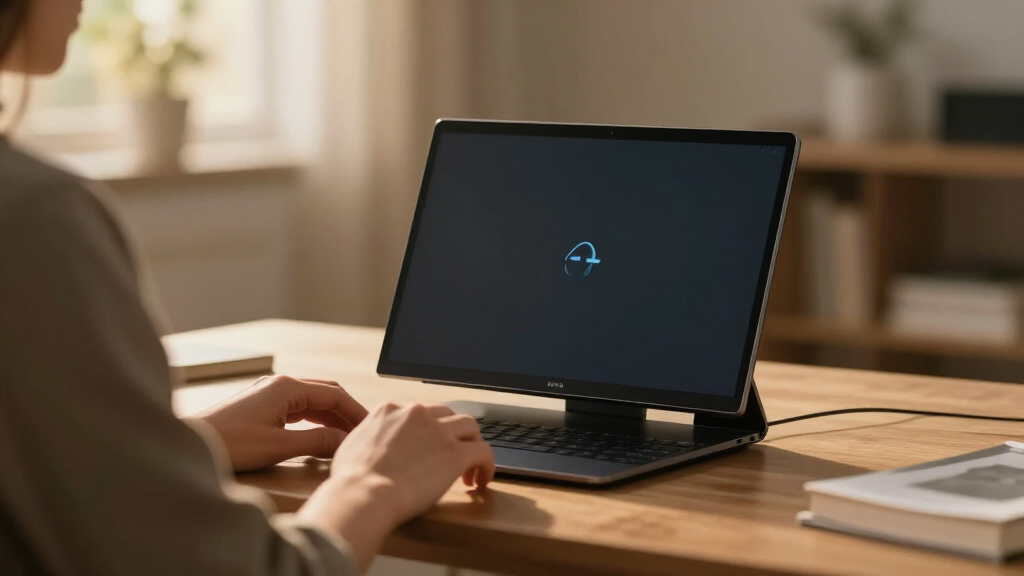

The best Copilot+ PC overall is the Lenovo Slim 7i Aura Edition, which pairs Intel’s Core Ultra 7 258V with 32GB of RAM in a polished, all-round package that handles AI features, productivity, and battery life without compromises. If battery endurance and a clean Windows experience matter most, the Microsoft Surface Laptop 7 stands out with its Snapdragon silicon and up to 20 hours of runtime, while the NIMO 17.3-inch AI Laptop offers serious muscle — a Ryzen AI 9 HX 370 and 64GB of RAM — for buyers who want maximum power per dollar. The main tradeoff in this category is between x86 compatibility (Intel and AMD chips run everything) and efficiency (Snapdragon chips last longer but can stumble with older apps). Screen size, 2-in-1 flexibility, and whether a machine is renewed or new also shift the value equation. Keep reading for the full breakdown of all 13 machines and which one fits your budget and workflow.

Get the latest gadgets delivered free with Prime
- Fast, free delivery on millions of items
- Prime Video, Amazon Music and more included
- Member-only deals all year
Complete the kit



Key Takeaways
- Chip choice was the single biggest differentiator: Snapdragon models (Surface Laptop 7, Dell XPS 13, Galaxy Book4 Edge) dominated battery life, while Intel Lunar Lake (Lenovo Slim 7i, HP OmniBook 7 Flip) and AMD Ryzen AI (NIMO) avoided the app-compatibility question entirely.
- The 32GB RAM tier separated the serious picks from the entry ones — every top-ranked machine had it, while 16GB models like the Galaxy Book4 Edge and Surface Laptop renewals felt more like budget entry points.
- Two products in this lineup are renewed units (ASUS Vivobook 16 and Surface Laptop 7 for Business), which changes the risk calculus: lower cost, but shorter warranty coverage and cosmetic variance.
- 2-in-1 convertibles (ASUS Vivobook 14 Flip, HP OmniBook 7 Flip) added stylus and touch flexibility without a meaningful premium, making them better picks for students than their clamshell rivals at similar specs.
- Big-screen Copilot+ PCs remain a niche: only the NIMO 17.3-inch and LG gram Max 17 serve that audience, and the LG wins on portability while the NIMO wins on raw specs.
- 512GB of storage on both Samsung Galaxy Book4 Edge configs was the most common dealbreaker — fine for cloud-first users, tight for anyone installing large applications or games.
| Lenovo Slim 7i Aura Edition Laptop, Intel Ultra 7 258V, 32GB DDR5, 1TB SSD |  | Best Overall | Processor: Intel Core Ultra 7 258V with 47 TOPS NPU | RAM: 32GB LPDDR5x 8533MHz | Storage: 1TB SSD | VIEW LATEST PRICE | See Our Full Breakdown |
| ASUS Vivobook 16″ Copilot+ PC Laptop, Snapdragon X 8-Core, 16GB RAM, 1TB SSD (X1607QA-IS56, Renewed) |  | Best Budget Entry Point | Processor: Qualcomm Snapdragon X X1 26 100, 8 cores, up to 4.2 GHz | NPU: Qualcomm Hexagon, 45 TOPS | RAM: 16GB LPDDR5X | VIEW LATEST PRICE | See Our Full Breakdown |
| Microsoft Surface Laptop 7 AI Copilot+ PC for Business (13.8″ 2K+ Touchscreen, Snapdragon X Plus, 16GB DDR5 RAM, 1TB SSD) (Renewed) |  | Best Battery Life and Refinement | Processor: Qualcomm Snapdragon X Plus, 45 TOPS NPU | RAM: 16GB DDR5 | Storage: 1TB PCIe SSD | VIEW LATEST PRICE | See Our Full Breakdown |
| NIMO 17.3″ AI Laptop – AMD Ryzen AI 9 HX 370, 64GB DDR5, 2TB SSD, 144Hz |  | Best Mobile Workstation | Processor: AMD Ryzen AI 9 HX 370, 50 TOPS NPU | Graphics: AMD Radeon 890M (RDNA 3.5, 16 CUs) | RAM: 64GB DDR5 | VIEW LATEST PRICE | See Our Full Breakdown |
| ASUS Vivobook 14 Flip 2-in-1 Laptop (2026), Copilot+ PC, 14″ WUXGA OLED Touch, Intel Core Ultra 9 386H, 32GB RAM, 1TB SSD |  | Best 2-in-1 Convertible | Processor: Intel Core Ultra 9 386H, up to 50 TOPS NPU | RAM: 32GB | Storage: 1TB SSD | VIEW LATEST PRICE | See Our Full Breakdown |
| Lenovo Slim 7i Aura Edition 14″ Laptop (Intel Core Ultra 7 258V, 32GB RAM, 1TB SSD) |  | Best Premium Ultraportable | Processor: Intel Core Ultra 7 258V with 47 TOPS NPU | Display: 14″ OLED touchscreen, 100% DCI-P3, up to 600 nits | RAM: 32GB LPDDR5x (soldered) | VIEW LATEST PRICE | See Our Full Breakdown |
| Microsoft Surface Laptop Copilot+ PC 13.8″ Touchscreen, Snapdragon X Plus (10-Core), 16GB RAM, 1TB SSD (EP2-06079) |  | Best for Everyday Copilot+ Simplicity | Processor: Qualcomm Snapdragon X Plus (10-core) | Display: 13.8″ PixelSense Flow touchscreen, 2304 x 1536 (201 PPI) | RAM: 16GB LPDDR5x | VIEW LATEST PRICE | See Our Full Breakdown |
| Microsoft 13″ Surface Pro for Business Copilot+ PC (11th Edition) with Keyboard and 3-Year Warranty |  | Best 2-in-1 for Business | Processor: Intel Core Ultra 7 with AI Boost NPU (up to 48 TOPS) | Display: 13″ OLED PixelSense Flow touchscreen, 2880 x 1920, 120Hz | RAM: 16GB DDR5 | VIEW LATEST PRICE | See Our Full Breakdown |
| Samsung Galaxy Book4 Edge Laptop, 15.6″ LED, Snapdragon X, 16GB/512GB |  | Best Battery Life on a Budget | Processor: Qualcomm Snapdragon X with Hexagon NPU (45 TOPS) | Display: 15.6″ FHD (1920 x 1080) IPS anti-glare LED, 300 nits | RAM: 16GB LPDDR5X 8448MHz | VIEW LATEST PRICE | See Our Full Breakdown |
| Dell XPS 13 9345 Laptop, 13.4″ 3K OLED Touchscreen, Snapdragon X Elite, 32GB RAM, 1TB SSD |  | Best Power-Per-Pound Pick | Processor: Snapdragon X Elite X1E-80-100 (12-core, up to 4GHz, 45 TOPS NPU) | Display: 13.4″ 3K (2880 x 1800) OLED touchscreen, 400 nits, 60Hz | RAM: 32GB DDR5 8448MT/s | VIEW LATEST PRICE | See Our Full Breakdown |
| HP OmniBook 7 Flip 16″ 2-in-1 Laptop, Intel Core Ultra 7 258V, 32GB DDR5, 1TB SSD |  | Best 2-in-1 for Creative Work | Display: 16″ WUXGA (1920×1200) IPS touchscreen, 400 nits, anti-glare | Processor: Intel Core Ultra 7 258V (Series 2) with 47 TOPS NPU | RAM: 32GB DDR5 | VIEW LATEST PRICE | See Our Full Breakdown |
| Samsung Galaxy Book4 Edge Laptop, 15.6″ LED FHD, Snapdragon X, 16GB/512GB |  | Best Battery Life on a Budget | Display: 15.6″ FHD (1920×1080) IPS anti-glare LED, 300 nits | Processor: Qualcomm Snapdragon X with Hexagon NPU (45 TOPS) | RAM: 16GB LPDDR5X 8448MHz | VIEW LATEST PRICE | See Our Full Breakdown |
| LG gram Max 17 Inch Touchscreen Laptop, Intel Core Ultra 7 355, 32GB RAM, 1TB SSD |  | Best Big-Screen Traveler | Display: 17″ WQXGA (2560×1600) IPS touchscreen, 99% DCI-P3, 350 nits | Processor: Intel Core Ultra 7 355 with NPU up to 49 TOPS | RAM: 32GB LPDDR5X-7500 | VIEW LATEST PRICE | See Our Full Breakdown |
| Copilot+ PC | Processor | RAM | Storage | Display |
|---|---|---|---|---|
| Lenovo Slim 7i Aura Edition La | Intel Core Ultra 7 258V with 47 TOPS NPU | 32GB LPDDR5x 8533MHz | 1TB SSD | 14" FHD+ OLED touchscreen, up to 600 nits, 100% DCI-P3 |
| ASUS Vivobook 16" Copilot+ PC | Qualcomm Snapdragon X X1 26 100, 8 cores, up to 4.2 GHz | 16GB LPDDR5X | 1TB PCIe Gen4 SSD | 16" IPS WUXGA 1920×1200, 300 nits, anti-glare |
| Microsoft Surface Laptop 7 AI | Qualcomm Snapdragon X Plus, 45 TOPS NPU | 16GB DDR5 | 1TB PCIe SSD | 13.8" 2K+ (2304×1536) touchscreen, 120Hz |
| NIMO 17.3" AI Laptop | AMD Ryzen AI 9 HX 370, 50 TOPS NPU | 64GB DDR5 | 2TB PCIe 4.0 SSD | 17.3" 144Hz |
| ASUS Vivobook 14 Flip 2-in-1 L | Intel Core Ultra 9 386H, up to 50 TOPS NPU | 32GB | 1TB SSD | 14" WUXGA OLED touchscreen, 16:10 |
| Lenovo Slim 7i Aura Edition 14 | Intel Core Ultra 7 258V with 47 TOPS NPU | 32GB LPDDR5x (soldered) | 1TB SSD | 14" OLED touchscreen, 100% DCI-P3, up to 600 nits |
| Microsoft Surface Laptop Copil | Qualcomm Snapdragon X Plus (10-core) | 16GB LPDDR5x | 1TB SSD | 13.8" PixelSense Flow touchscreen, 2304 x 1536 (201 PPI) |
| Microsoft 13" Surface Pro for | Intel Core Ultra 7 with AI Boost NPU (up to 48 TOPS) | 16GB DDR5 | 512GB SSD | 13" OLED PixelSense Flow touchscreen, 2880 x 1920, 120Hz |
| Samsung Galaxy Book4 Edge Lapt | Qualcomm Snapdragon X with Hexagon NPU (45 TOPS) | 16GB LPDDR5X 8448MHz | 512GB UFS | 15.6" FHD (1920 x 1080) IPS anti-glare LED, 300 nits |
| Dell XPS 13 9345 Laptop | Snapdragon X Elite X1E-80-100 (12-core, up to 4GHz, 45 TOPS NPU) | 32GB DDR5 8448MT/s | 1TB PCIe NVMe M.2 SSD | 13.4" 3K (2880 x 1800) OLED touchscreen, 400 nits, 60Hz |
| HP OmniBook 7 Flip 16" 2-in-1 | Intel Core Ultra 7 258V (Series 2) with 47 TOPS NPU | 32GB DDR5 | 1TB PCIe SSD (third-party upgraded) | 16" WUXGA (1920×1200) IPS touchscreen, 400 nits, anti-glare |
| Samsung Galaxy Book4 Edge Lapt | Qualcomm Snapdragon X with Hexagon NPU (45 TOPS) | 16GB LPDDR5X 8448MHz | 512GB UFS | 15.6" FHD (1920×1080) IPS anti-glare LED, 300 nits |
| LG gram Max 17 Inch Touchscree | Intel Core Ultra 7 355 with NPU up to 49 TOPS | 32GB LPDDR5X-7500 | 1TB NVMe SSD | 17" WQXGA (2560×1600) IPS touchscreen, 99% DCI-P3, 350 nits |
More Details on Our Top Picks
Lenovo Slim 7i Aura Edition Laptop, Intel Ultra 7 258V, 32GB DDR5, 1TB SSD
The Slim 7i earns the top spot because it refuses to compromise where Copilot+ PCs usually do. The Intel Core Ultra 7 258V with a 47 TOPS NPU handles Recall, Cocreate, and Windows Studio Effects locally, while the 32GB of LPDDR5x memory means those AI features never fight your browser tabs for headroom. The 14-inch OLED touchscreen at up to 600 nits outclasses the Samsung Galaxy Book4 Edge’s standard LED panel for color work, and at 2.82 lbs with a 17-hour battery claim, it travels better than the 4.6-lb NIMO 17.3. Two Thunderbolt 4 ports plus HDMI let you drive three external monitors without a dock. The tradeoff: this is a resealed unit with a third-party OS upgrade warranty, so buyers who want factory-sealed retail packaging should look at the Surface Laptop 7 instead.
Pros:- 47 TOPS NPU with 32GB RAM runs Copilot+ features smoothly alongside heavy multitasking
- Gorgeous 600-nit OLED touchscreen with 100% DCI-P3 coverage
- 2.82 lbs aluminum chassis with MIL-STD-810H durability and up to 17 hours of battery
- Drives up to three external monitors with 2x Thunderbolt 4 and HDMI 2.1
Cons:- Resealed unit with third-party warranty on the upgraded OS rather than full factory coverage
- Integrated Arc 140V graphics limits dedicated-GPU-class creative work
Best for: Professionals and creators who want a premium OLED Copilot+ PC that balances portability, battery life, and on-device AI power
Not ideal for: Buyers who insist on factory-sealed units — this is resealed for an OS upgrade with a split third-party/Lenovo warranty
- Processor:Intel Core Ultra 7 258V with 47 TOPS NPU
- RAM:32GB LPDDR5x 8533MHz
- Storage:1TB SSD
- Display:14″ FHD+ OLED touchscreen, up to 600 nits, 100% DCI-P3
- Battery:Up to 17 hours
- Weight:2.82 lbs
- Ports:2x Thunderbolt 4, USB-A, HDMI 2.1, microSD
- OS:Windows 11 Pro
Our verdict“If one Copilot+ PC has to do everything well — display, battery, portability, and AI horsepower — this is the one to buy first.”
ASUS Vivobook 16″ Copilot+ PC Laptop, Snapdragon X 8-Core, 16GB RAM, 1TB SSD (X1607QA-IS56, Renewed)
For buyers who want the Copilot+ experience at the lowest possible cost of entry, this renewed Vivobook 16 is the sensible doorway. The Snapdragon X’s 45 TOPS Hexagon NPU still unlocks the full Copilot+ feature set — Recall, Live Captions, Studio Effects — and the 16GB RAM with a 1TB PCIe Gen4 SSD matches what Microsoft asks far more for on the Surface Laptop 7. The 16-inch anti-glare panel gives you more workspace than any 13–14 inch pick here. But the compromises are real: 45% NTSC color coverage makes this a poor choice for photo or design work, the 5-lb heft dwarfs the Slim 7i, and the 90-day renewed warranty demands you test everything immediately. Compared with the NIMO 17.3, you give up screen refresh and raw power but gain a far lower barrier to entry.
Pros:- Genuine Copilot+ PC with 45 TOPS NPU despite the budget positioning
- 16GB RAM and 1TB PCIe Gen4 SSD punch above the entry-level class
- Roomy 16-inch 1920×1200 anti-glare display for productivity
- Full-size keyboard with numeric keypad for spreadsheet work
Cons:- Renewed condition with only a 90-day limited warranty
- 45% NTSC color coverage is dull for any visual work
- 5 pounds and roughly 8 hours of battery make it a desk-first machine
Best for: Students and budget-conscious buyers who want full Copilot+ features and big 1TB storage without paying flagship prices
Not ideal for: Color-sensitive creatives and warranty-wary buyers — the washed-out 45% NTSC panel and 90-day coverage are hard limits
- Processor:Qualcomm Snapdragon X X1 26 100, 8 cores, up to 4.2 GHz
- NPU:Qualcomm Hexagon, 45 TOPS
- RAM:16GB LPDDR5X
- Storage:1TB PCIe Gen4 SSD
- Display:16″ IPS WUXGA 1920×1200, 300 nits, anti-glare
- Battery:55 Wh, up to 8 hours
- Condition:Renewed, 90-day limited warranty
Our verdict“The cheapest legitimate way into Copilot+ territory, as long as you accept a refurbished machine with a muted display.”
Microsoft Surface Laptop 7 AI Copilot+ PC for Business (13.8″ 2K+ Touchscreen, Snapdragon X Plus, 16GB DDR5 RAM, 1TB SSD) (Renewed)
This Surface Laptop 7 stands out for one thing its rivals can’t match on ARM silicon: up to 20 hours of battery with fast charging, paired with a 120Hz 2K+ touchscreen that feels smoother than the Slim 7i’s 60Hz-class OLED in day-to-day scrolling. The Snapdragon X Plus with its 45 TOPS NPU covers the full Copilot+ toolkit, and the 1080p IR camera with Studio Effects is a step above most rivals’ webcams for daily video calls. Where the Slim 7i counters with richer color and double the RAM ceiling, the Surface wins on polish — the dedicated Copilot key, Wi-Fi 7, and USB4 support for dual 4K monitors without a dock. Two honest caveats: it’s renewed, so inspect it on arrival, and Snapdragon means some legacy x86 apps run through emulation with a performance and compatibility tax.
Pros:- Up to 20 hours of battery life leads this entire lineup
- 120Hz 2K+ touchscreen is sharper and smoother than most Copilot+ panels
- Excellent 1080p IR webcam with Windows Studio Effects and Windows Hello
- Two USB4 ports drive dual 4K monitors without a dock
Cons:- Renewed condition means cosmetic and battery-health variability
- ARM-based Snapdragon limits some legacy x86 application compatibility
- 16GB RAM is the ceiling — half of what the Slim 7i or NIMO offer
Best for: Mobile professionals and frequent travelers who prioritize all-day battery, a premium typing feel, and video-call quality over raw specs
Not ideal for: Anyone dependent on niche x86-only Windows software — ARM emulation can be a compatibility lottery
- Processor:Qualcomm Snapdragon X Plus, 45 TOPS NPU
- RAM:16GB DDR5
- Storage:1TB PCIe SSD
- Display:13.8″ 2K+ (2304×1536) touchscreen, 120Hz
- Battery:Up to 20 hours with fast charging
- Weight:2.96 lbs
- Ports:2x USB-C (USB4), USB-A, Surface Connect, 3.5mm jack
- OS:Windows 11 Home
Our verdict“The pick for people who live unplugged and on video calls all day, provided their software library plays nicely with ARM.”
NIMO 17.3″ AI Laptop – AMD Ryzen AI 9 HX 370, 64GB DDR5, 2TB SSD, 144Hz
When every other pick here optimizes for portability, the NIMO 17.3 goes the opposite direction — and that’s exactly its value. The Ryzen AI 9 HX 370 with a 50 TOPS NPU is the strongest AI engine in this batch, and 64GB of RAM plus a 2TB PCIe 4.0 SSD doubles the capacity of the Slim 7i, making this the only realistic choice for programmers running VMs, engineers, or heavy multitaskers. The 17.3-inch 144Hz panel also makes it the only high-refresh option here — even for non-gamers, that smoothness reduces eye strain over long sessions. The 100W charger recovering nine hours of use in one hour partially offsets the smaller 75Wh battery. But be clear-eyed: at 4.6 lbs and 17.3 inches, this is a desktop replacement, not a travel companion like the Surface Laptop 7, and the Radeon 890M, while capable, shares memory with the system.
Pros:- Fastest NPU here at 50 TOPS on the Ryzen AI 9 HX 370
- 64GB RAM and 2TB SSD handle virtual machines and massive projects
- 17.3-inch 144Hz display is unique in this lineup for smoothness and screen real estate
- 100W fast charging delivers ~9 hours of use from a 1-hour charge
Cons:- 4.6 lbs and bulky dimensions make it poor for mobility
- Integrated Radeon 890M uses shared memory, capping serious gaming performance
- Wi-Fi 6E trails the Wi-Fi 7 found on the Slim 7i and Surface Laptop 7
Best for: Developers, engineers, and data-heavy professionals who need workstation-class RAM, storage, and the strongest NPU in the lineup at a desk
Not ideal for: Commuters and travelers — 4.6 lbs and a 17.3-inch footprint defeat the point of a portable Copilot+ PC
- Processor:AMD Ryzen AI 9 HX 370, 50 TOPS NPU
- Graphics:AMD Radeon 890M (RDNA 3.5, 16 CUs)
- RAM:64GB DDR5
- Storage:2TB PCIe 4.0 SSD
- Display:17.3″ 144Hz
- Battery:75Wh with 100W USB-C fast charging
- Ports:USB-C 4.0 (40Gbps)
- Weight:4.6 lbs
Our verdict“The desktop-replacement Copilot+ PC for people whose workload outgrows 16 or 32GB machines — just don’t plan on carrying it daily.”
ASUS Vivobook 14 Flip 2-in-1 Laptop (2026), Copilot+ PC, 14″ WUXGA OLED Touch, Intel Core Ultra 9 386H, 32GB RAM, 1TB SSD
The Vivobook 14 Flip is the only laptop in this batch that genuinely replaces a tablet. Its 360-degree hinge opens up tent and stand modes for note-taking, media, and drawing — something the HP OmniBook 7 Flip also offers but at a larger 16-inch size that’s awkward as a handheld tablet. The Intel Core Ultra 9 386H with 50 TOPS of NPU performance edges past the Slim 7i’s 47 TOPS, and the WUXGA OLED touchscreen brings the same deep contrast that makes the Slim 7i’s panel great, here in a form factor you can fold flat. ASUS’s 38-hour battery claim (with 60% fast charge in 49 minutes) should be treated skeptically in real use, and like every convertible it accepts a slightly thicker chassis and flexier lid than a clamshell. Integrated Intel graphics also rules out anything beyond casual gaming.
Pros:- 360-degree hinge with four usage modes in a genuinely tablet-friendly 14-inch size
- 50 TOPS NPU is among the strongest AI performance in this roundup
- Vibrant WUXGA OLED touchscreen matches premium panels at this size
- MIL-STD 810H durability plus Wi-Fi 7 and Thunderbolt 4 connectivity
Cons:- Integrated Intel graphics limit gaming and GPU-heavy creative work
- Real-world battery life will fall well short of the 38-hour claim
- Convertible chassis adds thickness and hinge flex versus clamshells like the Slim 7i
Best for: Students and note-takers who want one device that switches between laptop, tablet, and tent modes without sacrificing Copilot+ performance
Not ideal for: Gamers and dedicated-GPU seekers — integrated graphics and a convertible chassis cap both performance and rigidity
- Processor:Intel Core Ultra 9 386H, up to 50 TOPS NPU
- RAM:32GB
- Storage:1TB SSD
- Display:14″ WUXGA OLED touchscreen, 16:10
- Form Factor:2-in-1 convertible, 360-degree hinge
- Battery:70Wh, fast charge to 60% in 49 minutes
- Ports:Thunderbolt 4, USB-C, USB-A, HDMI 2.1, microSD
- Durability:US MIL-STD 810H
Our verdict“The most versatile Copilot+ PC here for pen-and-touch users who’d otherwise carry both a laptop and a tablet.”
Lenovo Slim 7i Aura Edition 14″ Laptop (Intel Core Ultra 7 258V, 32GB RAM, 1TB SSD)
This option stands out for pairing a 2.82 lb MIL-STD-810H aluminum chassis with a 600-nit OLED touchscreen, a combination nothing else in this lineup matches at this weight. Compared with the Dell XPS 13 9345, the Slim 7i offers a friendlier port selection — Thunderbolt 4, USB-A, HDMI 2.1, and an SD reader versus Dell’s two USB4 ports — which matters for photographers and presenters who hate dongles. The Intel Core Ultra 7 258V with a 47 TOPS NPU runs Copilot+ features offline and avoids the ARM software quirks that Snapdragon models like the Surface Laptop and Galaxy Book4 Edge can hit. The tradeoff: RAM is soldered at 32GB forever, and Arc integrated graphics rule out serious gaming or 3D rendering. That 17-hour battery estimate also assumes light workloads.
Pros:- Ultra-light 2.82 lb design with durable MIL-STD-810H aluminum chassis
- Stunning 14″ OLED touchscreen with 100% DCI-P3 and up to 600 nits brightness
- 47 TOPS NPU enables offline Copilot+ features on an x86 processor
- Versatile connectivity including Thunderbolt 4, HDMI 2.1, SD reader, and triple-monitor support
Cons:- RAM is soldered LPDDR5x and cannot be upgraded
- Integrated graphics limit gaming and heavy 3D workloads
Best for: Frequent travelers and creative professionals who want OLED color accuracy, durability, and full x86 compatibility in a sub-3-pound machine
Not ideal for: Upgraders and gamers — the soldered RAM caps the machine’s lifespan and integrated graphics can’t handle modern titles
- Processor:Intel Core Ultra 7 258V with 47 TOPS NPU
- Display:14″ OLED touchscreen, 100% DCI-P3, up to 600 nits
- RAM:32GB LPDDR5x (soldered)
- Storage:1TB SSD
- Weight:2.82 lbs
- Battery Life:Up to 17 hours
- Ports:2x Thunderbolt 4, USB-A, HDMI 2.1, SD card reader
- OS:Windows 11 Home
Our verdict“This pick makes the most sense for buyers who want the most complete premium ultraportable in the roundup without ARM compatibility compromises.”
Microsoft Surface Laptop Copilot+ PC 13.8″ Touchscreen, Snapdragon X Plus (10-Core), 16GB RAM, 1TB SSD (EP2-06079)
Microsoft’s own hardware tends to get the smoothest Copilot+ experience, and this model is better suited to buyers who prioritize polished software integration over raw specs. The 13.8″ PixelSense Flow touchscreen is sharper than the Samsung Galaxy Book4 Edge’s 15.6″ FHD panel and brighter-feeling in daily use, while the 1TB SSD doubles the Samsung’s storage. Where it falls behind the Lenovo Slim 7i is connectivity: just two USB-C 4 ports, no HDMI, no card reader, no USB-A. The ARM-based Snapdragon X Plus handles Office, browsing, and streaming beautifully, but buyers running niche or older x86 software should verify compatibility first — a caveat shared with the Dell XPS 13 but not with Intel-based picks like the Slim 7i.
Pros:- 10-core Snapdragon X Plus with NPU acceleration for Copilot+ features
- Sharp 13.8″ PixelSense Flow touchscreen at 201 PPI
- Ultrathin, lightweight clamshell built partly from recycled aluminum
- Generous 1TB storage for the category
Cons:- Only two USB-C ports with no USB-A, HDMI, or card reader
- ARM processor can have compatibility issues with some Windows software
- Integrated graphics unsuited to gaming or workstation tasks
Best for: Students and mainstream productivity users who live in the cloud, want generous 1TB storage, and value a clean Microsoft-first experience
Not ideal for: Peripheral-heavy users and anyone dependent on specialized x86 Windows software that hasn’t been ported to ARM
- Processor:Qualcomm Snapdragon X Plus (10-core)
- Display:13.8″ PixelSense Flow touchscreen, 2304 x 1536 (201 PPI)
- RAM:16GB LPDDR5x
- Storage:1TB SSD
- Ports:2x USB-C 4
- OS:Windows 11 Home
- Design:Clamshell, Graphite, recycled aluminum
Our verdict“Choose this if you want the most friction-free Copilot+ experience with big storage; skip it if you own lots of dongle-free accessories or legacy apps.”
Microsoft 13″ Surface Pro for Business Copilot+ PC (11th Edition) with Keyboard and 3-Year Warranty
This is the only true detachable tablet-laptop hybrid in the batch, and the bundle sweetens it with a keyboard and a 3-year extended warranty — real peace of mind compared with the 1-year coverage on the Lenovo Slim 7i and Galaxy Book4 Edge. The 120Hz OLED PixelSense display outclasses the 60Hz panels on the Dell XPS 13 and Samsung for pen work and scrolling, and Windows 11 Pro plus Intel’s Core Ultra 7 with a 48 TOPS NPU means full Copilot+ support with Recall and Cocreator plus business features like BitLocker and domain join. Drawbacks are structural: a 36 Wh battery trails the Samsung’s endurance claims by a wide margin, the device is Wi-Fi only, and integrated graphics cap creative headroom.
Pros:- 2-in-1 detachable design with Slim Pen and Surface keyboard support
- 13″ OLED touchscreen at 2880 x 1920 with smooth 120Hz dynamic refresh
- Windows 11 Pro with Intel Core Ultra 7 and 48 TOPS NPU
- Bundle includes keyboard and 3-year extended warranty
Cons:- Small 36 Wh battery limits time away from an outlet
- Wi-Fi only with no cellular option
- Integrated graphics limit demanding creative workloads
Best for: Business travelers and field professionals who want tablet flexibility, pen input, and long warranty coverage in one purchase
Not ideal for: Long-haul unplugged workers — the 36 Wh battery is the smallest in this lineup and won’t match Samsung’s or Dell’s runtime
- Processor:Intel Core Ultra 7 with AI Boost NPU (up to 48 TOPS)
- Display:13″ OLED PixelSense Flow touchscreen, 2880 x 1920, 120Hz
- RAM:16GB DDR5
- Storage:512GB SSD
- OS:Windows 11 Pro
- Battery:36 Wh lithium polymer
- Warranty:3-year extended, keyboard included
Our verdict“This model makes the most sense for business buyers who need a tablet-first Copilot+ PC with Pro management tools and multi-year coverage.”
Samsung Galaxy Book4 Edge Laptop, 15.6″ LED, Snapdragon X, 16GB/512GB
With a claimed up to 28 hours of battery life, this model outlasts every other pick here, including the Dell XPS 13’s 27 hours, while costing buyers far less in tradeoffs of screen prestige. The 15.6″ FHD panel at 300 nits is the plainest display in this lineup — next to the OLED screens on the Lenovo Slim 7i or Surface Pro, colors look muted — but the anti-glare finish suits offices and classrooms. Unlike the port-starved Surface Laptop, Samsung includes USB4, USB-A, HDMI, and a headphone jack, plus a numeric keypad that spreadsheet users will appreciate. The 45 TOPS Hexagon NPU covers all Copilot+ features. Just accept ARM compatibility risk and 512GB of slower UFS storage.
Pros:- Outstanding battery life of up to 28 hours
- Practical port selection including USB-A, HDMI, and audio jack
- 45 TOPS Hexagon NPU for full Copilot+ feature support
- Full-size keyboard with numeric keypad for productivity work
Cons:- Basic 15.6″ FHD LED display is the weakest screen in this lineup
- ARM-based Snapdragon X can struggle with some x86 Windows software
- 512GB UFS storage is slower and smaller than rivals’ SSDs
Best for: Students, remote workers, and travelers who need all-day (and then some) battery life with practical ports over display luxury
Not ideal for: Media enthusiasts and heavy creators — the basic 300-nit FHD LED panel and UFS storage lag well behind OLED rivals here
- Processor:Qualcomm Snapdragon X with Hexagon NPU (45 TOPS)
- Display:15.6″ FHD (1920 x 1080) IPS anti-glare LED, 300 nits
- RAM:16GB LPDDR5X 8448MHz
- Storage:512GB UFS
- Battery Life:Up to 28 hours
- Ports:2x USB-C (USB4), USB-A, HDMI, 3.5mm combo jack
- Wireless:Wi-Fi 7, Bluetooth 5.4
- OS:Windows 11 Home
Our verdict“This pick makes the most sense when runtime and port variety matter more than a pretty display — it’s the practical all-day workhorse of the group.”
Dell XPS 13 9345 Laptop, 13.4″ 3K OLED Touchscreen, Snapdragon X Elite, 32GB RAM, 1TB SSD
This configuration combines the Snapdragon X Elite 12-core — a step above the standard Snapdragon X in the Galaxy Book4 Edge and the X Plus in the Surface Laptop — with 32GB of RAM and 27-hour battery life in a 2.6-pound chassis. That makes it the strongest multitasker among the ARM picks here, and the 3K anti-reflective OLED touchscreen beats the Samsung’s FHD panel decisively while matching the Lenovo Slim 7i for color work. Two caveats deserve attention. First, the unit has been resealed to upgrade the SSD, with a 3-year reseller warranty on the drive but only 1-year Dell coverage elsewhere — fine for many, but not a factory-sealed purchase. Second, the 60Hz panel trails the Surface Pro’s 120Hz, and USB4-only connectivity mirrors the dongle life of the Surface Laptop.
Pros:- Snapdragon X Elite 12-core with 45 TOPS NPU — the strongest ARM chip in this batch
- Stunning 3K OLED touchscreen with anti-reflective coating
- Up to 27 hours of battery life at just 2.6 pounds
- 32GB RAM and 1TB SSD for heavy multitasking and storage
Cons:- Resealed unit with split warranty coverage — 3 years on the SSD only, 1 year from Dell on the rest
- ARM architecture may have compatibility issues with some x86 software
- 60Hz refresh rate lags behind the Surface Pro’s 120Hz display
Best for: Spec-focused buyers who want the fastest Snapdragon silicon, 32GB of RAM, and OLED quality in an ultra-portable 2.6 lb frame
Not ideal for: Buyers who want a factory-sealed machine with full manufacturer coverage, or anyone reliant on x86-only software
- Processor:Snapdragon X Elite X1E-80-100 (12-core, up to 4GHz, 45 TOPS NPU)
- Display:13.4″ 3K (2880 x 1800) OLED touchscreen, 400 nits, 60Hz
- RAM:32GB DDR5 8448MT/s
- Storage:1TB PCIe NVMe M.2 SSD
- Battery Life:Up to 27 hours
- Weight:2.6 pounds
- Ports:2x USB4 40Gbps Type-C (DisplayPort, PD)
- OS:Windows 11 Pro 64-bit
Our verdict“Choose this for maximum ARM performance and endurance in a premium package, provided a professionally resealed unit doesn’t bother you.”
HP OmniBook 7 Flip 16″ 2-in-1 Laptop, Intel Core Ultra 7 258V, 32GB DDR5, 1TB SSD
This OmniBook stands out for buyers who want a large-format convertible with pen input rather than the smaller, lighter flips elsewhere in this roundup. Compared with the ASUS Vivobook 14 Flip, its 16-inch WUXGA touchscreen gives artists and note-takers far more canvas space, and the included MPP2.0 stylus with 4096 pressure levels arrives in the box instead of costing extra. The Core Ultra 7 258V and 32GB of RAM keep pace with the Lenovo Slim 7i Aura Edition for demanding multitasking, while the 360° hinge adds tent and tablet modes those clamshells can’t match. Tradeoffs are real: at 4 pounds it’s the heaviest convertible here, Intel Arc 140V shared graphics won’t satisfy gamers, and the unit is resealed after a third-party SSD upgrade, which matters if you expected a factory-sealed box.
Pros:- Core Ultra 7 258V with 32GB RAM and 1TB SSD handles heavy multitasking and local AI workloads
- 16-inch 360° touchscreen plus included pressure-sensitive stylus for drawing and note-taking
- Thunderbolt 4, HDMI 2.1, and Wi-Fi 7 with support for up to three external monitors without a dock
- Windows 11 Pro adds enterprise security on top of Copilot+ features
Cons:- Resealed unit — SSD was upgraded by a third party, not factory-sealed
- Shared Intel Arc 140V graphics memory limits gaming and GPU-heavy work
- At 4 pounds, it is heavier than most 2-in-1 convertibles in this lineup
Best for: Designers, students, and presenters who want a big convertible screen with an included stylus for drawing and handwriting
Not ideal for: Buyers who want a factory-sealed laptop or a lightweight tablet-mode machine — the resealed status and 4-pound weight work against both
- Display:16″ WUXGA (1920×1200) IPS touchscreen, 400 nits, anti-glare
- Processor:Intel Core Ultra 7 258V (Series 2) with 47 TOPS NPU
- RAM:32GB DDR5
- Storage:1TB PCIe SSD (third-party upgraded)
- Battery Life:Up to 10 hours
- Weight:4 pounds
- Connectivity:Thunderbolt 4, USB-C, USB-A, HDMI 2.1, Wi-Fi 7, Bluetooth 5.4
- Operating System:Windows 11 Pro
Our verdict“A strong pick if pen input on a big screen matters more to you than portability or a sealed factory box.”
Samsung Galaxy Book4 Edge Laptop, 15.6″ LED FHD, Snapdragon X, 16GB/512GB
Where the HP OmniBook 7 Flip and LG gram Max chase power users, this Galaxy Book4 Edge makes its case on endurance per dollar. Its Snapdragon X chip sips power, delivering up to 28 hours of battery — longer than the LG gram Max’s 26.5 hours and well beyond the OmniBook’s 10 — while the 45 TOPS Hexagon NPU still qualifies it as a full Copilot+ PC. Compared with the similar Snapdragon-based ASUS Vivobook 16, this one offers a cleaner out-of-box experience and dual 4K monitor support without a dock, which matters for desk-based work. The compromises sit in the details: 512GB of UFS storage fills up fast for media-heavy users, and the ARM architecture can trip up older Windows software, so anyone dependent on legacy x86 apps should verify compatibility first.
Pros:- Up to 28 hours of battery life in a slim, lightweight chassis
- 45 TOPS Hexagon NPU enables full Copilot+ PC AI features
- USB4, HDMI, and Wi-Fi 7 with support for two external 4K monitors at 60Hz
- Full-size keyboard with numeric keypad for spreadsheet work
Cons:- Snapdragon ARM processor may have compatibility issues with some Windows software
- 512GB UFS storage is tight for large photo, video, or game libraries
- 16GB RAM is non-upgradeable if needs grow
Best for: Students and commuters who want all-day-plus unplugged runtime and mainstream productivity at a lower commitment
Not ideal for: Users running niche or legacy x86 Windows software, or anyone needing more than 512GB of storage without external drives
- Display:15.6″ FHD (1920×1080) IPS anti-glare LED, 300 nits
- Processor:Qualcomm Snapdragon X with Hexagon NPU (45 TOPS)
- RAM:16GB LPDDR5X 8448MHz
- Storage:512GB UFS
- Battery Life:Up to 28 hours
- Ports:2x USB-C (USB4), USB-A, HDMI, 3.5mm combo jack
- Operating System:Windows 11 Home
Our verdict“The pick for battery-first buyers who can live with ARM compatibility quirks and modest storage.”
LG gram Max 17 Inch Touchscreen Laptop, Intel Core Ultra 7 355, 32GB RAM, 1TB SSD
A 17-inch laptop that weighs just 3.39 pounds is the whole story here — lighter than the 16-inch HP OmniBook 7 Flip despite the larger footprint. That combination of a WQXGA touchscreen with 99% DCI-P3 coverage and military-grade durability testing makes this the rare big display you can actually carry daily, and the Core Ultra 7 355’s 49 TOPS NPU tops even the OmniBook’s 47 TOPS for on-device AI. Buyers who found the Dell XPS 13’s 13.4-inch screen too cramped for split-screen work get real estate without the usual back strain. The tradeoffs: integrated graphics rule out serious creative GPU work, the chassis flexes more than premium metal rivals at this weight, and the box was opened for a third-party upgrade, so it’s not a factory-sealed purchase.
Pros:- 17-inch WQXGA touchscreen with 99% DCI-P3 color for color-sensitive work
- Featherweight 3.39-pound chassis that passed seven MIL-STD-810G durability tests
- Up to 26.5 hours of battery life from the 77Wh cell
- Dual Thunderbolt 4, HDMI 2.1, Wi-Fi 7, and Windows 11 Pro for business use
Cons:- Integrated graphics limit creative GPU workloads and gaming
- Seal opened for third-party upgrade — not factory-sealed
- Ultra-light chassis is more prone to flex than heavier metal-built rivals
Best for: Frequent-traveling professionals and developers who want a 17-inch high-color display without carrying a 5-pound machine
Not ideal for: GPU-dependent creators or anyone set on a factory-sealed unit — integrated graphics and the opened-for-upgrade box are dealbreakers
- Display:17″ WQXGA (2560×1600) IPS touchscreen, 99% DCI-P3, 350 nits
- Processor:Intel Core Ultra 7 355 with NPU up to 49 TOPS
- RAM:32GB LPDDR5X-7500
- Storage:1TB NVMe SSD
- Battery Life:Up to 26.5 hours (77Wh)
- Weight:3.39 pounds, 0.57″ thin
- Ports:2x Thunderbolt 4, 2x USB-A 3.2, HDMI 2.1
- Operating System:Windows 11 Pro
Our verdict“The clear choice when a big, color-accurate screen and carry-all-day weight are your top two priorities.”

How We Picked
My ranking logic starts with the question every Copilot+ PC buyer should ask: does this machine actually make the AI experience better, or is it just a badge on the lid? I weighted NPU-class silicon, RAM (16GB minimum, 32GB preferred for multitasking and local AI workloads), and storage capacity, because Copilot+ features plus everyday apps eat space fast. Beyond raw specs, I judged each machine on software compatibility risk — Snapdragon models were credited for efficiency but flagged for potential x86 app issues — and on practical factors like display quality, build, battery claims, and form factor versatility.
Value was judged holistically rather than by price alone, since this lineup spans renewed budget units to premium flagships. A renewed machine with a strong spec sheet could outrank a new one with weaker internals, but only when the tradeoffs were clearly explained. Finally, I ranked for distinct buyer roles — all-rounder, budget entry, premium flagship, big-screen workhorse, and convertible — so the ordering reflects fit-for-purpose rather than a single leaderboard score.
| Copilot+ PC | OS |
|---|---|
| Lenovo Slim 7i Aura Edition La | Windows 11 Pro |
| ASUS Vivobook 16" Copilot+ PC | — |
| Microsoft Surface Laptop 7 AI | Windows 11 Home |
| NIMO 17.3" AI Laptop | — |
| ASUS Vivobook 14 Flip 2-in-1 L | — |
| Lenovo Slim 7i Aura Edition 14 | Windows 11 Home |
| Microsoft Surface Laptop Copil | Windows 11 Home |
| Microsoft 13" Surface Pro for | Windows 11 Pro |
| Samsung Galaxy Book4 Edge Lapt | Windows 11 Home |
| Dell XPS 13 9345 Laptop | Windows 11 Pro 64-bit |
| HP OmniBook 7 Flip 16" 2-in-1 | — |
| Samsung Galaxy Book4 Edge Lapt | — |
| LG gram Max 17 Inch Touchscree | — |
Factors to Consider When Choosing Best Copilot+ PCs
Choosing a Copilot+ PC in 2026 means navigating three competing chip families, wildly different screen sizes, and a renewed-versus-new decision that many buyers overlook. These are the factors that actually change how a machine feels after a month of use.Snapdragon vs. Intel vs. Ryzen AI: The Compatibility Question
Two strong picks in this lineup are renewed units, and that’s not an accident — the Copilot+ category is young enough that renewed stock is often lightly used business inventory with plenty of life left. The upside is clear: near-flagship specs at midrange cost. The tradeoffs are subtler: renewed machines typically carry shorter warranty coverage, may show cosmetic wear, and battery health can vary unit to unit since batteries degrade whether or not the laptop is used. My rule of thumb is that renewed makes sense for standard clamshell laptops with no moving parts beyond the hinge, and makes less sense for convertibles or tablets where the hinge and keyboard attachment take real wear. Always check the seller’s return window before committing.
Form Factor: Clamshell, Convertible, or Tablet
Copilot+ features like live captions, Cocreator, and Studio Effects genuinely benefit from touch and pen input, which is why convertibles like the Vivobook 14 Flip and OmniBook 7 Flip earn their place — the AI features feel more natural when you can ink directly on screen. The Surface Pro takes this further as a detachable tablet, but you’re accepting a lap-unfriendly design and a keyboard that costs real stability. Clamshells remain the right call for keyboard-heavy work: better typing angles, more rigid bodies, and usually better value per spec. Screen size follows the same logic — 13 to 14 inches for portability, 15 to 17 inches only if the laptop rarely travels. The mistake to avoid is buying a 2-in-1 for the flexibility and then never flipping it; be honest about how you actually work.
Display Quality Over Display Specs
Resolution numbers mislead more in this category than almost anywhere else, because a high-res LCD with weak brightness and poor color is worse to use than a modest-resolution OLED. OLED panels (Dell XPS 13, Vivobook 14 Flip) deliver true blacks and vivid color that make media work and photo editing noticeably better, at some cost to battery life. Premium IPS options like the LG gram Max’s WQXGA panel prioritize sharpness and efficiency. Refresh rate matters mostly for gamers and smooth-scrolling enthusiasts — the NIMO’s 144Hz panel is wasted on spreadsheet work. Touch is worth having on any Copilot+ PC, but don’t pay a large premium for it on a machine you’ll use docked to a monitor most of the time.
Frequently Asked Questions
Do I actually need a Copilot+ PC, or is a regular laptop fine?
A Copilot+ PC is defined by having an NPU capable of 40+ TOPS, which unlocks on-device features like Recall-style search, live captions with translation, Cocreator image generation, and Windows Studio Effects. If you never use those features — and many buyers don’t — a conventional laptop with the same RAM and SSD will serve you identically for everyday work. Where the label earns its keep is battery efficiency (especially on Snapdragon models), future Windows AI features that will require this hardware class, and video-call enhancements that run locally instead of taxing the CPU. My guidance: if you’re buying new anyway in 2026, getting Copilot+ hardware is cheap insurance. But don’t replace a working laptop solely for the badge.”
Are Snapdragon Copilot+ PCs safe to buy for work software?
For mainstream business software — Microsoft 365, Chrome, Edge, Zoom, Teams, Slack, and most modern SaaS apps — yes, Snapdragon machines like the Surface Laptop 7 and Galaxy Book4 Edge run everything natively or near-natively. The risk lives in the long tail: industry-specific tools, older VPN clients, some printer and scanner drivers, plugin ecosystems, and most anti-cheat games. Windows’ emulation layer handles many x86 apps, but performance and stability vary. Before buying any ARM machine, make a list of the software you can’t work without and verify each one. If even one item is uncertain, an Intel option like the Slim 7i or HP OmniBook 7 Flip removes the question entirely.
Is a renewed Copilot+ PC a smart way to save money?
It can be, because this category’s renewed stock is often ex-corporate or lightly returned hardware that’s barely a year old. The spec sheets on renewed Surface Laptop 7 units, for instance, match new models at a lower entry point. What you give up is warranty depth — renewed units usually carry shorter or third-party coverage instead of the full manufacturer term — plus cosmetic consistency and, on occasion, battery health variance since lithium batteries age even in storage. My practical advice: buy renewed only from sellers with a clear return window, prefer clamshells over convertibles (fewer wear points), and treat any battery under about 80% original capacity as a negotiating point or a pass.”
How much RAM and storage should a Copilot+ PC have in 2026?
RAM is the spec you can never upgrade on these machines, so buy for year four, not day one. 16GB runs Copilot+ features and normal multitasking fine today, but AI workloads, heavy browser use, and Windows itself keep growing — 32GB is the safer default if you keep laptops long-term, and it’s why the top-ranked picks here all carry it. On storage, 512GB fills faster than people expect once you install creative suites, development tools, or a game or two, and many of these laptops make SSD swaps difficult. 1TB is the realistic baseline; choose 2TB (as on the NIMO) only if you work with video or large datasets. If budget forces a choice, cut storage before RAM — external SSDs are cheap, extra RAM is not.”
Are 2-in-1 Copilot+ PCs worth it, or should I stick with a clamshell?
It depends entirely on whether you’ll use the flip. Copilot+ features like Cocreator and Studio Effects feel more natural with touch and pen, so students, note-takers, and anyone sketching or marking up documents get real value from convertibles like the Vivobook 14 Flip and OmniBook 7 Flip. The tradeoffs are structural: convertible hinges add weight and a long-term failure point, the keyboards are usually slightly shallower than good clamshells, and you pay a premium for flexibility you may never exercise. If your laptop lives on a desk or dock, a clamshell like the Slim 7i or XPS 13 gives you a better typing experience and more rigidity per dollar. A useful test: if you can’t name three recurring tasks where you’d flip the screen, skip the convertible.
Conclusion
Mapping this lineup to buyer types closes the decision cleanly. For best overall, the Lenovo Slim 7i Aura Edition (either the 15-inch or 14-inch variant) delivers the safest blend of x86 compatibility, 32GB of RAM, and premium build — it’s the pick I’d hand to most people. For best value, the renewed Microsoft Surface Laptop 7 brings flagship battery life and a superb display to budget territory, provided you accept renewed-unit caveats and ARM compatibility checks. The best premium pick is the Dell XPS 13 9345, whose 3K OLED touchscreen and Snapdragon X Elite make it the most luxurious machine here. For beginners and students, the ASUS Vivobook 14 Flip is the friendliest entry point, with touch, OLED, and a capable Core Ultra 9 in a flexible body. And for specific needs: the NIMO 17.3-inch for maximum power on a big screen, the LG gram Max 17 for a 17-inch that actually travels, and the Surface Pro for Business for pen-first, tablet-style workflows. Whatever you choose, decide your chip family first — everything else follows from that.
Halloween Picks
halloween
As an affiliate, we earn on qualifying purchases.