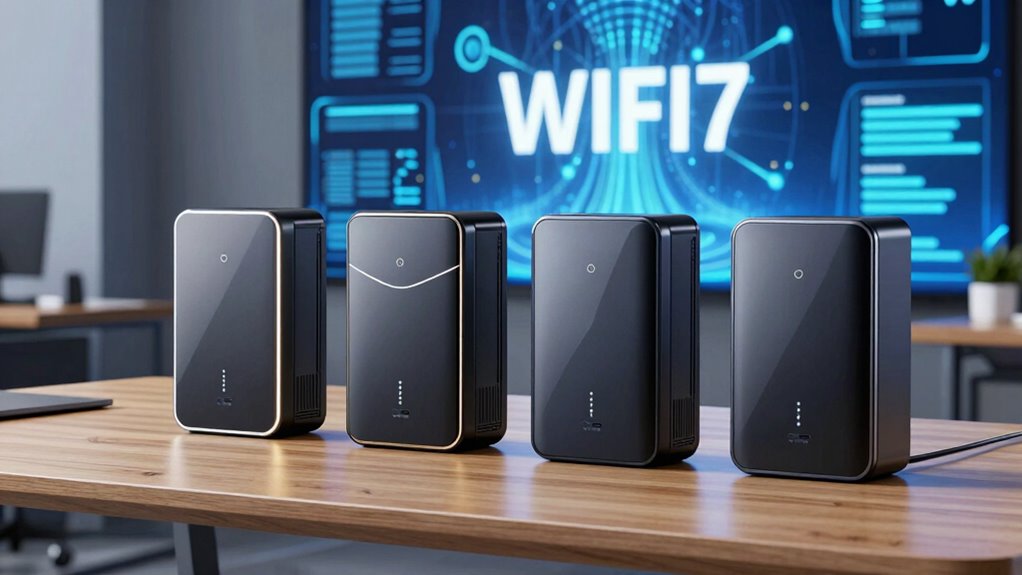
Wi-Fi 7 is reshaping wireless connectivity with faster speeds, lower latency, and more reliable coverage. For anyone aiming to upgrade or expand their network, choosing the right access point is key. Today, I’ll highlight five standout options, starting with the Omada BE5000 for enterprise needs, and the Ubiquiti UniFi U7-Lite for compact yet capable setups. Each pick balances speed, coverage, and ease of management, but they differ in complexity, price, and intended environment. Understanding these differences helps ensure you select the right device for your situation, whether for a small home, a growing business, or a large enterprise network.

Get the latest gadgets delivered free — and shop member deals
- Fast, free delivery on millions of items
- Access to Prime Big Deal Days deals on October 6–7
- Prime Video, Amazon Music and more included
Complete the kit



Key Takeaways
- Wi-Fi 7 access points deliver significantly faster speeds and lower latency compared to previous standards.
- High-capacity models like the Omada 7 Pro suit demanding business environments with over 380 supported devices.
- Compact options such as the Ubiquiti UniFi U7-Lite are ideal for smaller spaces but may require PoE infrastructure.
- Premium models often include advanced features like seamless roaming, centralized management, and future-proof ports.
- Setup complexity varies, with enterprise-grade devices demanding more technical knowledge but offering greater flexibility.
| Omada BE5000 Wireless Access Point with 2.5G Port and Wi-Fi 7 |  | Best Overall for Business Environments | Wireless Technology: Wi-Fi 7 | Wi-Fi Speed: Up to 5.0 Gbps | Frequency Bands: Dual-Band 4-Stream (5 GHz and 2.4 GHz) | VIEW ON AMAZON | See Our Full Breakdown |
| Omada BE5000 Wireless Access Point, Dual-Band Wi-Fi 7, 2.5G Port, without DC Adapter |  | Best for High-Speed Home or Small Business Use | Frequency Band: Dual-Band | Wireless Compatibility: 802.11.be, 802.11ac, 802.11ax, 802.11b | Data Transfer Rate: 5000 Mbps | VIEW ON AMAZON | See Our Full Breakdown |
| Omada 7 Pro BE11000 Wireless Access Point, 2.5G Port, with DC Adapter |  | Best for Large-Scale Business Deployment | Wi-Fi Technology: Wi-Fi 7 | Speed: Up to 11.0 Gbps | Bands: 6GHz, 5GHz, 2.4GHz | VIEW ON AMAZON | See Our Full Breakdown |
| Ubiquiti UniFi U7-Lite Wi-Fi 7 Access Point |  | Best Compact and Versatile Option | Wi-Fi Speed: Up to 4.3 Gbps | Bands: Dual-band 2.4 GHz & 5 GHz | MU-MIMO: Yes | VIEW ON AMAZON | See Our Full Breakdown |
| TP-Link Dual-Band Wi-Fi 7 Router, Archer BE3600 |  | Best for Whole-Home Coverage and Ease of Use | Model: BE3600 | Wi-Fi Technology: Wi-Fi 7 | Speed: Up to 2882 Mbps (5 GHz), 688 Mbps (2.4 GHz) | VIEW ON AMAZON | See Our Full Breakdown |
| access point wifi 7 | Coverage |
|---|---|
| Omada BE5000 Wireless Access P | — |
| Omada BE5000 Wireless Access P | — |
| Omada 7 Pro BE11000 Wireless A | up to 1500 sq.ft |
| Ubiquiti UniFi U7-Lite Wi-Fi 7 | Up to 1,250 sq ft |
| TP-Link Dual-Band Wi-Fi 7 Rout | up to 2000 sq. ft. |
More Details on Our Top Picks
Omada BE5000 Wireless Access Point with 2.5G Port and Wi-Fi 7
The Omada BE5000 stands out for its enterprise-grade features, supporting Wi-Fi 7 speeds up to 5 Gbps, and including a 2.5G Ethernet port for high-speed wired connections. Its centralized management with Omada Cloud Platform makes it ideal for large networks needing control and flexibility. Compared with other options, it offers a combination of speed, capacity, and management features, but its setup complexity may challenge less technical users. It’s best suited for businesses that require reliable, scalable wireless infrastructure without sacrificing future-proofing. The absence of mounting hardware adds a minor inconvenience for deployment.
Pros:- Supports the latest Wi-Fi 7 technology for faster speeds
- Includes a 2.5G Ethernet port for high-speed wired connectivity
- Centralized management simplifies network control
- Flexible deployment with PoE and DC power options
Cons:- Setup may be complex for non-technical users
- Premium features might require extra licensing
- No included mounting hardware
Best for: Large business networks needing scalable, managed Wi-Fi 7 coverage
Not ideal for: Home users or small offices without technical expertise
- Wireless Technology:Wi-Fi 7
- Wi-Fi Speed:Up to 5.0 Gbps
- Frequency Bands:Dual-Band 4-Stream (5 GHz and 2.4 GHz)
- Ethernet Port:2.5G Port
- Power Supply:Supports 802.3at PoE and DC Power
- Power Consumption:17.83W
- Maximum Clients:250+
- Warranty:5 years
Our verdict“The Omada BE5000 provides robust, scalable Wi-Fi 7 performance ideal for enterprise deployments willing to invest in advanced networking.”
Omada BE5000 Wireless Access Point, Dual-Band Wi-Fi 7, 2.5G Port, without DC Adapter
Compared with the previous Omada model, this BE5000 variant omits the DC adapter, making it slightly less flexible in power options but still delivers impressive Wi-Fi 7 performance—up to 4324 Mbps on 5 GHz and 688 Mbps on 2.4 GHz. Its support for centralized management, mesh, and seamless roaming makes it suitable for high-performance environments that require reliable wireless coverage. However, the lack of an included power supply means buyers need PoE infrastructure or an external power source, which could complicate installation. This pick makes the most sense for those with existing PoE setups or network expertise.
Pros:- High-speed Wi-Fi 7 with dual-band support
- Powerful 2.5G Ethernet port for maximum throughput
- Supports mesh networking and seamless roaming
- Compatible with multiple Wi-Fi standards and security protocols
Cons:- No included DC power adapter
- Limited to one LAN port
- Requires app-based management, not ideal for all users
Best for: Tech-savvy users seeking high-speed Wi-Fi 7 with centralized control
Not ideal for: Those without PoE infrastructure or who prefer plug-and-play setups
- Frequency Band:Dual-Band
- Wireless Compatibility:802.11.be, 802.11ac, 802.11ax, 802.11b
- Data Transfer Rate:5000 Mbps
- LAN Port:1 x 2.5G Ethernet
- Antenna Type:Internal
- Control Method:App
- Security Protocols:WPA-PSK, WPA2-PSK, WPA3
Our verdict“This model is perfect for users who want high-speed Wi-Fi 7 with advanced features and have existing PoE infrastructure or network experience.”
Omada 7 Pro BE11000 Wireless Access Point, 2.5G Port, with DC Adapter
The Omada 7 Pro BE11000 is designed for demanding environments, supporting Wi-Fi 7 with speeds up to 11 Gbps across three bands—6GHz, 5GHz, and 2.4GHz. Its high capacity supports over 380 concurrent devices, making it ideal for large offices or campuses. The included 2.5G port and DC adapter provide flexibility for various deployment scenarios. Managed via Omada Cloud Platform, it offers centralized control and advanced security features. Its setup might be complex, but it’s tailored for organizations needing extensive coverage and high device capacity.
Pros:- Supports Wi-Fi 7 for ultra-fast speeds
- High capacity supporting over 380 devices
- Future-proof 2.5G port and included DC power adapter
- Centralized management with Omada Cloud Platform
Cons:- Setup may require technical expertise
- High price point
- Designed primarily for professional deployment
Best for: Large enterprises needing extensive coverage and device capacity
Not ideal for: Home users or small offices due to complexity and cost
- Wi-Fi Technology:Wi-Fi 7
- Speed:Up to 11.0 Gbps
- Bands:6GHz, 5GHz, 2.4GHz
- Max Devices:380+
- Coverage:up to 1500 sq.ft
- Ports:1 x 2.5G Ethernet
- Power Options:802.3at PoE+ and 12V DC included
Our verdict“Best suited for large-scale networks that demand high capacity, fast speeds, and robust management, justifying its premium price.”
Ubiquiti UniFi U7-Lite Wi-Fi 7 Access Point
The Ubiquiti UniFi U7-Lite combines compact form with strong Wi-Fi 7 performance, supporting speeds up to 4.3 Gbps. Its MU-MIMO technology and PoE support make it versatile for smaller or medium-sized spaces, with features like band steering and guest mode enhancing usability. While its coverage of around 1,250 sq ft is suitable for homes or small offices, it doesn’t match the capacity of larger enterprise models. Its sleek design and manageable installation make it ideal for users seeking a balance of power and simplicity, but it may struggle in very large or dense environments.
Pros:- Supports Wi-Fi 7 for faster, more reliable connections
- Compact design with versatile ceiling/wall mounting
- Features like band steering and guest mode improve user experience
- PoE support simplifies installation
Cons:- Limited coverage area for large spaces
- Requires PoE infrastructure
- No outdoor durability or weatherproofing
Best for: Small to medium-sized spaces needing reliable Wi-Fi 7 coverage
Not ideal for: Large offices or environments requiring extensive coverage
- Wi-Fi Speed:Up to 4.3 Gbps
- Bands:Dual-band 2.4 GHz & 5 GHz
- MU-MIMO:Yes
- Ethernet Port:2.5 GbE
- Coverage:Up to 1,250 sq ft
- Client Support:200+
- Design:Ceiling/wall mountable
Our verdict“A strong choice for small to medium environments looking for reliable Wi-Fi 7 in a compact form factor, with straightforward installation.”
TP-Link Dual-Band Wi-Fi 7 Router, Archer BE3600
The TP-Link Archer BE3600 is designed for seamless coverage with speeds up to 2.9 Gbps on the 5 GHz band and 688 Mbps on 2.4 GHz. Its dual-band setup, combined with 4 internal antennas and beamforming, provides extensive coverage of up to 2,000 sq ft, making it ideal for large homes or multi-device households. The built-in mesh compatibility simplifies whole-home coverage, and its management via the Tether App offers straightforward setup. However, it doesn’t support the 6 GHz band, which limits some of Wi-Fi 7’s potential speed improvements. It’s best for users seeking a simple, fast, and reliable Wi-Fi 7 router with minimal fuss.
Pros:- Supports Wi-Fi 7 for improved speeds and reliability
- Extensive coverage for large homes
- Easy setup and management via Tether App
- Mesh WiFi compatibility for seamless coverage
Cons:- Does not support 6 GHz Wi-Fi 7 band
- Requires separate modem for internet access
- Performance may vary with obstacles
Best for: Home users needing reliable coverage with simple setup
Not ideal for: Large enterprises or users requiring multi-access point mesh networks
- Model:BE3600
- Wi-Fi Technology:Wi-Fi 7
- Speed:Up to 2882 Mbps (5 GHz), 688 Mbps (2.4 GHz)
- Ports:1x 2.5 Gbps WAN/LAN, 1x 2.5 Gbps LAN
- Coverage:up to 2000 sq. ft.
- Antennas:4 internal
- Compatibility:EasyMesh, Alexa, Google Assistant
Our verdict“A practical choice for home users who want fast Wi-Fi 7 and simple setup for extensive coverage without extra complexity.”

How We Picked
Our selection process focused on models that exemplify Wi-Fi 7’s capabilities, balancing speed, capacity, and manageability. We prioritized devices with high throughput, robust security, and scalability for different environments. Each product was evaluated against factors such as ease of deployment, feature set, and price, ensuring options for small home users up to large enterprises. We also considered user management features, port options, and future-proofing, aiming to provide a varied lineup that helps different buyers match their needs with the right technology.
| access point wifi 7 | Coverage |
|---|---|
| Omada BE5000 Wireless Access P | — |
| Omada BE5000 Wireless Access P | — |
| Omada 7 Pro BE11000 Wireless A | up to 1500 sq.ft |
| Ubiquiti UniFi U7-Lite Wi-Fi 7 | Up to 1,250 sq ft |
| TP-Link Dual-Band Wi-Fi 7 Rout | up to 2000 sq. ft. |
Factors to Consider When Choosing Access Point Wifi 7
Choosing the right Wi-Fi 7 access point depends heavily on your specific needs, environment, and technical comfort level. Whether you’re upgrading a large enterprise network or setting up a fast, reliable home Wi-Fi system, understanding key features like speed, coverage, management, and scalability is essential. This guide will help you identify the critical considerations so you can make a confident decision tailored to your setup.
Speed and Capacity
Wi-Fi 7 offers remarkable speeds, but your choice depends on your usage. If you need ultra-fast internet for demanding applications or large device support, look for models like the Omada 7 Pro BE11000. For typical home use, a device supporting around 4-5 Gbps, like the Ubiquiti UniFi U7-Lite, is usually sufficient. Keep in mind that actual performance can vary based on your environment and connected devices.
Coverage and Environment
Coverage needs vary widely. Large enterprises benefit from high-capacity, extensive coverage devices, while small homes can often get by with compact options. Devices like the TP-Link BE3600 are engineered for broad coverage, but outdoor or weatherproof models might be necessary for outdoor environments. Assess your space carefully to match the device’s coverage area with your needs.
Management and Deployment
Ease of setup and ongoing management can be a deciding factor. Enterprise-grade devices like the Omada BE5000 and BE11000 require more technical knowledge but offer centralized control and advanced features. Home or small business users may prefer app-managed devices such as the TP-Link BE3600 or Ubiquiti U7-Lite, which provide straightforward installation and control. Consider whether you need seamless roaming, mesh support, or simple plug-and-play setup.
Future-Proofing and Ports
Ports and future compatibility matter as well. Devices with 2.5G Ethernet ports prepare you for higher internet speeds, while support for Wi-Fi 7’s 6 GHz band promises even faster speeds down the line. If you anticipate upgrading your internet plan or expanding your network, investing in a device with these features makes sense. However, higher-end models come at a premium, so balance features with your budget.
Frequently Asked Questions
What is Wi-Fi 7, and how does it improve over previous standards?
Wi-Fi 7 is the latest wireless standard designed to deliver much faster speeds, lower latency, and more reliable connections than Wi-Fi 6 or earlier versions. It introduces wider channels, higher modulation, and multi-link operation, which collectively boost throughput and reduce interference. For users, this means smoother streaming, quicker downloads, and better support for multiple devices simultaneously.
Are Wi-Fi 7 access points suitable for home use?
Absolutely, Wi-Fi 7 access points are suitable for homes, especially those with many devices or requiring high bandwidth for activities like gaming or 4K streaming. Many models offer user-friendly management and good coverage, making them accessible for non-technical users. However, larger or more complex setups might benefit from enterprise-grade options, which can be more challenging to configure.
Do I need special internet service to benefit from Wi-Fi 7?
While Wi-Fi 7 improves local wireless performance, your internet speed still depends on your service plan. To fully leverage the potential of Wi-Fi 7, especially its 2.5G or 6 GHz capabilities, a compatible high-speed internet connection is recommended. Without a fast internet plan, the benefits of Wi-Fi 7 will be limited to local network performance.
How difficult is it to set up a Wi-Fi 7 access point?
Setup complexity varies by device. Enterprise models like the Omada BE5000 or BE11000 typically require some technical knowledge and centralized management platforms. Consumer-oriented devices like the TP-Link BE3600 or Ubiquiti U7-Lite tend to be simpler, often managed via smartphone apps with guided procedures. Overall, most new Wi-Fi 7 devices aim for user-friendly installation, but advanced features may necessitate more effort.
Will Wi-Fi 7 devices be compatible with existing Wi-Fi 6 or older devices?
Yes, Wi-Fi 7 access points are backward compatible with Wi-Fi 6, 5, and earlier standards. This means your older devices will still work seamlessly, though they won’t benefit from the enhanced speeds and features of Wi-Fi 7. Compatibility ensures a smooth transition as you upgrade your network gradually over time.
Conclusion
For small home users or those new to Wi-Fi upgrades, the TP-Link BE3600 offers a straightforward, reliable upgrade with excellent coverage. Tech enthusiasts and small business owners seeking high performance and manageability may prefer the Ubiquiti UniFi U7-Lite for its balance of speed and simplicity. Larger organizations or demanding environments should consider the Omada 7 Pro BE11000 or the enterprise-focused BE5000 for maximum capacity, scalability, and advanced controls. Matching your specific environment, technical skill level, and future plans will ensure you choose the right Wi-Fi 7 access point for 2026.
Fall Picks
fall essentials
As an affiliate, we earn on qualifying purchases.