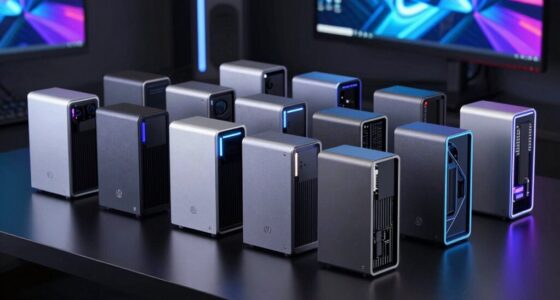
Choosing the right RAID enclosure with Thunderbolt connectivity in 2026 hinges on your specific needs—whether you need maximum capacity, blazing-fast transfer speeds, or flexible drive support. Among the top picks, the OWC ThunderBay Flex 8TB Storage Dock stands out for its versatility and PCIe expansion, making it ideal for demanding workflows. The ACASIS 40Gbps 4-Bay Enclosure impresses with its high-speed data transfer and 8K video support, perfect for professional editing. Meanwhile, the OWC ThunderBay 8 offers robust RAID flexibility and daisy-chaining capabilities for enterprise environments. Each option trades off ease of use, expandability, or price, so understanding these differences can help you select the best fit.

Get the latest gadgets delivered free with Prime
- Fast, free delivery on millions of items
- Prime Video, Amazon Music and more included
- Member-only deals all year
Complete the kit



Key Takeaways
- The OWC ThunderBay Flex provides extensive drive support and PCIe expansion but is complex and less portable.
- ACASIS offers the highest data transfer speeds with support for 8K video, suited for professional content creators.
- OWC ThunderBay 8 excels in RAID flexibility and daisy-chaining, ideal for large-scale storage needs.
- All options require Thunderbolt 3 or newer ports, impacting compatibility and cost.
- Consider your workflow—whether you prioritize capacity, speed, or expandability—before choosing.
| OWC ThunderBay Flex 8TB Storage Dock with PCIe Expansion Enclosure |  | Best Overall for Versatile Professional Storage | Drive Bays: 8 | Supported Drives: SATA/SAS, U.2, M.2 NVMe | Maximum Capacity: 144TB | VIEW ON AMAZON | See Our Full Breakdown |
| ACASIS 40Gbps 4-Bay Hard Drive Enclosure with RAID, USB4, Thunderbolt 3/4/5 Compatibility |  | Best for High-Speed Data and 8K Video | Max HDD Capacity: 30TB per bay | Max NVMe SSD Capacity: 8TB per bay | Transfer Speed: Up to 40Gbps | VIEW ON AMAZON | See Our Full Breakdown |
| OWC ThunderBay 8 Eight-Bay Thunderbolt Storage Enclosure with SoftRAID |  | Best for Flexible RAID and Daisy-Chaining | Drive Bays: 8 | Supported Drives: 2.5 or 3.5-inch SSDs/HDDs | Ports: Dual Thunderbolt 3 | VIEW ON AMAZON | See Our Full Breakdown |
| OWC ThunderBay 8 Eight-Bay Thunderbolt 3 External Storage Enclosure |  | Best for Easy Drive Swapping and Compatibility | Drive Bays: 8 | Supported Drives: 2.5 or 3.5-inch SSDs/HDDs | Ports: Dual Thunderbolt 3 | VIEW ON AMAZON | See Our Full Breakdown |
| OWC ThunderBay 4 0TB Thunderbolt 40Gb/s Four-Bay Storage Enclosure |  | Best for Compact High-Speed Storage | Drive Bays: 4 | Supported Drives: SSD (NVMe or SATA) | Speed: up to 1527MB/s | VIEW ON AMAZON | See Our Full Breakdown |
| raid enclosure thunderbolt | Drive Bays | Supported Drives | RAID Support | Ports |
|---|---|---|---|---|
| OWC ThunderBay Flex 8TB Storag | 8 | SATA/SAS, U.2, M.2 NVMe | RAID 4/5/1+0 (10) for Mac | — |
| ACASIS 40Gbps 4-Bay Hard Drive | — | — | — | — |
| OWC ThunderBay 8 Eight-Bay Thu | 8 | 2.5 or 3.5-inch SSDs/HDDs | RAID 0/1/4/5/10, Apple RAID, Windows Disk Manager | Dual Thunderbolt 3 |
| OWC ThunderBay 8 Eight-Bay Thu | 8 | 2.5 or 3.5-inch SSDs/HDDs | — | Dual Thunderbolt 3 |
| OWC ThunderBay 4 0TB Thunderbo | 4 | SSD (NVMe or SATA) | 0/1/4/5/1+0 | Dual Thunderbolt 3 |
More Details on Our Top Picks
OWC ThunderBay Flex 8TB Storage Dock with PCIe Expansion Enclosure
The OWC ThunderBay Flex stands out for its ability to support a wide array of drives, including SATA, SAS, U.2, and NVMe M.2, making it highly adaptable for various storage needs. Its impressive speeds of up to 2750MB/s and PCIe x16 expansion slot provide performance and upgrade potential that professionals will appreciate. Compared with other enclosures, its support for multiple drive types and high capacity—up to 144TB—are unmatched. However, its complex setup and large size mean it’s less portable and more suited for static workstation environments. RAID configurations are limited to Mac systems, which could be a drawback for Windows users. Still, this enclosure makes the most sense for professionals who need maximum flexibility and raw performance in a stationary setup.
Pros:- Supports a broad range of drive types for maximum flexibility
- High-speed data transfer up to 2750MB/s
- Multiple front ports for connectivity (USB-C, USB-A, SD, CFexpress)
- PCIe x16 expansion for future upgrades
Cons:- RAID support limited to Mac systems
- Large and heavy, not portable
- Setup complexity may require technical knowledge
Best for: Large-scale data management, video editing studios, professionals needing versatile drive support
Not ideal for: Users seeking a portable solution or simple plug-and-play setup
- Drive Bays:8
- Supported Drives:SATA/SAS, U.2, M.2 NVMe
- Maximum Capacity:144TB
- Speed:up to 2750MB/s
- Front Ports:USB-C, 2 x USB-A 10Gb/s, SD 4.0, CFexpress
- Expansion Slot:PCIe x16/x4
- RAID Support:RAID 4/5/1+0 (10) for Mac
Our verdict“A versatile, high-performance enclosure ideal for professionals needing expandable storage and diverse drive support.”
ACASIS 40Gbps 4-Bay Hard Drive Enclosure with RAID, USB4, Thunderbolt 3/4/5 Compatibility
The ACASIS 40Gbps 4-Bay Enclosure excels with its remarkable transfer speeds of up to 40Gbps, making it perfect for demanding workflows like 8K video editing and large data transfers. Its support for both SATA HDDs and NVMe SSDs provides flexible storage options, while active cooling and an aluminum chassis help keep temperatures low during intensive tasks. The inclusion of USB4 and Thunderbolt 3/4/5 compatibility broadens its utility across many systems. The main tradeoff is that achieving full 40Gbps speed requires RAID mode and compatible ports, which can complicate setup. Also, users must have a compatible monitor for 8K output, making it less straightforward for casual users. This enclosure is best for professionals who need speed and video output in a single device, willing to handle some setup complexity.
Pros:- Supports SATA HDDs and NVMe SSDs for maximum flexibility
- Ultra-fast transfer speeds up to 40Gbps
- Active cooling and durable aluminum chassis
- Supports 8K@60Hz video output
Cons:- Full speed requires RAID mode and compatible ports
- Setup can be complex, especially for RAID configuration
- Requires compatible monitor for 8K output
Best for: High-speed video editing, professional content creators, data-intensive workflows
Not ideal for: Casual users or those seeking simple plug-and-play storage
- Max HDD Capacity:30TB per bay
- Max NVMe SSD Capacity:8TB per bay
- Transfer Speed:Up to 40Gbps
- Video Output:8K@60Hz
- Interface:USB4, Thunderbolt 3/4/5
- Power Supply:96W
- Cooling:Active cooling fan
- Material:Aluminum
Our verdict“A high-performance, versatile enclosure for demanding editing workflows where speed and video output are priorities.”
OWC ThunderBay 8 Eight-Bay Thunderbolt Storage Enclosure with SoftRAID
The OWC ThunderBay 8 offers a solid balance of drive support and RAID flexibility, supporting up to 8 drives of SSDs or HDDs. Its dual Thunderbolt 3 ports enable daisy-chaining, which can significantly expand storage capacity without cluttering workspace. The inclusion of SoftRAID software allows detailed RAID configuration, making it suitable for users who need tailored redundancy and performance options. Compared with other enclosures, its software flexibility and daisy-chain capability stand out, but it does require Thunderbolt 3 ports, which might limit compatibility with older systems. The software may also require an additional purchase, increasing overall cost. This makes it ideal for users who want customizable RAID setups and expandable storage.
Pros:- Supports up to 8 drives with flexible RAID options
- Daisy-chain capability for expanded storage
- Includes Thunderbolt cable and quick-release trays
- Supports multiple RAID configurations, including Apple RAID
Cons:- Requires Thunderbolt 3 port, limiting older system compatibility
- Premium software may require additional purchase
- Higher cost for large drive arrays
Best for: Large, expandable storage environments, professionals needing RAID customization
Not ideal for: Users with limited Thunderbolt ports or seeking plug-and-play simplicity
- Drive Bays:8
- Supported Drives:2.5 or 3.5-inch SSDs/HDDs
- Ports:Dual Thunderbolt 3
- Compatibility:Thunderbolt 2/Thunderbolt
- RAID Support:RAID 0/1/4/5/10, Apple RAID, Windows Disk Manager
- Warranty:Up to 1 year
Our verdict“A flexible, expandable RAID enclosure suited for professional workflows requiring customization and daisy-chaining.”
OWC ThunderBay 8 Eight-Bay Thunderbolt 3 External Storage Enclosure
The OWC ThunderBay 8 Thunderbolt 3 offers a straightforward, reliable solution for high-speed storage with support for 8 drives. Its dual Thunderbolt 3 ports support daisy-chaining for expanded setups, and the thumb screw trays allow quick drive swaps—ideal for users who need frequent access to drives without tools. Its compatibility with both Mac and Windows broadens its appeal, and the included Thunderbolt cable simplifies setup. However, it requires Thunderbolt 3 ports, and its warranty period is limited to one year, which may concern enterprise users. It’s an excellent choice for those prioritizing ease of use and compatibility, especially in mixed-OS environments.
Pros:- High-speed Thunderbolt 3 connectivity
- Supports daisy-chaining multiple units
- Easy drive swapping with thumb screw trays
- Compatible with Mac and Windows
Cons:- Limited to Thunderbolt 3 ports, which can be costly
- Warranty limited to 1 year
- No advanced software features included
Best for: Media professionals, freelancers, or small teams needing quick drive access
Not ideal for: Power users requiring maximum expandability or software flexibility
- Drive Bays:8
- Supported Drives:2.5 or 3.5-inch SSDs/HDDs
- Ports:Dual Thunderbolt 3
- Compatibility:Mac and Windows
- Warranty:Up to 1 Year
Our verdict“A user-friendly, high-speed enclosure suited for professionals needing quick drive access and broad compatibility.”
OWC ThunderBay 4 0TB Thunderbolt 40Gb/s Four-Bay Storage Enclosure
The OWC ThunderBay 4 provides a compact, high-performance storage solution with four bays, supporting SSDs for sustained speeds up to 1527MB/s. Its dual Thunderbolt 3 ports facilitate daisy-chaining, making it suitable for users with limited space but high-speed needs. The device supports RAID configurations, giving users options for redundancy and performance. Its smaller form factor makes it more portable than larger enclosures, but it limits total capacity compared to larger multi-bay models. It’s best for users who need fast, reliable storage in a smaller footprint, such as mobile professionals or small studios.
Pros:- Compact, portable design
- Supports SSDs for high speeds
- Dual Thunderbolt 3 ports for daisy-chaining
- RAID support for flexibility
Cons:- Limited to 4 drives, less capacity overall
- Speed capped at 1527MB/s compared to larger models
- No included software for RAID management
Best for: High-speed, portable storage for small teams or mobile workflows
Not ideal for: Large-scale data centers or users needing maximum capacity
- Drive Bays:4
- Supported Drives:SSD (NVMe or SATA)
- Speed:up to 1527MB/s
- Ports:Dual Thunderbolt 3
- RAID Support:0/1/4/5/1+0
- Size:Compact
- Compatibility:Thunderbolt 3
Our verdict“A compact, fast storage option perfect for professionals needing mobility and speed in smaller setups.”

How We Picked
Our selection process focused on compatibility with Thunderbolt interfaces, RAID flexibility, drive support, transfer speeds, and overall build quality. We prioritized products that balance performance and ease of use, ensuring they cater to both professional and advanced consumer needs. Each product was evaluated for its unique strengths, tradeoffs, and suitability for different workflows, from high-capacity storage to high-speed editing. Compatibility with existing systems and software, as well as expandability features like daisy-chaining and PCIe slots, also played a key role in our rankings.
| raid enclosure thunderbolt | Compatibility |
|---|---|
| OWC ThunderBay Flex 8TB Storag | — |
| ACASIS 40Gbps 4-Bay Hard Drive | — |
| OWC ThunderBay 8 Eight-Bay Thu | Thunderbolt 2/Thunderbolt |
| OWC ThunderBay 8 Eight-Bay Thu | Mac and Windows |
| OWC ThunderBay 4 0TB Thunderbo | Thunderbolt 3 |
Factors to Consider When Choosing Raid Enclosure Thunderbolt
Selecting the ideal RAID enclosure with Thunderbolt connectivity involves understanding your storage needs, speed requirements, and workflow compatibility. Key factors include drive support—whether you need HDDs, SSDs, or both—speed capabilities, and expandability options such as daisy-chaining or PCIe slots. Compatibility with your existing system and software, as well as budget constraints, also influence the best choice. This guide will help clarify these considerations and match you with the right enclosure for your professional or advanced consumer use.Drive Support and Capacity
Consider what types of drives you plan to use—SATA HDDs, SSDs, NVMe drives—and how much total storage you need. Larger enclosures like the OWC ThunderBay Flex support up to 144TB, ideal for heavy-duty data management, while smaller models like the ThunderBay 4 lean toward portability with fewer bays. Your choice depends on whether you prioritize raw capacity or a compact form factor for mobility.
Speed and Performance
For intensive workflows such as 4K or 8K video editing, high transfer speeds are essential. Enclosures like the ACASIS support up to 40Gbps with RAID, offering the fastest throughput. Conversely, models with Thunderbolt 3 support speeds up to around 2750MB/s, suitable for most professional editing tasks. Balance your speed needs with your system’s port capabilities to avoid bottlenecks.
Expandability and Connectivity
Features like daisy-chaining multiple units and PCIe expansion slots can significantly enhance your workflow. The ThunderBay Flex’s PCIe slot allows hardware upgrades, while the ThunderBay 8 supports multiple RAID configurations and daisy-chaining. If you require flexible or scalable storage, these features should be a priority. However, they often come with increased complexity and cost.
Compatibility and Ease of Use
Ensure your system supports the required Thunderbolt version—most current enclosures demand Thunderbolt 3 or newer. Compatibility with Mac, Windows, or both can influence your choice, especially if you work across multiple platforms. User-friendly features like tool-less drive trays or simple setup processes can save time and reduce frustration, especially for less technical users.
Frequently Asked Questions
What is the main advantage of Thunderbolt RAID enclosures?
Thunderbolt RAID enclosures offer extremely high data transfer speeds, often exceeding 40Gbps with compatible devices, making them ideal for professional workflows like 4K/8K video editing and large data transfers. They also support daisy-chaining multiple devices, which simplifies expanding your storage capacity without cluttering your workspace.
Are Thunderbolt RAID enclosures compatible with Windows and Mac?
Most modern Thunderbolt enclosures are designed for cross-platform use, supporting both Mac and Windows systems. However, some features like certain RAID configurations or software management tools may be limited to one platform. Always verify compatibility with your operating system before purchasing, especially if you plan to switch between platforms frequently.
Do I need a special port to use these enclosures?
Yes, virtually all Thunderbolt RAID enclosures require Thunderbolt 3 or newer ports to operate at full speed. If your system lacks Thunderbolt, you might need an adapter or a different type of external enclosure, which could limit performance or expandability. Ensure your hardware supports these interfaces or plan for necessary upgrades.
What should I consider when choosing RAID configurations?
Different RAID setups balance redundancy, speed, and capacity. For example, RAID 0 offers maximum speed but no redundancy, while RAID 5 provides a good balance of performance and data protection. Your choice depends on whether you prioritize speed, data safety, or a combination of both. Some enclosures include software to customize these settings, which can be a valuable feature.
Is portability a factor with these RAID enclosures?
Portability varies significantly. Larger, multi-bay enclosures like the ThunderBay Flex are less portable due to their size and weight, making them ideal for stationary setups. Smaller models like the ThunderBay 4 are designed for mobility, suitable for users who need high-speed storage on the go. Consider your workflow and environment when evaluating size and weight.
Conclusion
Choosing the right Thunderbolt RAID enclosure depends heavily on your specific needs. Professionals working with large data sets or requiring extensive expandability will benefit from the OWC ThunderBay Flex or ThunderBay 8, which offer maximum flexibility and capacity. Content creators needing ultra-fast speeds and 8K video support should lean toward the ACASIS 40Gbps enclosure. For those prioritizing ease of use and portability, the ThunderBay 4 provides a compact, high-speed solution. Carefully consider your workflow, system compatibility, and budget to find the best match.
As an affiliate, we earn on qualifying purchases.Halloween Picks

9 ft Halloween Inflatable Haunted Castle with Dragon and Ghost

Fun Costumes Creepy Twin Boys Halloween Animatronic

10.5 ft Lighted Pumpkin and Ghost Halloween Inflatable Archway