
TL;DR

Get the latest gadgets delivered free with Prime
- Fast, free delivery on millions of items
- Prime Video, Amazon Music and more included
- Member-only deals all year
A PC enthusiast successfully installed a Tesla V100 data center GPU into their gaming rig using an adapter, doubling VRAM for a fraction of the cost. The process involved hardware modifications and cooling adjustments. This highlights a cost-effective approach to high-performance GPU upgrades, though with technical challenges.
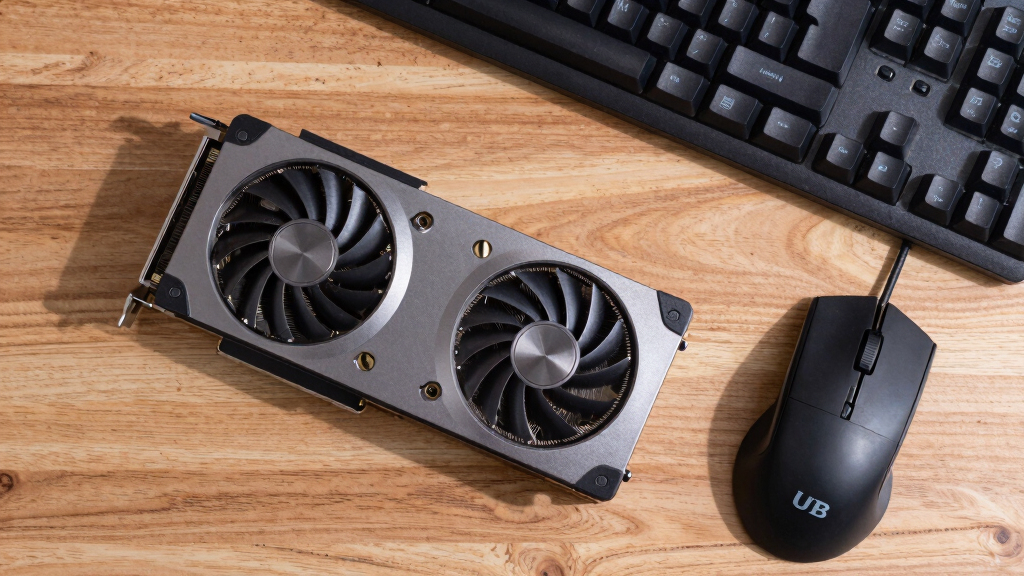
A gamer has successfully installed a Tesla V100 SXM2 data center GPU into a standard gaming PC, effectively doubling their VRAM at a cost of around £200. This unconventional upgrade leverages an adapter to fit the server-grade GPU into a consumer motherboard, offering significant performance benefits for large language model inference and other high-memory tasks. This development demonstrates a low-cost alternative for high-end GPU capabilities beyond traditional consumer options.
The Tesla V100 SXM2 GPU, originally designed for NVIDIA’s DGX servers, does not have a standard PCIe connector, nor display outputs. It features 16GB of HBM2 memory, 5120 CUDA cores, and a memory bandwidth of 900 GB/s—surpassing many modern consumer GPUs in bandwidth, which is critical for large language model inference. The user acquired the GPU for approximately £150 on eBay and used a custom SXM2-to-PCIe adapter, costing about £50, to connect it to their motherboard.
Installing the V100 required addressing cooling challenges, as the GPU’s fan was loud and designed for server environments. The user managed to control the fan through motherboard PWM headers after some experimentation, reducing noise significantly. The setup allows the user to run a 27-billion-parameter model at 32 tokens per second, effectively doubling their VRAM from 16GB to 32GB by combining the V100 with an existing RTX 4080. The combined system can split model layers across both GPUs, although it does not match the speed of a single high-end GPU with equivalent VRAM.
Why It Matters
This approach offers a cost-effective method for enthusiasts and researchers to access high-memory GPU capabilities without spending thousands on new hardware. It demonstrates that server-grade GPUs can be repurposed for personal use, expanding the possibilities for local machine learning inference and other memory-intensive tasks. However, it involves technical challenges, including hardware compatibility, cooling, and power management, which may limit accessibility for casual users.
As an affiliate, we earn on qualifying purchases.
Background
The V100 GPU, launched in 2017, remains competitive in terms of memory bandwidth, outperforming some newer consumer GPUs and even integrated solutions like Apple’s M-series chips. Prior to this, most users relied on high-cost consumer GPUs for AI and ML tasks. The trend toward using data center hardware for personal projects has been limited by compatibility and cooling issues, but recent adapter solutions are changing that landscape. This development builds on the growing interest in DIY AI hardware upgrades, especially as the demand for larger models increases.
“For about £200, I managed to add a 16GB data center GPU to my gaming PC, doubling my VRAM and boosting performance for large models.”
— the user
“Using a data center GPU like the V100 in a consumer PC is unconventional but offers significant bandwidth advantages for AI workloads.”
— hardware enthusiast
As an affiliate, we earn on qualifying purchases.
What Remains Unclear
It is not yet clear how stable or reliable this setup will be over long-term use, especially concerning cooling and power consumption. Compatibility issues with different motherboards and operating systems may also pose challenges. The performance in real-world applications beyond initial testing remains to be fully evaluated.
As an affiliate, we earn on qualifying purchases.
What’s Next
The user plans to further optimize cooling and fan control, and experiment with different models and workloads. Wider adoption may depend on the development of more standardized adapters and better support for server-grade GPUs in consumer systems. Future updates could include more detailed benchmarks and stability tests.
GPU cooling solutions for high-performance cards
As an affiliate, we earn on qualifying purchases.
As an affiliate, we earn on qualifying purchases.
Key Questions
Can I install a data center GPU in my gaming PC?
Yes, with the right adapter and some hardware modifications, it is possible to install a server-grade GPU like the Tesla V100 into a consumer PC. However, it involves technical challenges such as cooling, power, and compatibility issues.
Is this setup suitable for gaming or only for AI workloads?
This setup is primarily intended for AI and large language model inference tasks. While it can handle gaming, the lack of display outputs and potential cooling noise make it less ideal for regular gaming use.
What are the main challenges of using a data center GPU in a PC?
The main challenges include physical fitting via adapters, managing high power and cooling requirements, controlling loud fans, and ensuring software compatibility for GPU management and workload distribution.
Will this be a cost-effective solution for high-memory GPU needs?
For users willing to handle technical modifications, this approach offers a low-cost alternative to expensive high-memory consumer GPUs, providing similar VRAM capacity at a fraction of the price.
Source: Hacker News
Fall Picks
fall essentials
As an affiliate, we earn on qualifying purchases.