
A quick 15-minute app permissions audit helps you regain control over your privacy. Start by accessing your device settings and reviewing permissions for each app, focusing on location, camera, and mic. Disallow unnecessary access and check permissions after updates. Regularly updating apps and adjusting permissions prevents overreach. If you want to keep your personal data safer, there are simple steps you can take now to strengthen your privacy—stick around to find out how.

Get the latest gadgets delivered free with Prime
- Fast, free delivery on millions of items
- Prime Video, Amazon Music and more included
- Member-only deals all year
Key Takeaways
- Access device settings to review and adjust app permissions for location, camera, microphone, and other sensitive data.
- Regularly check for permission changes after app updates and revoke unnecessary or risky access.
- Use “Ask Every Time” or similar settings to control when apps access sensitive features.
- Disable permissions that exceed app needs to reduce privacy risks and prevent overreach.
- Keep apps updated to benefit from improved privacy controls and security patches.
As an affiliate, we earn on qualifying purchases.
Why Your App Permissions Matter and How They Can Threaten Your Privacy
Have you ever wondered why app permissions matter? When you grant permissions, you’re fundamentally giving apps access to your personal data, which can threaten your privacy if misused. For example, allowing an app to access your camera or microphone can expose sensitive moments, while access to location data can pinpoint your whereabouts. Proper password management helps protect your accounts, but weak permissions can bypass these safeguards. Data encryption adds a layer of security, ensuring that even if unauthorized access occurs, your information stays protected. However, if permissions are overly broad, apps can bypass encryption or access data they shouldn’t. Being aware of app permissions helps you control what information you share, reducing privacy risks and keeping your digital life more secure. Understanding digital concepts can help you better grasp how permissions influence your overall privacy. Additionally, understanding regional differences in urban and cultural activities can help you recognize how apps might access local data or services, further impacting your privacy. Recognizing app permission settings is essential for maintaining control over your personal information, especially as privacy policies evolve over time.
As an affiliate, we earn on qualifying purchases.
How to Access App Permissions on Your Smartphone or Tablet
Understanding your app permissions is the first step toward better privacy management. To access these permissions on your smartphone or tablet, start by opening your device’s settings. For Android devices, look for sections labeled “Apps” or “Applications,” then select the specific app to view its permissions. On iOS, go to “Settings,” scroll down to find the app, and tap it to see permissions like location, camera, or microphone. Many users believe permission myths, thinking apps always need access to all functions, but that’s not true. Recognizing privacy myths helps you make smarter choices about permissions. Regularly checking and adjusting app permissions ensures you control what data apps can access, enhancing your privacy and guaranteeing common permission myths. Additionally, understanding your privacy settings enables you to manage cookies and data sharing preferences more effectively. Being aware of digital safety practices can further protect your personal information from potential threats. Staying informed about permission management tools that can simplify this process is also beneficial. Moreover, learning about privacy best practices can help you make more informed decisions about app access and data sharing.
As an affiliate, we earn on qualifying purchases.
Reviewing Permissions on iOS Devices
To review permissions on your iOS device, start by checking which apps have access to sensitive data like your location or camera. You can manage these permissions easily through your settings, revoking access for apps that no longer need it. Regularly reviewing and adjusting these settings helps protect your privacy and security. Additionally, consider how outdoor features might impact your device’s security if you use your device outdoors frequently. Being aware of device security features can further enhance your privacy. It’s also helpful to understand how smart home integrations could access your data if you connect your device with other smart technologies. Moreover, understanding the resale value of electronic devices can influence your decisions when managing app permissions and device security, especially if you plan to upgrade or sell your device in the future. Paying attention to cultural artifacts and traditional decor can also inform how you recognize and secure your digital environment, especially if your home showcases such elements.
Checking App Permissions
Ever wondered how to guarantee your iOS apps only access what they truly need? Start by reviewing each app’s permissions in your device settings. Go to Settings, select Privacy, then check categories like Photos, Microphone, and Camera. Ensure permissions match what the app genuinely requires to function. If an app requests access to unnecessary data, revoke it immediately. Remember, reputable apps should have clear privacy policies explaining how they handle your data. Also, verify that your device’s data encryption is active, which helps protect your information even if permissions are misused. Regularly checking permissions keeps your privacy in check and prevents apps from overstepping boundaries. Taking these steps empowers you to control your data and maintain your privacy on your iOS device. Additionally, being aware of app permissions helps you understand what data is accessed and for what purposes. Understanding Water Safety principles can also prevent potential hazards when using water-related apps or features.
Managing Location Settings
After reviewing app permissions, it’s important to focus on your device’s location settings, which can reveal how apps track your movements. Managing these settings enhances permission transparency and controls your location awareness. On iOS, you can choose to allow apps access “Never,” “While Using the App,” or “Always.” Adjust these options based on necessity, limiting tracking to when you’re actively using an app. Being aware of location tracking practices can help you better understand potential privacy risks and take steps to minimize unnecessary data sharing. Regularly reviewing your privacy controls can further strengthen your overall data security. Understanding family dynamics and how your device permissions influence your privacy can contribute to a more balanced approach to technology use in modern family life.
Revoking Unnecessary Access
Reviewing and revoking unnecessary app permissions on your iOS device is essential for maintaining your privacy. When you limit access, you reduce the risk of data leaks, especially related to sensitive information stored in cloud storage. Check app permissions regularly to verify apps aren’t accessing data they don’t need, such as your camera, microphone, or contacts. Disabling permissions for apps that don’t require them helps protect your data encryption and overall privacy. Be cautious with apps that request access to your location or personal files, and revoke permissions if they’re unnecessary. Also, review settings for apps that handle cloud storage, ensuring they don’t have excessive access. Staying vigilant keeps your personal data secure and minimizes potential privacy breaches. Regularly updating your security practices can further safeguard your information against emerging threats.
privacy protection app for smartphones
As an affiliate, we earn on qualifying purchases.
As an affiliate, we earn on qualifying purchases.
Reviewing Permissions on Android Devices
Have you ever wondered which apps have access to your personal data on your Android device? Reviewing permissions is key to maintaining permission transparency and ensuring privacy enforcement. To do this, go to Settings > Apps & notifications > App permissions. Here, you can see which permissions each app has and revoke those unnecessary. Use the table below to understand common permissions and their purposes:
| Permission | Explanation |
|---|---|
| Location | Tracks your GPS for maps or ads |
| Camera | Accesses your camera for photos or video |
| Microphone | Listens for voice commands or calls |
| Contacts | Reads your contacts for social apps |
| Storage | Reads/writes files on your device |
Regularly reviewing these permissions helps enforce your privacy and keeps apps in check. Being aware of Android permissions can also help you understand the potential risks associated with granting access. Additionally, understanding how permissions impact your device’s overall security can help optimize your whole-home water systems for better performance. Staying informed about app permissions is essential for maintaining optimal privacy and security on your device. For example, some permissions may be exploited by malicious apps to compromise your data or device. It’s also important to stay updated on how permission misuse can lead to data breaches or privacy violations.
How to Identify Permissions That Could Put Your Privacy at Risk
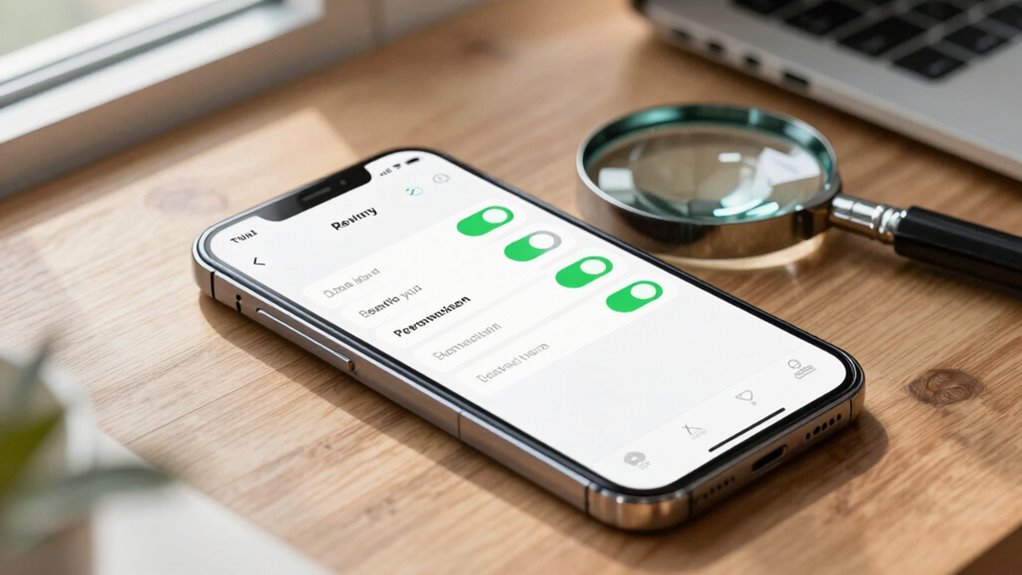
Start by checking your app permission settings to see what access you’ve granted. Look for unnecessary permissions that don’t match the app’s core functions, especially those related to sensitive data. Reviewing which apps access your personal information helps you identify potential privacy risks before they become problems.
Check App Permission Settings
Wondering how to spot permissions that could compromise your privacy? Start by checking your app permission settings regularly. Look for permissions that seem excessive or unnecessary for the app’s core function. Be alert to permission escalation, where an app requests additional access after initial approval. Also, review whether user consent was genuinely informed for sensitive permissions like location, camera, or microphone. Here are key points to examine:
- Permissions that don’t align with the app’s main purpose
- Requests for access to sensitive data without clear need
- Unexpected permission changes after updates
- Apps requesting permissions they’ve previously denied
- Lack of transparency about how permissions are used
Identify Unnecessary Access
How can you quickly spot permissions that might threaten your privacy? Pay attention to user behavior—if an app requests access to features or data that seem unrelated to its core function, that’s a red flag. For example, a simple photo editing app shouldn’t need access to your contacts or microphone. Regularly review app updates; developers sometimes add new permissions without clear necessity. These updates can introduce unnecessary access, increasing privacy risks. If you notice permissions that don’t align with an app’s purpose or your usage habits, consider disabling or removing those permissions. Staying vigilant about user behavior and tracking app updates helps you identify unnecessary access before it becomes a privacy problem. This proactive step keeps your data safer and your privacy intact.
Review Sensitive Data Access
Are you aware of which apps have access to your sensitive data, and do you know the risks involved? Reviewing sensitive data access helps you identify permissions that could compromise your privacy. Check if apps request access to personal info like contacts, location, or financial data. Look for signs that permissions aren’t justified by the app’s core function. Ensure data encryption is used to protect stored or transmitted data. Always read privacy policies to understand how your data is handled and shared. Be cautious of apps with broad permissions that aren’t necessary for their features. Regularly auditing these permissions helps keep your sensitive data secure, reducing exposure to misuse or breaches. Stay vigilant to maintain control over your private information.
How to Revoke Unnecessary or Risky App Permissions
If you suspect an app has access to more information than it needs, it’s important to revoke those unnecessary or risky permissions promptly. Start by reviewing the permission hierarchy on your device—understanding which permissions are essential and which are excessive. Access your device’s settings, locate the app, and check its permissions. If an app has permissions that seem unnecessary or risky, disable or revoke them. Remember, user consent is key; you have control over what data an app can access. Be cautious about granting permissions for sensitive features like location, camera, or microphone unless absolutely necessary. Regularly auditing and adjusting permissions helps protect your privacy and minimizes potential security risks. Stay vigilant to ensure your apps only access what they truly need.
Best Practices for Managing App Permissions Regularly
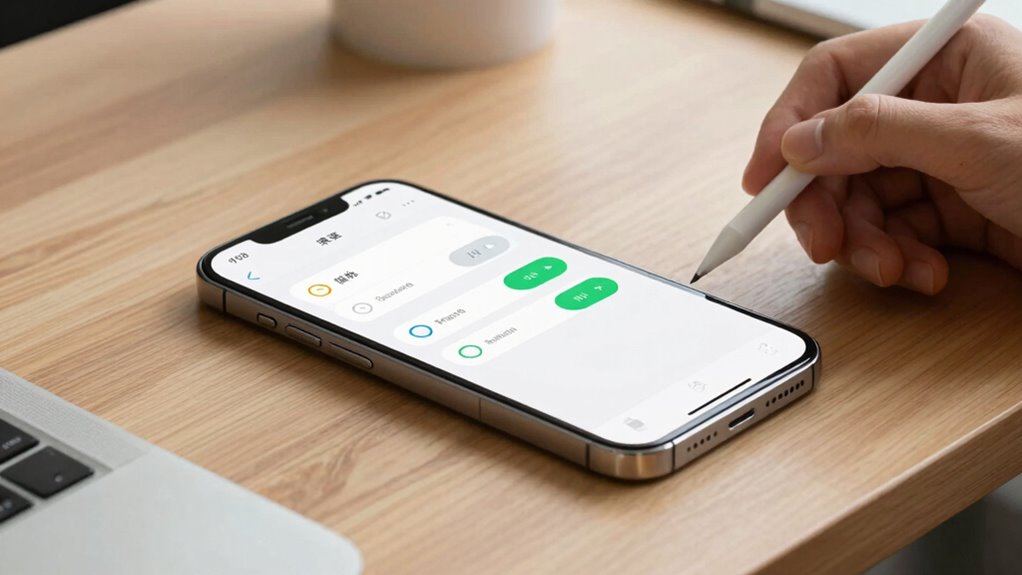
To keep your privacy protected, managing app permissions regularly should become a routine part of your device maintenance. Staying aware of permission transparency helps you control what apps access, reducing privacy risks. Practice privacy awareness by reviewing permissions after updates or new app installations. Regularly disable permissions that aren’t essential to limit data exposure. Keep your system updated, as updates often improve permission controls. Be cautious when granting permissions, especially for sensitive features like location or camera.
- Review permissions monthly and revoke unnecessary access
- Use device settings to monitor app permission changes
- Enable alerts for permission requests
- Limit background app permissions for added privacy
- Educate yourself on permission transparency features
Common Mistakes to Avoid When Resetting Permissions
When resetting app permissions, it’s easy to make mistakes that compromise your privacy or disrupt app functionality. Permission pitfalls happen when you revoke access without understanding each app’s needs, causing features to break or behave unpredictably. For example, removing location access from a navigation app might prevent it from working properly, while unnecessary permissions can expose sensitive data. Privacy pitfalls also arise if you forget to review app permissions thoroughly, leaving some apps with more access than they need. Be cautious not to rush the process—double-check which permissions are essential before revoking them. Avoid blanket restrictions that could hinder app performance or expose you to risks. Staying informed helps you reset permissions effectively without creating new security or usability issues.
How to Set App Permissions to Prevent Unnecessary Access
Setting app permissions thoughtfully is essential for protecting your privacy and ensuring your device runs smoothly. To optimize permissions, review each app’s access and disable unnecessary ones. This permission optimization reduces risk and enhances your privacy. Start by checking app settings regularly, especially after updates or new installs. Limit permissions to only what’s essential for functionality. Use your device’s privacy controls to grant permissions on a case-by-case basis. When possible, choose “While Using” or “Ask Every Time” options instead of “Allow All.” This approach minimizes unnecessary access and increases privacy enhancement.
- Review app permissions regularly
- Disable unnecessary access
- Grant permissions only when needed
- Use “While Using” or “Ask Every Time” settings
- Keep apps updated for improved privacy controls
Additional Tips for Protecting Your Digital Privacy Beyond Permissions
While managing app permissions is a key step in safeguarding your privacy, it’s equally important to adopt broader strategies to protect your digital footprint. Maintain online anonymity by using VPNs or privacy-focused browsers, which hide your IP address and browsing habits. Regularly update your passwords and enable two-factor authentication to prevent unauthorized access. Be cautious about sharing personal info on social media, as it can be traced back to you. Use encrypted messaging apps to keep conversations private.
| Tip | Benefit |
|---|---|
| Use a VPN | Protects your IP and location |
| Limit social media info | Reduces digital footprint |
| Enable 2FA | Adds extra security |
| Clear cookies regularly | Stops tracking |
| Choose privacy-focused tools | Enhances online anonymity |
Frequently Asked Questions
Can Revoking Permissions Break App Functionality?
Yes, revoking permissions can break app functionality due to permission conflicts. When you remove certain permissions, an app may lose access to essential features, causing errors or crashes. However, this action enhances user privacy by limiting data access. To avoid issues, review the permissions needed for core functions before revoking, ensuring the app continues to work smoothly while maintaining your privacy.
How Often Should I Review My App Permissions?
You should review your app permissions regularly—think of it as a privacy risk assessment with a twist of irony. Permissions you granted months ago might now be unnecessary or risky. Following permission best practices means checking at least once a month, especially after updates or new app installs. This routine keeps your data safe and guarantees apps only access what they truly need, minimizing potential privacy breaches.
Are There Tools to Automate Permission Audits?
Yes, numerous tools automate permission audits, helping you manage permission tracking and data access effectively. Apps like Android Permission Manager or iOS Privacy Settings enable you to regularly review and revoke unnecessary permissions without manual checks. These tools monitor permissions in real-time, alerting you to changes and potential risks. By automating permission audits, you guarantee your privacy remains protected, minimizing unnecessary data access and maintaining control over your personal information effortlessly.
Do Permissions Differ Between App Versions?
Yes, permissions can differ between app versions due to permission updates and app versioning. Developers often modify permissions to enhance features or improve security, which means each new version might request different access. When updating apps, you should review permission changes carefully, as newer versions may require additional permissions or restrict existing ones. Remaining aware of these differences helps protect your privacy and ensures you’re aware of what data apps can access.
What Are Signs an App Is Misusing Permissions?
Imagine your device’s permissions as a guarded gate—if an app asks for access to your camera, microphone, or location without clear reason, it’s a red flag. Signs of permission abuse include unexpected pop-ups, sluggish performance, or data you didn’t share being used. Staying vigilant and increasing user awareness helps you spot misuse early, empowering you to revoke permissions and protect your privacy before harm occurs.
Conclusion
Think of your app permissions as the gates to your digital castle. Regularly resetting and managing these gates keeps unwanted intruders out and preserves your privacy’s integrity. Just like a vigilant guardian, stay alert to who has access and close unnecessary gates. With this quick 15-minute reset, you’re reinforcing your fortress, ensuring your personal world remains secure and private. Guard your gates wisely—your digital kingdom depends on it.
Halloween Picks
halloween
As an affiliate, we earn on qualifying purchases.