TL;DR

Get the latest gadgets delivered free with Prime
- Fast, free delivery on millions of items
- Prime Video, Amazon Music and more included
- Member-only deals all year
XDA Developers describes repurposing an aging desktop as a network-attached storage server, using a dedicated NAS operating system such as TrueNAS Community Edition, Unraid or OpenMediaVault. The approach can reuse existing hardware, but power consumption, drive reliability, network capacity and safe configuration all affect whether it is a practical replacement for a commercial NAS.
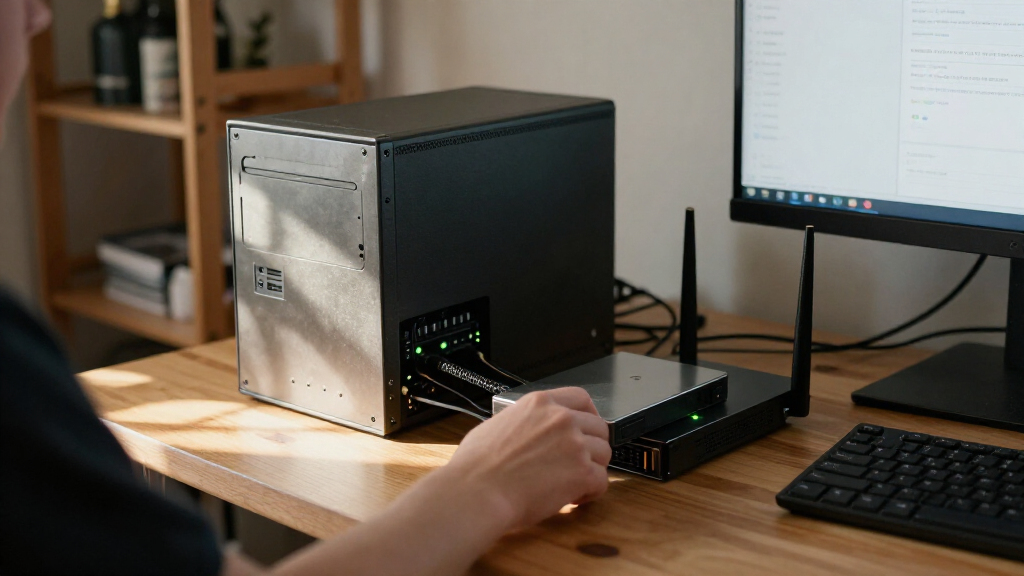
XDA Developers has outlined how to repurpose an old desktop as a network-attached storage (NAS) server, using a dedicated operating system and storage drives to serve files and media across a home network. The guide says the setup can also host services such as Nextcloud and Minecraft servers, but notes that an older desktop may use substantially more electricity than a purpose-built NAS.
The guide’s author says an aging gaming PC was converted into a NAS that stores terabytes of data and streams media. That is a first-person account, not an independent performance test or guarantee that every old PC will deliver the same results. A workable system needs compatible storage drives, an operating system, network access and hardware suitable for continuous use.
For the software, the article recommends TrueNAS Community Edition, formerly called SCALE, and names Unraid 7 and OpenMediaVault as alternatives. The author favors TrueNAS for its ZFS features, including data integrity checks, snapshots and RAIDZ redundancy. Those features do not replace a separate backup: a storage array can still be affected by hardware failure, accidental deletion or other incidents.
Hardware suggestions include a dedicated SSD for the operating system, drive adapters for older cases, and a faster network interface if the motherboard’s Ethernet connection is a bottleneck. For systems that need additional drive connections, the article recommends an HBA configured for IT mode and warns against inexpensive hardware RAID cards and SATA port multipliers. It also advises checking the power supply before putting a machine into continuous service.
Home storage · Practical guide
How to Turn an Old PC Into a NAS
Give an aging desktop a new job: store files, stream media, and run home services across your network. The right setup depends on power use, hardware health, software, and a plan to protect your data.
“My NAS only has two cables going into it: an ethernet cable and a power cable.”
— XDA Developers author
A first-person project report, not an independent performance test. Results will vary by PC, drives, workload, and configuration.
Reuse hardware. Weigh the trade-offs.
A PC you already own can become a flexible home server. Its purchase price may be zero, but its total cost includes electricity, maintenance, and the risk of aging components.
Storage and media
Serve files and stream media to devices on your home network using suitable drives and NAS software.
More than files
The source describes hosting services such as Nextcloud or a Minecraft server, depending on your setup and security needs.
Electricity matters
Actual savings depend on idle power, workload, run time, local rates, hardware condition, and the cost of a dedicated NAS.
The source compares desktop and mini-NAS wattage ranges at $0.18 per kWh, estimating $30–$100 in additional annual electricity costs. Measure your own machine and use your local rate before deciding.
Compare the running cost
These ranges are the guide’s estimates. They do not represent a measurement of the author’s converted PC.
Estimated continuous power draw
Illustrative range comparison; bar lengths use the upper end of each reported range. Real draw varies with hardware, drives, and activity.
What the estimate leaves open
Power draw, usage patterns, electricity prices, drive count, and workload all change the bill. A PC that is already available may still cost more to operate than expected.
Consider measuring idle and typical load consumption. Compare annual energy cost with the purchase price and expected service life of a dedicated NAS.
Match the system to your needs
The guide favors TrueNAS Community Edition and names two alternatives. Confirm current features, pricing, compatibility, and support before installing.
TrueNAS Community Edition
Uses ZFS, with features including integrity checks, snapshots, and RAIDZ redundancy. These features do not replace a separate backup.
Unraid 7
The guide highlights support for drives of different sizes and lists license tiers from $49 to $249. Check current pricing and terms.
OpenMediaVault
Presented as a lighter system with modest hardware requirements. Check current documentation for your intended hardware and services.
Drive choice: Consider capacity, workload, budget, and NAS-rated drives. Refurbished or recertified drives can cost less, but check seller warranty terms and test the drives.
Legacy software: Windows 10 support ended October 14, 2025. Before using an unsupported system as a server, consider the security implications and move to a supported option where appropriate.
Inspect before you install
Confirm that the case, connections, network, and power supply can support continuous operation and your planned drive count.
- 01
Inventory the PC
Check drive bays, SATA connections, network interface, and power supply condition.
- 02
Plan storage
Choose compatible drives. A dedicated SSD can hold the operating system.
- 03
Expand carefully
For more drive connections, the guide suggests an HBA in IT mode; avoid cheap RAID cards and SATA port multipliers.
- 04
Check the network
Upgrade the network interface if the motherboard Ethernet connection is a bottleneck.
- 05
Install and test
Use a display and keyboard during setup. Test drives and network access before storing important files.
Build in safeguards
The hands-on account does not provide independent measurements of power draw, speed, uptime, or long-term drive reliability.
Keep a separate backup
Redundancy, snapshots, and integrity checks do not protect against every failure or accidental deletion.
Expect maintenance
Older components and used drives can fail. Test drives and understand warranty coverage.
Review access first
Port forwarding can make a service reachable from outside your home. Review router and firewall settings before enabling it.
Follow current docs
Choose supported software and confirm settings for your hardware, storage, and intended services.
What to know before you begin
What does NAS mean?
Network-attached storage: a device on a network that stores files for access by other computers and devices.
Which operating system is recommended?
The author prefers TrueNAS Community Edition and also lists Unraid 7 and OpenMediaVault. The best fit depends on features, budget, and experience.
Will an old desktop cost less to run?
Not necessarily. Electricity cost depends on the machine’s actual draw, its run time, workload, and your local rate.
Can it run without a monitor?
According to the author, a display and keyboard are needed during installation. After setup, it may run headless if it boots correctly.
The Cost of Reusing an Old Desktop
Repurposing a PC can give otherwise unused hardware a second job and may avoid the upfront cost of buying a separate NAS. It also gives users more control over storage and self-hosted applications. The trade-off is that a desktop is not automatically cheaper to operate: electricity use and hardware condition can outweigh savings on the initial purchase.
The source estimates that older desktops may draw 40 to 110 watts, compared with 15 to 20 watts for the modern mini-NAS devices it discusses. Using an electricity price of $0.18 per kilowatt-hour, it estimates an extra $30 to $100 annually for the desktop. Those figures depend on the actual machine, usage and local electricity rate; they should be treated as estimates, not a universal cost comparison.
The project may be most appealing to people who already own a suitable PC and want to learn about network storage or run services at home. Anyone relying on the machine for important files should also plan for backups, ongoing maintenance and the possibility that older components will fail.
Products Worth Considering

Apple MacBook Air 13-inch with M5 chip, 16GB memory, 1TB SSD, and 12MP Center Stage camera (Midnight)

Amazon Kindle Paperwhite (12th Generation, 2024), 16 GB, 7-inch Display, Jade

LG UltraGear 27-Inch QHD OLED Gaming Monitor, 240Hz, 0.03ms, G-SYNC Compatible, FreeSync Premium Pro, HDMI 2.1
As an affiliate, we earn on qualifying purchases.
Choosing Software and Storage Hardware
The guide says Windows 10 reached end of support on October 14, 2025. A machine still running it should not be exposed to the internet as a routine server without considering the security implications. Moving to a supported operating system is one option, but the right choice depends on the user’s needs and technical experience. The article describes TrueNAS Community Edition as Debian-based and notes that it uses ZFS; it says TrueNAS Core is in maintenance mode and advises against starting a new setup with it.
Unraid 7 and OpenMediaVault offer different trade-offs, according to the guide. It says Unraid supports drives of different sizes but charges for its license, with listed tiers ranging from $49 to $249. OpenMediaVault is presented as a lighter option with modest hardware requirements. Pricing, software features and support policies can change, so readers should check current information before installing.
Drive choice also depends on capacity, workload and budget. The source recommends NAS-rated hard drives and mentions refurbished or recertified drives as a lower-cost option. Used drives can carry different levels of risk and warranty coverage, so buyers should inspect the seller’s terms and test the drives. The article’s own product specifications are not a substitute for checking the manufacturer’s current data sheet.
“My NAS only has two cables going into it: an ethernet cable and a power cable.”
— XDA Developers author
Power Costs and Reliability Vary
The guide is a hands-on account, and it does not provide independent measurements of the author’s NAS power draw, transfer speeds, uptime or long-term drive reliability. The energy-cost estimate uses specified wattage ranges and an electricity rate, but actual costs will vary with hardware, workload and local prices.
It is also not clear from the source how the machine is backed up, whether the self-hosted services are exposed to the public internet, or what security measures are in place. Port forwarding a service such as a Minecraft server can make it reachable from outside a home network; the guide mentions this step but does not establish that every service is safe to expose. Readers should check current software documentation and account for security, backups and maintenance before relying on a home server.
Check the PC Before Installation
Anyone considering the conversion should first inventory the PC’s drive bays, SATA connections, network interface and power supply, then compare its idle power use with the cost of a dedicated NAS. Next, select a supported NAS operating system and confirm that the hardware and intended drives are compatible. The source says installation requires a display output and keyboard during setup; after configuration, the system may be operated without a monitor if it boots correctly.
Before storing important files, users should test the drives, configure storage and network access, and establish a separate backup. They should also review router and firewall settings before making any hosted service accessible outside the home. The guide offers no single follow-up milestone: the outcome depends on each user’s hardware, software choice and maintenance plan.
Key Questions
What does NAS mean?
NAS means network-attached storage: a device on a network that stores files for access by other computers and devices. An old desktop can serve that role when configured with suitable storage and NAS software.
Which operating system does the guide recommend?
The author prefers TrueNAS Community Edition and also lists Unraid 7 and OpenMediaVault. The best fit depends on the user’s comfort level, required features and budget; check current software documentation before installing.
Will an old desktop cost less to run than a commercial NAS?
Not necessarily. The guide estimates higher annual electricity costs for an older desktop than for the mini-NAS devices it compares, but the actual difference depends on the PC’s power draw, how often it runs and local electricity rates.
Can the old PC be used without a monitor?
According to the author, a monitor and keyboard are needed during installation. After setup, the PC can run without a monitor if it boots from its operating-system drive and is configured for network access.
Does RAIDZ mean files are backed up?
No. RAIDZ can provide redundancy within a storage pool, but it is not a substitute for a separate backup. A backup stored elsewhere can help protect against deletion, theft, or failures affecting the NAS itself.
Source: XDA Developers