
To fix shoulder pain, adjust your armrest height so your arms rest comfortably at your sides with elbows at about 90 degrees and your shoulders relaxed. Make sure your armrests support your arms without forcing your shoulders upward or inward. Regularly check and fine-tune the height to maintain natural positioning. If you keep your workspace ergonomically optimized, you’ll stay comfortable longer. Keep going to find out more tips for lasting relief and proper setup.

Get the latest gadgets delivered free with Prime
- Fast, free delivery on millions of items
- Prime Video, Amazon Music and more included
- Member-only deals all year
Key Takeaways
- Adjust armrest height so your elbows are at a 90-degree angle, keeping shoulders relaxed and minimizing tension.
- Ensure armrests support arms comfortably without causing upward shoulder lift or strain.
- Regularly review and fine-tune armrest height to maintain proper arm and shoulder alignment.
- Combine proper armrest positioning with ergonomic monitor height to reduce overall shoulder strain.
- Take frequent breaks and perform shoulder stretches to prevent muscle tightness and enhance ergonomic support.
adjustable ergonomic armrest for office chair
As an affiliate, we earn on qualifying purchases.
As an affiliate, we earn on qualifying purchases.
Why Armrest Height Matters for Shoulder Comfort

Your armrest height directly impacts your shoulder comfort because it influences how your shoulders and arms are positioned while sitting. Proper armrest ergonomics help keep your shoulders relaxed, preventing unnecessary tension. If your armrests are too high, your shoulders may lift, causing shoulder tension and discomfort over time. Conversely, if they’re too low, your arms may hang awkwardly, leading to strain. Finding the right height supports your arms at a comfortable, natural angle, reducing muscle tension and promoting better posture. When your armrests are set correctly, your shoulders stay in a neutral position, minimizing fatigue and pain. Ensuring the armrests are adjustable can help you optimize your seating setup for better comfort and health. Additionally, understanding ergonomic principles related to seating can further improve your overall posture and reduce the risk of shoulder issues caused by poor seating habits. Paying attention to proper posture alignment can also make a significant difference in preventing shoulder discomfort caused by improper armrest height. Prioritizing armrest ergonomics isn’t just about comfort — it’s essential for avoiding shoulder issues caused by poor seating habits. Properly adjusting your armrests can also help prevent muscle strain in your shoulders and neck.
ergonomic office chair with height adjustable armrests
As an affiliate, we earn on qualifying purchases.
As an affiliate, we earn on qualifying purchases.
How to Tell If Your Armrests Are Causing Shoulder Pain
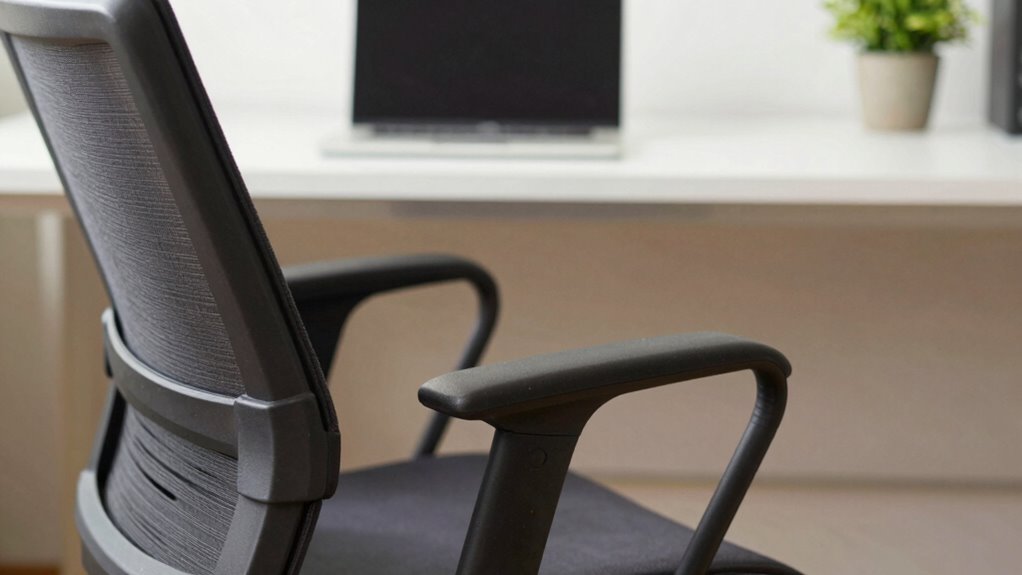
If you’re experiencing shoulder pain, it’s worth checking whether your armrests are contributing to the issue. Poorly adjusted armrests can lead to increased muscle tension as your shoulders hunch or lift unnaturally. Pay attention to your posture alignment—if your shoulders are often raised or uneven, your armrests might be too high or too low. Feel for persistent soreness or tightness around your shoulders and neck, which can signal that your armrest setup is strained. Notice if your muscles tighten when you sit for extended periods, indicating improper support. Adjusting your armrests to support a natural arm position can help reduce muscle tension and improve posture, easing shoulder discomfort over time. Incorporating ergonomic design principles into your workspace setup can further enhance comfort and prevent strain. Additionally, understanding muscle tension and its impact on shoulder health can help you develop better habits for long-term relief. Recognizing how ergonomic adjustments influence muscle tension can lead to more effective strategies for maintaining shoulder comfort. Ensuring proper training and behavior insights in your workspace habits can also contribute to maintaining good posture and avoiding unnecessary tension. Being aware of adjustment tips for ergonomic furniture can optimize your setup for better shoulder health.
ergonomic desk accessories for shoulder relief
As an affiliate, we earn on qualifying purchases.
As an affiliate, we earn on qualifying purchases.
Figuring Out the Right Armrest Height for You

To find the right armrest height, focus on maintaining proper arm alignment so your shoulders stay relaxed. Adjust the armrests until your arms rest comfortably at your sides, without shrugging or reaching. Comfort and support are key, so make small changes until you feel balanced and at ease. Incorporating proper support strategies can help prevent strain and promote better posture during extended periods of sitting. Additionally, understanding nail biology and hygiene can contribute to overall comfort by reducing discomfort caused by skin or nail issues that might be aggravated by poor posture. Ensuring your workspace incorporates ergonomic adjustments can also enhance comfort and reduce strain while driving. Being mindful of posture awareness can further help in maintaining a healthy sitting position and prevent discomfort over time.
Proper Arm Alignment
Finding the right armrest height is essential for proper shoulder alignment and pain relief. When your armrest is too high or low, it can cause muscle tension in your shoulders and neck, disrupting your posture correction efforts. To achieve proper arm alignment, your elbows should rest comfortably at a 90-degree angle, with your forearms parallel to the ground. This position minimizes strain on your shoulder muscles and helps prevent tension buildup. Keep your shoulders relaxed and avoid hunching or shrugging, which can worsen discomfort. Consistently maintaining this alignment encourages healthier posture and prevents muscle fatigue. Remember, small adjustments to your armrest height can make a significant difference in reducing shoulder pain and promoting long-term comfort. Incorporating proper ergonomic setup can further enhance your overall comfort and support healthy shoulder positioning. Paying attention to posture awareness can help you maintain these adjustments throughout your day. Additionally, being mindful of muscle tension can aid in preventing ongoing discomfort, especially as natural body mechanics play a crucial role in maintaining alignment. Regularly assessing your ergonomic workspace can ensure that your setup remains supportive and effective over time.
Adjusting for Comfort
Getting your armrest height just right involves a bit of trial and error to find what feels most comfortable for you. When adjusting, focus on achieving proper posture correction and maintaining good desk organization. Your armrests should support your arms comfortably, keeping your shoulders relaxed and avoiding strain. Incorporating ergonomic adjustments can help prevent discomfort and promote better overall posture. To find the ideal height:
- Set the armrests so your elbows are at a 90-degree angle when your hands rest naturally on the keyboard.
- Make sure your shoulders stay relaxed, not hunched or elevated.
- Adjust so your forearms are parallel to the desk surface, promoting proper posture correction. Additionally, using scent tech such as aroma diffusers can create a calming workspace environment that supports relaxation and focus.
- Remember, adjusting your workspace to support fundamentals like proper positioning and comfort can significantly improve your overall well-being during work hours.
- Paying attention to posture awareness can further enhance your comfort and help prevent long-term strain. Incorporating airless paint sprayers into your workspace setup can also improve efficiency and reduce physical strain during painting projects, emphasizing the importance of ergonomic and practical adjustments in various tasks.
How to Adjust Your Armrests for Maximum Relief
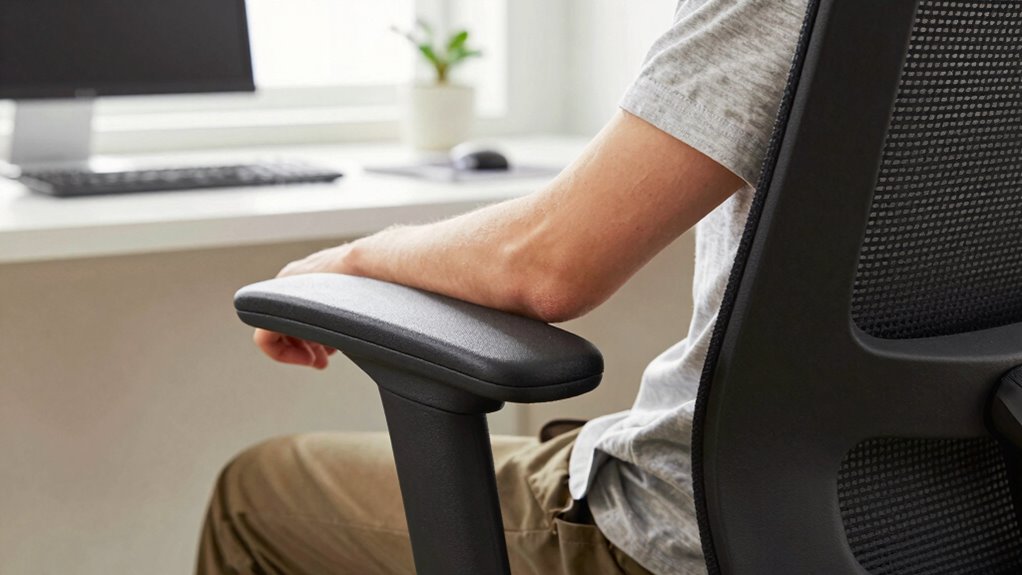
Adjusting your armrests properly can make a significant difference in relieving shoulder pain, so it’s worth taking the time to get them just right. Start by setting the armrest height so your shoulders stay relaxed, with your elbows at a comfortable 90-degree angle. Check the armrest material—soft padding may provide better support, while hard surfaces can cause discomfort over time. Also, consider the armrest color; darker shades often hide dirt and wear, keeping your workspace looking tidy, which can reduce stress. Make sure the armrests don’t push your shoulders up or cause strain. Adjust them in small increments, testing your comfort after each change. Properly aligned armrests support your arms and shoulders, helping prevent pain during long work sessions, and paying attention to ergonomic design principles can further enhance comfort.
Additional Ergonomic Tips to Prevent Shoulder Strain
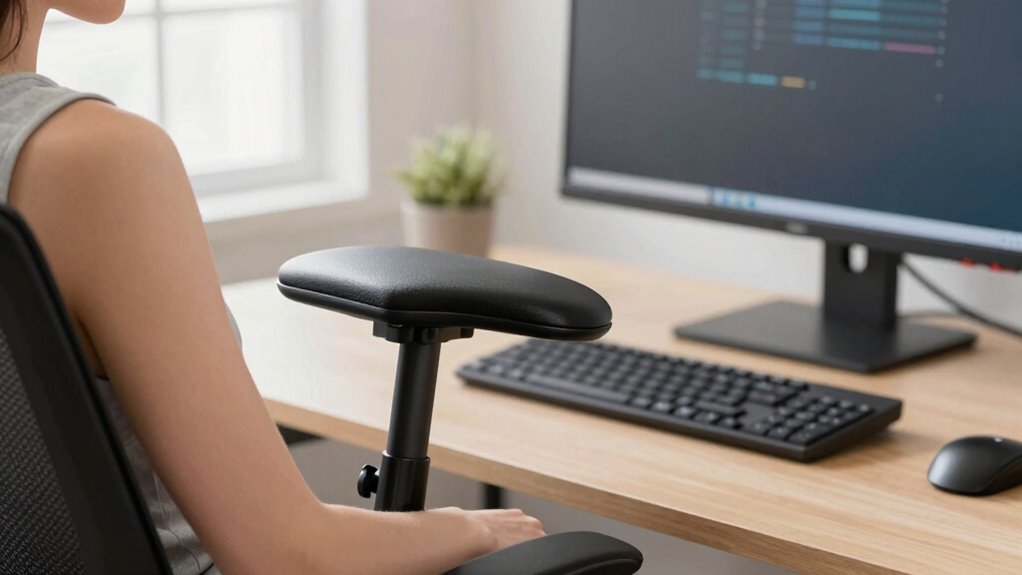
To prevent shoulder strain, start by adjusting your monitor to eye level so you don’t have to lean forward or upward. Using arm support devices can help reduce the load on your shoulders during long periods of work. Remember to take regular breaks to stretch and relax your muscles, keeping tension at bay.
Adjust Monitor Height
Since your monitor’s position can directly impact shoulder strain, setting it at the correct height is essential for ergonomic comfort. When your monitor is too low or high, you tend to tilt or crane your neck and shoulders, causing discomfort over time. To optimize your setup, guarantee the top of your screen is at eye level, so you avoid unnecessary strain. Proper monitor height also supports better wrist positioning when typing on your ergonomic keyboard, reducing tension in your shoulders.
Here are three tips:
- Adjust the monitor to be directly in front of you, minimizing neck rotation.
- Keep the monitor at eye level to prevent slouching or craning.
- Use a monitor stand if needed to align with your eye height, promoting better wrist positioning.
Use Arm Support Devices
Using arm support devices can considerably reduce shoulder strain by providing stability and relieving muscle tension during prolonged work sessions. An effective arm support helps keep your arms at a comfortable height, reducing the effort your shoulder muscles need to maintain posture. This additional support minimizes unnecessary movement and prevents shoulder fatigue. When selecting an arm support, ensure it’s adjustable to match your desk height and arm length for ideal shoulder relief. Properly supported arms keep your shoulders relaxed and prevent hunching or overextending. Using the right arm support device consistently can help you maintain better ergonomic alignment, reducing the risk of shoulder pain and discomfort over time. Keep in mind, the goal is to promote natural arm and shoulder positioning for long-term comfort.
Take Regular Breaks
Taking regular breaks throughout your workday is essential for preventing shoulder strain. Breaks help you reset your posture awareness and prevent muscle fatigue. During these breaks, stretch your shoulders and neck, and move around to boost circulation. Using ergonomic accessories like sit-stand desks or footrests encourages better posture and reduces tension.
To maximize these benefits, consider these tips:
- Set a timer to remind you to stand and stretch every 30 minutes.
- Use ergonomic accessories to support proper alignment.
- Focus on maintaining good posture during breaks and work periods.
Common Mistakes to Avoid When Setting Up Your Workspace

One of the most common mistakes people make when setting up their workspace is choosing an armrest height that doesn’t support proper posture. If your armrests are too high or too low, it can lead to shoulder strain and poor posture correction. Confirm your armrests support your arms comfortably, keeping your shoulders relaxed. Incorrect wrist positioning often results from improper setup, so adjust your workspace to keep your wrists in a neutral position. Avoid leaning forward or slouching, as this worsens shoulder pain. Properly positioned armrests help maintain natural shoulder alignment, reducing tension. Double-check your chair height and monitor placement, and make sure your keyboard and mouse are at a comfortable height. These adjustments promote better posture and prevent unnecessary shoulder and wrist discomfort.
Frequently Asked Questions
Can Armrest Height Affect Neck or Back Pain?
Yes, armrest height can affect neck and back pain. When your armrests are too high or low, it disrupts your ergonomic posture, causing muscle tension in your shoulders, neck, and upper back. Adjusting the armrest height helps distribute weight evenly and reduces strain. Maintaining proper ergonomic posture encourages relaxation of muscles, prevents tension buildup, and promotes better spinal alignment, ultimately easing or preventing neck and back pain.
How Often Should I Adjust My Armrest Height?
You should adjust your armrest height whenever it no longer aligns with ergonomic principles, ideally daily or whenever your posture shifts. Regular adjustments help prevent shoulder strain and discomfort. Consider the armrest materials—soft, supportive padding can enhance comfort during adjustments. By maintaining proper armrest height, you promote better posture, reduce shoulder pain, and support your overall ergonomic health throughout the day.
Is There an Ideal Armrest Height for Different Body Types?
Imagine your body as a finely-tuned instrument, each part needing proper support. The ideal armrest height varies with body types, ensuring your shoulders stay relaxed and aligned. Focus on maintaining an ergonomic posture by adjusting the armrest to support your forearms comfortably, regardless of whether your chair features cushioned or hard armrest materials. Tailoring the height helps prevent shoulder pain and keeps you comfortable throughout long work hours.
Do Armrests Help With Long-Term Shoulder Health?
Yes, armrests can help with long-term shoulder health when used as part of ergonomic accessories. They support your arms, reducing strain and promoting proper posture correction. By keeping your shoulders relaxed and aligned, armrests prevent repetitive stress and muscle tension. Consistently using adjustable armrests guarantees ideal support, ultimately decreasing the risk of ongoing shoulder discomfort and contributing to healthier, more sustainable posture during long hours at your desk.
What’s the Best Way to Test if My Armrest Height Is Correct?
Think of testing your armrest height like tuning a musical instrument—balance is key. Sit comfortably, with your arms relaxed, and adjust the armrests so your shoulders stay level and your elbows form roughly a 90-degree angle. Guarantee ergonomic positioning by considering armrest materials that comfort your skin and support your posture. Move naturally, and if you feel tension or strain, tweak the height until your arms feel supported, not strained.
Conclusion
Adjusting your armrest height might seem small, but it can make a world of difference—relieving shoulder pain and restoring comfort. Think of it as the quiet hero in your workspace, working behind the scenes to prevent strain. Don’t overlook these simple tweaks; they can transform your workday from painful to painless. Sometimes, the smallest changes have the biggest impact—so take control, make those adjustments, and reclaim your comfort and well-being.
Fall Picks
fall essentials
As an affiliate, we earn on qualifying purchases.