
TL;DR

Get the latest gadgets delivered free with Prime
- Fast, free delivery on millions of items
- Prime Video, Amazon Music and more included
- Member-only deals all year
Figma has launched a significant update featuring code layers directly on its canvas, animation support, shader effects, and new AI tools for plugin development. These changes aim to improve collaboration and streamline design-to-code workflows.
Figma announced a major update on Wednesday that adds direct code layers to its collaborative design platform, along with support for animations, shaders, and AI-powered plugin creation tools. These features aim to improve workflow integration between designers, developers, and product managers.
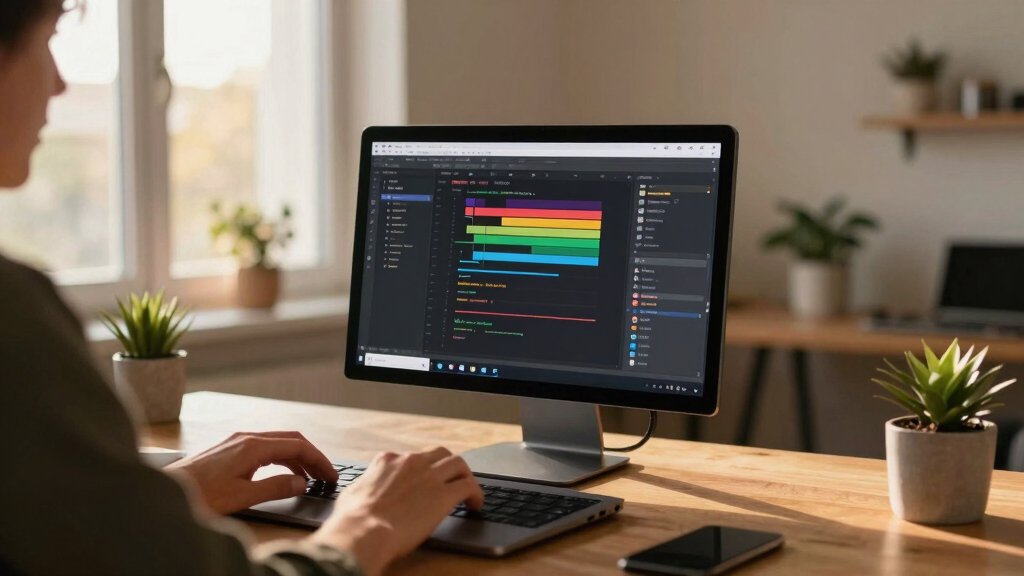
The update introduces a new code layer feature, allowing users to clone repositories and extract code flows directly onto the design canvas. Figma’s chief product officer, Yuhki Yamashita, explained that this makes it easier for teams to iterate rapidly without focusing on pristine code, fostering collaboration among designers, engineers, and product managers.
Additionally, Figma now supports animations, transitions, and 3D transforms within the platform, eliminating the need for external software. Users can create and modify animations directly in Figma, streamlining the design process. The update also incorporates AI-generated shader effects and fills, expanding creative possibilities.
The company has been working on integrating AI more deeply into its ecosystem, including a new feature allowing users to generate custom plugins via prompts. This builds on Figma’s previous AI initiatives, such as the AI prompt-based prototyping tool, Figma Make, and integrations with AI coding tools like Claude Code and Codex. An upcoming feature will enable generating workflows from Weavy, a node-based tool acquired last year, directly within Figma.
Figma is also enhancing its AI assistant with new skills, enabling users to write prompts that generate repeatable actions or connect to other tools like Notion, Excel, GitHub, and more. These developments aim to make the platform more versatile and collaborative for multi-disciplinary teams.
Enhanced Collaboration and Workflow Integration
This update significantly advances Figma’s role as a comprehensive design and development platform. By integrating code layers directly onto the canvas, teams can iterate faster, test ideas more freely, and reduce handoff friction between design and engineering. The support for animations and shaders within Figma also simplifies creative workflows, allowing designers to prototype more realistic interactions without switching tools. The AI-driven plugin and workflow features further position Figma as a central hub for collaborative, AI-augmented design processes, potentially reducing development time and increasing creative flexibility.
Products Worth Considering

Anker SOLIX C1000 Gen 2 Portable Power Station

DJI Mic 3 Wireless Microphone Kit (2 Transmitters, 1 Receiver, Charging Case)

LG UltraGear 27GX704A-B 27-inch QHD OLED Gaming Monitor
As an affiliate, we earn on qualifying purchases.
Figma’s Evolving AI and Collaboration Features
Figma has been steadily integrating AI tools since last year, including launching Figma Make, an AI prompt-based prototyping tool, and establishing integrations with AI coding assistants like Claude Code and Codex. Its acquisition of Weavy aimed to improve workflow automation and model comparisons, with plans to embed these capabilities directly into Figma’s environment. The platform’s focus on code integration and AI-enhanced creativity reflects its strategy to become a comprehensive tool for both design and development teams, competing with other collaborative design platforms.
“We think the multiplayer canvas is really powerful because this is an environment where you don’t really care about the quality of the code. If you’re rapidly exploring or need to explore new directions, you can do that in this spatial way. We hope this feature produces different behavior not just with designers, but also with engineers and PMs.”
— Yuhki Yamashita, Figma’s chief product officer
Unclear Scope and User Adoption of New Features
While Figma has announced these new features, it is not yet clear how widely they will be adopted by users or how they will impact existing workflows. Details on the rollout timeline for AI plugin generation and workflow integration with Weavy are still emerging. Additionally, how these features will be received by the broader user community remains uncertain, as early feedback is not yet available.
Next Steps for Figma’s AI and Collaboration Tools
Figma is expected to roll out these features gradually over the coming months, with updates to its plugin ecosystem and workflow integrations. The company may also release additional tutorials and documentation to facilitate adoption. Monitoring user feedback and usage patterns will be key to understanding how these innovations influence design and development processes moving forward.
Key Questions
How will the new code layers improve collaboration?
Code layers allow teams to clone repositories and extract code flows directly onto the Figma canvas, enabling faster iteration and reducing handoff delays between designers and developers.
Can I create custom plugins using AI prompts?
Yes, the update introduces tools that let users generate custom plugins, such as layout generators or vector tracers, through prompts, making plugin creation more accessible.
Will these features be available to all Figma users?
Figma has announced these features as part of a broader update, but availability may vary depending on subscription plans and rollout phases. Details are still being communicated.
How does the AI integration enhance design workflows?
AI can now generate shader effects, fills, and assist in creating repeatable actions or workflows, streamlining creative and repetitive tasks within Figma.
Source: TechCrunch