
The best OLED laptops pair rich contrast and vivid color with enough performance for the work or play you actually do. My best overall pick is the Lenovo IdeaPad Pro 5 16-Inch, a versatile mix of a large OLED screen, dedicated graphics, and everyday capability. For gaming, the Lenovo Legion 5i brings an RTX 5070, while the Lenovo Slim 7i Aura Edition is a more portable choice with 32GB of memory. The main tradeoffs are battery demands, screen size, graphics power, and whether you need a conventional laptop or a more specialized design. Read on for the full comparison and advice on choosing the right OLED laptop for your needs.

Get the latest gadgets delivered free with Prime
- Fast, free delivery on millions of items
- Prime Video, Amazon Music and more included
- Member-only deals all year
Complete the kit



Key Takeaways
- The IdeaPad Pro 5 is the most balanced starting point: its 16-inch OLED panel and RTX 5050 offer a broader mix of general use and graphics capability than the more specialized gaming and dual-screen models.
- Gaming performance changes the shortlist: the Legion 5i pairs an RTX 5070 with a 15.3-inch OLED display, while the Legion 5a trades down in graphics tier but lists 32GB of RAM and a 165Hz panel.
- Memory is a meaningful divider: several options have 32GB, while the IdeaPad Pro 5, Vivobook S 15 OLED, and one Vivobook S 16 configuration list 16GB.
- Screen size and portability pull in opposite directions: the 14-inch Slim 7i and XPS 14 are easier to carry, while the 16-inch Vivobook and IdeaPad options give more room for split-screen work.
- Not every model name identifies one fixed configuration: the Vivobook S 16 appears in several variants, so buyers should verify the exact processor, memory, display, and graphics configuration before choosing.
| Lenovo IdeaPad Pro 5 16-Inch OLED Laptop (2025), Ryzen AI 7 350, 16GB RAM, 1TB SSD, RTX 5050, Windows 11 Home |  | Best OLED for Creative Work | Processor: AMD Ryzen AI 7 350 | Display: 16-inch OLED, 2880 × 1800 | Refresh rate: 120Hz with VRR | VIEW LATEST PRICE | See Our Full Breakdown |
| Lenovo Legion 5a (2026) Gaming Laptop, 15.3-inch OLED WQXGA 165Hz Display, AMD Ryzen 7 250, NVIDIA GeForce RTX 5060, 32GB RAM, 1TB SSD, Eclipse Black |  | Best OLED for Gaming | Processor: AMD Ryzen 7 250, 3.3 GHz | Display: 15.3-inch OLED, 2560 × 1440 | Refresh rate: 165Hz | VIEW LATEST PRICE | See Our Full Breakdown |
| Lenovo Slim 7i Aura Edition 14-inch OLED Touchscreen Laptop, Intel Core Ultra 7 258V, 32GB RAM, 1TB SSD |  | Best Compact OLED Laptop | Processor: Intel Core Ultra 7 258V | Display: 14-inch WUXGA OLED touchscreen, 1920 × 1200 | Refresh rate: 60Hz | VIEW LATEST PRICE | See Our Full Breakdown |
| ASUS Vivobook S16 Laptop, 16-inch 2.8K OLED 120Hz, Intel Core Ultra 9 285H, 32GB RAM, 1TB SSD |  | Best Large-Screen Productivity Pick | Processor: Intel Core Ultra 9 285H, 16 cores, up to 5.4 GHz | Display: 16-inch OLED, 2880 × 1800, 16:10 | Refresh rate: 120Hz | VIEW LATEST PRICE | See Our Full Breakdown |
| ASUS Vivobook S 15 OLED Laptop, 15.6-inch 2.8K 120Hz Display, Intel Core i9-13900H, 16GB RAM, 1TB SSD, Windows 11 Home, Midnight Black | 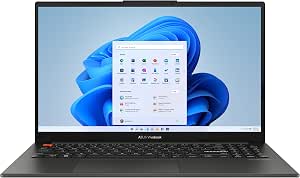 | Best OLED for CPU-Focused Everyday Work | Processor: Intel Core i9-13900H, 14 cores, up to 5.4 GHz | Display: 15.6-inch OLED, 2880 × 1800 | Refresh rate: 120Hz | VIEW LATEST PRICE | See Our Full Breakdown |
| ASUS Zenbook Duo 14-Inch Dual-Screen OLED Laptop, Intel Core Ultra 9 285H, 32GB RAM, 1TB SSD | 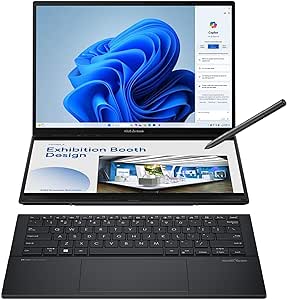 | Best Dual-Screen OLED | Processor: Intel Core Ultra 9 285H | Displays: Two 14-inch OLED touchscreens, 2880 × 1800, 120Hz | Memory: 32GB LPDDR5x | VIEW LATEST PRICE | See Our Full Breakdown |
| Dell XPS 14 Premium 14.5-inch Touchscreen Laptop, 3.2K OLED, Intel Core Ultra 7 255H, 32GB RAM, 1TB SSD |  | Best Premium Compact OLED | Processor: Intel Core Ultra 7 255H | Display: 14.5-inch 3.2K OLED touchscreen, 3200 × 2000, up to 120Hz variable | Memory: 32GB | VIEW LATEST PRICE | See Our Full Breakdown |
| ASUS Vivobook S 16 OLED Laptop, Intel Core Ultra 9 185H, 16GB RAM, 1TB SSD, Neutral Black |  | Best Lightweight Large-Screen OLED | Processor: Intel Core Ultra 9 185H | Display: 16-inch OLED, up to 3200 × 2000, 120Hz | Memory: 16GB | VIEW LATEST PRICE | See Our Full Breakdown |
| ASUS Vivobook S16 16-inch OLED Laptop, AMD Ryzen AI 7 445, 32 GB RAM, 1 TB SSD |  | Best OLED for Memory and Battery Claims | Processor: AMD Ryzen AI 7 445 | Display: 16-inch 16:10 WUXGA OLED, 1920 × 1200 | Memory: 32GB DDR5 | VIEW LATEST PRICE | See Our Full Breakdown |
| Lenovo Legion 5i 15.3-inch OLED Gaming Laptop, Core Ultra 7 251HX, 16GB RAM, 1TB SSD, RTX 5070 |  | Best OLED Gaming Performance | Processor: Intel Core Ultra 7 251HX, 18 cores and 18 threads | Graphics: NVIDIA GeForce RTX 5070, 12GB GDDR7 | Display: 15.3-inch OLED, 2560 × 1600, 165Hz, up to 500 nits | VIEW LATEST PRICE | See Our Full Breakdown |
| ASUS Vivobook S 16 OLED Laptop |  | Best for a Fast, Color-Rich 16-Inch Display | Display: 16-inch 2.8K (2880 x 1800) OLED, 120Hz, 600 nits | Processor: Intel Core Ultra 9 285H, 16-core, up to 5.4 GHz | Graphics: Intel Arc Graphics | VIEW LATEST PRICE | See Our Full Breakdown |
| OLED laptop | Processor | Memory | Storage | Graphics |
|---|---|---|---|---|
| Lenovo IdeaPad Pro 5 16-Inch O | AMD Ryzen AI 7 350 | 16GB | 1TB SSD | NVIDIA GeForce RTX 5050 with 4GB GDDR6 |
| Lenovo Legion 5a | AMD Ryzen 7 250, 3.3 GHz | 32GB DDR5 | 1TB SSD | NVIDIA GeForce RTX 5060 |
| Lenovo Slim 7i Aura Edition 14 | Intel Core Ultra 7 258V | 32GB LPDDR5X-8533 | 1TB PCIe Gen4 SSD | Integrated Intel Arc Graphics 140V |
| ASUS Vivobook S16 Laptop | Intel Core Ultra 9 285H, 16 cores, up to 5.4 GHz | 32GB LPDDR5X | 1TB SSD | Integrated Intel Arc Graphics |
| ASUS Vivobook S 15 OLED Laptop | Intel Core i9-13900H, 14 cores, up to 5.4 GHz | 16GB LPDDR5 | 1TB M.2 NVMe PCIe 4.0 SSD | Integrated Intel Iris Xe |
| ASUS Zenbook Duo 14-Inch Dual- | Intel Core Ultra 9 285H | 32GB LPDDR5x | 1TB SSD | Integrated Intel Arc |
| Dell XPS 14 Premium 14.5-inch | Intel Core Ultra 7 255H | 32GB | 1TB SSD | Integrated Intel Arc |
| ASUS Vivobook S 16 OLED Laptop | Intel Core Ultra 9 185H | 16GB | 1TB SSD | Integrated Intel Arc |
| ASUS Vivobook S16 16-inch OLED | AMD Ryzen AI 7 445 | 32GB DDR5 | 1TB SSD | Integrated AMD Radeon Graphics |
| Lenovo Legion 5i 15.3-inch OLE | Intel Core Ultra 7 251HX, 18 cores and 18 threads | 16GB DDR5 | 1TB M.2 SSD | NVIDIA GeForce RTX 5070, 12GB GDDR7 |
| ASUS Vivobook S 16 OLED Laptop | Intel Core Ultra 9 285H, 16-core, up to 5.4 GHz | 16GB DDR5 SDRAM, 7467 MHz | 1TB NVMe M.2 SSD | Intel Arc Graphics |
More Details on Our Top Picks
Lenovo IdeaPad Pro 5 16-Inch OLED Laptop (2025), Ryzen AI 7 350, 16GB RAM, 1TB SSD, RTX 5050, Windows 11 Home
The IdeaPad Pro 5 is the most versatile pick here for buyers who want an OLED screen and graphics muscle in one large-screen laptop. Its 2.8K, 120Hz OLED with VRR gives creative work a crisp, fluid canvas, while the RTX 5050 can help with GPU-accelerated editing and rendering—tasks the integrated graphics in the ASUS Vivobook S16 cannot match as directly. A broad port selection, including USB4, HDMI 2.1, and an SD card reader, also makes it easier to connect displays and move media without relying on adapters. The tradeoff is portability: at 16 inches, it is less convenient to carry than the 14-inch Lenovo Slim 7i Aura Edition. The supplied configuration lists 16GB of memory, so buyers should verify that detail if they need more headroom.
Pros:- 2.8K OLED panel with 120Hz refresh rate and VRR
- RTX 5050 dedicated graphics for GPU-assisted creative work
- Useful mix of USB4, HDMI 2.1, USB-A, and SD card reader
- FHD IR webcam with privacy shutter
Cons:- 16-inch chassis is less portable than the 14-inch Slim 7i Aura Edition
- Listed configuration has 16GB memory, less than several 32GB alternatives
- Dedicated graphics and a high-refresh display may be more than basic office users need
Best for: Creative users who want a large, high-refresh OLED screen, dedicated graphics, and built-in card-reader connectivity for editing and rendering.
Not ideal for: Frequent travelers who prioritize a compact laptop, or memory-heavy users who require more than the listed 16GB configuration.
- Processor:AMD Ryzen AI 7 350
- Display:16-inch OLED, 2880 × 1800
- Refresh rate:120Hz with VRR
- Memory:16GB
- Storage:1TB SSD
- Graphics:NVIDIA GeForce RTX 5050 with 4GB GDDR6
- Ports:2× USB-C (USB4), 2× USB-A, HDMI 2.1, SD card reader, 3.5mm audio jack
- Operating system:Windows 11 Home
Our verdict“Choose the IdeaPad Pro 5 if you want a large OLED workspace paired with dedicated graphics and can accept a heavier, less travel-friendly format.”
Lenovo Legion 5a (2026) Gaming Laptop, 15.3-inch OLED WQXGA 165Hz Display, AMD Ryzen 7 250, NVIDIA GeForce RTX 5060, 32GB RAM, 1TB SSD, Eclipse Black
For gaming, the Legion 5a makes the clearest case in this group: its 165Hz OLED display pairs a fast refresh rate with RTX 5060 graphics, while 32GB of DDR5 memory gives demanding games and background apps more room than the 16GB IdeaPad Pro 5 configuration. The 15.3-inch, 2560 × 1440 panel is a more focused gaming size than the larger IdeaPad, though it offers less screen area than that 16-inch alternative. Its 4.1-pound weight and listed selection of just three ports point to the costs of choosing a gaming-first machine: this is not the most convenient companion for daily commuting or a desk crowded with accessories. Compared with the Slim 7i Aura Edition, it favors graphics performance and refresh rate over light carry weight and touchscreen flexibility.
Pros:- 15.3-inch OLED display with 2560 × 1440 resolution and 165Hz refresh rate
- NVIDIA GeForce RTX 5060 dedicated graphics
- 32GB DDR5 memory for gaming and multitasking
- 1TB SSD provides room for games and applications
Cons:- At 4.1 pounds, it is heavier than the Slim 7i Aura Edition
- Product information lists only three ports
- Gaming-focused hardware is a poor fit for buyers who mainly need a light productivity laptop
Best for: PC gamers who want a high-refresh OLED panel, dedicated RTX graphics, and 32GB of memory for demanding games and multitasking.
Not ideal for: Commuters seeking a lightweight laptop, or users who need many built-in connections for peripherals and external displays.
- Processor:AMD Ryzen 7 250, 3.3 GHz
- Display:15.3-inch OLED, 2560 × 1440
- Refresh rate:165Hz
- Graphics:NVIDIA GeForce RTX 5060
- Memory:32GB DDR5
- Storage:1TB SSD
- Weight:4.1 lbs
- Operating system:Windows 11 Home
Our verdict“Pick the Legion 5a if gaming speed and a 165Hz OLED matter more to you than low carry weight or extensive port selection.”
Lenovo Slim 7i Aura Edition 14-inch OLED Touchscreen Laptop, Intel Core Ultra 7 258V, 32GB RAM, 1TB SSD
The Slim 7i Aura Edition is the portability pick: at about 2.9 pounds and 0.55 inches thick, it is easier to carry than the 16-inch IdeaPad Pro 5 or the 4.1-pound Legion 5a. Its 14-inch OLED touchscreen, 32GB of fast LPDDR5X memory, and Windows 11 Pro make it a capable choice for mobile work, while Thunderbolt 4, HDMI 2.1, and a microSD reader provide useful connection options in a slim chassis. The compromise is a 60Hz refresh rate, which feels less fluid than the 120Hz Vivobook S16 or 165Hz Legion 5a, and integrated Arc graphics are not aimed at graphics-heavy gaming. I would choose this for travel and everyday productivity, not for high-refresh gaming or discrete-GPU workloads.
Pros:- Lightweight 14-inch aluminum design at approximately 2.9 pounds
- OLED touchscreen with HDR True Black 500
- 32GB LPDDR5X memory and 1TB PCIe Gen4 SSD
- Thunderbolt 4, HDMI 2.1, and microSD reader
Cons:- 60Hz panel is less fluid than the 120Hz Vivobook S16 and 165Hz Legion 5a
- Integrated Intel Arc graphics are less suited to graphics-heavy workloads than the RTX-equipped Lenovo models
- 14-inch display offers less workspace than the 16-inch OLED options
Best for: Mobile professionals and students who want a lightweight OLED touchscreen, 32GB memory, and a useful port selection for work on the move.
Not ideal for: Gamers who want a high-refresh display or buyers whose editing and rendering workloads benefit from dedicated graphics.
- Processor:Intel Core Ultra 7 258V
- Display:14-inch WUXGA OLED touchscreen, 1920 × 1200
- Refresh rate:60Hz
- Memory:32GB LPDDR5X-8533
- Storage:1TB PCIe Gen4 SSD
- Graphics:Integrated Intel Arc Graphics 140V
- Weight:Approximately 2.9 lbs
- Operating system:Windows 11 Pro 64-bit
Our verdict“Choose the Slim 7i Aura Edition for a lightweight, well-connected OLED touchscreen, but look elsewhere for gaming performance or a high refresh rate.”
ASUS Vivobook S16 Laptop, 16-inch 2.8K OLED 120Hz, Intel Core Ultra 9 285H, 32GB RAM, 1TB SSD
The ASUS Vivobook S16 is my large-screen productivity choice for buyers who want a spacious OLED panel without opting for a gaming laptop. Its 16-inch, 2.8K display at 120Hz gives documents, creative projects, and video a sharp, fluid workspace, and the listed 600-nit HDR peak brightness and full DCI-P3 coverage suit color-focused viewing. The Core Ultra 9 processor, 32GB memory, and Windows 11 Pro make it better equipped for multitasking than the 16GB ASUS Vivobook S 15 OLED. Unlike the RTX-equipped IdeaPad Pro 5 and Legion 5a, though, it relies on integrated Intel Arc graphics, so it is not the pick for demanding gaming or GPU-heavy rendering. It also lacks a touchscreen, while the smaller Slim 7i Aura Edition offers touch in a more portable package.
Pros:- 16-inch 2.8K OLED panel with 120Hz refresh rate
- 600-nit HDR peak brightness and 100% DCI-P3 coverage
- 32GB LPDDR5X memory and 1TB SSD
- Two Thunderbolt 4 ports, HDMI 2.1, and microSD reader
Cons:- Integrated Intel Arc graphics trail the dedicated RTX graphics in the IdeaPad Pro 5 and Legion 5a for demanding workloads
- Display is not a touchscreen
- Larger 16-inch format is less compact than the Slim 7i Aura Edition
Best for: Multitaskers and content-focused users who want a large, high-resolution OLED screen, 32GB memory, and Windows 11 Pro without a gaming-laptop design.
Not ideal for: Gamers and GPU-heavy creators who need dedicated graphics, or buyers who specifically want a touchscreen.
- Processor:Intel Core Ultra 9 285H, 16 cores, up to 5.4 GHz
- Display:16-inch OLED, 2880 × 1800, 16:10
- Refresh rate:120Hz
- Memory:32GB LPDDR5X
- Storage:1TB SSD
- Graphics:Integrated Intel Arc Graphics
- Operating system:Windows 11 Pro
- Ports:2× USB-A, 2× Thunderbolt 4, HDMI 2.1, 3.5mm combo audio jack, microSD reader
Our verdict“Choose this Vivobook S16 for a spacious, vivid OLED productivity screen and strong memory capacity, not for touchscreen use or demanding GPU work.”
ASUS Vivobook S 15 OLED Laptop, 15.6-inch 2.8K 120Hz Display, Intel Core i9-13900H, 16GB RAM, 1TB SSD, Windows 11 Home, Midnight Black
The Vivobook S 15 OLED pairs a sharp, fast 15.6-inch panel with an Intel Core i9-13900H, making it a strong fit for buyers whose everyday tasks lean on the processor rather than a dedicated graphics card. Its 2.8K OLED display runs at 120Hz and covers 100% of the DCI-P3 color gamut, so scrolling and video look fluid while color-rich content gets a vivid presentation. Compared with the newer ASUS Vivobook S16, this model has an older processor, 16GB rather than 32GB of memory, and Windows 11 Home instead of Pro; in exchange, it remains a more straightforward option for general-purpose use. Intel Iris Xe graphics limit demanding games and rendering, and the glossy screen can reflect nearby light. Its HDMI 1.4 port is also less capable than HDMI 2.1 on several alternatives here.
Pros:- 15.6-inch 2.8K OLED display with 120Hz refresh rate
- 100% DCI-P3 coverage and 0.2ms listed response time
- Intel Core i9-13900H processor and 1TB PCIe 4.0 SSD
- Thunderbolt 4 connectivity and fingerprint recognition
Cons:- 16GB LPDDR5 memory is less than the 32GB in the newer Vivobook S16
- Integrated Intel Iris Xe graphics are not suited to demanding gaming or GPU-heavy creative work
- Glossy screen can reflect surrounding light, and HDMI is version 1.4
Best for: Everyday users who want a high-resolution, high-refresh OLED and a capable Core i9 processor for office work, media, and general multitasking.
Not ideal for: GPU-heavy creators, demanding gamers, or users who need 32GB memory, Windows 11 Pro, or HDMI 2.1.
- Processor:Intel Core i9-13900H, 14 cores, up to 5.4 GHz
- Display:15.6-inch OLED, 2880 × 1800
- Refresh rate:120Hz
- Memory:16GB LPDDR5
- Storage:1TB M.2 NVMe PCIe 4.0 SSD
- Graphics:Integrated Intel Iris Xe
- Ports:Thunderbolt 4, USB-A, HDMI 1.4, 3.5mm audio combo jack
- Operating system:Windows 11 Home
Our verdict“Choose the Vivobook S 15 OLED for a vivid 120Hz screen and strong everyday CPU performance, but skip it if you need dedicated graphics or more memory.”
ASUS Zenbook Duo 14-Inch Dual-Screen OLED Laptop, Intel Core Ultra 9 285H, 32GB RAM, 1TB SSD
The Zenbook Duo makes the strongest case for OLED as a workspace tool: two 14-inch touchscreens let you keep a document, reference, or meeting visible while working on the other display. Its detachable keyboard and built-in kickstand allow more setup options than the conventional clamshell Vivobook S 16 OLED, while the 120Hz, 2880 × 1800 panels offer a sharper, smoother view than the lower-resolution Vivobook S16. The tradeoff is practical rather than subtle: the second screen needs desk space, and the listed video playback falls from up to 16 hours in Laptop mode to up to 9 hours in Dual Screen mode. At 3.64 pounds, it remains portable for a two-screen design, but buyers who mostly use one display may get more from a simpler laptop.
Pros:- Two 14-inch OLED touchscreens create a practical expanded workspace.
- Detachable keyboard and built-in kickstand support several working positions.
- 120Hz, 2880 × 1800 displays combine smooth motion with detailed imagery.
- Includes ASUS Pen 2.0 and two Thunderbolt 4 ports.
Cons:- Dual-screen video playback is listed at up to 9 hours, shorter than Laptop mode.
- The second display and kickstand require more room than a standard clamshell.
- Integrated Intel Arc graphics are not a substitute for a dedicated gaming GPU.
Best for: Mobile multitaskers, researchers, and note-takers who want two OLED work areas and will use the included pen and flexible stand.
Not ideal for: Frequent travelers who need long unplugged sessions in dual-screen mode or a compact setup that works comfortably on a crowded tray table.
- Processor:Intel Core Ultra 9 285H
- Displays:Two 14-inch OLED touchscreens, 2880 × 1800, 120Hz
- Memory:32GB LPDDR5x
- Storage:1TB SSD
- Graphics:Integrated Intel Arc
- Battery:75Wh; up to 16 hours video playback in Laptop mode or 9 hours in Dual Screen mode
- Weight:3.64 lbs
- Connectivity:Wi-Fi 7, Bluetooth 5.4, 2 Thunderbolt 4, USB-A, HDMI 2.1 TMDS
Our verdict“Choose the Zenbook Duo if two OLED screens will change how you work; choose a conventional 16-inch OLED laptop if you value a simpler setup more.”
Dell XPS 14 Premium 14.5-inch Touchscreen Laptop, 3.2K OLED, Intel Core Ultra 7 255H, 32GB RAM, 1TB SSD
The Dell XPS 14 Premium is the refined single-screen choice here: its 14.5-inch 3.2K OLED pairs high pixel density with a variable refresh rate up to 120Hz, while the aluminum and Gorilla Glass 3 construction gives it a more substantial feel than the lighter ASUS Vivobook S 16 OLED. Its 32GB of memory and 1TB SSD are well suited to demanding everyday work, and the fingerprint reader adds convenient sign-in. Compared with the dual-display Zenbook Duo, the XPS is simpler to use and easier to fit into a conventional laptop routine, but it gives up that model’s second screen and included pen. The integrated Intel Arc graphics also make this a poor stand-in for the RTX-equipped Legion 5i when gaming or GPU-heavy work is a priority.
Pros:- 14.5-inch 3.2K OLED touchscreen supports up to a 120Hz variable refresh rate.
- Machined aluminum and Gorilla Glass 3 provide a sturdy premium chassis.
- 32GB memory and a 1TB SSD support demanding multitasking and sizeable project files.
- Fingerprint reader and backlit keyboard suit frequent work sessions.
Cons:- Integrated Intel Arc graphics are less suited to graphics-heavy gaming than the Legion 5i’s RTX 5070.
- At 3.8 pounds, it is not the lightest compact OLED option in this group.
- One display offers less multitasking room than the Zenbook Duo’s dual-screen design.
Best for: Professionals who want a compact, premium-feeling OLED touchscreen for office work, browsing, and creative tasks that do not depend on dedicated graphics.
Not ideal for: Gamers and GPU-intensive creators who need dedicated graphics, or buyers seeking a lighter laptop than the listed 3.8-pound weight.
- Processor:Intel Core Ultra 7 255H
- Display:14.5-inch 3.2K OLED touchscreen, 3200 × 2000, up to 120Hz variable
- Memory:32GB
- Storage:1TB SSD
- Graphics:Integrated Intel Arc
- Battery:69.5Wh
- Weight:3.8 lbs
- Materials and security:Machined aluminum, Gorilla Glass 3, fingerprint reader
Our verdict“Pick the XPS 14 if you want a high-resolution OLED in a polished compact laptop and do not need a dedicated GPU or second screen.”
ASUS Vivobook S 16 OLED Laptop, Intel Core Ultra 9 185H, 16GB RAM, 1TB SSD, Neutral Black
The Vivobook S 16 OLED suits buyers who want a roomy 16-inch OLED without taking on a gaming laptop’s bulk. At 3.31 pounds, it is lighter than the 3.75-pound AMD Vivobook S16 and much less specialized than the Lenovo Legion 5i, while its 120Hz panel and Core Ultra 9 185H make it a capable fit for everyday work, streaming, and moderate creative tasks. The broad selection of ports—including Thunderbolt 4, HDMI, USB-A, and microSD—also reduces the need to carry adapters. The main compromise is its 16GB of memory, half the capacity in the AMD Vivobook S16 and the XPS 14; that may limit heavier multitasking. Its glossy screen can reflect nearby light, and this conventional clamshell has no listed touchscreen.
Pros:- 16-inch OLED panel offers up to 3200 × 2000 resolution and a 120Hz refresh rate.
- Listed weight of 3.31 pounds is low for a 16-inch laptop.
- Core Ultra 9 185H and 1TB SSD suit everyday productivity and media work.
- Thunderbolt 4, USB-A, HDMI, and microSD provide flexible connections.
Cons:- 16GB memory is less generous than the 32GB in the XPS 14 and AMD Vivobook S16.
- Glossy display can reflect ambient light.
- No touchscreen feature is listed, unlike the XPS 14 and Zenbook Duo.
Best for: Students and mobile workers who want a large, fast OLED screen in a relatively light clamshell with useful built-in ports.
Not ideal for: People who need 32GB memory for heavy multitasking, touchscreen input, or strong visibility beside bright windows.
- Processor:Intel Core Ultra 9 185H
- Display:16-inch OLED, up to 3200 × 2000, 120Hz
- Memory:16GB
- Storage:1TB SSD
- Graphics:Integrated Intel Arc
- Battery:75Wh; claimed up to 16 hours
- Weight:3.31 lbs
- Ports:2 Thunderbolt 4, 2 USB-A, HDMI, combo audio jack, microSD card reader
Our verdict“Choose this Vivobook for a light, large-screen OLED clamshell; skip it if your workloads need more memory or you want touch input.”
ASUS Vivobook S16 16-inch OLED Laptop, AMD Ryzen AI 7 445, 32 GB RAM, 1 TB SSD
The AMD Vivobook S16 stands out for pairing 32GB of DDR5 memory with a 1TB SSD and a stated video-playback figure of up to 21 hours under controlled conditions. That memory headroom makes it a stronger pick for keeping many apps and browser tabs open than the 16GB Intel Vivobook S 16 OLED. Its 16-inch 16:10 OLED also gives documents and websites useful vertical space, but the 1920 × 1200 resolution is a clear step down in detail from the Intel model’s panel, which can matter for fine text and image work. The battery figure is a controlled video estimate, not a promise for mixed daily use. At 3.75 pounds, it is also heavier than the Intel Vivobook, though it includes Windows Hello and a physical camera shutter.
Pros:- 32GB DDR5 memory gives more multitasking headroom than the Intel Vivobook’s 16GB.
- 16-inch 16:10 OLED provides a roomy workspace for documents and media.
- 70Wh battery is rated for up to 21 hours of video playback under controlled conditions.
- Windows Hello IR camera includes a physical privacy shutter.
Cons:- 1920 × 1200 resolution is lower than the Intel Vivobook S 16 OLED’s up-to-3200 × 2000 panel.
- The stated battery figure reflects controlled video playback and may not match mixed workloads.
- At 3.75 pounds, it is heavier than the Intel Vivobook S 16.
Best for: Multitaskers who prioritize 32GB memory, a large OLED workspace, webcam privacy, and long stated video-playback endurance over high resolution.
Not ideal for: Photo and design users who want a sharper OLED panel, or travelers who prioritize the lowest weight in a 16-inch laptop.
- Processor:AMD Ryzen AI 7 445
- Display:16-inch 16:10 WUXGA OLED, 1920 × 1200
- Memory:32GB DDR5
- Storage:1TB SSD
- Graphics:Integrated AMD Radeon Graphics
- Battery:70Wh; up to 21 hours video playback under controlled conditions
- Weight and thickness:3.75 lbs; 0.63 inches
- Connectivity:Wi-Fi 6, 2 USB-C, 2 USB-A, HDMI 2.1 TMDS, 3.5 mm audio
Our verdict“Choose the AMD Vivobook S16 for memory capacity and a long stated video runtime, not for the sharpest 16-inch OLED image.”
Lenovo Legion 5i 15.3-inch OLED Gaming Laptop, Core Ultra 7 251HX, 16GB RAM, 1TB SSD, RTX 5070
For gaming, the Lenovo Legion 5i is the clearest choice in this set: its dedicated RTX 5070 separates it from the integrated graphics in the XPS 14 and both Vivobooks. The 15.3-inch OLED combines 2560 × 1600 resolution with a 165Hz refresh rate and 500-nit maximum brightness, giving fast games smoother motion while preserving OLED contrast. That extra graphics capability comes with the tradeoffs of a bulkier gaming-oriented design and only 16GB of memory, compared with 32GB in the ASUS Zenbook Duo and Dell XPS 14. Its single display is also less flexible for multitasking than the Zenbook Duo’s paired screens. Buyers focused on gaming or GPU-accelerated tasks get a more fitting tool here; people seeking a light all-day work laptop should look elsewhere.
Pros:- NVIDIA GeForce RTX 5070 with 12GB GDDR7 provides dedicated graphics capability absent from the other reviewed models.
- 15.3-inch OLED combines 2560 × 1600 resolution with a 165Hz refresh rate.
- 500-nit maximum brightness and G-SYNC support suit fast-paced gaming.
- Includes a 1TB SSD, Wi-Fi 7, and Thunderbolt 4.
Cons:- 16GB memory is less than the 32GB offered by the Zenbook Duo and XPS 14.
- Gaming-focused hardware and listed dimensions make it less suited to buyers seeking a slim, easy-carry laptop.
- A single screen offers less flexible workspace than the Zenbook Duo’s dual OLED displays.
Best for: Gamers and graphics-focused users who want a dedicated RTX GPU alongside a high-refresh OLED display.
Not ideal for: Commuters seeking a lightweight laptop, or creators and heavy multitaskers who would benefit from more than 16GB of memory.
- Processor:Intel Core Ultra 7 251HX, 18 cores and 18 threads
- Graphics:NVIDIA GeForce RTX 5070, 12GB GDDR7
- Display:15.3-inch OLED, 2560 × 1600, 165Hz, up to 500 nits
- Memory:16GB DDR5
- Storage:1TB M.2 SSD
- Operating system:Windows 11 Home
- Wireless:Wi-Fi 7, Bluetooth 5.4
- Connections:HDMI, Thunderbolt 4, USB, USB-C, Ethernet, AUX
Our verdict“Pick the Legion 5i if dedicated RTX graphics and a 165Hz OLED matter more than low weight or 32GB memory.”
ASUS Vivobook S 16 OLED Laptop
The 2.8K OLED panel pairs 120Hz motion with 100% DCI-P3 color, making this a strong fit for vivid media, detailed creative work, and smoother scrolling. Its Core Ultra 9 285H gives it more processing headroom than the Core Ultra 9 185H Vivobook S 16 elsewhere in this roundup, while the 16GB of memory is less generous than the 32GB configuration of the other Core Ultra 9 285H Vivobook S16. That makes this version a better match for demanding everyday work than memory-heavy editing projects. At 3.31 pounds, it is relatively easy to carry for a 16-inch laptop, and Thunderbolt 4 adds flexible docking. The tradeoffs are a glossy screen that can reflect bright surroundings, reported battery life of about six hours, and Windows 10 Home rather than the newer Windows 11 found on several alternatives.
Pros:- 2.8K OLED display combines 120Hz refresh with 100% DCI-P3 color
- Core Ultra 9 285H provides substantial processing capability for demanding everyday tasks
- Thunderbolt 4, HDMI 2.1, and Wi-Fi 7 offer modern connection options
- Slim 3.31-pound design is light for a 16-inch laptop
Cons:- 16GB of RAM is less suited to memory-intensive editing and heavy multitasking than the 32GB Vivobook S16 configuration
- Battery life is listed at approximately six hours, limiting extended unplugged use
- Glossy display can reflect bright surroundings, and the laptop ships with Windows 10 Home
Best for: Traveling professionals and students who want a large, color-rich OLED screen, strong processor performance, and Thunderbolt 4 without carrying a heavier gaming laptop.
Not ideal for: Buyers who need long unplugged work sessions, 32GB of memory for demanding creative workloads, or Windows 11 out of the box.
- Display:16-inch 2.8K (2880 x 1800) OLED, 120Hz, 600 nits
- Processor:Intel Core Ultra 9 285H, 16-core, up to 5.4 GHz
- Graphics:Intel Arc Graphics
- Memory:16GB DDR5 SDRAM, 7467 MHz
- Storage:1TB NVMe M.2 SSD
- Operating system:Windows 10 Home
- Battery:75Wh 4-cell lithium-ion
- Weight:3.31 lbs
- Connectivity:Wi-Fi 7, Bluetooth 5.4, 2x Thunderbolt 4, 2x USB 3.2 Gen 1, HDMI 2.1
Our verdict“Choose this Vivobook for a portable 16-inch OLED with a fast, vivid display and strong CPU, but pick a 32GB alternative for heavier creative workloads or a Windows 11 model if you want the newer OS preinstalled.”

How We Picked
I compared the listed configurations on the factors that change how an OLED laptop works for its owner: display size and resolution, refresh rate where specified, processor and graphics hardware, memory, storage, and overall role. I gave weight to flexibility, since an OLED screen can suit office work, media, creative tasks, and gaming, but the right laptop still depends on the workload. A dedicated GPU matters more for gaming and GPU-accelerated work than for everyday browsing, while 32GB of RAM can be useful for heavy multitasking and longer-term headroom.
The ranking puts the IdeaPad Pro 5 first for its broad combination of a 16-inch OLED display and RTX graphics, then gives specialized roles to the Legions, compact 14-inch models, and dual-screen Zenbook Duo. I treated similar Vivobook S 16 names as distinct only where the supplied specifications differ, and I did not infer unlisted details such as battery life, weight, or OLED care features. A higher position reflects a clearer fit for a common buyer need—not a claim that one laptop is best for every task.
| OLED laptop | Operating system |
|---|---|
| Lenovo IdeaPad Pro 5 16-Inch O | Windows 11 Home |
| Lenovo Legion 5a | Windows 11 Home |
| Lenovo Slim 7i Aura Edition 14 | Windows 11 Pro 64-bit |
| ASUS Vivobook S16 Laptop | Windows 11 Pro |
| ASUS Vivobook S 15 OLED Laptop | Windows 11 Home |
| ASUS Zenbook Duo 14-Inch Dual- | — |
| Dell XPS 14 Premium 14.5-inch | — |
| ASUS Vivobook S 16 OLED Laptop | — |
| ASUS Vivobook S16 16-inch OLED | — |
| Lenovo Legion 5i 15.3-inch OLE | Windows 11 Home |
| ASUS Vivobook S 16 OLED Laptop | Windows 10 Home |
Factors to Consider When Choosing Best OLED Laptops
OLED is a display advantage, not a complete buying decision. I would start with your workload, how often you carry the laptop, and how much graphics power you need, then compare the actual configuration rather than relying on a family name.
Choose screen size for how you work
A 16-inch OLED panel gives documents, timelines, and side-by-side windows more space, which can reduce the need for an external monitor at a desk. A 14-inch model is easier to fit into a small bag and use on a plane or in a crowded lecture hall. Screen size alone does not tell you how portable a laptop feels, since weight and chassis dimensions are not provided for every option here. Check those details before buying if you carry your laptop daily. Also compare resolution and aspect ratio rather than assuming every OLED panel offers the same workspace. Pick the largest screen you will comfortably transport, not simply the largest one available.
Match graphics hardware to your workload
Integrated graphics can be a sensible fit for office work, streaming, and many general creative tasks, while a dedicated GPU gives more headroom for demanding games and GPU-heavy applications. In this lineup, the Legion models and IdeaPad Pro 5 explicitly list NVIDIA graphics, but the supplied details do not identify a discrete GPU for every configuration. Avoid paying for gaming hardware if your regular tasks will not use it; a more portable or memory-rich laptop may suit you better. Conversely, a high-refresh OLED display does not by itself make a laptop a strong gaming system. Compare the GPU, processor, cooling design, and display refresh rate as a whole. For gaming, check the requirements of the games you play instead of choosing by screen specs alone.
Buy enough memory for the work you expect to keep doing
Memory affects how comfortably a laptop handles many open tabs, large creative projects, and several applications at once. The 32GB configurations in this roundup are better candidates for heavier multitasking than the listed 16GB options, though actual performance also depends on software and processor. Do not assume a laptop’s memory can be upgraded later; confirm whether it is replaceable before treating a smaller configuration as a temporary choice. Storage is separate from memory, and a 1TB SSD does not compensate for limited RAM in a demanding workload. Think about the applications you expect to use over the laptop’s lifetime, not only the ones open today. If your needs are basic, extra memory may matter less than screen size, portability, or battery performance.
Treat refresh rate as a task-specific feature
A higher refresh rate can make scrolling and motion look smoother, and it is especially relevant when fast-paced games are part of your routine. Several listed Vivobook and Legion configurations specify refresh rates of 120Hz or 165Hz, but not every model in the roundup includes that detail. Do not assume an unlisted panel has the same refresh rate as a similarly named laptop. For reading, writing, and video, resolution, size, and viewing comfort may matter more than a high refresh rate. Higher refresh settings can also affect power use, though real battery results depend on the laptop and how it is configured. Look for a setting that lets you reduce refresh rate when unplugged if battery time is a priority.
Check the exact configuration, not just the laptop family
Several products share the Vivobook S 16 name while listing different processors and memory, and one entry provides no detailed configuration at all. That makes it easy to compare the wrong machines or assume a feature carries across every version. Before ordering, verify the exact processor, RAM, storage, screen resolution, refresh rate, graphics, and operating system on the specific listing. Pay attention to whether a listed feature is part of the base configuration or only an upgraded variant. The same caution applies to gaming laptops, where graphics and memory can vary by model year. I would treat any missing specification as something to confirm rather than silently assume.
Balance OLED image quality against battery and care needs
OLED’s ability to show deep blacks and strong contrast can make films, photos, and dark interfaces look especially appealing. Those strengths do not guarantee long battery life, since runtime also depends on panel size, brightness, processor, graphics use, and battery capacity. The provided configurations do not give comparable battery-life figures, so check independent runtime results for the exact model before choosing it for travel. If your work keeps static interface elements on screen for long stretches, learn the manufacturer’s guidance on display care and use practical settings such as sleep timers. Avoid treating every OLED panel as identical: resolution, brightness, refresh rate, and finish can all affect daily use. Choose OLED for the visual benefits you will notice, while weighing the laptop’s portability and power needs separately.
Frequently Asked Questions
Is a dedicated graphics card necessary in an OLED laptop?
No. A dedicated GPU is most useful for modern gaming, some video workflows, and applications that can make use of GPU acceleration. For browsing, office work, streaming, and lighter creative tasks, a laptop without a listed discrete GPU may be a better fit if it meets your performance needs. In this roundup, the IdeaPad Pro 5 and Legion models specify NVIDIA graphics, giving buyers clearer options for graphics-heavy use. Compare the exact software requirements with the laptop’s graphics configuration before paying for more GPU power than you need.
Should I choose 16GB or 32GB of RAM for an OLED laptop?
Choose based on how many applications and large projects you use at once, not on the OLED display itself. The 16GB options can suit everyday tasks and lighter workloads, while 32GB gives more room for heavy multitasking, demanding creative applications, and games running alongside other software. This roundup includes both memory levels, so configuration checks matter even when two laptops have similar names. Also confirm whether memory can be upgraded, since that changes how much flexibility a lower-memory model offers. If you cannot upgrade it and expect demanding use, selecting more memory upfront is the safer choice.
Is a 120Hz or 165Hz OLED laptop display worth choosing?
It can be worthwhile if you play games with fast motion or value smoother scrolling and interface movement. A higher refresh rate is less likely to change your experience with documents, video streaming, or static images than a larger screen or higher resolution might. The listed Legion 5a offers 165Hz, while several Vivobook configurations specify 120Hz, but panel details vary across the lineup. Check whether the games and graphics hardware can make practical use of the refresh rate. If battery life matters more than smooth motion, look for adjustable refresh settings and reliable runtime information for the exact model.
Can one OLED laptop work for gaming and everyday use?
Yes, provided its graphics hardware and cooling are suited to the games you play and its size is comfortable for daily tasks. The IdeaPad Pro 5 is a more general-purpose option with an RTX 5050, while the Legion models are more directly oriented toward gaming and specify stronger gaming-focused configurations. A gaming-capable laptop can be larger or less convenient to carry than a compact productivity model, so weigh portability alongside frame-rate needs. Check the specific game’s requirements and the laptop’s graphics configuration rather than relying on the OLED label. If your gaming is occasional, a balanced model may make more sense than prioritizing the highest GPU tier.
How can I compare Vivobook S 16 models with similar names?
Start with the complete configuration, because the Vivobook S 16 entries in this roundup list different processors and memory levels, and one entry lacks detailed specifications. Compare the processor, RAM, storage, screen resolution, refresh rate, graphics, and operating system on the exact product listing. Do not assume that a specification from one S 16 version applies to another just because the name is similar. Confirm the model identifier and the seller’s configuration before purchase, especially if a feature such as 32GB of RAM or a 120Hz panel matters to you. When details are missing, treat them as unknown until verified.
Conclusion
For the broadest mix of everyday flexibility and graphics capability, I recommend the Lenovo IdeaPad Pro 5 16-Inch as the best overall pick. The ASUS Vivobook S 16 configurations are my best value direction for buyers who want a large OLED workspace and can choose the processor and memory level that fits their workload; confirm the exact version before deciding. For a more specialized premium setup, the ASUS Zenbook Duo stands out for its dual-screen design, while the Lenovo Slim 7i Aura Edition is a strong beginner-friendly choice for someone who wants a compact 14-inch touchscreen and 32GB of memory. Gamers should focus on the Lenovo Legion 5i for its RTX 5070, or the Legion 5a if its 165Hz panel and 32GB configuration better match their priorities. Choose the XPS 14 for a compact, high-resolution OLED touchscreen, and skip a gaming-focused model if portability and everyday use matter more than dedicated graphics.
Fall Picks

DJI Osmo Action 4 Essential Combo Waterproof 4K Action Camera
As an affiliate, we earn on qualifying purchases.